

Inspiration
We got inspired by the Google's Tab Group manager, where users can manage their tabs manually and add them to groups. This can be quite tedious, so we wanted to make it automatic. Our idea was to integrate AI to organize tabs intelligently.
What it does
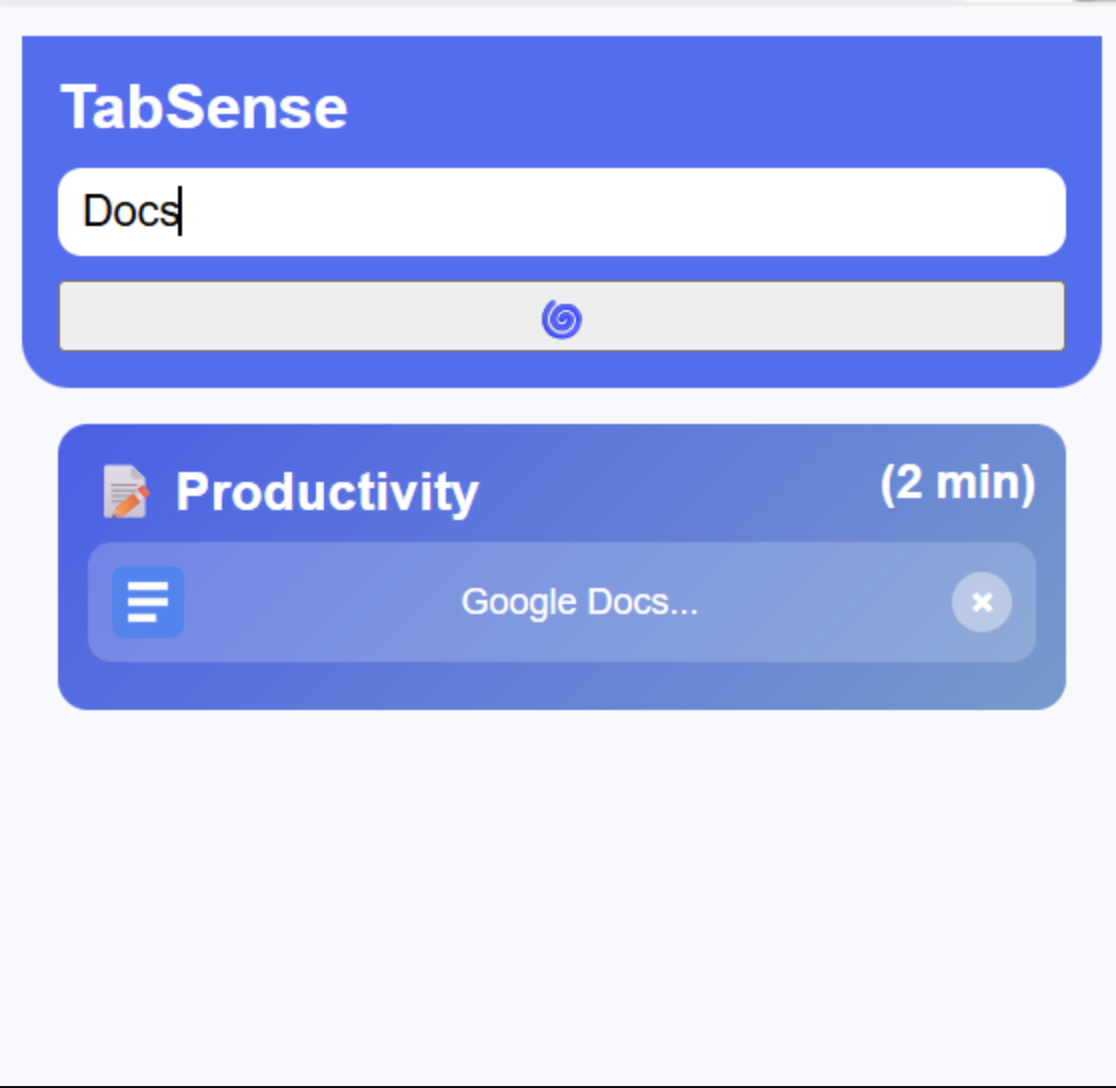
TabSense is a Chrome Extension that automatically organizes your open tabs into groups based on their content and intent, such as Work, Entertainment, Shopping, Productivity, and more. It uses AI to analyze each tab, then creates color-coded groups to declutter your browser. The popup provides a clean overview of all your grouped tabs.
How we built it
We built it using:
- JavaScript, HTML, and CSS for the Chrome Extension frontend and popup UI
- Gemini API to classify tab groups
- Render for server deploying
- GitHub for collaboration and version control
Challenges we ran into
We initially struggled with integrating the Gemini API into our backend. Managing authentication, handling asynchronous requests, and parsing responses in the right format caused several errors before we achieved smooth communication between the extension and the API.
We also faced difficulties adding a time-tracking feature for each tab group. Our goal was to record how long users spent in each group, but synchronizing real-time tab activity and updating timers across multiple tabs proved tricky. It took a while for the time to be collected and presented on the pop-up.
Accomplishments that we're proud of
- Successfully created a working Chrome Extension that automatically groups tabs by content
- Designed a popup interface that shows an overview of all tab groups
- Implemented a smooth data flow between background, popup, and Gemini API
What we learned
We learned a lot about integrating APIs to make our Chrome extension smarter. Working with the Gemini API taught us how to send structured data from the browser to the backend and handle real-time AI responses. We also gained hands-on experience debugging asynchronous rendering, optimizing API calls, and improving how the extension interacts with live browser data. Beyond the technical side, we learned how important UX consistency and responsive design are when building an AI-powered tool users interact with frequently.
What's next for TabSense
Next, we plan to make TabSense faster and more intelligent. Right now, the frontend waits for the backend to respond before fully rendering, which slows down load times, so we’re working on optimizing that with better caching and parallel rendering. In future updates, we’d love to add: Built-in chatbot support to let users. User customization options like themes, color preferences, and personalized labeling styles. Deeper analytics (like time spent on each group) displayed with interactive charts. We would like to make TabSense more accurate in organizing its tabs into different groups and the group labels will match with the overall tabs in that group.


Log in or sign up for Devpost to join the conversation.