-
-
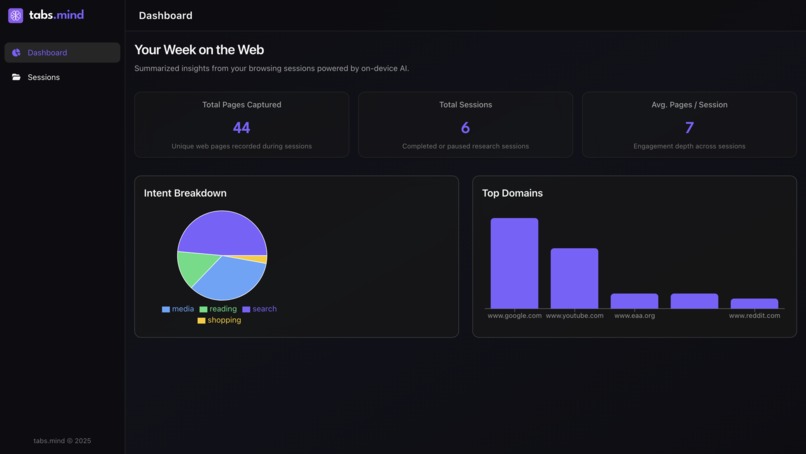
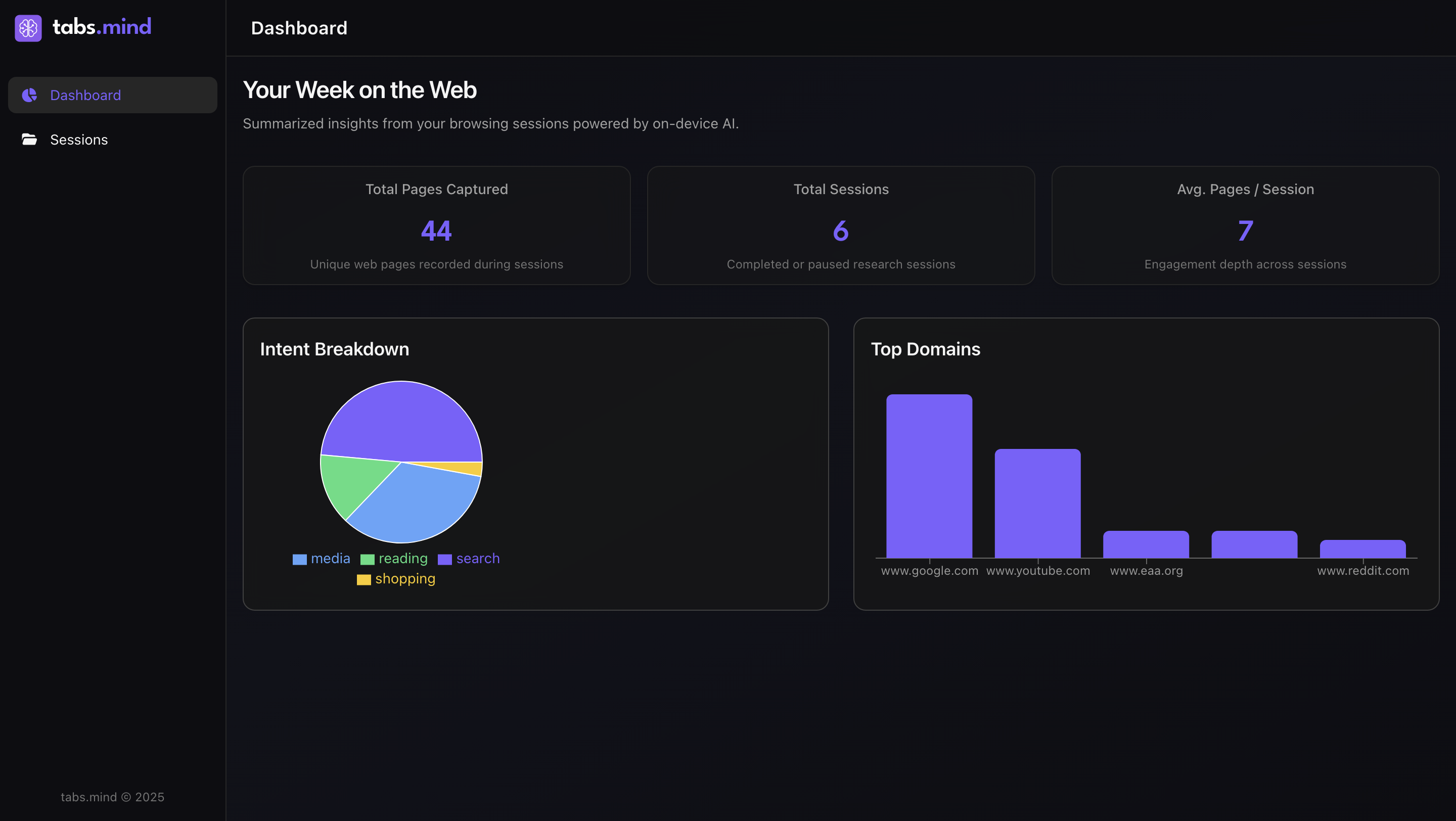
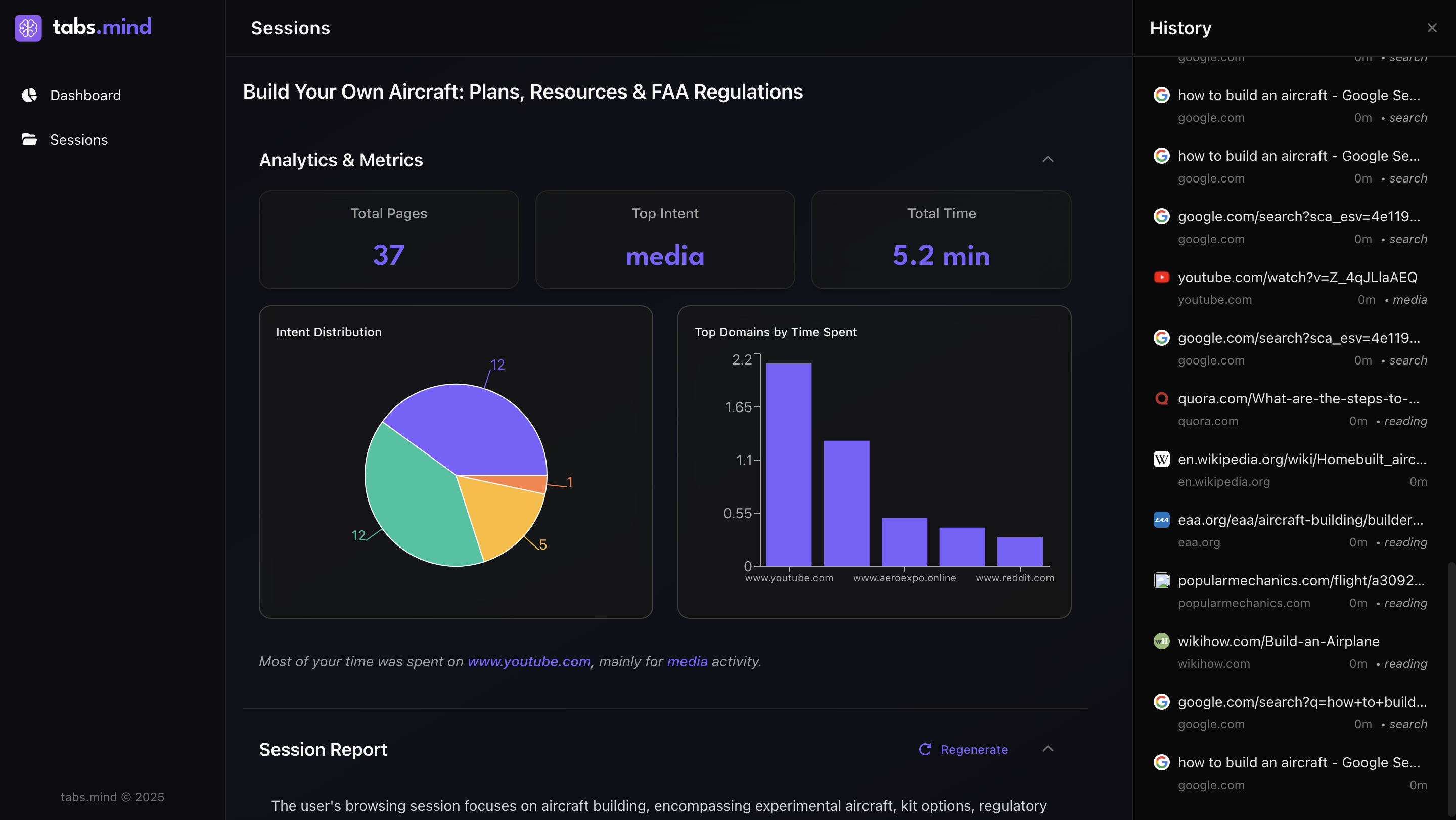
dashboard
-
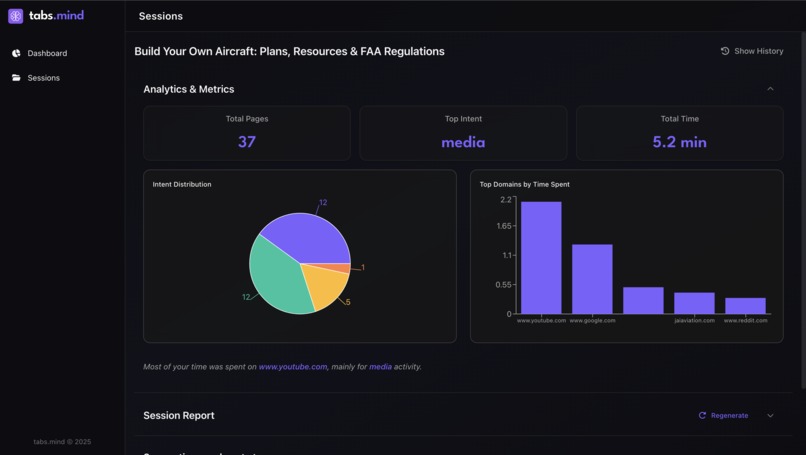
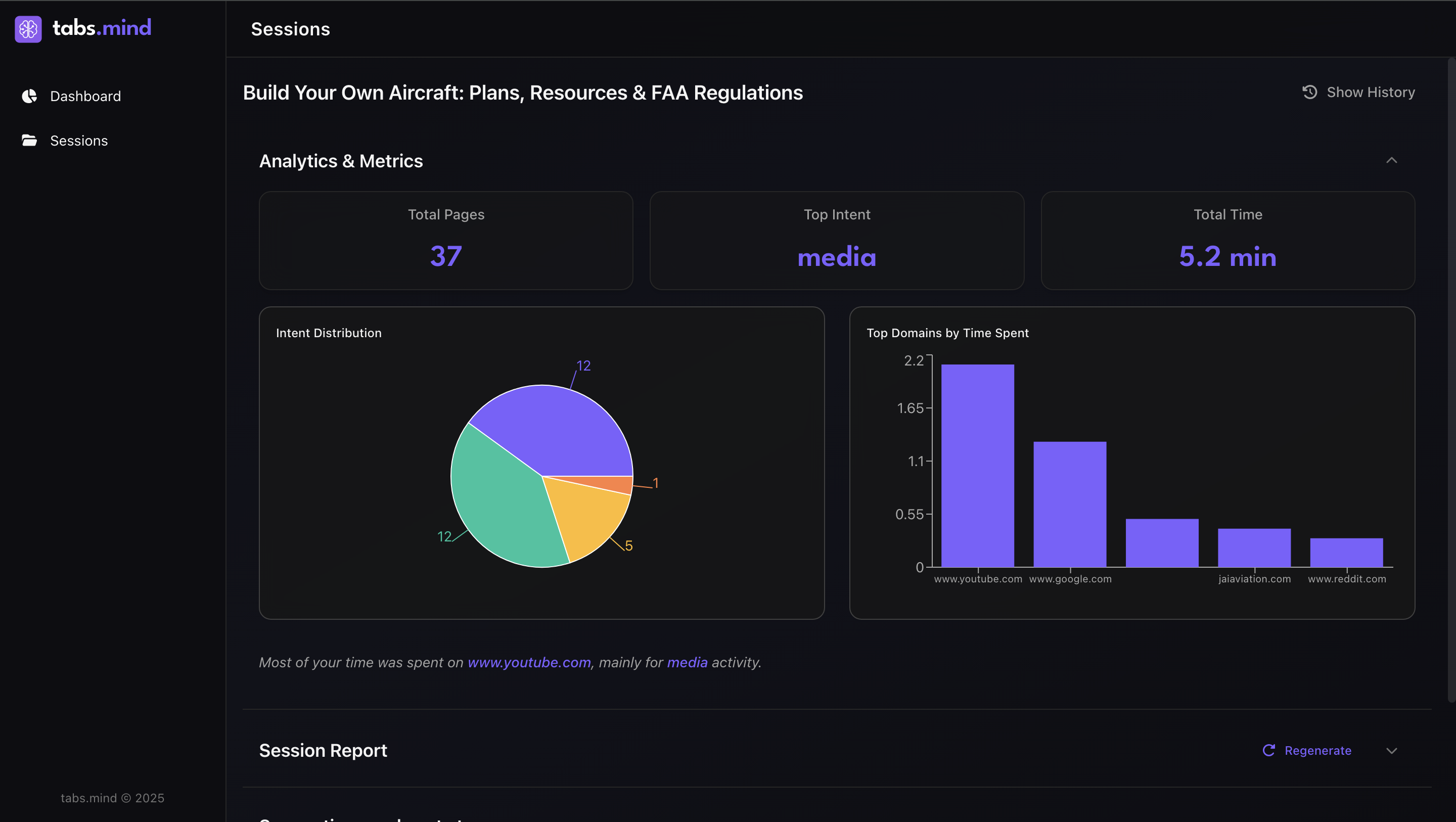
Session analysis
-
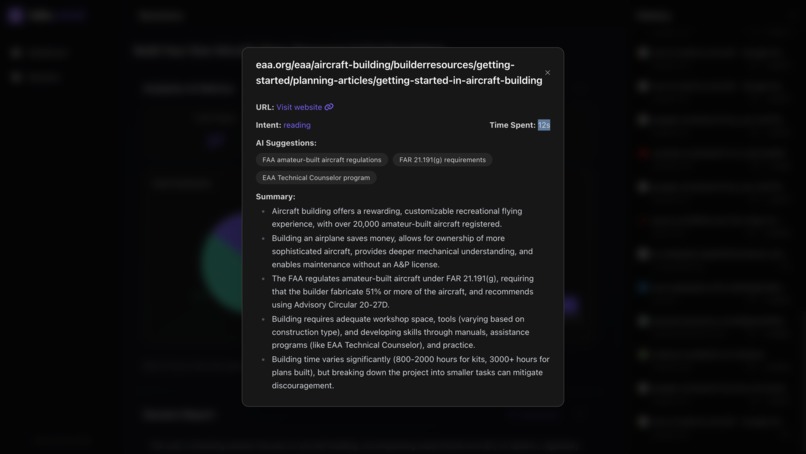
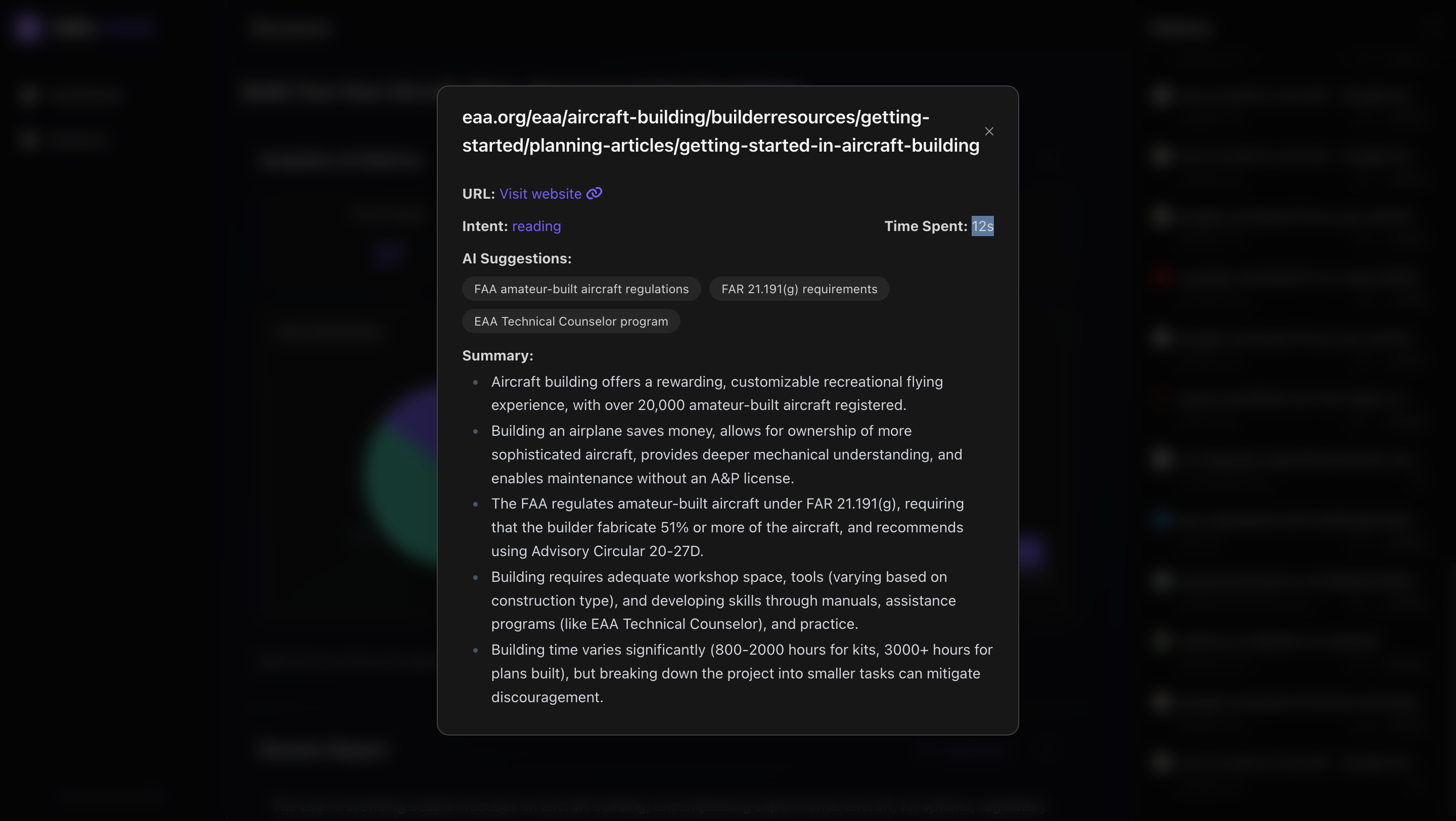
Summarization of webpage along with intent and next search suggestions
-
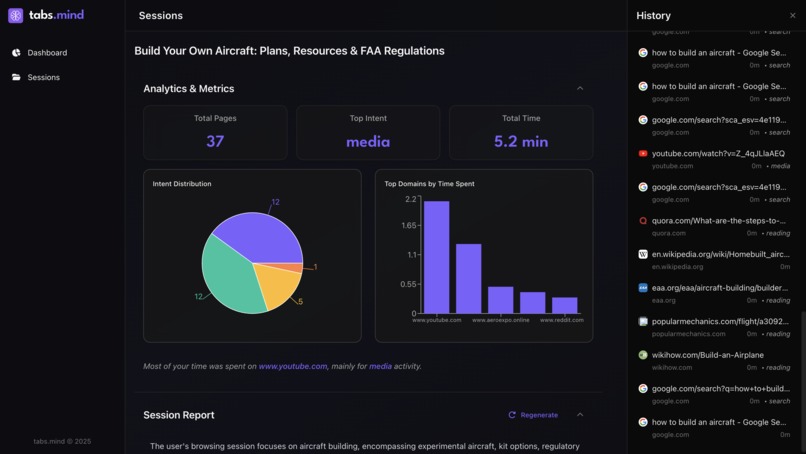
History
-
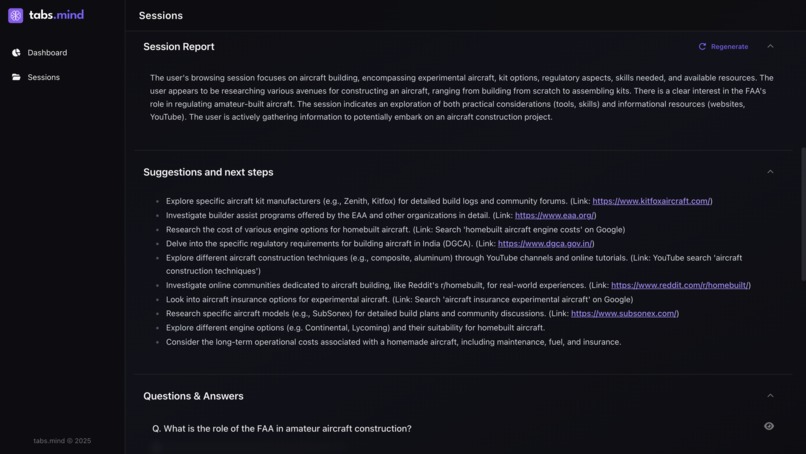
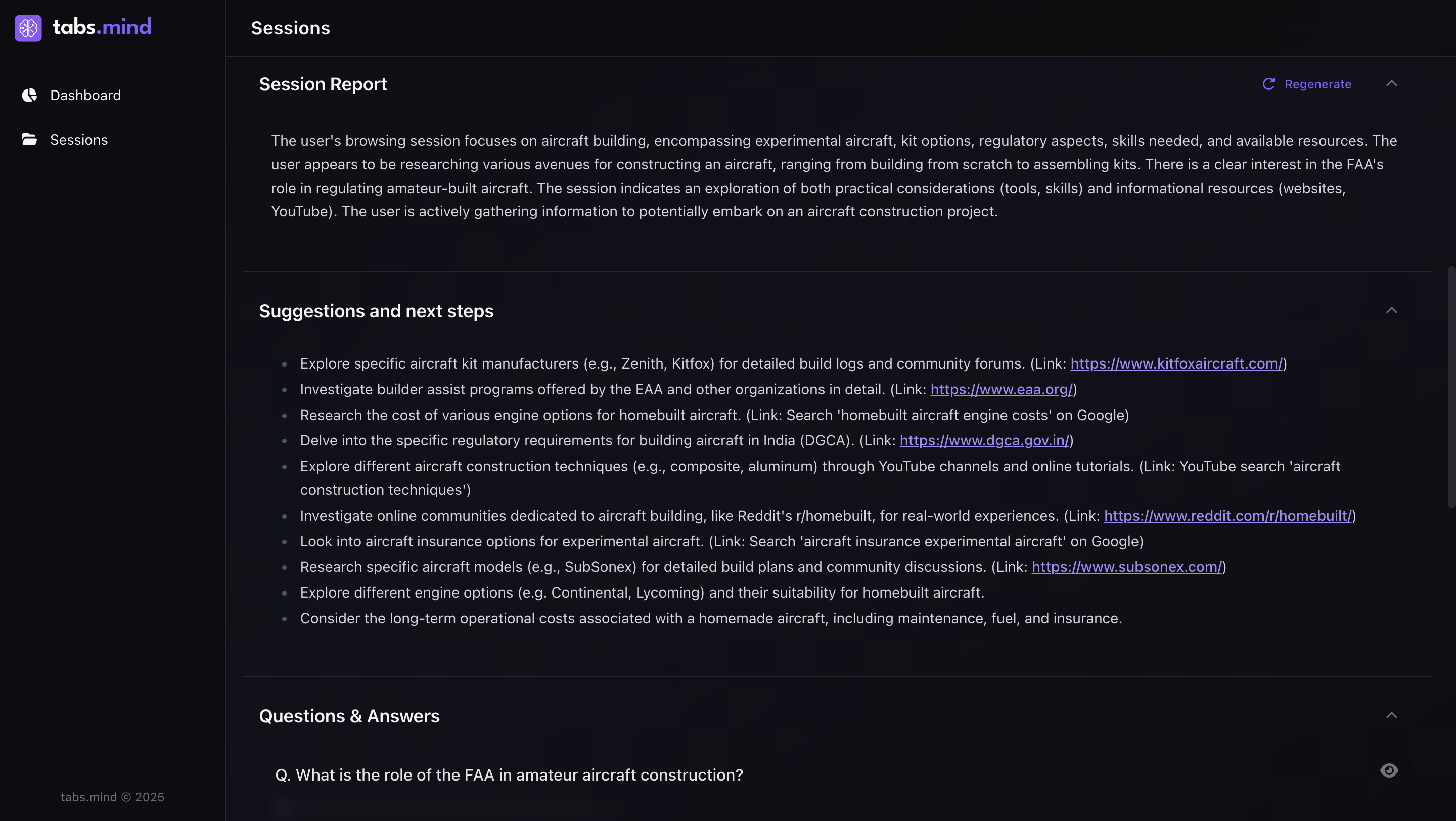
Session report and next step suggestions
Inspiration
- When we are in our "zen" mode researching about something, we get carried away in a storm of tabs and almost every time information is lost.
- Sometimes we miss crucial parts and also get stuck "what next?". if we could somehow not miss these parts and get some way to explore our horizon?
- It is also important to take a pause and "lookback" (initial name of the project) to realize how you got here. So that we can not lose track of the goals.
- It is also interesting to analyze browsing patterns to understand how productive i was.
That’s where the idea for "tabs.mind" was born, an in-browser research and productivity assistant that gives structure and meaning to your browsing..
What it does
tabs.mind is your perfect AI-powered research assistant built right into Chrome. It starts a “learning session” when enabled, tracking which websites you visit, how long you spend, and the intent behind your browsing. Using Chrome’s built-in Prompt, Summarizer APIs, it:
- Provide a compilation of all websites visited during one research session
- Analytics of a research session: time spent, main intent, number of website's visited
- Summarizes visited pages for quick understanding
- Classifies site intent (research, entertainment, shopping, etc.)
- Generates Q&A from your reading to reinforce learning
- Suggests related topics for holistic research and deeper exploration
- Provides productivity report summarizing your browsing insights and focus patterns
- All analysis runs locally on-device, ensuring your data and browsing history never leave your system.
How we built it
We were very clear on building a research productivity tool which should feel like an "extension" of your workflow. So, In a short duration of time we had multiple iterations over the product usability and experience. This combined with technology resulted in a beautiful chrome extension.
Tech stack used -
- Frontend / UI: React 19 + TailwindCSS
- Database: IndexedDB (via Dexie) to store sessions, pages, summaries, and reports locally.
- Extension Framework: Built using Vite + CRXJS with Manifest v3 support.
- Background Logic: Chrome APIs
- AI Integration: Only on-device AI powered by Chrome AI API
- Performance - in memory queues. Even.
Challenges we ran into
- Overwhelming the CPU, and performance was the biggest challenge especially when there are bursts of tabs. Few hacks that we used here were - we shifted these processes in the background and also added an in memory queue.
- Token limits - or summarization of large pages. For this we added a smart data extractor based on HTML5 tags.
- Adapting to these new Chrome AI API and the chrome environment itself.
Accomplishments that we're proud of
- Built a fully functional AI-powered Chrome extension from scratch, using Manifest V3, React, and on-device AI models.
- Achieved 100% on-device summarization and intent detection using Gemini Nano / Chrome Summarizer API, with zero cloud calls.
- Designed a clean, privacy-first architecture that stores all data locally in IndexedDB. No servers, no APIs, no user tracking.
- Created automatic research reports turning scattered browsing into structured summaries. Added contextual Q&A and next-step suggestions helping users reinforce learning and extend research naturally.
- Developed a polished, minimal UI using Tailwind that feels both analytical and calm.
- Handled AI model input limits gracefully with a custom chunked summarization and merge pipeline and queues, allowing longer sessions to be processed smoothly.
Made browsing meaningful turning everyday tab chaos into structured insights for research, work, and study!
What we learned
- Chrome extensions and how to build one.
- Benefits of on device AI and how to leverage chrome's built-in AI APIs for on-device intelligence.
- That user experience is always important regardless of technical capabilities .
- Identifying use cases of AI especially on-device AI.
What's next
- Auto classification of pages into sessions which is on for the entire time (without manual toggling).
- Focus Mode: Real-time nudges when users drift to distracting websites.
- Translator API integration: Summarize foreign-language pages seamlessly.
- Gamified productivity metrics: Weekly learning scores and streaks.
- Collaboration mode: where sessions can be shared for collective research.
- Maturing the product with additional minor features - notifications, etc.

Log in or sign up for Devpost to join the conversation.