-
-
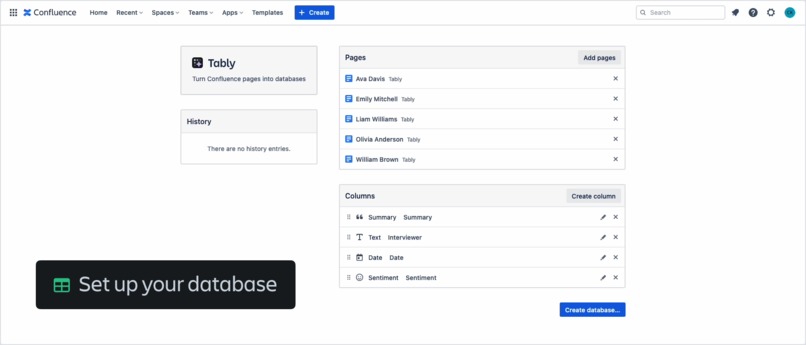
Choose pages and define columns
-
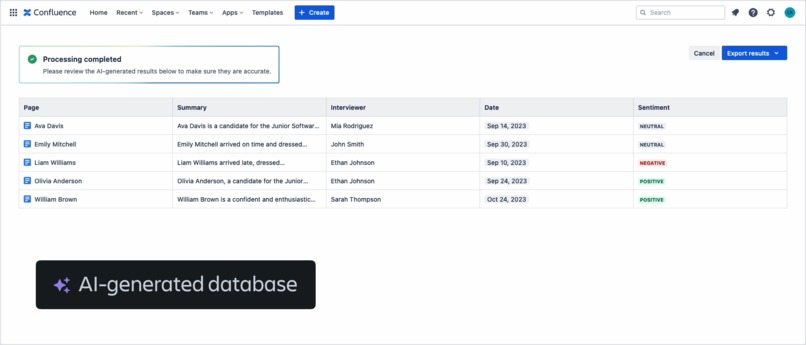
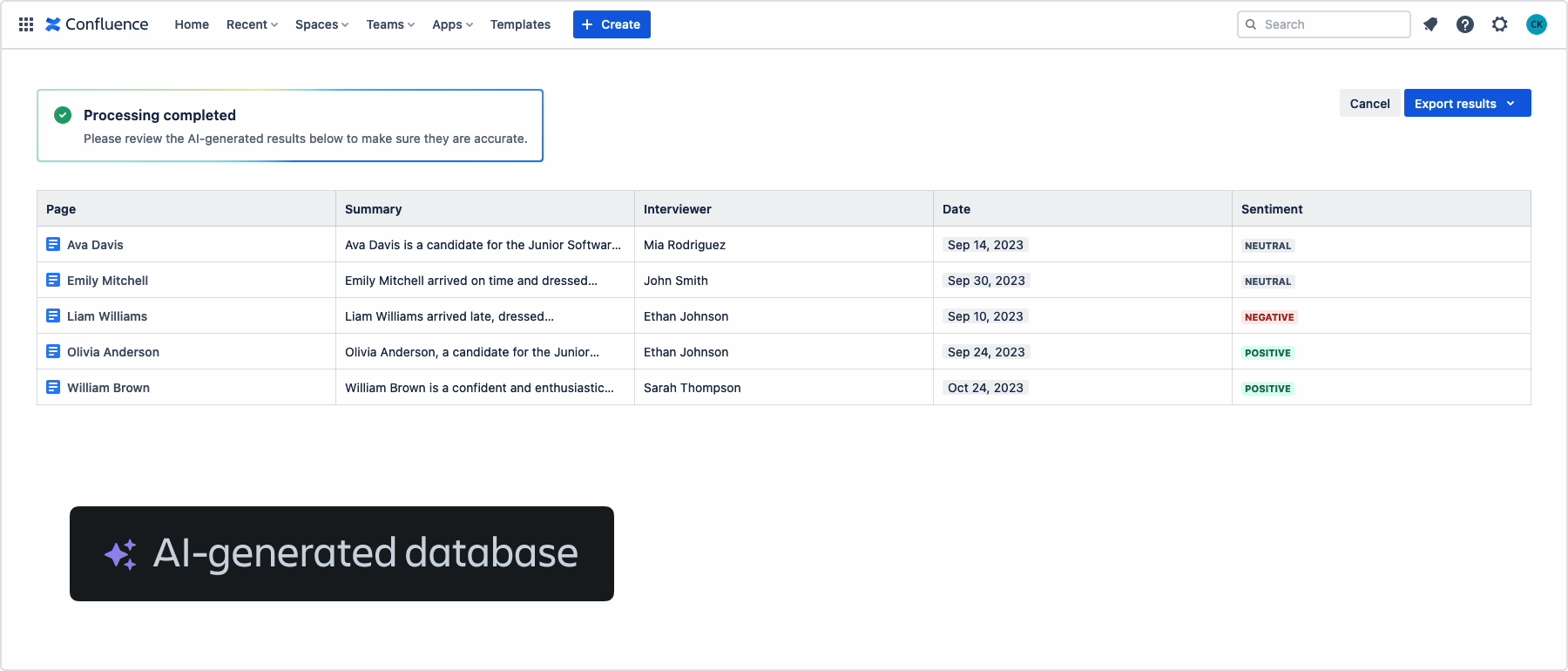
Review, edit, and export the database
-
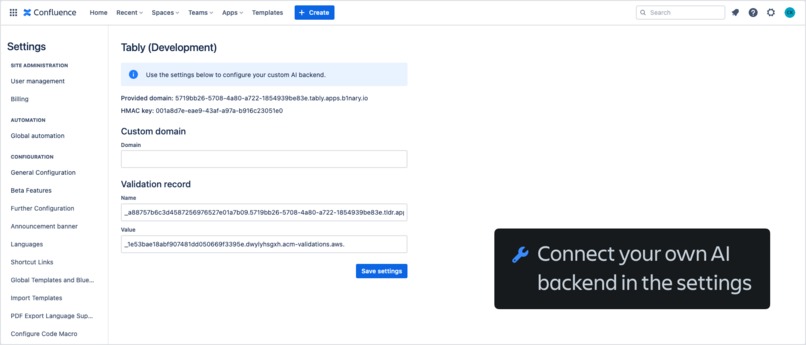
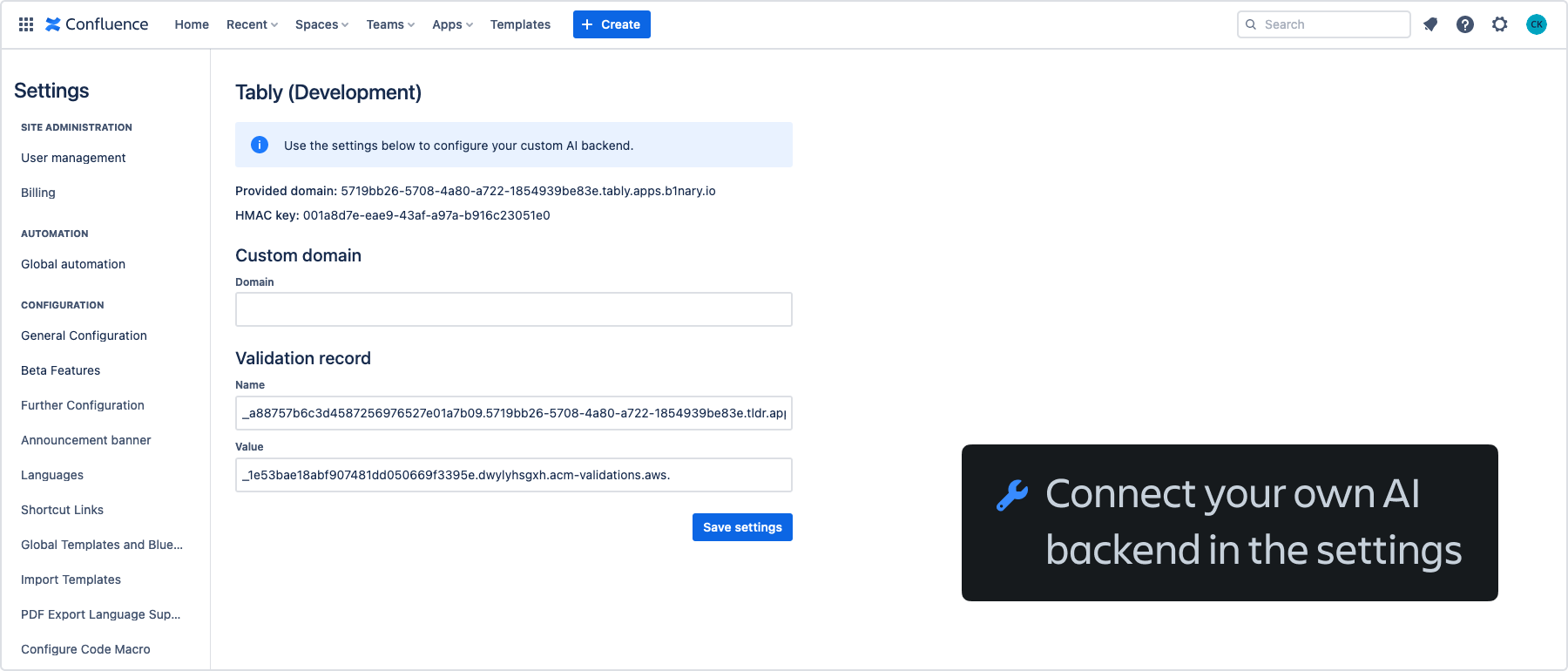
Configure a domain to use it for a custom AI backend
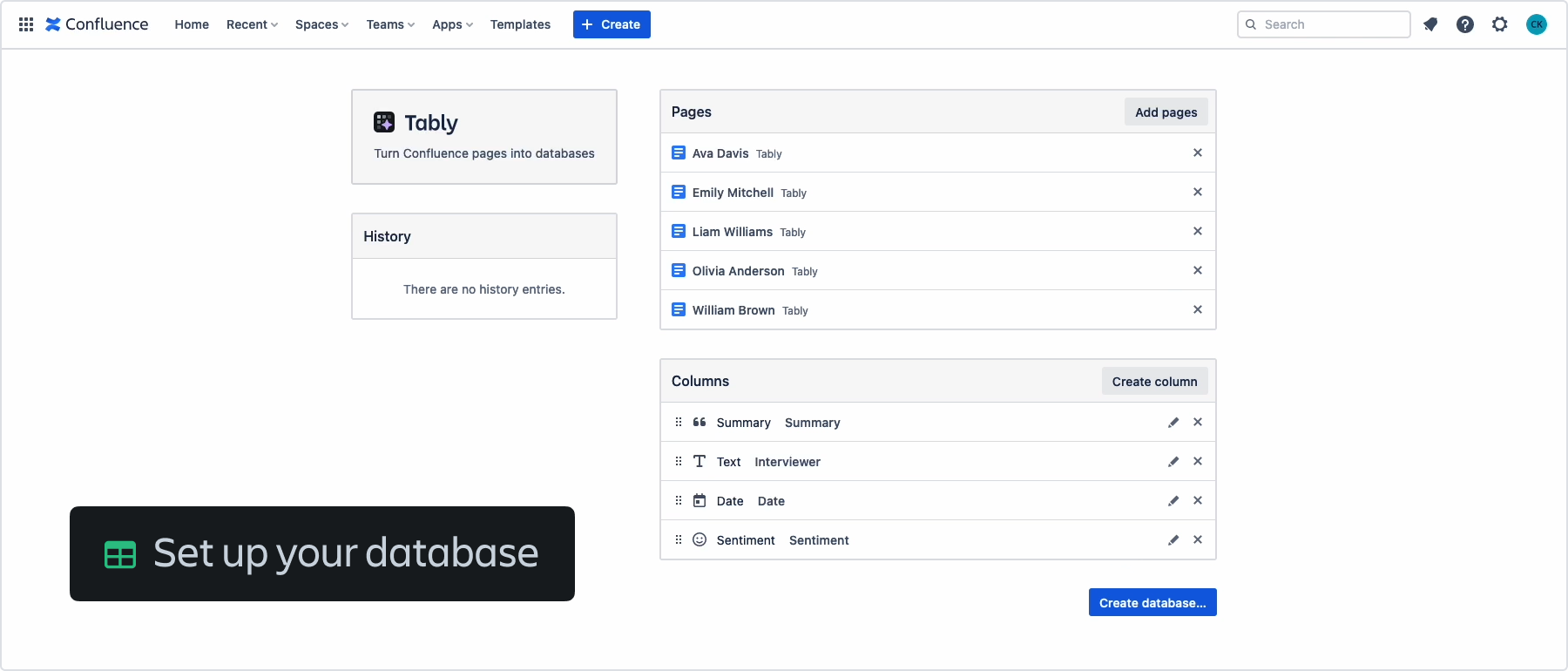
Inspiration
Hi, I’m Christian and I’ve been building Confluence apps for about two years now. One of the challenges when using Confluence is that it can be difficult to gather information from (sometimes chaotic) knowledge bases without reading through countless pages.
In a way, one of the greatest advantages of Confluence – being able to quickly write something down – is also a disadvantage because content is often unstructured and useful information is hidden in long text.
With Tably, I’m trying to solve this problem.
What it does
Tably turns your pages into databases. After choosing a list of pages from which you would like to gather information, you define the columns of the database. You can use columns to retrieve text, numeric values, and dates from pages and even summarize content and analyze its sentiment.

After Tably has processed your pages, you can review the AI-generated results and make edits where necessary. Once you are happy with the result, you can export your database to a new Confluence page or a CSV file (and in the future, to a Confluence database as well).

How I built it
Except for the large language model, the app backend runs in the Atlassian cloud, thanks to Forge. I used React, Atlaskit, and Vite for the custom UI frontend – a page in the Confluence apps menu for the app itself and a settings page for configuration.
By default, Tably uses GPT-3.5 by OpenAI, but it also supports custom AI backends, for which I built a DNS-based solution with AWS Route 53 and Lambda. With this implementation, Tably can send AI requests directly to a customer-provided backend, which can then use any AI service (e.g., Cohere or Anthropic) or a self-hosted model.
Challenges I ran into
I experimented a lot with different prompts to get good results from the model. Sometimes, small changes in the wording of a prompt can lead to very different outputs, which was a challenge because the results have to be in a consistent format to make them useful for Tably.
Another challenge was building support for the custom AI backends that I mentioned above. Forge only allows requests to external domains that have been approved in advance, which is good for preventing unexpected data egress, but also makes legitimate requests to endpoints that you don’t know in advance difficult to implement.
Accomplishments that I'm proud of
There’s a lot of work involved in building apps that work well on a technical level, but also have a great user experience, especially AI apps, where best practices are still evolving. I’m very happy with my implementation of Tably and how it uses AI to avoid time-consuming manual work while still giving users control over the AI-generated content.
What I learned
Before this hackathon, I did only a few experiments with the OpenAI APIs and other models. This gave me the opportunity to learn more about how these APIs work, how to write good prompts, and how to use AI in a real app.
What's next for Tably
I have lots of ideas for new features that I would like to build in the future, for example:
Auto-filling: If a cell in the database doesn’t have a value, Tably could use AI to fill in the value based on the other content in the database.
Multiple rows per page: Currently, Tably creates one database row for each page. Depending on the content, it could be useful to generate multiple rows, e.g., one for each heading.
Support for Confluence databases: Hopefully, there will be a REST API for the new Confluence databases feature, which would allow Tably to export results directly to a Confluence database.
Built With
- amazon-web-services
- atlaskit
- forge
- openai
- react
- vite





Log in or sign up for Devpost to join the conversation.