-
-
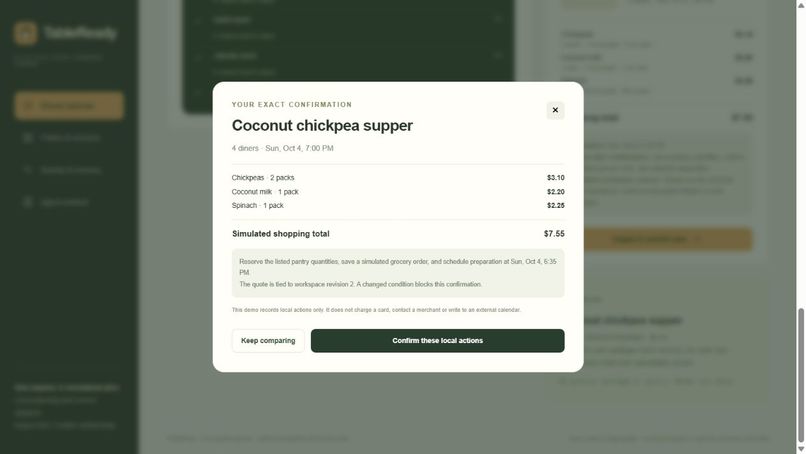
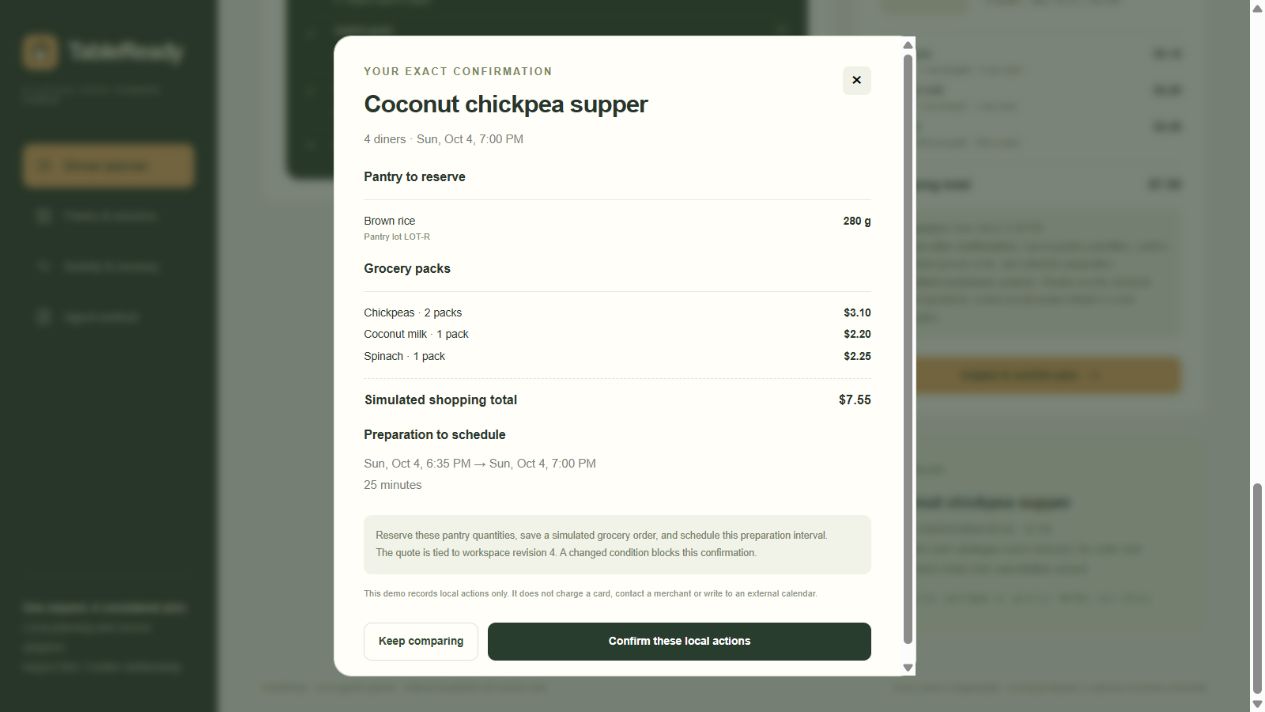
The working app presents the itemized $7.55 basket and exact actions before confirmation.
-
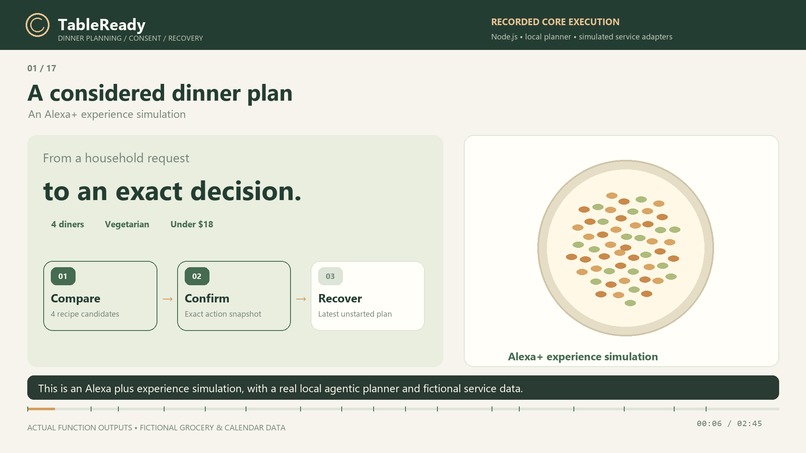
TableReady: compare meals, approve an exact plan, and restore it when plans change.
-
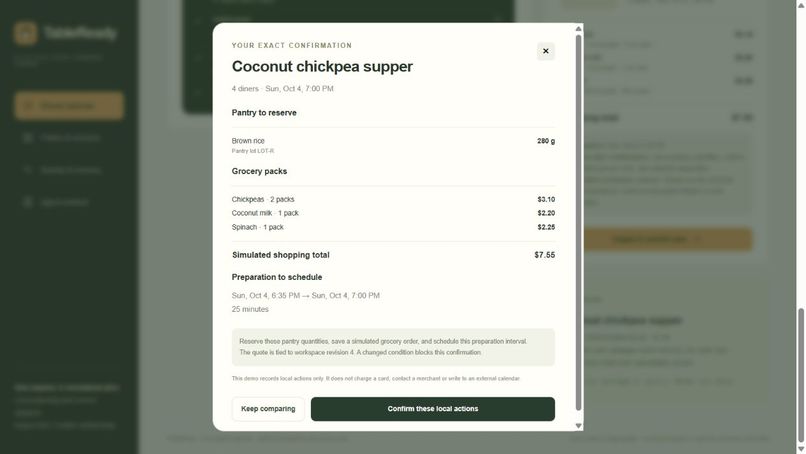
Exact confirmation lists pantry lot LOT-R: 280 g rice, the $7.55 grocery basket, and the full 25-minute preparation interval.
Inspiration
Dinner planning brings several decisions together: what is already available, which ingredients to buy, what the meal will cost and when preparation can happen. A useful assistant has to keep those decisions consistent when the request changes. TableReady explores that problem through an Alexa+ dinner-planning simulation with an inspectable local planner and explicit confirmation.
What it does
A request such as “Dinner tomorrow at 7 pm for four, vegetarian, under $18” becomes a structured plan. TableReady checks pantry lots, scales recipe quantities, compares four meals, quotes the missing grocery packs and checks a preparation slot. Each candidate shows pantry coverage, shopping cost, preparation time and any failed constraints. Ranking considers ingredients approaching their use-by dates, pantry coverage, cost, preparation time and the user's recipe choice.
A user can change the meal, budget or serving count while retaining the pending meal date and time. The parser handles a defined set of dinner requests and corrections; unfamiliar requests receive a clarifying question. Ingredient exclusions, diet, available stock, budget, preparation lead time and calendar overlaps remain part of the comparison.
Confirmation and cancellation
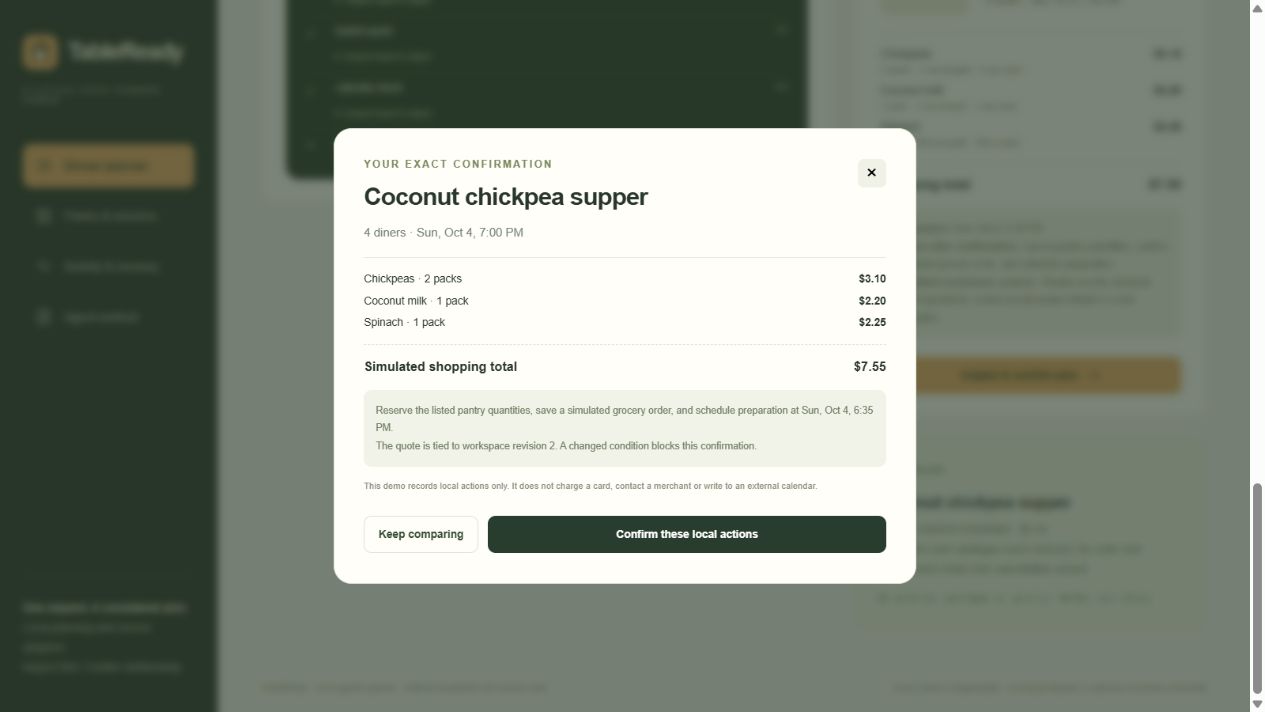
Before committing a plan, TableReady presents the exact pantry quantities, grocery packs, total and preparation interval. Confirmation checks the workspace revision and recalculates feasibility against the current state. A changed quote or inventory condition requires a fresh plan. Repeating confirmation returns the original receipt and keeps one order and one calendar entry.
The local commit reserves pantry ingredients, updates catalogue stock and records the order, preparation slot, preferences and audit history together. Browser storage preserves the workspace after a reload. A user can cancel the latest unstarted plan: quantities are restored and the cancelled records remain visible. Later workspace changes or a preparation interval that has begun prevent automatic restoration of an older snapshot.
How it was built
The application uses JavaScript ES modules, HTML, CSS, original SVG illustrations and browser localStorage. Its custom agentic tools handle request parsing, pantry retrieval, recipe comparison, grocery quotation, calendar checking, commitment and reversal. Grocery prices, stock, recipes and calendar adapters are authored simulation data.
A dependency-free Node.js server runs the application locally, and Node's built-in test runner checks the domain functions. The static application is hosted on GitHub Pages. The MIT-licensed repository includes the source, setup instructions, architecture notes and tests.
What we tested and learned
Sixteen domain tests passed, covering constraints, changed requests, stale or altered confirmation snapshots, repeated commitment, quantity restoration and cancellation guards. Browser checks confirmed the four-meal comparison, the curry's $7.55 basket, one order receipt and calendar entry, persistence after reload and restoration on cancellation.
The main lesson was to treat an approved plan as a specific set of quantities, prices and times. This made request corrections, changed stock and repeated actions testable. The next development step is to connect authenticated pantry, supplier and calendar adapters, using separate quote versions and transaction-specific cancellation for activity across devices.
A concrete comparison
In six fixed-data scenarios, the same four-person request selected the lentil meal with $0 shopping when pantry ingredients were present and $8.25 when they were removed. A six-person vegan request under $10 selected a $4.25 basket. Setting coconut-milk stock to zero blocked the requested curry; declaring milk and peanut exclusions removed the conflicting recipes. A past-date carrot lot was excluded and replaced with a $1.60 grocery pack. Repeated confirmation kept one order and one calendar entry, and cancelling the latest unstarted plan restored the pantry and catalogue quantities. The full scenario inputs and outputs are available in the repository.


Log in or sign up for Devpost to join the conversation.