-
-
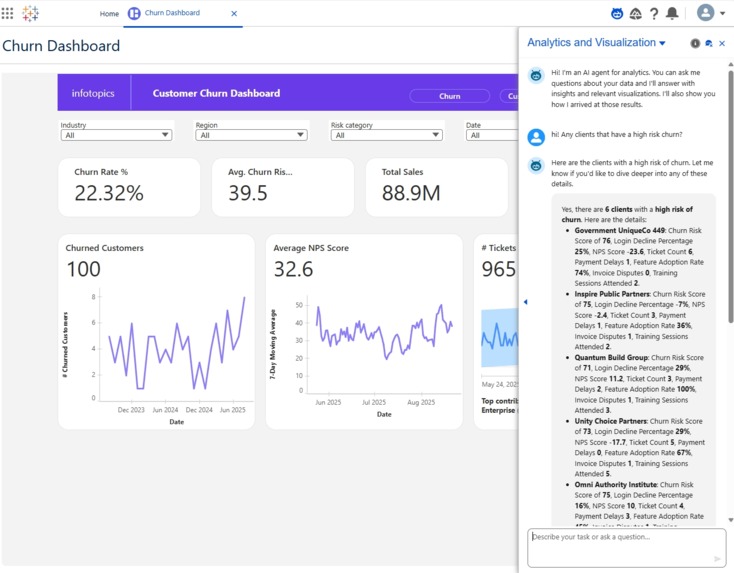
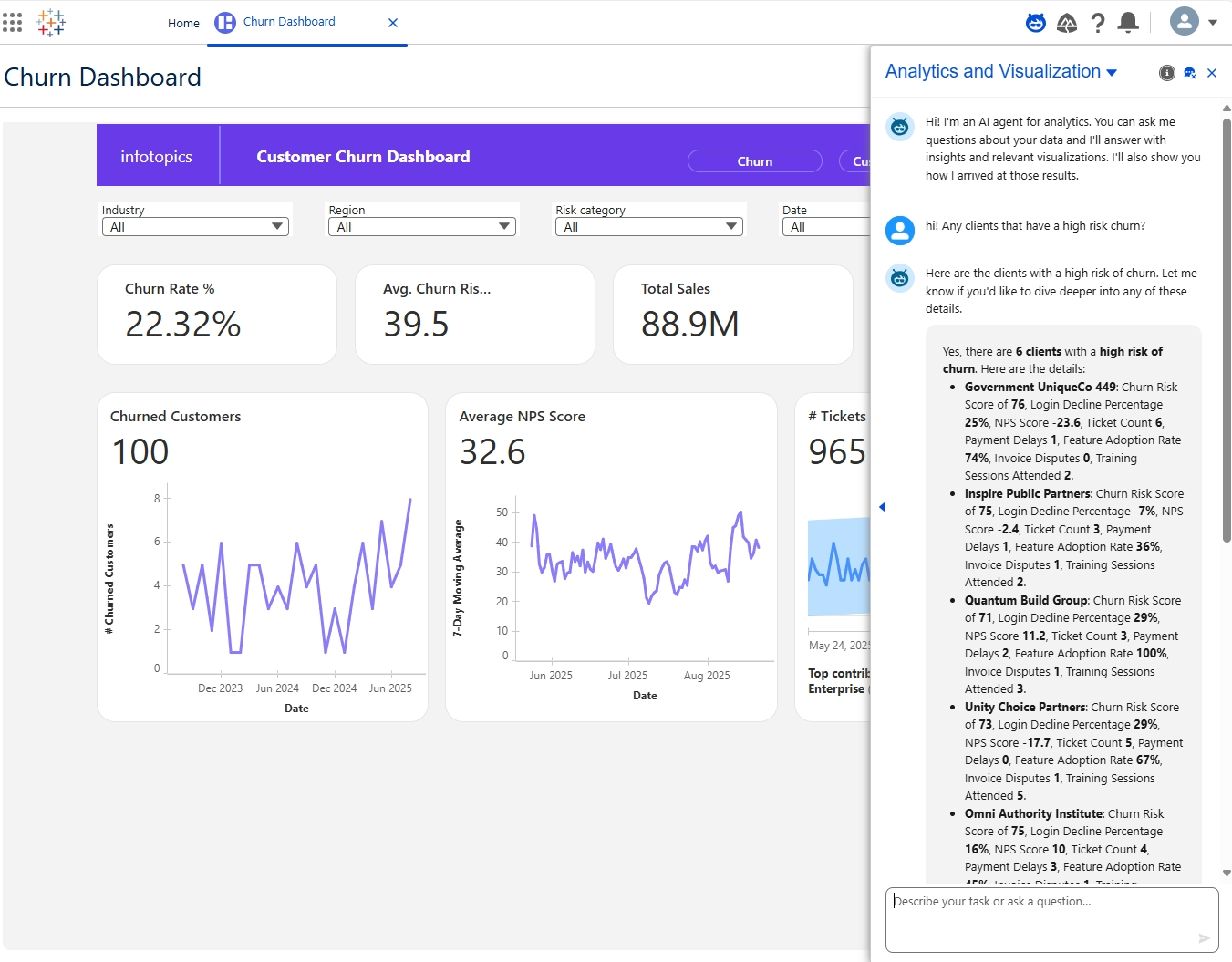
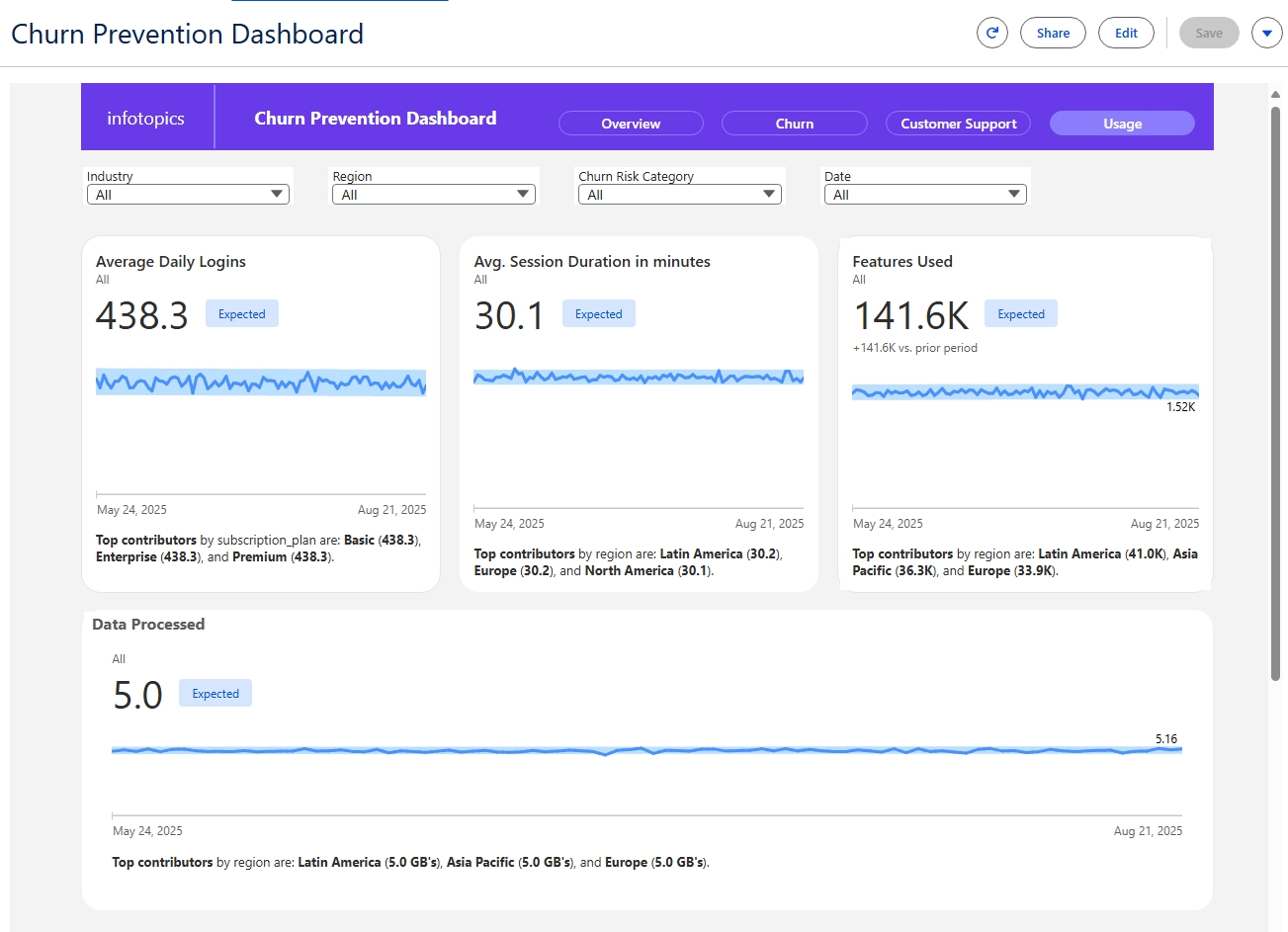
Churn Prevention Dashboard
-
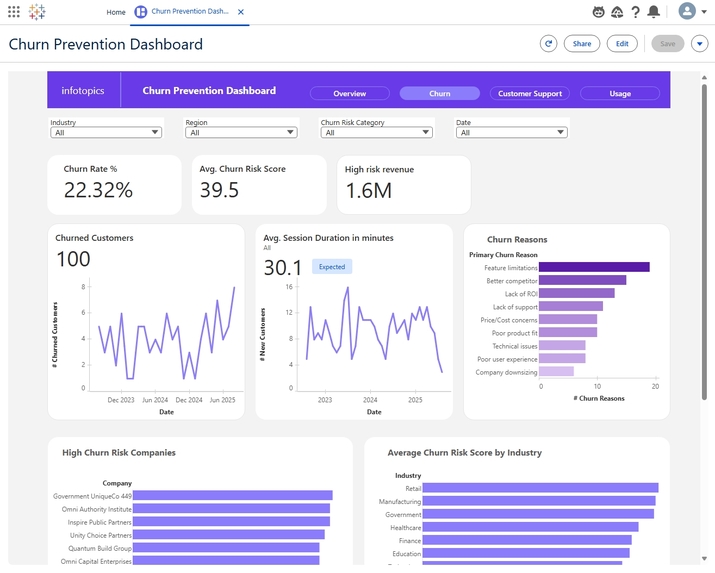
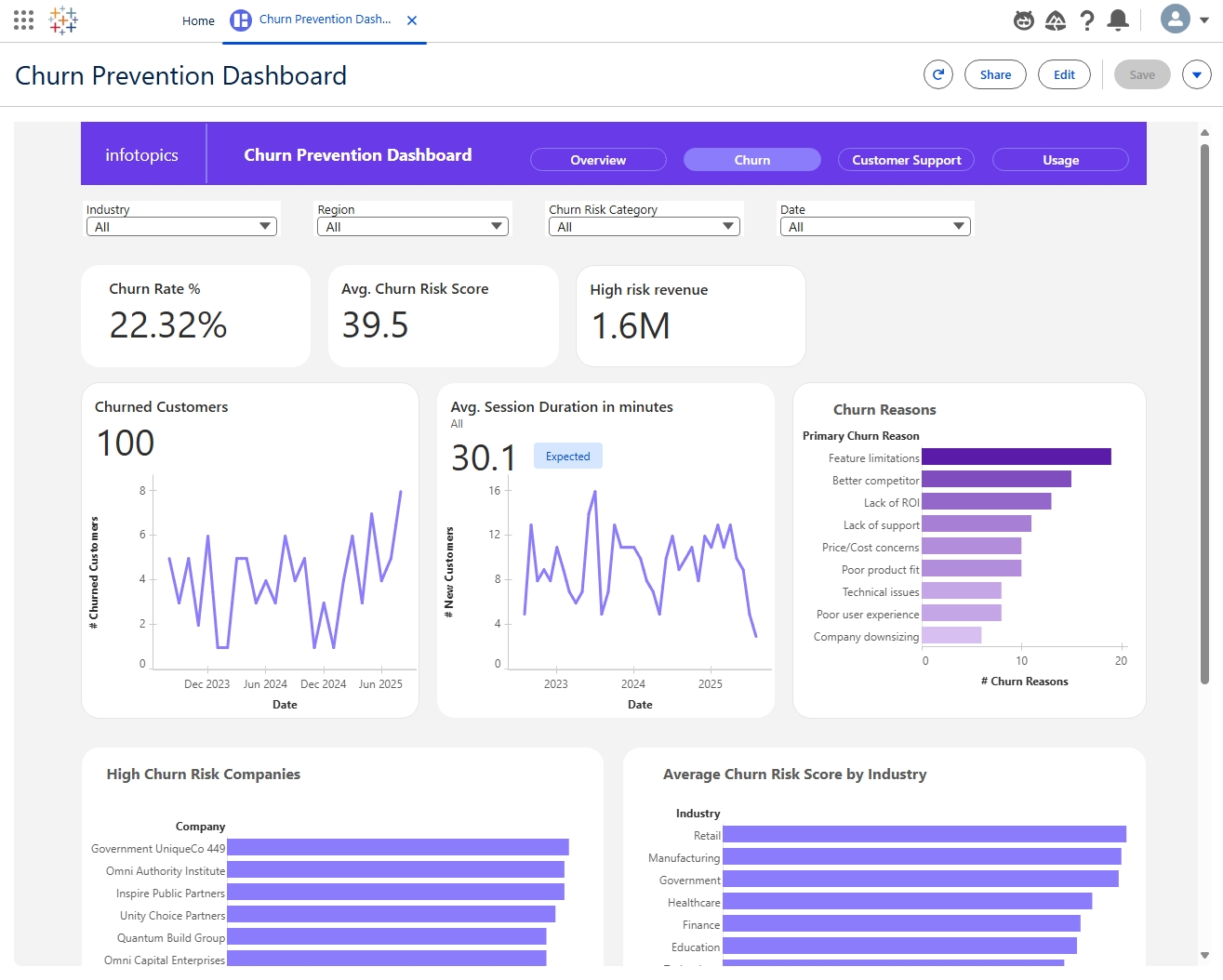
Churn
-
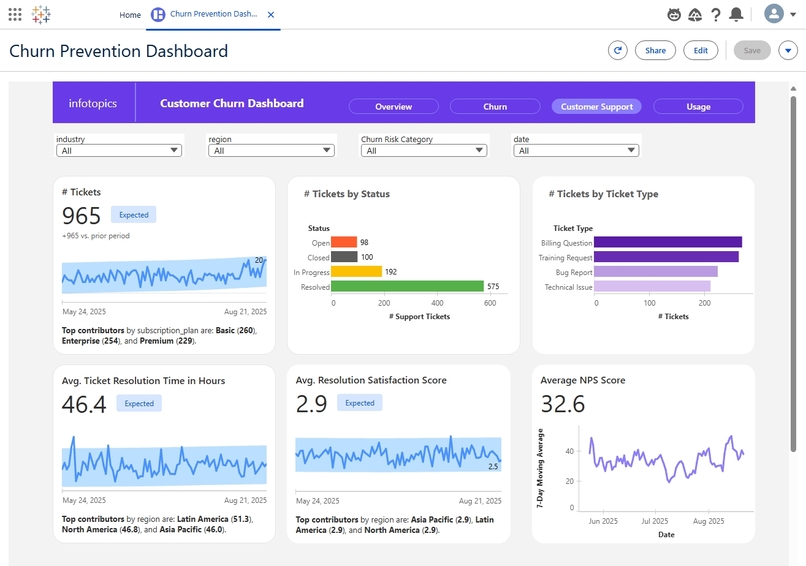
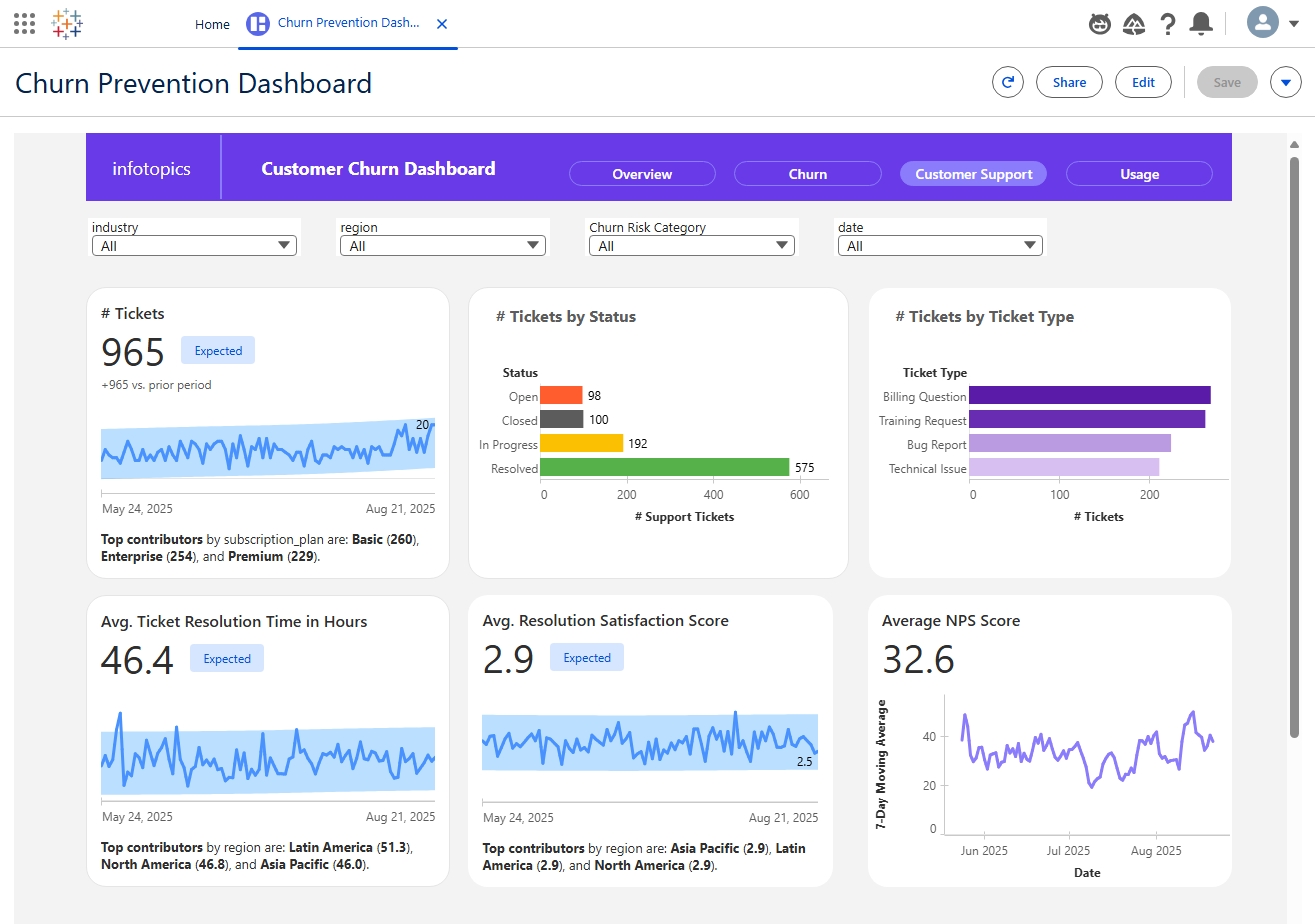
Customer Support tickets
-
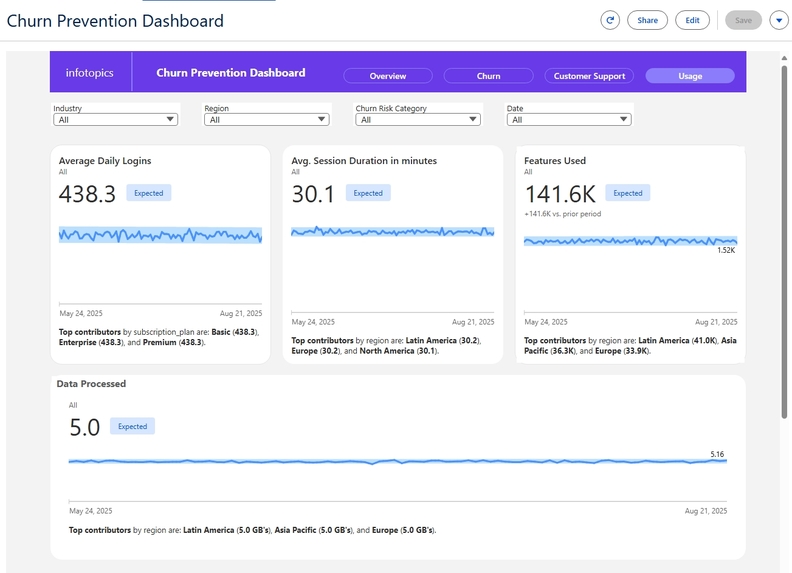
Customer Platform Usage
-
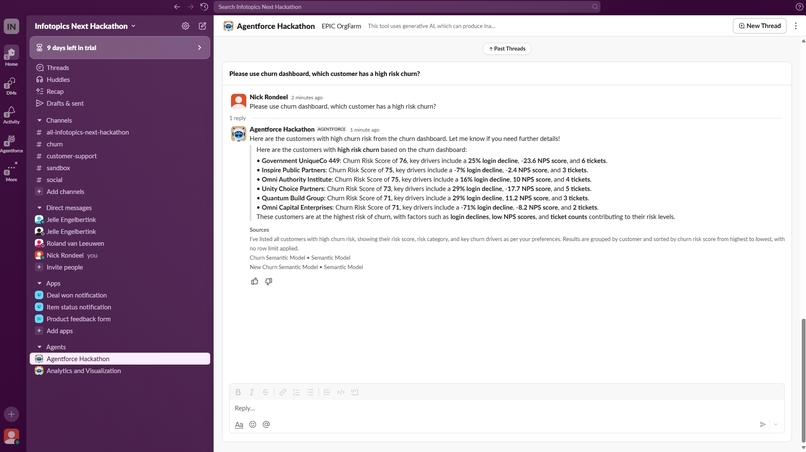
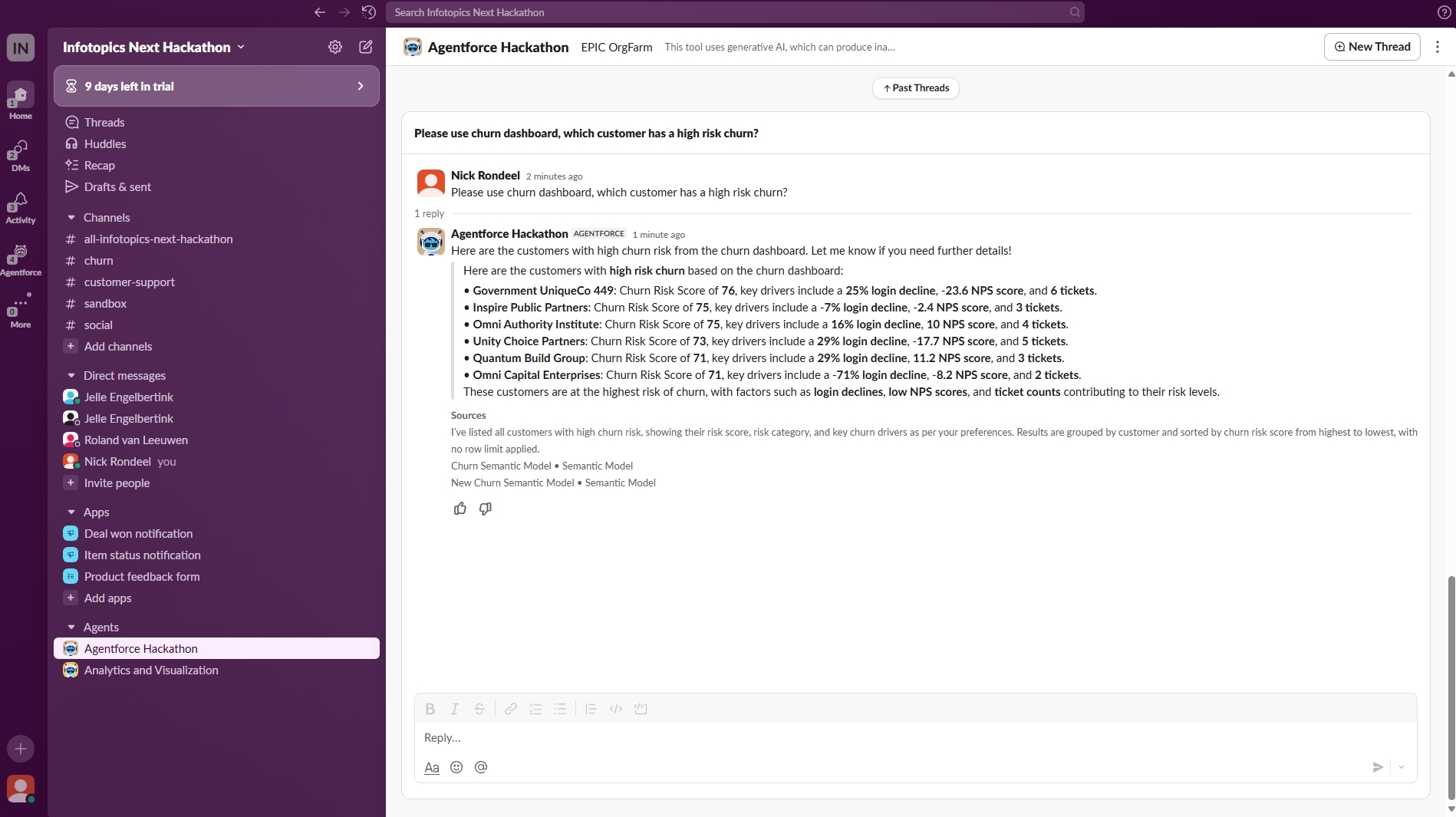
Churn Slack Agent
Inspiration
Retention is the most reliable growth lever when budgets are tight and acquisition costs climb, yet most teams still react to churn symptoms after it’s too late to intervene. Tableau Next’s agentic AI capabilities inspired a proactive approach: detect churn risk early, explain the “why” in business terms, and trigger actions from inside the analytics experience to close the loop rapidly.
What it does
The solution, Churn Prevention for Tableau Next, surfaces a live “Watchlist” of customers likely to transition into high risk, quantifies at-risk revenue, and explains key drivers like login decline, support friction, payment issues, and NPS drop. Based on the underlying features, like Usage, Invoice Payment Delays, Number of Support Tickets, based on each of these “drivers” we want to trigger workflow’s to achieve actionable insights.
How we built it
Data model: a current-state customer snapshot aligned with history of churned customers, strict chronology, and three-month tables for support and usage data. Datacloud is connected to a Google Drive storage. Slack is configured and connected, a dedicated Slack Tableau Agent has been configured.
Feature engineering: High Risk Next Month-like next-month risk signal, trending metrics (logins, usage), friction indicators (tickets, delays), and correlation-calibrated NPS to reflect realistic inverse relationships with risk.
Analytics experience: a Watchlist dashboard prioritized by at-risk revenue, a Churn detail page with explainable risk factors, and curated natural-language prompts to drive guided exploration and recommended actions.
The symantic model contains als the business information to address the natural-language prompts.
Challenges we ran into
Creating the right Sample data: Creating consistency between the data. We couldn't use our calculated fields made in the Semantic Model within Agentforce Flow Builder. For example, the calculated field Churn Risk Score data couldn't be retrieved within the Flow builder. If there was a possibility for this option, we would have like to implement a notification tool within Slack. E.g., when a customer gets a high churn risk score category, the associated account manager would get an automatic notification/message within Slack.
We created our initial semantic model based on Data Lake Objects, but then we ran into limitations that Salesforce Flows could only be created with Data Model Objects. Consequently, we mapped our DLOs in Data Cloud to DMOs. However, we needed to recreate our entire semantic model, calculated fields, metrics, and visualizations. There was no option to change data source type from DLO to DMO (Hence: That’s why you will see 2 symantic models)
Multiple error notifications during the process of the Hackathon. Most of them were also experienced and posted by others in the Slack community.
The Agentforce Agent occasionally struggles to determine which semantic model to use, and at times it fails to answer even basic questions. For example, when a user interacted with Agentforce in Slack and asked about high churn-risk companies, the Agent was able to provide an answer and generate a visualization. However, if that user then mentioned another colleague in Slack (triggering a notification for them), the colleague would receive a notification, but Agentforce missed the full context of the original conversation when they later interacted with Agentforce.
We miss CTRL-C – CTRL-V functionality to quickly copy and paste objects. Makes it hard for use to design consistent user interfaces in Tableau Next.
Accomplishments that we’re proud of
A clean, auditable lifecycle alignment: churn history now strictly governs the “churned” flag and chronology in the customer dataset.
Actionable explainability: clear, evidence-backed drivers per customer enable credible retention playbooks rather than black-box scores.
Insight-to-action loop: the demo shows a full flow from detection to intervention with measurable at-risk revenue impact.
What we learned
UX is still very limited in terms of visualizations, dashboard options, parameters, and metrics. You cannot re-use the Tableau (Default) Agent in Slack itself, you have to create a new agent for Slack purpose.
Built With
- agentforce
- datacloud
- google-drive
- slack
- tableau


Log in or sign up for Devpost to join the conversation.