-
-
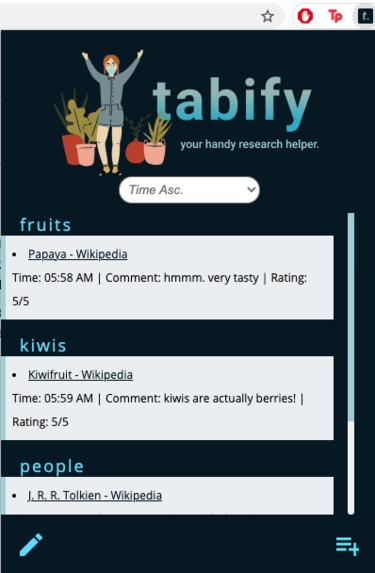
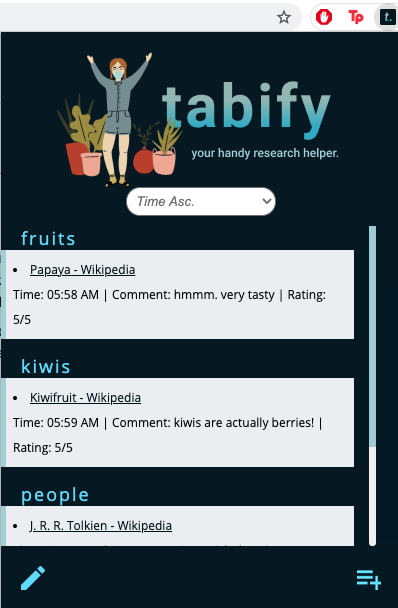
Main Page
-
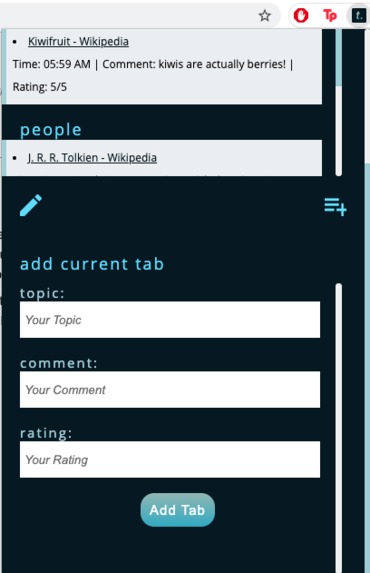
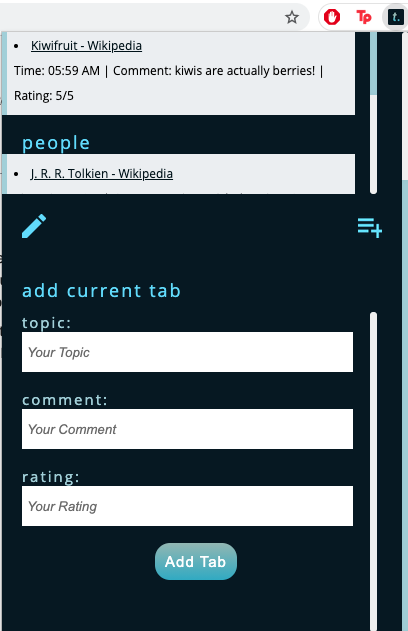
Add Current Tab
-
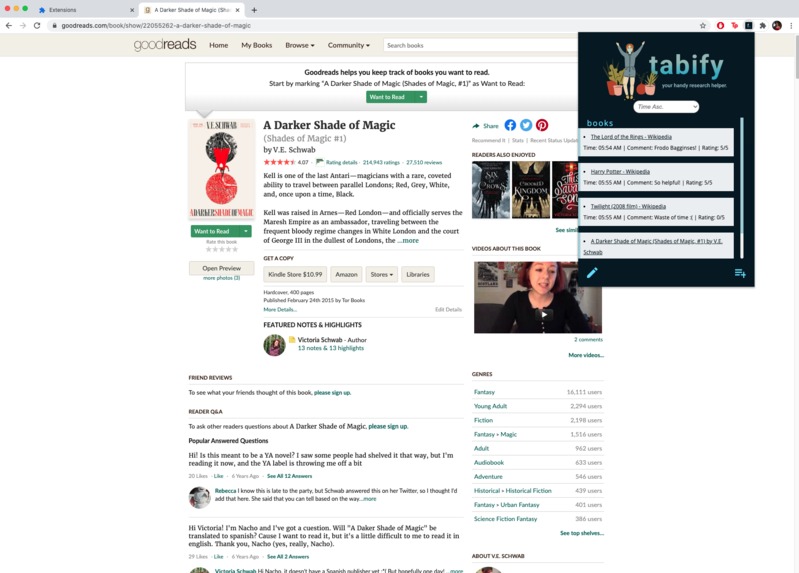
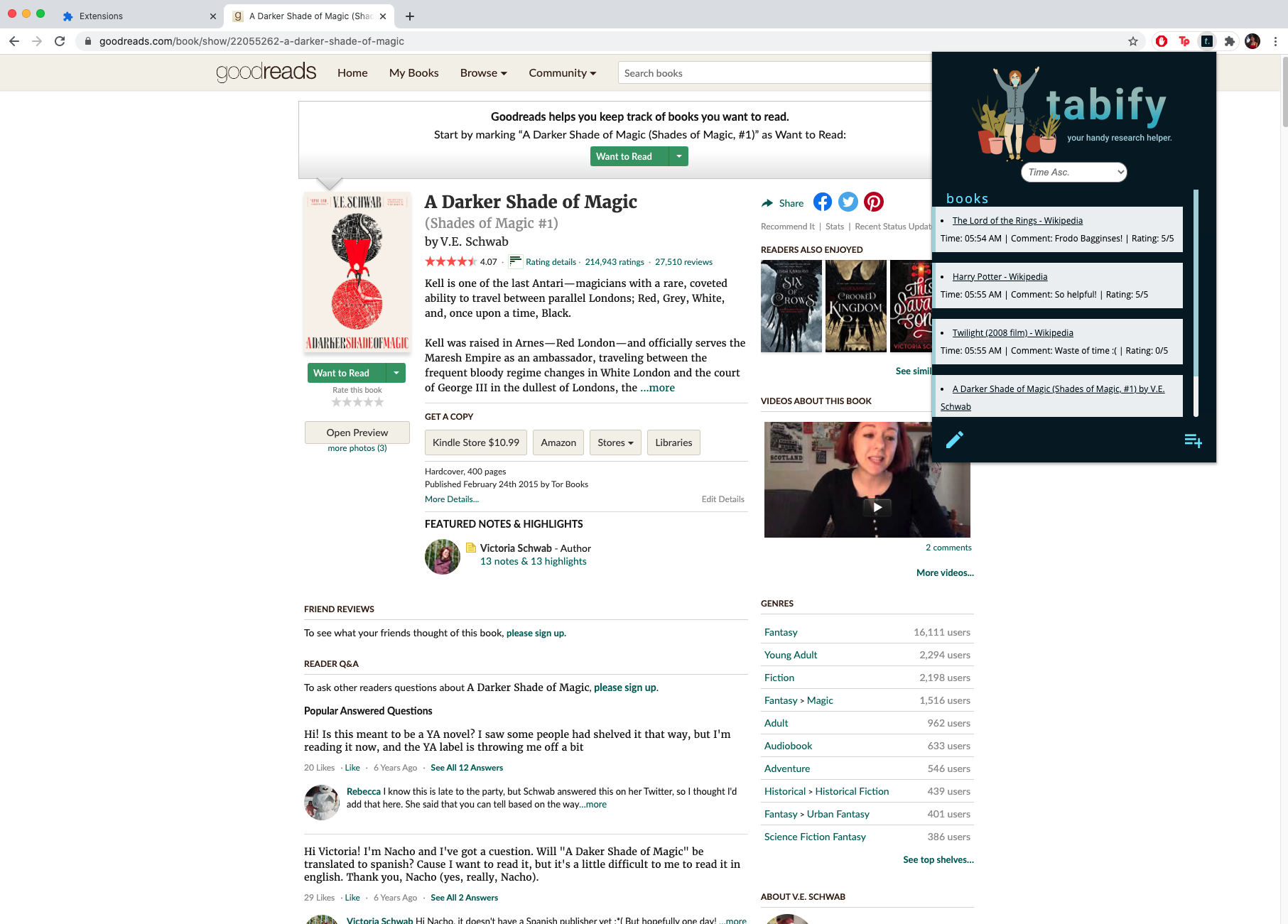
Example in Browser
-
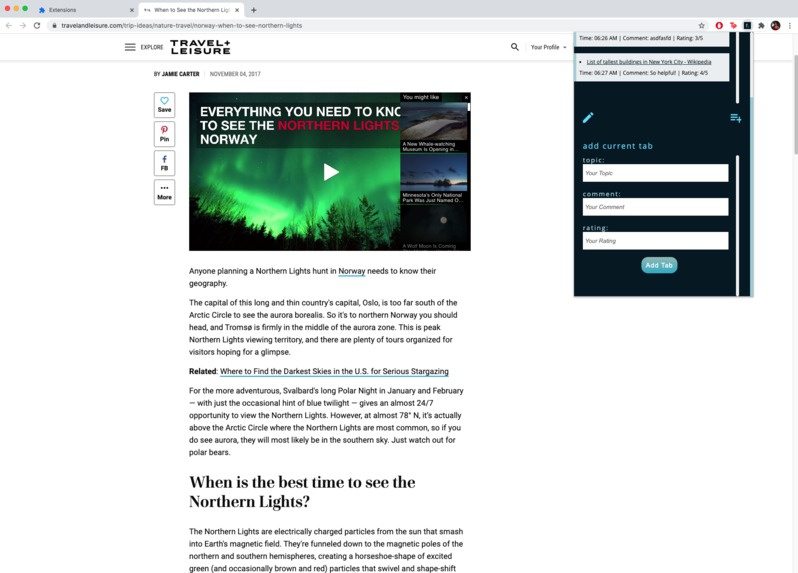
Add Current Tab Example
-
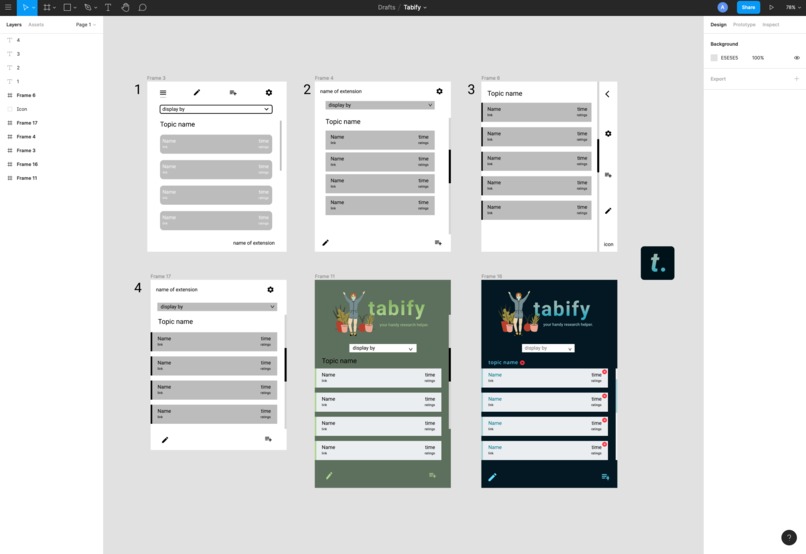
Other Possible Designs
Inspiration
We all know that feeling of spending hours fixing a bug... researching all over the internet, praying for some miracle. Maybe that one webpage, that one tab from StackOverflow that you desperately needed is buried under a sea of tabs. Don’t worry—we’ve got a solution for you.
What it does
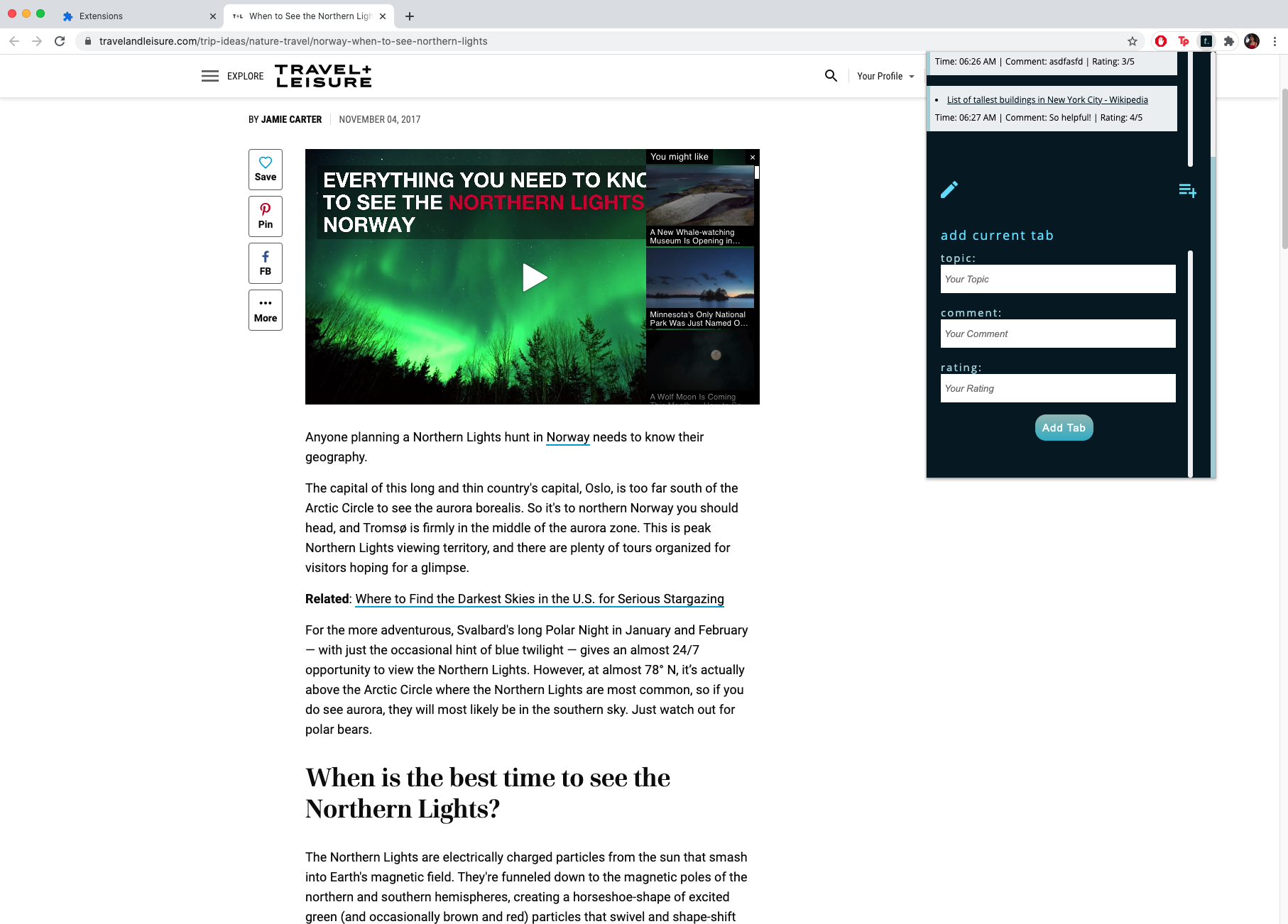
Tabify is a Chrome extension made to help you organize and track the websites that you’ve already visited. This tracker will enable you to view all of the websites that you’ve saved, including their respective title, time it was saved, custom labels, personal comments, and ratings! Our goal is to help students and professionals research and work more efficiently by presenting helpful sources in an organized manner.
Instead of having dozens upon dozens of tabs open on your computer (and slowing it down!), just click the Tabify extension to temporarily save the link. Once you’ve compiled enough resources, you can see which sources were useful or unhelpful, and you can track each site based on their topic or the time visited.
How we built it
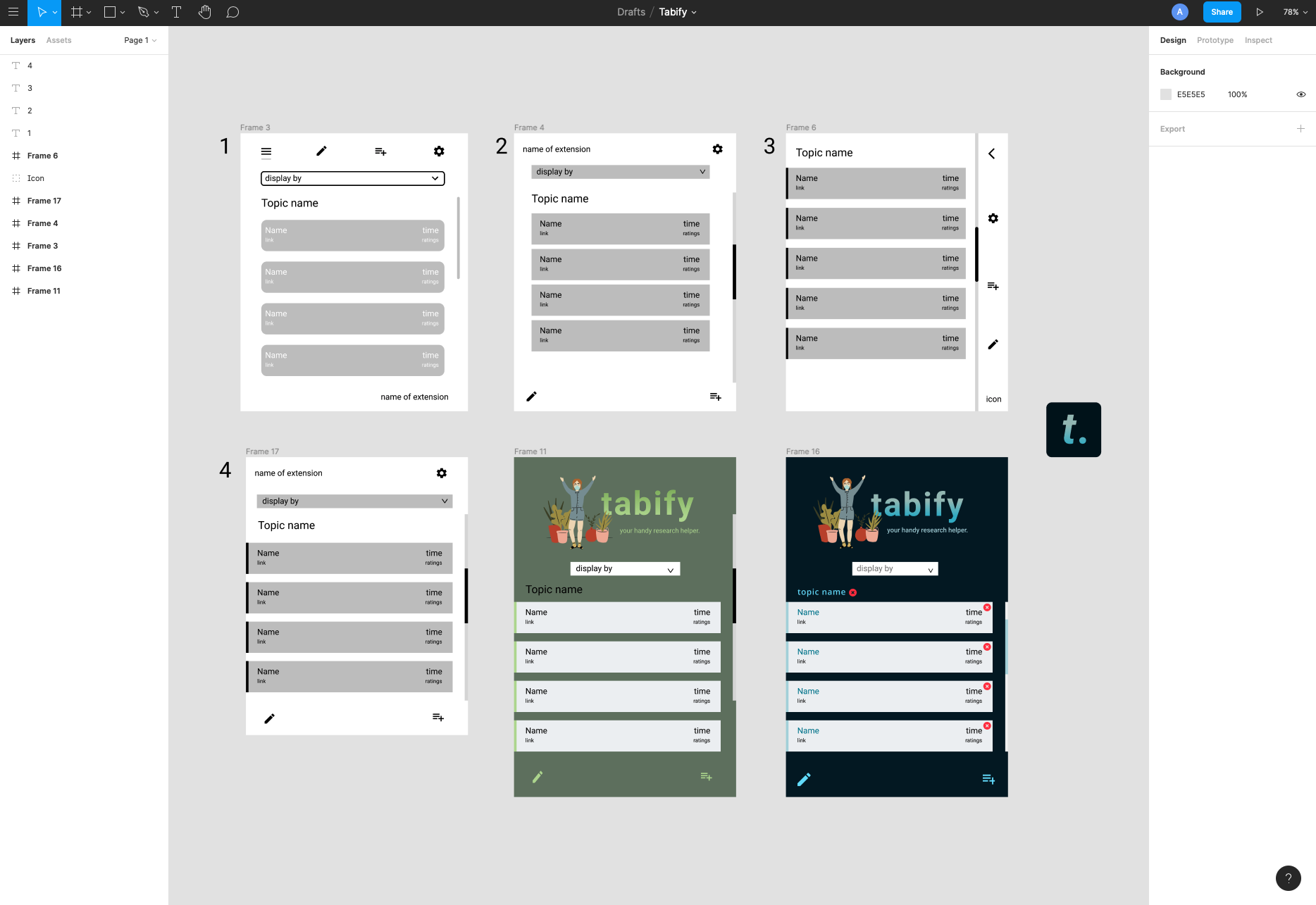
The graphics and backgrounds were created using Procreate. We designed the layout of the pages and their colour schemes using Figma, and several icons and images were also generated using Figma plugins. The designs were implemented and formatted using HTML, CSS, and Sass, with the use of SCSS for the animations and Google Fonts API for the stylesheet. The functional operations of this project were mainly carried out using JavaScript and Node.js.
Challenges we ran into
We were initially hoping to add more features such as sorting (by topic, time, and rating, each with ascending and descending options). However, we were unable to implement this feature due to the lack of time and our unfamiliarity with creating Chrome extensions. Nonetheless, we do hope to complete this feature in the future!
Another challenge that we encountered was the number of merge conflicts, especially with numerous people working on the same components simultaneously. We ended up wasting more time than we’d have liked, just to properly collaborate on the code and push it to Github. From this, we learned the importance of having proper code development form, and that communication between team members is crucial.
Accomplishments that we're proud of
One of our accomplishments was getting the ‘add current tab’ section to work. In general, we were able to implement the vast majority of the features that we planned for (inputting topic, comments, and ratings). We were also proud of the visuals and interface of the extension, with orderly designs and minimal animations. JavaScript is not a language that we are extremely familiar with, so we had to learn, research, and ask for help along the way.
Despite the limited amount of time, we were able to successfully create our first Chrome extension!
What we learned
Tabify was our first time creating a Chrome extension. We all learnt a lot concerning the retrieval of information from webpages, in addition to storing the retrieved information on the extension popup.
What's next for Tabify
We plan to implement the following features after HTN:
- Sorting the saved tabs based on time created, topic, and rating
- Each would have their own ascending and descending category
- Deleting individual tabs (or all tabs under a certain topic)
- Reorganizing tabs by dragging
- Different themes that the user can choose (different colors, backgrounds, dark mode, light mode, etc)
- An automatic citation generator, or able to web scrap for a DOI
- Notifying the user they attempt to save a tab that they’ve previously saved
- Changing settings to remove saved tab(s) depending on their status (remove specific tab when the tab is closed or window is closed, etc.)
Built With
- css
- figma
- html
- javascript
- procreate
- scss


Log in or sign up for Devpost to join the conversation.