-
-
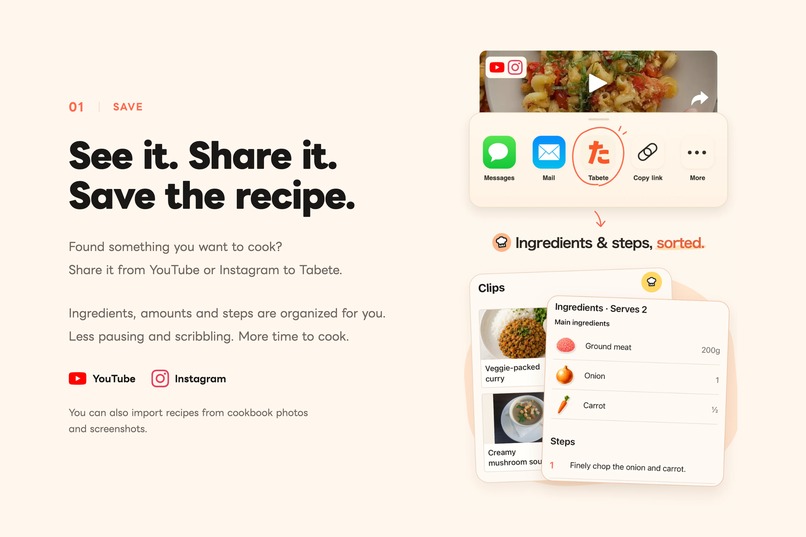
Save recipes from YouTube and Instagram, ready for your next meal.
-
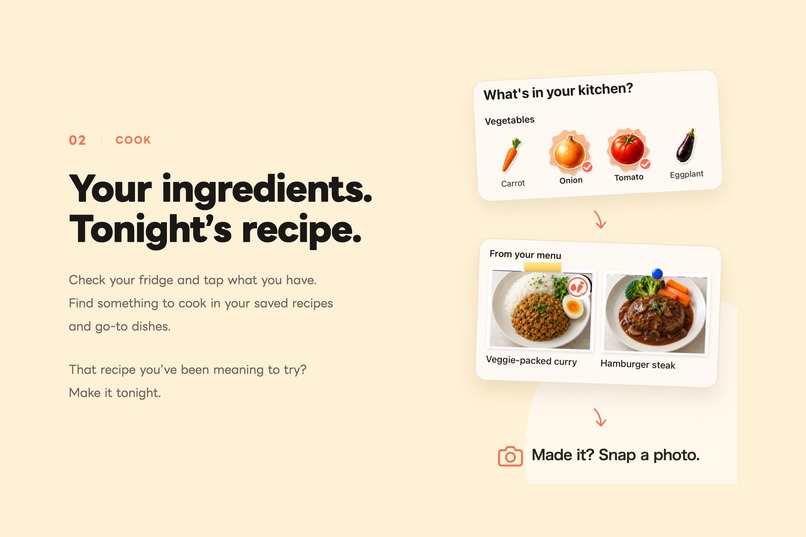
Find something to cook with the ingredients you have.
-
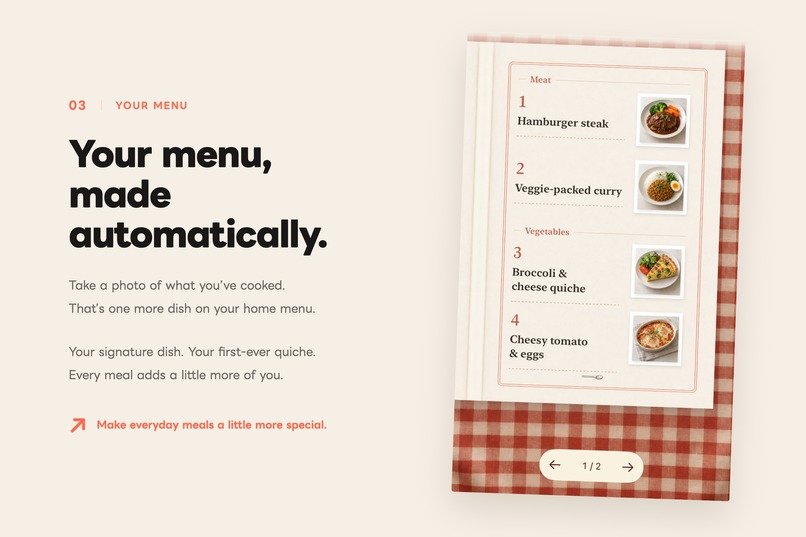
Every dish you photograph adds to your own restaurant-style menu.
-
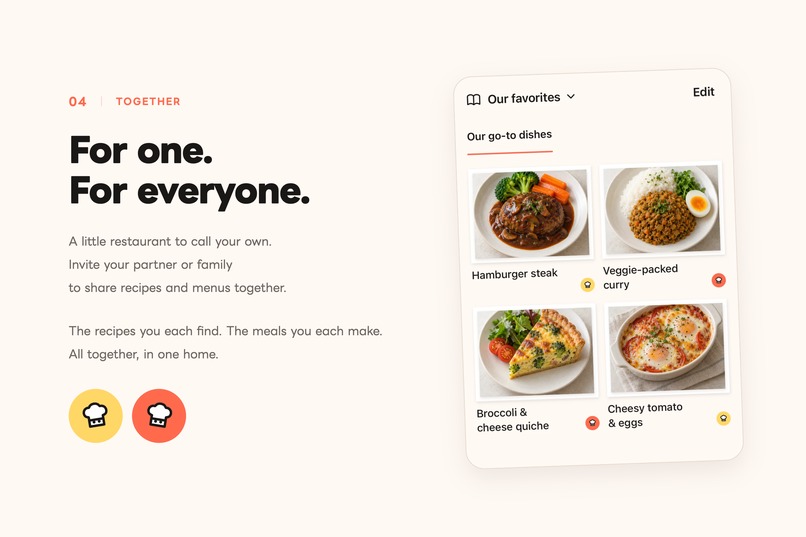
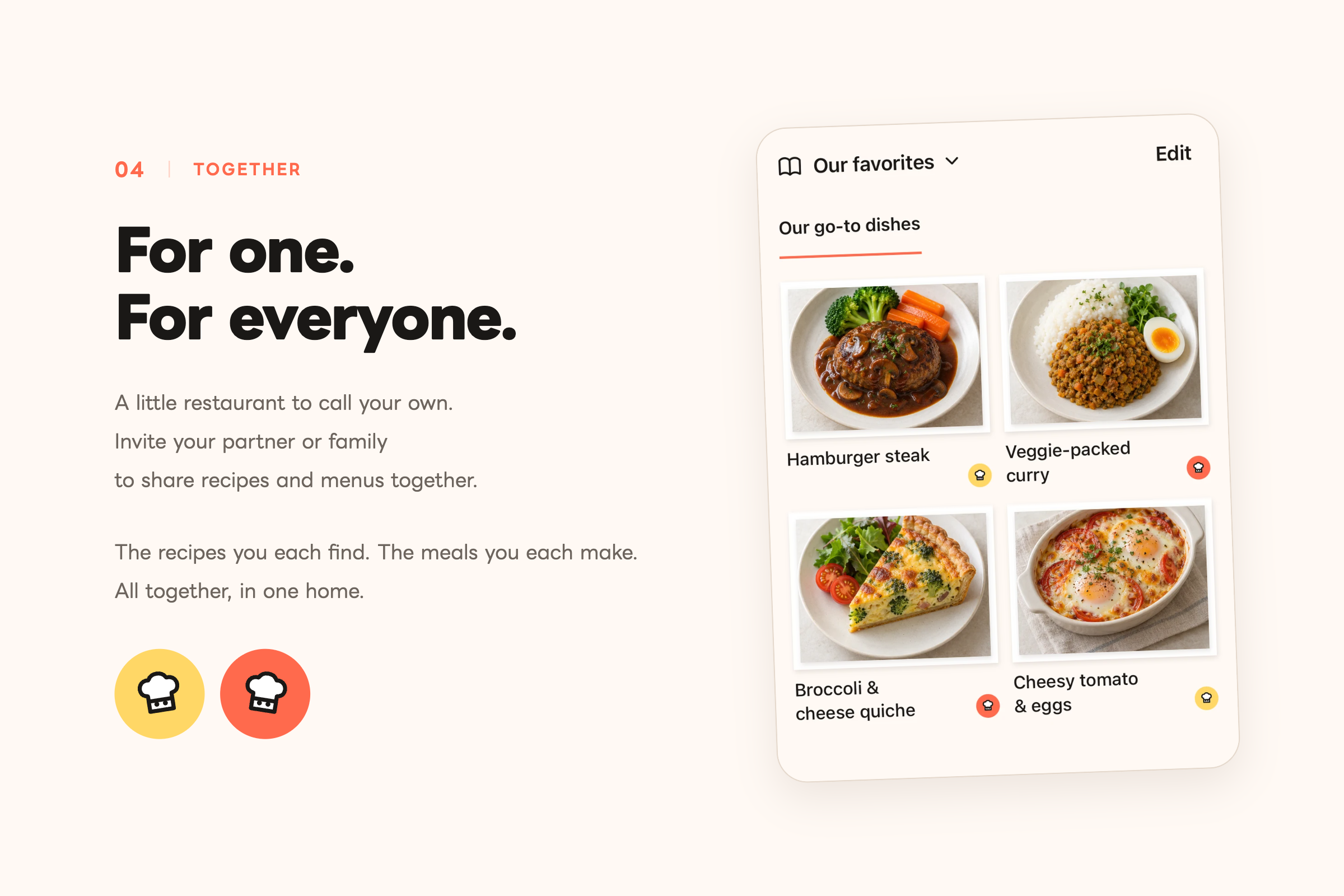
Share recipes and homemade favorites with your partner or family.
-
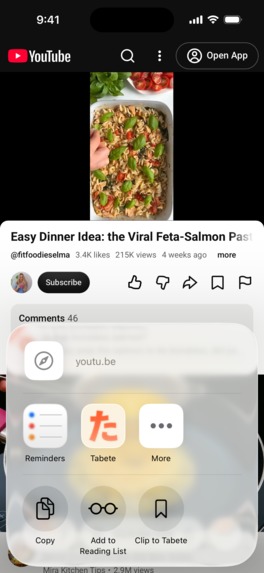
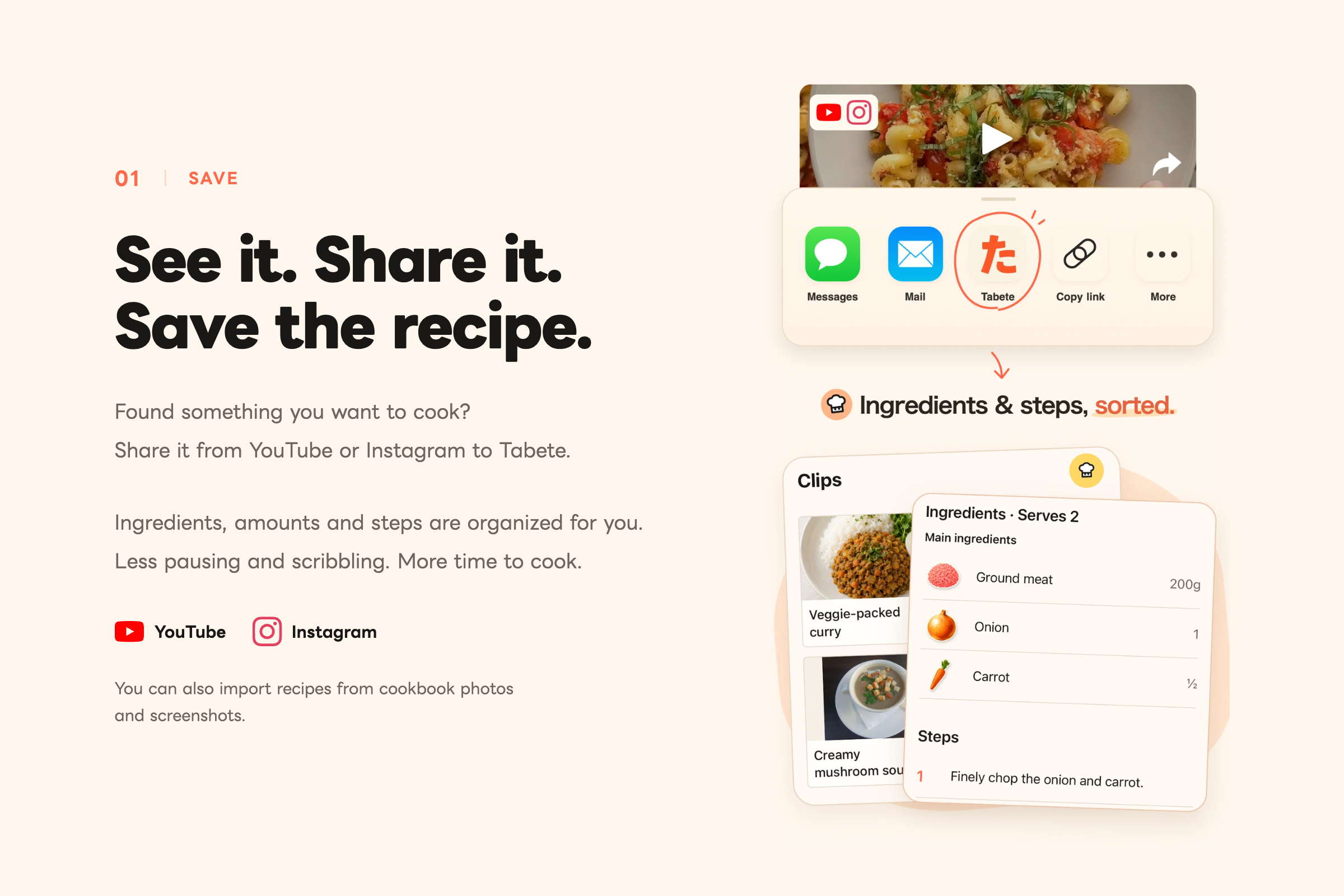
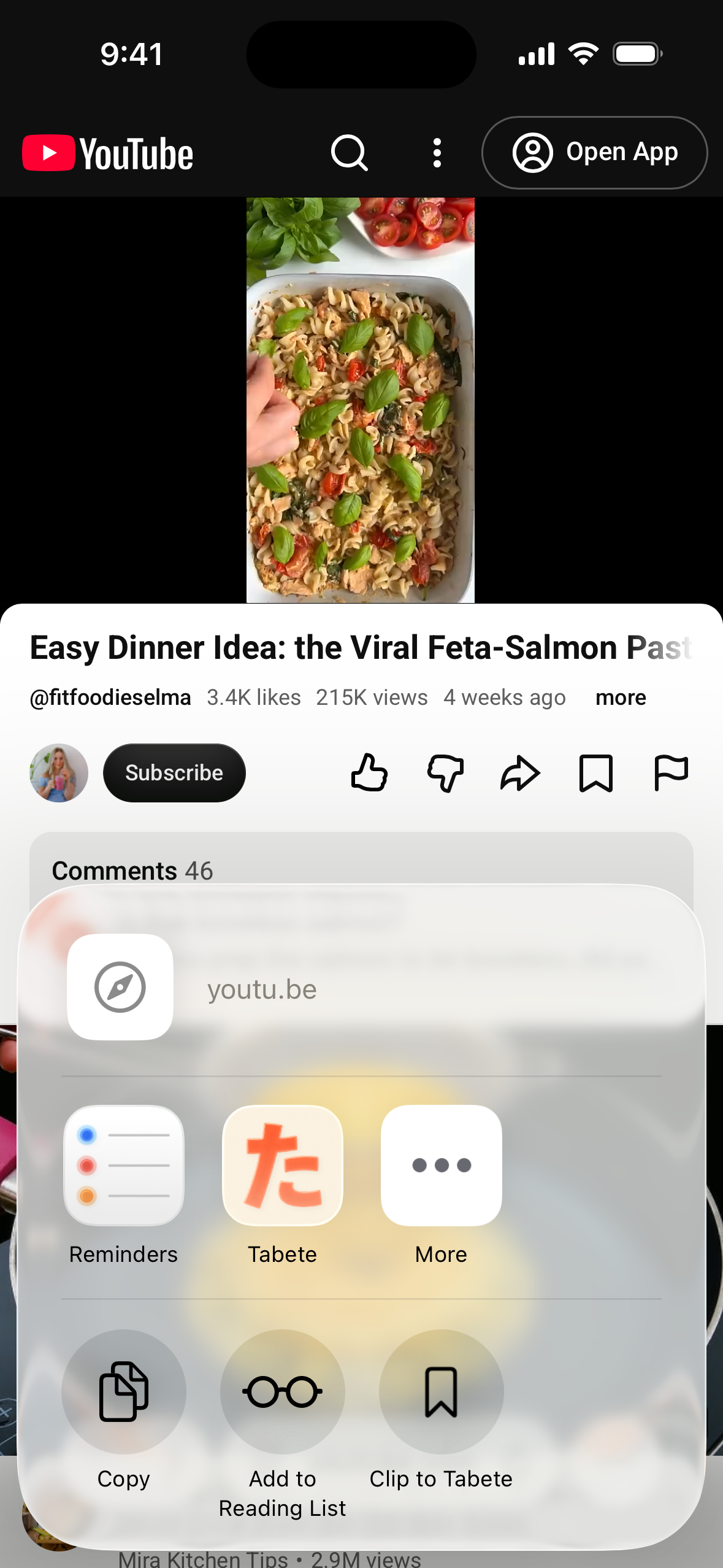
Tap Tabete in the share sheet to import a recipe.
-
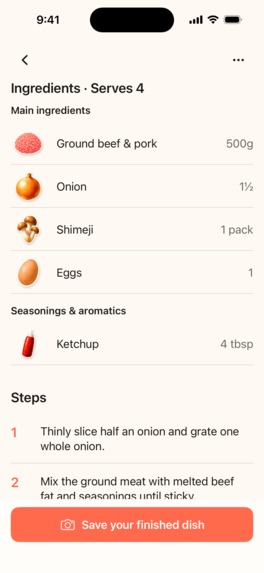
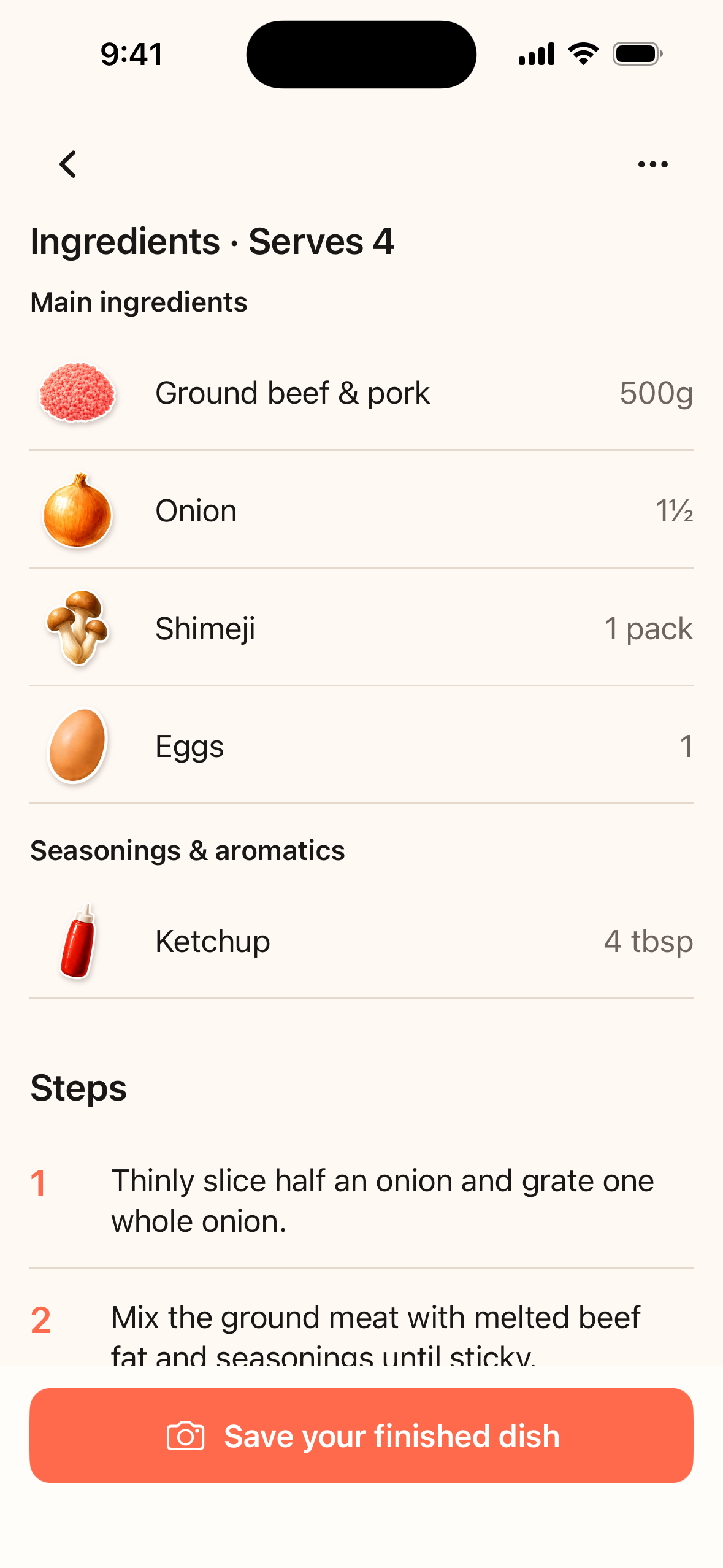
Ingredients, quantities, and cooking steps—all in one place.
-
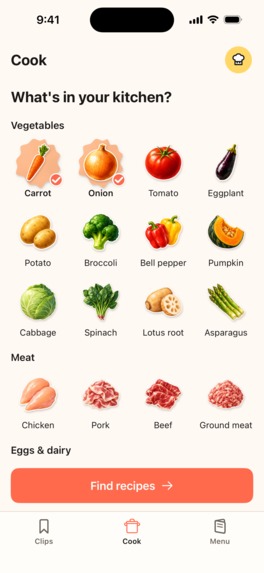
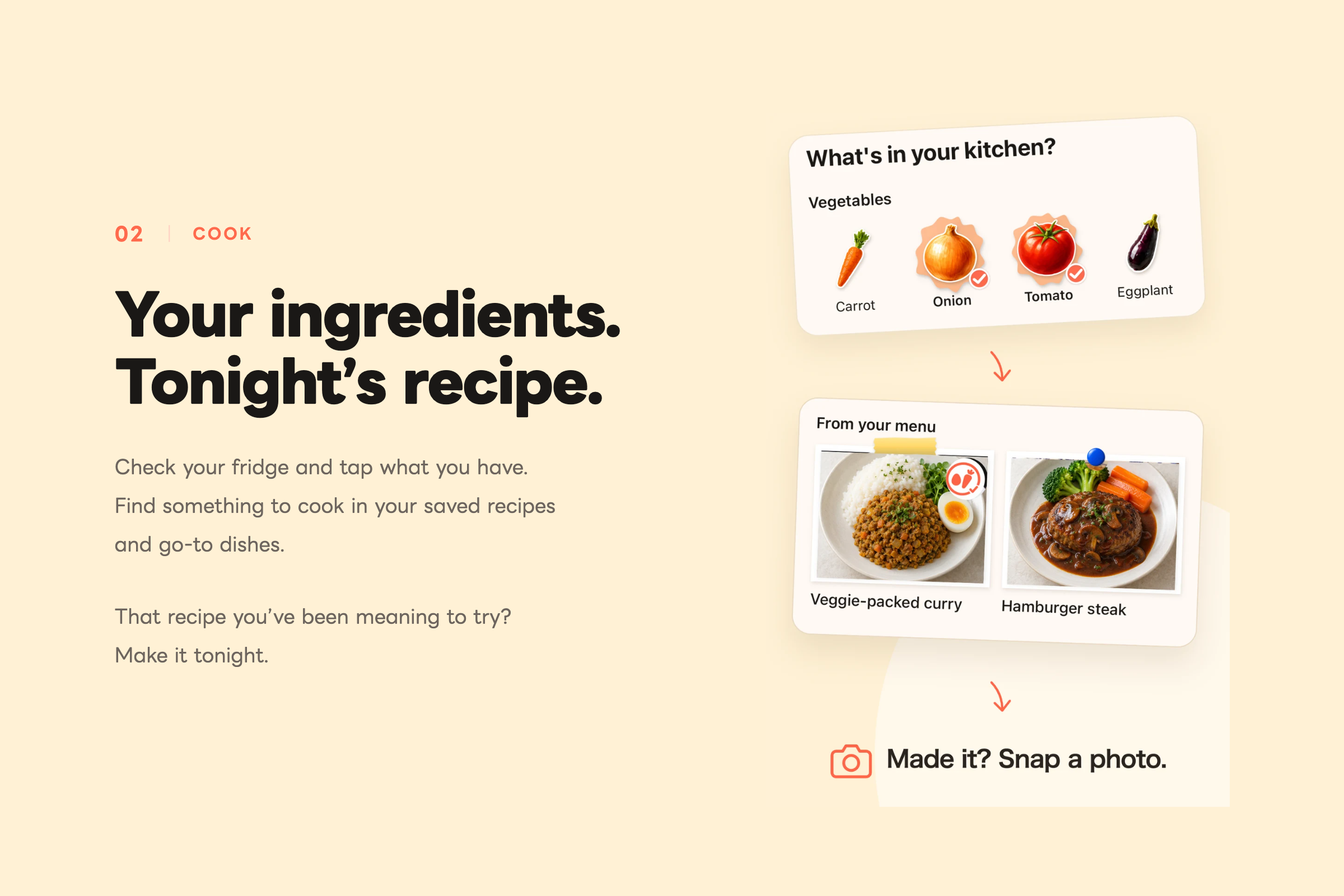
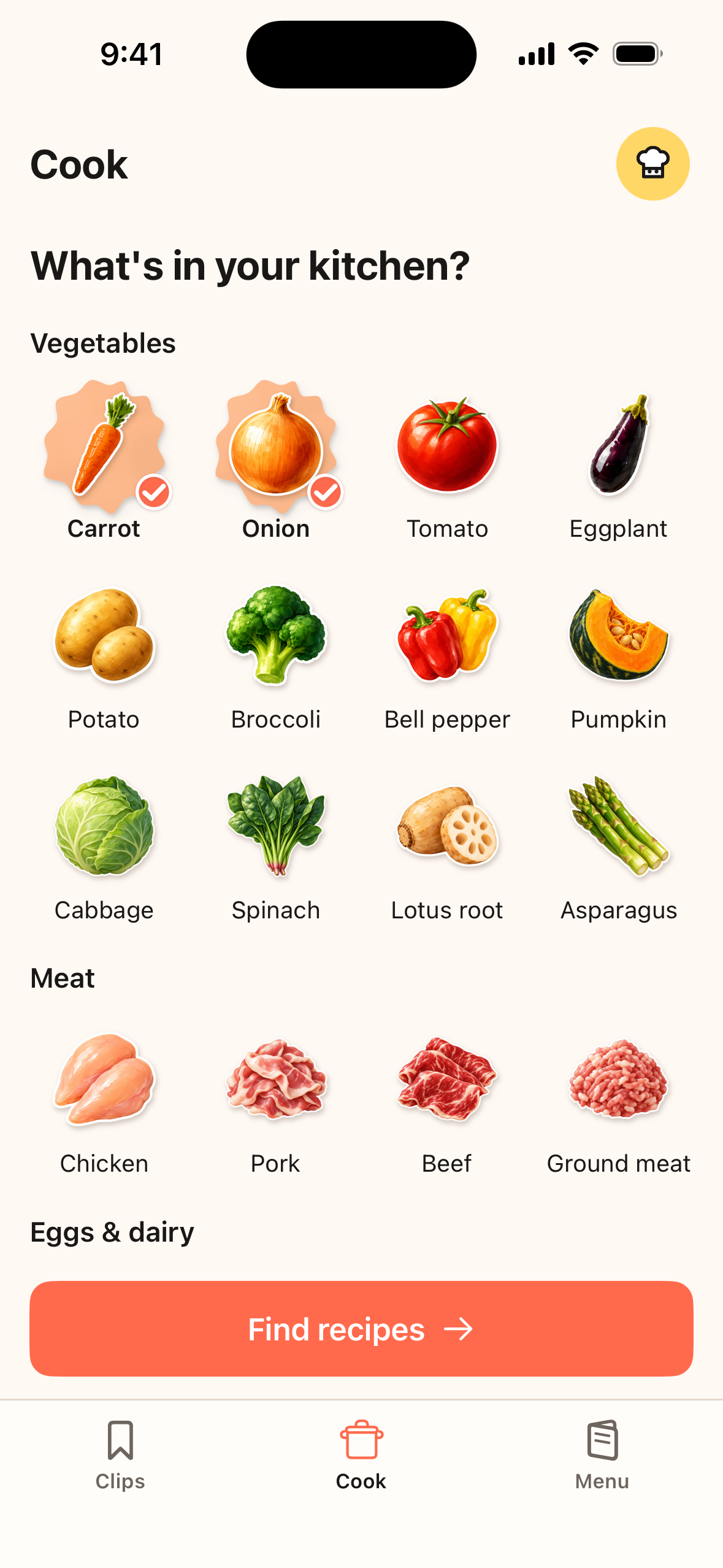
Pick your ingredients to find matching recipes.
-
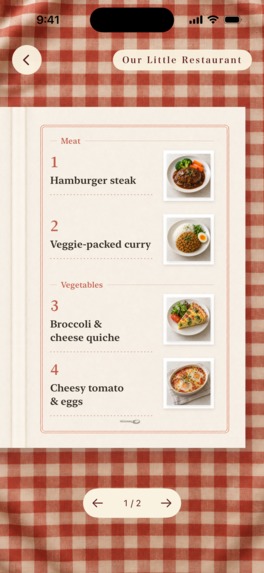
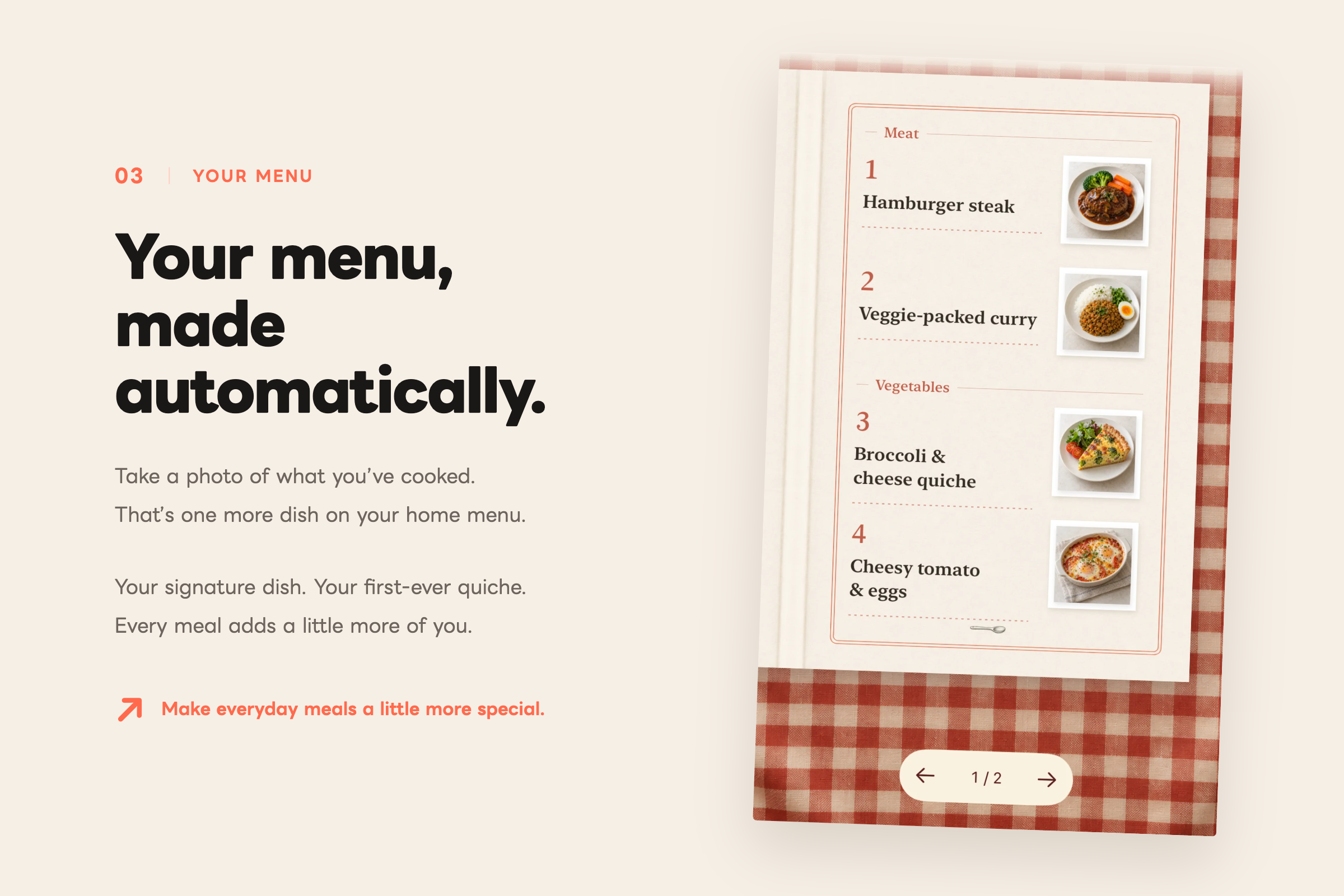
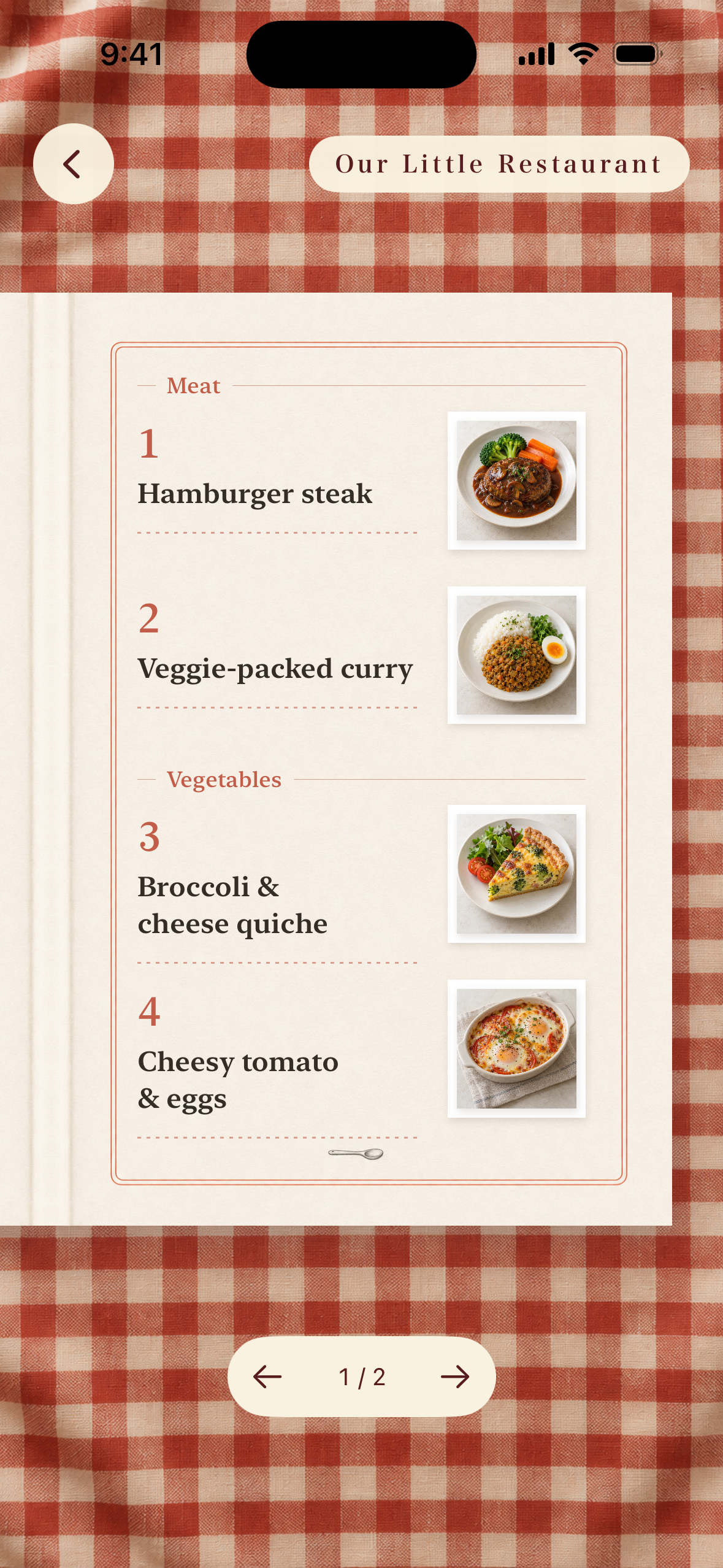
A menu filled with dishes you’ve made, one meal at a time.
-

Tabete: Our Little Restaurant

Inspiration
When my wife became pregnant, I started doing the cooking.
We often sent each other recipes we found on social media. I wanted to keep them somewhere closer at hand—somewhere we could easily find and open them when it was time to cook. That led to the first feature: importing recipes directly from social media.
I also had a habit of photographing the meals I made. As a beginner, discovering that I could cook one more dish was a real source of joy.
Tabete grew out of connecting those photos with that feeling of progress. Each time we cooked something and took a photo, it could become another dish on our own restaurant-style menu. Little by little, our everyday meals became a menu that was uniquely ours.
What it does
Tabete is an iPhone app for collecting recipes, choosing what to cook by ingredient, and turning the meals you make into a menu of your own.
You can import recipes from YouTube and Instagram with a tap from the share menu. Tabete organizes the ingredients, quantities, and instructions, saving you from replaying videos and writing everything down. You can also import recipes from photos of cookbooks or screenshots.
When it is time to cook, tap pictures of the ingredients you have or want to use. Tabete helps you find matching dishes among your saved recipes and meals you have made before.
Take a photo of a finished dish, and it joins your restaurant-style menu. From a first attempt to a familiar favorite, each dish becomes part of your growing collection.
You can use Tabete on your own or invite your partner or family into a shared “home” in the app. The recipes you each discover and the meals you each make come together in one place.
How we built it
I designed discovering, cooking, and keeping a record of meals as one connected experience. An iOS share extension lets people import a recipe directly from the social app where they found it. The SwiftUI interface brings together ingredient illustrations, food photography, and the look and feel of a printed menu.
At the heart of the import process is a Recipe Compiler powered by Gemini’s video understanding capabilities. It combines information from videos, images, and post captions into structured ingredients, quantities, and cooking instructions. It also matches ingredients against a shared ingredient library that includes alternative names. This connects the varied ways ingredients appear in recipes to a simple experience: tapping an ingredient’s picture to find something to cook.
A backend running on Cloudflare Workers organizes recipes and meal photos by home so partners and families can use them together. Subscription status from RevenueCat is combined with home membership, allowing one Pro Together subscription to extend its benefits to everyone in the same home.
Challenges we ran into
One major challenge was turning the many ways recipes are shared on social media into a consistent recipe format. Ingredients and quantities might be written in a caption or explained only in the video. Different platforms bring different post formats, and recipes come in different languages. The goal was a consistent experience after importing: wherever someone found a recipe, they could read it and use it to cook in the same familiar way.
Another challenge was balancing a practical cooking tool with a place that makes cooking feel rewarding. Ingredients and instructions needed to be easy to read, while the menu needed to capture the joy of discovering how much you can now cook. I refined the ingredient illustrations and paper textures to feel like a natural part of choosing a dish and saving a meal, rather than decoration layered on top.
Accomplishments that we're proud of
I’m proud to have turned an idea from everyday life with my wife into an app people can use. Save a recipe from social media, cook it, and take a photo—your own menu grows automatically. I brought that whole experience together in one app.
Most of all, I’m proud to have made the joy of learning to cook one more dish visible, as a restaurant-style menu that is uniquely ours.
What we learned
I learned that making recipes easy to save is only part of the value. It matters just as much that people want to cook them afterward. Choosing a dish by ingredient and adding a photo to the menu connects a saved recipe to everyday cooking.
I also realized that the joy of learning to cook more dishes could be part of the app’s value. Presenting meal photos as a menu of our own, rather than simply a record, made those small achievements visible.
What's next for Tabete: Our Little Restaurant
First, I’ll keep refining the experience by using Tabete in our everyday cooking. I want to reach people who, like me, are just starting to cook, along with their families and partners, and improve the app through their feedback.
Next, I want to make a growing menu something people are excited to share. Inspired by Spotify Wrapped, I’m planning short video recaps of the dishes they’ve made, with an easy way to share them to Instagram Stories and similar platforms. Sharing the joy of their own cooking could become a natural way for others to discover Tabete.

Log in or sign up for Devpost to join the conversation.