-
-
organizing my tabs
-
organizing my tabs
-
organizing my tabs
Inspiration
I was in the middle of deep technical research, playing the role of a normal developer with 40 or 50 tabs open at once. All of a sudden, I needed to switch to a completely different topic.
I sat there kind of perplexed, thinking: What do I do with all these tabs? I didn't want to lose my progress, but I couldn't keep them open while working on something entirely different. I realized it would be amazing if I could just save them, organize them for the future, go do my next task, and then come right back to where I left off.
That's when the idea hit me. I needed a tool where, with a single click, I could save everything out of my way. But beyond just saving them, I realized that if I could add AI intelligence to actually understand and organize those saved tabs, it would be infinitely more helpful. That's how TabCache was born.
What it does
TabCache is a Chrome extension that saves your browser tabs, organizes them, and adds a layer of intelligence using the Google Gemini API.
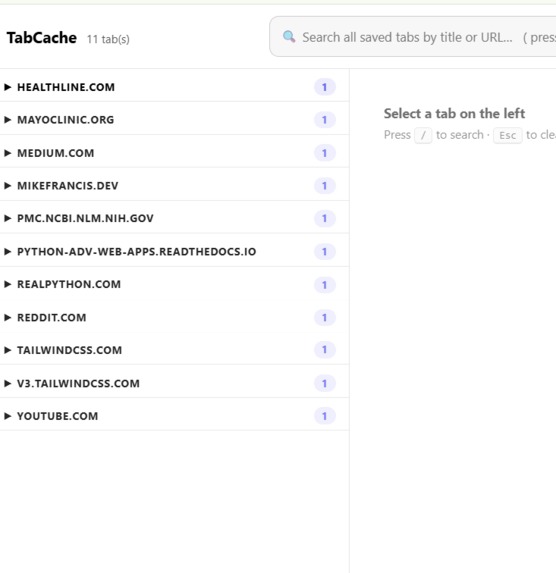
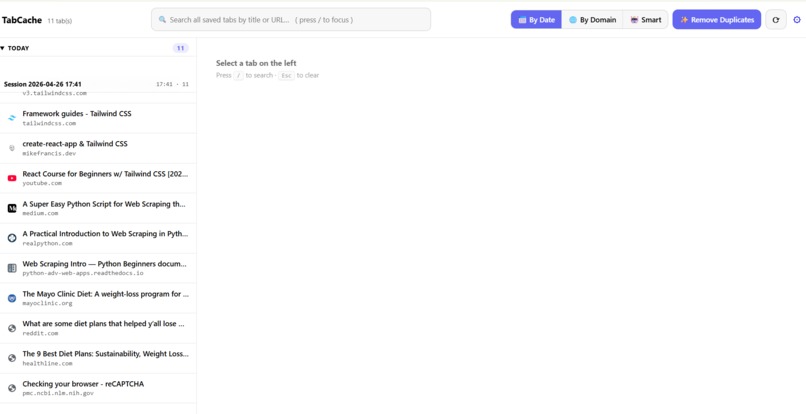
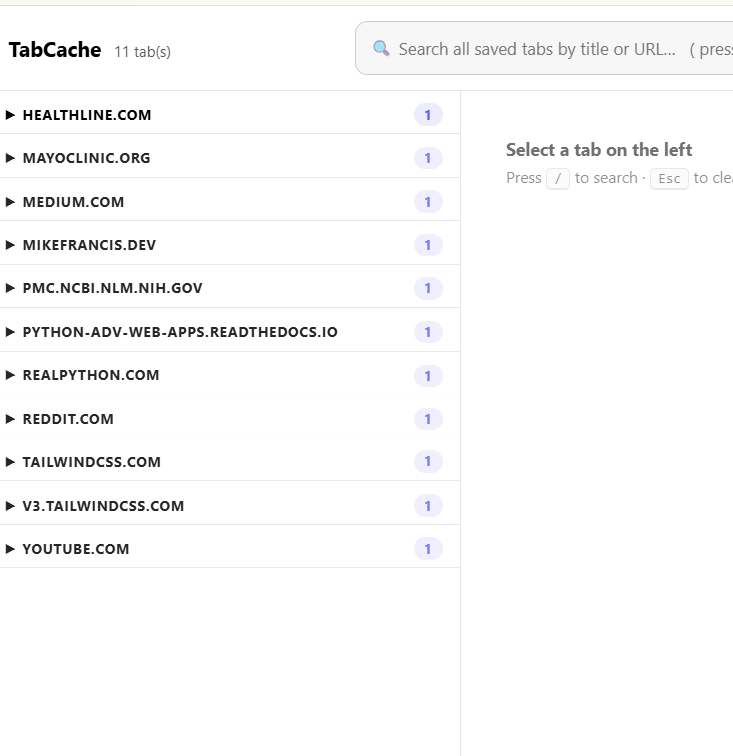
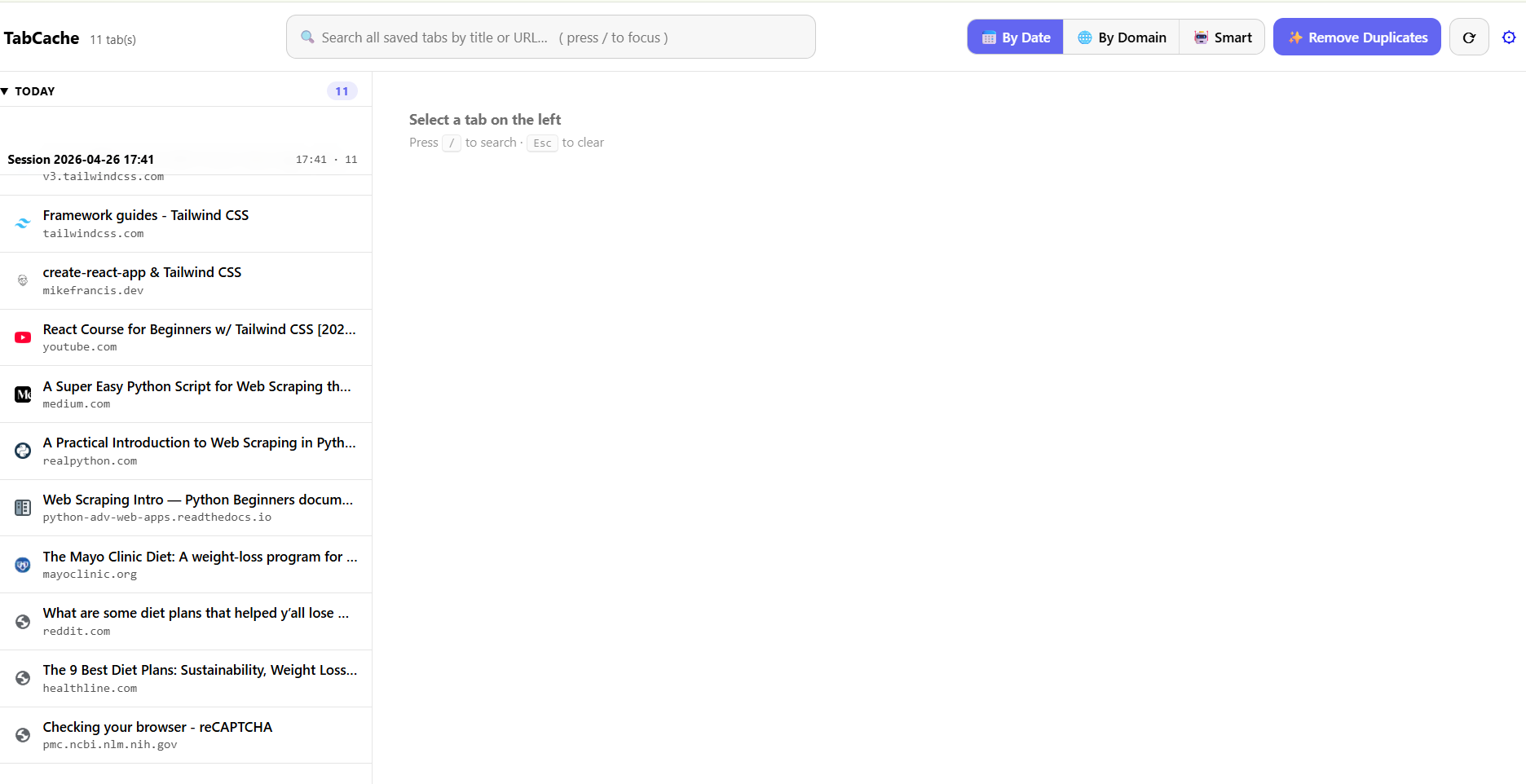
🔖 One-Click Save & Restore — Grab all your open tabs (or just the ones in your current window), save them as a session instantly, and clear your workspace so you can switch topics without the clutter.
✨ AI Auto-Naming — Instead of generic timestamps, click the ✨ button and Gemini analyzes your tab titles and URLs to automatically generate a highly specific name for your session so you know exactly what research you were doing.
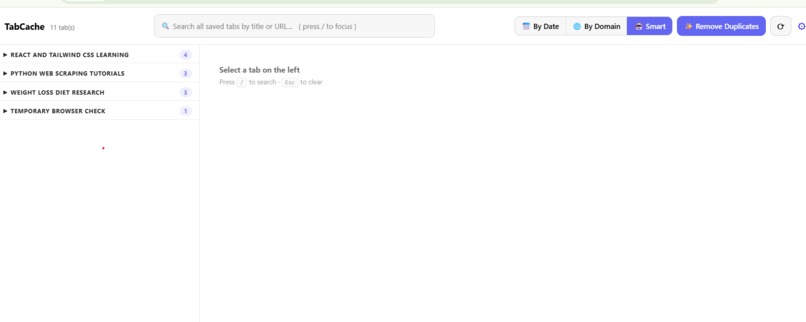
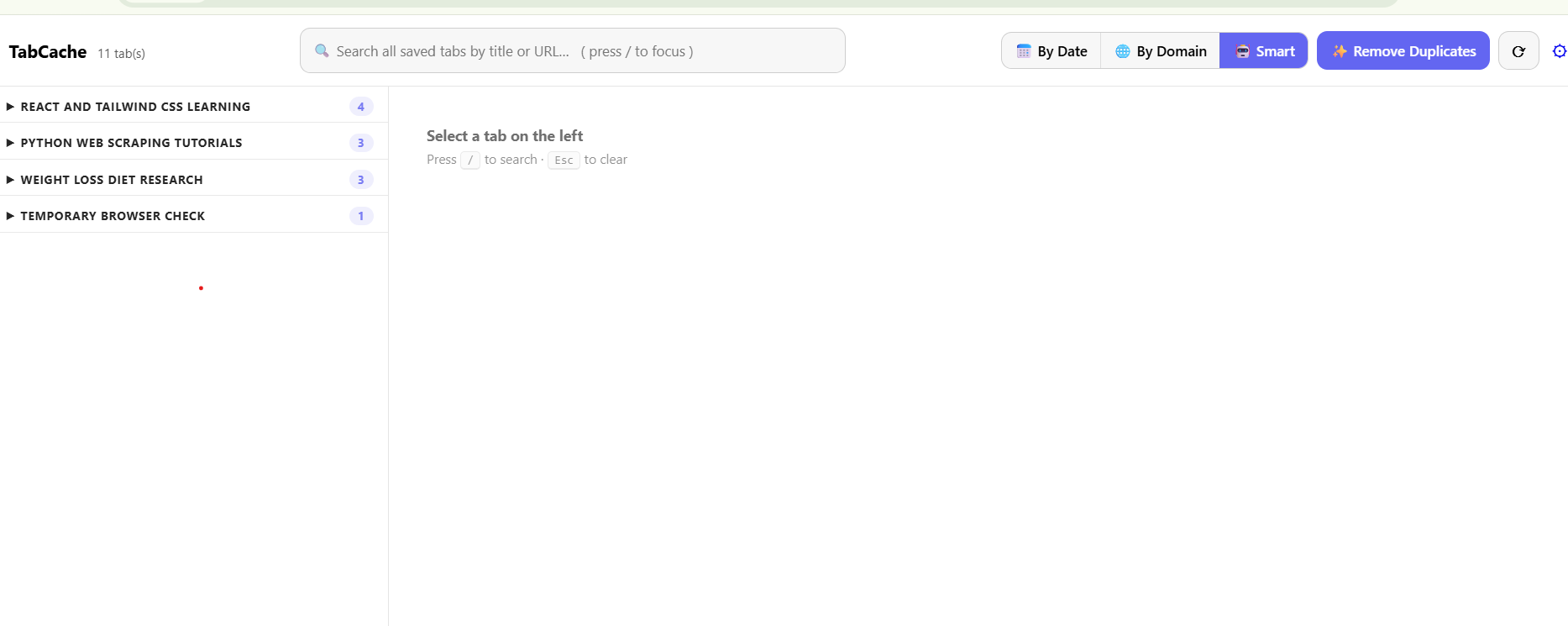
🤖 Smart Groups — When you view your saved sessions, you can click "🤖 Smart" to have Gemini cluster ALL your saved tabs across every session into AI-generated themes (e.g., "API Debugging" or "Documentation"). It gives you an intelligent, bird's-eye view of your past research.
How we built it
- Chrome Extension (Manifest V3) — Pure vanilla JavaScript, HTML, and CSS. Zero dependencies.
- Google Gemini 2.5 Flash — via the REST API at
generativelanguage.googleapis.com. We use structured JSON output withresponseMimeType: "application/json"andresponseSchemato guarantee deterministic, parseable responses - no free-form text parsing. - Architecture — A background service worker (background.js) handles all Chrome API interactions and Gemini calls. The Gemini module (gemini.js) is loaded via
importScripts(), keeping the service worker as a classic script to avoid breaking MV3 timing constraints. - Smart Caching — Smart Groups results are cached using a SHA-256 hash of the tab data. If your saved tabs haven't changed, switching back to the Smart view is instant - no redundant API calls.
- Privacy-first BYOK model — Users supply their own Gemini API key, stored locally in
chrome.storage.local. No backend server, no data collection. A consent screen explains exactly what gets sent to Google before AI features activate.
This is purely developed by Anti-gravity, and it helped a lot in developing my idea into a proper product
Challenges we ran into
- MV3 Service Worker constraints - Manifest V3 service workers can use ES modules only with
"type": "module"in the manifest, which changes script loading semantics and risks breaking the existingchrome.runtime.onMessageregistration timing. We opted forimportScripts()instead — simpler and zero-risk. - Gemini structured output edge cases - The
responseSchemainv1betaoccasionally returns 400 errors on unusual input. We built robust error handling that surfaces clear messages to the user instead of crashing. - Smart Group key mapping - Gemini returns tab keys as strings, but those keys must map back to our in-memory tab index across multiple sessions. Getting the key format consistent between the sessions page and the Gemini prompt required careful coordination.
- Rate limiting - Free-tier Gemini has per-minute caps. Our SHA-256 caching strategy ensures the Smart view only calls the API when the underlying data actually changes.
What we learned
- How to build and ship a complete Chrome Extension with Manifest V3
- How to use Gemini's structured JSON output (
responseSchema) for reliable, parseable AI responses in production - The importance of BYOK (Bring Your Own Key) architecture for hackathon projects - it's honest, simple, and avoids backend complexity
- That AI works best when analyzing groups of data rather than individual items.
What's next for TabCache
- Standalone Web Application & Dedicated Backend — Currently, TabCache lives entirely within the browser extension. Moving forward, we plan to build a full, standalone web application with a secure, dedicated backend. This will allow us to safely handle Gemini API authentication (so raw keys aren't exposed in the browser), scale our storage via a cloud database, and unlock a much richer set of features (like advanced dashboards and analytics) that are too complex for a Chrome extension.
- Deep Research Summarization - Currently, Gemini clusters and names our sessions. Next, we want to add a feature that directly summarizes the content of all tabs within a specific research group, giving you a quick two-paragraph digest of a whole topic without having to re-read every page.
- Smart Groups Streaming - Stream Gemini responses for real-time group generation on massive datasets when scaling up.
Built With
- antigravity
- chrome
- css3
- google-gemini-api
- html5
- javascript
- manifest-v3
- rest-api
