Inspiration
While browsing or shopping online, people often lose track of what they’ve seen. Tabs pile up, product pages get forgotten, and valuable comparisons vanish. We wanted to solve that by creating Tabby, a smart browser extension that quietly observes your browsing, understands the context of each site, and helps you rediscover and organize everything without extra effort.
Our goal was to make the web feel more personal and assistive, not just a place to search, but a companion that learns from your habits, summarizes what matters, and helps you make smarter decisions when shopping or researching.
What it does
How it works
Tabby runs quietly in the background as you browse. It only uses on-device AI (Gemini Nano) when you visit a new URL or site. If a site has already been scanned, it will only be re-scanned after 72 hours.
Using Gemini Nano, Tabby checks every page you visit and determines if the content is worth storing. If it is, Tabby generates a summary and relevant tags for efficient site history storage.
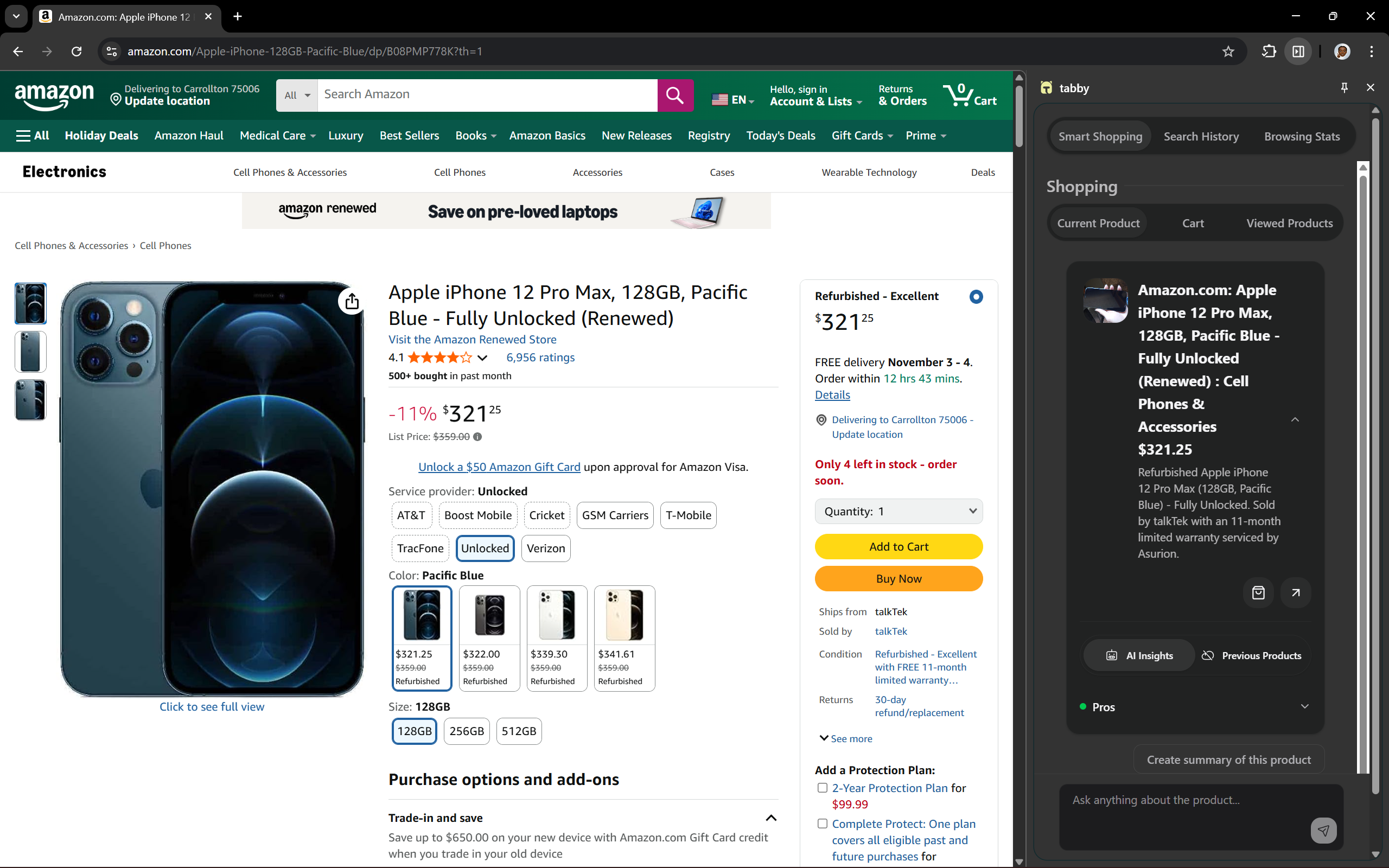
When it detects a product, Tabby analyzes details such as the product name, price, and discount, condition etc , then decides whether it’s worth saving based on its relevance and quality also it chooses the best category and tag for the product for easy viewing
From this foundation, Tabby provides three core features:
1. Smart Shopping Assistant
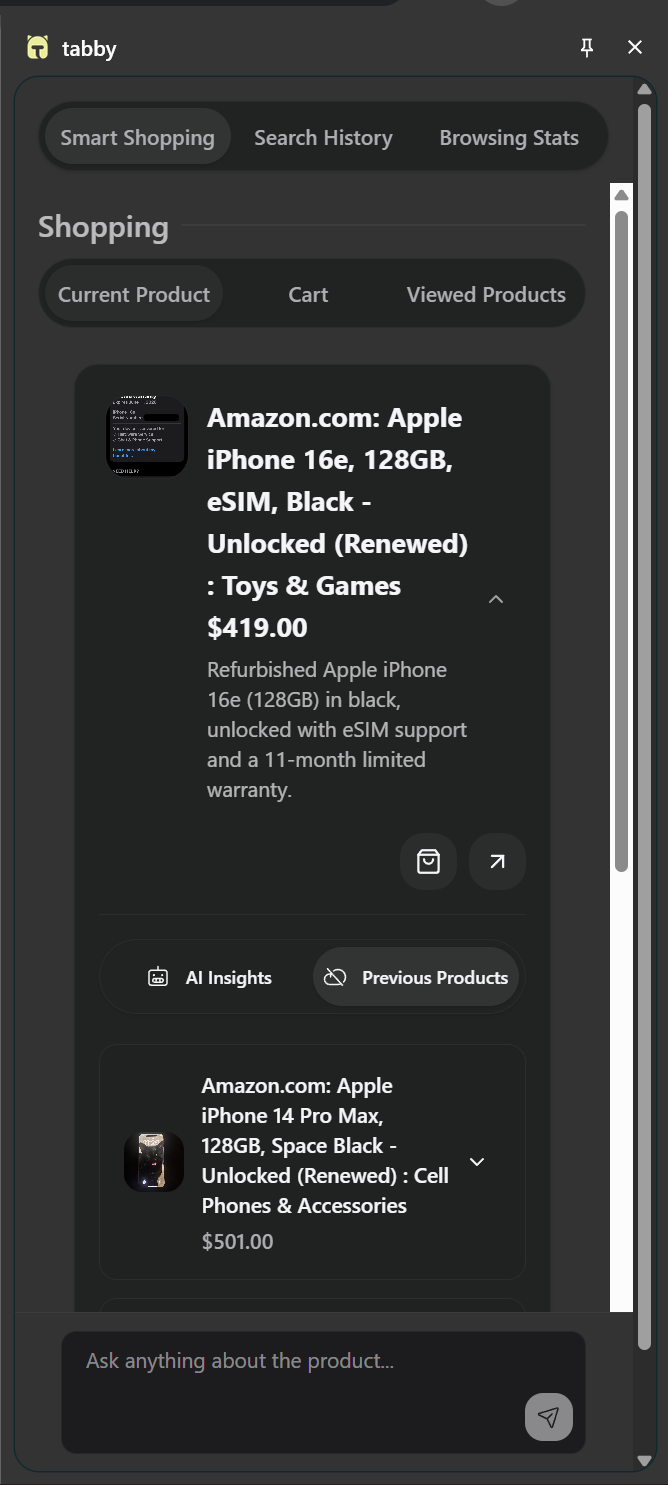
When you’re shopping, Tabby compares the current product with others you’ve previously viewed. It identifies similar items, highlights differences like price and condition, and gives you AI-generated pros and cons for each product.
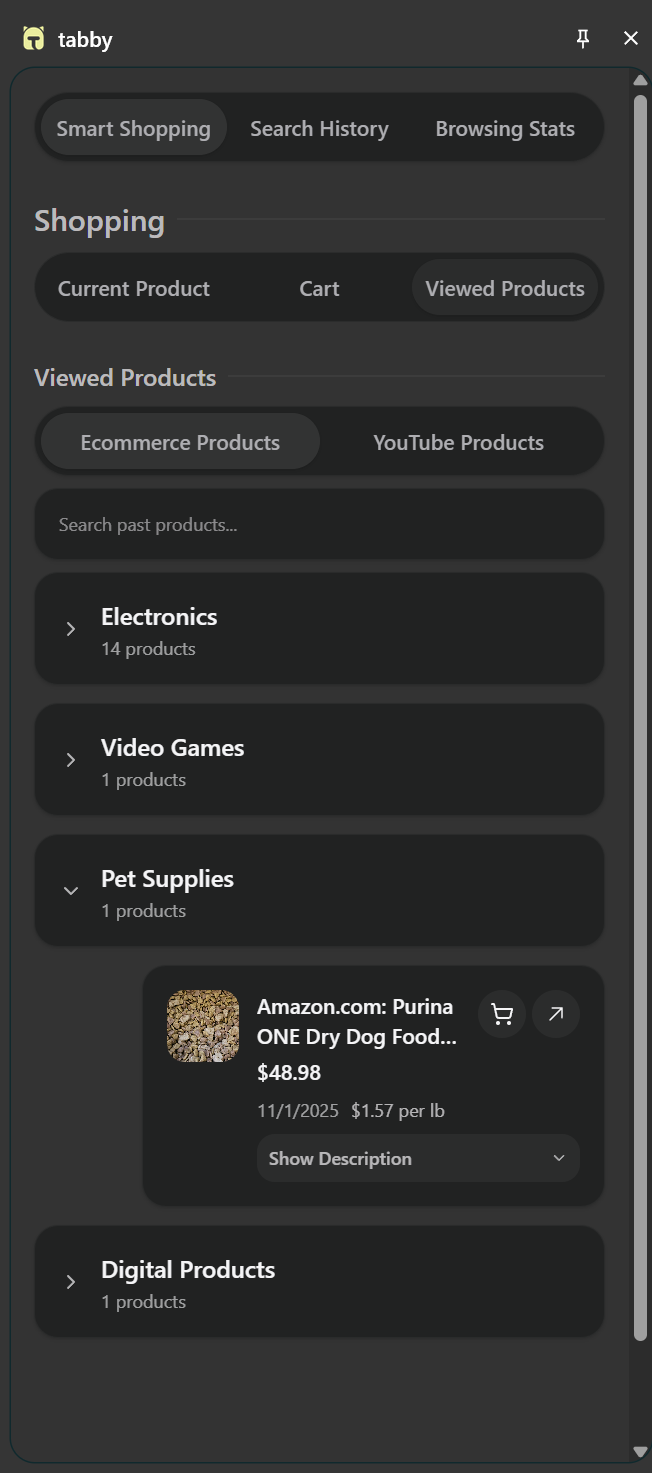
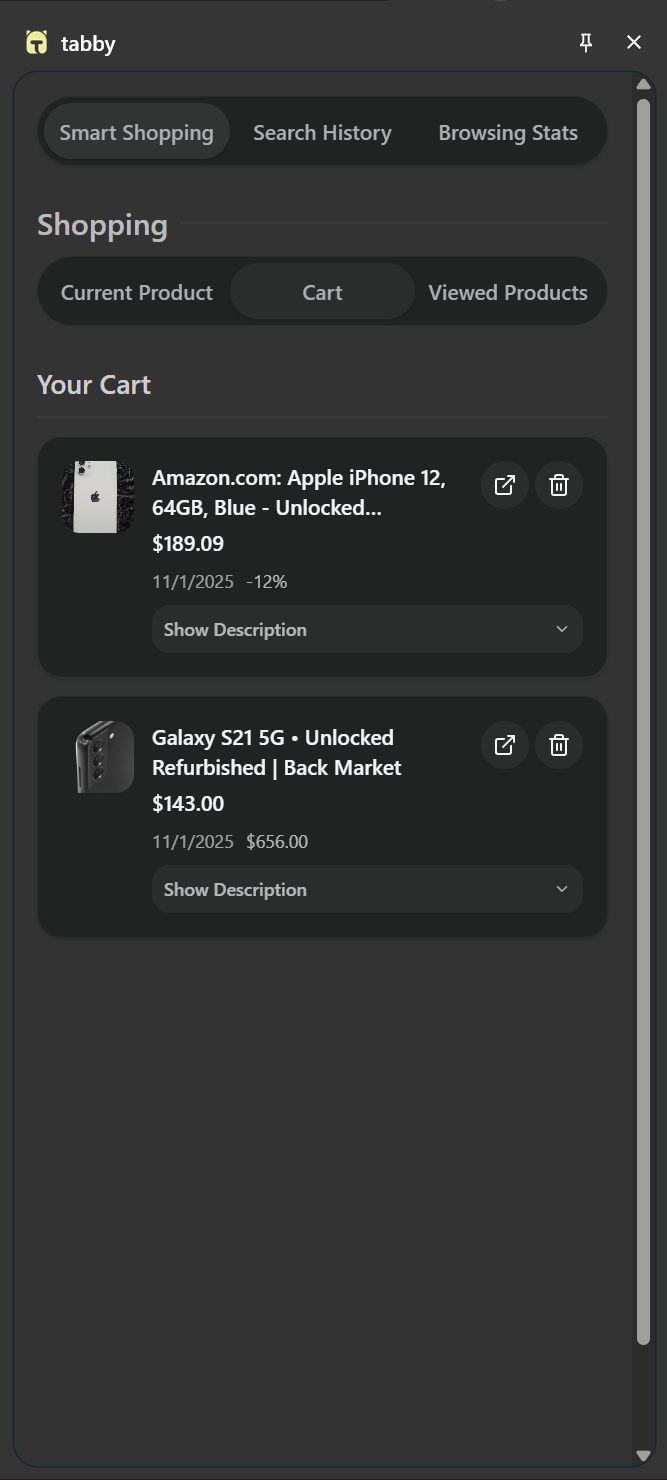
You can view all AI-saved products grouped by category, add them to your Cart section, or leave them in Viewed Products. Items not added to the cart after a month are automatically deleted to keep your browsing history clean and relevant.
2. AI Search History
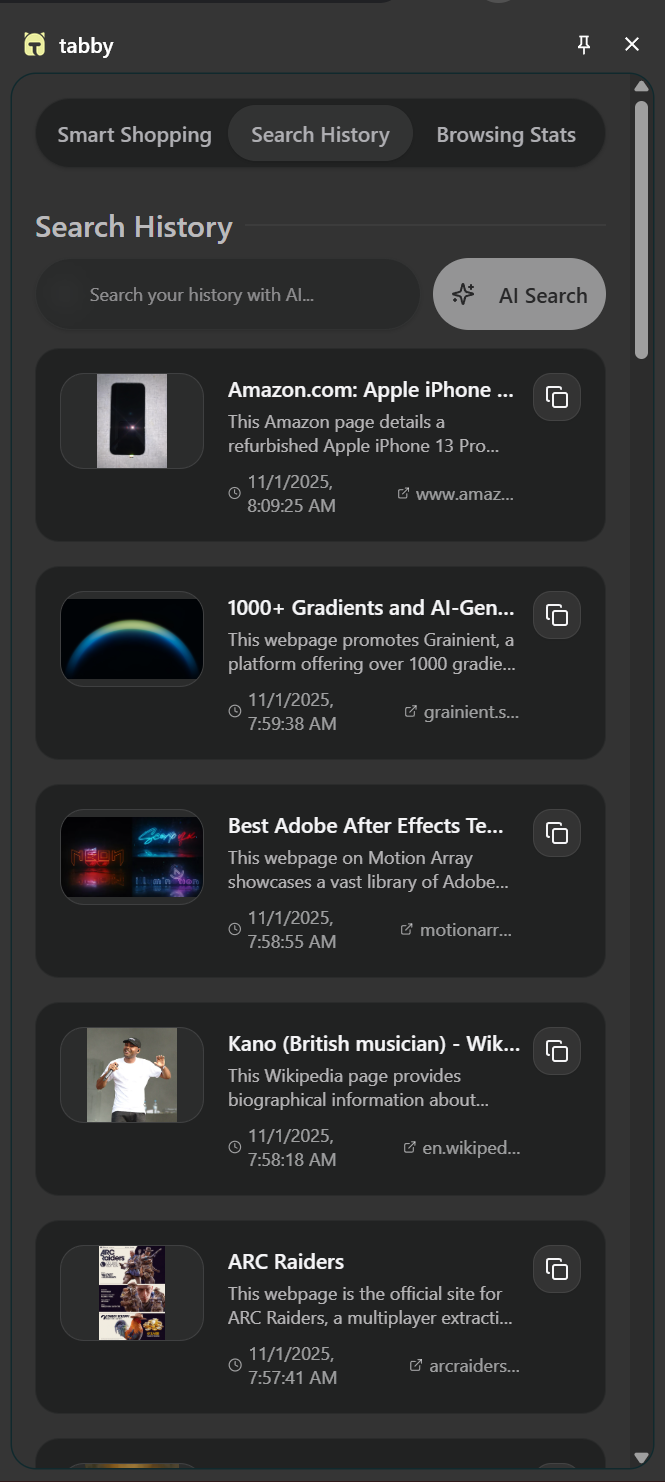
With AI-powered semantic search, you can find anything you’ve seen before, even if you forgot the site name. Just ask in natural language, like:
“Find the laptop I saw last week, it was on Amazon, black, and on offer — a Lenovo one.”
Tabby retrieves semantically matched pages, not just keyword results.
3. Smart Insights (Daily & Weekly Stats)
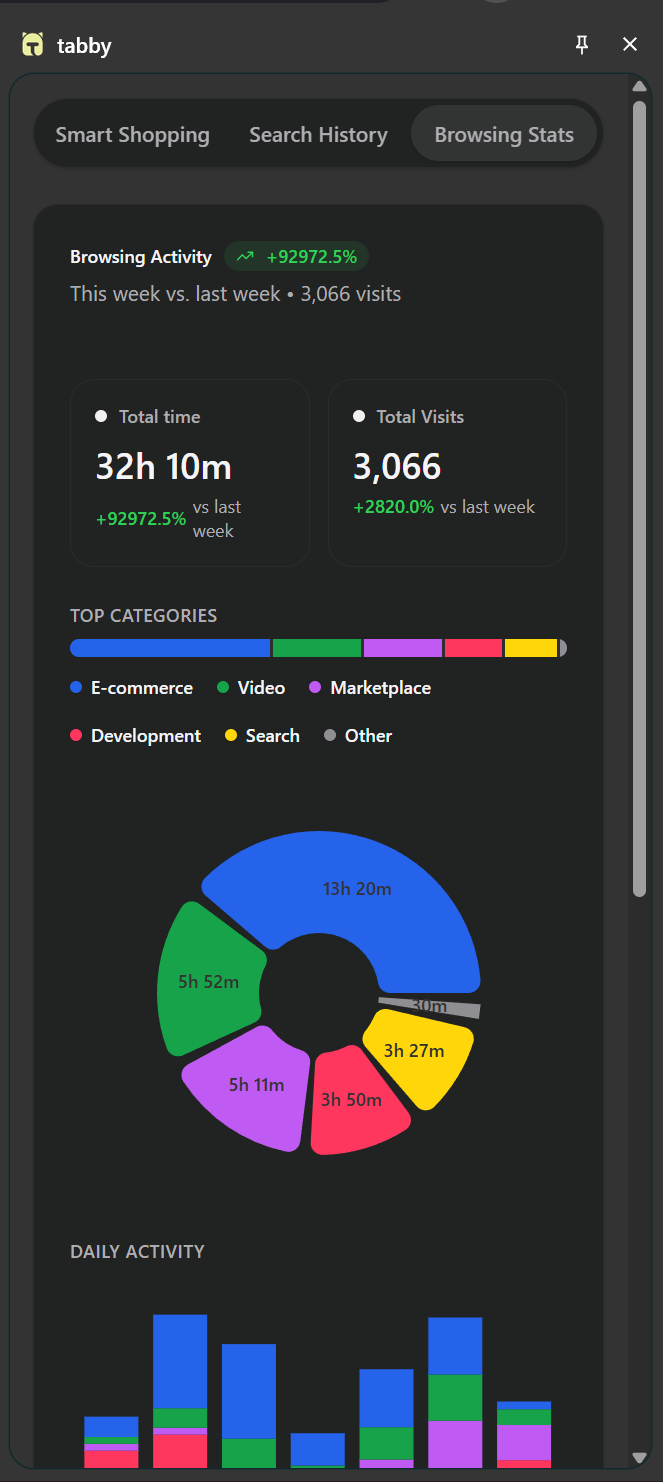
Tabby helps you understand your browsing habits. It shows how much time you spend online, what categories you explore most, and how your behavior changes day by day and week by week. These insights help you track productivity and make better use of your online time.
How we built it
We built Tabby as a Chrome extension using WXT and React.
- WXT handles background scripts and manages Chrome’s storage APIs.
- React powers the popup and dashboard interfaces.
- Gemini Nano processes page context locally to determine whether a site or product is worth storing.
- All user data is processed securely and stored locally, ensuring privacy while maintaining speed.
Challenges we ran into
- Gemini Nano can be a bit slow — site analysis sometimes takes time to process.
- Optimizing memory usage while maintaining smooth performance across sessions.
Accomplishments that we're proud of
- Building a working extension that can analyze any page and understand its context.
- Integrating local AI for intelligent data collection and comparison.
- Creating a seamless shopping and browsing experience that feels native to the web.
What we learned
- How to use on-device AI for real-time context analysis and decision-making.
- The importance of designing a privacy-first browser experience.
- How to structure a scalable Chrome extension with WXT and React.
What's next for Tabby
- Improving recommendation quality and overall AI accuracy.
- Speeding up site analysis, summarization, and chat initialization with Gemini Nano.
- Adding integration with platforms like YouTube for smart product recommendations based on videos.
- Expanding the insights dashboard to include monthly and category-level analytics.
- Launching Tabby publicly and gathering user feedback for future improvements.
Built With
- chromenano
- react
- typescript
- wxt

Log in or sign up for Devpost to join the conversation.