
Getting started: how to install our Chrome extension
- Download the .crx file from our website http://54.183.209.90/
- Open Chrome and type in "chrome://extensions" in the address bar
- Drag the .crx file into that page! You are done! Since this is still in development mode, you probably cannot install the extension by directly opening the CRX file. But the method above will work.
Inspiration
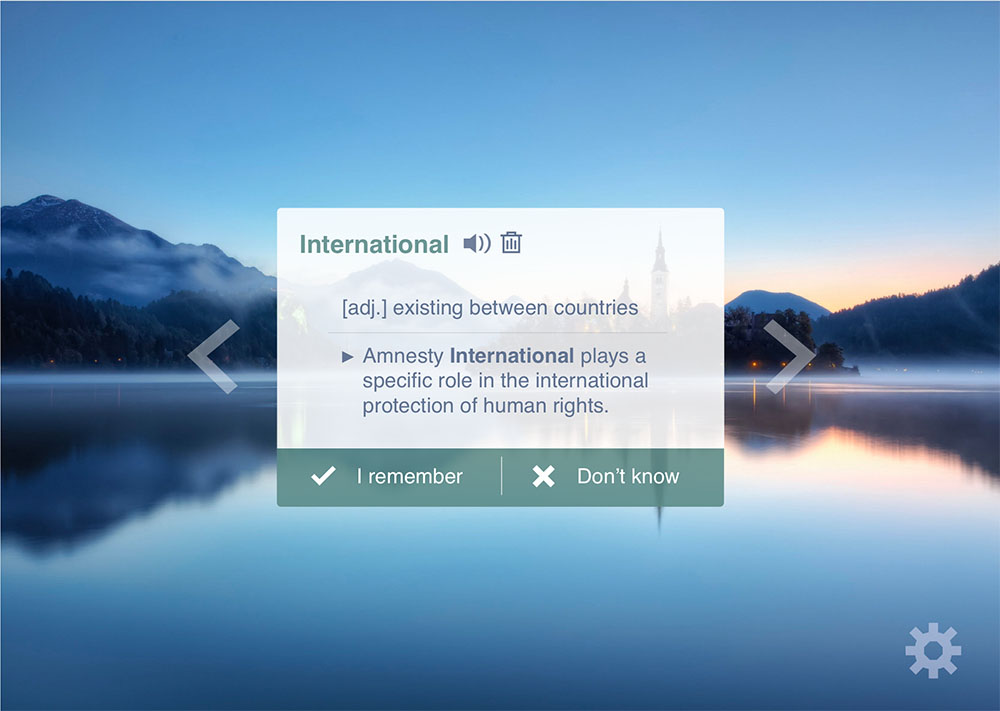
Students nowadays use web browsers heavily, and we open tens of new tabs every day. We think it would be a great idea to make full use of such fragmented time to learn something new, like learning new words in another language, or for an exam. That’s where we got the idea of Tabby Word.
What it does
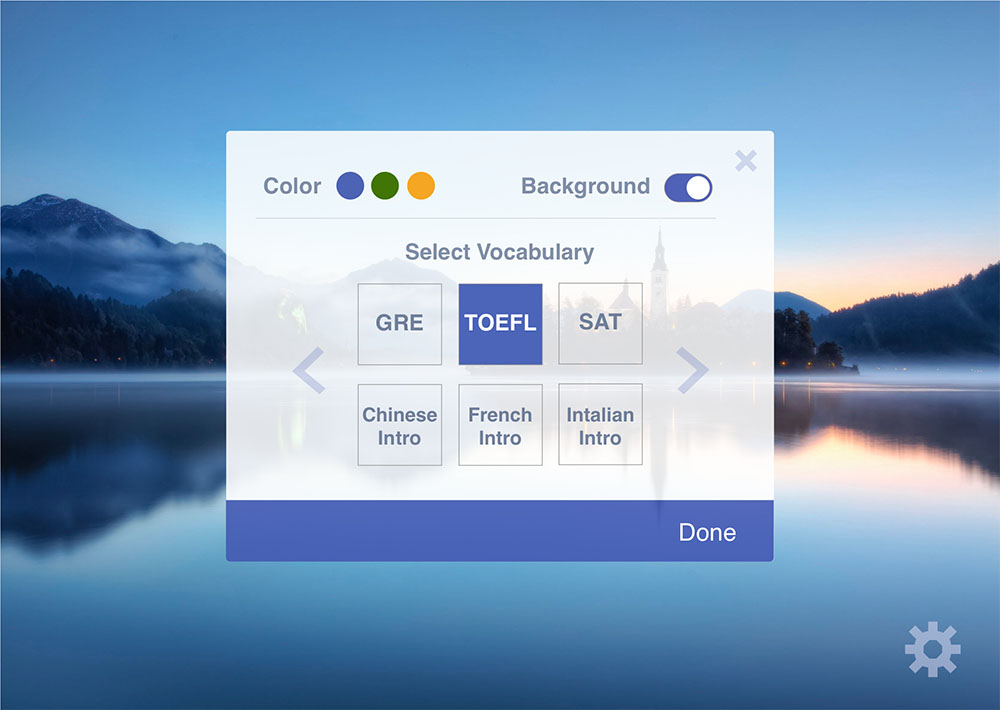
Tabby Word is a Chrome extension that gracefully generates vocabulary flashcards on your new tabs. It supports multiple language vocabularies for learners of a new language, and exam-takers. It has an elegant design, and is customizable in color and style, so it can be a perfect fit for your own taste of desktop.
How we built it
Firstly, we designed the user interface using Sketch. Then we used Flask in Python to build the back-end, and we used HTML, CSS and JavaScript to build the front-end UI and interactions. We studied the official documents of building Chrome extensions and packed the software to a Chrome extension eventually.
Challenges we ran into
- Tuning CSS for better UI design and user experience
- The idea and methodologies of building Chrome extensions
Accomplishments that we're proud of
- We found it truly useful!
- We built and debugged the backend in only three hours!
- We also built a landing page for our app.
What we learned
- Teamwork truly matters in building such applications.
- There is a gap between front-end design and implementation; designers need to consider the technical difficulties in implementation.
What's next for Tabby Word
- Integrate more vocabulary resources, pronunciation, example sentences, etc.
- Include the Ebbinghaus Forgetting Model, so that it could smartly remind people to revise the word only when they should.
- Improve UI design and offer more customizability in its UI.


Log in or sign up for Devpost to join the conversation.