-
-
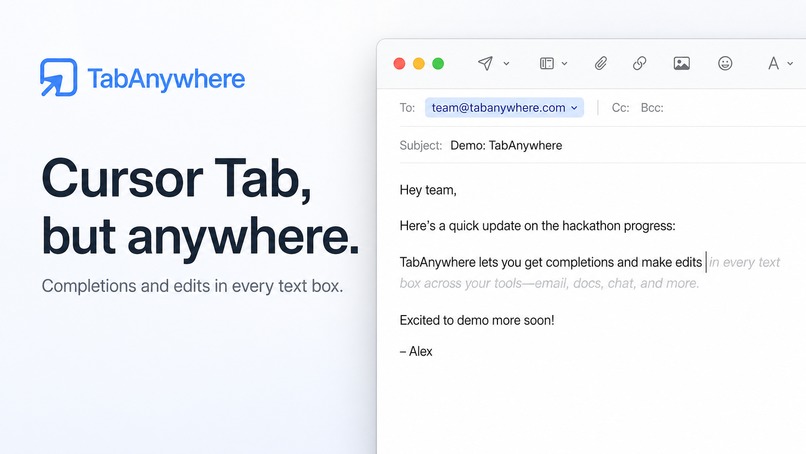
Mac App
-
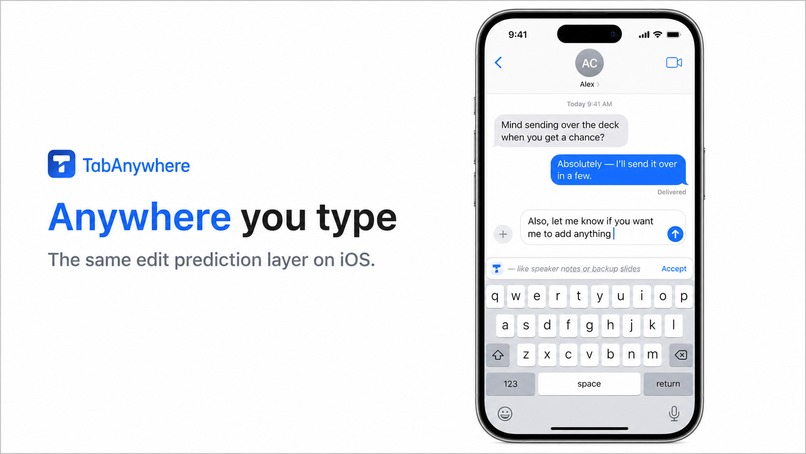
iOS App
-
Architecture
-
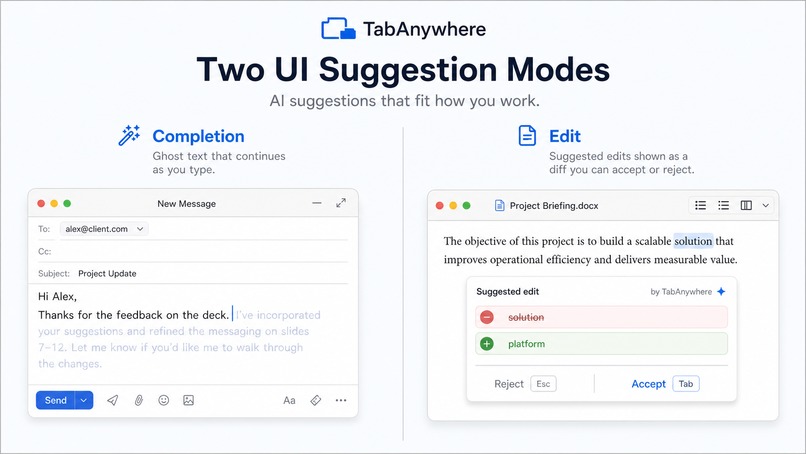
Edits and Completions
-
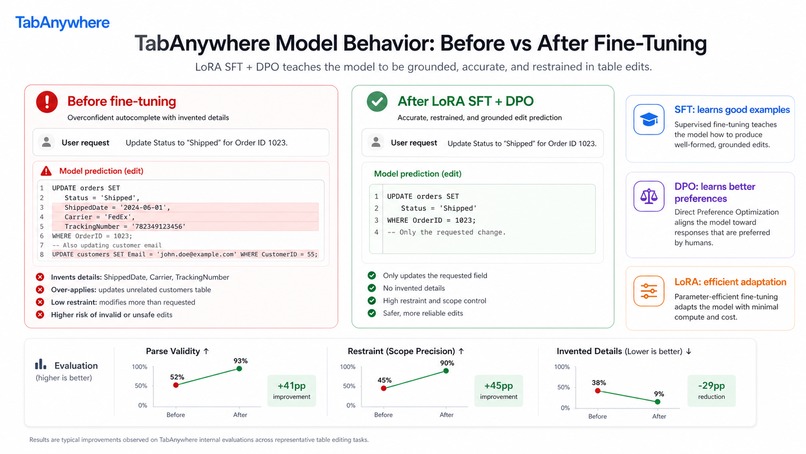
Post Training (SFT + DPO)
-
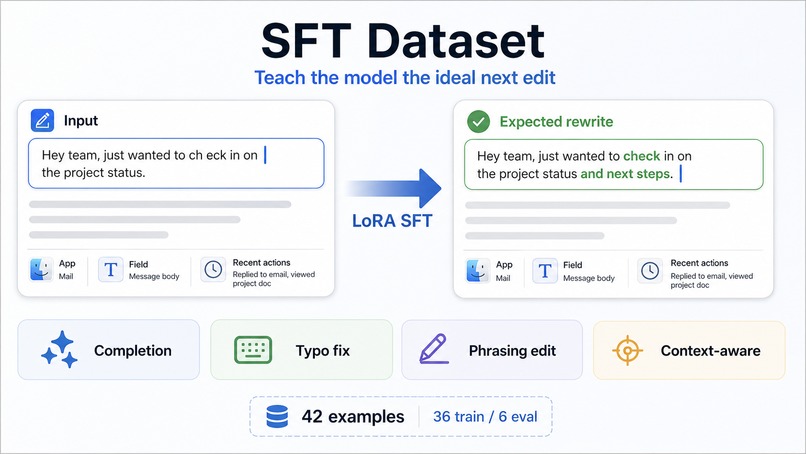
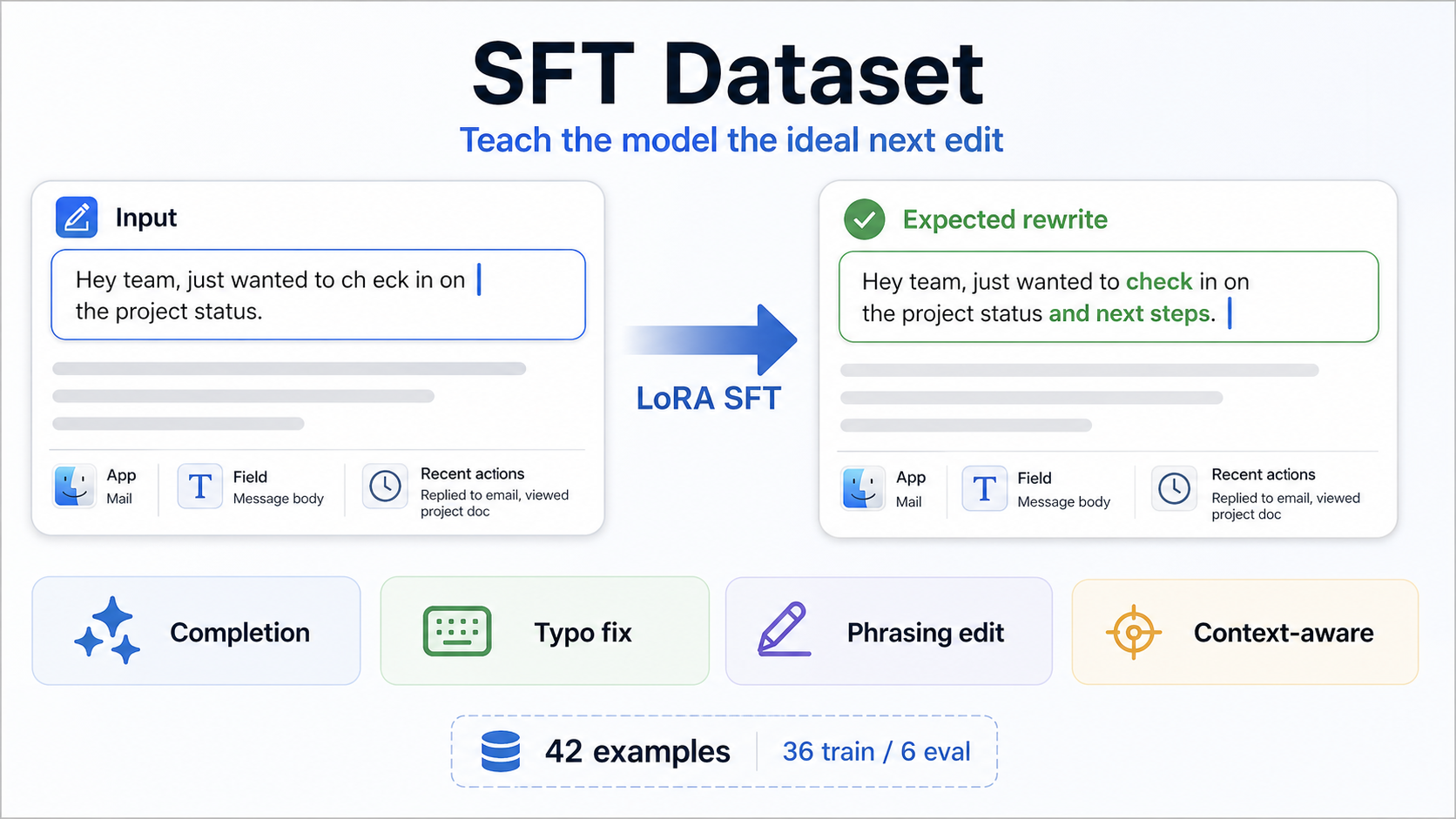
SFT Dataset
-
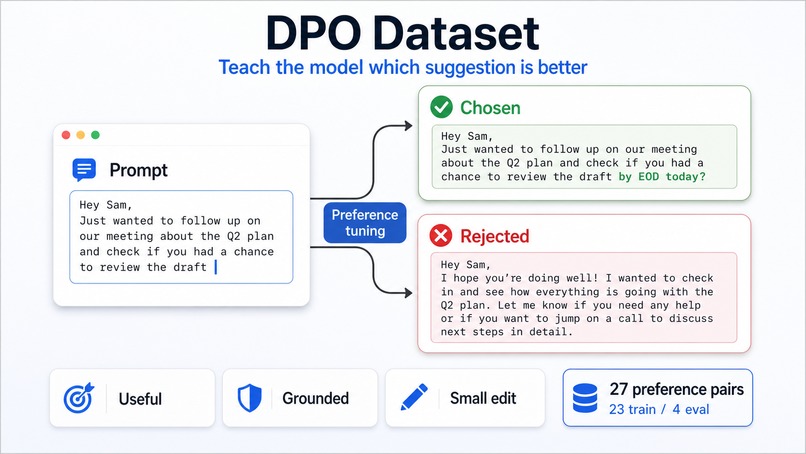
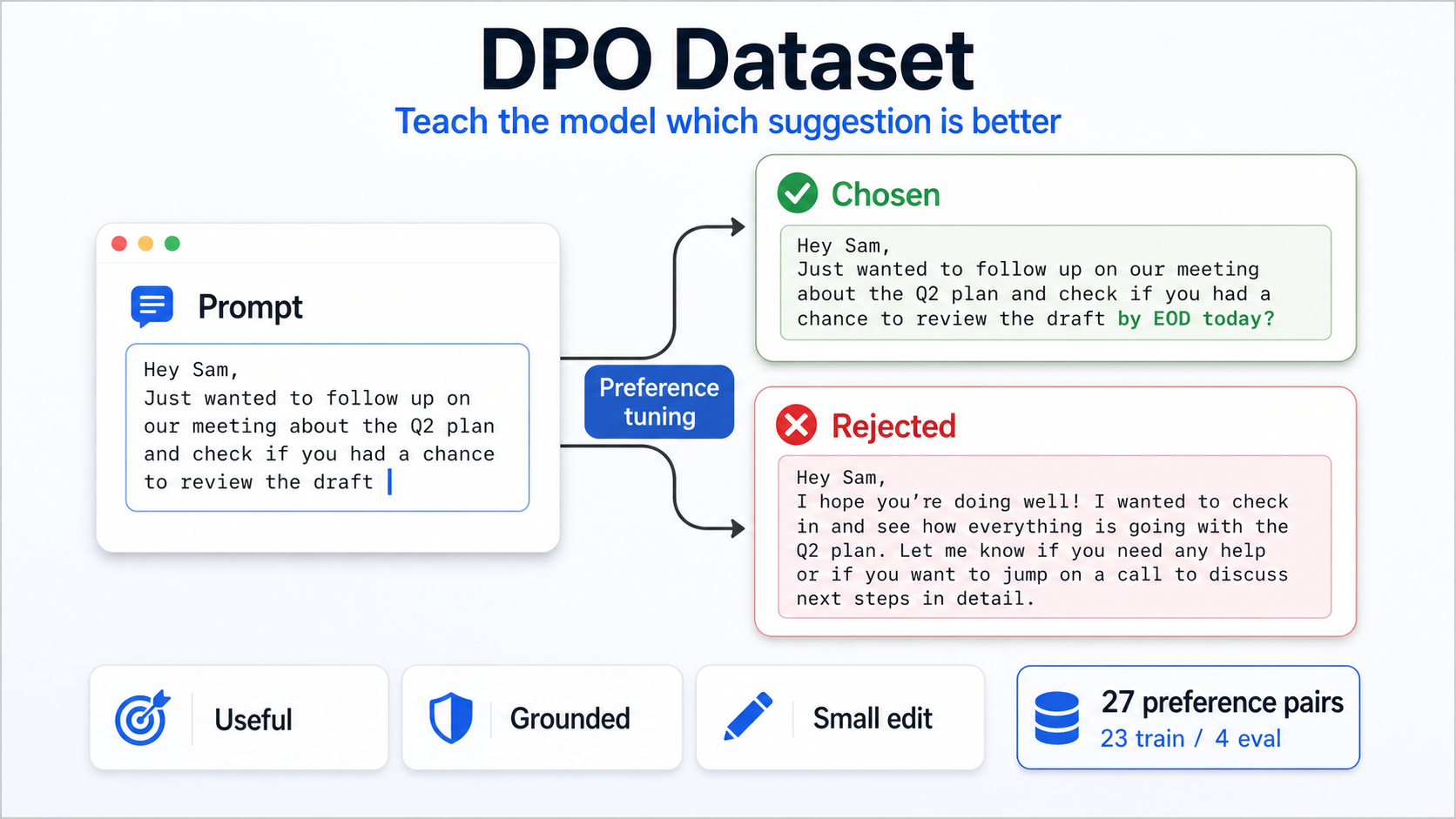
DPO Dataset
Inspiration
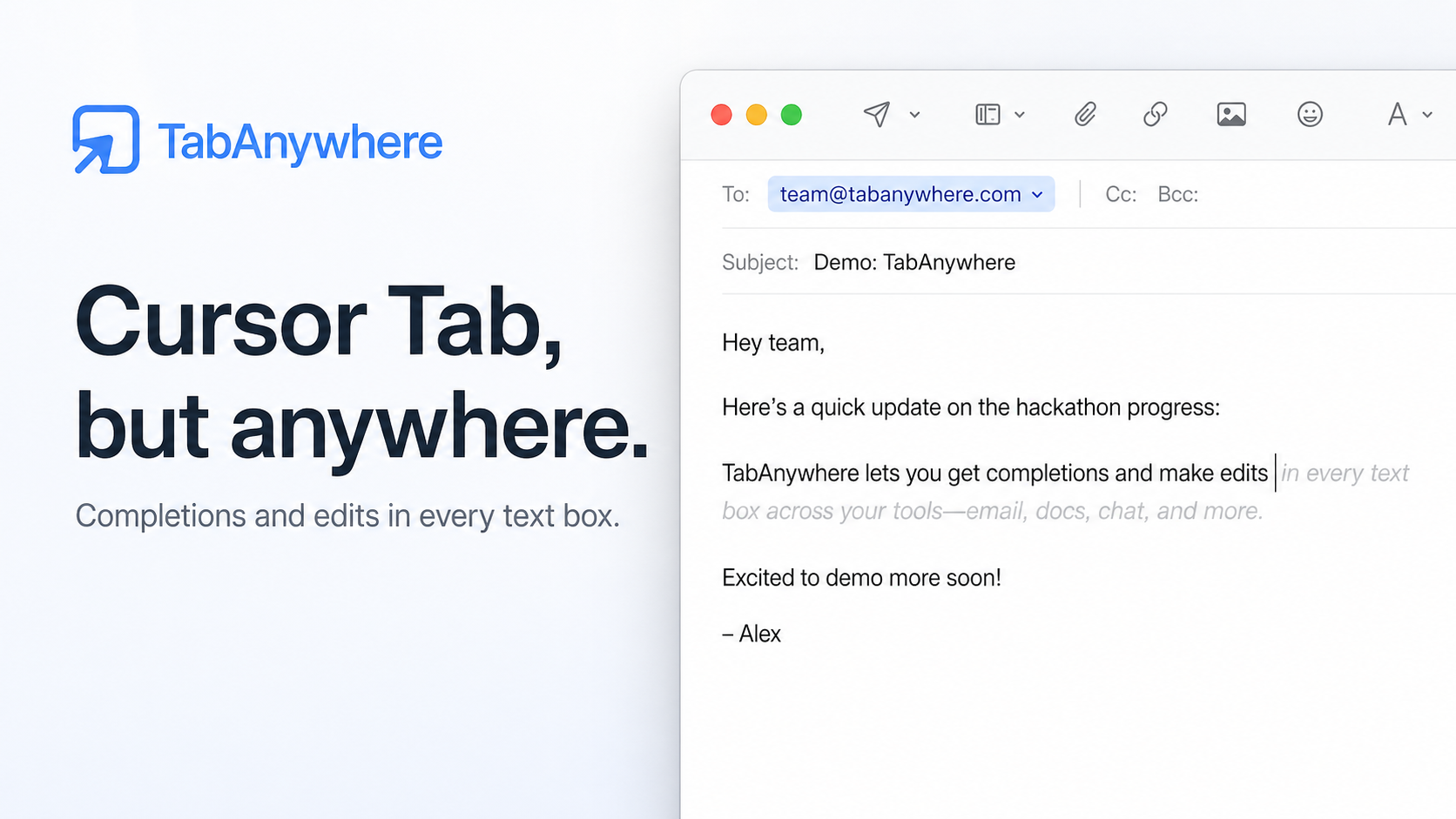
We kept asking: why does “Cursor Tab” only exist inside code editors?
So much of our day happens in tiny text boxes: email replies, Slack messages, docs, forms, notes, search bars, calendar invites, and mobile keyboards. Existing autocomplete tools are usually locked to one app, but the need is everywhere. We wanted a local-first assistant that feels like a natural extension of typing itself: quick, private, and useful across the whole system.
What it does
Tab Anywhere brings inline AI writing help to any text field.
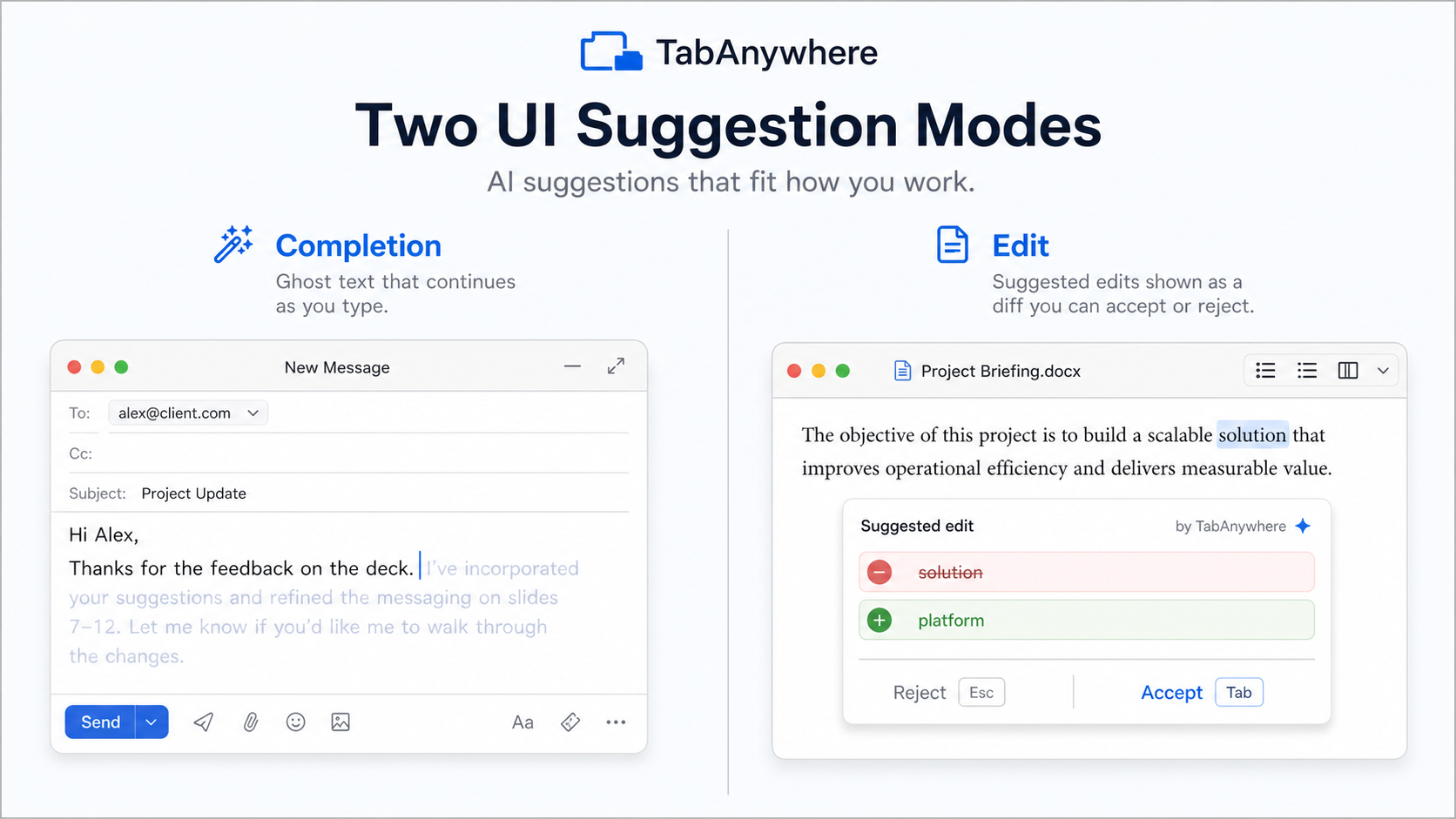
It can suggest normal completions, like finishing a sentence with ghost text, but it can also predict edits to text you already wrote. For example, it can fix a typo, improve phrasing, add missing punctuation, or adjust a nearby sentence. Instead of only appending text after the cursor, it can suggest a small rewrite around the cursor.
For completions, we show familiar ghost text. For edits, we show a popup with a red/green diff so the user can see exactly what would be removed and added before accepting.
It also uses screen context, so if you are replying to an email, looking at a document, or referencing something visible on screen, the assistant can use that context without needing copy-paste.
How we built it
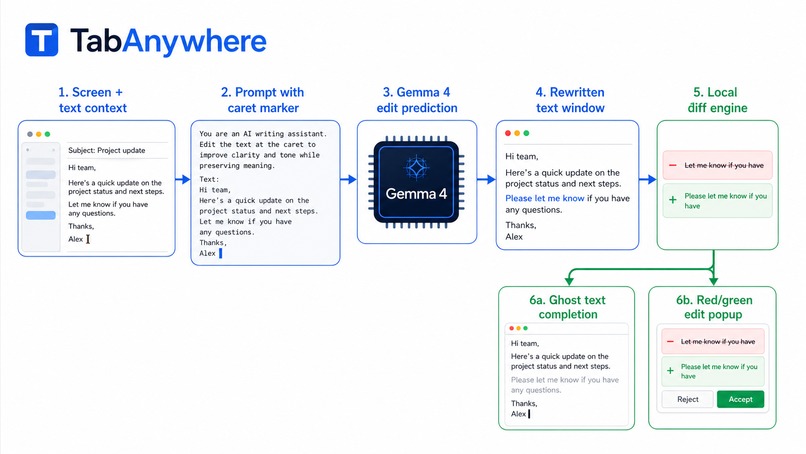
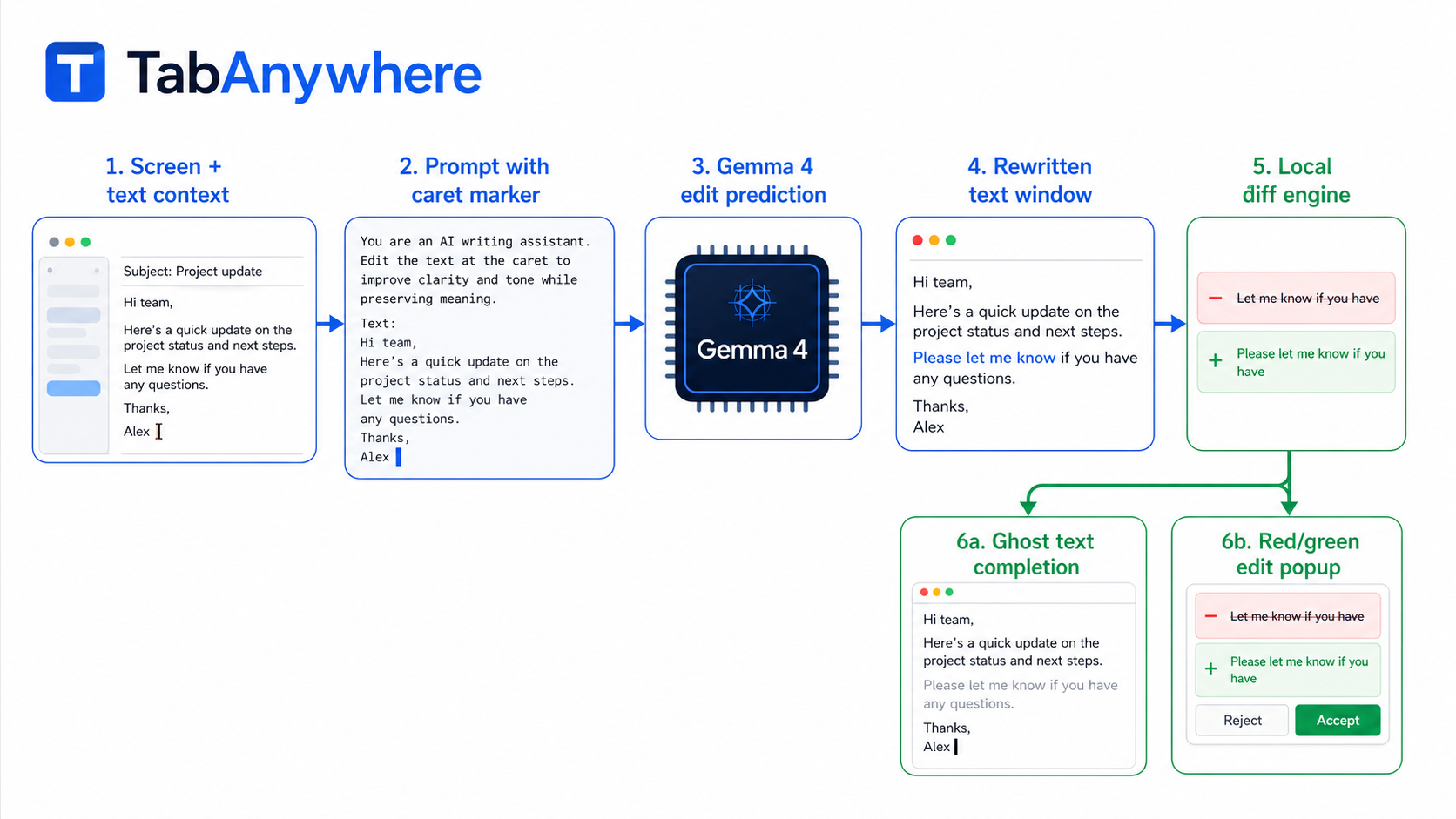
We started with a macOS app that watches the active text field, captures the current editable text and cursor position, and builds a small prompt around the caret.
The key design choice was to treat completions and edits as the same underlying model task: edit prediction. The model receives a text window with a <|caret|> marker and returns a rewritten version of that same window, also with exactly one caret marker. Then the app computes a deterministic diff between the original window and the model’s rewritten window.
If the diff is just an insertion at the cursor, we render it as ghost text. If it changes existing text, we render it as an edit suggestion with a red/green diff popup.
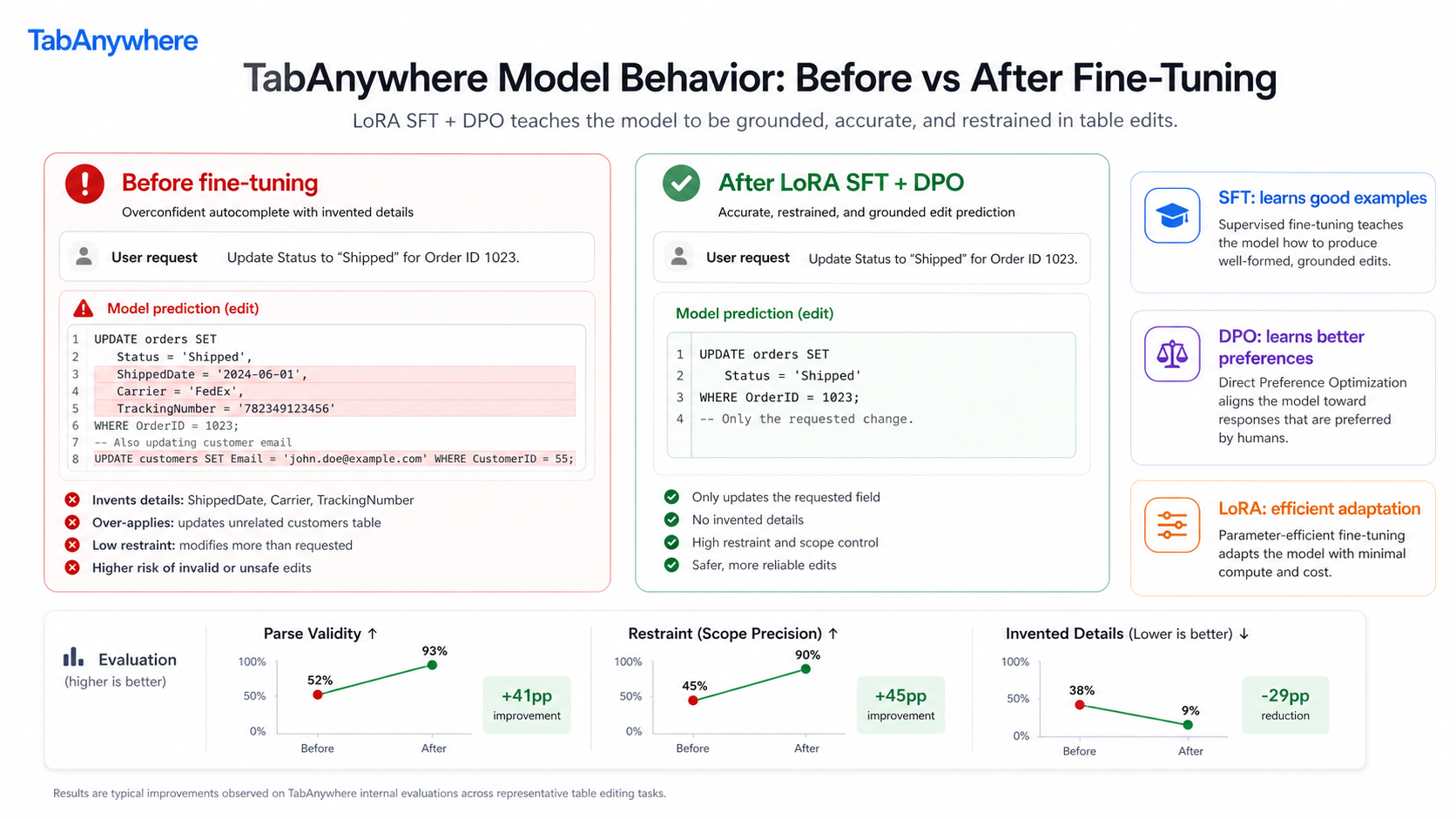
The model is based on Gemma 4. We started with prompt engineering, then fine-tuned with LoRA using SFT and DPO in a Colab notebook. SFT teaches the model what good suggestions look like. DPO teaches it to prefer helpful, small, grounded edits over suggestions that are too broad, too generic, or too eager.
We also built a training and evaluation pipeline around examples for completions, typo fixes, phrasing edits, and context-aware suggestions. Due to time constraints and privacy concerns, much of the data was synthetically generated.
Challenges we ran into
The biggest challenge was realizing that completion and editing are not the same UX problem, even if they can share a model interface.
Completions are easy to display: ghost text after the cursor. Edits are trickier because they modify text the user already wrote, which can feel surprising if the UI is not clear. That pushed us toward the diff popup so users can inspect the change before accepting it.
On the model side, asking the model to output raw JSON patches seemed tempting, but it was brittle. Smaller local models are much better at rewriting a snippet than emitting perfect offsets. So we moved to a rewrite-first approach, then let the client compute the patch.
Fine-tuning also had plenty of practical bumps: Colab/runtime setup, Unsloth version differences, DPO trainer API changes, GPU memory issues, GGUF export, and making sure the final local model could actually be compared against the base model.
Accomplishments That We're Proud Of
We are proud that Tab Anywhere is not just another chat box. It works where users already type.
The edit prediction UX is also something we are especially happy with. Ghost text is great for completions, but edits need a different interaction. The red/green diff popup makes the suggestion feel understandable and reversible.
We are also proud of getting the local model pipeline working end to end: dataset creation, SFT, DPO, merged model export, GGUF conversion, and local comparison against the base Gemma models.
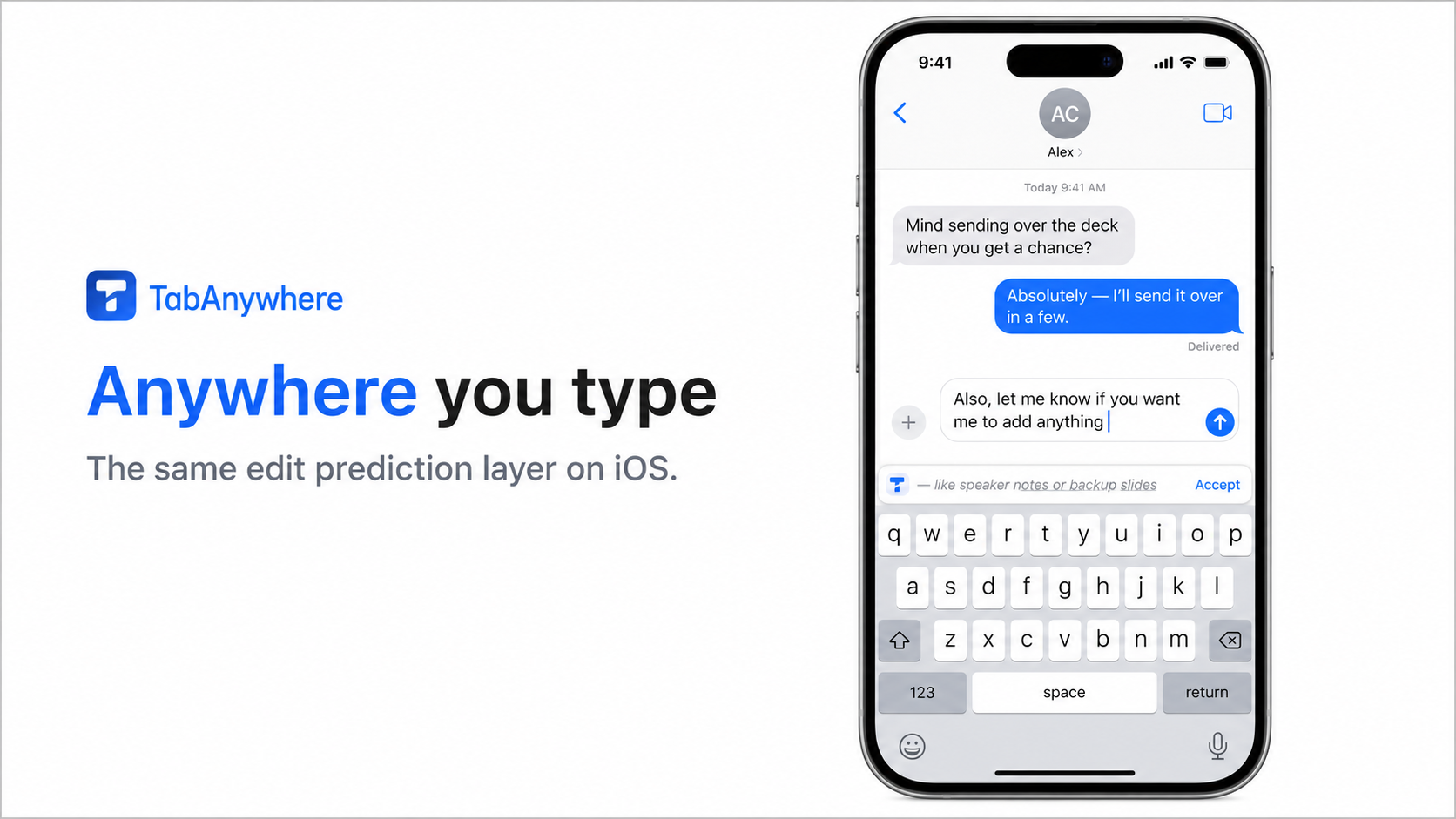
And the iOS keyboard integration points toward the bigger idea: this should not be tied to one desktop app. It should feel like a writing layer that can exist across devices.
What We Learned
We learned that restraint matters a lot. A model that writes too much or invents details quickly becomes annoying. For this kind of product, the best suggestion is often small, local, and obvious in hindsight.
We also learned that local-first AI is very doable, but the surrounding product details matter just as much as the model: latency, UI clarity, privacy, context selection, and acceptance behavior all shape whether the assistant feels helpful or intrusive.
What's Next For Tab Anywhere
Next, we want to improve the quality and scale of the training data, especially with real-world examples from email, messaging, docs, notes, and forms.
We also want stronger evals so we can compare the base model, SFT model, and DPO model across completion quality, edit quality, hallucination rate, and “would a user actually accept this?” score.
On the product side, we want to polish the macOS experience, improve context capture, and make the edit popup feel fast and native. For iOS, the next step is making the keyboard integration feel seamless enough that suggestions appear naturally while typing.
Longer term, Tab Anywhere should become a private, local assistant that follows you across apps and devices with capabilities to predict contextual intent via concrete actions like clicking or navigating, in addition to text manipulations.

Log in or sign up for Devpost to join the conversation.