-
-
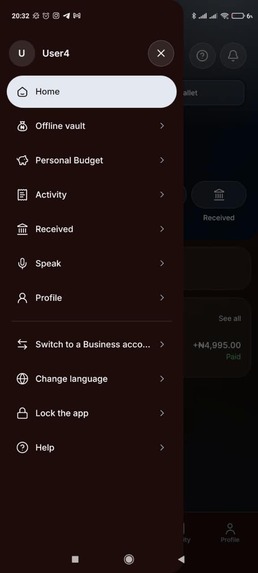
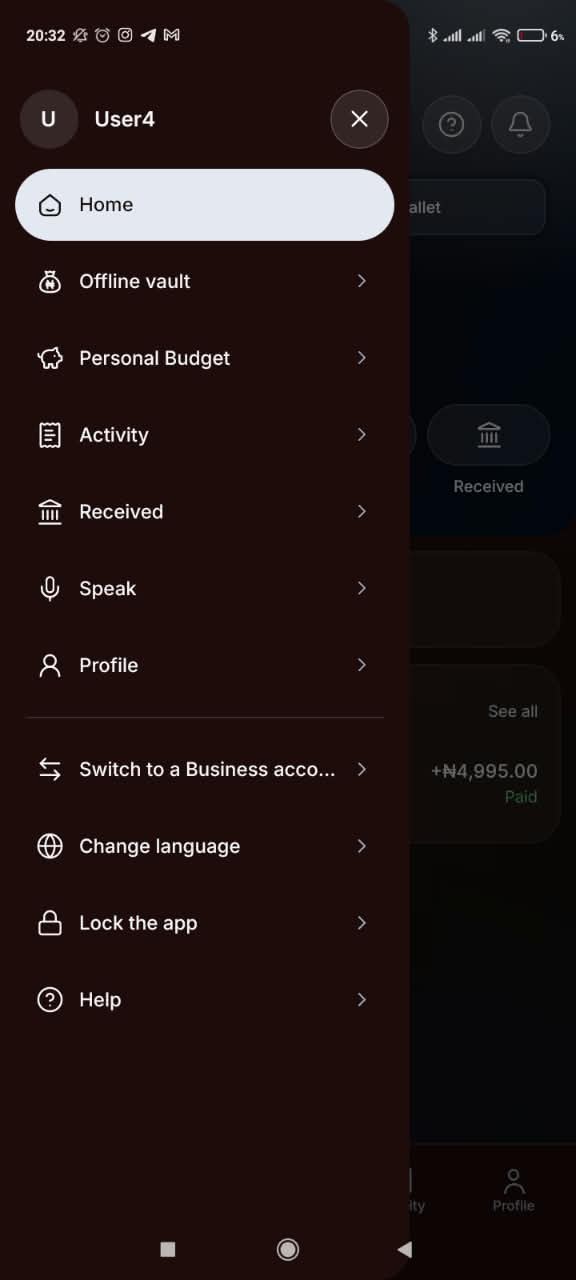
The hamburger menu on the personal user account (showing the personal budget tracker for version 2.0)
-
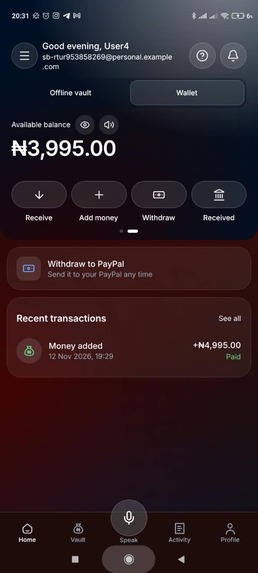
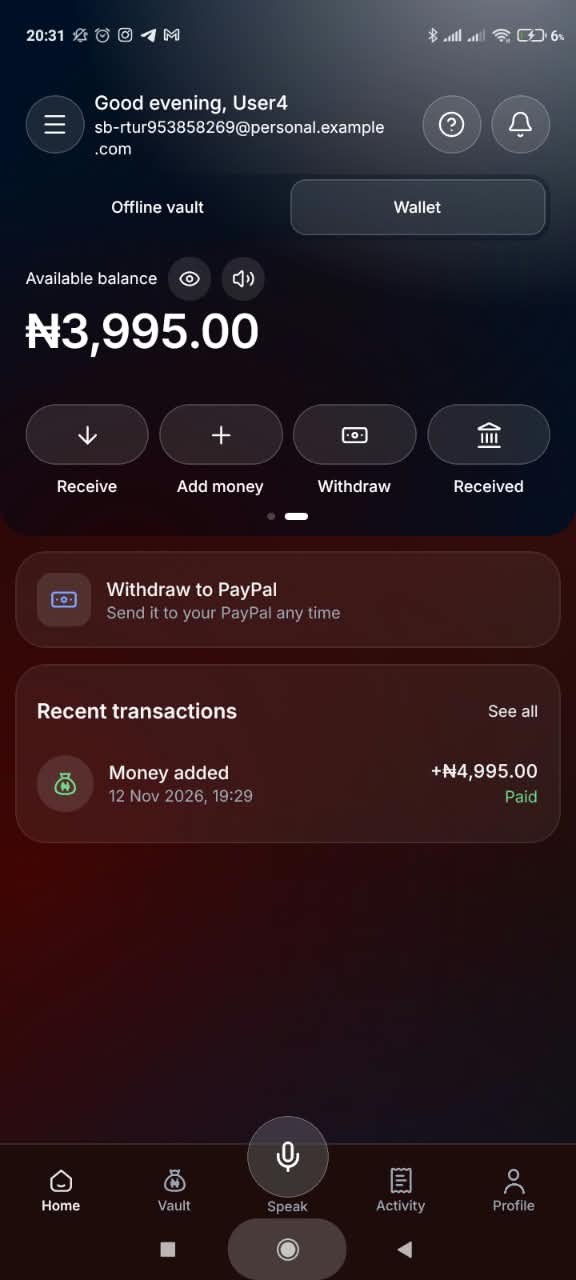
The Wallet on the personal user account
-
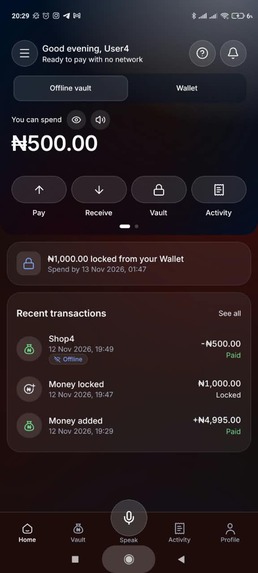
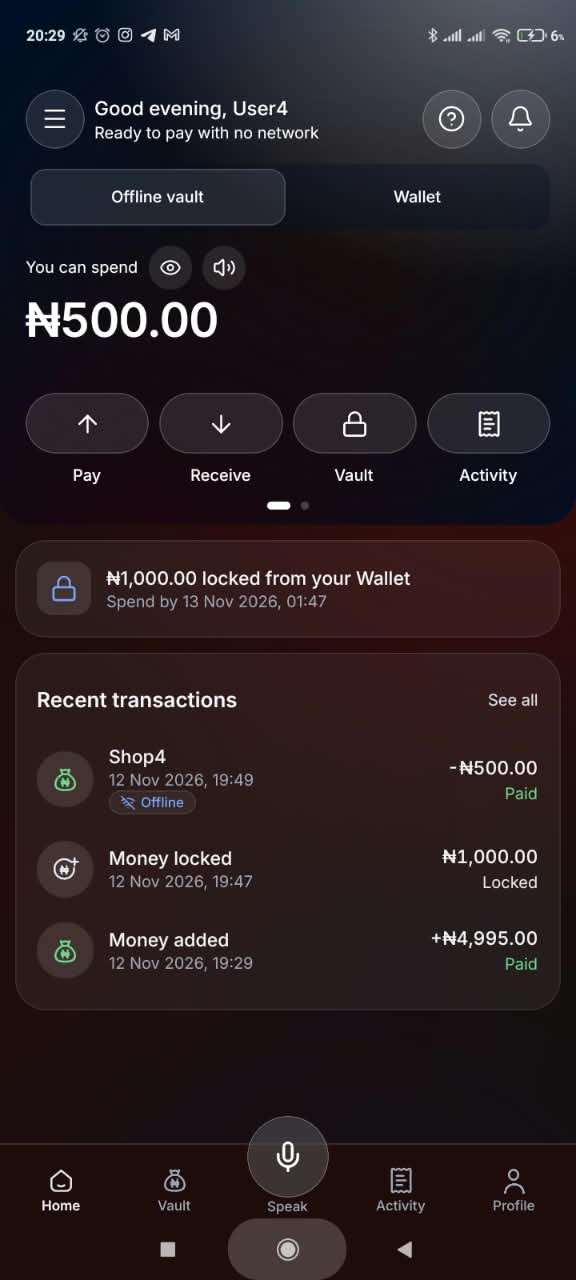
The Offline vault on the personal user account
-
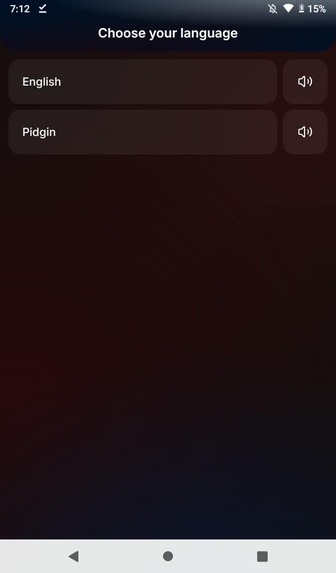
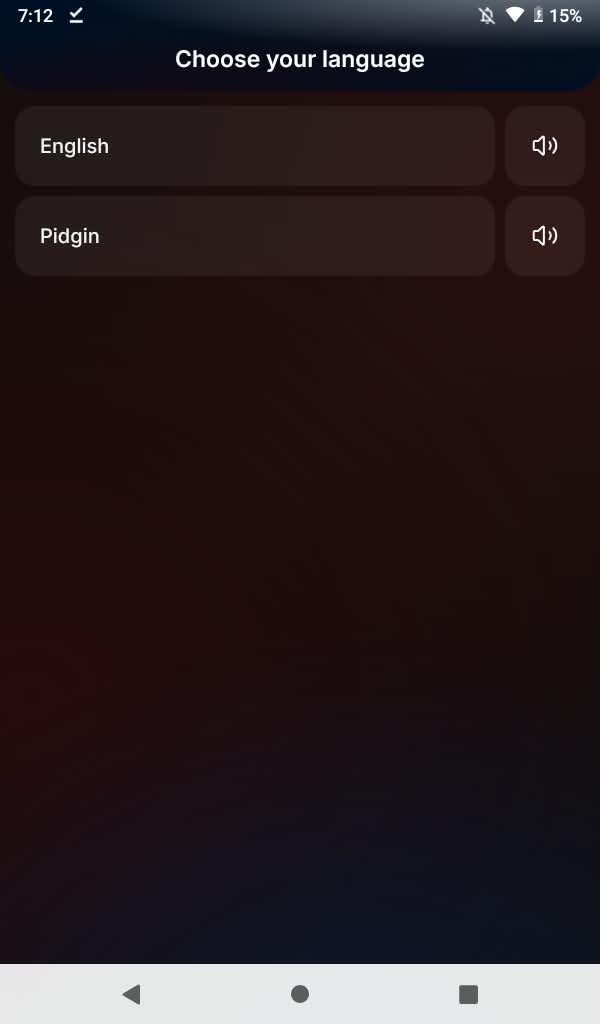
Business account language selection
-
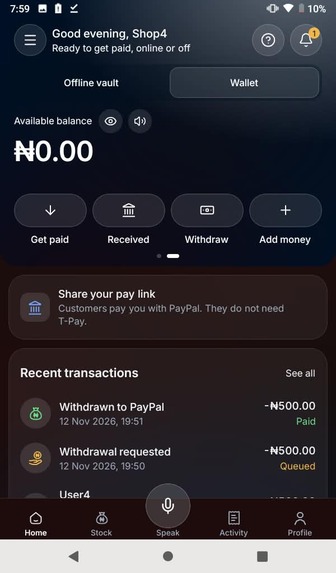
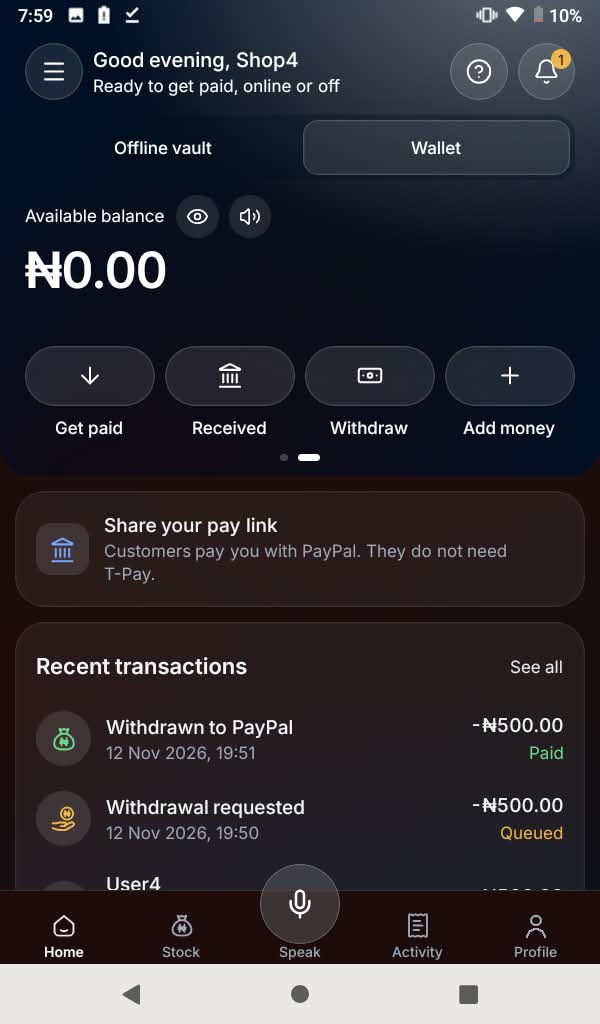
Business account Wallet
-
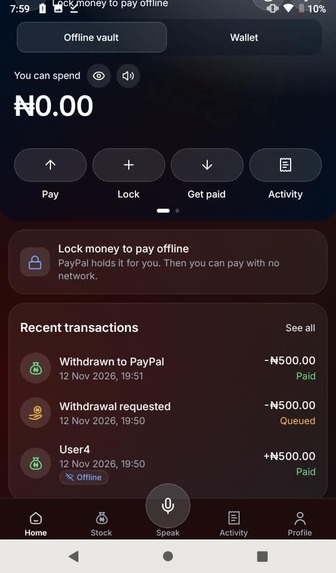
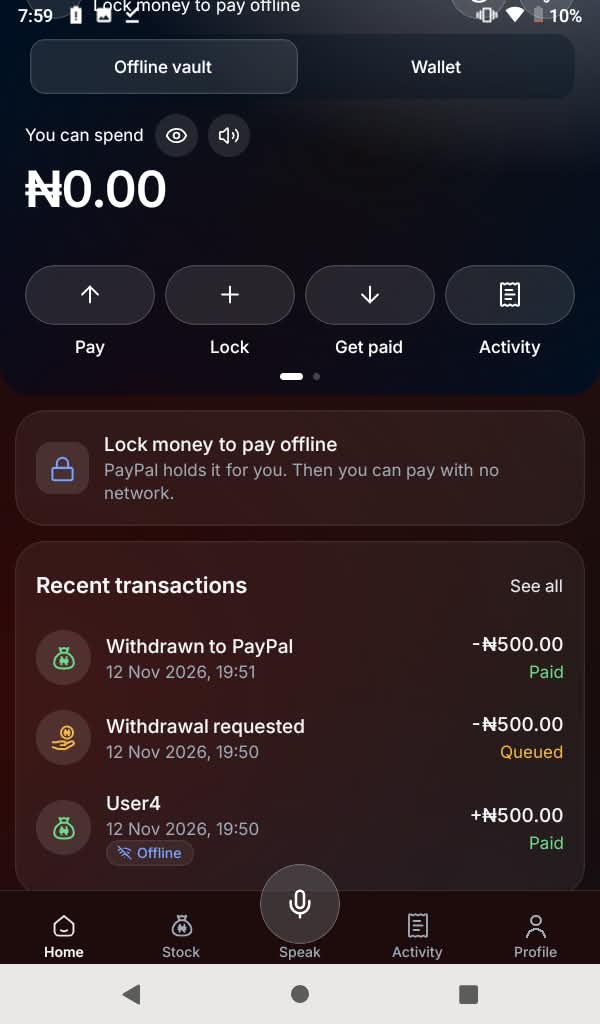
Business account Offline wallet
-
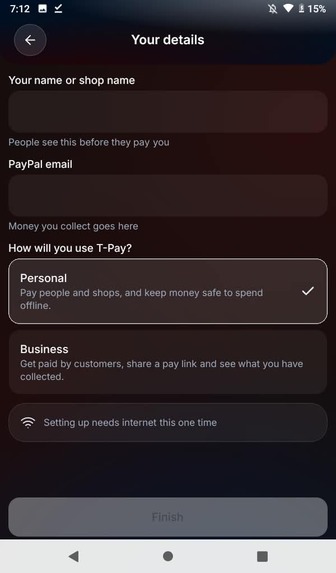
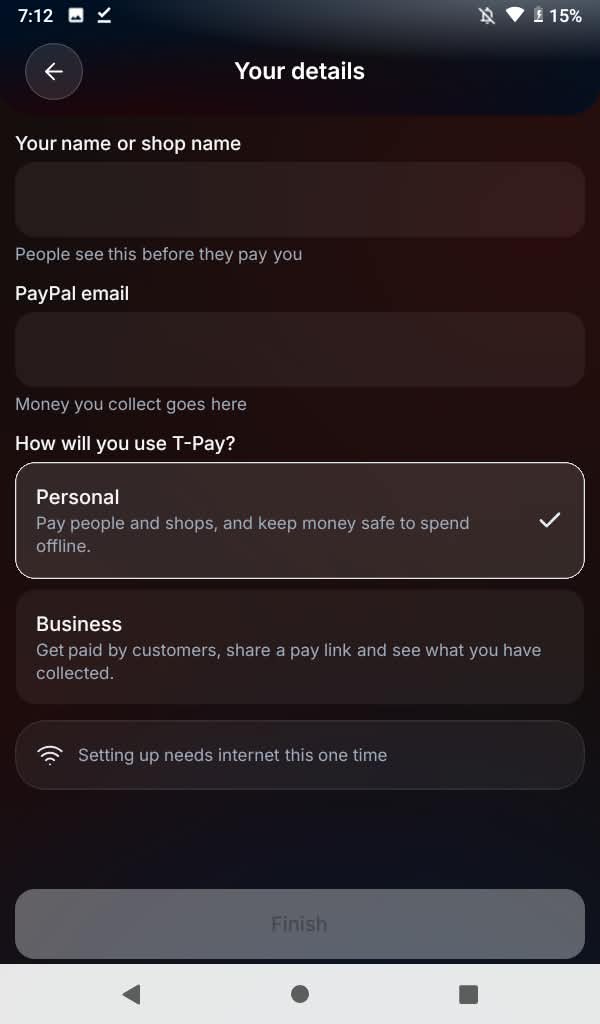
Business account setup page
-
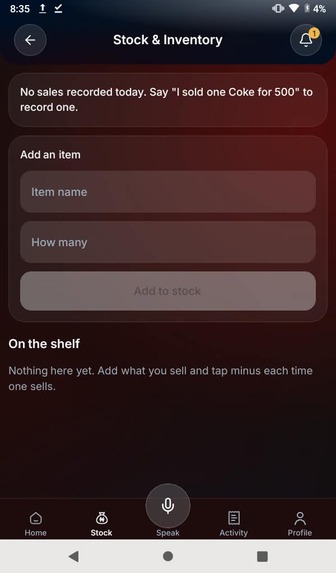
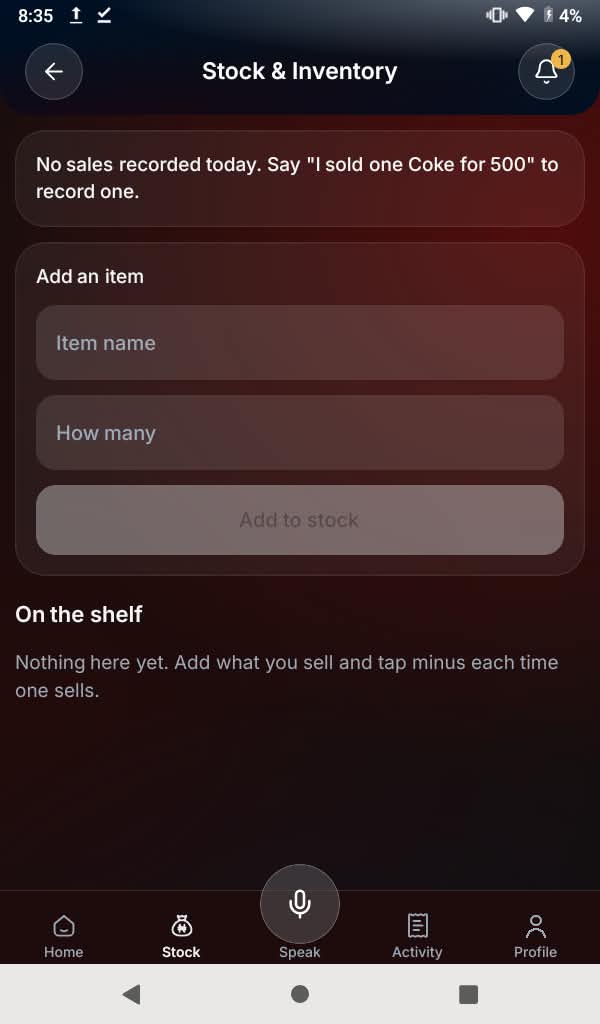
Business account stock and inventory management (for version 2.0)
-
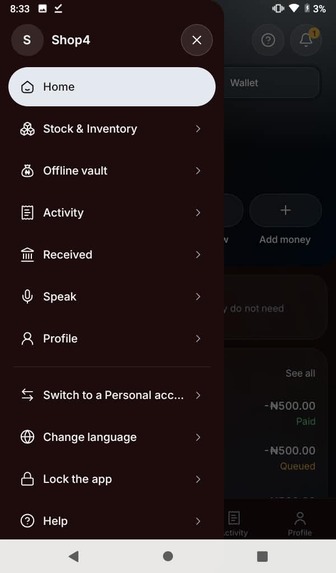
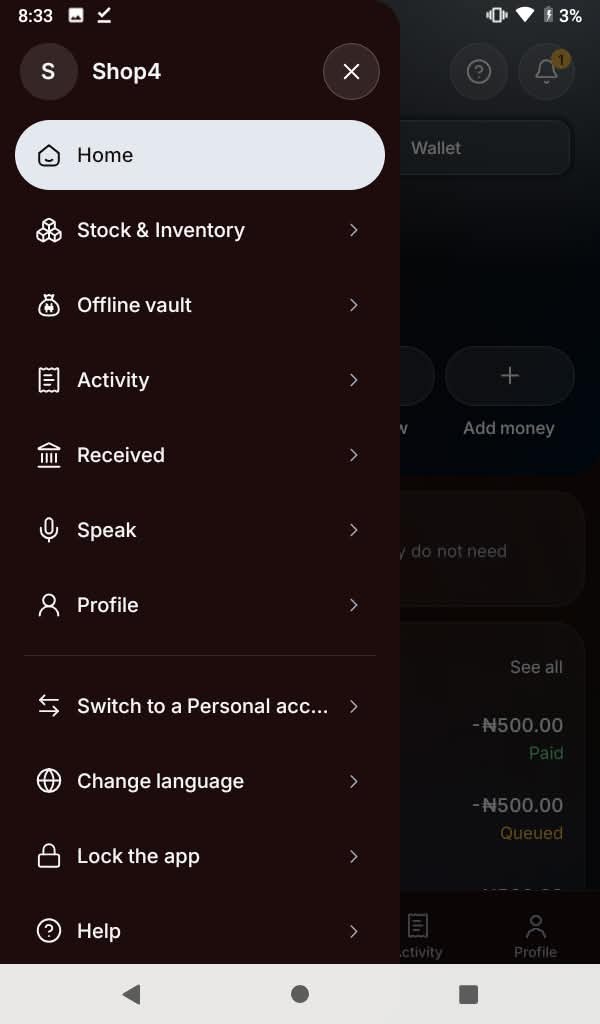
Business account hamburger menu
Inspiration
A few months ago, one of our teammates went out with his uncle to buy food from a merchant here in Lagos, Nigeria. When the order was packed, his uncle opened his bank app, entered the details and hit "send". He got a loading screen. The network was down, which is one of the biggest and most common obstacles to reliable digital payments in Nigeria. The merchant didn't want to hold up a customer and trusted that the money would arrive once the network recovered, so he handed over the food. On the drive home, the uncle got a notification from his bank: the payment had failed. The merchant had lost money, and the honest uncle had to find another way to pay him later.
This isn't rare. A 2024 consumer protection survey of digital financial services users across 24 Nigerian states by Innovations for Poverty Action found that 84% of respondents had at least one problem in the previous year, and network failures were among the most common. In busy markets, where connections drop all the time, that means lost sales, lost trust and people falling back on cash.
We built T-Pay to solve that problem.
What it does
T-Pay lets people pay each other phone to phone with no internet at all, and the money is guaranteed by PayPal.
Here's how it works:
1. Lock money while online. Before heading into a busy market with bad network, a customer locks a budget, say ₦10,000, into her T-Pay Offline vault for 6, 12 or 24 hours. With PayPal, she approves a PayPal authorization hold, so the money stays in her PayPal account but is reserved. She can also lock money from her T-Pay Wallet.
2. Pay with no network. At a stall, the seller shows a QR code with the amount. The customer scans it, checks the amount and confirms with her fingerprint or PIN. Her phone signs a payment voucher with a private key that never leaves the phone, and the voucher reaches the seller over Bluetooth, or through a second QR code if Bluetooth is off. The seller's phone checks the voucher on the spot, and both phones record the payment straight away. Spending more than is locked, or changing a voucher, is refused on the spot. Reusing a voucher, or trying to spend the same money twice, is caught when the vouchers settle with T-Pay, and the money is only ever captured once. (We harden this further: see "Even stronger offline security" under What's next for T-Pay.)
3. Settle when either phone reconnects. Whichever phone gets network first sends the voucher to T-Pay. Our backend checks it again and takes the money from the customer's PayPal hold, or from her locked Wallet money, and the seller's Wallet is credited. With automatic cash-out on, the money goes on to the seller's PayPal by itself, and sellers can withdraw to any PayPal email at any time. When the customer is done, she closes her vault with her fingerprint or PIN, and any unspent money is released back to where it came from.
4. Just say it. Say "Hey T-Pay" while the app is open, or tap the microphone button, and talk to it in English or Nigerian Pidgin: "Abeg collect one thousand", "lock ten thousand", "withdraw five thousand". The assistant understands the request, replies out loud in a natural ElevenLabs voice (the phone's own voice when offline), and keeps listening for the next one. Clear requests are read on the phone by fixed rules, Google Gemini reads the rest online, and with no network an optional small AI model runs on the phone itself. The AI never moves money on its own: anything that moves money needs the person's fingerprint, PIN or PayPal sign-in.
Works on any Android phone. If a phone's camera can't read a QR code, T-Pay reads it with its own built-in decoder.
Personal and Business accounts. Both come with an early version of our resource tools. Business accounts get a basic Stock & Inventory screen: add items by hand or by voice ("add ten Coke to stock"), and a sale recorded by voice ("I sold one Coke for 500") takes one off the shelf. Personal accounts get a simple monthly Personal Budget. These are only partly built: payments don't update stock yet, and budgets have no categories. We'll finish them in version 2.0.
Note: we removed Yoruba, Igbo and Hausa just before submitting to focus on English and Nigerian Pidgin, so some older documentation and our explainer video may still mention them.
How we built it
T-Pay has three parts in one repository:
- Shared payment rules (
shared/): one TypeScript package with no dependencies. It defines money, signing, vault certificates, vouchers, the QR/Bluetooth message formats and the assistant's fixed rules, so the phone and the server enforce exactly the same rules. - Backend (Node.js, TypeScript, Express, PostgreSQL, deployed on Render): registers devices, issues certificates, checks vouchers, settles them, and runs the background jobs that renew holds and cash money out to sellers. Every request that moves money has an idempotency key, so a phone that retries never pays twice.
- Android app (Expo / React Native, with our own Kotlin modules): signing keys are P-256 keys created inside the Android Keystore, in the phone's secure hardware where available. Offline state is kept in SQLite. Payments go by QR code and Bluetooth through Nearby Connections, with our own QR decoder as a fallback, and the app is locked with a PIN or fingerprint.
PayPal (sandbox): Orders v2 with intent AUTHORIZE to lock vaults; Payments v2 capture, void and reauthorize to settle vouchers and release or renew holds; Orders v2 with intent CAPTURE for Add money and public pay links; Payouts for withdrawals and automatic cash-out; and Webhooks for capture results, refunds and reversals.
AI and voice: Google Gemini (gemini-3.5-flash via @google/genai) reads typed or spoken requests in English and Nigerian Pidgin and returns a structured proposal that the backend checks before the app shows it. ElevenLabs gives the assistant its natural voice. Android speech recognition powers the "Hey T-Pay" wake word. Offline, the app uses fixed rules first and, on phones with at least 3 GB of RAM, an optional Qwen2.5 0.5B model running on the phone through llama.rn. The AI never sees keys, balances or signed data, and it can't move money.
We tested as we built: 908 backend tests and 167 app tests run in GitHub Actions on every push, and a dedicated edge-case pass added 208 tests and found 11 bugs.
Challenges we ran into
Intent vs reality. Our first design gave every user two wallets: a main wallet, and an offline vault they could lock money into, with unspent money melting back after a set time. Then we learned that holding people's money like that needs a payments licence. We pivoted so that a customer's offline money stays in her own PayPal account: locking a vault places a PayPal authorization hold, T-Pay captures from it when a voucher settles, and PayPal releases the rest. The T-Pay Wallet, where sellers are paid and people can add money, works in the PayPal sandbox today. A real launch would run it through a licensed partner.
Not every phone can read a QR code. Some Android phones' camera scanners couldn't read our payment codes, and a payment app that only works on some phones doesn't help a market. We added our own QR decoder that reads the code from a still photo whenever the phone's scanner finds nothing.
PayPal holds have time limits. An authorization is only fully guaranteed for a few days, and PayPal ends it at 29 days. A seller can stay offline for days, so we built automatic renewal: T-Pay reauthorizes holds and caps a vault at 28 days. Reauthorization only becomes possible on day four of a real hold, so we haven't been able to prove that step in the sandbox within the hackathon.
Naira and dollars. PayPal doesn't settle in naira, so we used a fixed demo exchange rate. We also had to round carefully so that the naira amount on screen is exactly what the US cents are worth.
Making AI safe around money. An assistant that mishears "pay me" as "pay them" is dangerous in a payments app. We built ours so that it can only propose: fixed rules or Gemini produce a structured proposal, the backend checks it against the vault, and the person confirms with a fingerprint or PIN. We tested it with prompt-injection attempts and added a retry for when Gemini is overloaded. Offline was harder: the small on-device model sometimes reversed the direction of a payment, so our fixed rules win wherever they recognise the request. We also found that phrases like "one billion", phone numbers and "do not pay 500" could be misread as amounts, and fixed them.
Phone to phone with no internet. Getting Bluetooth working between Android phones from an Expo app meant writing our own native modules and patching the Android build.
Time. We found the hackathon in late October and started building on 27 October, which left us about two and a half weeks for a backend, a mobile app, PayPal integration and the AI, across a team of three.
Accomplishments that we're proud of
- Real offline payments. Two Android phones in airplane mode, with only Bluetooth on, can pay each other, and the payment settles against a real PayPal sandbox hold as soon as either phone reconnects.
- A real PayPal money flow. We ran a full sandbox proof: a hold, two partial captures and the release of the rest, plus payouts to sellers.
- Security that works offline. Signatures that can't be forged, sequence numbers and certificates block double spending, and a voucher submitted twice is never captured twice.
- A hands-free assistant that's safe with money. "Hey T-Pay" works in English and Nigerian Pidgin, holds up against prompt injection, and keeps working offline on the phone, without ever being able to move money on its own.
- Built fast, and tested. We went from first commit to a working backend, app and AI in about two and a half weeks, with more than 1,000 automated tests running on every push.
What we learned
- Building offline-first changes everything. Every message can arrive twice, late or not at all, so idempotency keys, sequence numbers and "either side can settle" had to be designed in from day one, not added later.
- Payment regulation shapes the product. Finding out we'd need a licence to hold funds taught us to lean on what PayPal already provides, like authorization holds, instead of reinventing them.
- AI should suggest, people should decide. In a payments app, the safest pattern was AI that fills in the form and a human who confirms.
- Small on-device models are useful but unreliable on their own. Pairing them with plain rules made the offline assistant trustworthy.
- Language is more than translation. "Abeg collect one thousand" has to work as well as "collect ₦1,000", so we chose to do English and Nigerian Pidgin really well before adding more languages.
What's next for T-Pay
- Go live. Move from the PayPal sandbox to live mode, with identity checks, a licensed partner for the Wallet and real exchange rates.
- Pay across banks and wallets. Let T-Pay vouchers settle into other banks and mobile money, not just T-Pay to T-Pay.
- Payments that can't get lost. We already retry settlement and keep a hold open until the customer closes her vault. Next, if a payment still fails for another reason (a bank problem, a reversal, a busy server), the money will stay locked and, with the customer's consent, the assistant will keep retrying until it goes through. Network or not, the seller gets paid.
- Version 2.0: an assistant for every kind of user. Grow the early Stock and Budget screens into full tools: every payment updates stock automatically ("collect one thousand for Coke" knows that's two bottles), salary earners get budgets by category, and bus drivers and conductors get fare collection for their korope.
- More languages, built with native speakers. Bring back Yoruba, Igbo and Hausa, reviewed by native speakers, then add languages such as Zulu and Swahili.
- Even stronger offline security. Require hardware-backed keys and phone attestation on every device, keep the payment counter in secure hardware alongside the key, cap the size of offline payments, and back sellers with a guarantee fund, so a double spend is close to impossible and an honest seller is always paid.
- iPhone. An iOS build.
Built With
- android
- bluetooth
- claudecode
- expo.io
- express.js
- google-gemini
- llama.cpp
- neon
- node.js
- paypal
- paypal-orders-api
- paypal-payouts
- paypal-webhooks
- postgresql
- qwen
- sqlite
- typescript
