-
-
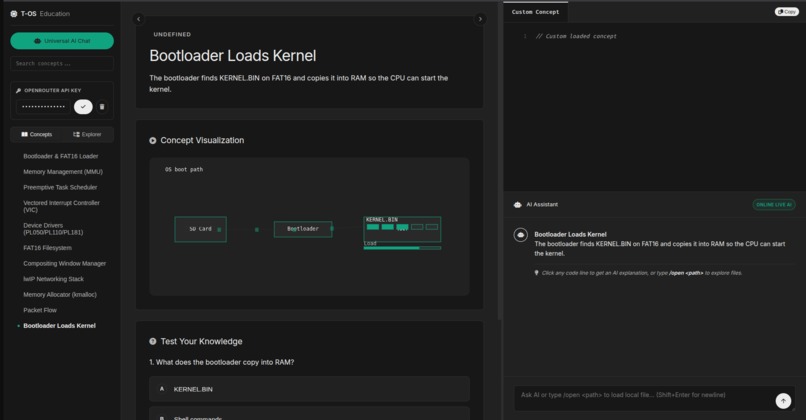
keeping token usage minimal and super-efficient
-
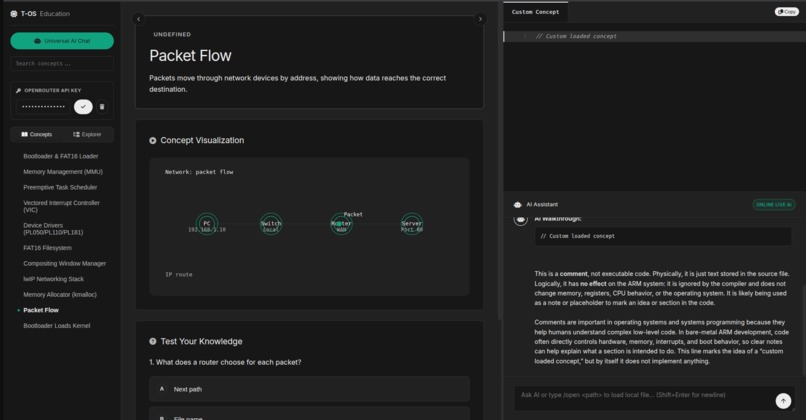
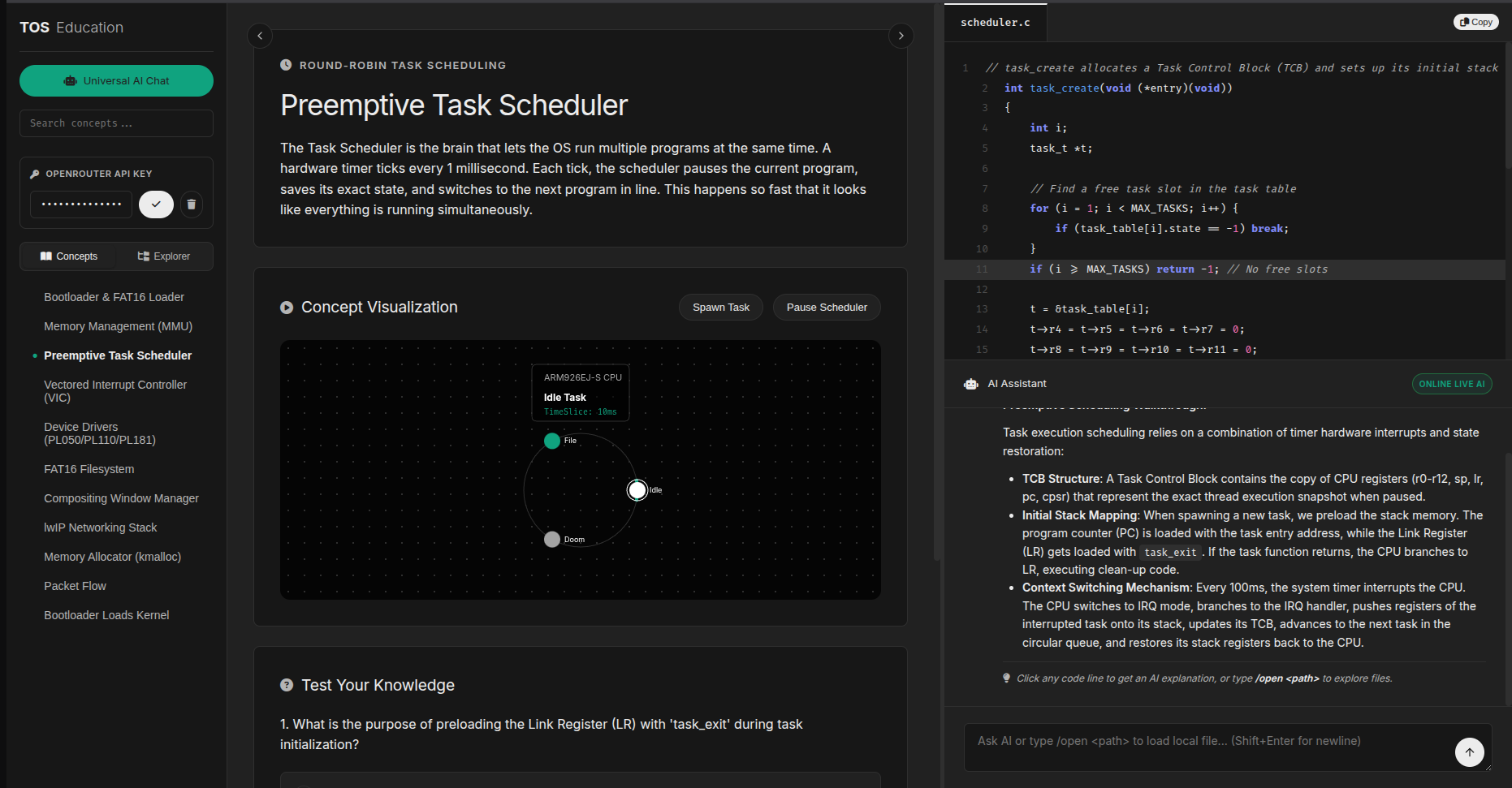
understand the file line by line or visualize with the artifact skill
-
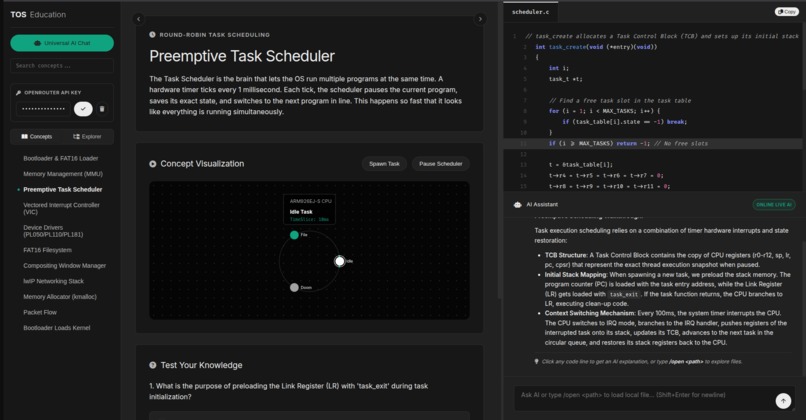
animations to understand file; save artifact; generate quizzes for recalling concepts
-
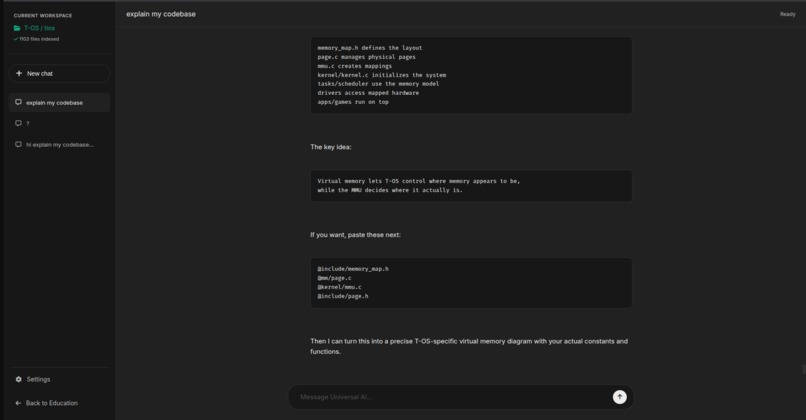
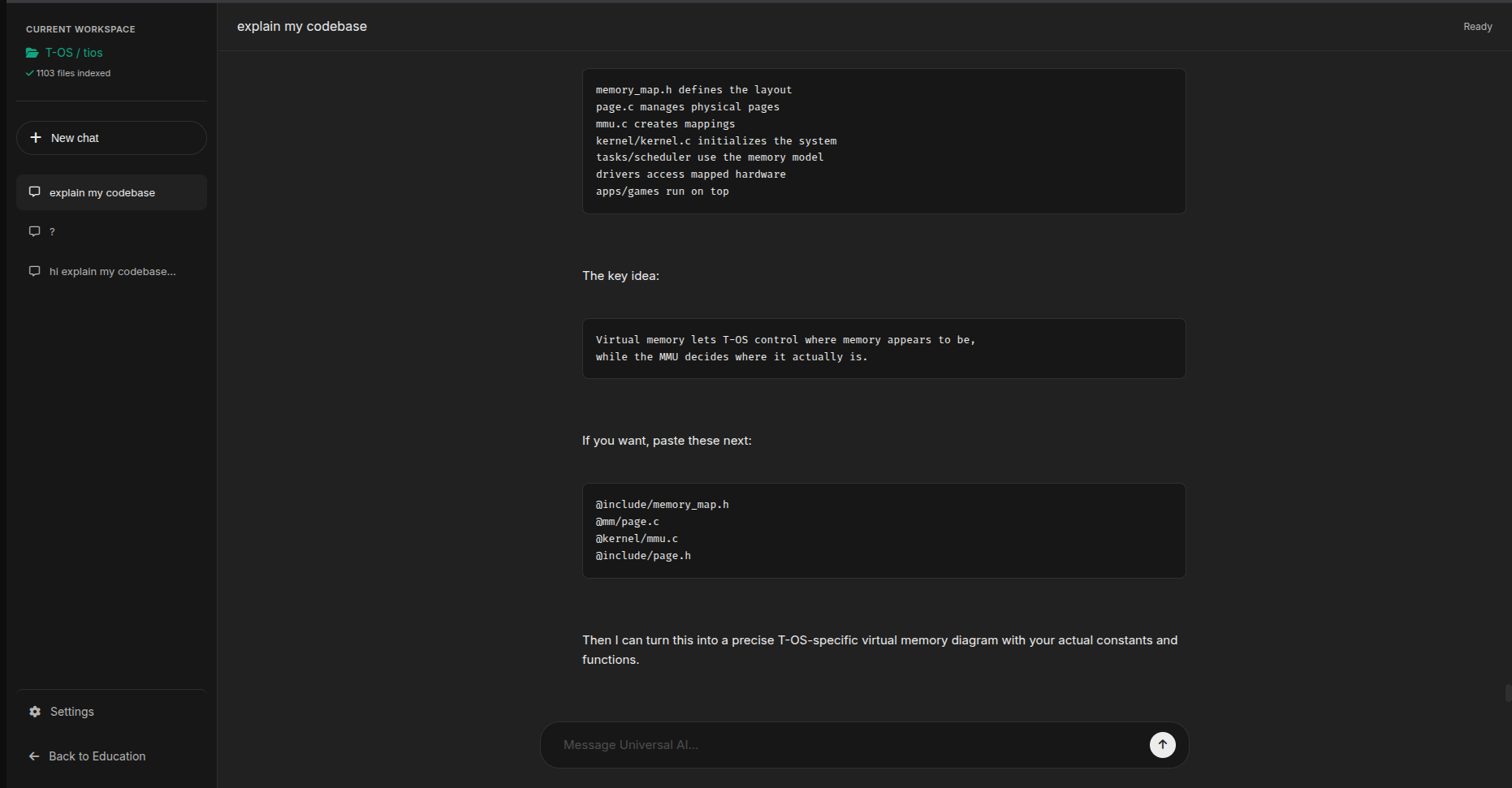
universal chat interface that understand your codebase way better
Inspiration
Most students learn operating systems the way you learn anatomy from a textbook — diagrams of memory layouts, scheduler queues, and interrupt tables that never connect to anything real. We wanted to flip that: what if students could boot a real operating system, watch a scheduler actually juggle processes on screen, and have an AI tutor explain the exact code making it happen — line by line, in plain English?
T-OS started as a deep dive into bare-metal ARM systems programming. As it came together, we realized the hardest, most "textbook" CS concepts — virtual memory, preemptive scheduling, interrupt handling, filesystem drivers — were all sitting right there in working, runnable code. The missing piece was a bridge between that code and a student who's never seen a kernel before. That bridge is the AI Concept Explorer.
What it does
T-OS is a from-scratch bare-metal operating system for ARM (VersatilePB, runnable in QEMU) that implements a full vertical stack: a custom assembly bootloader, page-based memory management with a kernel heap allocator, a preemptive multitasking scheduler driven by the PL190 VIC and SP804 timer, bare-metal drivers for keyboard/mouse (PL050) and framebuffer graphics (PL110), a FAT16 filesystem over an SD card block driver (PL181), basic networking via lwIP, and a compositing windowing system with double-buffering, complete with apps like a file manager, text editor, memory viewer, calculator, and even a DOOM port.
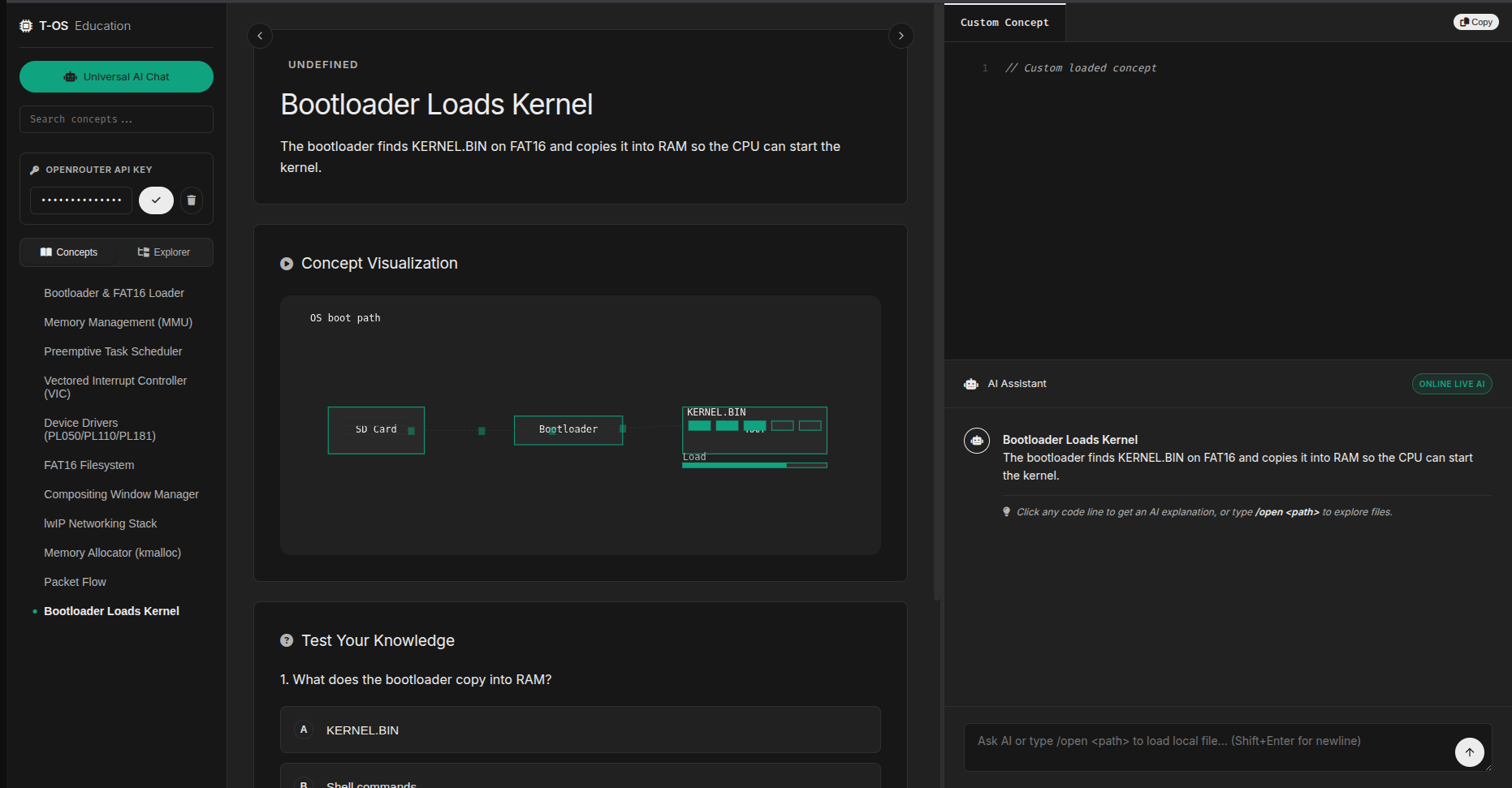
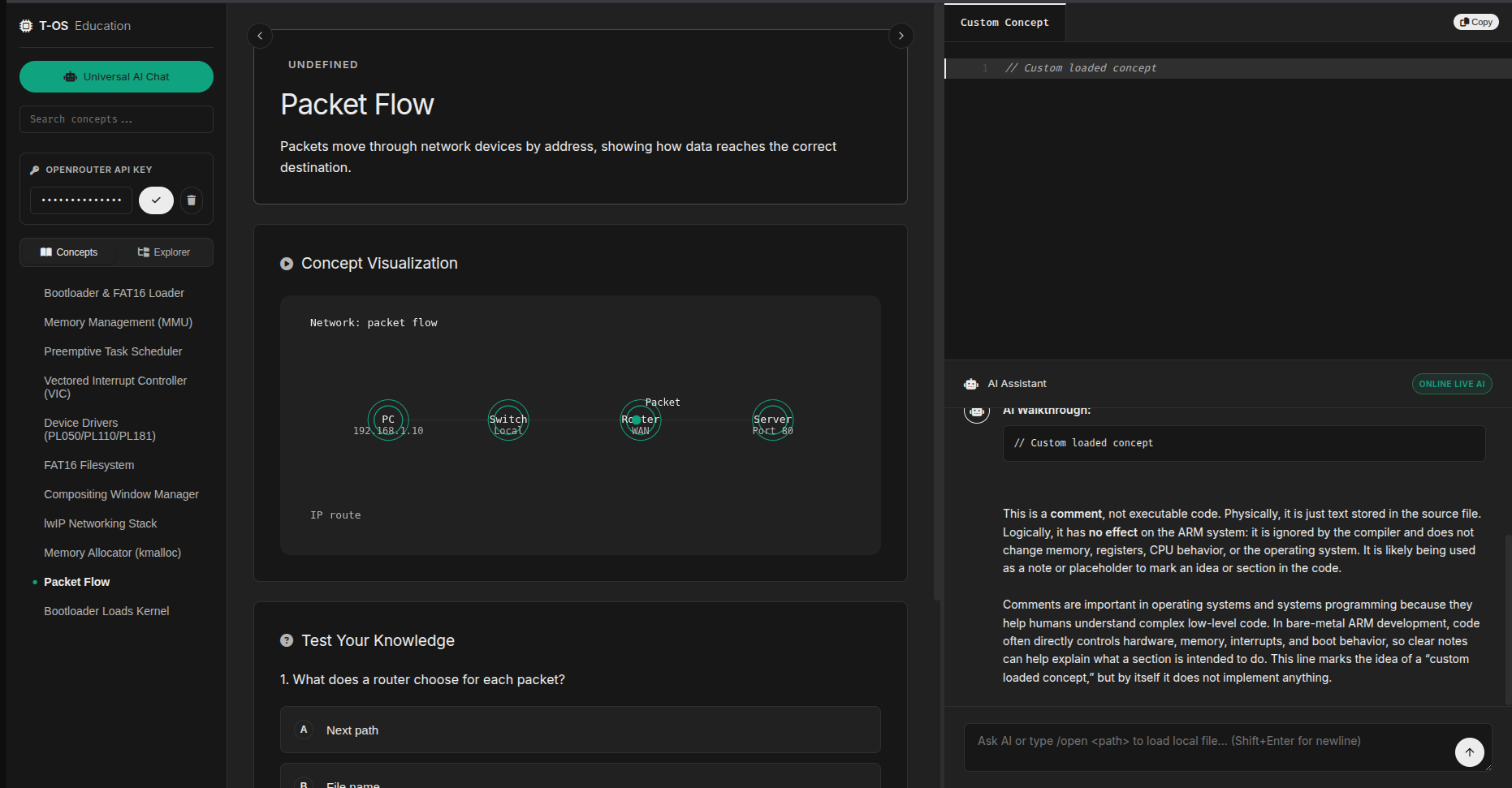
Paired with this is the AI Concept Explorer — an interactive web companion where students click through core OS concepts (memory paging, scheduling, interrupts, drivers, filesystems), see the actual source code from T-OS for that concept, get an AI-generated plain-language explanation of how it works and why it matters, view an accompanying visual diagram, and test their understanding with auto-generated quiz questions.
Together, they turn abstract systems programming theory into something students can run, break, inspect, and understand — with AI as the tutor standing between the code and the concept.
How we built it
The kernel is written in C and ARM assembly, built with the arm-none-eabi GCC toolchain and make, and run in QEMU's versatilepb machine emulation. The bootloader sets up CPU modes, the stack, and the interrupt vector table before handing off to the C kernel. Memory management uses a page-based allocator on top of the ARM MMU, with a custom kmalloc/kfree heap manager. The scheduler is interrupt-driven via the PL190 VIC and SP804 timer, performing context switches between tasks. Drivers were written from scratch against memory-mapped I/O registers for the PL050, PL110, and PL181 peripherals. FAT16 sits on top of the SD card driver for persistent storage, and lwIP provides basic Ethernet/DHCP networking. The window manager composites application framebuffers with double-buffering for tear-free rendering.
The AI Concept Explorer is a standalone web app that pulls real snippets directly from the T-OS source tree and sends them to an AI model, which generates the explanations, diagrams, and quiz content dynamically.
Challenges we ran into
Bare-metal development means there's no OS underneath you to catch mistakes — every memory corruption bug, linker script error, or misconfigured interrupt vector manifests as a silent crash or a garbled framebuffer with no stack trace. Getting the MMU page tables correctly mapped, the scheduler's context-switch assembly exactly right, and the PL110 framebuffer timing stable each took significant trial and error. Integrating FAT16 and lwIP on top of custom drivers, with no existing OS abstractions to lean on, required building and debugging the entire I/O stack from the block driver up. Cursor Agent was a major help in tracking down some of the gnarlier linker and memory corruption issues.
What we learned
We came away with a much deeper understanding of how the layers most developers never see — bootloaders, MMUs, schedulers, interrupt controllers — actually fit together, and how much invisible machinery makes "just running a program" possible. Building the AI Concept Explorer also taught us that AI is most powerful in education not when it replaces hands-on systems, but when it sits alongside one — translating real, working code into understanding in real time.
What's next for T-OS
Expanding the AI Concept Explorer to cover every subsystem in depth, adding interactive visualizations of memory layout and scheduler state that update live as the OS runs, and packaging T-OS as a classroom tool that lets students modify kernel code and immediately see (and have AI explain) the effects.


Log in or sign up for Devpost to join the conversation.