-
-
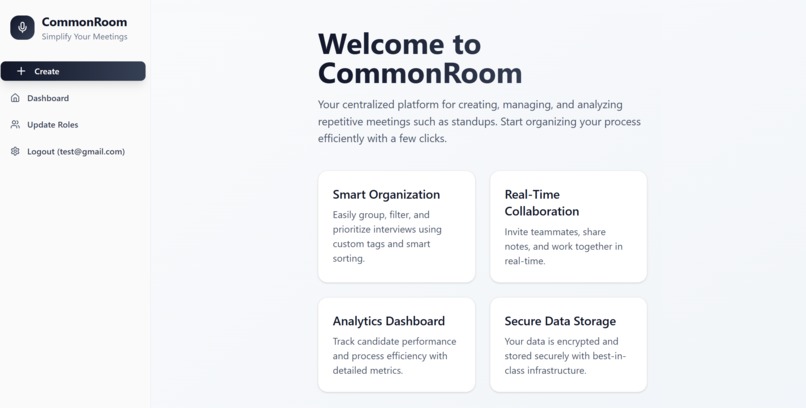
Homepage
-
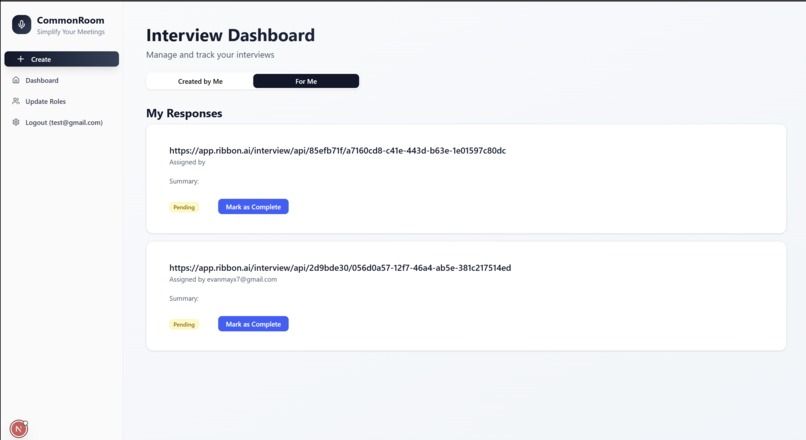
View requested questionnaires
-
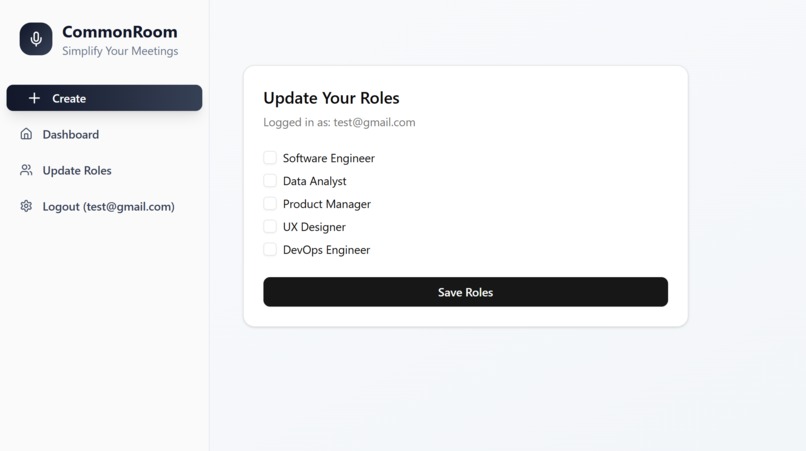
Update user roles
-
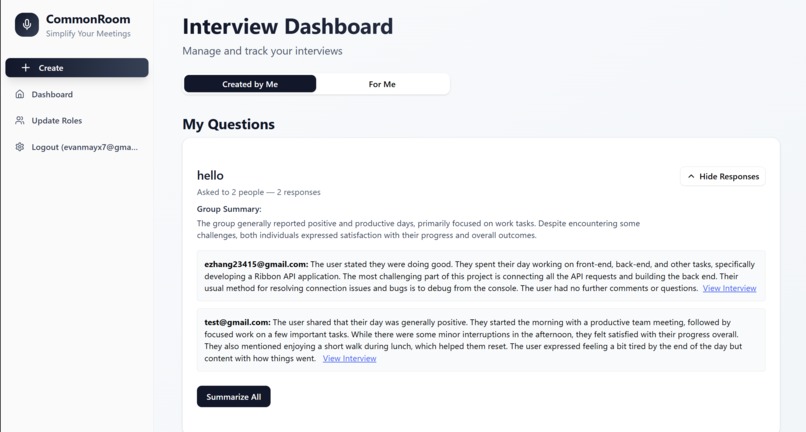
Summarizing multiple responses


Inspiration
Tired of endless status meetings, we realized most could be replaced by quick async updates.
We built CommonRoom to collect feedback and insights—no meeting required.
What it does
CommonRoom allows team members to individually communicate their project status/any issues to the manager. Our app is a role-based interview management platform for company internals. Project Managers create an AI agent to conduct interviews which are like questionnaires to developers where they can then describe their progress orally. Here's what it offers:
- 🎙️ Ask Questions
Create interview-style questions and assign them based on roles. - 🧑🤝🧑 Role-Based Assignment
Automatically routes questions to the right teammates by their roles. - 📝 Collect Responses
Users respond with transcripts and interview links for async check-ins. - 🧠 AI Summarization
Gemini summarizes both individual and group responses for quick insights. - 📊 Dashboards
- My Questions: View questions you’ve created, track responses, and access summaries.
- For Me: See all questions you’re assigned to answer and manage your responses.
- My Questions: View questions you’ve created, track responses, and access summaries.
Best use of Ribbon API:
- Allow users to create interview flows as “Questionnaires”. This would usually be done by a Project Manager who would like to collect common information from developers using the same questions.
- After an interview flow is created, it will automatically create interview links for each recipient that is part of the roles selected, store it in our MongoDB database so that each user can access their respective interview links
- After they complete their interview/questionnaire, the manager and all other relevant parties can view their response or a summary of their response which saves time compared to traditional meetings. This is done through fetching the corresponding interview_ids that are stored in the /interview route which completes the full ribbon workflow of an interview.
How we built it
- Frontend: Built with Next.js and React, styled using Tailwind CSS and ShadCN components for clean, responsive UI.
- Backend: Powered by FastAPI, serving RESTful endpoints to manage questions, responses, roles, and summaries.
- Database: Used MongoDB to store users, questions, responses, and role assignments with flexible document schemas.
- Authentication: Integrated Auth0 to manage user login and role-based filtering of interview data.
- AI Integration: Connected to Gemini 2.5 Flash via the Google Generative AI API to summarize responses individually and collectively.
Challenges we ran into
- 🧩 Integrating Auth0 Authentication
As first-time users of Auth0, we found its documentation complex and had trouble connecting login logic with our client-side components. - 🛠️ Learning New Tools on the Fly
We had to quickly familiarize ourselves with a variety of unfamiliar technologies, from deployment tools to third-party APIs. - 🌐 Building a Full-Stack Web App
Designing a frontend that could properly communicate with the backend and MongoDB database was a steep learning curve. - 🔗 Connecting Ribbon's API with MongoDB
Integrating external data sources with our system required careful schema design and data syncing.
Accomplishments that we're proud of
- 🔄 Front-End to Back-End Integration
We learned how to connect user inputs from the frontend to backend logic—an essential skill that was new to most of us.- 🌱 Building Our First Full Stack Project
This project was a great introduction to implementing a real database, designing backend routes, and tying everything together. - 🤖 Using a Generative AI API
We successfully integrated Gemini to summarize responses, exploring the practical use of generative AI in workflows. - 💡 Creative Use of Ribbon’s AI
We found a unique way to utilize Ribbon’s API to manage role-based interviews and automate insights from team responses.
- 🌱 Building Our First Full Stack Project
What we learned
- 🔧 Full Project Lifecycle
From backend setup to frontend implementation and database integration, we gained hands-on experience across the stack. - 🔗 Connecting the Tech Stack
We learned how to tie together different layers and debug issues that spanned frontend, backend, and database. - 🕒 Planning Under Pressure
Working under a tight deadline taught us how to prioritize, adapt quickly, and collaborate effectively. - 🛠️ New Tools and Frameworks
We worked with unfamiliar technologies like FastAPI, MongoDB, Auth0, and Gemini AI—and learned how to use them in a real-world setting.
What's next for CommonRoom
We’re excited about the future of CommonRoom. Here’s what could be added:
- 🧠 Response Ranking
Automatically score and prioritize responses based on clarity, sentiment, or depth. This ensures that product managers see the most insightful feedback first, helping them quickly identify valuable insights - 📊 Analytics Dashboard
Visualize trends across responses—such as keyword frequency, sentiment over time, and response rates. Managers will get a bird’s-eye view of project status with the option to dive into individual replies when needed. - 🌍 Globalization Support
Expand usability across companies, time zones, and languages—enabling more inclusive and seamless team communication worldwide.


Log in or sign up for Devpost to join the conversation.