-
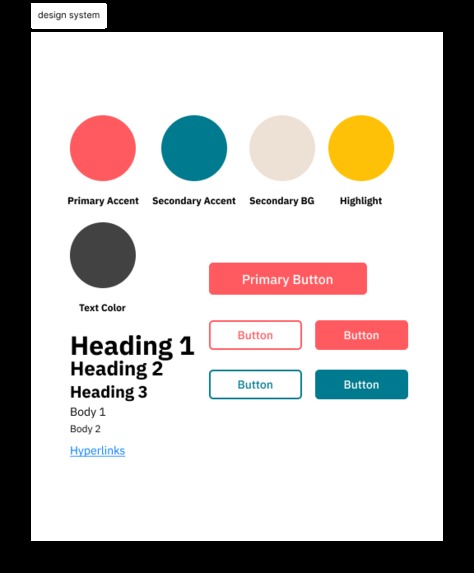
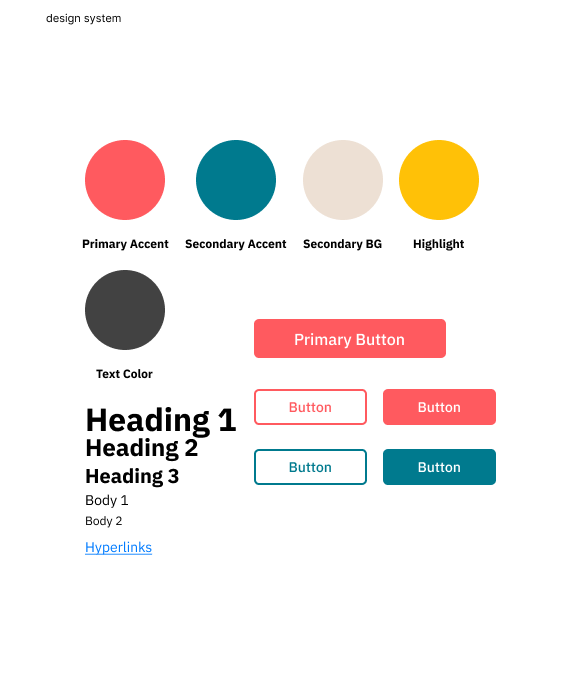
design system
-
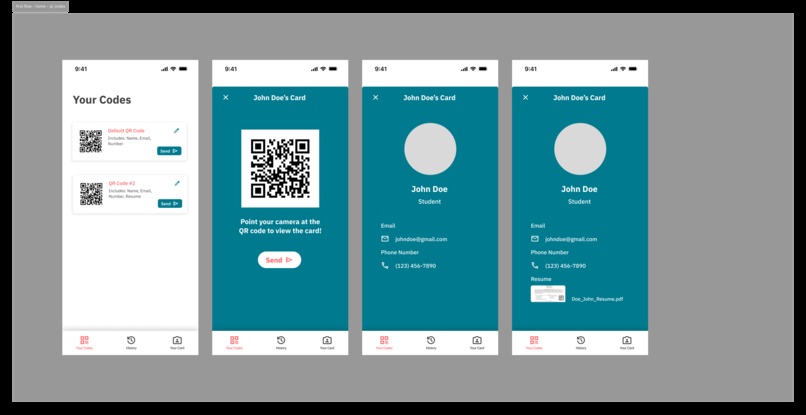
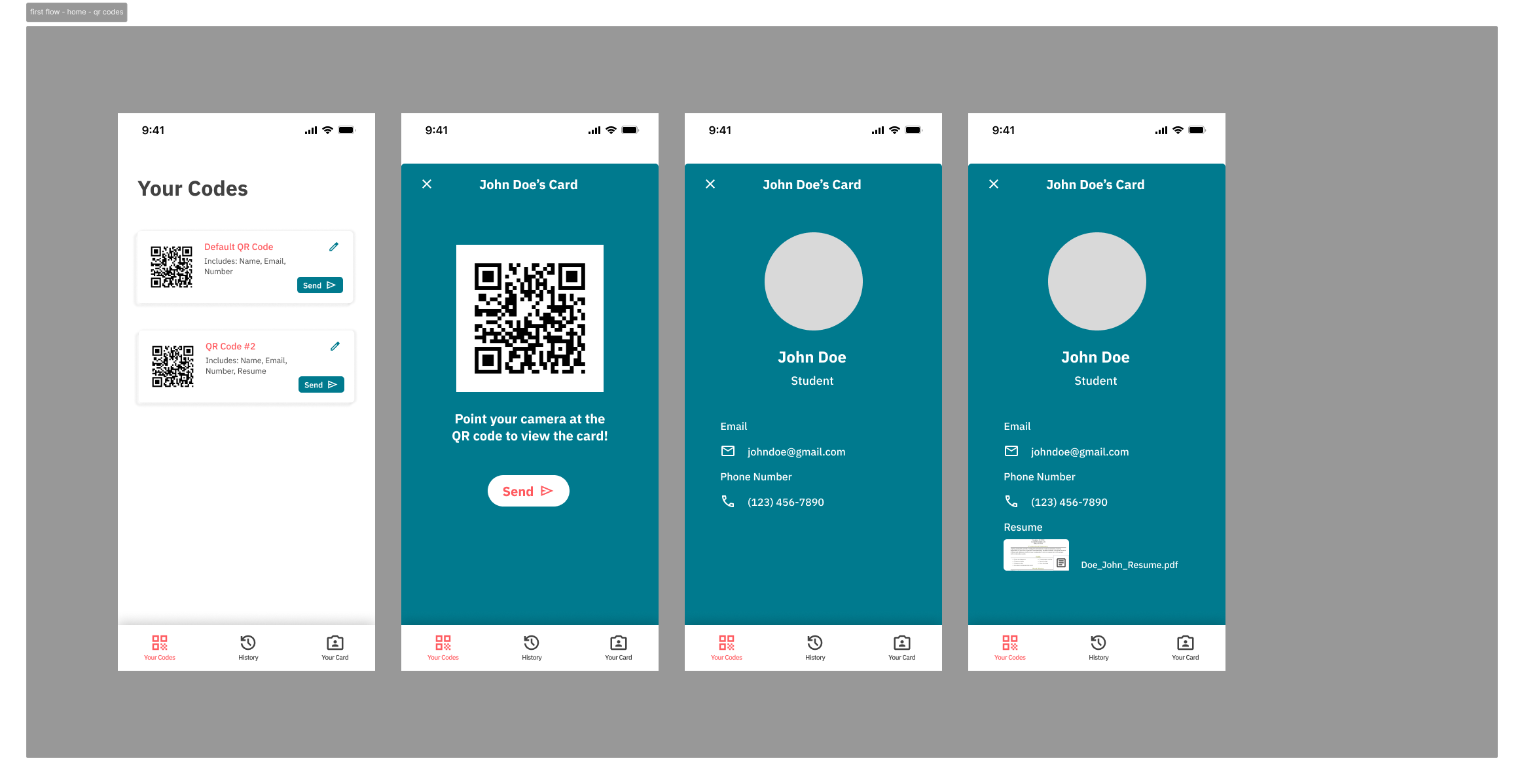
qr codes
-
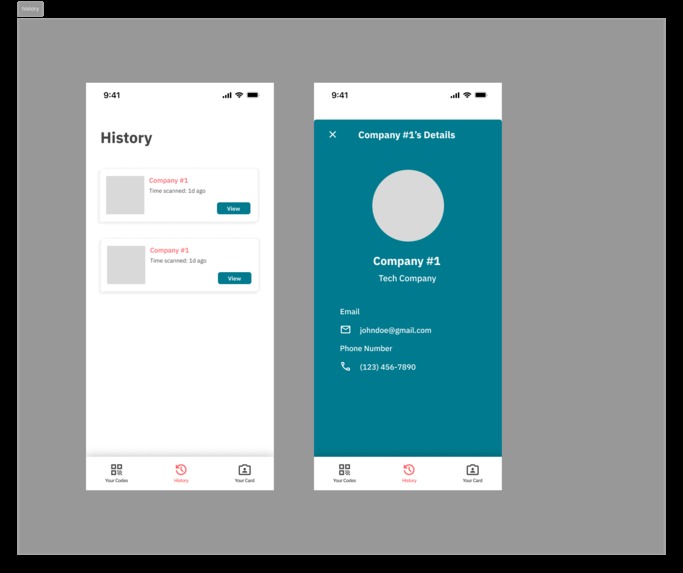
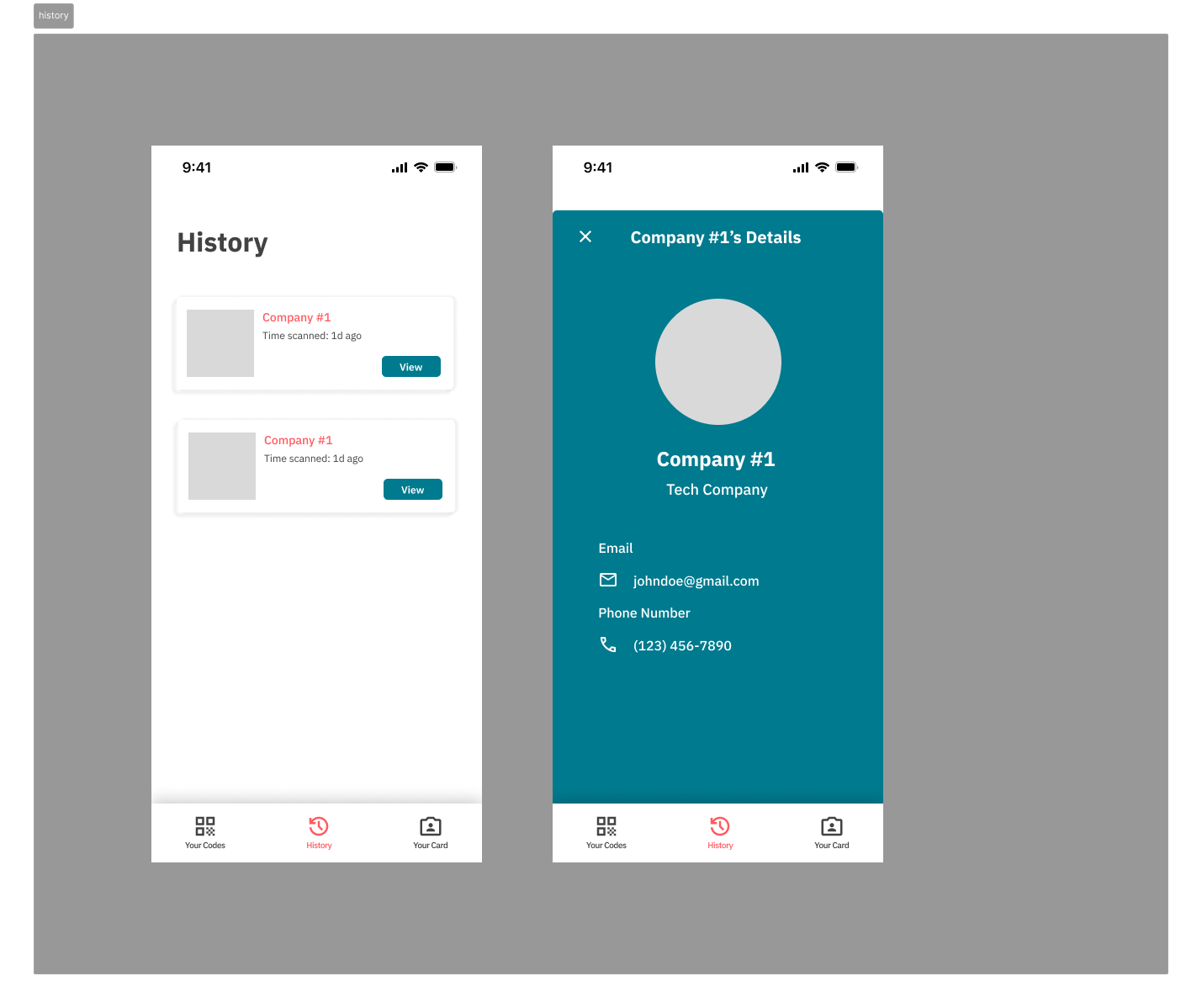
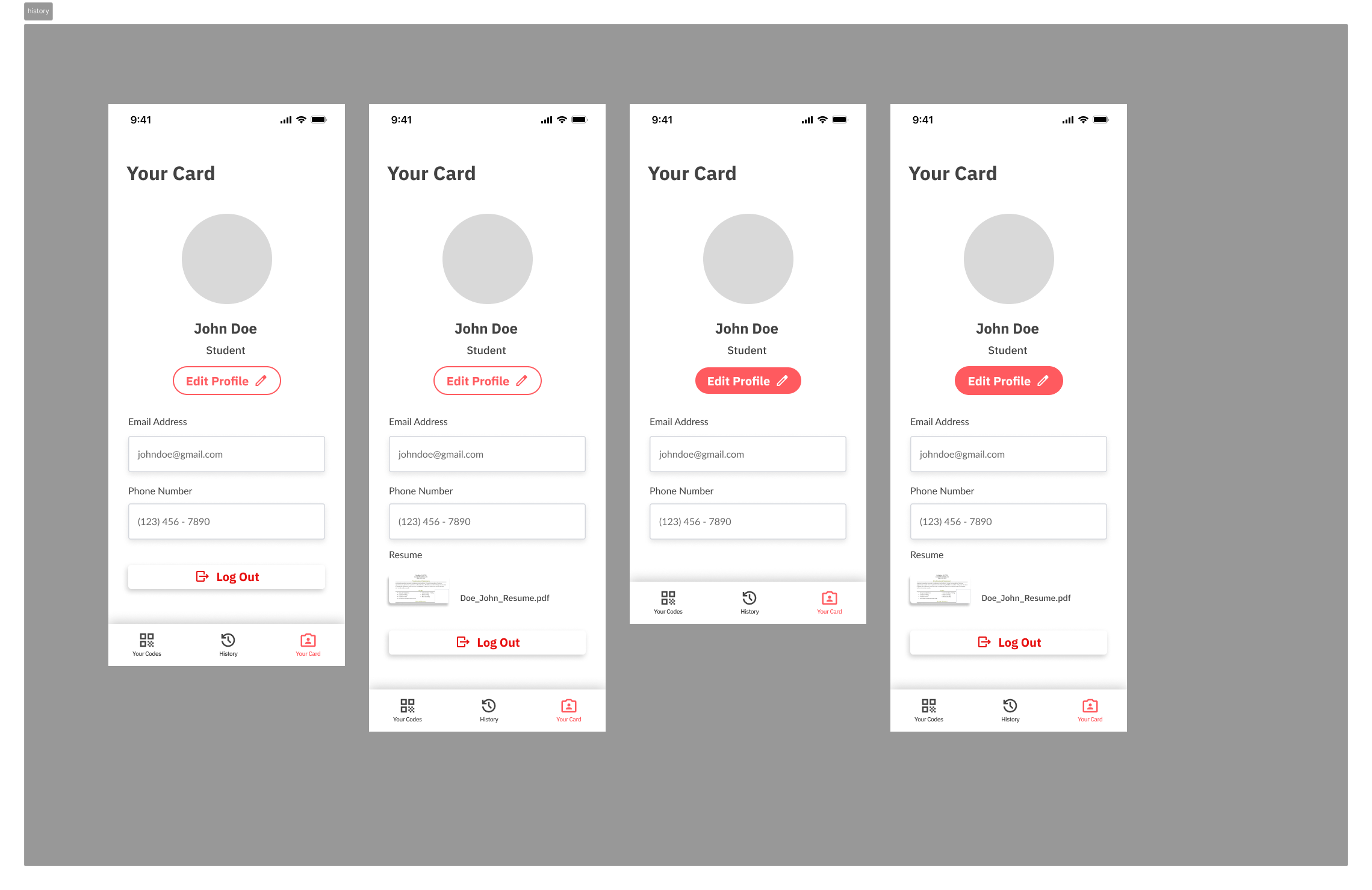
history
-
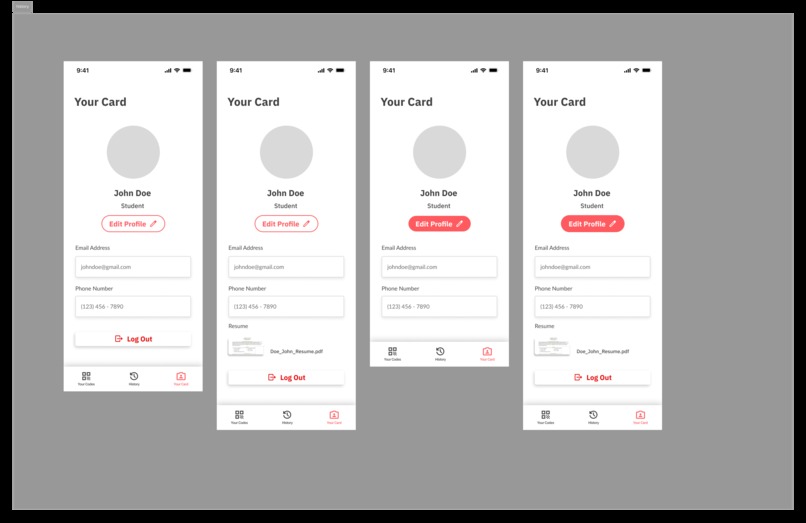
profile
-
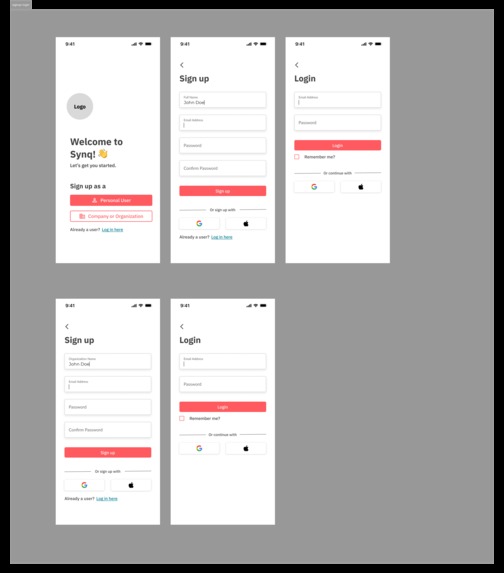
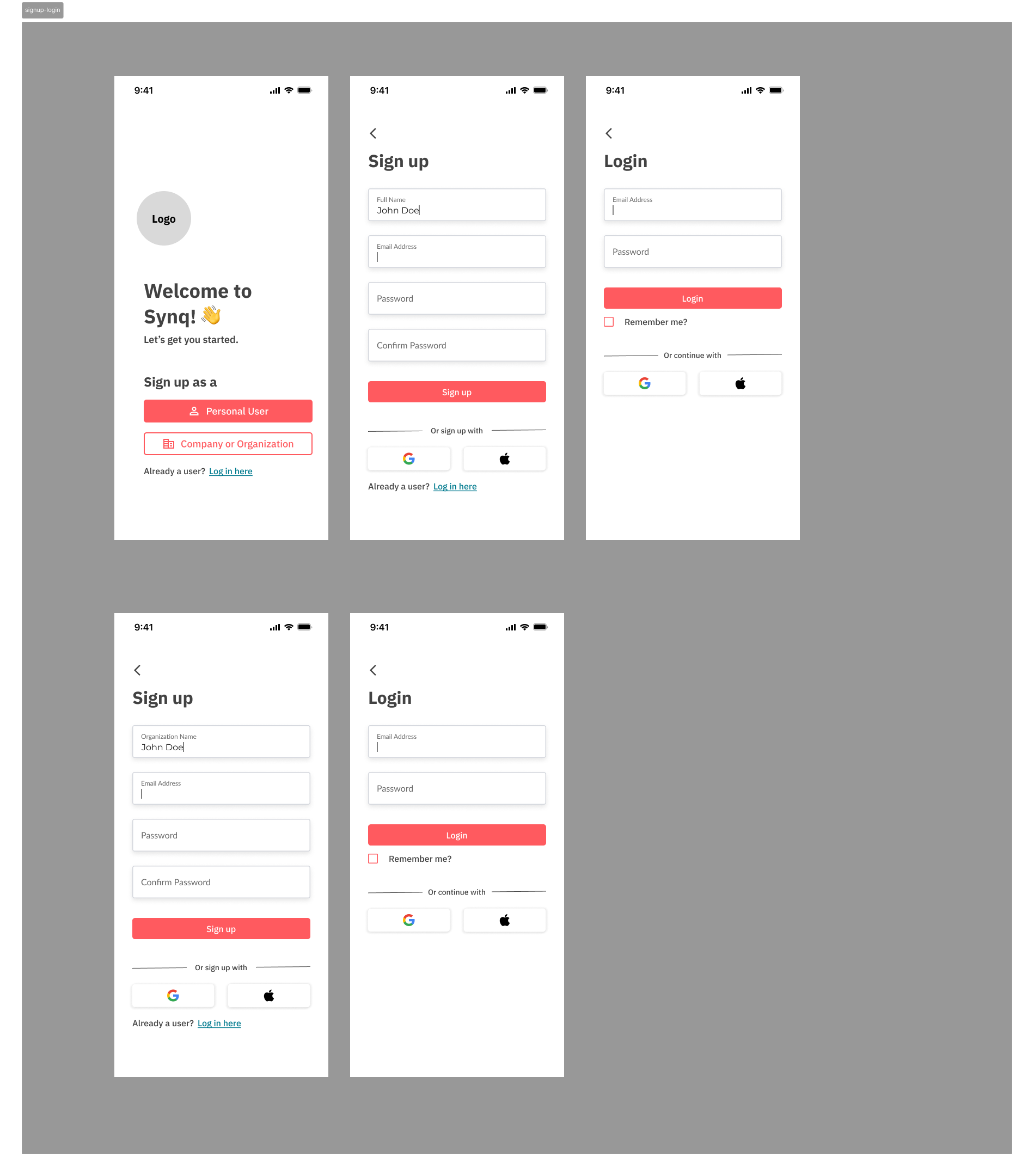
sign up login
Inspiration
Synq was born out of our firsthand experiences as young professionals navigating the challenges of networking. Whether in club recruiting, job searching, or even informal networking, we noticed a pattern of repetitive, inefficient steps. The traditional process of sharing contact information, manually exchanging details, and following up often felt cumbersome and outdated.
With Synq, we aim to modernize the way people connect by using QR codes to streamline the exchange of information. Our app eliminates the need for manual data entry by allowing users to scan a code that instantly pulls up relevant profiles—be it a company or personal contact. The core feature of Synq is its simplicity: scan, check-in, and share.
This inspiration stemmed from our own frustrations with how fragmented professional interactions can be. We see Synq as a futuristic solution that not only cuts down on wasted time but also makes networking more intuitive and accessible for all, pushing the boundaries of how people connect in the modern world.
What it does
Synq revolutionizes the way we connect by leveraging QR code technology to streamline and optimize networking processes, saving valuable time. In traditional networking, people often spend unnecessary time exchanging contact details and filling out forms, creating inefficiencies. According to a study by IDC, professionals spend an average of 4.5 hours per week on inefficient tasks like data entry and manual follow-ups, which adds up to over 234 hours annually. Synq eliminates these redundant steps by allowing instant data exchange with just a scan.
With Synq, networking is not only faster but also more efficient. Instead of manually inputting information, users simply scan a QR code to automatically check in, exchange details, or connect with businesses. Whether you're at a conference or meeting new friends, Synq enables seamless information sharing that saves the time normally spent on these interactions. Imagine scanning a company's QR code to send your profile with one click, or instantly checking into a doctor's room without any paperwork.
Beyond networking, Synq can automate other tedious tasks, such as:
- Checking into hotels in seconds
- Simplifying library book checkouts
- Automating event attendance with one-click forms
- Streamlining doctor's office visits
- Even enhancing the experience at hackathons like MHacks16 by replacing manual registration with automated QR code check-ins
Synq greatly increases efficiency across various industries, reducing friction in everyday interactions. Whether in a professional setting or a casual meetup, Synq helps people connect more meaningfully and effortlessly, while optimizing the time spent on these connections.
How we built it
When building Synq, we focused on creating a seamless user experience through thoughtful design and a modern tech stack. We started with Figma for designing the app's user interface, allowing us to rapidly prototype and make iterative changes. Throughout the design process, we conducted user interviews with both professionals and students to gain insights into their networking needs. This feedback was essential in refining our designs, ensuring that Synq met the demands of diverse users, from those attending business conferences to students connecting on campus.
On the technical side, we utilized TypeScript/JavaScript with a React Native frontend to ensure cross-platform compatibility, allowing the app to run smoothly on both iOS and Android devices. This flexibility was crucial for reaching a wide audience without sacrificing the native experience on either platform.
For the backend, we integrated Supabase for authentication, ensuring secure and scalable user management. Our data is stored in a PostgreSQL database, which handles user profiles, company information, and QR code history. Additionally, we implemented file storage to allow users to store and share documents such as resumes or profile photos, providing added functionality for professionals.
To connect our backend and frontend, we built REST API endpoints, enabling efficient communication between the two layers of the app. This architecture ensures fast, reliable data flow, allowing users to quickly scan QR codes, check in, and share information without delays.
By combining these technologies with continuous user feedback and design improvements, we built Synq to be a highly efficient and user-friendly solution for modern networking.
Challenges we ran into
While building Synq, we encountered several challenges, especially around configuration, tech stack decisions, and security.
One significant challenge was configuring Supabase for authentication after the recent deprecation of SMTP email authentication services. Supabase had relied heavily on SMTP for user verification, so when this feature was deprecated, we had to quickly adapt our approach to ensure secure and seamless user onboarding. This involved investigating alternative authentication mechanisms like third-party OAuth providers, which increased complexity but ensured that our app could scale securely.
Another key challenge involved the technical tradeoffs between using Flutter with Firebase versus React Native with Supabase. Flutter offered faster UI development with its single codebase and predefined widgets, while Firebase provided a highly integrated backend, especially for features like real-time data updates. However, we opted for React Native with Supabase due to the flexibility it offered in terms of cross-platform compatibility and the ability to use TypeScript/JavaScript, a language we're more familiar with. Supabase’s reliance on PostgreSQL also gave us more control over the database schema, and it aligned better with our needs for complex data relationships, while also providing more flexibility in terms of customization compared to Firebase.
Security was another critical area we needed to address, especially since we are storing sensitive user data such as profiles and QR code information. We implemented several key security measures:
- Encrypting QR codes to ensure that any scanned data is securely transmitted and cannot be easily intercepted.
- Row-Level Security (RLS) in Supabase, which allows us to enforce access control policies directly in the database. This ensures that users can only access their own data, providing an extra layer of security at the database level.
- Data encryption for user profiles and sensitive information, such as email addresses, to protect users from potential breaches.
Balancing these challenges and ensuring the security of our users’ data required constant iteration, research, and tradeoffs. But addressing these obstacles allowed us to build a more secure, scalable, and efficient platform.
Accomplishments that we are proud of
We’re incredibly proud of several accomplishments from our journey in building Synq. First, it was our first time using Supabase, and learning a new technology from scratch while successfully implementing it in our project was extremely rewarding. The challenge of mastering Supabase’s capabilities—especially handling authentication, database management, and security—pushed us to quickly adapt and expand our skill set, making it a major accomplishment for the entire team.
Another highlight was creating an entire application with a robust and scalable schema, well-designed APIs, and a secure backend in just 24 hours. This was a completely new experience for all of us, and being able to architect a system that can handle real-world use cases in such a short timeframe is something we’re proud of. The fact that we built a functional product from scratch in such a high-pressure environment shows our ability to work effectively as a team and deliver results.
Lastly, we’re very proud of the collaborative brainstorming, iterative design changes, and user interviews that helped shape Synq. From the initial concept to the final product, every aspect was refined through feedback and iteration, ensuring that we built something truly useful. Seeing our idea evolve through real-world feedback into a final, polished app is a huge accomplishment, and it’s gratifying to know that it addresses real pain points in networking.
What we learned
Building Synq taught us a lot about navigating complex mobile app development and integrating various technologies. One of the biggest challenges we encountered was implementing the QR code scanning functionality. Instead of using typical web URLs, we had to figure out how to circumvent standard QR code behavior by developing an API hosted in the Expo environment, which returned deep links that directed users to specific pages within the app.
We also learned how to effectively navigate Supabase, setting up custom triggers and security rules to optimize and secure our workflow. This helped us manage data securely, especially with sensitive information like user profiles. Additionally, we used NativeWindCSS for the first time, which allowed us to streamline our styling in React Native, making it easier to maintain a consistent design across the app.
Through these challenges, we gained a deeper understanding of mobile app development, security best practices, and new tools that made our development process more efficient.
What's next for Synq
The future extensions of the Synq project aim to enhance user experience and broaden functionality. Key features on the horizon include a peer-to-peer networking option, allowing users to easily share profiles, and customizable fields to tailor information according to individual needs. We're also exploring a web version for seamless access across devices, alongside a "tap to scan" feature for quick connections. Additionally, an innovative machine learning extension will enable users to upload documents, which the system will intelligently parse and populate their profiles. To ensure a secure environment, we will continue to fortify existing features, encrypt sensitive data, and overall, create a more robust and versatile platform for personal and professional networking.
Built With
- github
- javascript
- react-native
- supabase
- typescript
- vscode


Log in or sign up for Devpost to join the conversation.