-
-
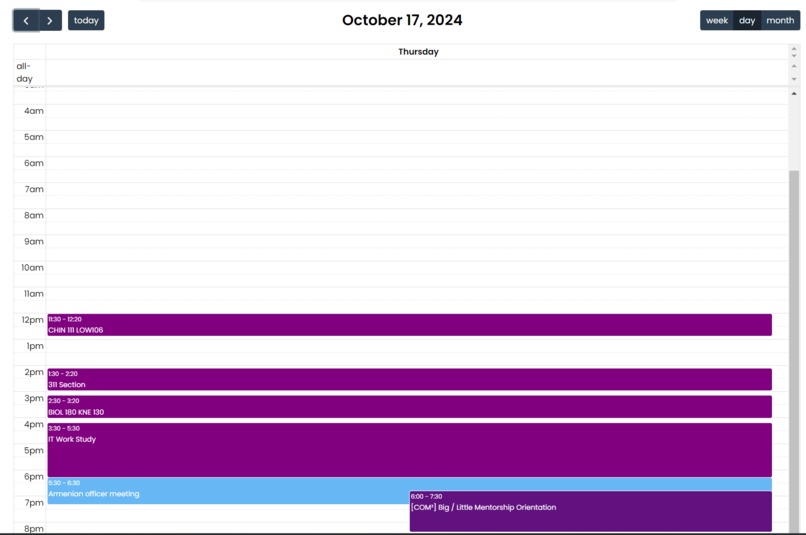
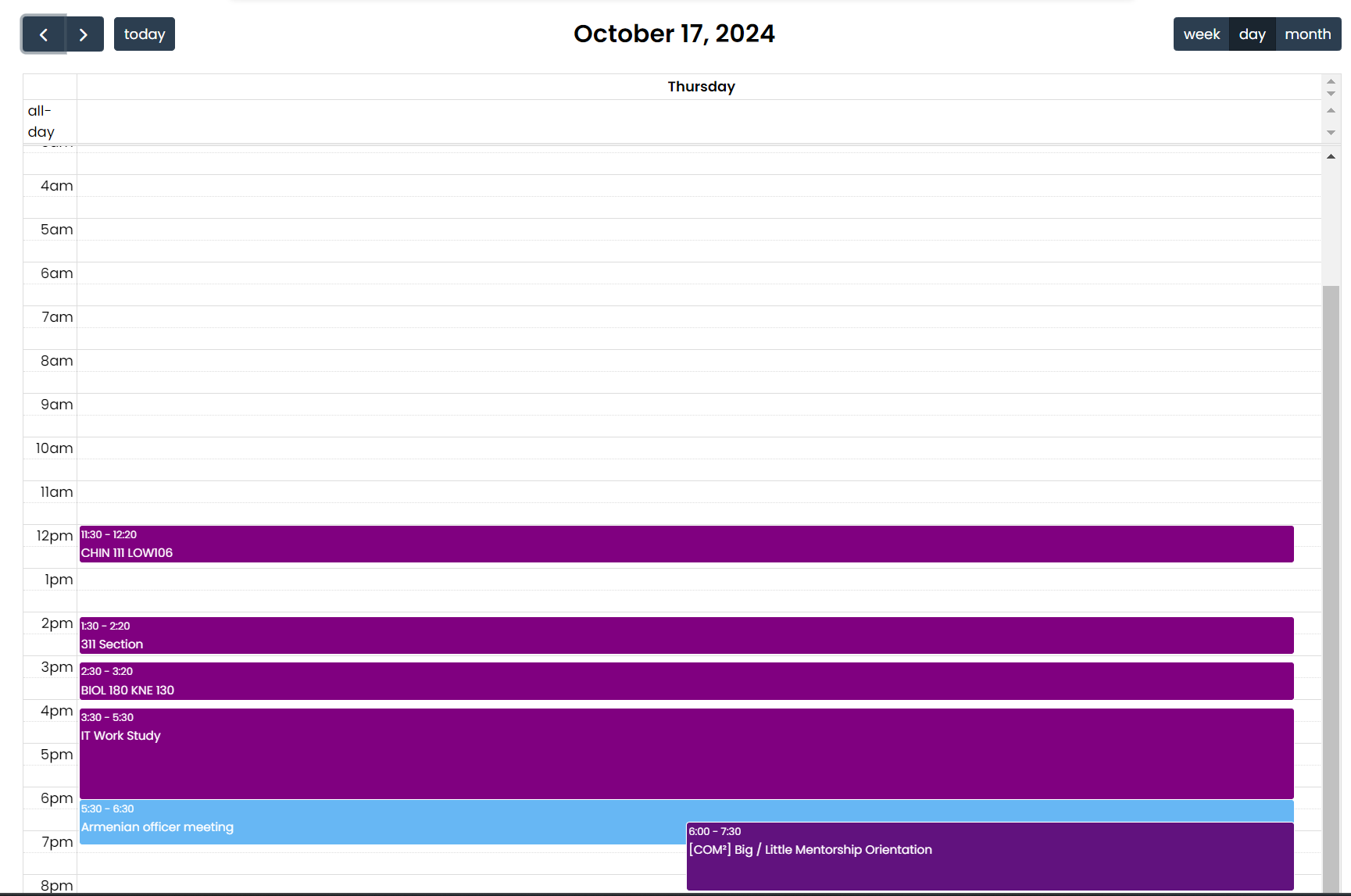
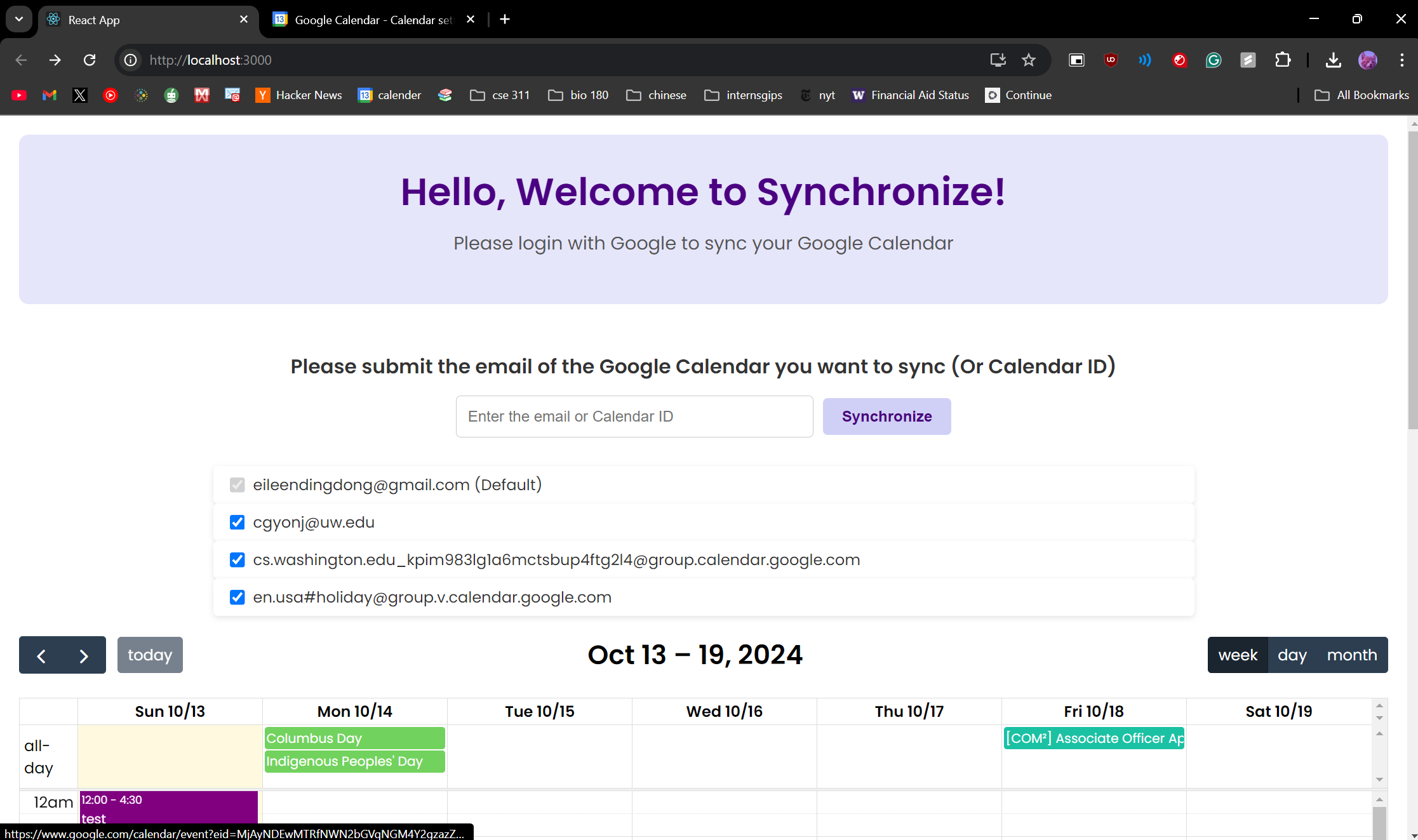
Day Display
-
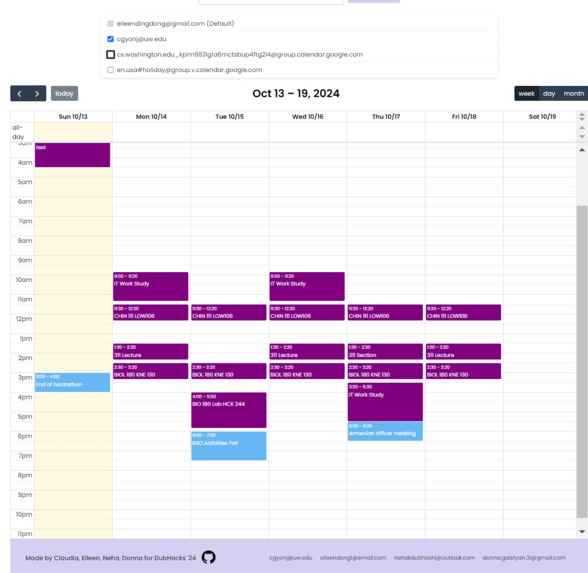
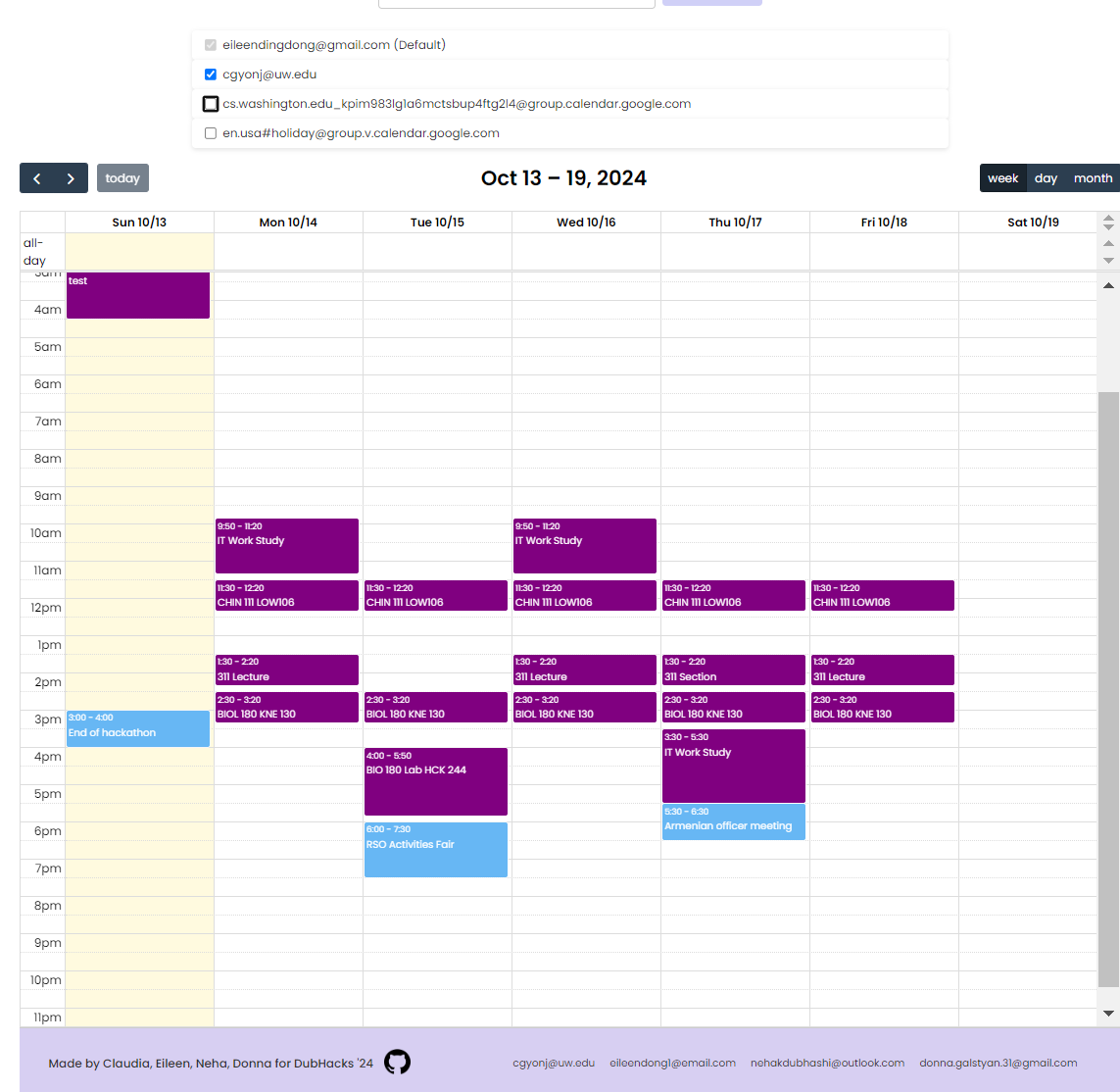
Uncheck and Recheck Calendars to show up
-
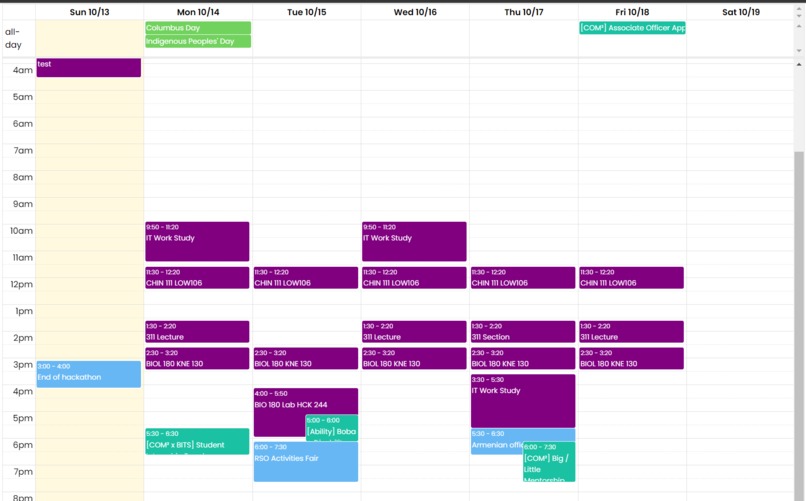
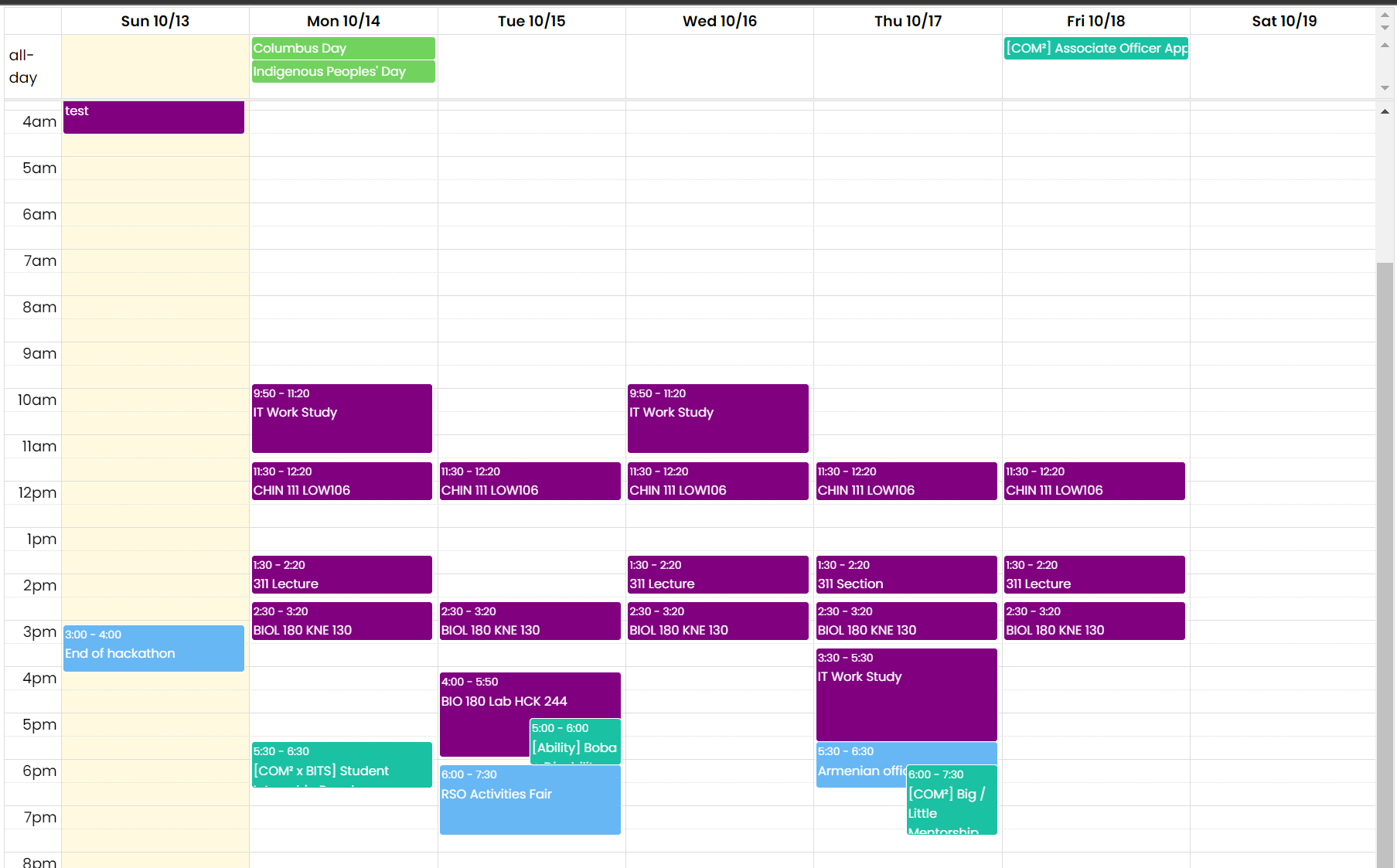
Add more calendars
-
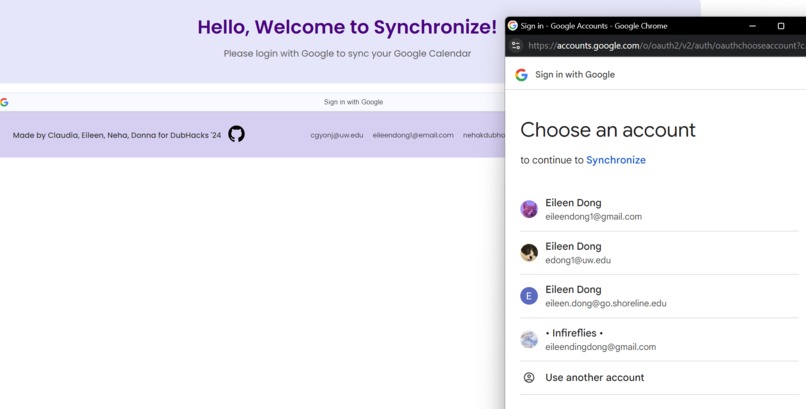
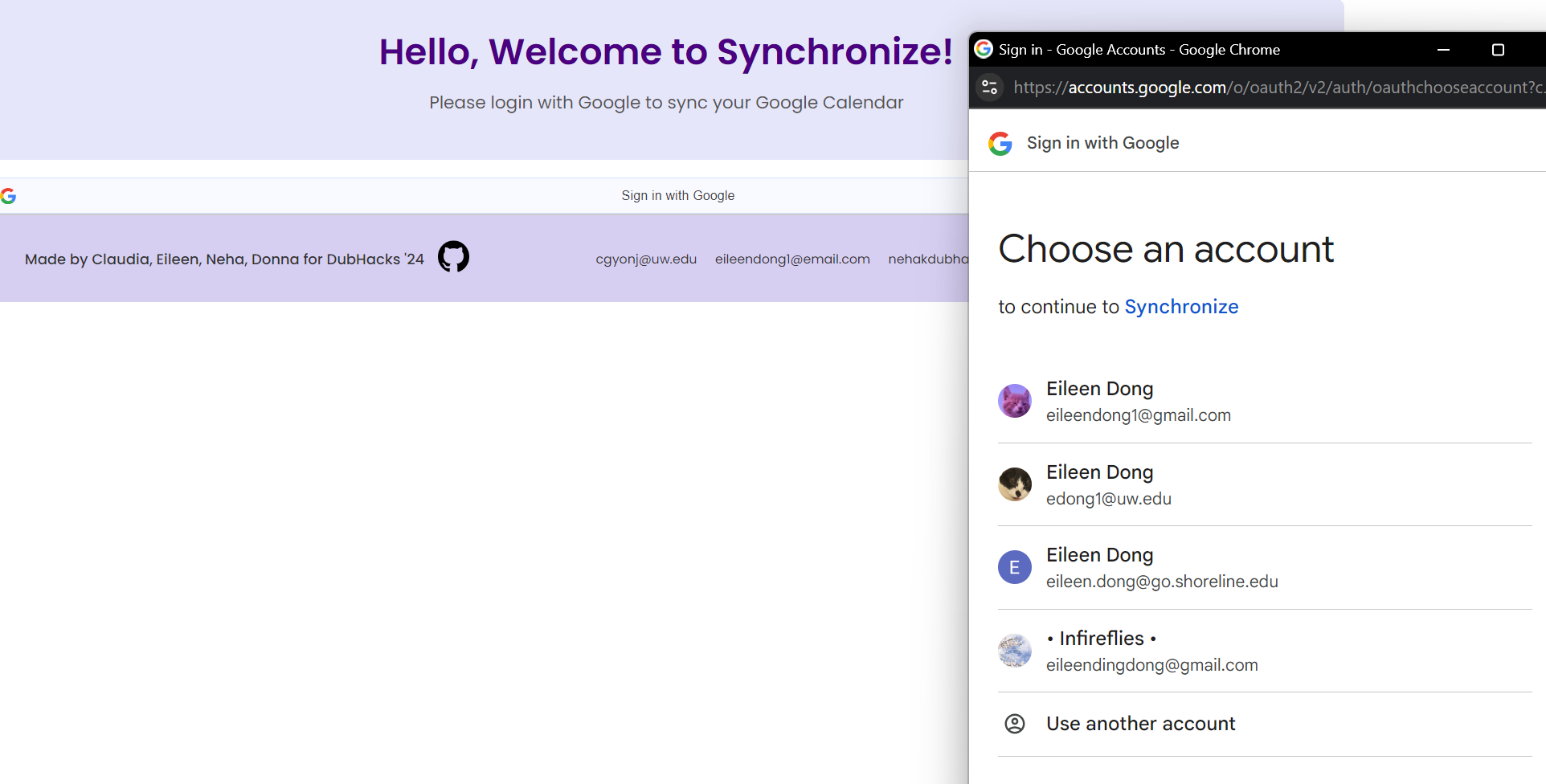
Sign in with Google to link calendar
-
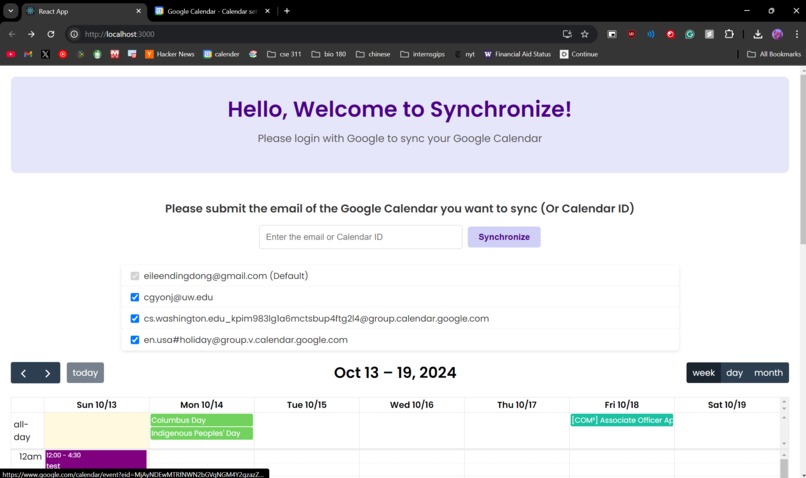
Landing page
Inspiration
As second years in the Allen School, our lives are only getting more hectic and challenging: juggling 300 and 400 levels with work, research, and internship applications leaves us with enough color on our Google Calendar to put a pack of Skittles to shame, and increasingly less downtime to spend with our friends outside of the proverbial "grind."
We noticed that this year, scheduling hangouts became much harder now that our schedules were so packed and different from each other. Texting each other about what times our classes end on what days became too confusing to keep track of when there were 10+ people trying to get together. Plans fizzled out, and we felt more alone than ever.
So, we figured--why not create our own calendar, a visual representation of when everyone was busy and not? This way, not only would we would stay connected in our busy lives by streamlining the planning of a meetup, but be informed on what everyone was doing: whether our friends had a BIO 180 midterm on Friday that we could text them condolences for, or a morning TA shift that we could surprise them after with a coffee pick me-up.
Because when life gets busy, you want someone to know what you're going through and check-in with you, and communicating everything about what your week looks like isn't feasible when you're just trying to survive it.
And that's where we came in.
What it does
When you open Synchronize, you're first taken to a soft pastel purple landing page. You then sign in with your Google account, select who you want to share your Google Calendar with from a dropdown menu, and voila: you'll see everyone's events on a customized calendar, a visual depiction of when you're all busy and when you're not.
The calendar shows one week at a time, using soft rounded bubble-boxes for your events. The current day is highlighted.
How we built it
We downloaded some React framework, integrated the Google Calendar API into our project, and got to work. First, we had to get the API key from Google Calendar so all of us could access each other's calendars. That was easy--we just sent over our emails and authorized them. The harder part was back-end, syncing the schedules and making sure everything was loading properly. To tackle this, we had a login component that led to our calendar component. Once the login security check was done, the calendar UI could appear. This was all written in JavaScript. We used HTML and CSS for our front-end, giving soft fonts and colors priority to make Synchronize as calming as possible for stressed out college students.
Challenges we ran into
Merging conflicts in GitHub proved to be challenging because this project was so large, and we learned a lot of the language synthetics on the fly. Understanding the Google API proved to be the most challenging--at first, our revamped calendar didn't show any events, which was scary. After testing out many, many things (env. files, Stack Overflow help, new IDs), our troubleshooting worked out and we realized we needed the Google Calendar ID itself written into our code.
Accomplishments that we're proud of
We quickly acclimatized to three new languages in one day: JavaScript, HTML, and CSS. These are languages we don't use in our day-to-day lives, so we were happy to familiarize them in our toolbox. Finishing this in such a short span of time reinforced how powerful coding together can be.
The biggest accomplishment was getting the events to pop up and sync--that was what we had the most trouble with initially. Since we built this preliminary version, we can tweak it in whichever way we want before "shipping" it--until then, the biggest accomplishment is the reward of using it with our friends for fun.
What we learned
After two teammates' back-end was displaying errors due to authorization issues, preventing them from accessing the calendar, we switched gears, splitting into two teams (one front-end, one backend). There was no time to waste. We learned that dividing and conquering works best in projects like these.
Up till this point, we'd done little pair-programming, so we learned how to work on Github together. It was fun, fast-paced, and we learned a lot about how Google Calendar's API works.
What's next for Synchronize
Soon, Synchronize will be available in app version. We're thinking about adding more user features by integrating other APIs of popular apps people use--Spotify, Netflix, any entertainment apps that friends want to share about so their friends know what they're watching and listening to this week. This is going to be an interactive calendar, the type of social media for close inner circles with busy lives. There's no performing, only connecting the parts and schedules of your lives you want to share with your friends when you're feeling too tired to update them.
Built With
- api
- css
- google-calender
- html5
- javascript
- react


Log in or sign up for Devpost to join the conversation.