-
-
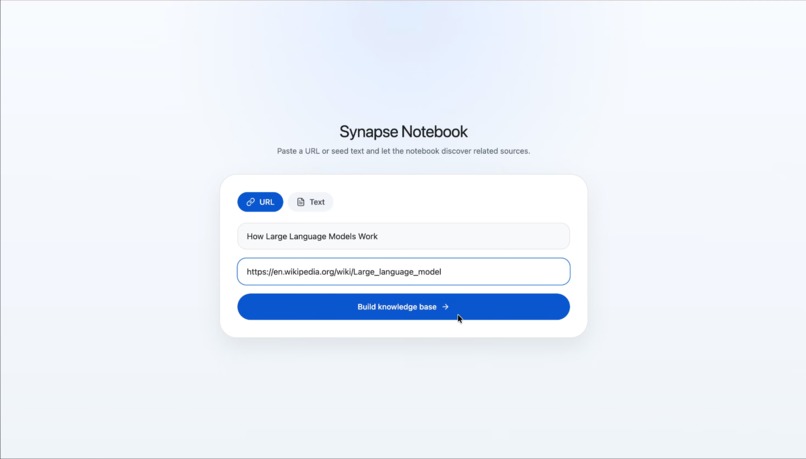
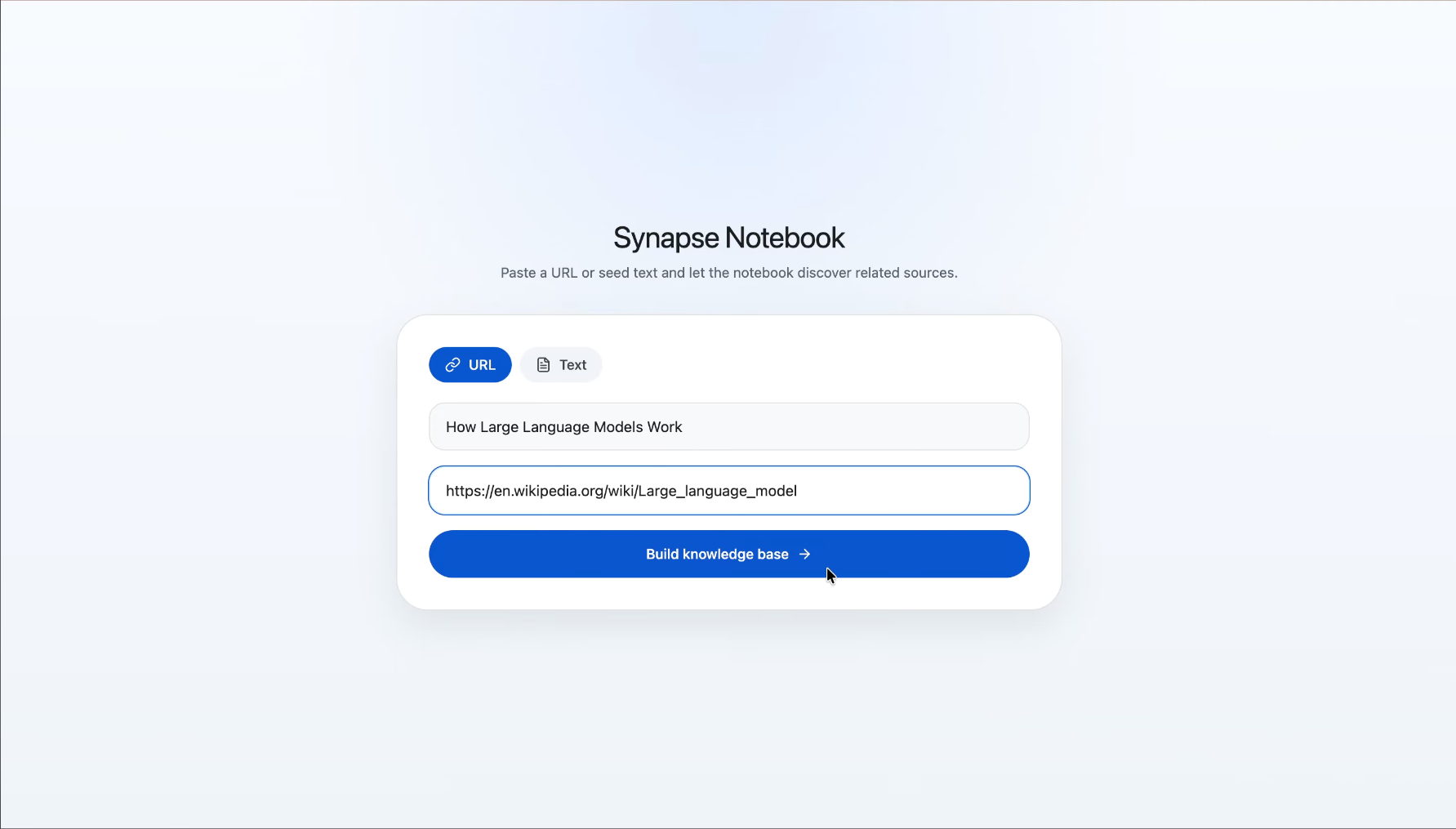
Add Seed Source
-
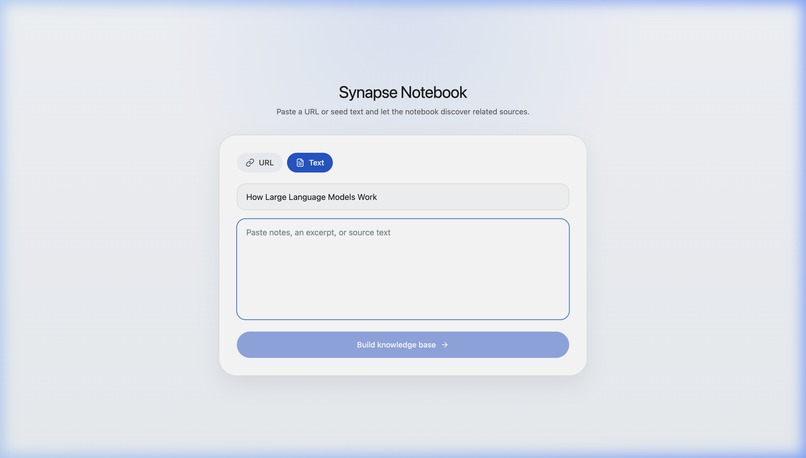
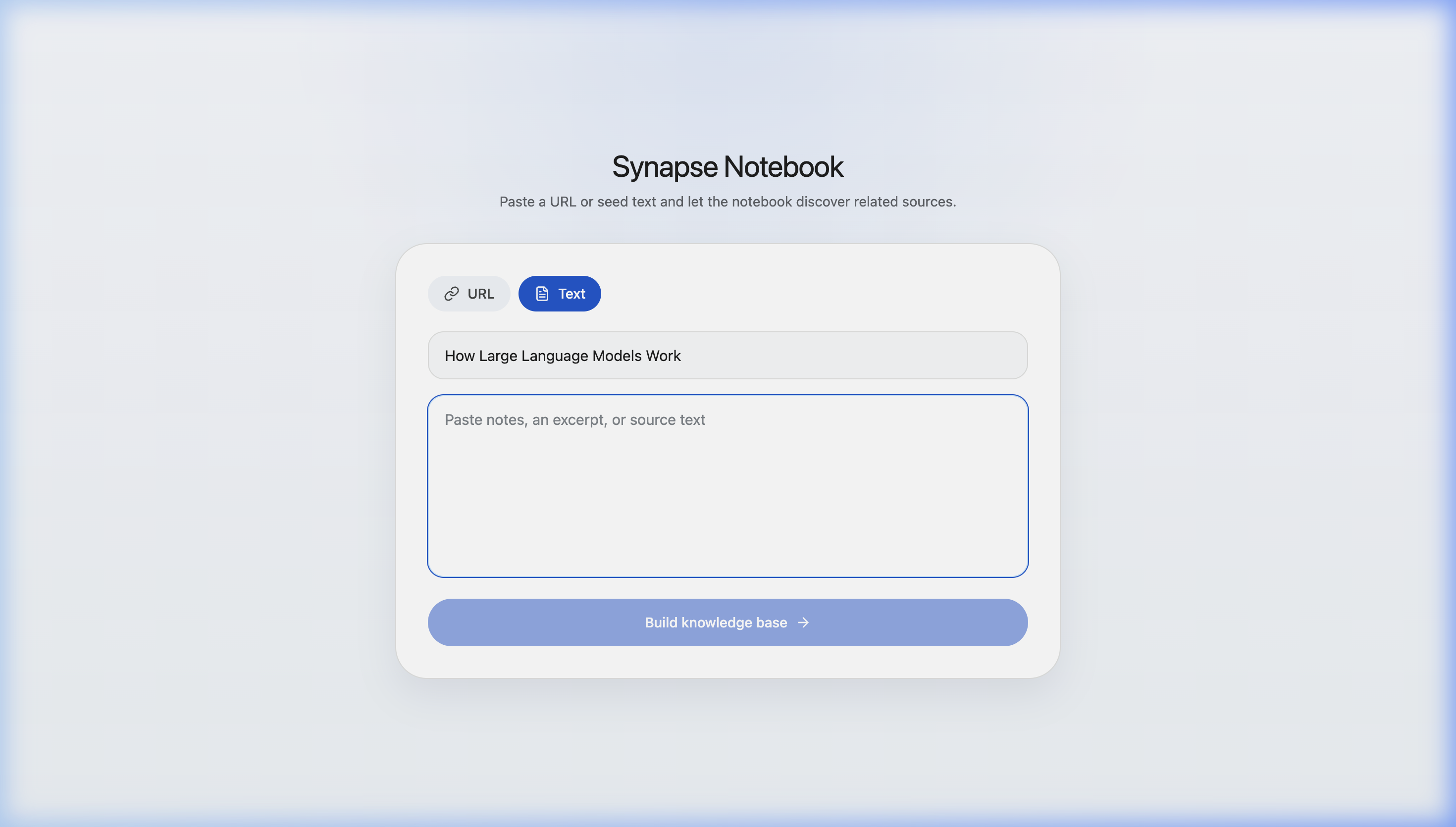
Alternatively: Describe topic or paste text
-
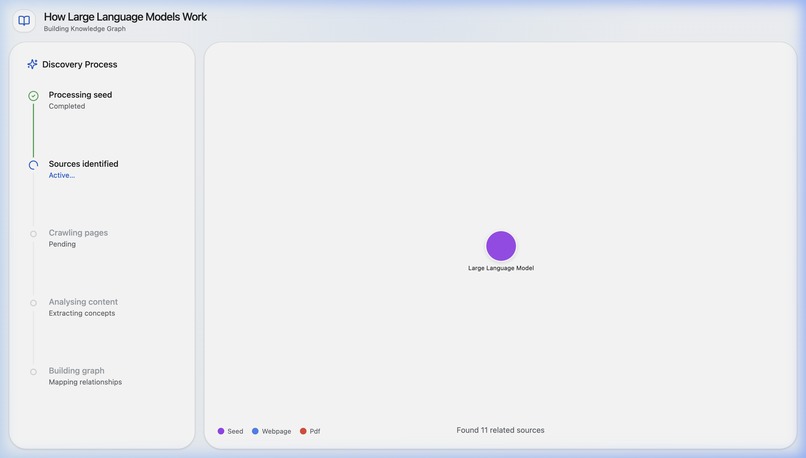
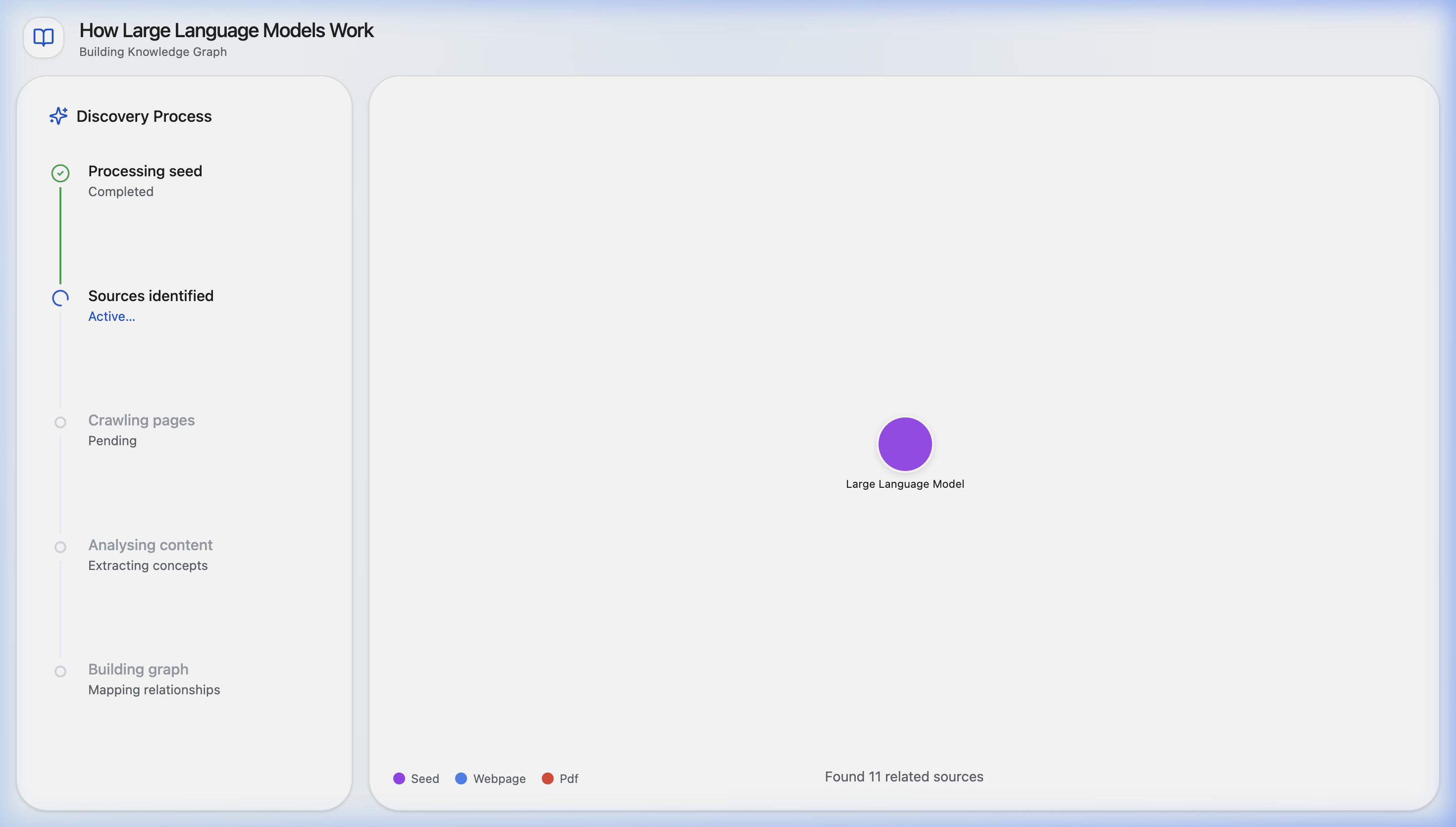
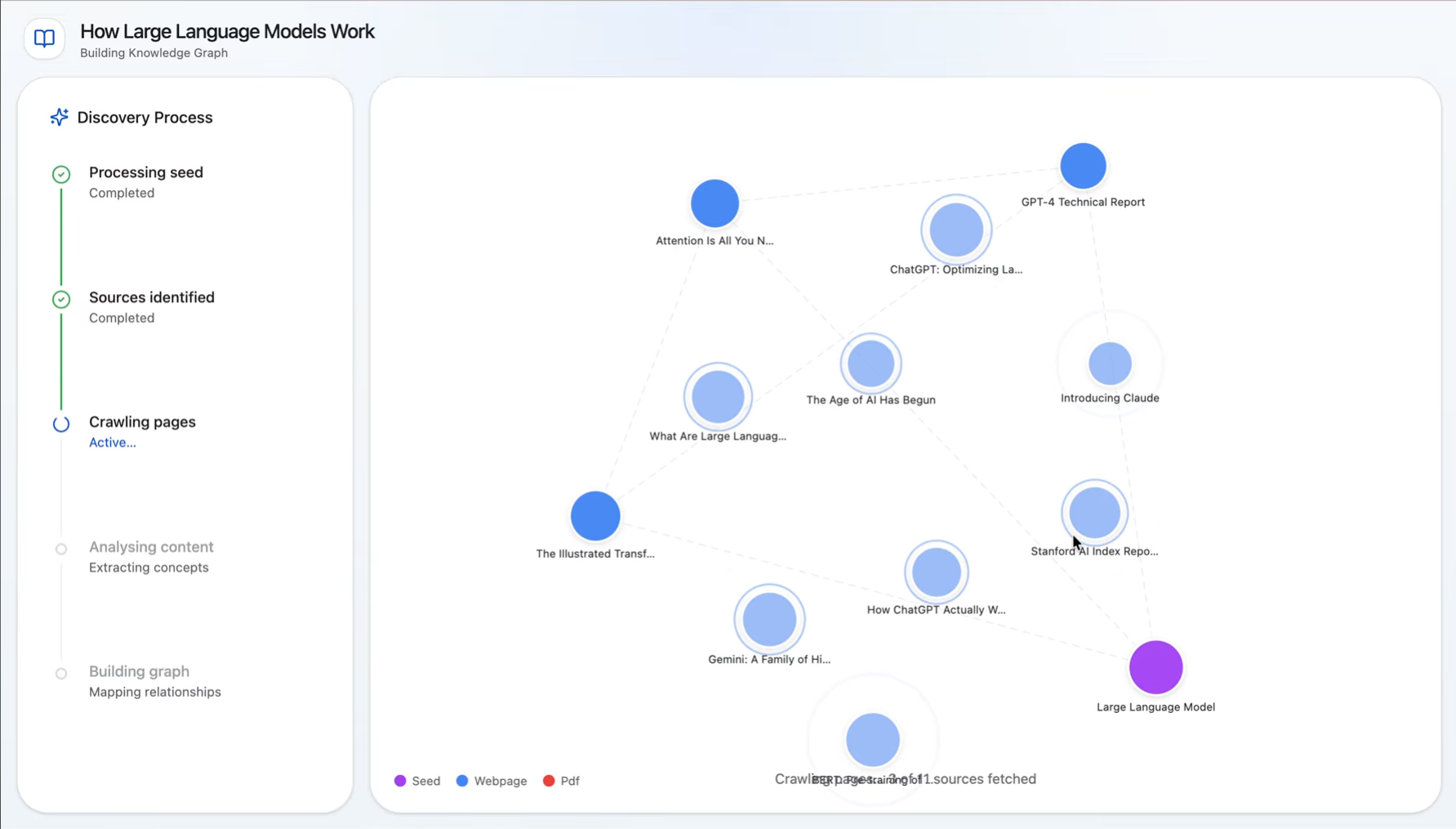
Discovery and Knowledge Base Expansion
-
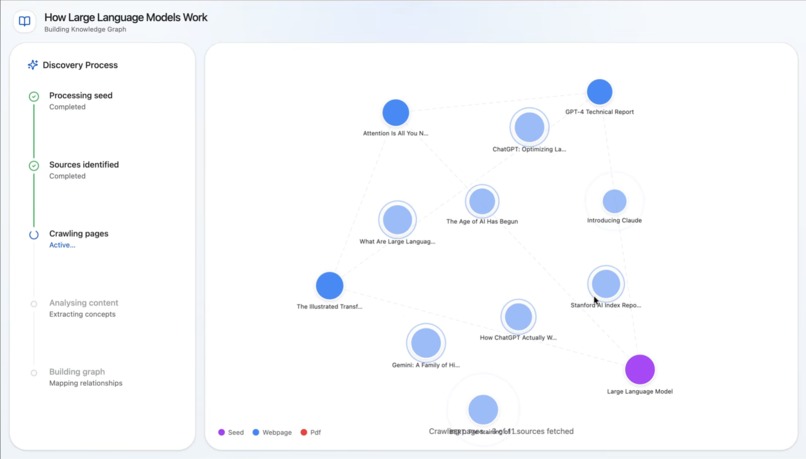
Analyzing to create links
-
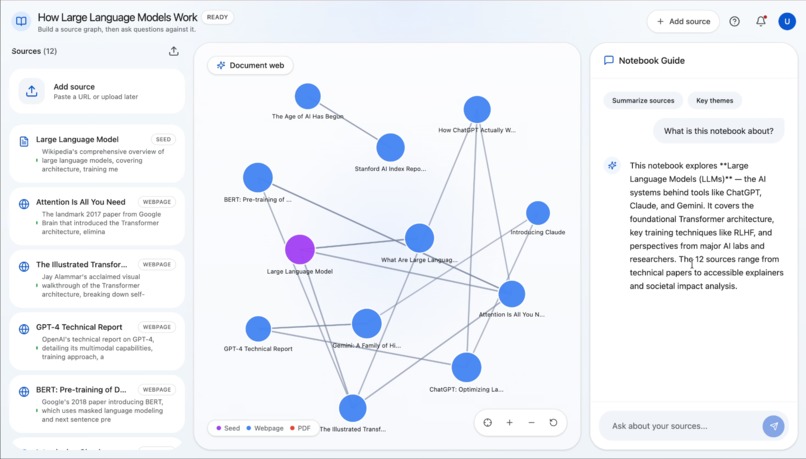
-
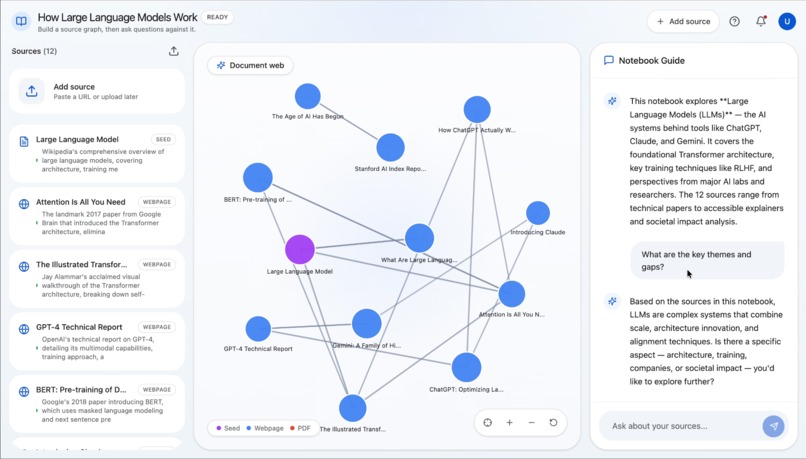
Ask Questions
-
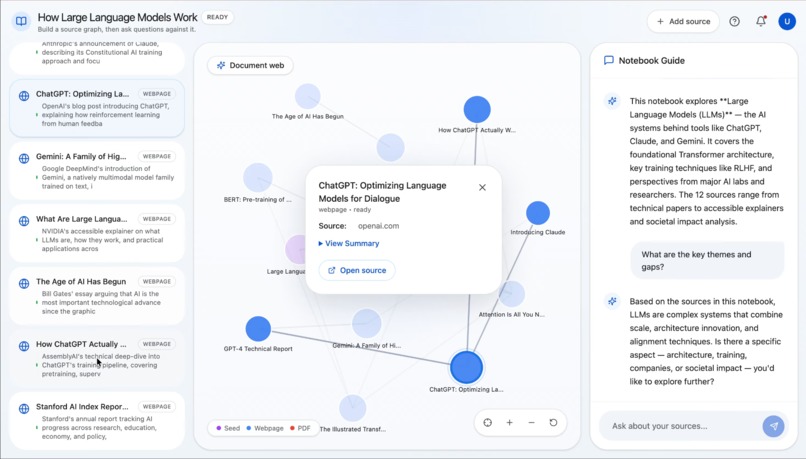
Explore Sources With Summaries
-
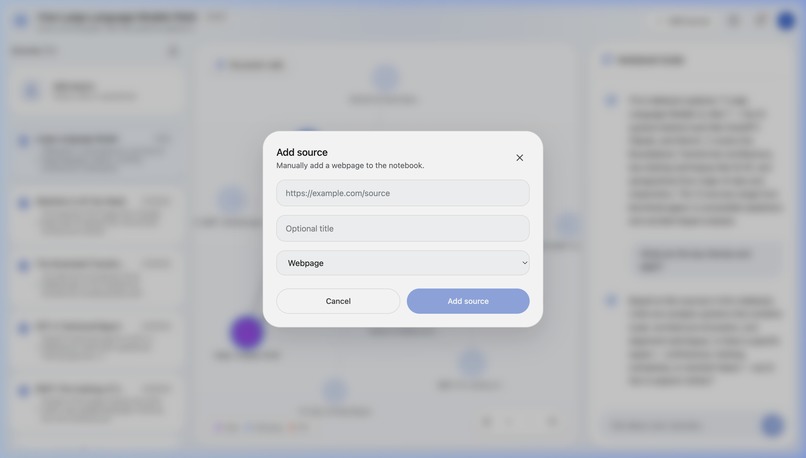
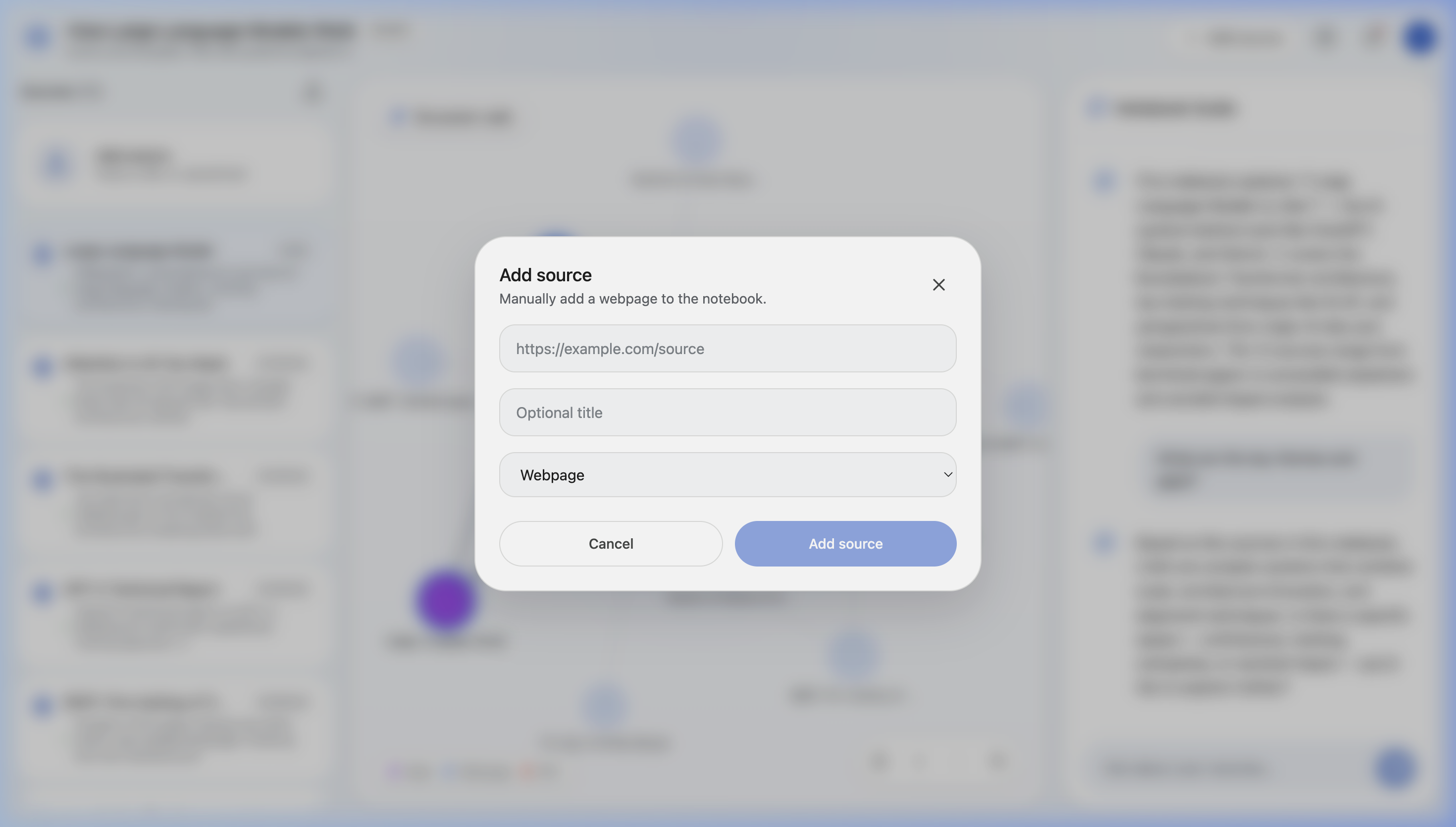
Add Custom Sources
Inspiration
Reimagining NotebookLM, I built Synapse for a very familiar problem: one interesting link turns into twenty open tabs, scattered notes, and a vague feeling that you are learning a lot without actually understanding the full picture. Existing tools are great at searching, summarizing, or answering questions, but they often stop short of helping you see how ideas, sources, and perspectives connect. We wanted to build something that takes the chaos of online research and turns it into a map people can actually think with.
What it does
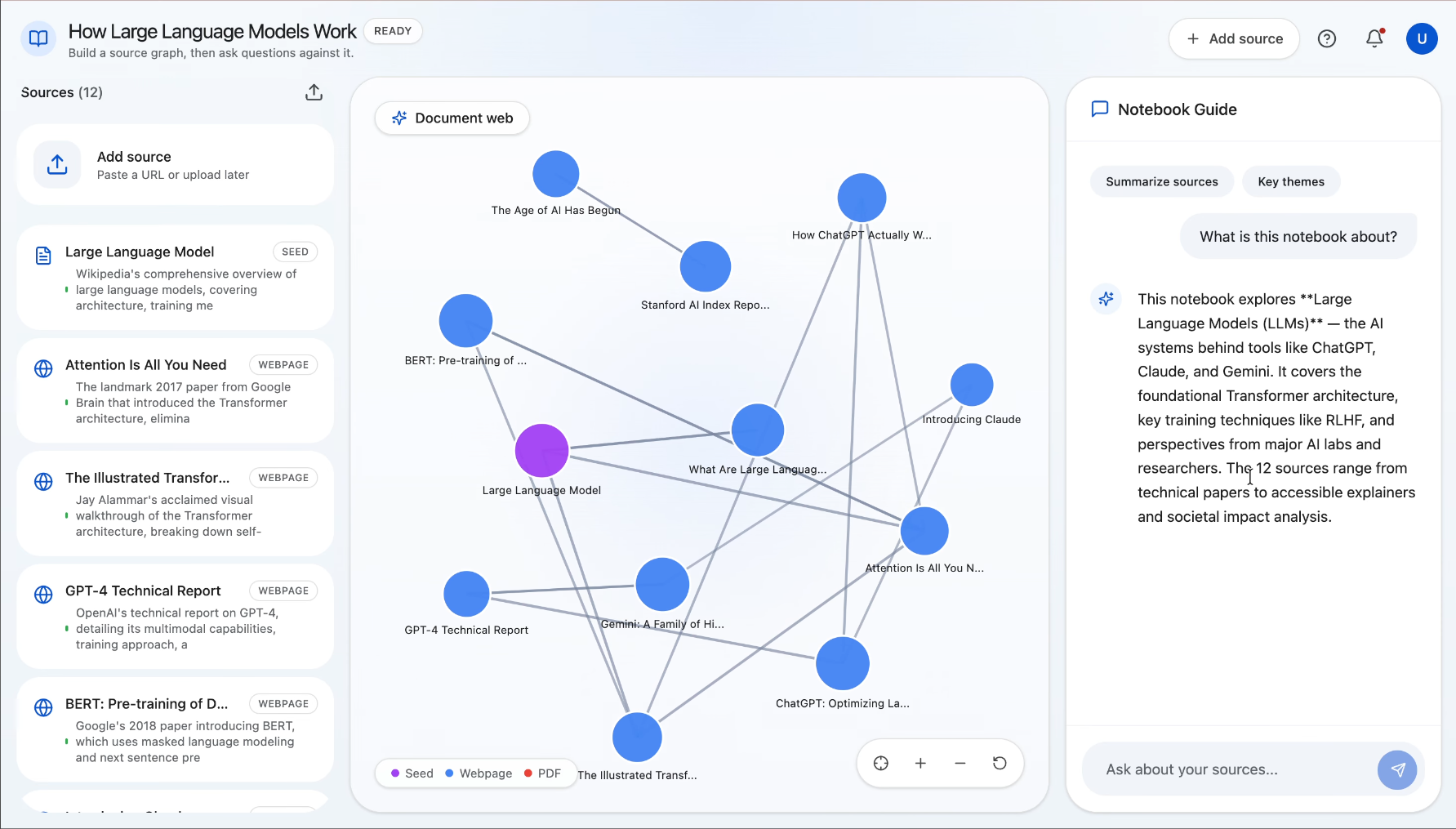
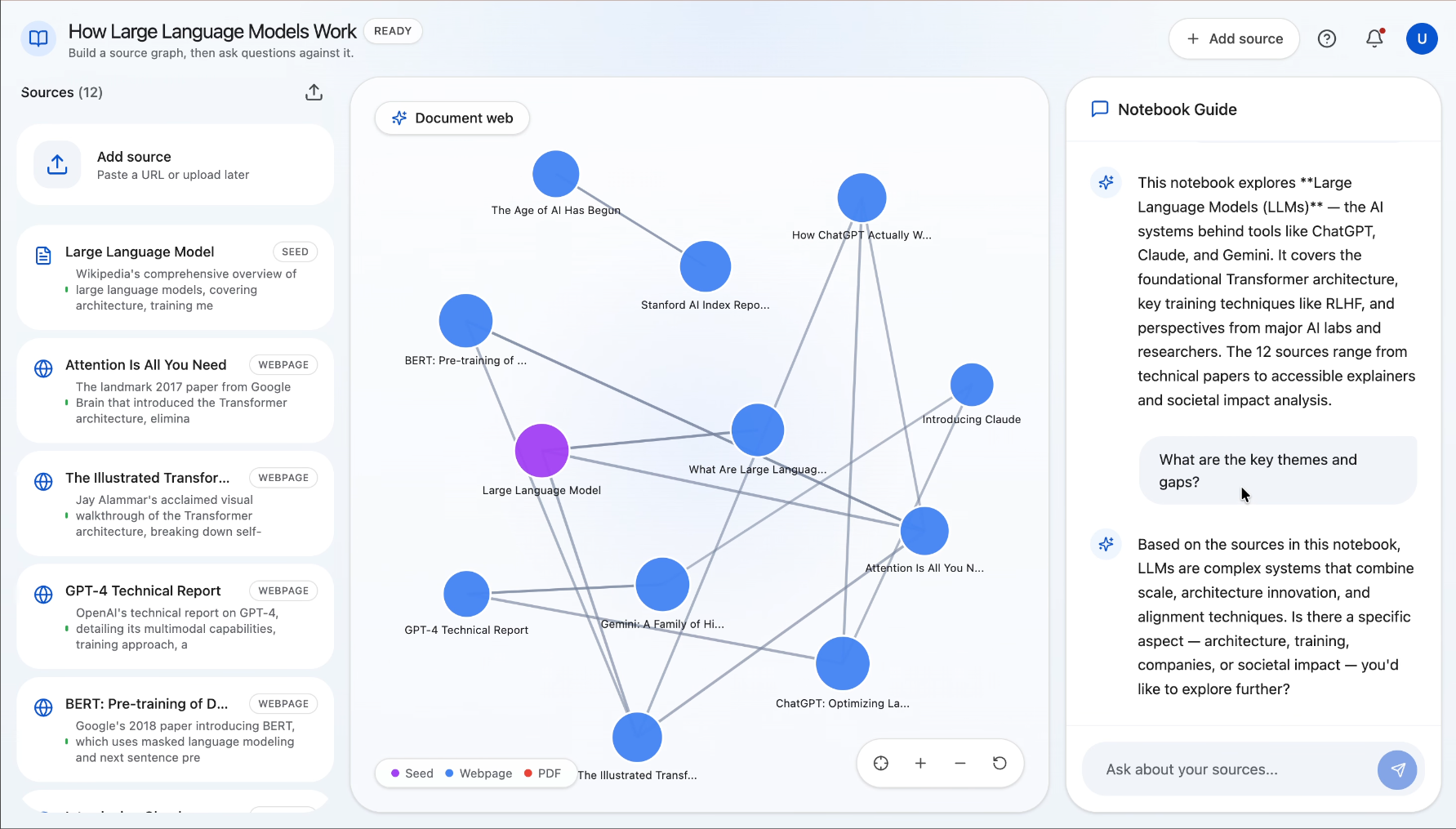
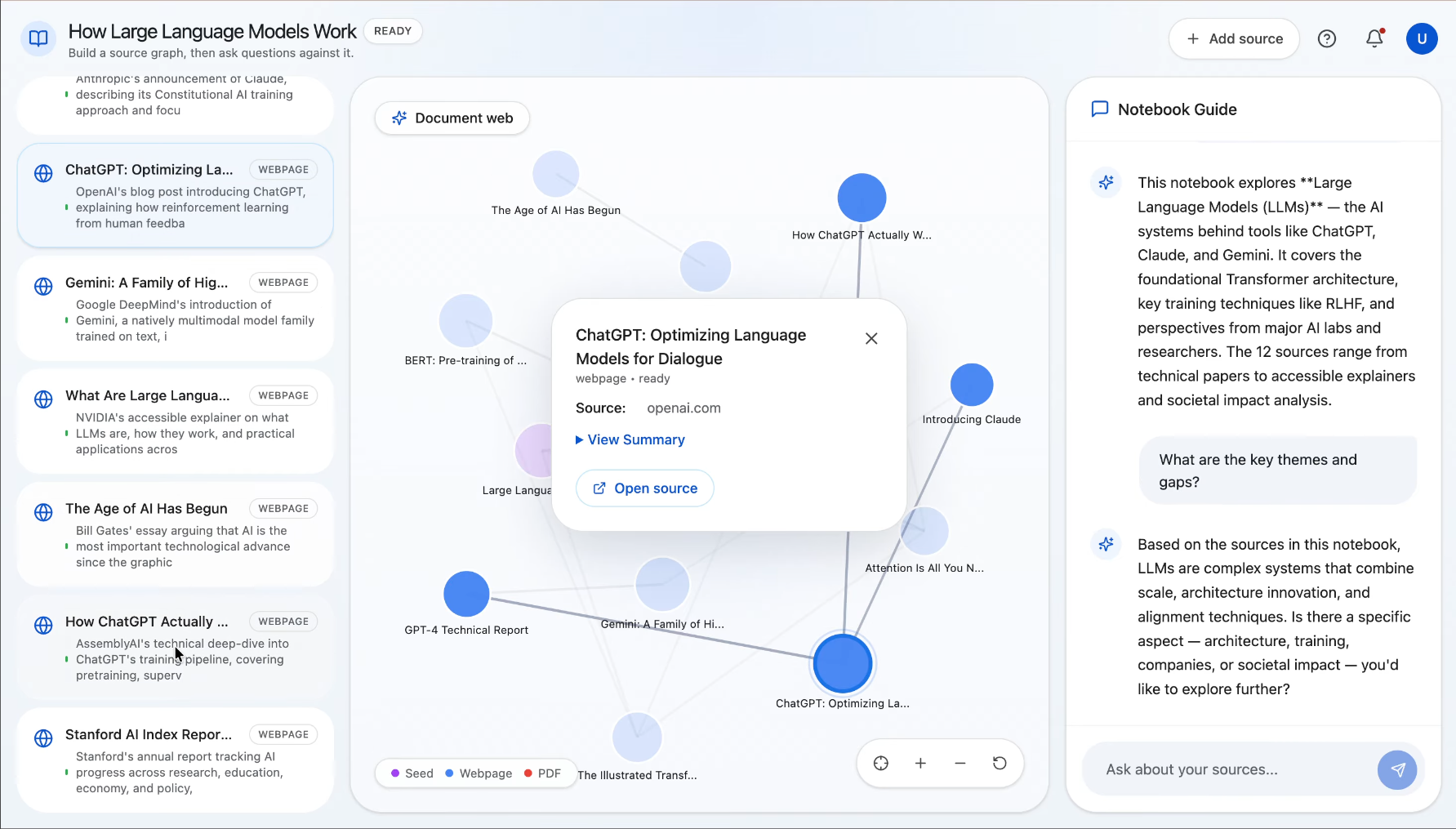
Synapse is an AI research notebook that helps users go from one clue to a connected understanding of a topic. A user starts with a URL or a block of seed text, and Synapse discovers related sources, processes them, and builds a visual document web showing how those sources relate to one another. Users can explore the graph, add more sources manually, and ask grounded questions over the notebook once the content is ready. Instead of just giving a fast answer, Synapse helps people understand the landscape around a topic so they can write, decide, brief, or learn with more confidence.
How we built it
Synapse is built with a React + Vite + Tailwind frontend and a FastAPI backend. The center of the experience is an interactive D3-powered knowledge graph that visualizes sources and their relationships. On the backend, we built an asynchronous pipeline with Celery and Redis to process notebooks in stages: ingest the seed source, discover related sources, crawl pages, summarize and embed content, compute graph edges, and then enable source-grounded chat. We used Gemini for discovery, summarization, embeddings, edge labeling, and Q&A, and Supabase/Postgres with pgvector to store notebooks, source chunks, messages, and graph relationships. For crawling, we combined traditional extraction with fallback strategies for tougher pages and PDFs.
Challenges we ran into
One of the biggest challenges was making web ingestion reliable. Real-world sources are messy: some pages are JavaScript-heavy, some are PDFs, some return weak text, and some fail in inconsistent ways. We also had to make the pipeline resilient so that one bad source would not break an entire notebook or leave it stuck in a loading state. On the frontend side, getting the graph to feel stable and organic during live updates was harder than expected, since force-directed layouts can easily feel jittery or broken when new data arrives. We also realized that product differentiation was a challenge in itself: source discovery alone is not enough, because users still need help orienting themselves inside the research they collect.
Accomplishments that we're proud of
Synapse does more than collect links or summarize documents. It turns a starting point into a visible research map. We are especially proud of the graph-first experience, the notebook formation flow that lets users watch the knowledge base come together, and the grounded chat layer that stays tied to processed sources instead of feeling like a generic chatbot. We are also proud of the amount of backend hardening we put in: fallbacks for missing services, better error handling, source-level recovery, retrieval limits, and tests that cover the pipeline without depending on live external APIs.
What we learned
Real value is not just in finding more information. It is in helping people get oriented. Users do not want another pile of sources; they want to know what matters, what connects, and where the gaps are. We also learned that trust in AI products comes from the unglamorous parts of the system: clean ingestion, reliable retrieval, clear failure states, and source-grounded outputs. On the UX side, we learned that showing knowledge form visually can make research feel much more intuitive and less overwhelming.
What's next for Synapse
Next, we want to expand Synapse horizontally so it can plug into the way people already work. Right now, Synapse starts from a URL or seed text, but the bigger vision is to let users build a knowledge map from all of their research inputs: Google Workspace files, local documents and folders, PDFs, notes, exports, and other sources that usually live in separate silos.
We also want to make Synapse more interoperable. Adding MCP support would let Synapse connect to external tools, data sources, and internal systems, so it can become a flexible research layer rather than a closed notebook. In the long run, we see Synapse as a system that can pull context from the open web, personal files, and connected apps, then turn all of that into a navigable map people can chat with, explore, and act on.
Built With
- celery
- d3-force
- fastapi
- firecrawl
- gemini-api
- google-search-grounding
- httpx
- javascript
- pgvector
- postgresql
- pytest
- python
- react
- redis
- sql
- supabase
- tailwind-css
- trafilatura
- vite
- vitest


Log in or sign up for Devpost to join the conversation.