-
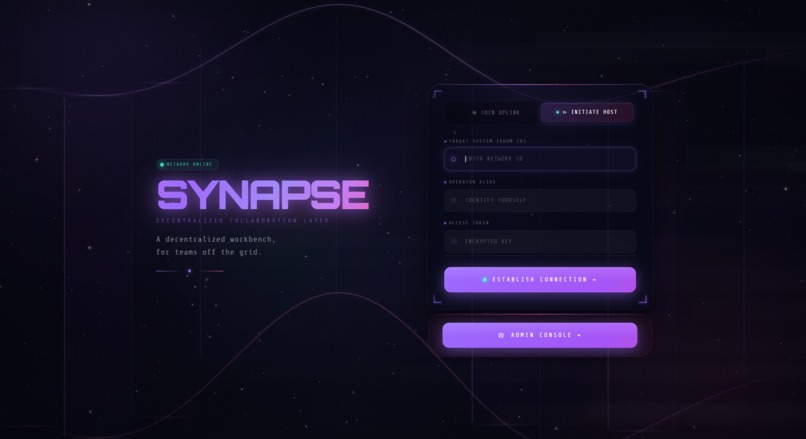
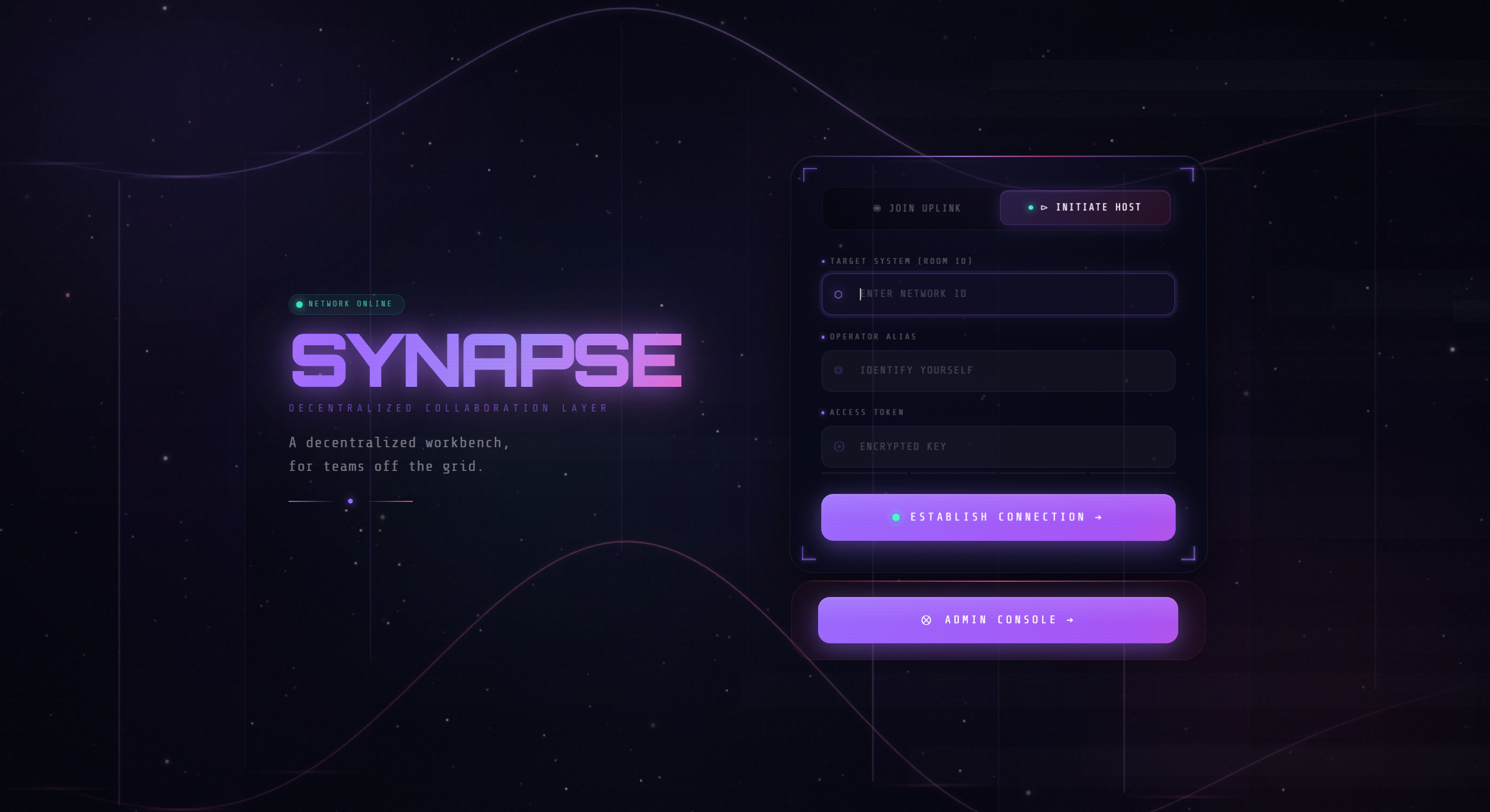
landing page
-
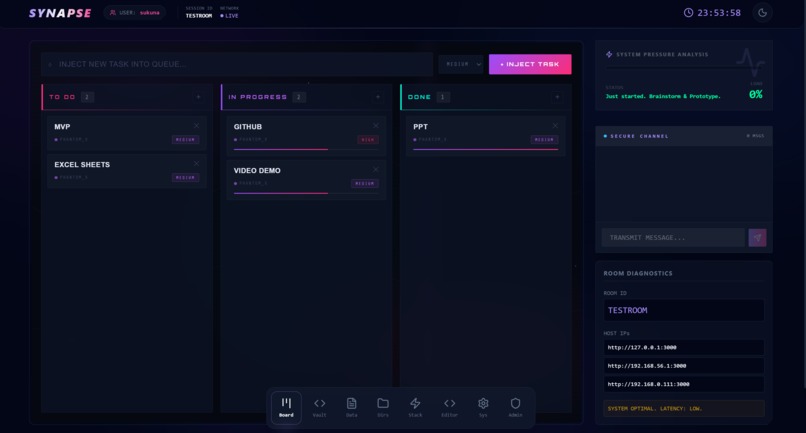
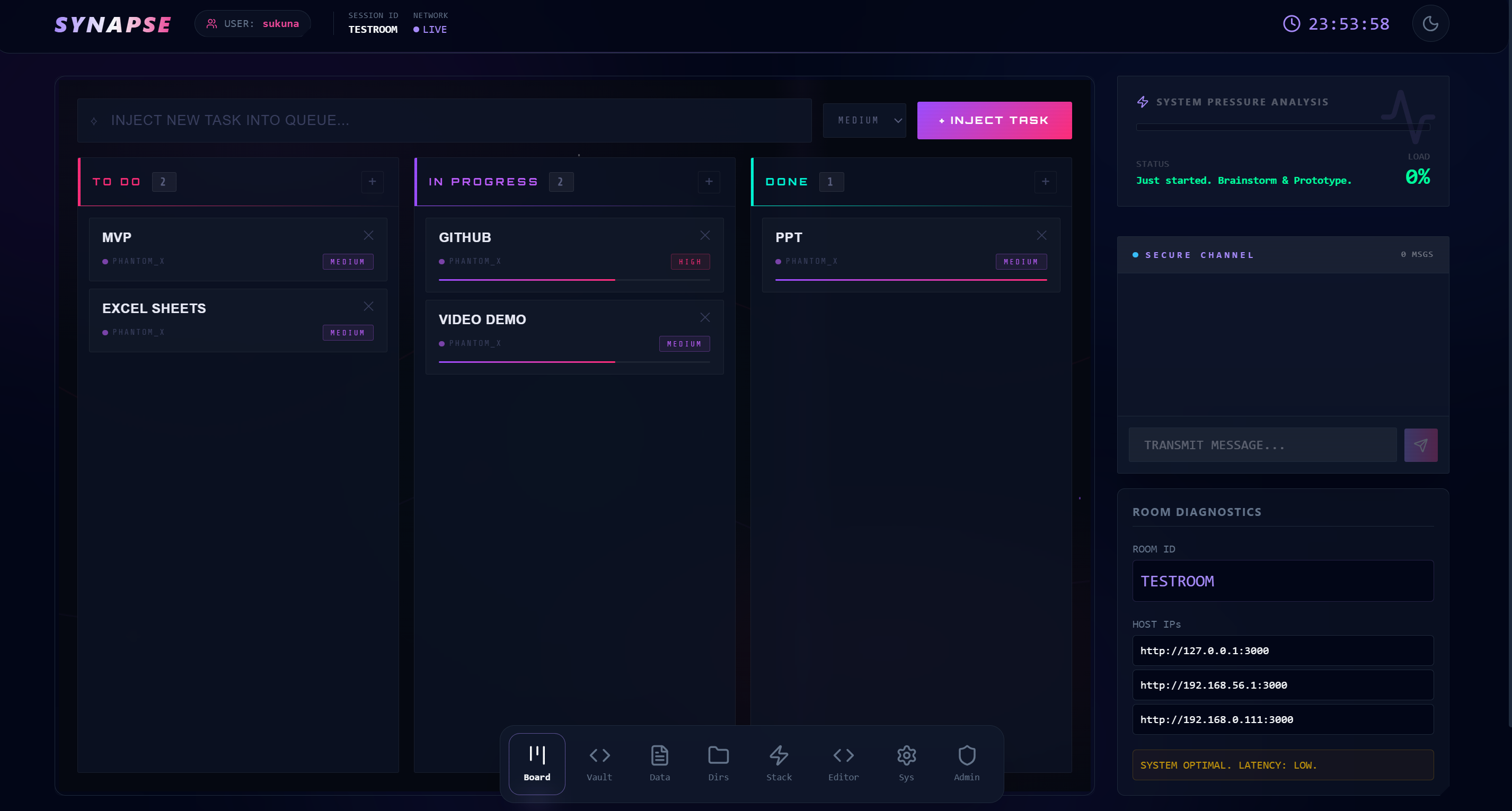
task board(also works with no internet access)
-
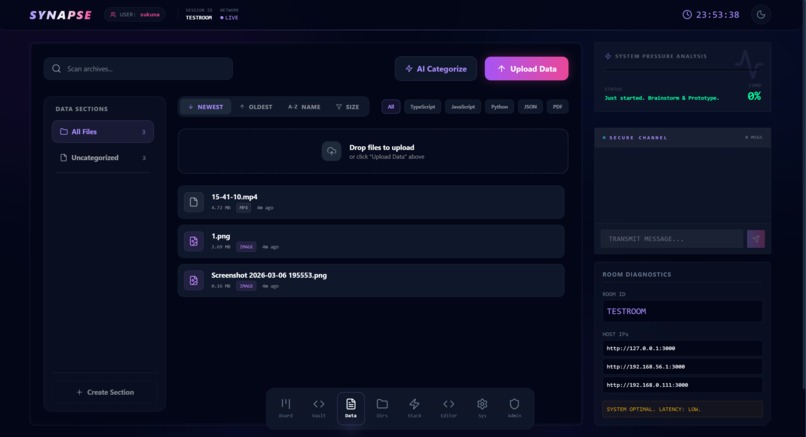
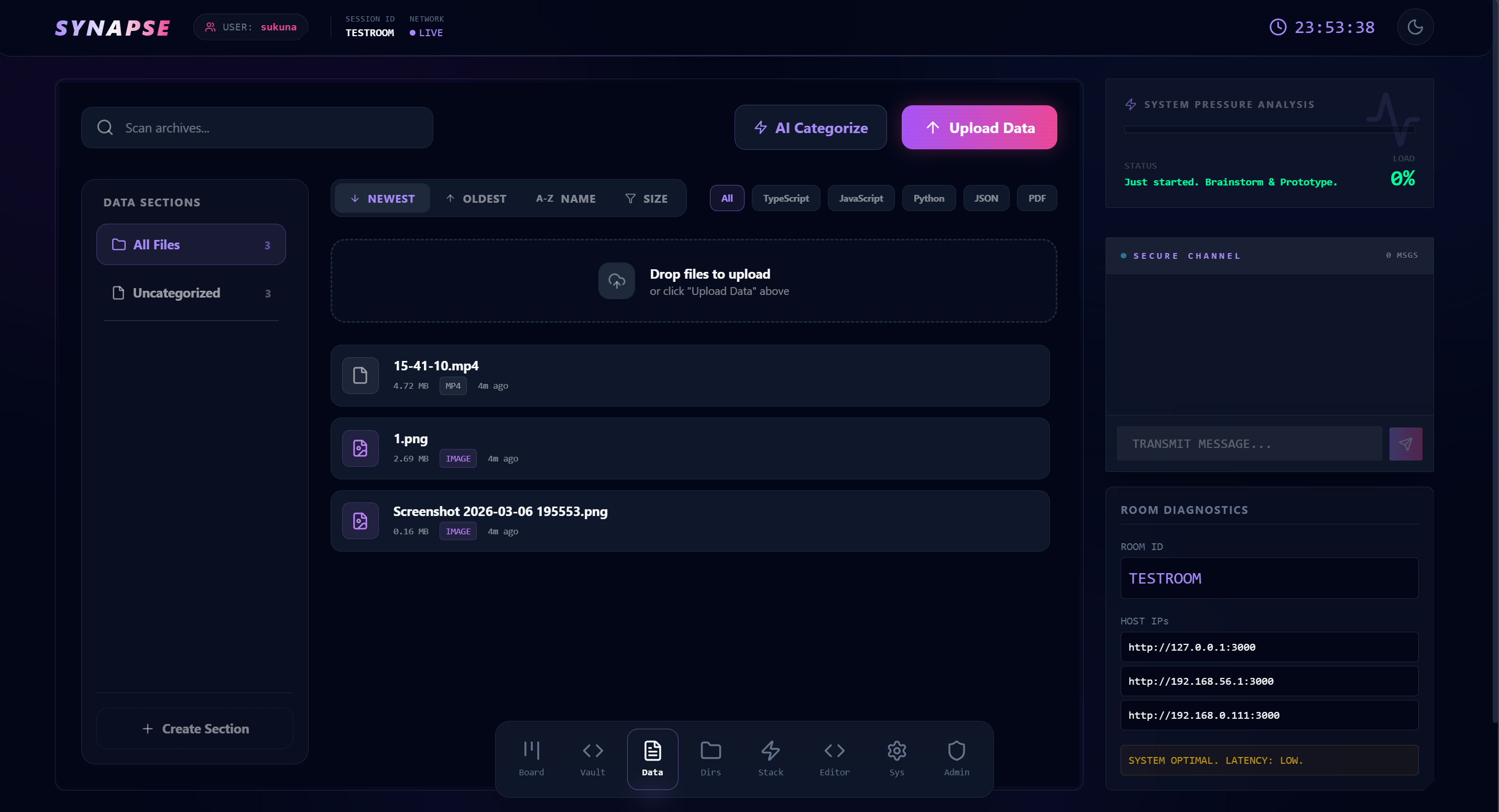
file sharing (also works with no internet access)
-
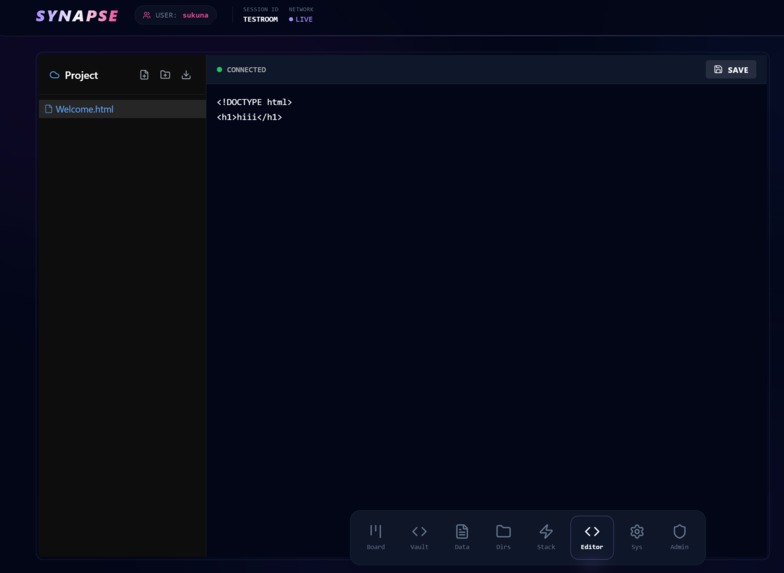
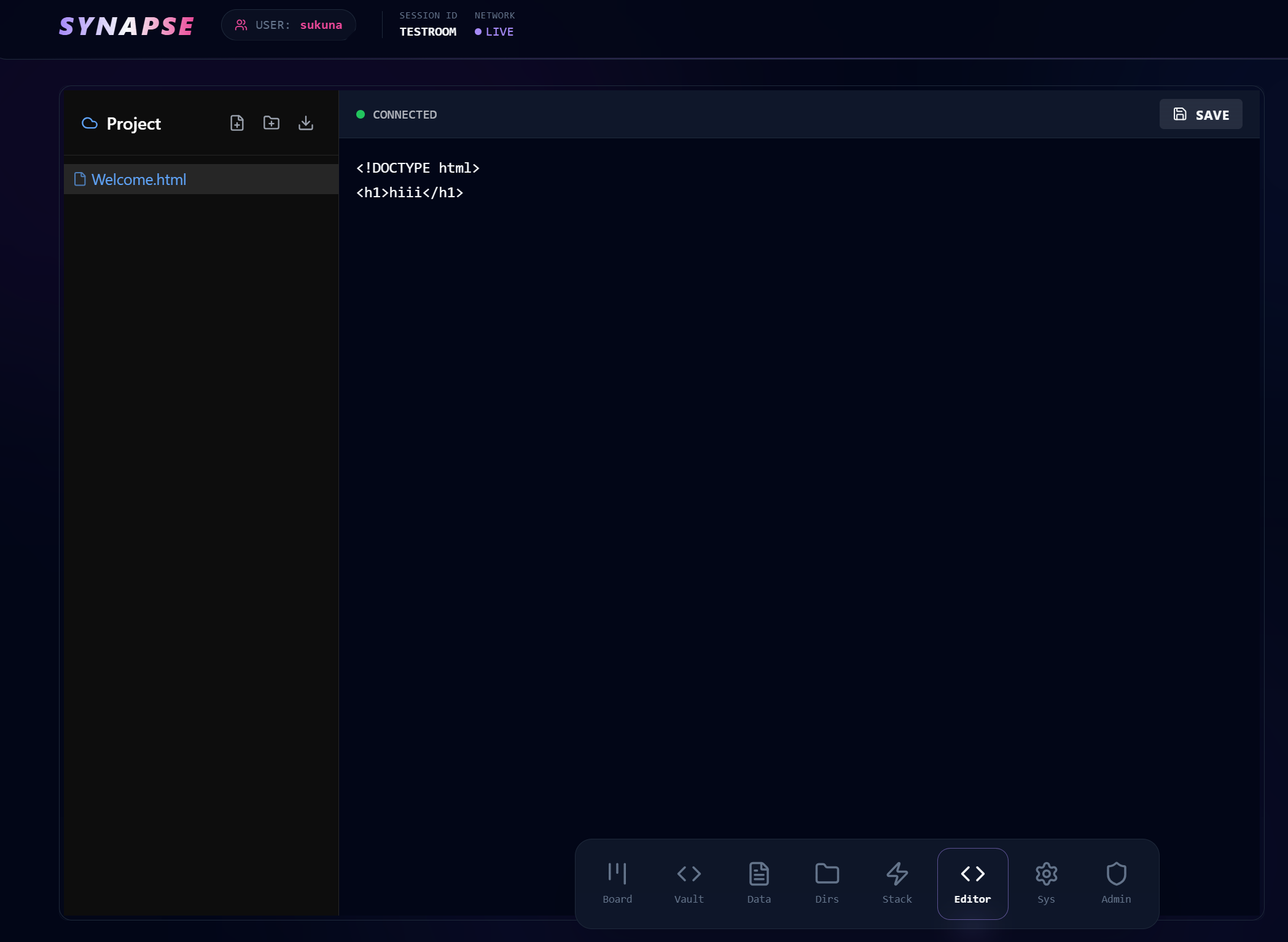
live coding (also works with no internet access)
-
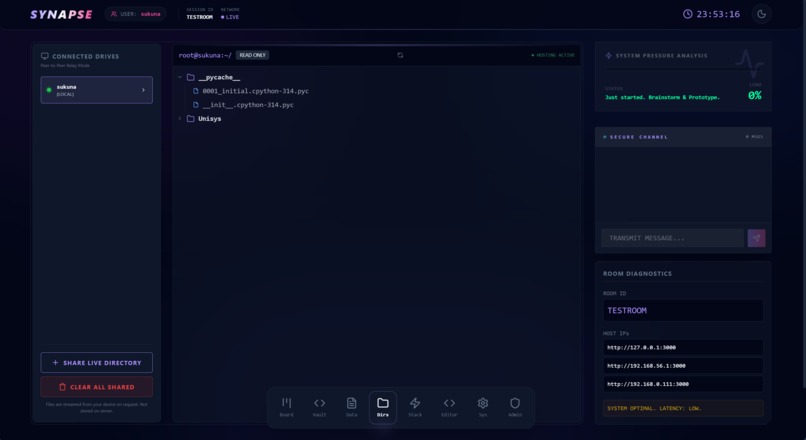
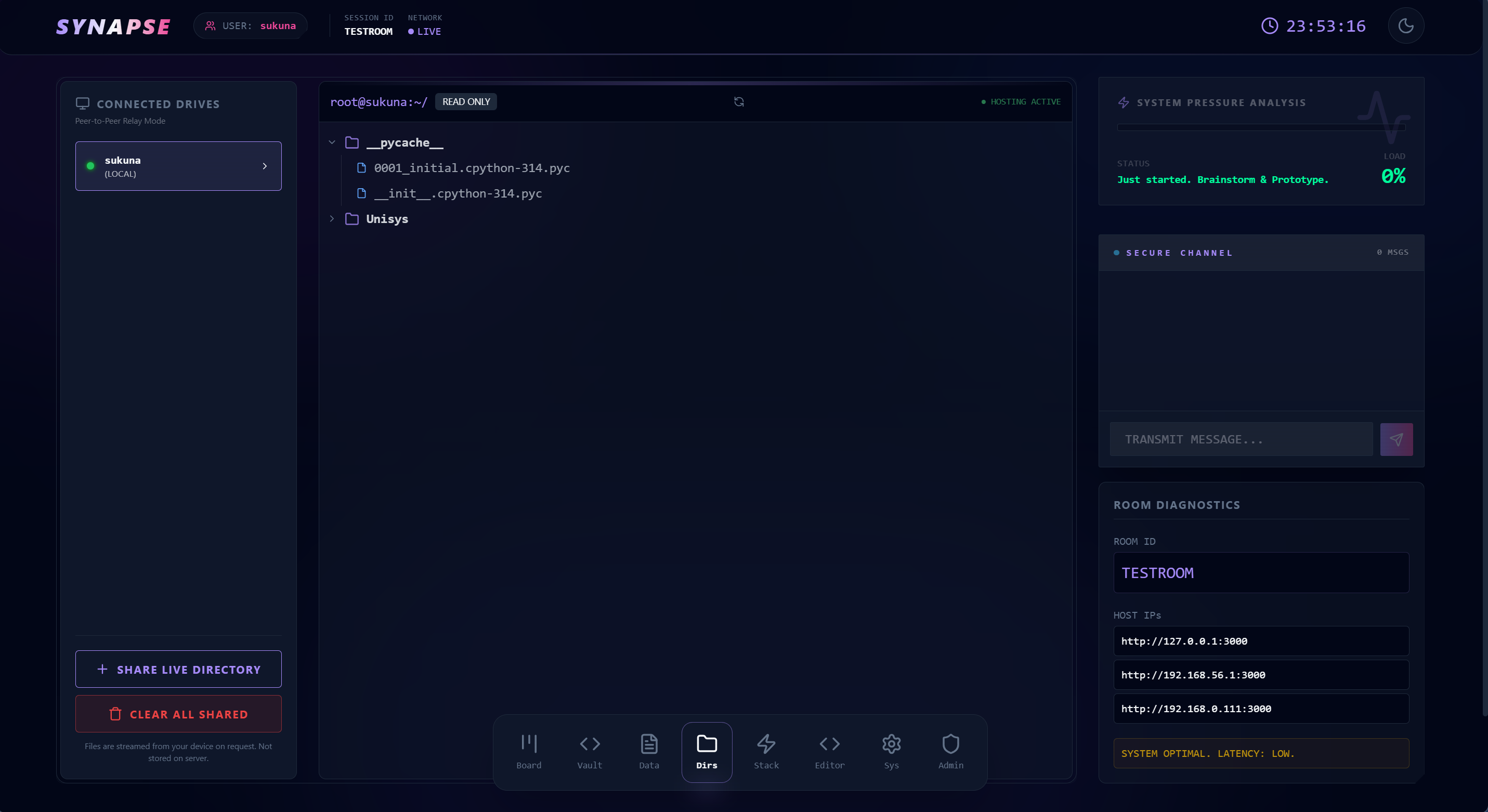
directory sharing real time
-
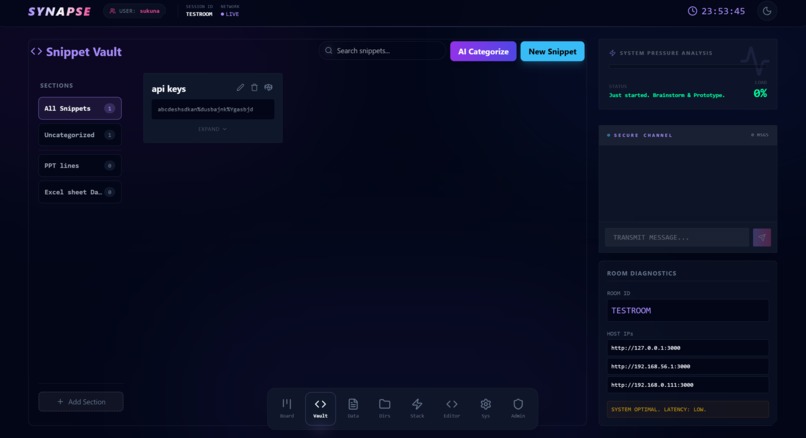
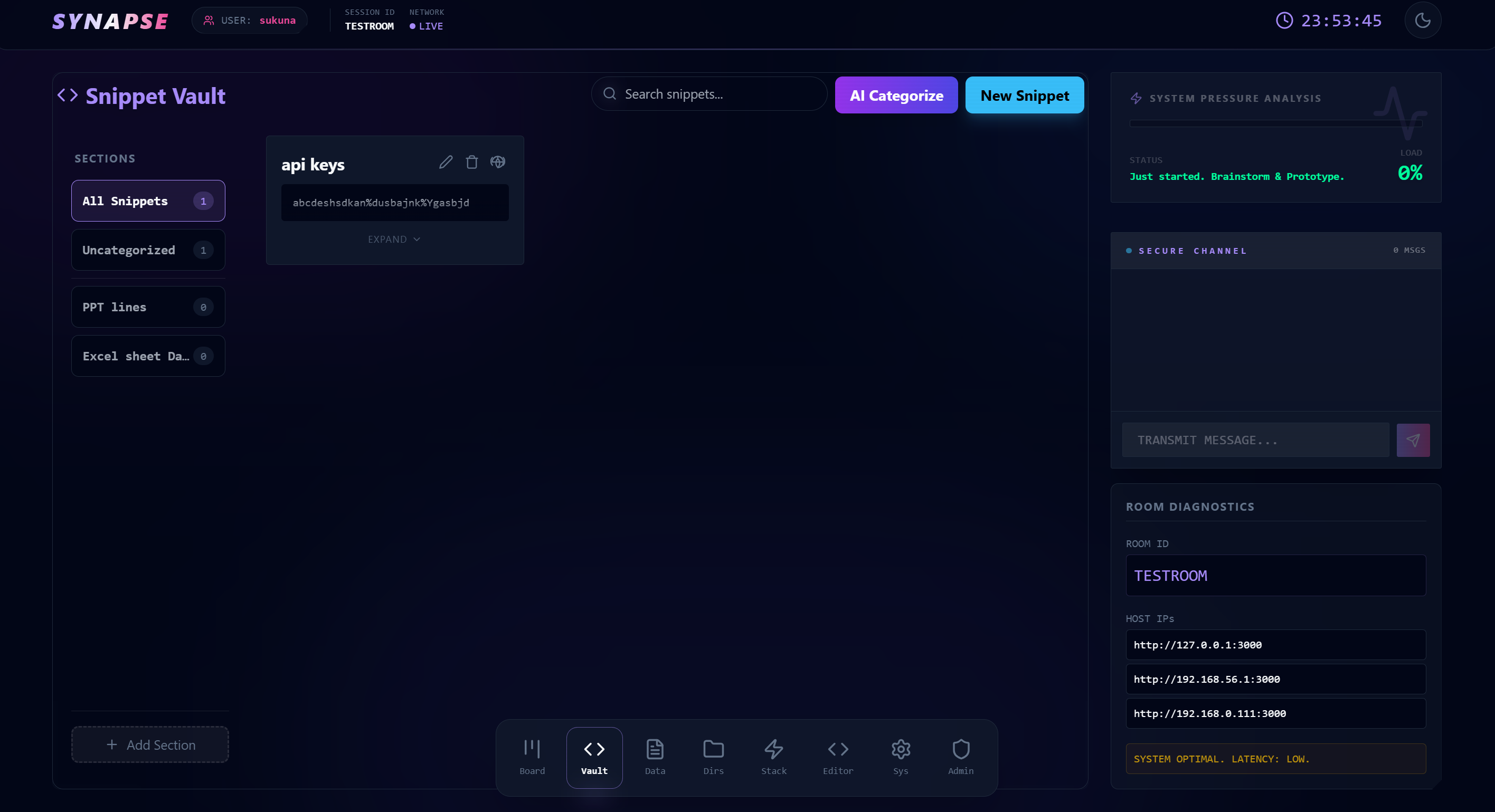
snippits sharing
-
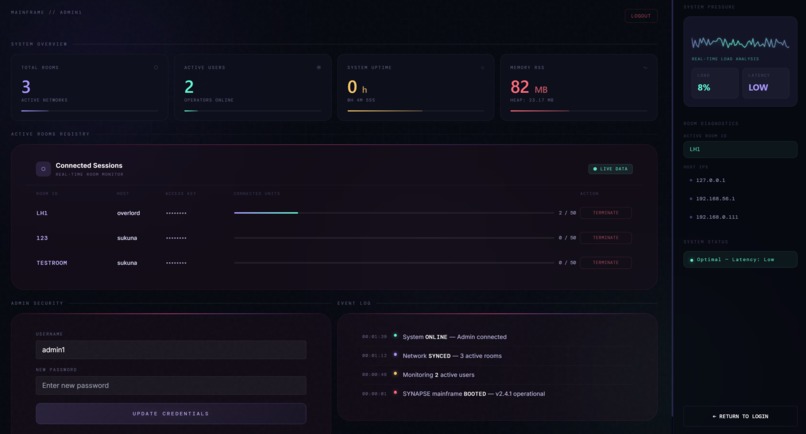
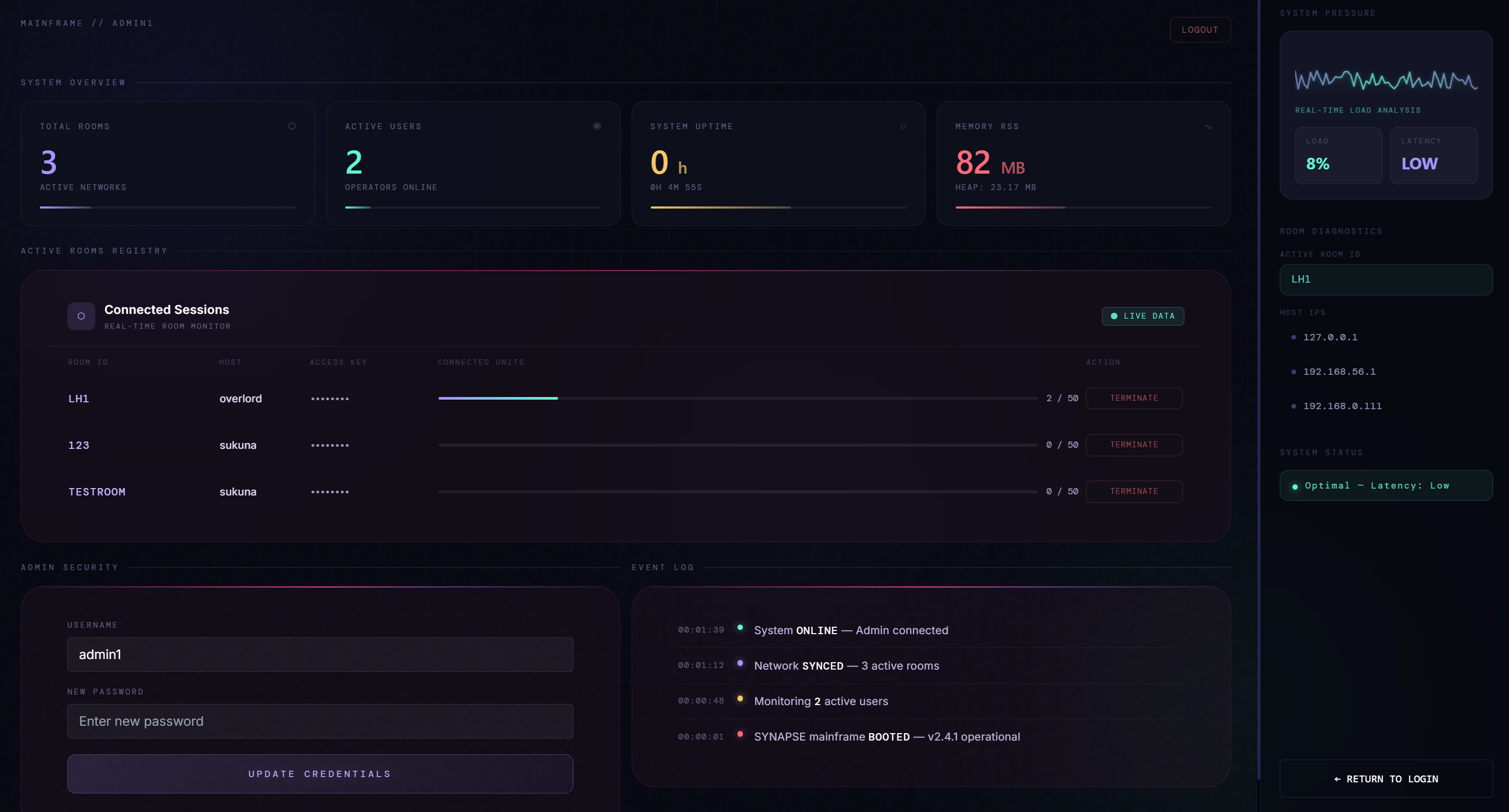
dashboard
-
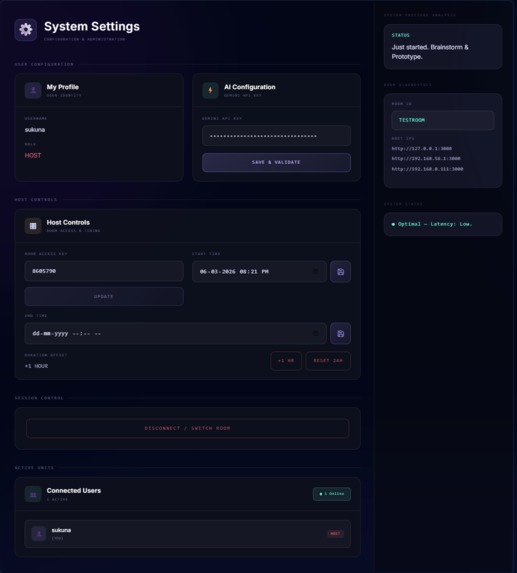
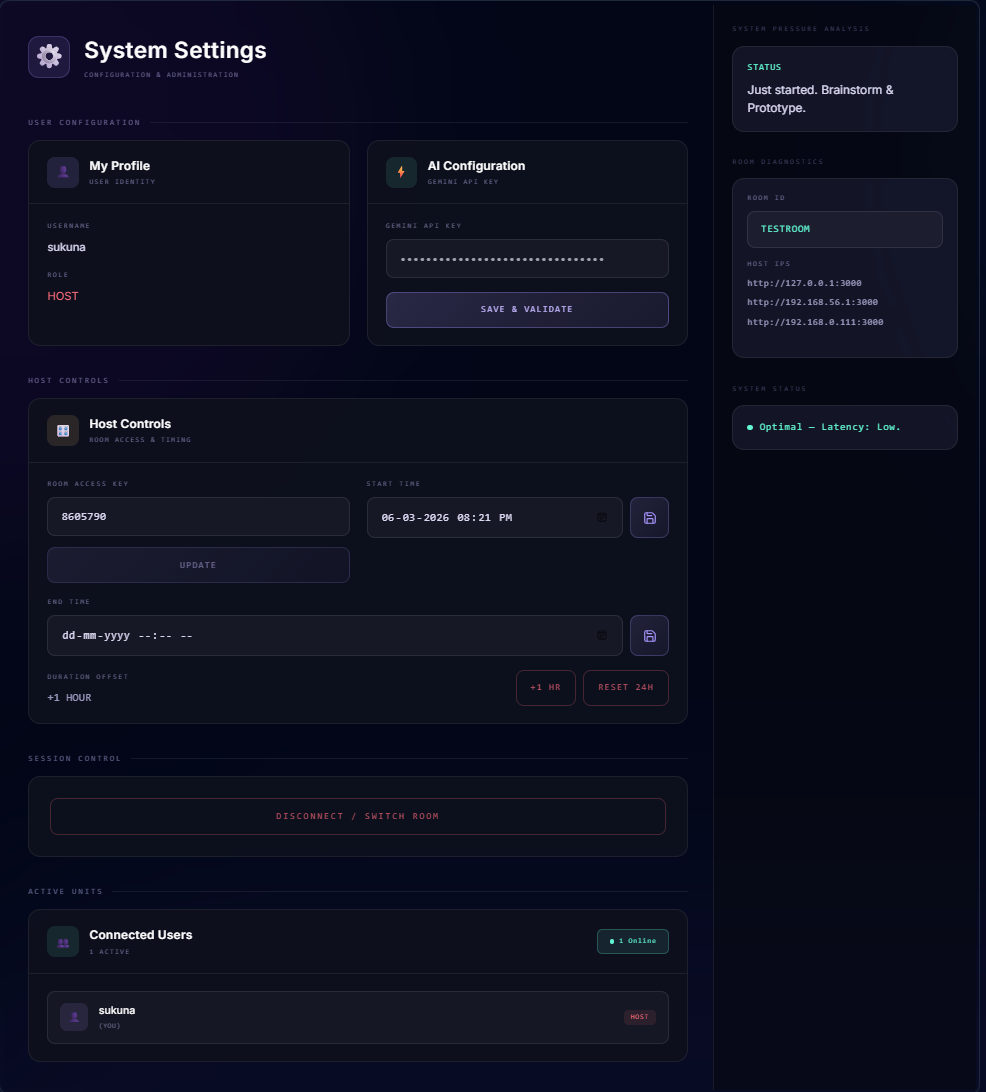
settings panel
SYNAPSE — Project Story
Inspiration
It started at a hackathon.
Forty people, one router, zero internet. The venue's Wi-Fi was throttled beyond usability — no Google Drive, no Replit, no VS Code Live Share, no Notion. Teams resorted to passing USB drives around, shouting across the room, and copy-pasting code into WhatsApp. It was chaos.
That night stuck with me. Every collaboration tool we rely on assumes one thing: a stable internet connection. The moment that assumption breaks — in a college lab, an air-gapped office, a venue with saturated Wi-Fi, or anywhere in the developing world with patchy connectivity — the entire modern developer workflow collapses.
I wanted to build something that makes that scenario impossible. A tool that treats the internet as a luxury, not a requirement. That was the seed for SYNAPSE.
"What if your whole team could spin up a shared workspace in under 30 seconds, using nothing but the router you're already connected to?"
What it does
SYNAPSE is a self-hosted, LAN-first real-time collaboration platform built for developers who need to work together without the cloud. It runs entirely on your local network and is accessible from any device at http://synapse.local:4000 — no accounts, no subscriptions, no internet required.
A single developer runs start.bat (Windows) or ./start.sh (Linux/macOS), and instantly becomes the host for their team. Everyone on the same Wi-Fi opens a browser, joins a room with a name and access key, and gets access to:
Collaborative Code Editor — Monaco Editor (the engine behind VS Code) with Yjs CRDT sync, meaning every keystroke is conflict-free and real-time across all users. Live cursor awareness shows exactly who is editing what.
Kanban Task Board — Drag-and-drop tasks with priority labels (Low / Medium / High), synced in real time via Socket.IO so the whole team sees task movements instantly.
Encrypted File Sharing — Files are encrypted in the browser using AES-CBC before upload. The server stores only ciphertext — it never sees your plaintext data. File versioning is built in: uploading a file that already exists automatically backs up the previous version as
filename_v1,filename_v2, etc.P2P Directory Relay — Share an entire local folder with your team without uploading anything permanently. The host's machine serves files on demand through a relay system; the server acts only as a message broker, never a storage medium.
Snippet Vault — Store reusable code, configs, and notes with optional encryption and optional Gemini AI analysis for categorization and bug detection.
Whiteboard — Collaborative drawing canvas built with React Konva for sketching architectures, wireframes, or just thinking out loud together.
Real-Time Chat — Encrypted in-room messaging with persistent history (last 100 messages), synced to all connected users.
Pressure Meter — A shared visual stress indicator that combines time remaining and incomplete tasks into a live $\text{Pressure Score}$:
$$\text{Pressure} = \left(1 - \frac{t_{\text{remaining}}}{t_{\text{total}}}\right) \times 0.6 + \frac{n_{\text{incomplete}}}{n_{\text{total}}} \times 0.4$$
Admin Dashboard — JWT-protected console for monitoring CPU, memory, active rooms, user counts, and force-deleting rooms with full cleanup.
QR Code IP Sharing — Every IP address the server is reachable on renders as a scannable QR code, so joining from a phone is one camera tap away.
How we built it
SYNAPSE is a full-stack TypeScript application — a single repository that builds a React frontend and an Express backend together.
Frontend
The UI is built with React 18 + Vite, styled with TailwindCSS using a custom design system (CSS variables for a cyberpunk-inspired dark/warm theme). Animations use Framer Motion for view transitions and a custom spotlight hover effect on the navigation bar. The login page renders an animated starfield and nebula canvas drawn entirely in 2D Canvas API — no libraries, just math and requestAnimationFrame.
The collaborative editor is Monaco Editor (@monaco-editor/react) wired to Yjs via y-monaco. Every document is a Y.Text instance that syncs over a raw WebSocket connection to the server. Cursor presence (who is where in the file) uses Yjs's Awareness protocol, giving each user a colored cursor with their name.
The whiteboard is React Konva, handling freehand drawing, shape manipulation, and multi-user sync via Socket.IO events.
Backend
The server is Express + Socket.IO running on Node.js with TypeScript compiled via tsx. It does several things simultaneously:
- Serves the built React app as a static SPA
- Handles Socket.IO events for room state (tasks, snippets, chat, timer, whiteboard)
- Runs a raw WebSocket server (
ws) for Yjs document sync, mounted alongside Express via an HTTPupgradeevent - Serves a REST API for file upload/download, admin operations, and the P2P directory relay
File storage uses Multer for uploads, Archiver for zip exports, and the Node.js fs module for the project file tree. Room metadata persists to a flat JSON file (synapse.db.json), and editor files persist to disk under projects/{roomName}/. mDNS broadcasting uses Bonjour so the server appears at synapse.local without any manual configuration.
Admin authentication uses bcrypt for password hashing and jsonwebtoken for session tokens. Both JWT_SECRET and SESSION_SECRET are auto-generated on first run using crypto.randomBytes(48) and written to .env, so there are no hardcoded secrets.
Encryption
Text data (chat, snippets) is encrypted with CryptoJS AES-CBC on the client before transmission. Binary files use the Web Crypto API (SubtleCrypto) with PBKDF2 key derivation and AES-CBC, so the encryption key is derived from the room password and never sent over the network.
The host can toggle between Security Mode and Performance Mode at runtime — the server broadcasts the toggle to all clients, and the frontend adjusts accordingly without requiring a reconnect.
Challenges we ran into
1. Yjs over raw WebSocket, not y-websocket
The standard y-websocket server package didn't fit cleanly into a single-server architecture where Express and Socket.IO were already running. We had to implement the Yjs sync and awareness protocols manually — handling syncProtocol.writeSyncStep1, readSyncMessage, and encodeAwarenessUpdate ourselves on top of a raw ws WebSocket server mounted via the HTTP upgrade event. Getting the binary message framing right without dropping updates or causing split-brain states took significant debugging.
2. Monaco Editor + Vite + self-hosting workers
Monaco Editor spawns Web Workers for language features. In production (built with Vite), these workers fail to load unless Monaco's worker assets are explicitly copied into the build output and the MonacoEnvironment.getWorkerUrl function is overridden to point to local paths. This completely breaks language support (TypeScript IntelliSense, JSON validation) in a way that isn't obvious until after npm run build. Solving it required configuring vite-plugin-static-copy to move Monaco worker files at build time.
3. File System Access API across browsers
The P2P directory relay uses the File System Access API (showDirectoryPicker) to let a host share a local folder without uploading anything. This API is only available in Chromium-based browsers (Chrome, Edge) and is completely absent in Firefox and Safari. We had to implement graceful degradation — detecting API availability and showing a clear message on unsupported browsers rather than silently breaking.
4. Dual state sources for the editor
The code editor has two sources of truth that must stay in sync: the Yjs document (in memory, for live sync) and the file on disk (persisted under projects/{roomName}/). Getting initial file content into a new Yjs document required reading from disk on first WebSocket connection. Getting edits back to disk required listening to Yjs update events and writing asynchronously. When the server restarts, the Yjs documents are gone but the files survive — so the next connection must re-seed the document from disk. Handling all edge cases (new file, empty file, file with BOM encoding from Windows editors) without data loss was genuinely hard.
5. mDNS on university and enterprise networks
Bonjour/mDNS relies on multicast UDP, which is often blocked by managed switches on university and corporate networks. synapse.local resolves fine on home routers but fails silently in many lab environments. We added the QR code + raw IP fallback specifically because of this — every IP the server binds to is displayed at startup and rendered as a scannable code inside the diagnostics panel.
Accomplishments that we're proud of
A working offline-first collaboration platform that genuinely requires zero internet, zero accounts, and zero configuration beyond running one script.
Manual Yjs sync protocol implementation — most projects use the pre-built
y-websocketserver. We implemented the binary message framing, sync step handshake, and awareness broadcast ourselves, which gave us much deeper understanding of how CRDTs actually propagate over a network.Client-side encryption that actually works — not just a checkbox feature, but a toggle that the host controls, that persists across sessions, and that the server genuinely cannot reverse.
A UI that doesn't look like a student project. The animated login canvas, the spotlight navbar, the OFFLINE screen with reconnection handling, the cyber-themed design system — real effort went into making this feel like software someone would want to use, not just a demo.
File versioning and revert — automatic backup of overwritten files with a revert endpoint. This is a feature many professional tools don't bother with.
The QR code diagnostics panel — small feature, huge practical impact in a room full of people trying to join from their phones.
What we learned
CRDTs are not magic boxes. Understanding how Yjs models a document as a graph of operations, how
syncStep1/syncStep2bootstraps a new client, and how awareness state differs from document state made us much more confident working with distributed state in general.Browser crypto APIs are powerful but unforgiving. The Web Crypto API is fast and secure, but it gives you raw ArrayBuffers and no error messages beyond "operation failed." Learning to structure key derivation, IV generation, and ciphertext framing correctly — and understanding why a static PBKDF2 salt defeats the purpose of key derivation — was a real cryptography lesson.
The gap between
devandprodin frontend tooling is enormous. Things that "just work" with Vite dev server (Monaco workers, WebSocket URLs, asset paths) can silently break in a production build. The discipline of always testingnpm run build && npm startbefore calling something done is something we'll carry forward.Offline-first is an architectural decision, not a feature. It touches everything — how you do discovery (mDNS + fallback), how you handle reconnection, how you store state, and what happens when the host machine goes to sleep. You can't bolt it on at the end.
Real-time sync and persistence are two different problems. Keeping Yjs documents and the file system consistent required thinking carefully about who owns the source of truth and when each source is authoritative.
What's next for SYNAPSE
Short term:
- Fix the PBKDF2 salt to be random per-file (currently all zeros, which weakens encryption)
- Implement the
room:kickserver handler (emitted by the client but not yet handled) - Debounce
saveDatabase()to avoid per-event disk writes under load - Replace hardcoded diagnostic placeholder text with live latency measurement
Medium term:
- Relay mode — a lightweight STUN/TURN-style relay so teams on different subnets (or even over the internet) can connect without port forwarding, while keeping LAN performance when available
- Local AI integration — swap Gemini (internet-dependent) for an Ollama-hosted model so AI features work completely offline, staying true to the core promise
- Room snapshots — export the full room state (code, tasks, chat, snippets, whiteboard) as a single
.synapsebundle that can be restored on any machine - SQLite migration — replace the flat JSON DB with SQLite for safe concurrent writes and proper querying
Long term:
- A native tray app (Tauri or Electron) so hosting SYNAPSE is a one-click experience with no terminal
- Offline-capable PWA so joining users can install the client on mobile
- Plugin system so teams can add custom panels (standup timers, poker planning, etc.) without forking the core
The vision stays the same: the tool that works when nothing else does.
Built With
- access
- aes-gcm
- ai
- api
- auth-jwt
- crypto
- db
- directory
- discovery-mdns
- encryption-web
- express.js
- flat-file
- gemini
- integration-google
- layer-technology-frontend-react-18
- persistence-json
- sharing-file
- system
- tailwindcss-code-editor-monaco-editor-(vs-code-engine)-real-time-sync-socket.io
- typescript
- vite
- yjs-crdts-backend-node.js


Log in or sign up for Devpost to join the conversation.