Inspiration
Traditional learning is passive. We wanted to transform static documents into interactive conversations, making education engaging through AI-powered dialogue and personalized assessment.
What it does
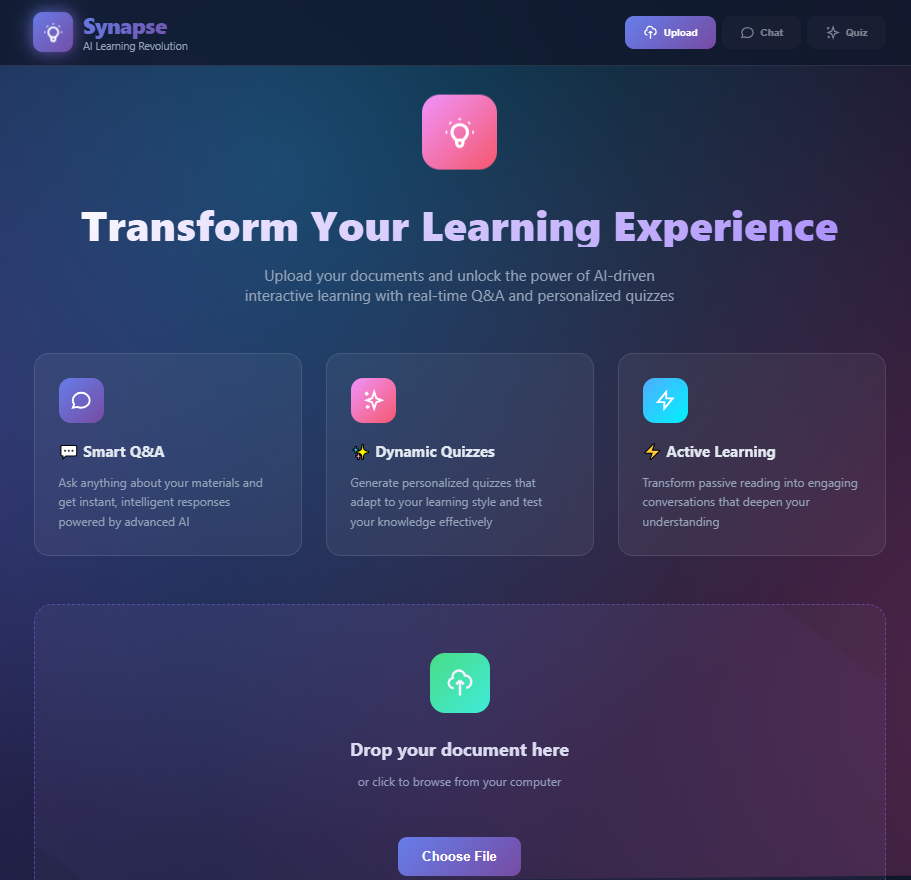
Synapse analyzes uploaded documents to create intelligent Q&A sessions and generate dynamic quizzes tailored to the content. It turns reading into active learning through AI conversations.
How we built it
Frontend: HTML5, CSS3 with advanced animations and gradients
JavaScript for interactive UI and state management
Simulated AI analysis with contextual response generation
Responsive design with mobile optimization
Challenges we ran into
Creating realistic document analysis simulation
Designing smooth animations without performance issues
Managing complex UI state transitions
Generating context-aware quiz questions dynamically
Accomplishments that we're proud of
Beautiful, immersive user interface with particle effects
Seamless transitions between learning modes
Intelligent quiz generation from document content
Professional-grade animations and interactions
What we learned
This project was a huge learning experience. We dove deep into creating fluid animations with CSS, figuring out how to make the interface feel alive without slowing it down. Managing the different states between the upload, chat, and quiz views was like conducting an orchestra—everything had to work in harmony. Most importantly, we learned that for an educational tool, the flashy design can't get in the way of clarity. Striking that balance between a beautiful interface and a functional, easy-to-use learning environment was our biggest and most rewarding challenge.
What's next for Synapse
Connecting real AI, adding PDF/Word support, building progress tracking, and creating collaborative study groups. The real journey is just starting.


Log in or sign up for Devpost to join the conversation.