-
-
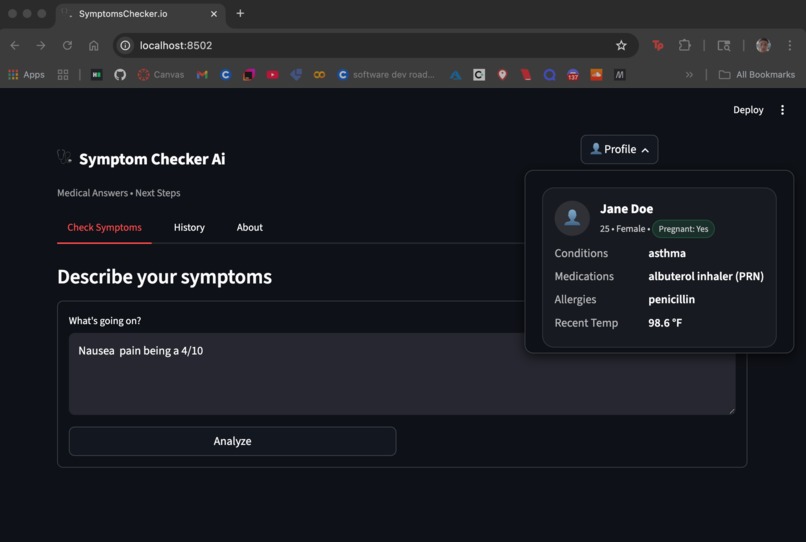
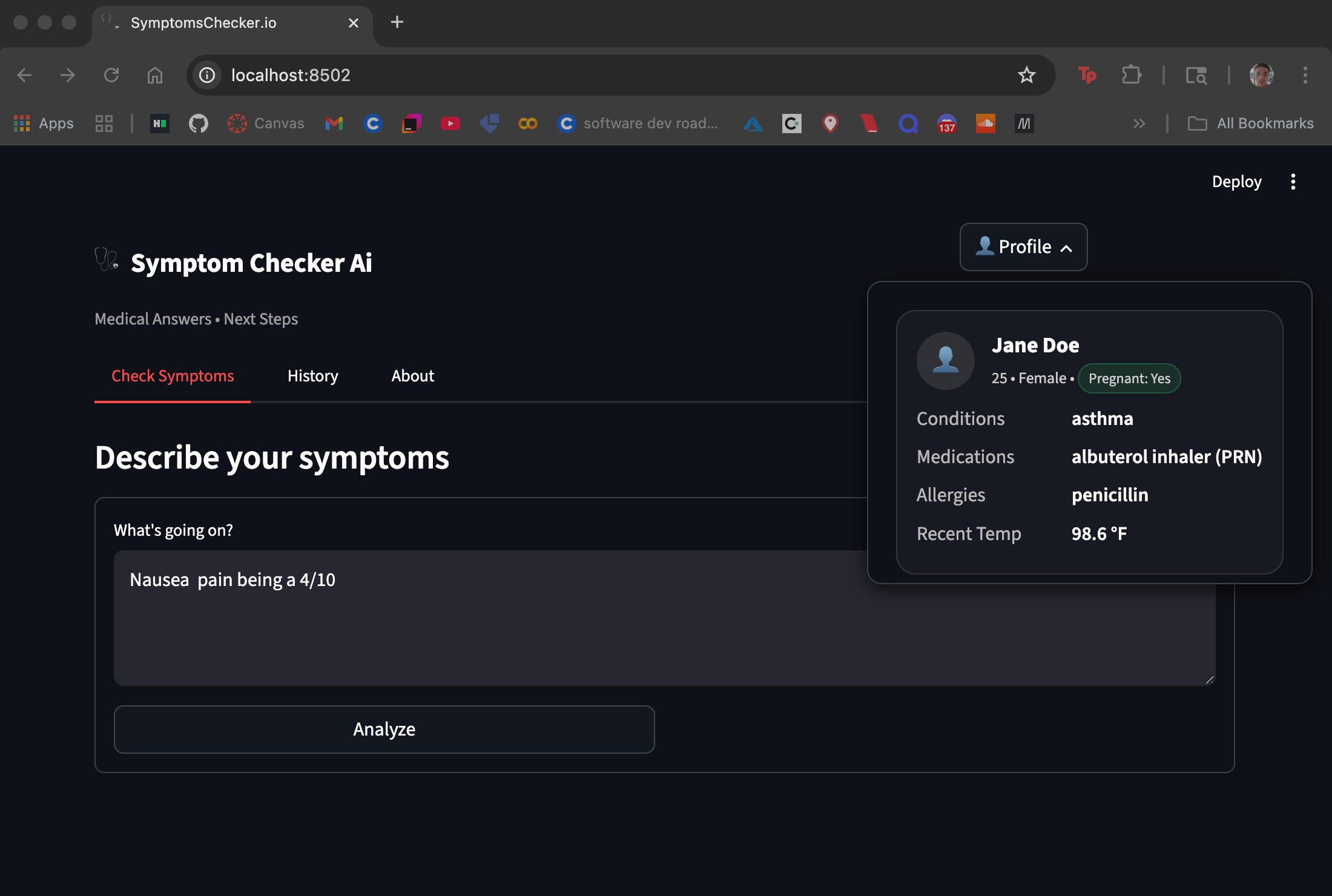
Example UI vizualization on web browser (also scalable to work on mobile device)
Inspiration
When people feel unwell, the first question is “What should I do next?” Not everyone can interpret symptoms or decide between home care, a clinic, urgent care, or the ER. Symptom Checker AI was inspired by that gap: a fast, phone-friendly assistant that explains symptoms in plain language and suggests clear next steps, with a color-coded severity bar for instant understanding.
What I Learned
Streamlit for rapid, mobile-friendly UI in pure Python (tabs, popovers, custom CSS, session state).
OpenAI with Python for structured reasoning and JSON/JSON-Schema outputs I can reliably render.
Prompt design for safe, scoped triage (education, not diagnosis) and red-flag escalation.
Lightweight state management and UX patterns for small screens.
How I Built It
Design & Scope
Defined a system prompt: symptom-checker + triage assistant (not a doctor), with fixed triage levels: home_care, see_primary_care_1-3_days, urgent_care_today, emergency_now.
Chose a concise data contract for outputs (summary, differential, next steps, red flags, etc.).
Frontend (Streamlit)
Mobile-first “phone canvas” with custom CSS, a top navbar, and an avatar popover showing a human-readable profile card.
Tabs: Check Symptoms, History, About.
A green→red severity bar that positions a marker by triage level.
Backend / AI
Python + OpenAI (gpt-4o-mini) via Chat Completions.
Structured outputs with JSON Schema to keep the UI stable (and a JSON-mode fallback).
Minimal chat history via st.session_state to support follow-ups.
Severity Mapping (Tiny Math)
Challenges
Consistency of AI outputs: Early prototypes returned unstructured text. Solved by using JSON Schema responses and a fallback coercer for resilience.
Clinical safety boundaries: Balancing usefulness with safety. I enforced a narrow scope (education only), explicit red-flag escalation, and a persistent disclaimer.
Mobile UX polish: Streamlit is desktop-first by default, so I used custom CSS for a compact, app-like feel (larger tap targets, tight spacing, card styles).
Latency & reliability: Kept prompts concise, minimized history, and ensured an offline-demo fallback pattern if needed.
What’s Next
Editable multi-user profiles and consent flow.
Guideline retrieval from vetted sources, with citations.
Telehealth routing suggestions and localized care options.


Log in or sign up for Devpost to join the conversation.