-
-
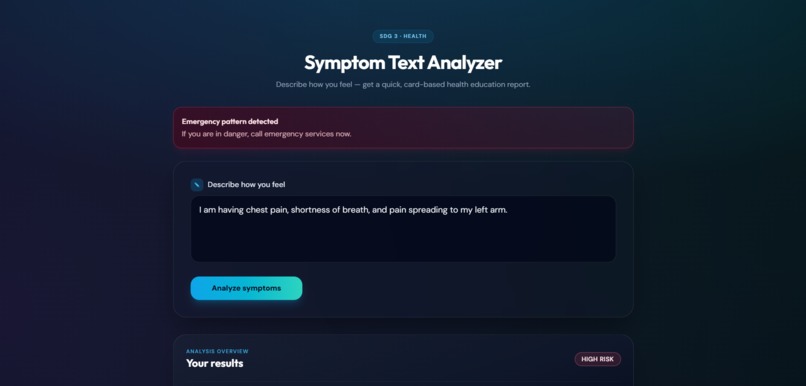
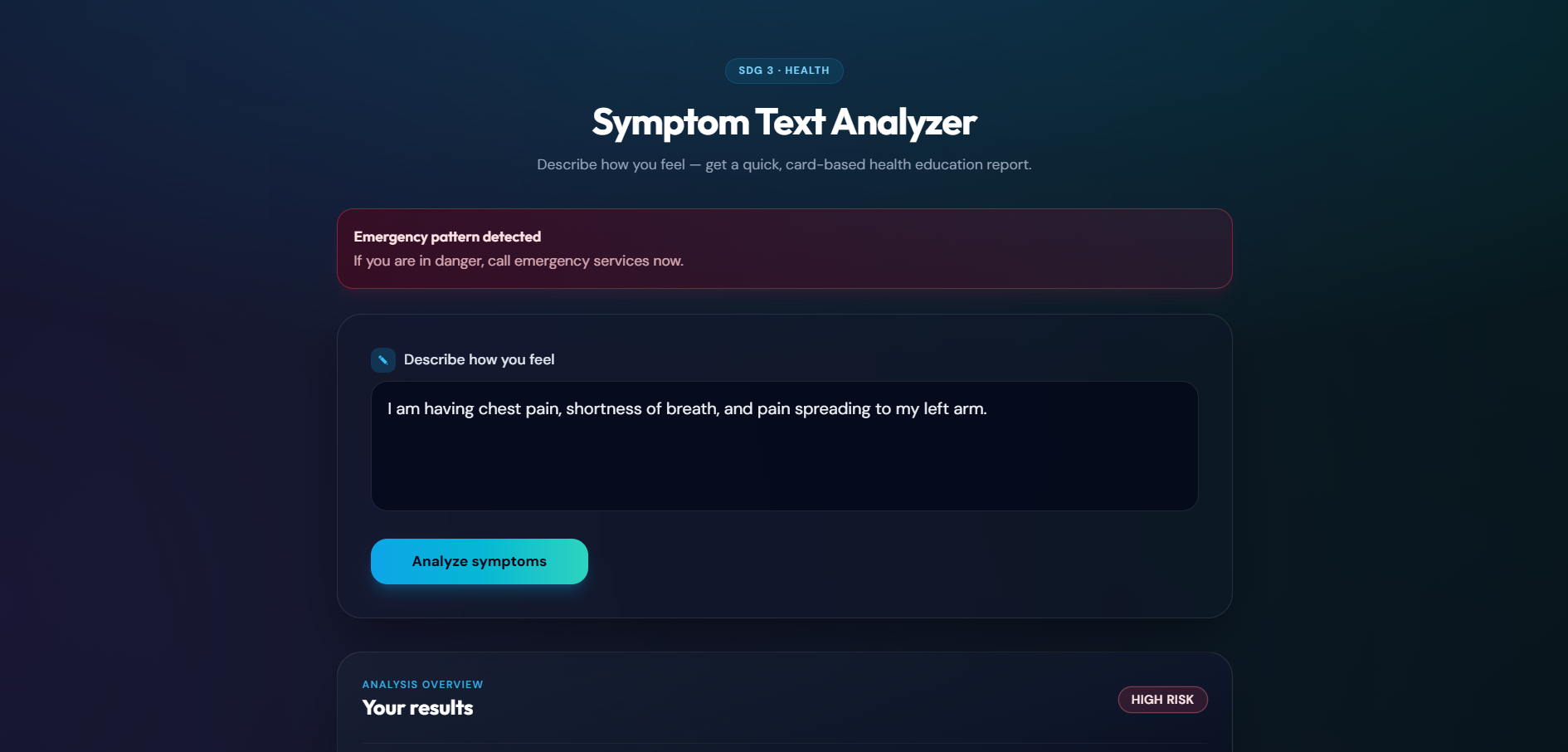
Symptom Text Analyzer
-
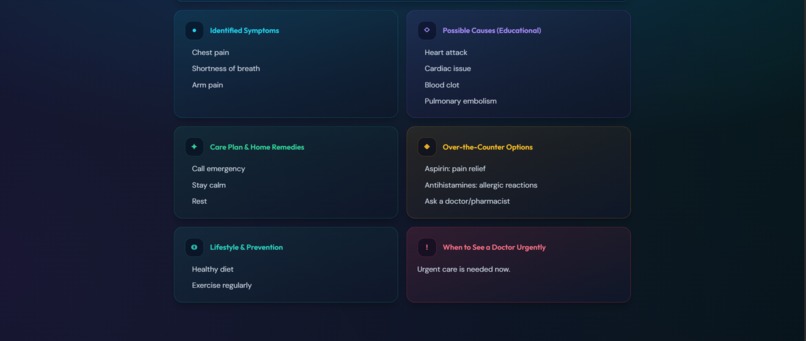
Describe how you feel — get a quick, card-based health education report.
-
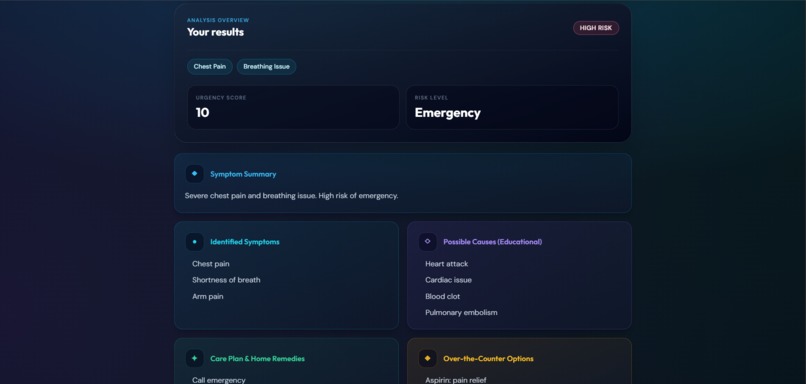
get a quick, card-based health education report.
Inspiration
What it does
How we built it
Challenges we ran into
Accomplishments that we're proud of
What we learned# symptom-analyzer
Overview
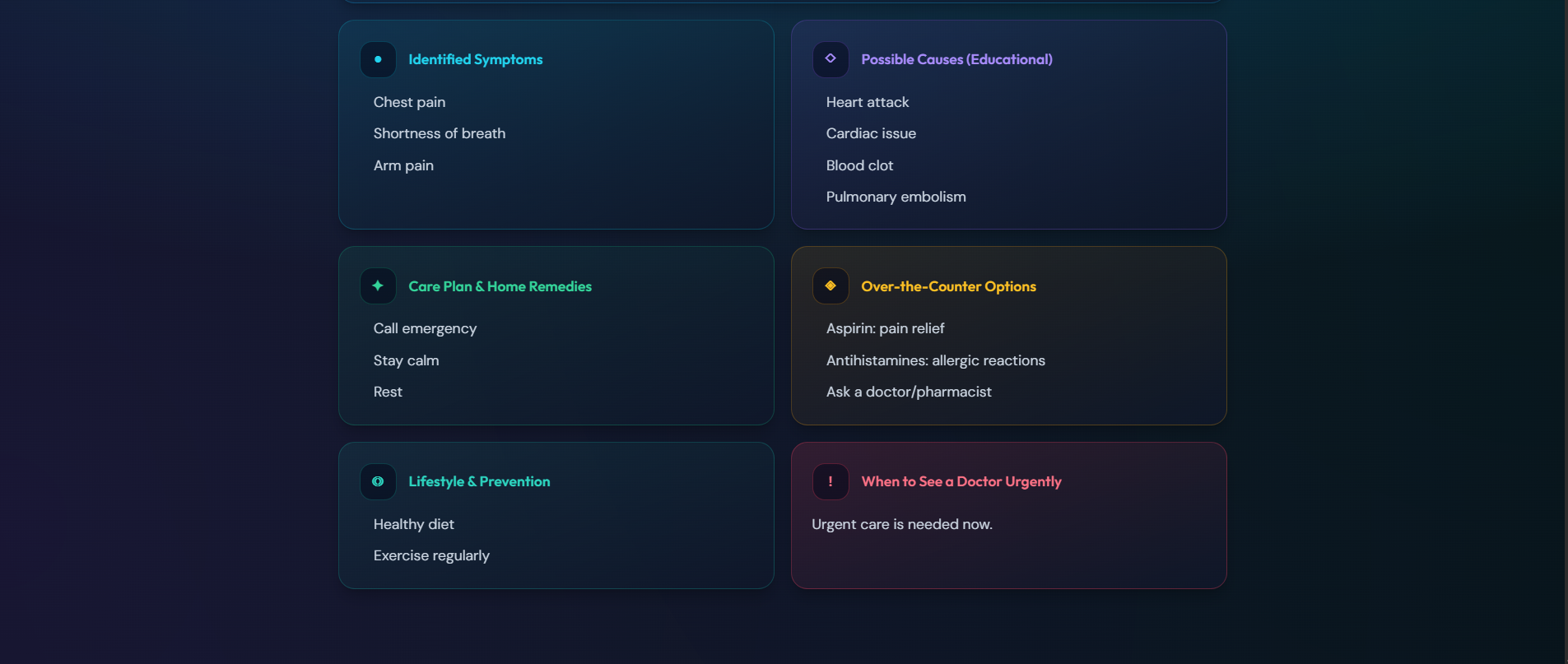
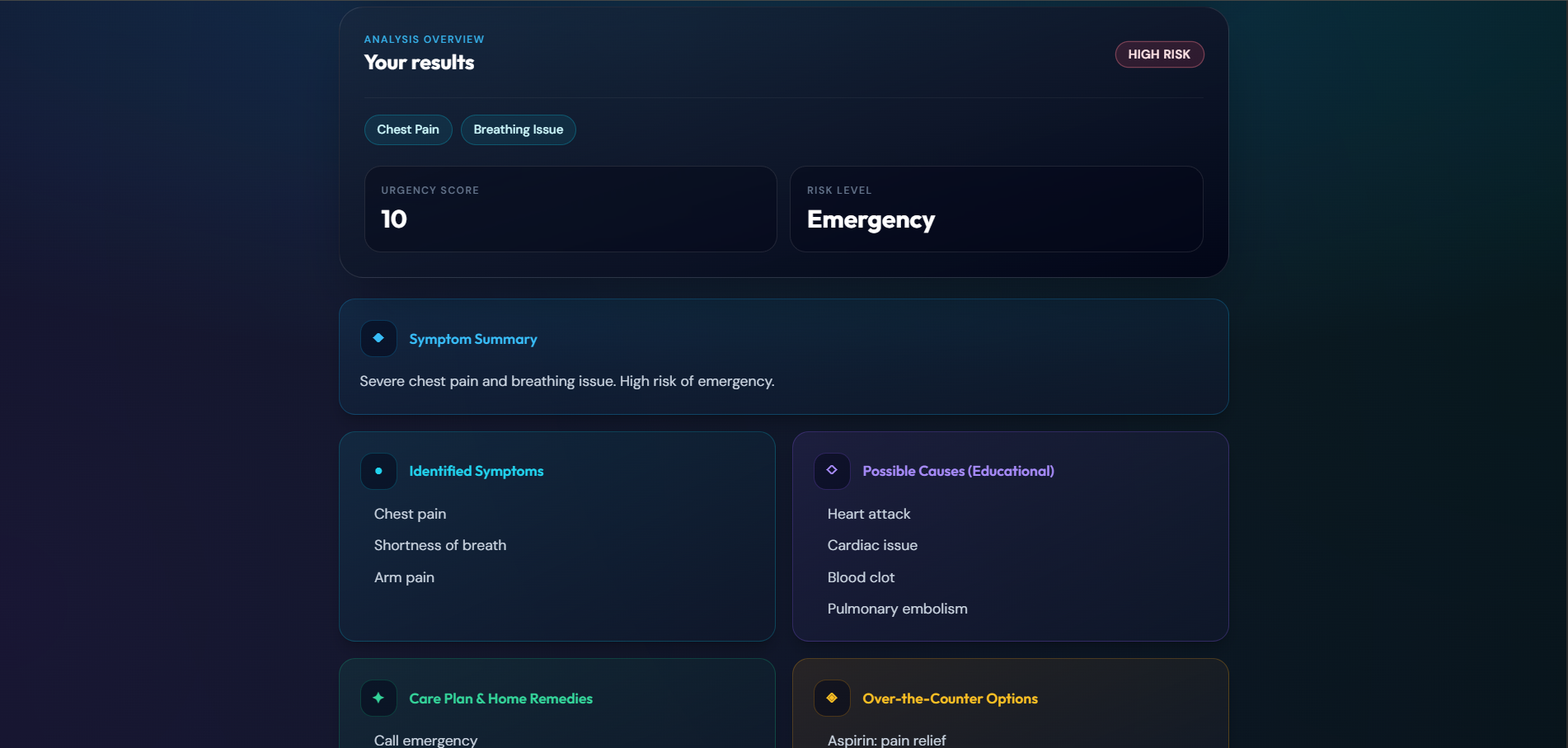
symptom-analyzer is a web application that takes free-form symptom text from a user and returns a structured health report (including severity, symptoms list, and advice broken into sections). It consists of:
- A Flask backend API (served from
backend/) that exposes endpoints such asGET /,GET /health, andPOST /analyze(registered via theroutes.analyzeblueprint). - A React + Vite frontend (under
frontend/) that collects input, calls the backend, and renders results with styled components.
The backend also reports on the availability/config of an external LLM service (Groq), which the frontend can surface indirectly (e.g., “LLM status” on the index route).
Key Features
- Symptom text input in the UI with disabled/loading states while analysis runs.
- Backend API:
GET /index endpoint that returns service metadata plus Groq availability/config status.GET /healthhealth check including Groq availability.POST /analyzeendpoint (wired fromroutes.analyze) for producing analysis output.
- Structured result rendering on the frontend:
- Severity badge (
MILD,MODERATE,HIGH) - Symptoms list (with fallback when none are detected)
- Metric tiles for
score(“Urgency score”) andrisk_level. - Report sections parsed from a generated report text
- Severity badge (
- Report parsing utilities:
- Frontend parses markdown-style sections using
##headers - Filters out sections whose title contains “disclaimer”
- Handles plain text input by returning a single “Health report” section
- Frontend parses markdown-style sections using
- Emergency risk alert in the UI:
- If
result.risk_level === "emergency", the app prompts the user to call emergency services.
- If
Tech Stack
Backend
- Flask — web server and API framework
- flask-cors — enables CORS for configured origins
- python-dotenv — loads environment variables from a
.envfile - requests — used for outbound HTTP calls (e.g., to LLM providers / external services)
Frontend
- React (Vite + ES Modules build)
- Vite — development server and bundler
- TailwindCSS (via PostCSS/autoprefixer) — styling
- UI components for report rendering, badges, loader, input, and cards
- API client abstraction for backend communication
Project Architecture
Entry points & app bootstrapping
Top-level
app.py- Sets default environment variables related to Flask routing:
SERVER_NAMEPREFERRED_URL_SCHEMEAPPLICATION_ROOT- Ensures
backend/is available onsys.path - Dynamically loads
backend/app.pyand extracts: appapplication- Exposes these for external imports (
__all__)
backend/app.py- Provides
create_app()which builds and configures the Flask application: - Loads configuration from environment variables with a prefix
- Enables CORS for configured origins
- Registers the
routes.analyzeblueprint (adds/analyze) - Adds:
GET /index endpoint with metadata + Groq status (availability, whether key is set, model name)GET /healthhealth check including Groq availability
- Instantiates the app (
appandapplication) - Adds a test request context so
url_forcalls work outside a live request - When executed directly, prints a startup message and runs Flask on:
127.0.0.1:5000in debug mode
- Provides
Frontend flow (from input to rendered report)
frontend/src/pages/Home.jsx- Renders the “Symptom Text Analyzer” page
- Wires
InputBoxsubmission to theuseAnalyzehook - Shows
Loaderwhile requests are in-flight - Displays error messages when analysis fails
- Renders
ResultCardwhen the analysis result is available - Checks for
"emergency"risk and displays an emergency alert
frontend/src/hooks/useAnalyze.js- Manages
result,loading, anderrorstate - Provides:
analyze(text)→ calls the API client and stores the responsereset()→ clears result/error
- Manages
API client:
frontend/src/services/api.jsAPI_BASEfromVITE_API_URL(defaulthttp://127.0.0.1:5000)analyzeText(text):POSTto${API_BASE}/analyzewith JSON body{ text }- parses JSON response
- throws on request/HTTP errors
fetchOllamaStatus():GET /ollama/status(returns parsed JSON on success, otherwisenull)- Note: availability errors are handled gracefully
Result rendering
ResultCard.jsx- Displays severity, symptoms, urgency score, and risk level
- Parses
data.llm_adviceusingparseReportSections. - Renders each section using
ReportSectionCard. parseReport.js- Splits markdown report text by
##headers - Extracts title/body until next header
- Removes
(Educational — Not a Prescription)from titles - Filters out sections containing
"disclaimer" - Returns
[]for empty input and a default “Health report” section for plain text ReportSectionCard.jsx- Chooses visual theme based on section
title. - Formats bullet-like text as
<ul>, otherwise as paragraphs - Adjusts width/layout for certain titles (e.g., “summary”, “disclaimer”)
- Supporting components:
SeverityBadge.jsx(maps severity to label and Tailwind classes)InputBox.jsx(textarea + submit button, disabled while loading)Loader.jsx(loading animation/message)
Installation / Usage (Placeholder)
Exact commands are not provided by the file summaries. Use the following placeholders as a starting point.
Backend
- Navigate to
backend/. - Install dependencies from
backend/requirements.txt. - Configure environment variables (optionally via
.env) - Start the backend (via the repository’s entry
app.py/ or runningbackend/app.py)
Frontend
- Navigate to
frontend/. - Install dependencies (
npm installor equivalent) - Set
VITE_API_URLif your backend is not athttp://127.0.0.1:5000 - Run in development mode (
npm run dev) - Build/preview when needed (
npm run build,npm run preview)
Environment Variables (Inferred Placeholder)
The backend uses environment variables for Flask routing and LLM/provider configuration. The entry points mention (at least) these routing defaults:
SERVER_NAMEPREFERRED_URL_SCHEMEAPPLICATION_ROOT
The frontend uses:
VITE_API_URL(defaulting tohttp://127.0.0.1:5000)
The backend also reports Groq configuration on GET / and GET /health, indicating Groq-related environment variables exist (exact names are not included in the provided summaries).
Endpoints Summary (Inferred)
GET /- Service metadata + Groq status (availability, key set, model name)
GET /health- Health check including Groq availability
POST /analyze- Accepts symptom text (frontend sends
{ text }) - Returns analysis data consumed by
ResultCard. - Expected fields (inferred from UI usage):
severitysymptomsscorerisk_levelllm_advice(used for section parsing)
- Accepts symptom text (frontend sends
This README was generated with PresentMe. View the full presentation here.


Log in or sign up for Devpost to join the conversation.