-
-
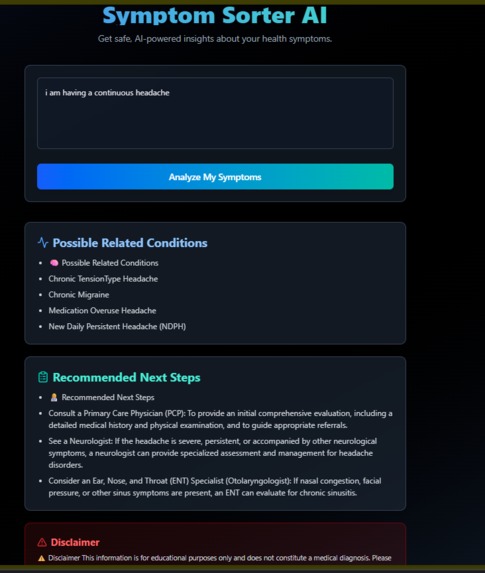
Simple User Friendly UI
Project Story 🌟 About the Project
The Symptom Sorter AI was inspired by the need for a simple, educational, and accessible tool that helps people better understand their health symptoms without crossing into diagnosis territory. Many individuals hesitate before visiting a doctor because they don’t know whether their symptoms are serious. Our AI-driven tool provides guidance, awareness, and triage-like suggestions — while emphasizing a strong medical disclaimer.
This project was an opportunity to blend healthcare support with cutting-edge generative AI, focusing on safe prompt engineering and human-centered UX design.
💡 Inspiration
The inspiration came from observing how people often:
Search their symptoms online (sometimes leading to anxiety or misinformation).
Struggle to decide whether to see a doctor and which type of doctor to consult.
We wanted to design a system that could bridge the gap between symptom awareness and medical consultation, providing structured insights in an accessible way.
🛠️ How We Built It
Frontend: Built with Next.js (App Router) and styled with TailwindCSS for responsiveness and a modern UI.
AI Model: Integrated Gemini 2.5 Flash through the generateContent API endpoint.
Prompt Design: Used a cautious triage prompt to enforce safety and prevent accidental “diagnoses.”
Output Handling:
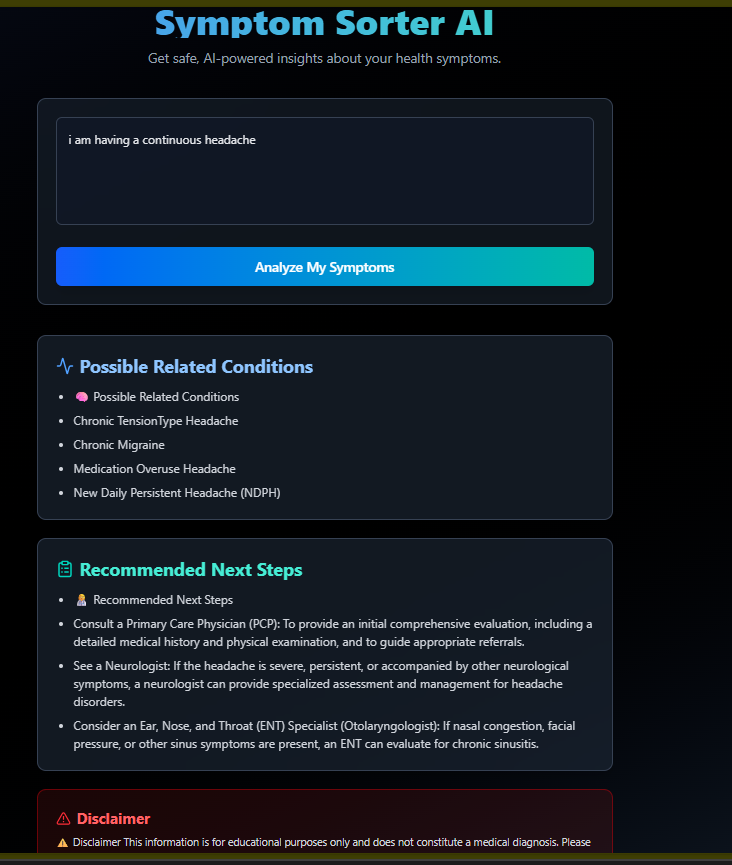
Parsed AI output into structured sections (conditions, next steps, disclaimer).
Implemented fallback placeholders for missing AI responses.
Added Framer Motion animations for a smooth UX.
Environment Variables: Secured API key using .env.local (NEXT_PUBLIC_GEMINI_API_KEY).
📚 What I Learned
How to safely prompt generative AI in healthcare contexts.
Techniques for parsing unstructured LLM outputs and converting them into structured UI-friendly content.
The importance of UI/UX in medical-facing tools — clarity, animations, and structured points reduce user confusion.
How to integrate Gemini API directly with fetch in a Next.js client environment.
⚔️ Challenges Faced
AI Safety: Ensuring the model didn’t give medical diagnoses.
Solved with strict prompt formatting and fallback disclaimers.
Output Formatting Issues:
The AI sometimes returned incomplete or misnumbered lists.
Fixed by parsing responses, padding missing points with "Not provided by AI", and ensuring consistent numbering.
API Integration:
The @google/generative-ai SDK caused client-side fetch errors.
Solved by directly using fetch with X-goog-api-key.
UI/UX Polish:
Raw AI text looked messy.
Solved by using bullet points, icons, animations, and gradient styles to make the results engaging.


Log in or sign up for Devpost to join the conversation.