-
-
Name & Logo
-
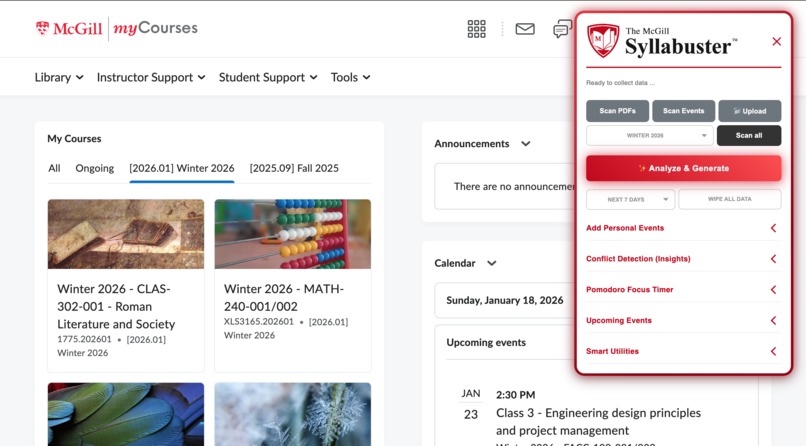
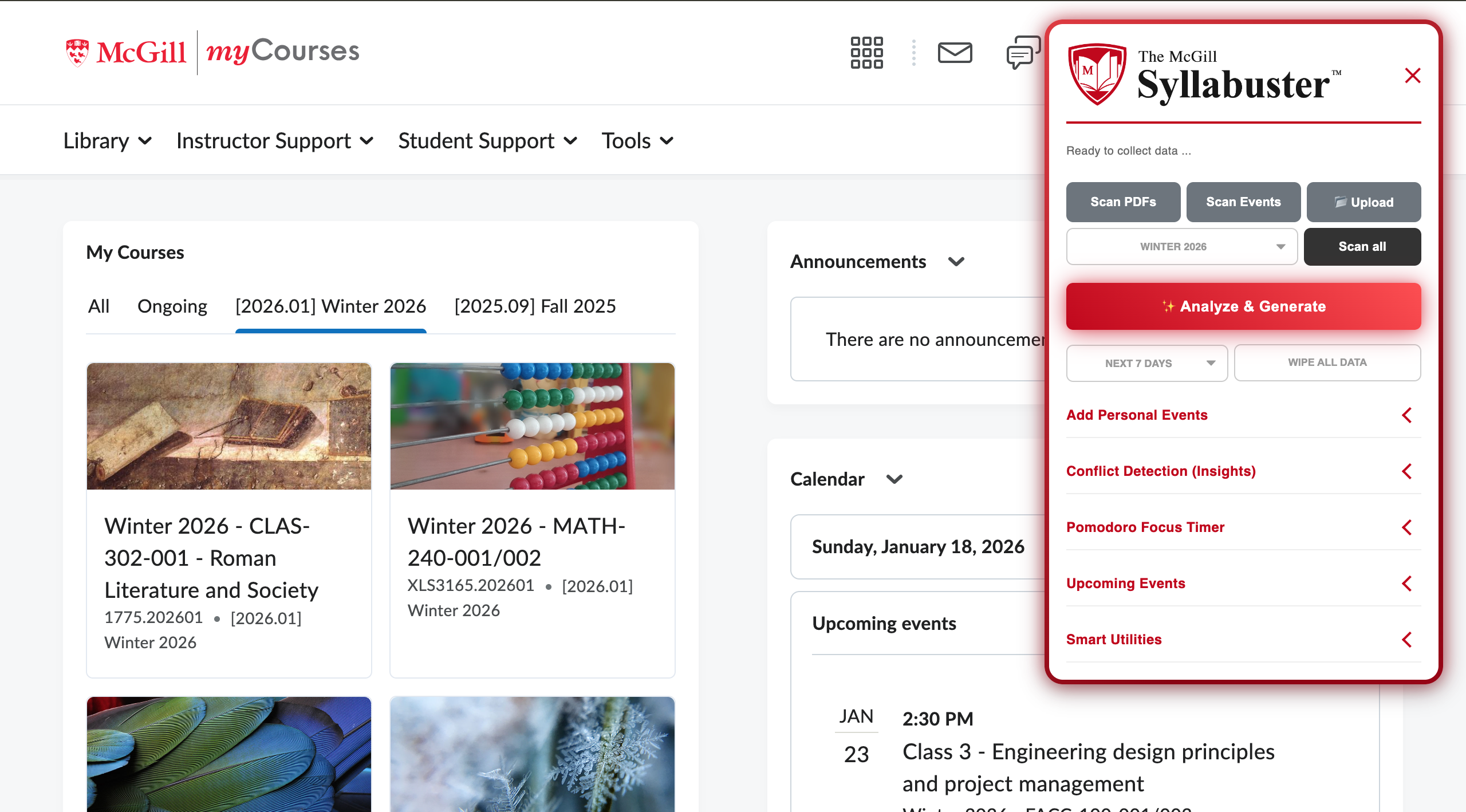
Demo of UI interface
Syllabuster: Bust the Syllabus, Build the Schedule
About the Project
Syllabuster is an intelligent Chrome Extension designed to liberate McGill students from the tedious "Syllabus Week" grind. Instead of manually scouring through dozens of 20-page PDFs to find midterms and assignment dates, Syllabuster automates the entire process. It crawls MyCourses, extracts text from course documents using AI, and compiles every deadline into a structured, centralized Master Study Pack.
Inspiration
Every semester, thousands of students spend hours performing manual data entry—downloading PDFs, scrolling to the "Evaluation" section, and typing dates into their calendars. We saw this as a massive gap in student productivity. We were inspired to build a tool that treats a syllabus not as a static document, but as a data source that can be "busted" open and synced directly to a student's workflow.
How We Built It
We built Syllabuster using a combination of web scraping, client-side document processing, and AI orchestration:
- The Scraper: The extension uses a content script to interface with the MyCourses. By targeting the "Table of Contents" data, we can programmatically identify every PDF file associated with a course.
- The "Buster": We integrated PDF.js to process documents directly in the browser. This allows us to extract raw text from course materials without requiring the user to upload files to an external server.
- The Brain: The extracted text is sent to Gumloop, an AI automation platform. We designed a custom pipeline that parses messy syllabus text to identify specific events, grade weights, and deadlines.
Challenges We Faced
- Unstructured PDF Chaos: Syllabuses are notoriously inconsistent. Some use tables, others use bullet points, and some are just images. Fine-tuning the AI prompts to ignore "Policy Fluff" (like academic integrity statements) and focus strictly on "Deadline Data" required significant iteration.
- Security Constraints: Working within the modern Chrome Manifest V3 environment presented hurdles, particularly regarding how scripts interact with PDF worker files and cross-origin permissions on McGill’s servers.
- Data Volume: Syllabuses are text-heavy. We had to implement smart truncation strategies to ensure we were sending the most relevant parts of the document to the AI to avoid hitting processing limits while still maintaining accuracy.
What we Learned
This project taught us that the most effective tools are the ones that meet users where they already are. By building Syllabuster as a layer on top of MyCourses, we learned how to bridge the gap between a legacy learning management system and modern AI tools. We also gained experience in handling "noisy" data and turning it into something structured and useful.
What’s Next for Syllabuster
Our goal is to make the transition from MyCourses to a student's calendar even more seamless. We plan to add:
- Direct Export: One-click syncing to Google Calendar, Outlook, and Notion.
- Priority Ranking: An AI feature that ranks assignments based on their grade weight and the time remaining until the deadline.
- Academic Calendar Support: Expanding the scraper to extract dates from McGill's Academic calendar and include them in the schedule.
If there's something strange, in your syllabus... who you gonna call?
- Syllabuster!
Built With
- chrome-manifest-v3
- chrome-storage-api
- css3
- d2l-valence-api
- gumloop-ai
- html5
- javascript
- json
- leveraging-pdf.js-for-text-extraction
- pdf.js
- the-d2l-api-for-course-crawling


Log in or sign up for Devpost to join the conversation.