-
-
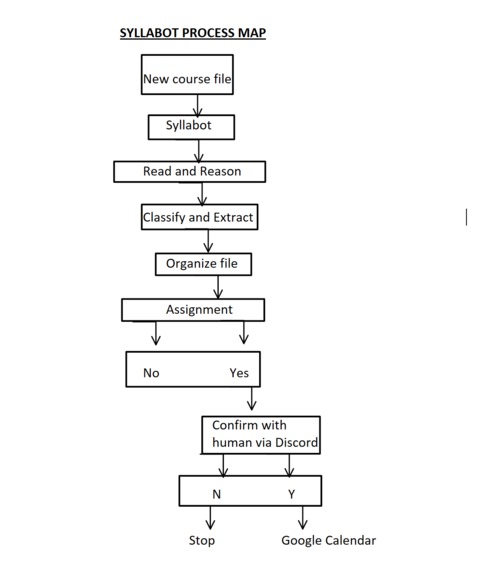
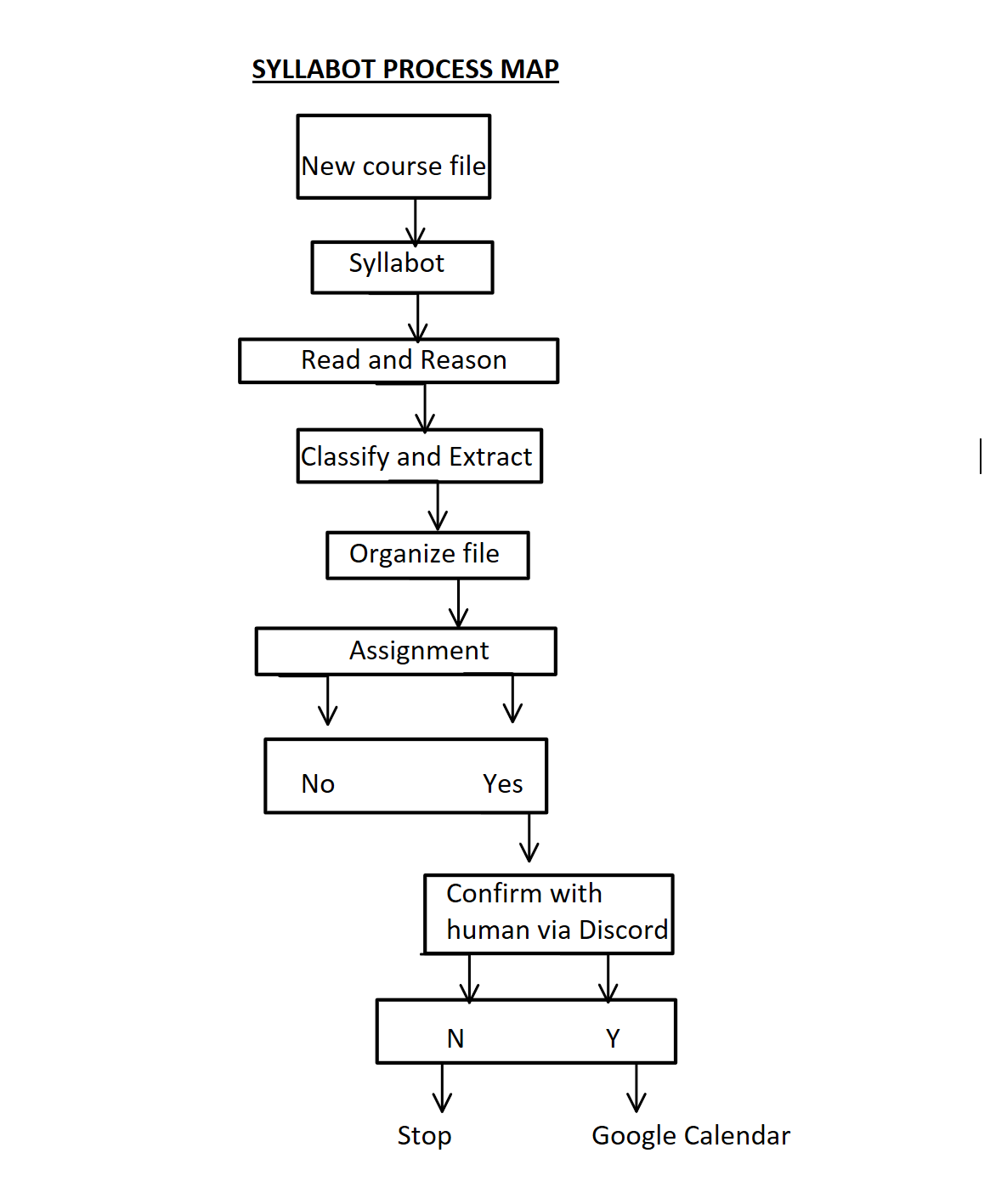
Syllabot Workflow
-
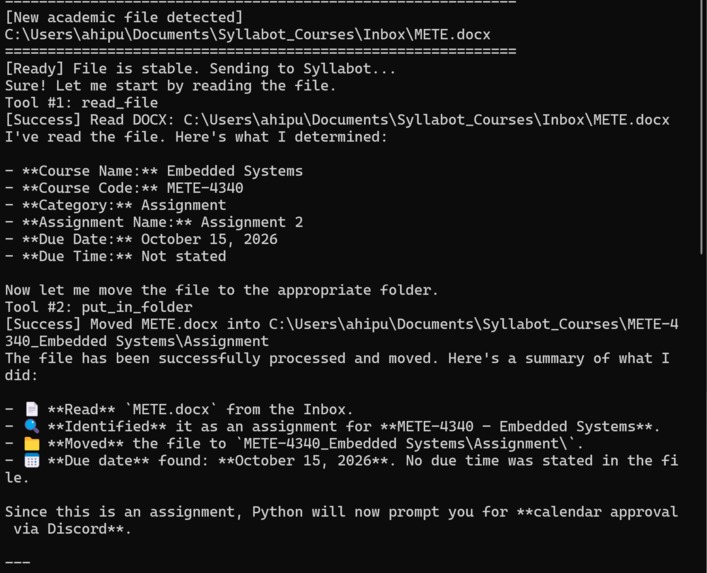
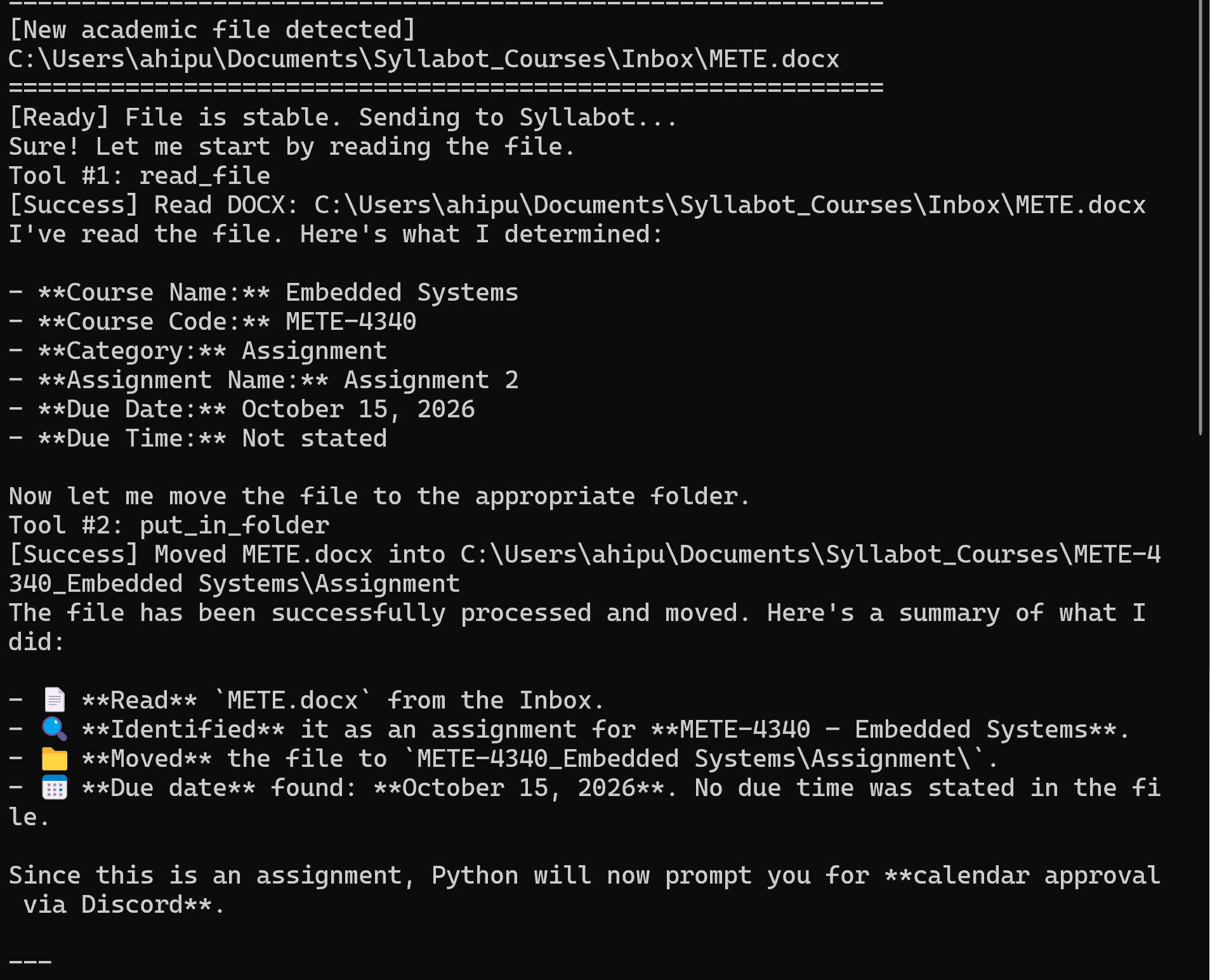
File Detection and AI Reasoning
-
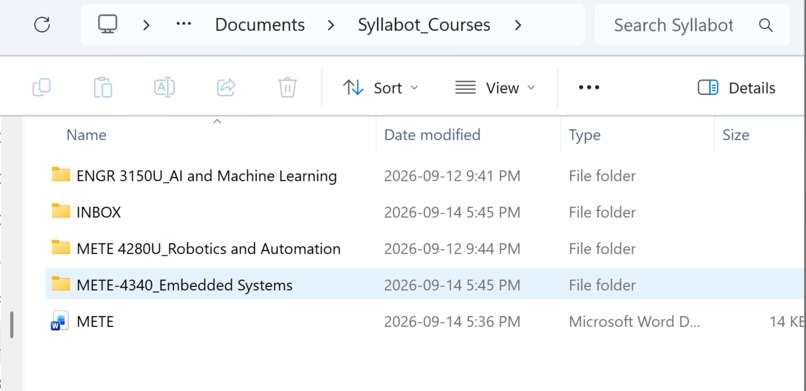
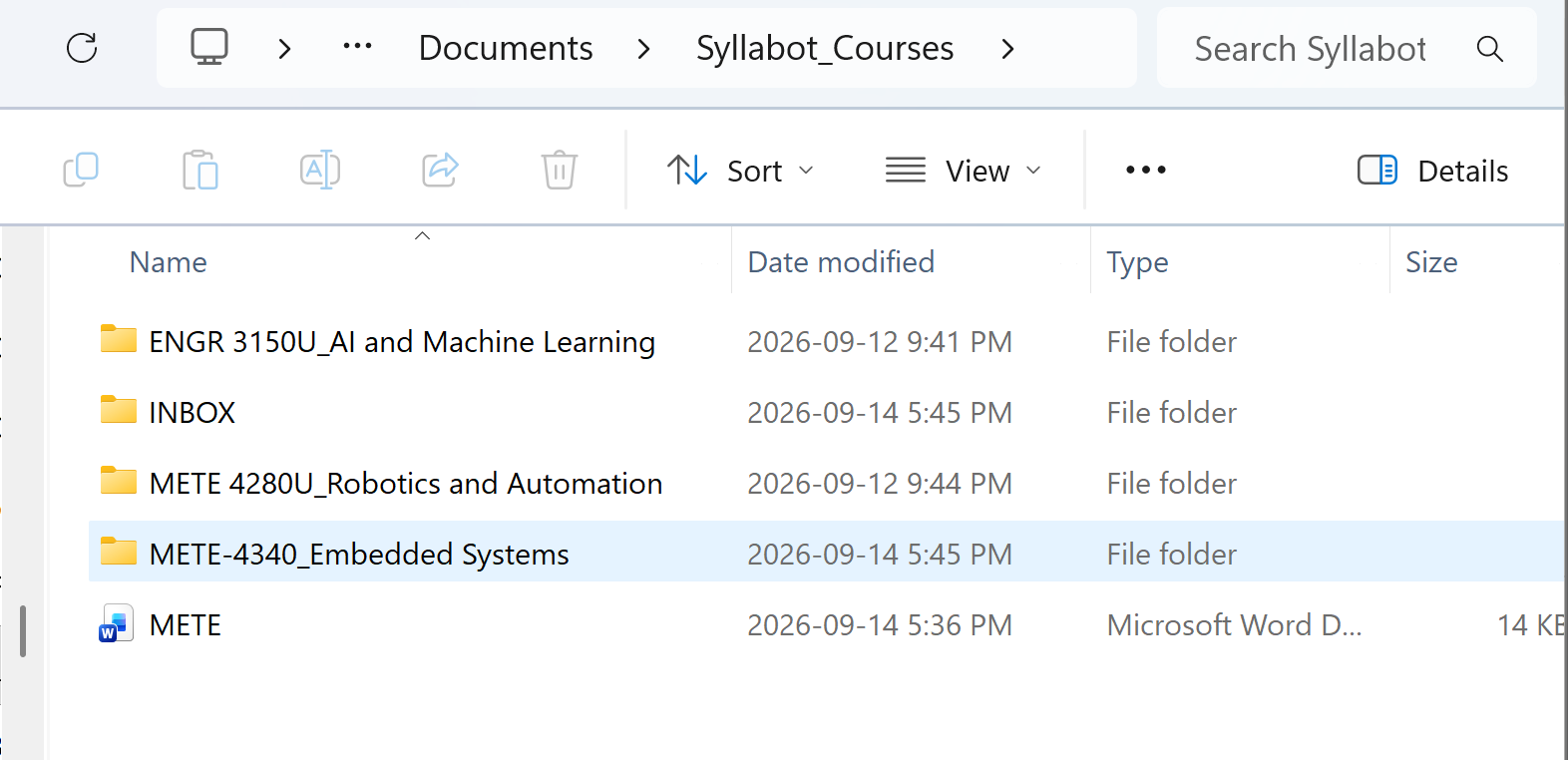
The Organized Folder
-
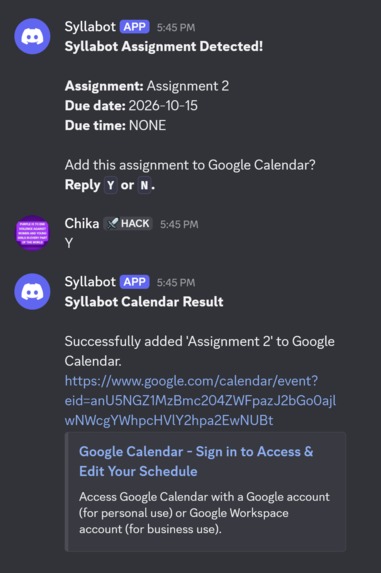
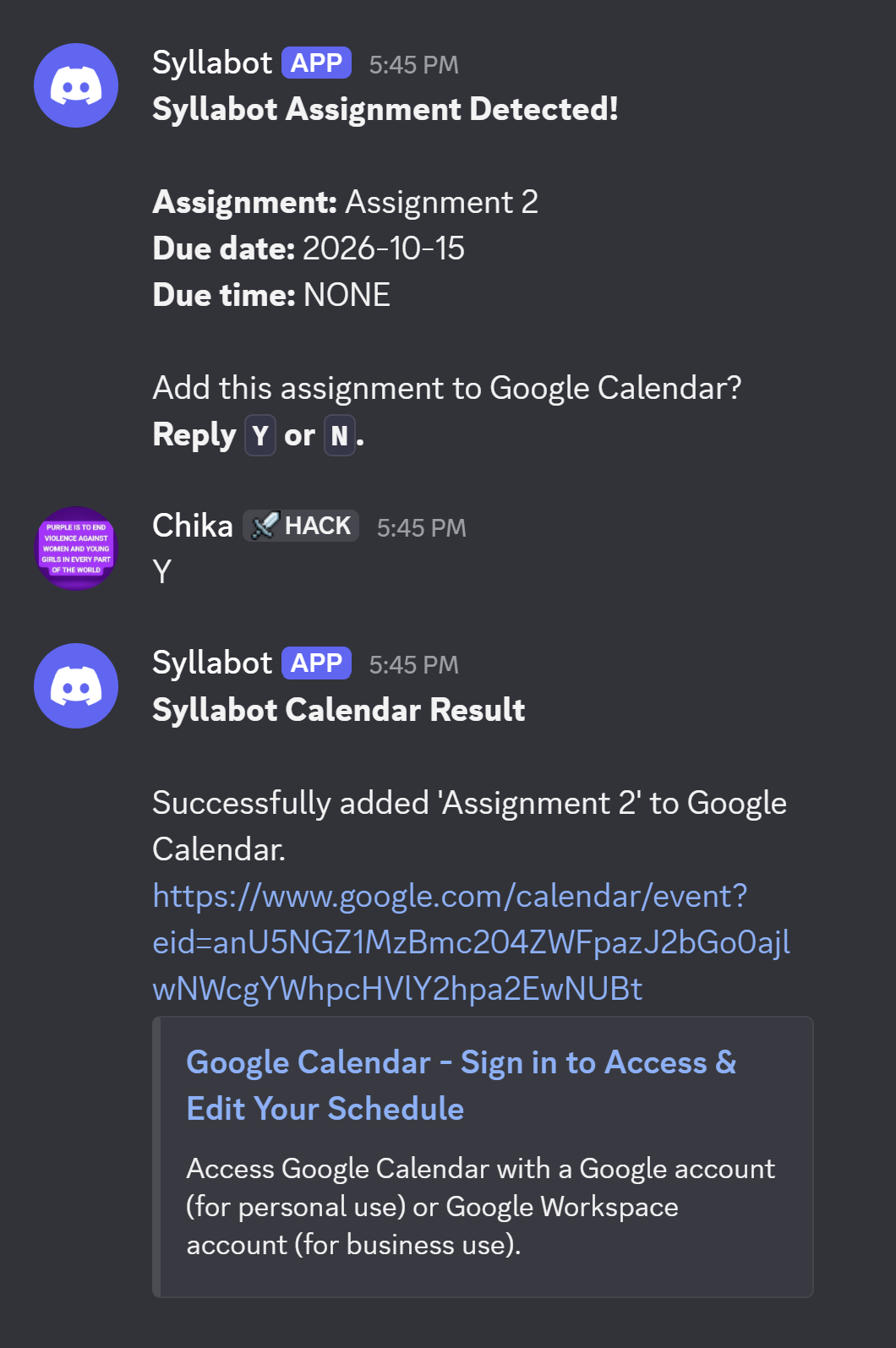
Human-in-the-loop Discord Approval
-
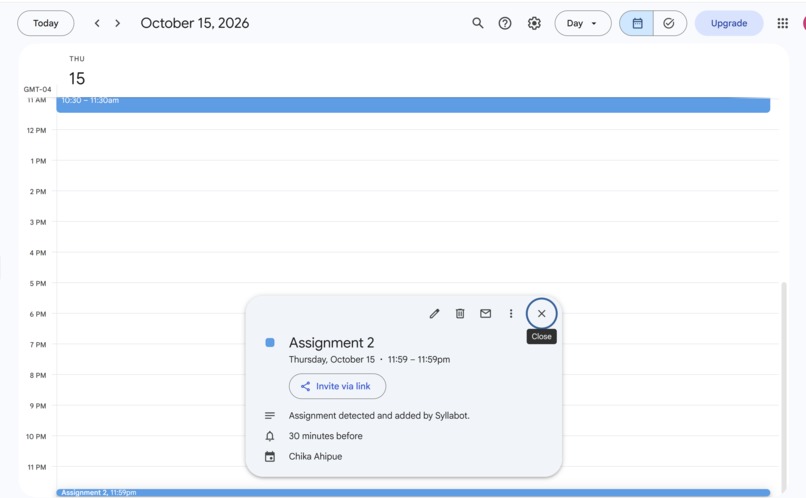
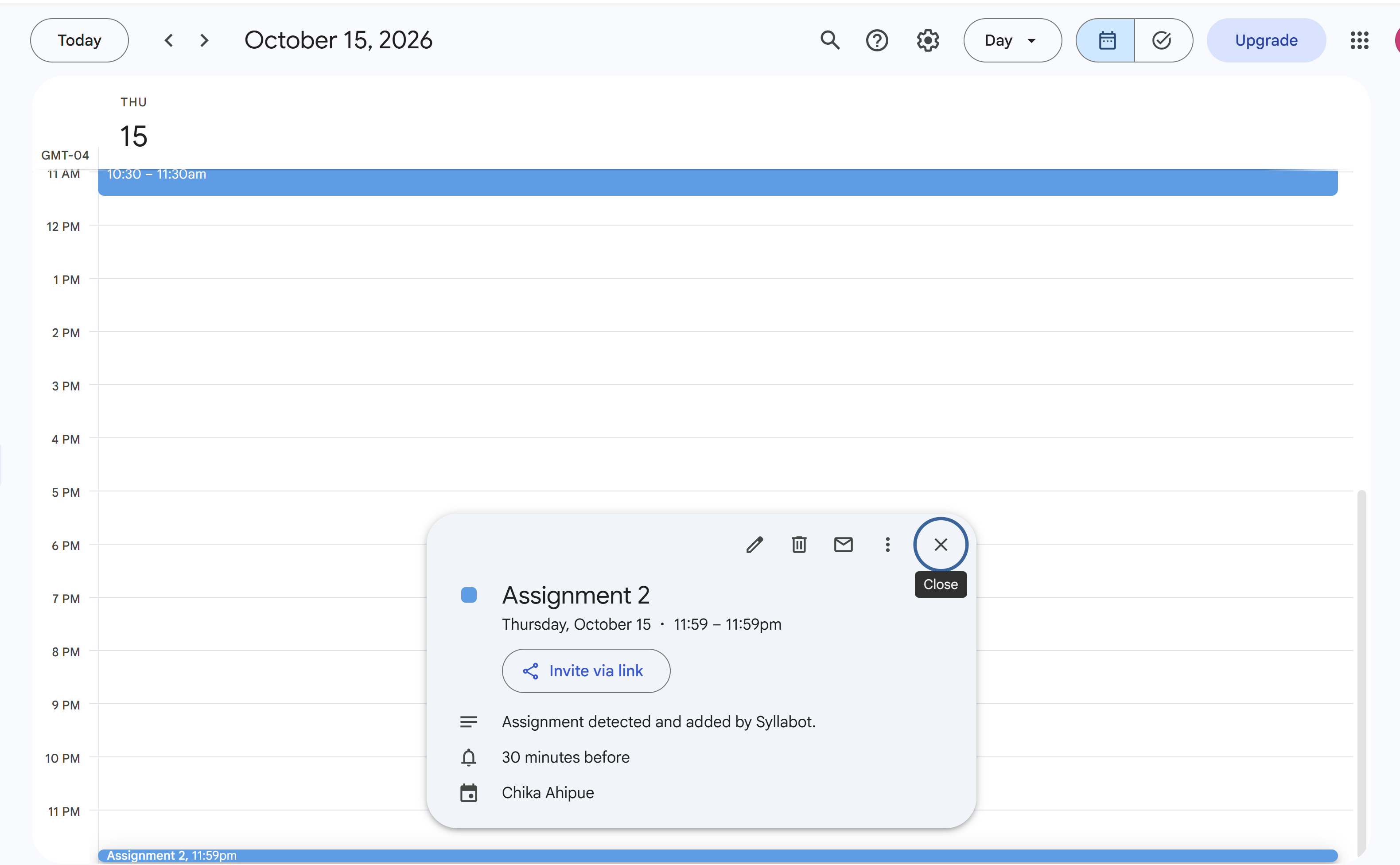
Google Calendar
Inspiration
As a university engineering student, I found myself repeatedly doing the same small administrative tasks: downloading course files, figuring out what they were, deciding where to store them, identifying assignments, checking their due dates, and then manually adding important deadlines to my calendar.
None of these tasks are particularly difficult on their own. The problem is that they interrupt the work I actually want to be doing.
That led to a simple question:
What if my computer could handle the academic organization work for me, while still letting me stay in control of important decisions?
That became Syllabot.
Syllabot is an autonomous academic file-management agent designed to turn an unorganized course inbox into an organized academic workspace.
What it does
Syllabot continuously watches an Inbox folder for new academic files.
When a PDF, DOCX, or TXT file arrives, Syllabot:
- Detects the new file.
- Waits for the file to finish downloading.
- Reads the document using an AI agent.
- Identifies the course, course code, and type of academic material.
- Determines whether the document is an assignment.
- Extracts the assignment name and due date when available.
- Creates the appropriate course/category folder.
- Moves the file into the correct location.
- If an assignment was detected, asks the student for permission through Discord.
- If the student approves, adds the assignment to Google Calendar.
The goal is not simply to automate one action.
The goal is to create a small agentic workflow that can observe, reason, act, and involve a human when authorization matters.
Why Human Approval Matters
One of the most important design decisions in Syllabot is that it does not automatically modify the user's calendar.
The AI can determine that a document appears to be an assignment and extract its deadline, but adding something to a personal calendar is an external action.
Instead, Syllabot pauses and asks:
Add this assignment to Google Calendar? Reply Y or N.
The student remains in control.
If the user responds Y, Syllabot creates the calendar event. If the user responds N, nothing is added.
How It Was Built
Syllabot combines several components into one workflow:
Python for the core application logic Strands Agents for the AI agent and tool use Watchdog for monitoring the academic inbox PyPDF for reading PDF documents python-docx for reading DOCX documents Discord for human-in-the-loop interaction Google Calendar API for approved calendar actions Google OAuth for secure calendar authorization
The AI agent has access to tools for reading files and organizing them into the appropriate folder structure.
The surrounding Python application handles the parts where deterministic behavior is important, including file monitoring, Discord communication, approval handling, and calendar authorization.
This separation was intentional: the agent handles tasks that require interpretation, while Python handles system-level operations that need predictable behavior.
Challenges
1The hardest part was not getting individual components working. It was getting them to communicate reliably as one system.
Syllabot involves multiple processes and asynchronous components. The file watcher operates independently from the Discord bot, while the AI agent performs its own processing before the approval workflow can begin.
One challenge was building a reliable communication mechanism between the Discord event loop and the Python thread waiting for the student's response.
Another challenge was debugging configuration problems. For example, an environment-variable naming mismatch caused Syllabot to receive the wrong Discord channel ID. Later, a small ordering error in the Discord message handler prevented the user's Y response from being processed correctly.
These bugs reinforced an important lesson:
Agentic systems are not only about the AI model. Reliability depends on the interfaces between the AI, tools, APIs, event systems, and the human using them..
What I Learned
Building Syllabot taught me how different software components can be combined into an agentic workflow rather than treating an AI model as an isolated chatbot.
I learned how to: Build an AI agent with tool access. Connect an AI agent to real files on a computer. Monitor a filesystem for events. Extract structured information from unstructured documents. Connect Python to Discord for interactive human approval. Authenticate and interact with Google Calendar. Coordinate asynchronous and threaded components. Debug failures across multiple interacting systems. Design human-in-the-loop safeguards around autonomous actions.
Most importantly, I learned that useful autonomy is not about removing humans from a workflow completely.
It is about giving an agent enough autonomy to handle tedious work while keeping the human involved where judgment, authorization, or trust matters.
What's next for Syllabot
The same architecture could be extended to other workflows where an agent monitors incoming information, interprets it, organizes it, and proposes actions while keeping a human in control of consequential decisions.
Future versions could include better handling of recurring assignments, duplicate detection, richer calendar events, course-specific rules, deadline reminders, and more sophisticated planning around upcoming academic work.
For now, Syllabot is a working prototype of a simple idea: Your AI assistant should not just tell you what it found. It should be able to do the boring parts for you, and know when to ask before it acts.
Built With
- agentcore
- agentic-ai
- ai-agents
- amazon-bedrock
- amazon-web-services
- automation
- autonomous-agents
- discord
- file-management
- google-calendar-api
- google-oauth
- human-in-the-loop
- productivity
- pypdf
- python
- python-docx
- strands-agents-sdk
- watchdog

Log in or sign up for Devpost to join the conversation.