
Lumino - The Smart Productivity Extension
Inspiration
The inspiration for Lumino was born out of the daily struggles of college students who juggle classes, assignments, and endless streams of notes and information. As a student myself, I realized how overwhelming it can be to manage scattered ideas, summarize dense articles, and organize notes effectively. My goal was to develop an extension that empowers users to distill information, save useful content, and interact with an AI assistant for help—all while maintaining a clean and simple interface.
What it does
Lumino is a productivity-boosting browser extension that empowers college students to stay organized and focused:
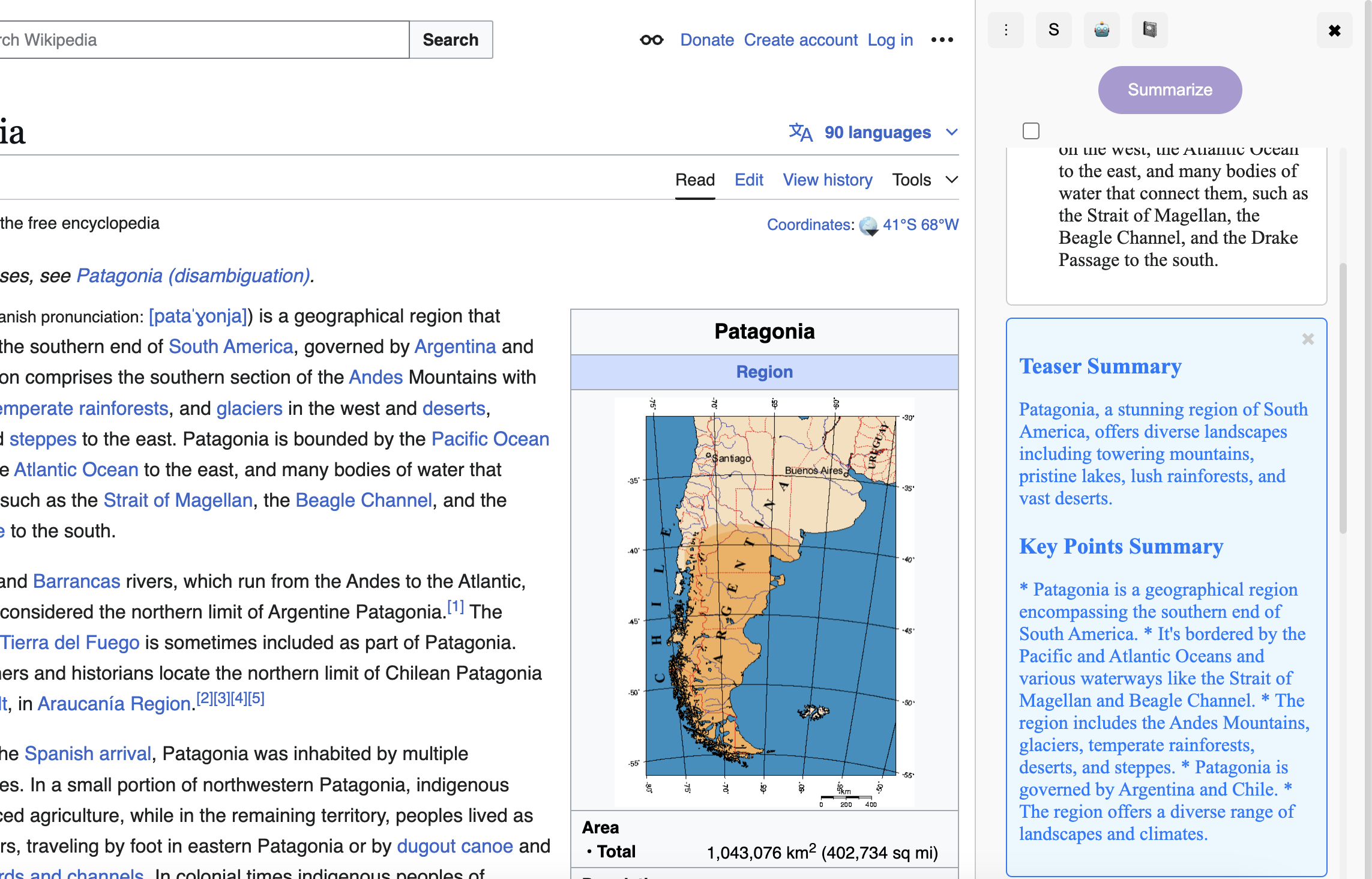
- Summarization Made Easy: Select complex text, and Lumino distills it into concise summaries.
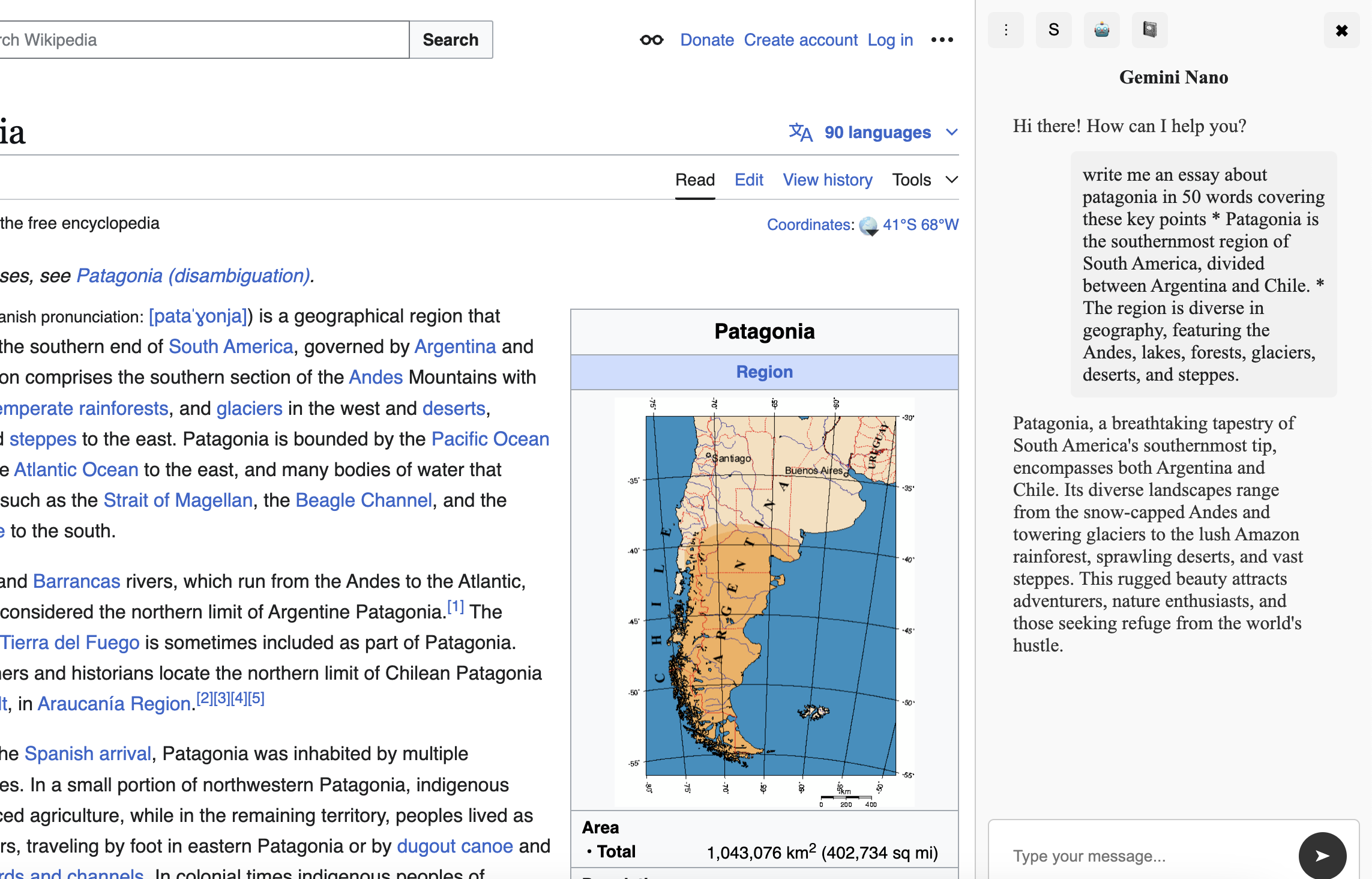
- AI Conversations: Ask an AI assistant for explanations, summaries, or quick insights directly within the browser.
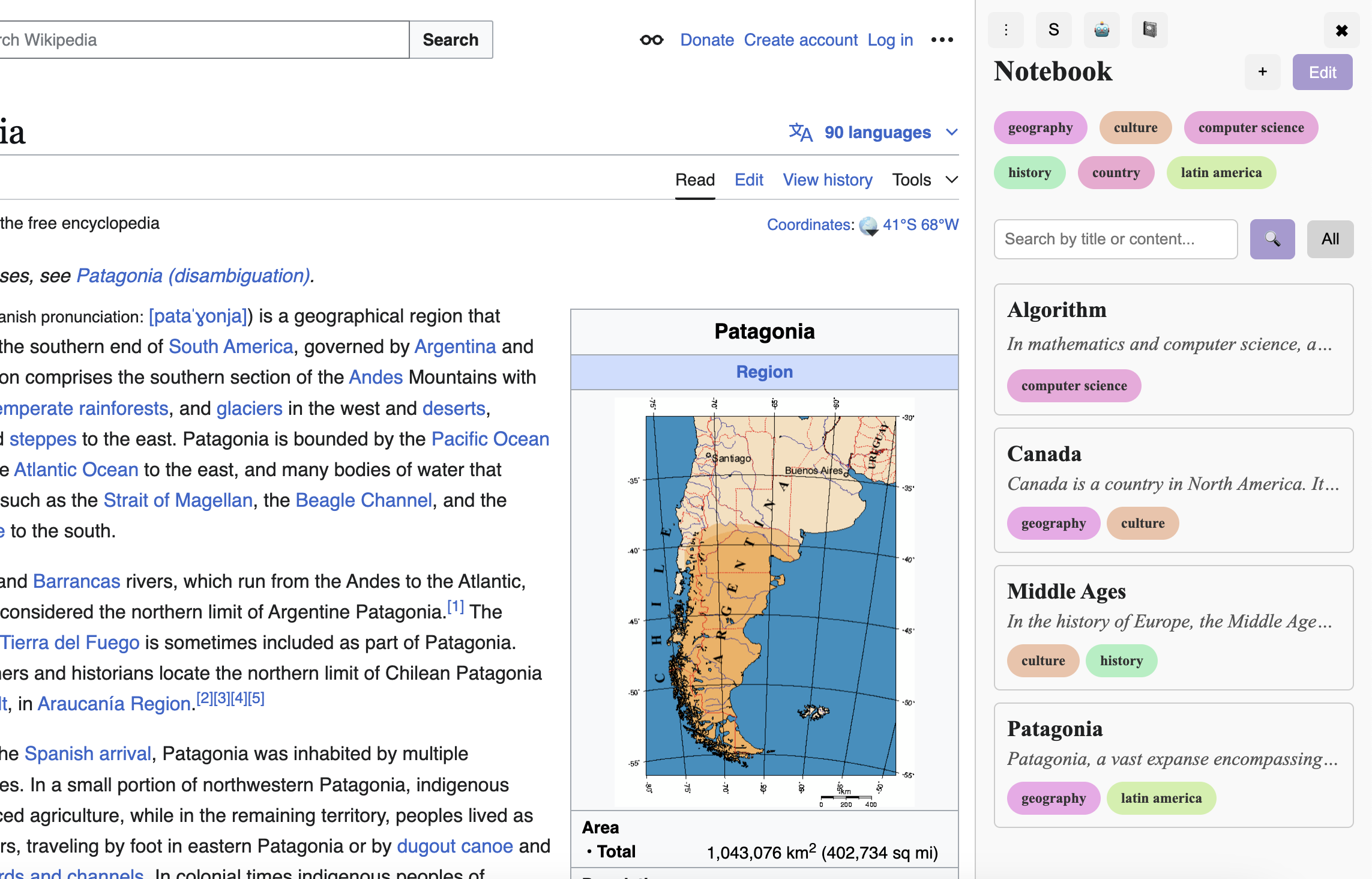
- Tag and Organize: Save content snippets and tag them for easy categorization and retrieval.
- Smart Notebook: Automatically organizes saved content and notes into a streamlined interface for studying and project work.
- Dynamic Tooltip: A simple tooltip appears when text is selected, offering options to summarize or save content in one click.
How I built it
Frontend:
- HTML, CSS, and JavaScript were used to create the interactive and responsive UI.
- Shadow DOM ensured encapsulated styles for tooltips and pop-ups.
- Dynamic tooltips allow users to access key features directly from any webpage.
Backend:
- Integrated with the Gemini Prompt API for summarization and conversational capabilities.
- Chrome Extension APIs were used to manage local storage and provide persistent data across sessions.
Minimalistic Design:
- Focused on user-centric design with large buttons, high-contrast text, and simple workflows.
- Hover effects and animations were added to improve navigation and provide visual feedback.
Challenges I ran into
- Efficient Summarization: Balancing API usage while ensuring accurate and concise summaries for diverse content was a challenge.
- Scalability: Managing local storage efficiently to handle a growing number of tags, entries, and conversation history without compromising performance.
- Ensuring Accessibility: Designing an interface that caters to a wide range of users required careful consideration of font sizes, colors, and workflows.
Accomplishments that I am proud of
- Real-Time Updates: Built a tagging and notebook system that reflects changes instantly and organizes information effortlessly.
- Seamless User Experience: Designed a tooltip system that integrates into any webpage, offering instant access to summarization and saving features.
- Dynamic Tooltip: Created a lightweight, responsive tooltip that makes saving and summarizing content intuitive and quick.
What I learned
- User-Centric Design: Designing for college students taught us the importance of balancing functionality and simplicity in a high-pressure academic environment.
- Scalable Architecture: Building a modular and scalable Chrome extension required careful planning and optimization.
- AI Integration: Leveraging APIs like Gemini to enhance user experience while managing performance constraints was a valuable learning experience.
What's next for Lumino
- Collaboration Features: Enable students to share notes and collaborate on projects within the extension.
- Advanced AI Insights: Introduce context-aware recommendations for better research and study organization.
- Mobile Integration: Expand Lumino to mobile browsers, ensuring students can stay productive on any device.
- Custom Workflows: Allow users to create personalized workflows for saving, tagging, and summarizing content.
- Offline Mode: Add offline support for saving and viewing notes without an internet connection.

Log in or sign up for Devpost to join the conversation.