-
-

Home Page, where the quick quizzes are viewed
-
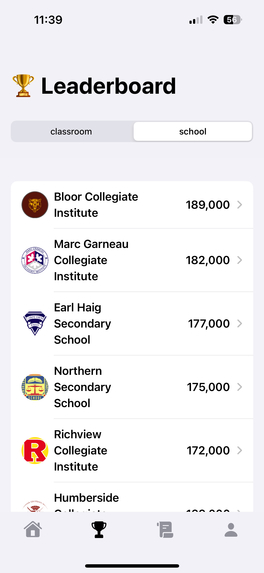
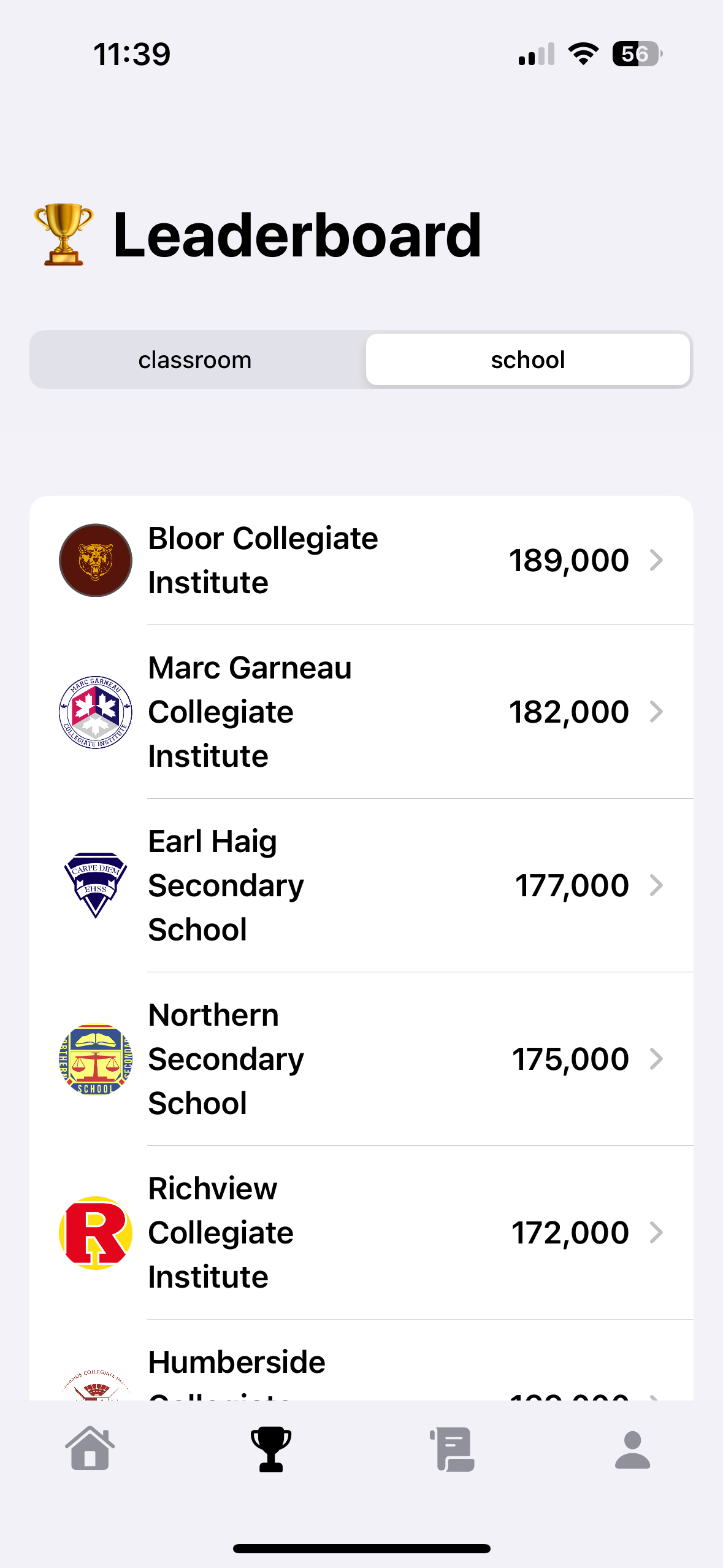
Inter-school leaderboard
-
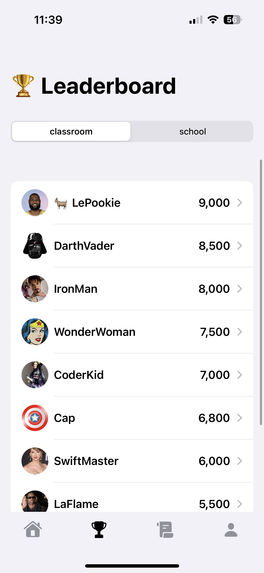
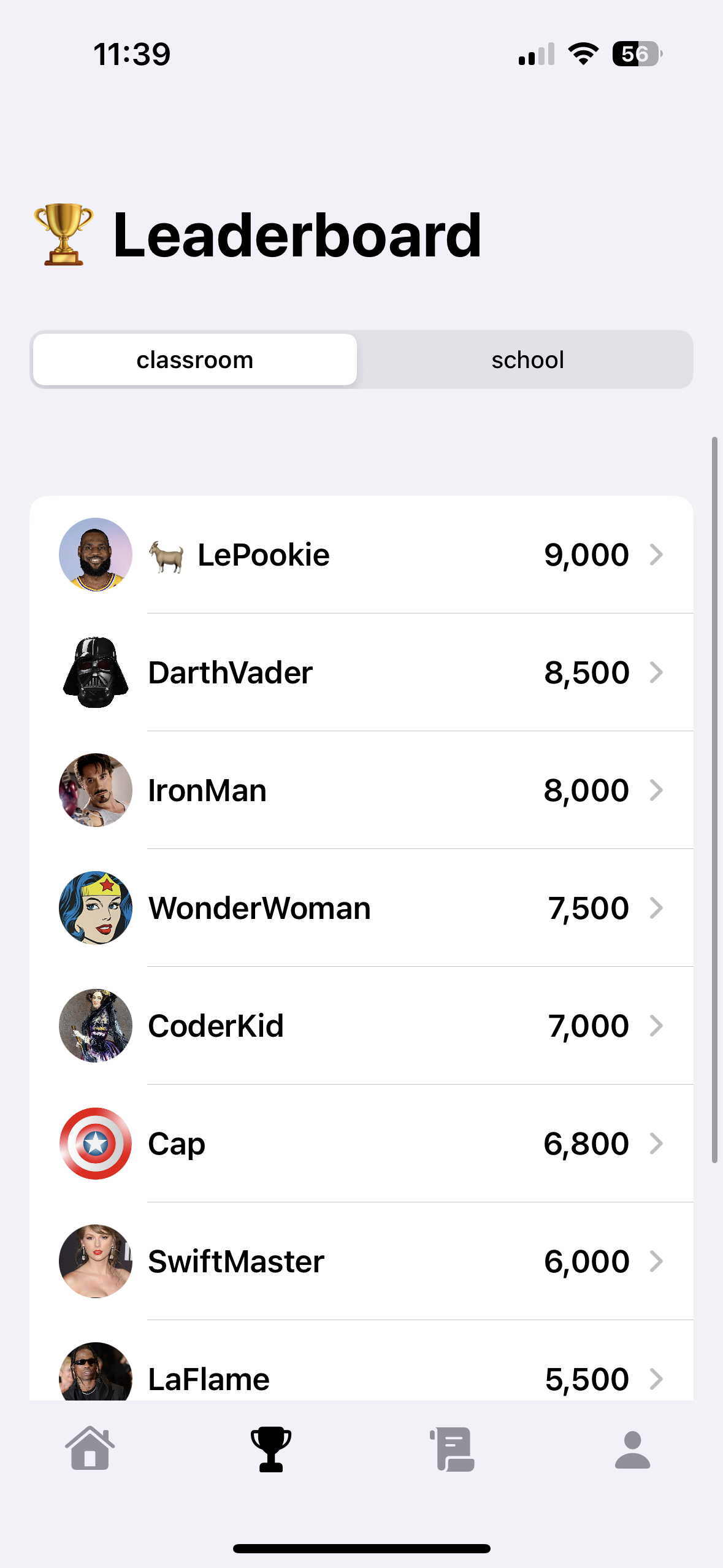
In-class leaderboard
-
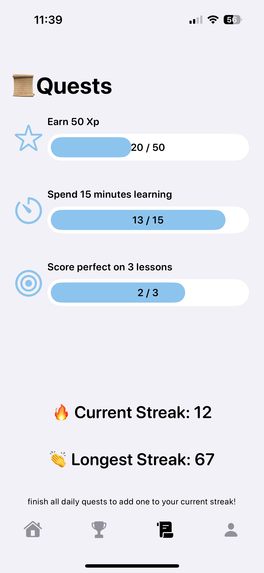
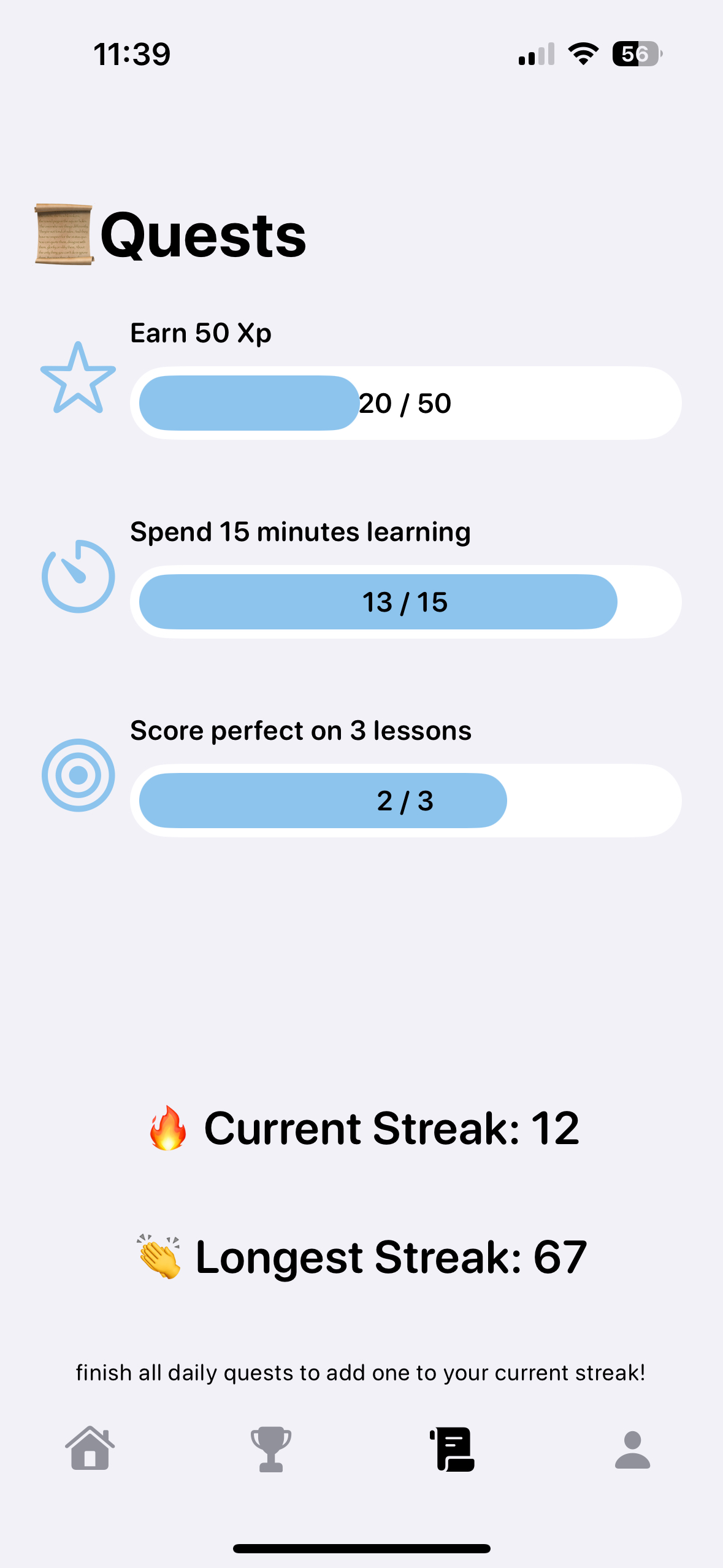
Daily quests
-
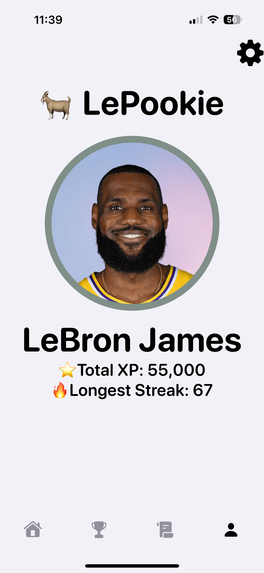
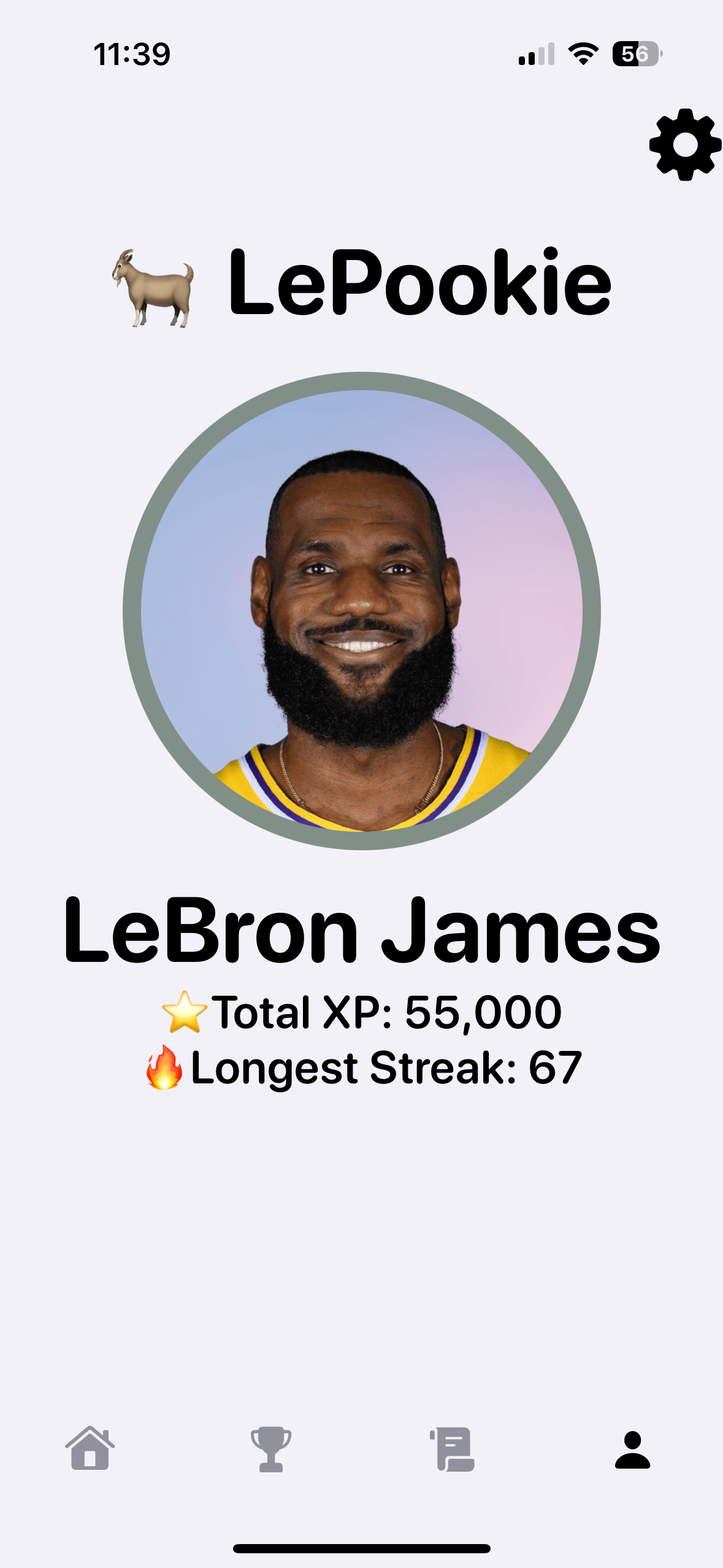
Personal profile

Inspiration
The rise of short-form video content on popular social media platforms and how it poses a challenge for future generations of students and their brains as aptitude for learning and attention spans decline was the inspiration behind Swype. We wanted to tackle this problem not by viewing short-form videos as the problem, but rather a medium that could serve as a vehicle for education and learners.
What it does
Swype revolutionizes the educational experience by gamifying learning. The app is designed to make math practice engaging and fun for students. It includes features such as:
Classroom Support - Teachers can integrate Swype into their lesson plans, using it as a supplementary tool to reinforce math concepts taught in class.
Competition - Students can compete against their peers within their school as well as for their school, fostering a healthy competitive spirit and encouraging them to improve their skills.
Streak System - To encourage consistent practice, Swype rewards students for maintaining streaks of daily activity, motivating them to keep up with their learning.
Teacher Preference Controls - Teachers have the ability to customize the app’s settings to align with their teaching methods and curriculum, ensuring that the content is relevant and effective for their students.
How we built it
The development of Swype involved several key steps.
Brainstorming and Structuring - We used Jamboard and Canva to brainstorm ideas and structure our concept into a viable product. These tools helped us visualize our ideas, organize our thoughts and plan the app’s features and design.
Collaboration - Our team collaborated using GitHub, which facilitated version control and seamless sharing of code and various files. This was crucial for maintaining organization and efficiency throughout the development process.
Content Creation - Example videos were created using CapCut, a versatile video editing tool. These videos serve as the core content for the app, providing engaging and educational material for students.
Prototyping - We used Swift and SwiftUI to build a prototype of the app. This allowed us to create a user-friendly interface and ensure smooth functionality.
Challenges we ran into
In the development process, one of the main challenges was the video playback issue in Swype on Swift. There wasn’t a dedicated library for videos that could move or preventing them from playing all at once, and our solution had to be memory and time efficient. To solve this, our team implemented lazy loading and a view object, which required innovative thinking and collaboration.
Accomplishments that we're proud of
At Ignition 2024, we accomplished:
Functional Demo - Creating a functional demo of Swype was a significant milestone. It allowed us to showcase our vision and demonstrate the app’s potential to educators and stakeholders.
Team Collaboration - Despite being beginner hackers, our team worked together effectively, leveraging each other’s strengths and covering weaknesses in various areas including ideas, UI, languages, development, and formal presentations. This collaborative effort was key to our success.
Innovative Solutions - Developing innovative solutions to overcome technical challenges, such as the video playback issue, was a rewarding experience. It demonstrated our ability to think creatively and problem-solve effectively.
What we learned
We collectively learned a lot about development. For some of us, it was the collaborative experience - creating software as a team. For others, it was learning a new language, or even setting up a language not meant to run on certain machines. As beginners, working together to cover weaknesses (in UI, languages, formal presentations, and ideas) was an extraordinarily invigorating experience. Despite not everyone knowing Swift, collaborative research and documentation parsing allowed us to troubleshoot issues as a team and build a successful product.
What's next for Swype
Swype has unlimited potential for the future. Some experience-specific additions could include:
In-Game Currency - Introducing in-game currency will add another layer of engagement, allowing students to earn and spend currency on various features and rewards within the app.
Socialization - Adding friends features to profiles, sharing of content with classmates and friends, and expanding the learner platform to a more general audience beyond teachers and students is more space for the expansion of Swype.
Advertisements - Implementing advertisements will help generate revenue to support the app’s development and maintenance.
Power-Ups - Adding power-ups will enhance the gaming experience, providing students with additional incentives and rewards for their progress and achievements.
Levelling-Up - Expanding the personal levels within the app will introduce new challenges and rewards, keeping the learning experience dynamic and motivating for students.


Log in or sign up for Devpost to join the conversation.