Inspiration
Choosing a credit card at checkout is often guesswork. Rewards, merchant offers, upcoming bills, and credit utilization all affect which card is best, but comparing them during a purchase is inconvenient. We built Swyp to make that decision automatic and accessible at the moment it matters.
What it does
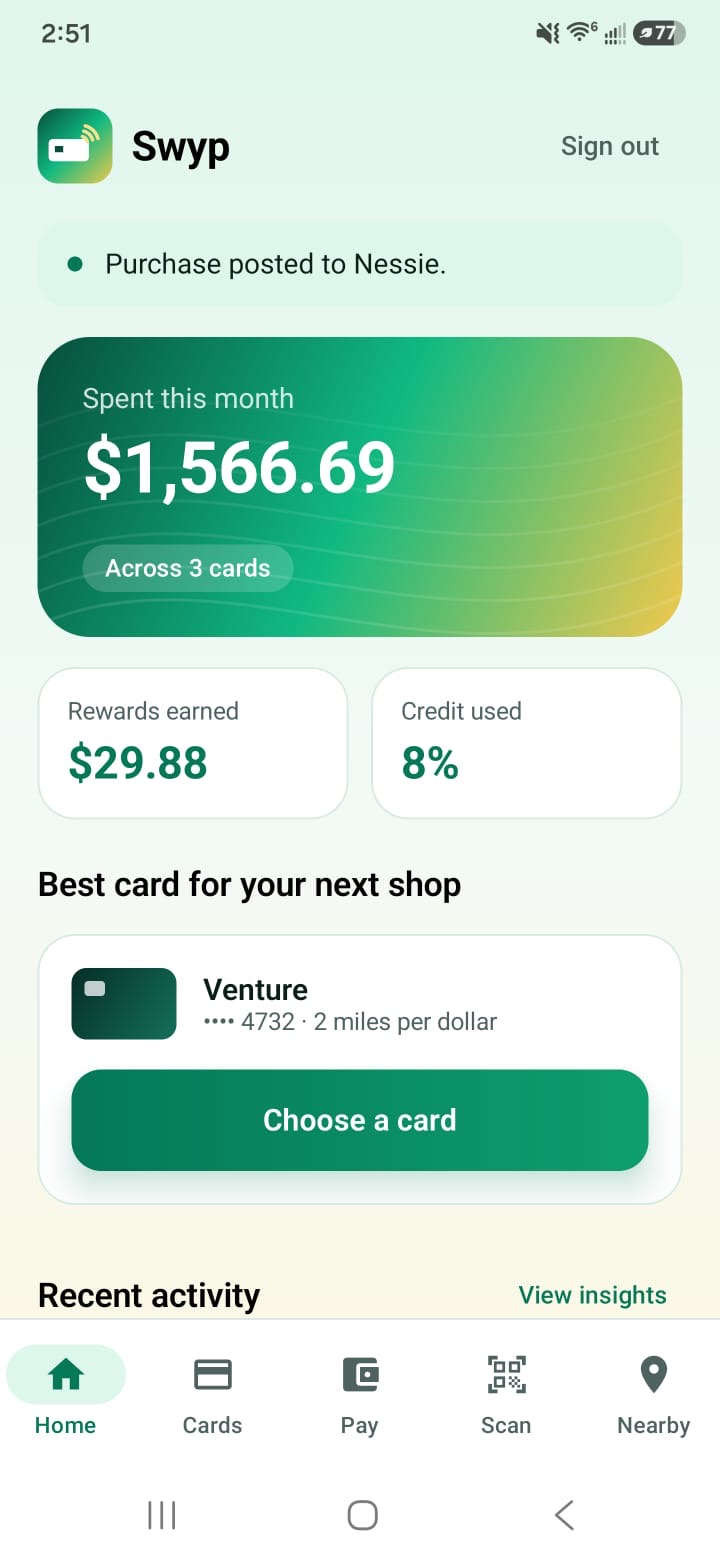
Swyp recommends the best credit card for each purchase while considering:
- Cashback, points, and category rewards
- Card-specific and overall credit utilization
- Expected recurring transactions
- Verified merchant and item-level deals
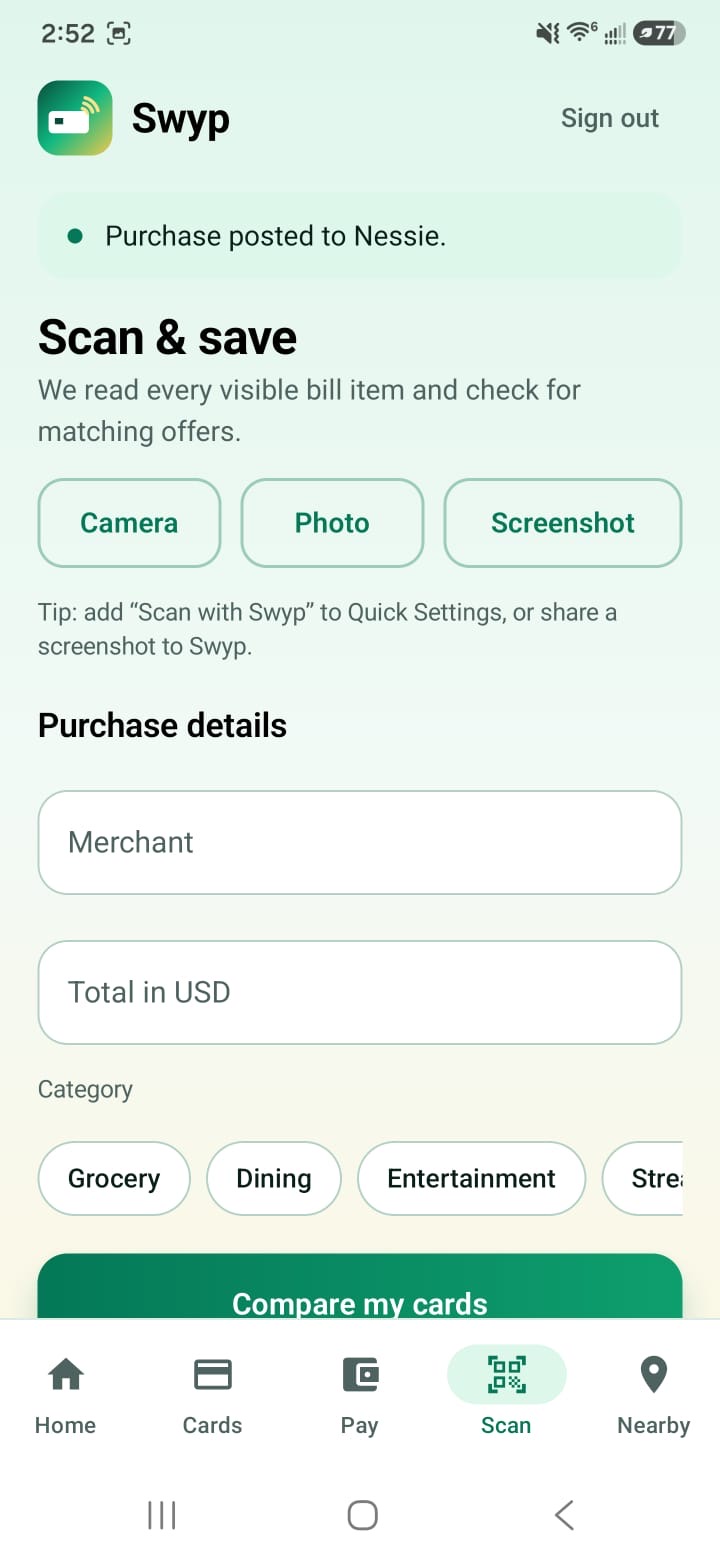
- Available credit and upcoming spending Users can scan a receipt, photograph an in-store item, or capture a checkout screen through an Android Quick Settings tile. Swyp reads every visible item using Gemini, finds relevant deals, and sends a notification recommending a card by nickname. The Android app also includes:
- Firebase authentication and account profiles
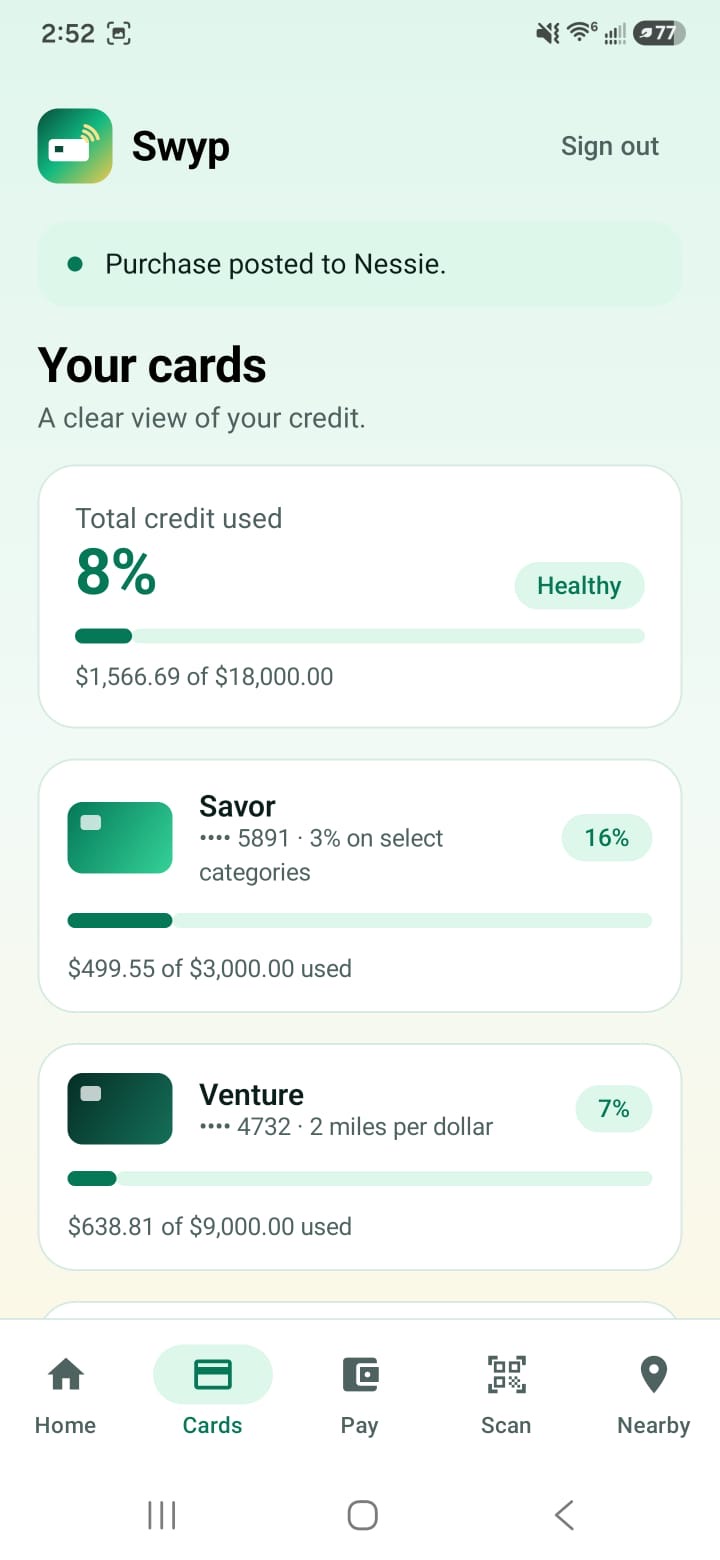
- Simulated Capital One cards backed by Nessie
- Per-card transactions and utilization
- Spending insights and recurring-payment forecasts
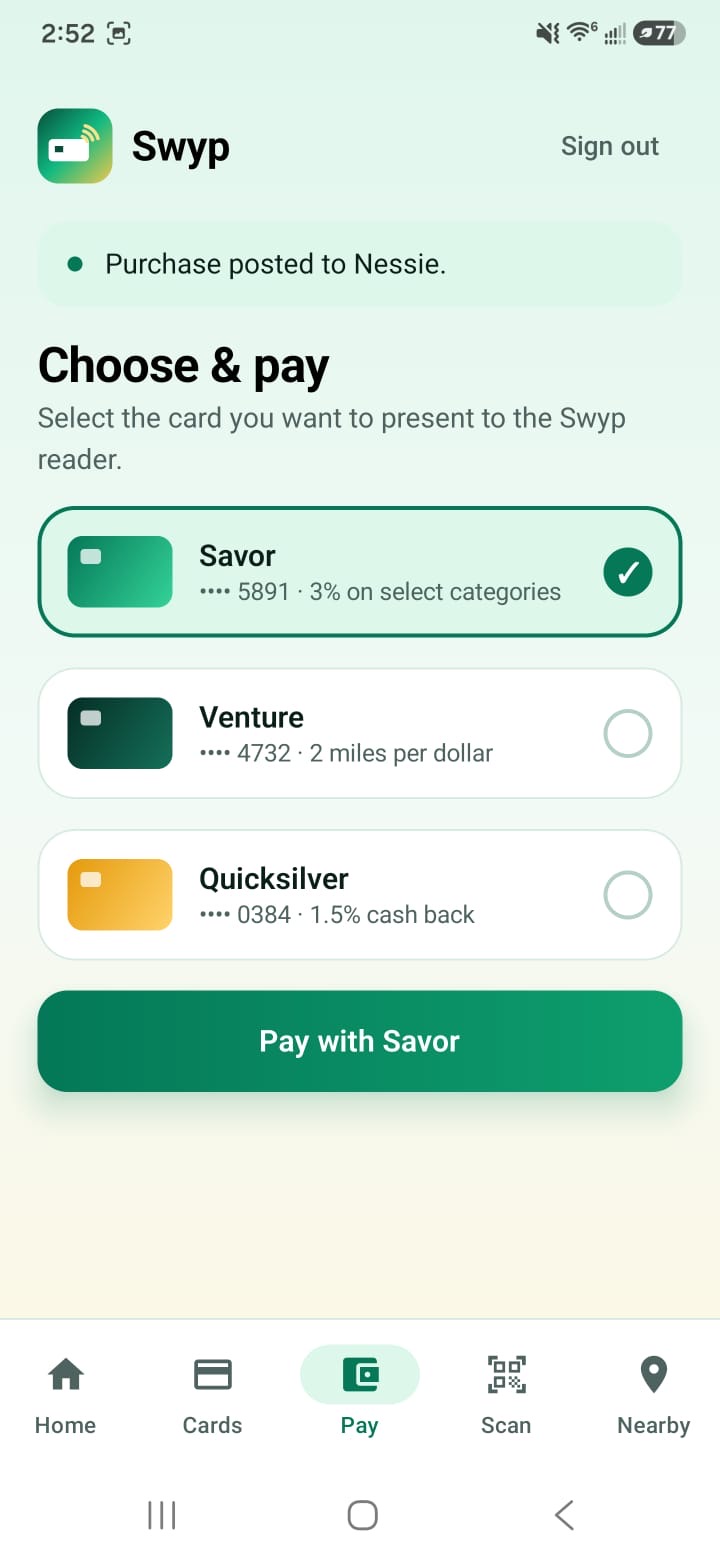
- Tap-to-pay card selection
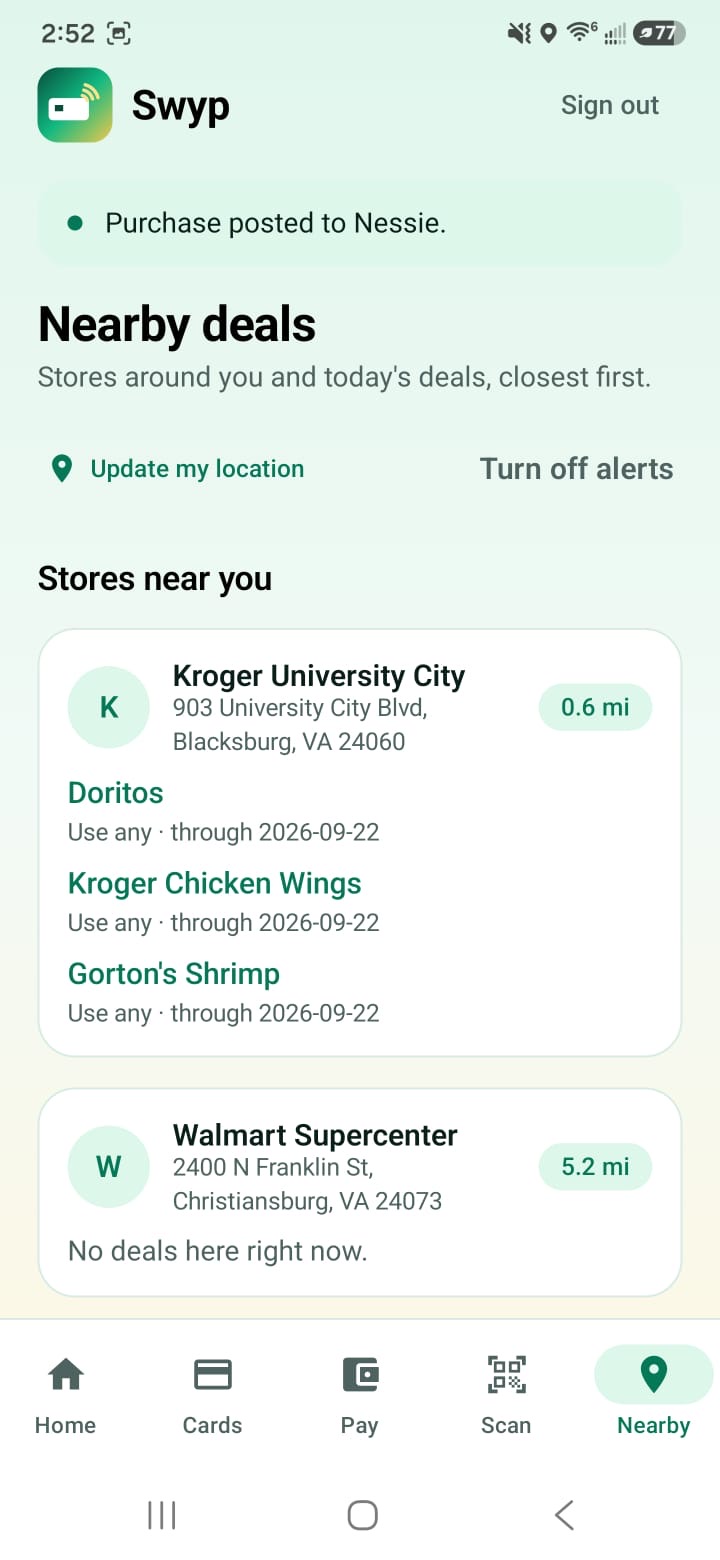
- Location-based deal alerts A companion iPhone reader accepts a merchant name and amount, reads the selected Android card through NFC, verifies the signed credential, and sends the transaction to the backend.
How we built it
The main Android application uses Kotlin and Jetpack Compose. Firebase Authentication manages accounts, while Firestore stores profiles, cards, transactions, deals, nearby stores, payment requests, and user preferences. A Java backend handles trusted operations, including:
- Nessie customer, account, merchant, and purchase operations
- Synthetic transaction-history generation
- Card creation and account initialization
- Gemini checkout-image analysis
- Deal collection and verification
- Signed NFC payment processing We use Gemini to extract the merchant, final amount, category, and every visible line item from checkout screenshots or photos. The recommendation engine combines this information with card rewards, current balances, credit limits, predicted recurring charges, activated offers, and the user’s utilization target. The iPhone reader is built with SwiftUI and Core NFC. The Android device generates a signed, time-limited payment credential using Android Keystore. The iPhone reads it over NFC, and the backend verifies the transaction before posting it through Nessie. Nearby locations are stored in Firestore with coordinates and geofence radiuses. The Android app plots these stores on an interactive map and can notify users about eligible offers after they remain near a participating location.
Challenges we ran into
Android protects screen contents carefully. MediaProjection requires user consent and behaves like a screen-recording session, even when an app only needs one frame. We redesigned the feature around Android’s screenshot accessibility API so a Quick Settings action captures one screen, waits for the notification shade to close, and immediately asks the user whether to send or discard it. NFC communication also required careful debugging. We had to coordinate APDU commands, payload sizes, transaction nonces, timestamps, signatures, and reader state while handling failures such as status code 6985. Other challenges included:
- Keeping the Android phone, iPhone, and laptop backend connected on the same network
- Managing physical-device signing and provisioning in Xcode
- Preventing duplicate or uncertain payment submissions
- Handling Firestore collection-group indexes
- Extracting every checkout item instead of only identifying the merchant
- Matching loosely formatted receipt items with structured offers
- Balancing rewards against future utilization and recurring expenses.
Accomplishments that we're proud of
We built a complete purchase flow across two physical mobile devices and a backend:
- The user enters or scans a purchase.
- Swyp analyzes every visible item.
- The recommendation engine evaluates rewards, deals, and utilization.
- The user selects or accepts a recommended card.
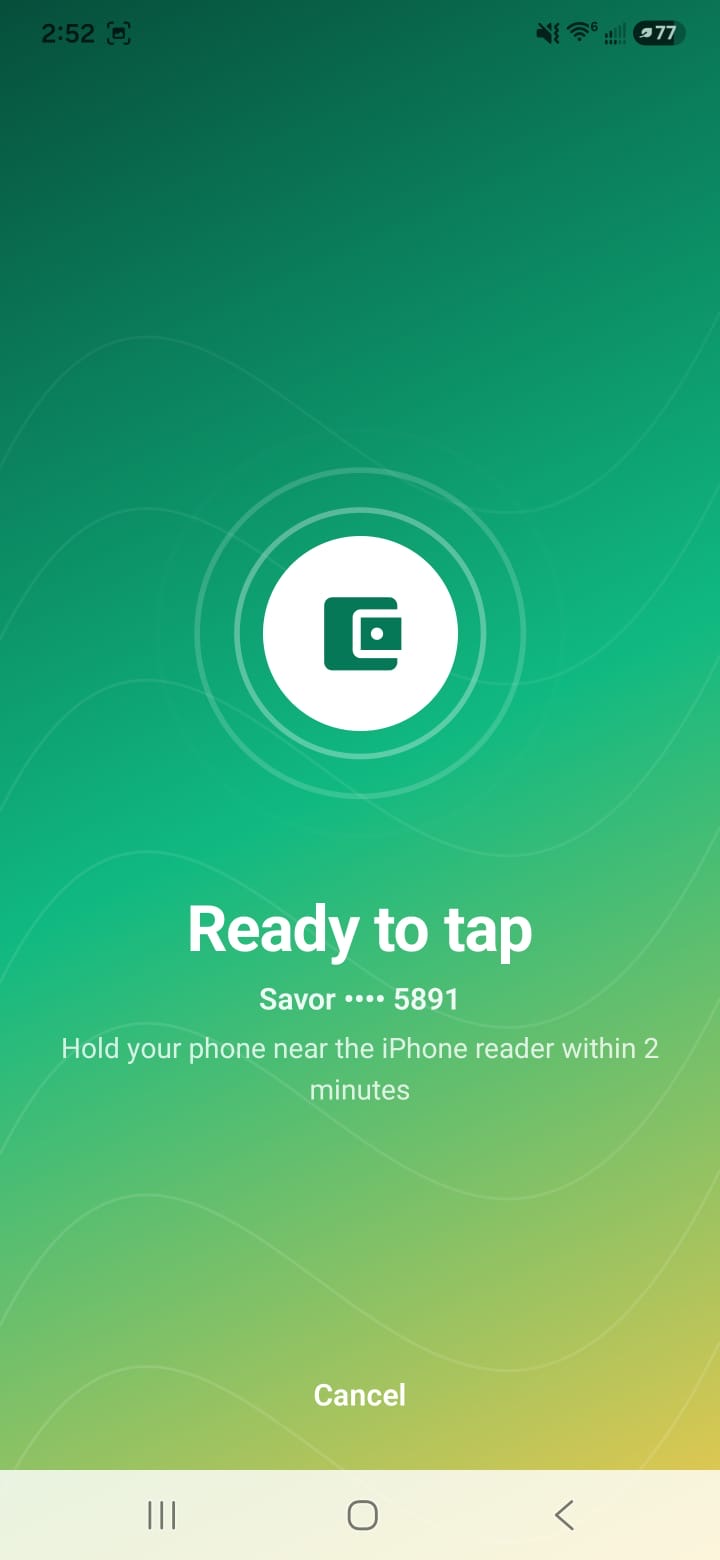
- The Android device becomes ready to tap.
- The iPhone reads the signed NFC credential.
- The backend verifies and posts the purchase through Nessie.
- Firestore updates the user’s balances and transaction history. We are also proud that Swyp provides an explanation for its recommendations. It can show estimated rewards, projected utilization, upcoming recurring expenses, matching deals, and why another card may be risky.
What we learned
We learned that choosing the card with the highest advertised reward is not always the best financial decision. A useful recommendation must account for credit utilization, expected expenses, available credit, offer eligibility, and the opportunity cost of using a card now. We also learned how security boundaries shape mobile product design. Android screen capture, NFC credentials, Firebase authorization, payment idempotency, and backend verification each require explicit trust boundaries. Sensitive decisions cannot safely rely only on client-side state. Finally, integrating Android, iOS, Firebase, Gemini, Nessie, and physical NFC hardware taught us to test the entire system as one transaction rather than treating each platform independently.
What's next for Swyp
Next, we want to:
- Integrate real bank-issued payment tokens
- Connect to live card balances and transaction feeds
- Expand the card and rewards catalog
- Add more verified retailers and item-level offers
- Improve recurring-transaction forecasting
- Support statement dates, payment dates, and balance-paydown planning
- Add real map tiles, routing, distance, and store search
- Personalize recommendations using more historical behavior
- Explain reward and utilization tradeoffs in greater detail
- Add stronger fraud detection and device attestation
- Complete security, privacy, accessibility, and financial-compliance reviews
- Bring the recommendation experience to additional mobile wallets and payment terminals


Log in or sign up for Devpost to join the conversation.