-
-
Swivel: autopilot for game night on Fire TV. Basketball, football and baseball in one night, with no time spent watching commercials.
-
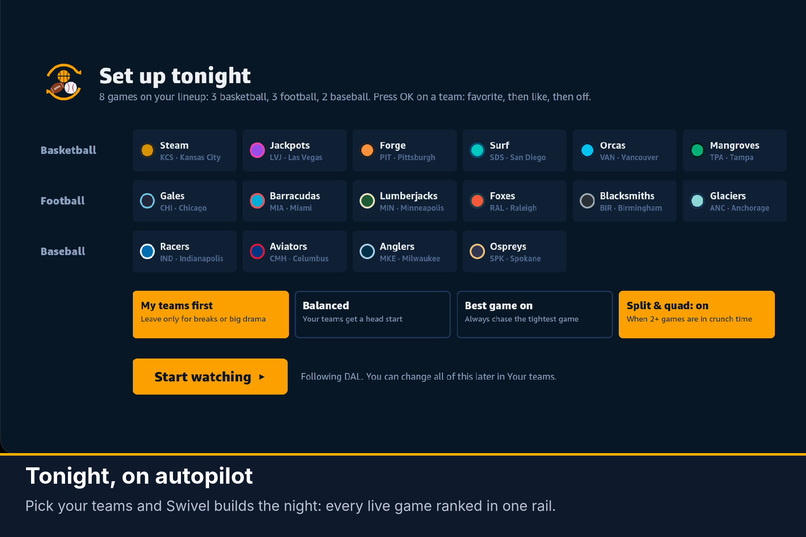
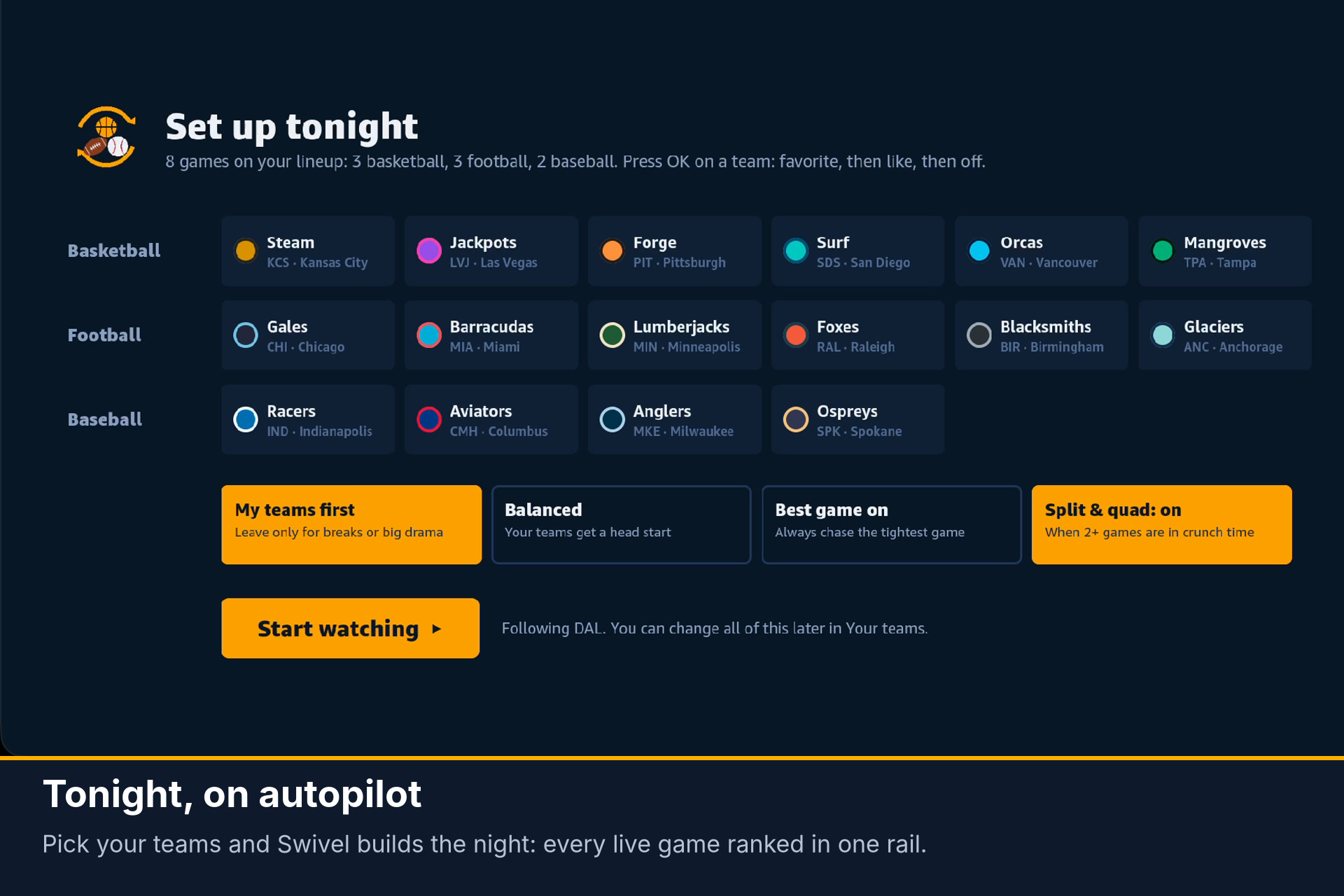
Set up tonight: pick favorite and liked teams across three sports, choose a viewing style, and Swivel plans the night.
-
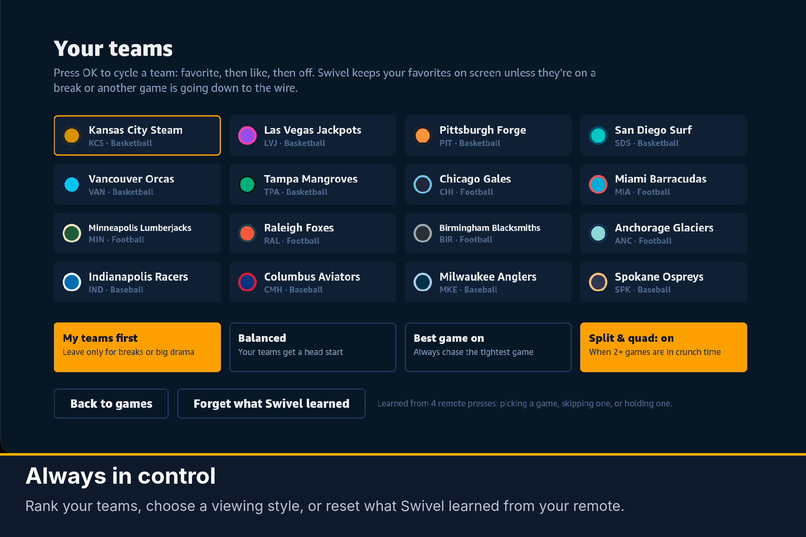
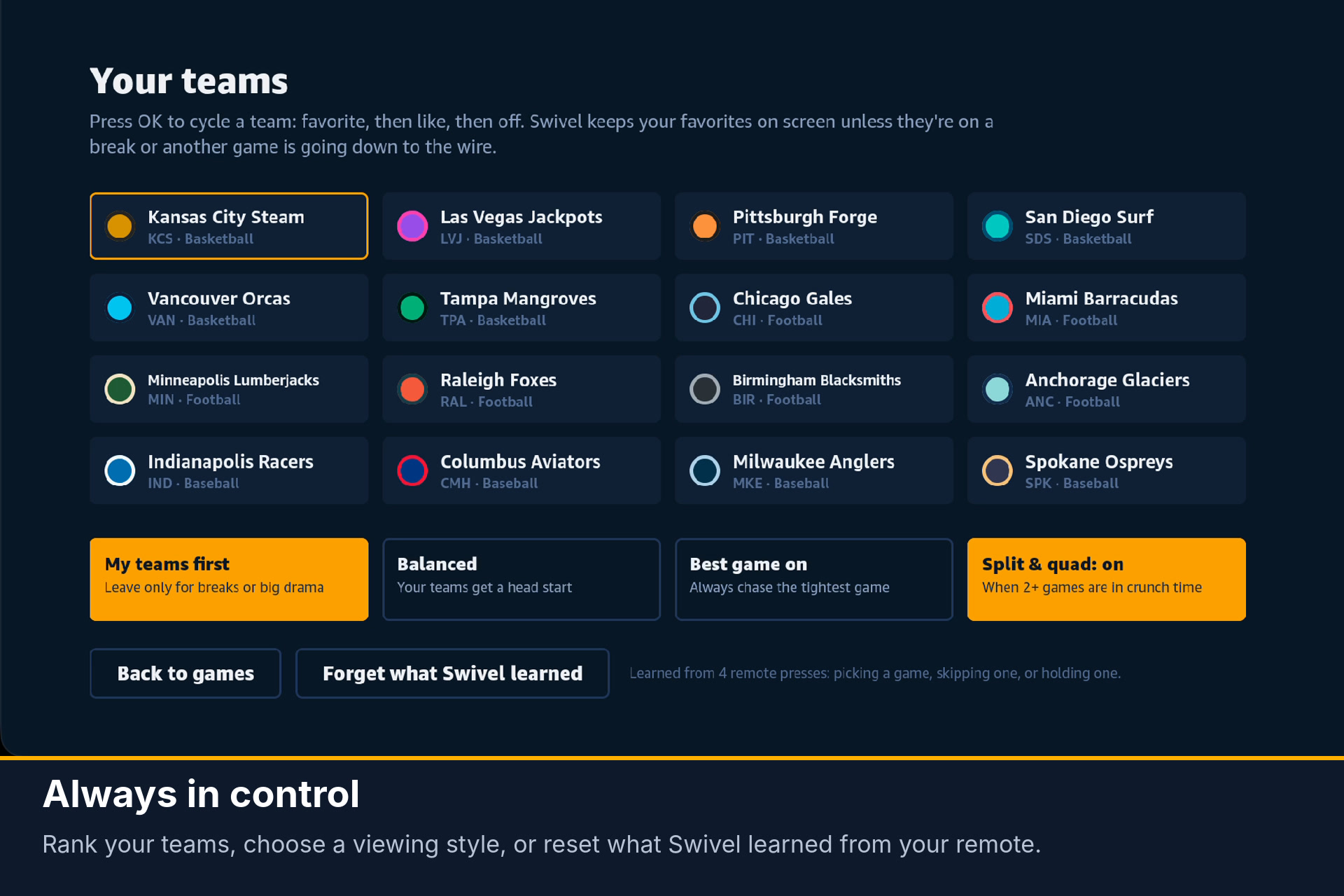
Always in control: rank your teams, change the viewing style, or reset what Swivel learned from your remote.
-
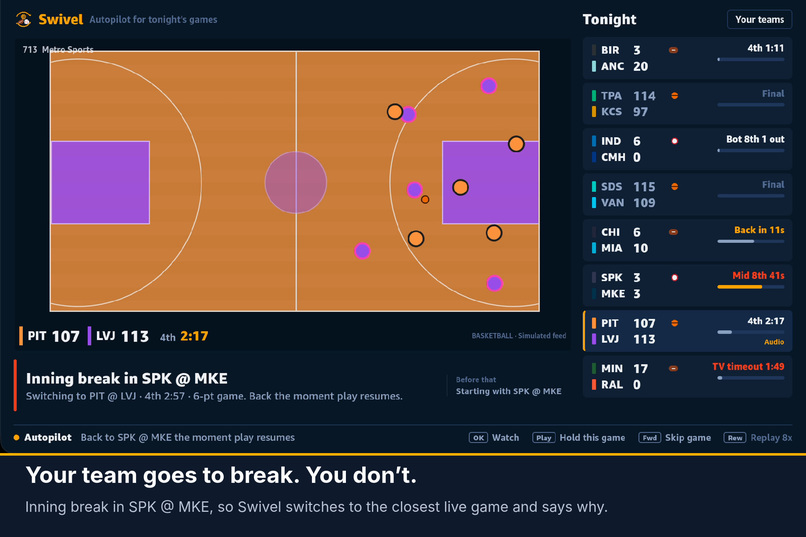
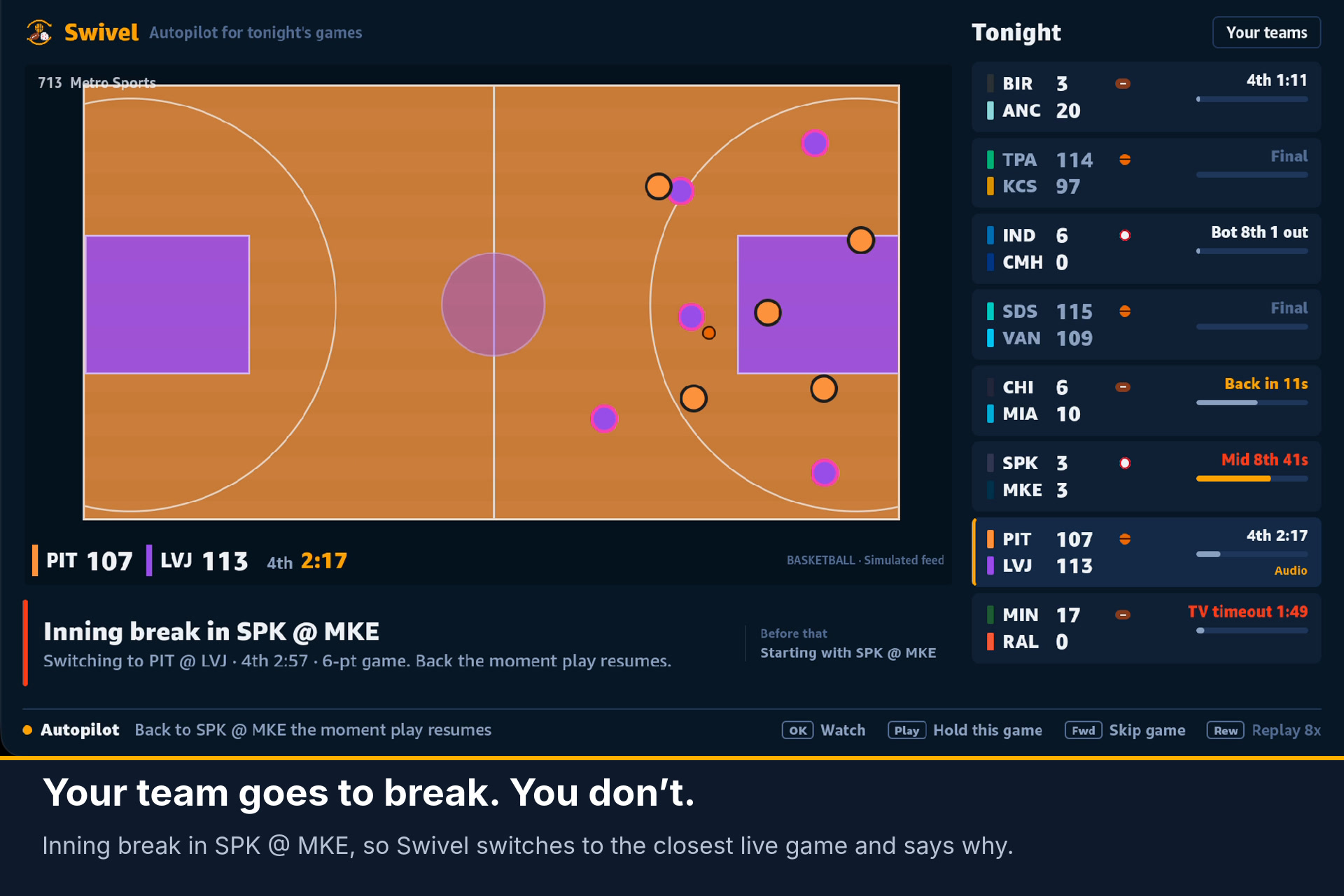
Your team goes to break, you don’t. Swivel switches to the closest live game and says why in the caption.
-
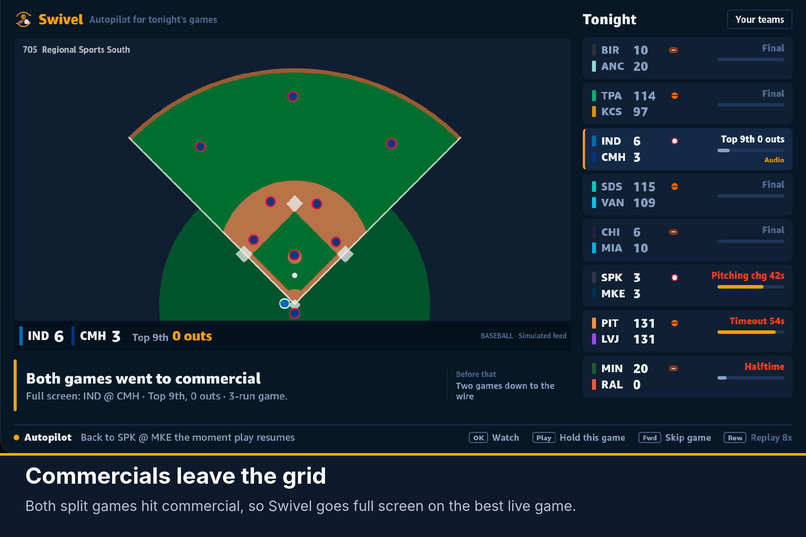
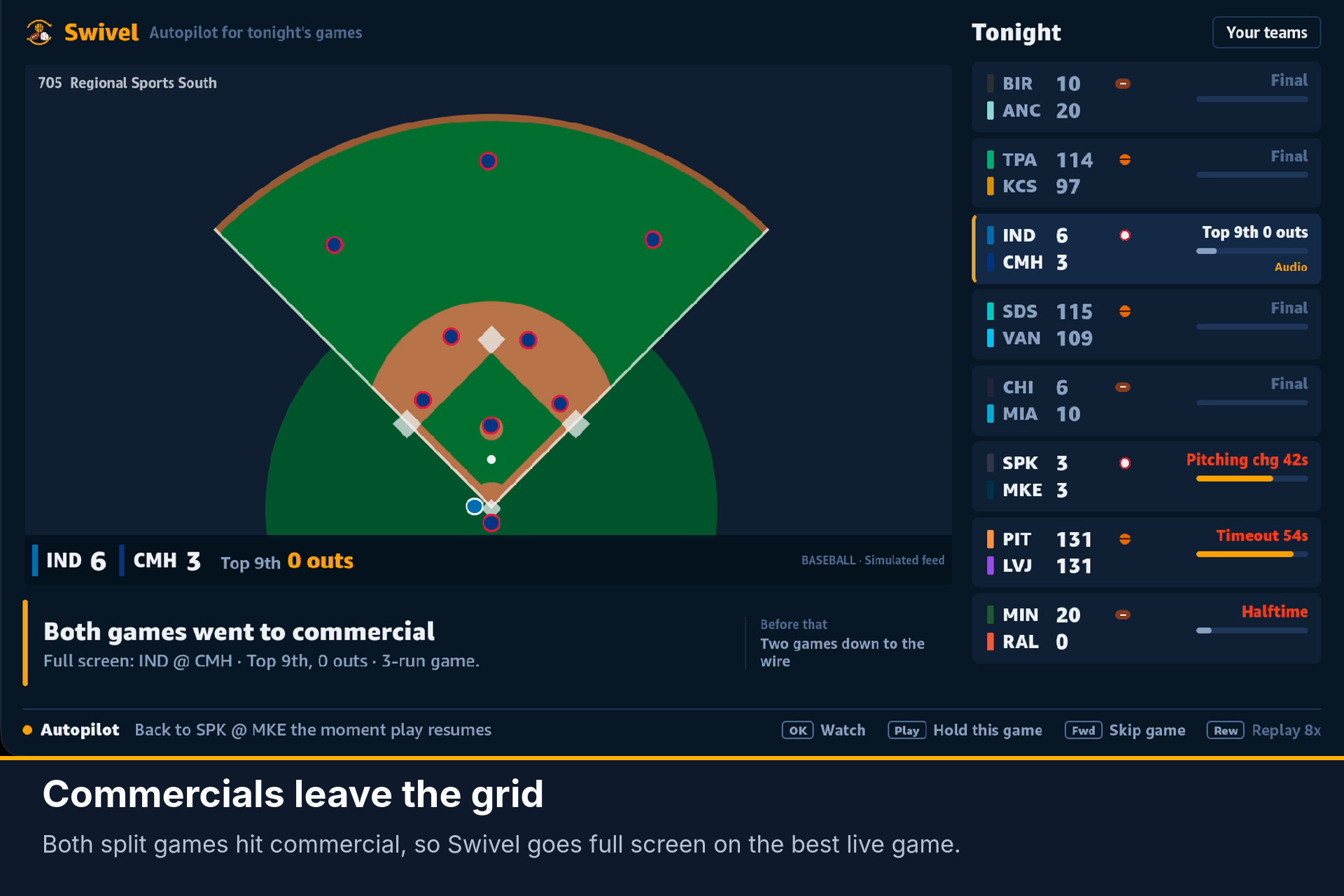
Commercials leave the grid: when both split games hit commercial, Swivel goes full screen on the best live game.
-
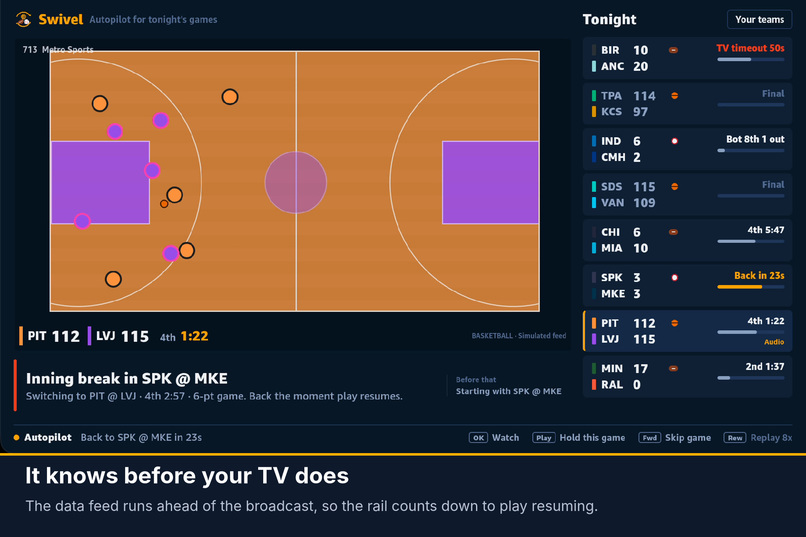
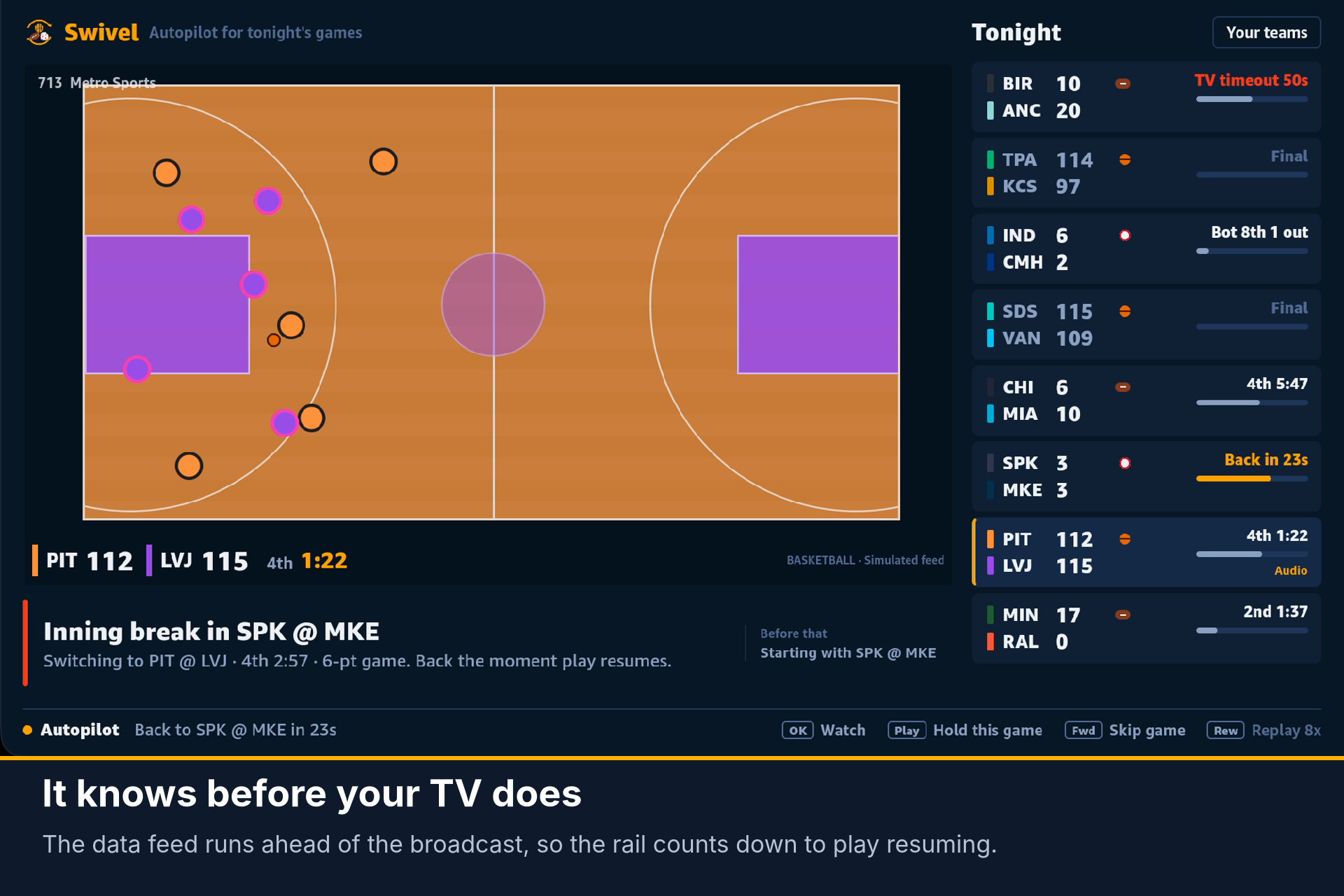
It knows before your TV does: the data feed runs ahead of the broadcast, so the rail counts down to play resuming.
-
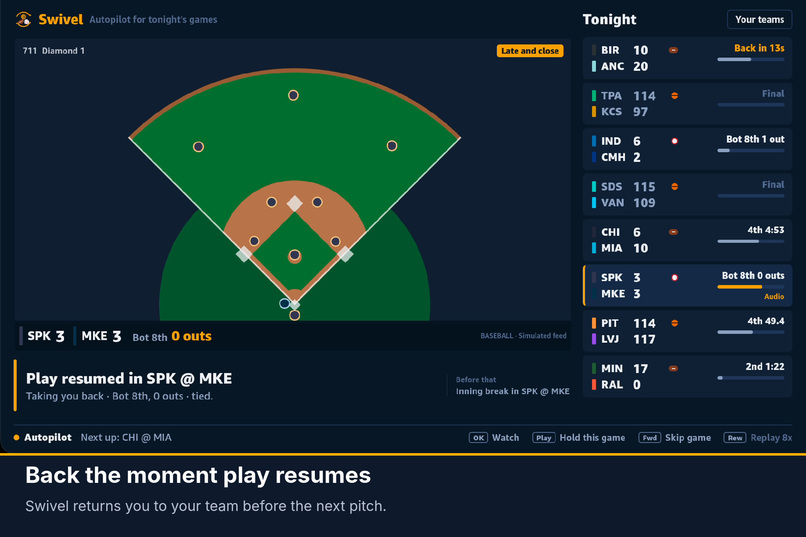
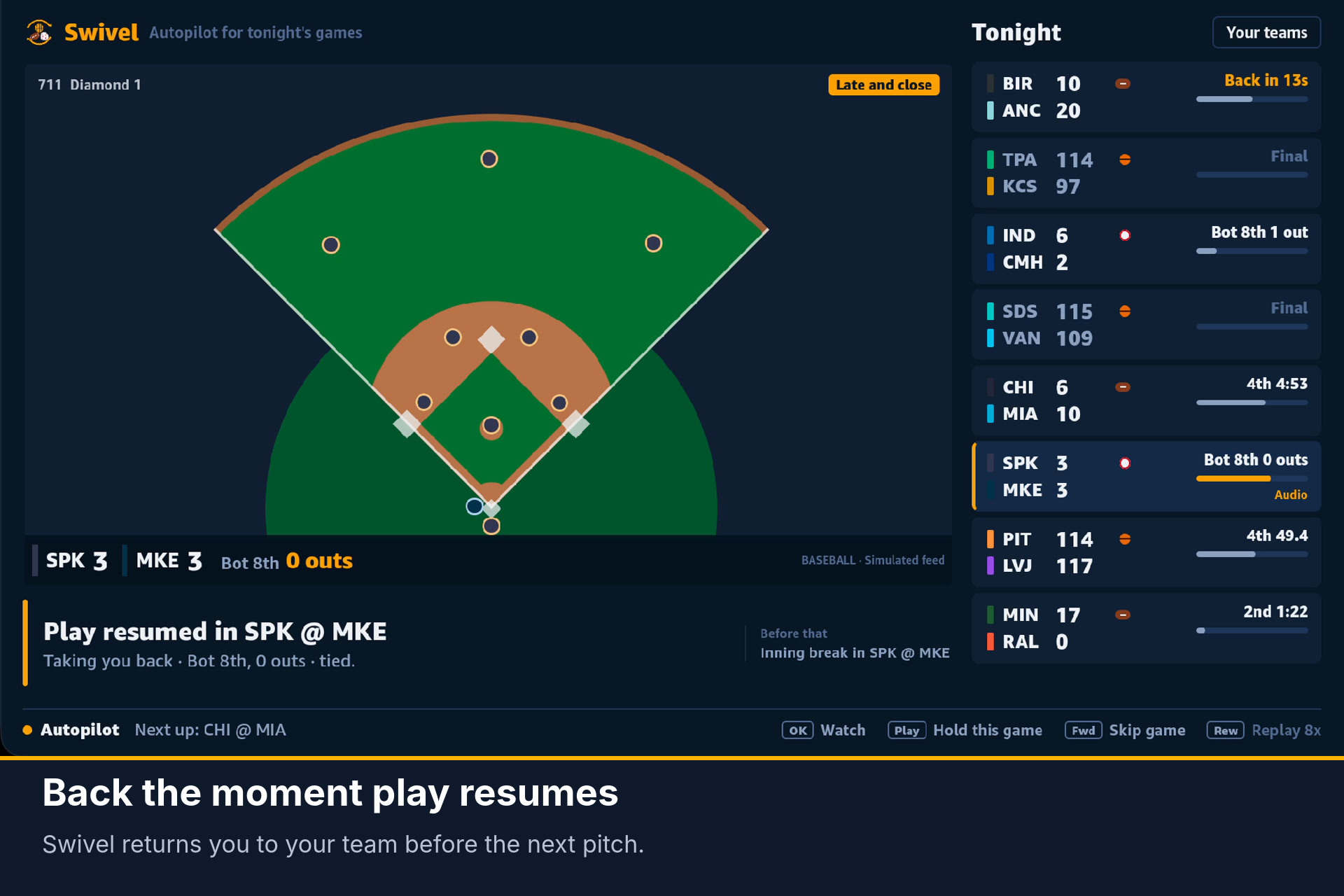
Back the moment play resumes: Swivel returns you to your team before the next pitch.
-
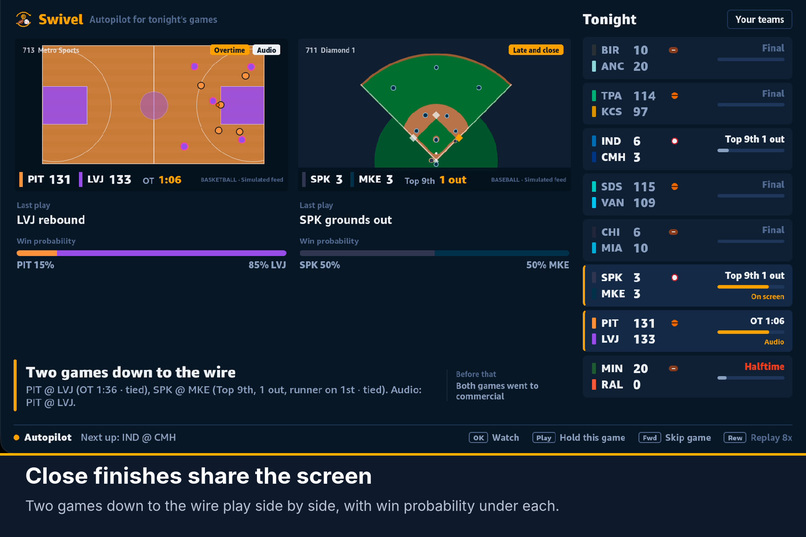
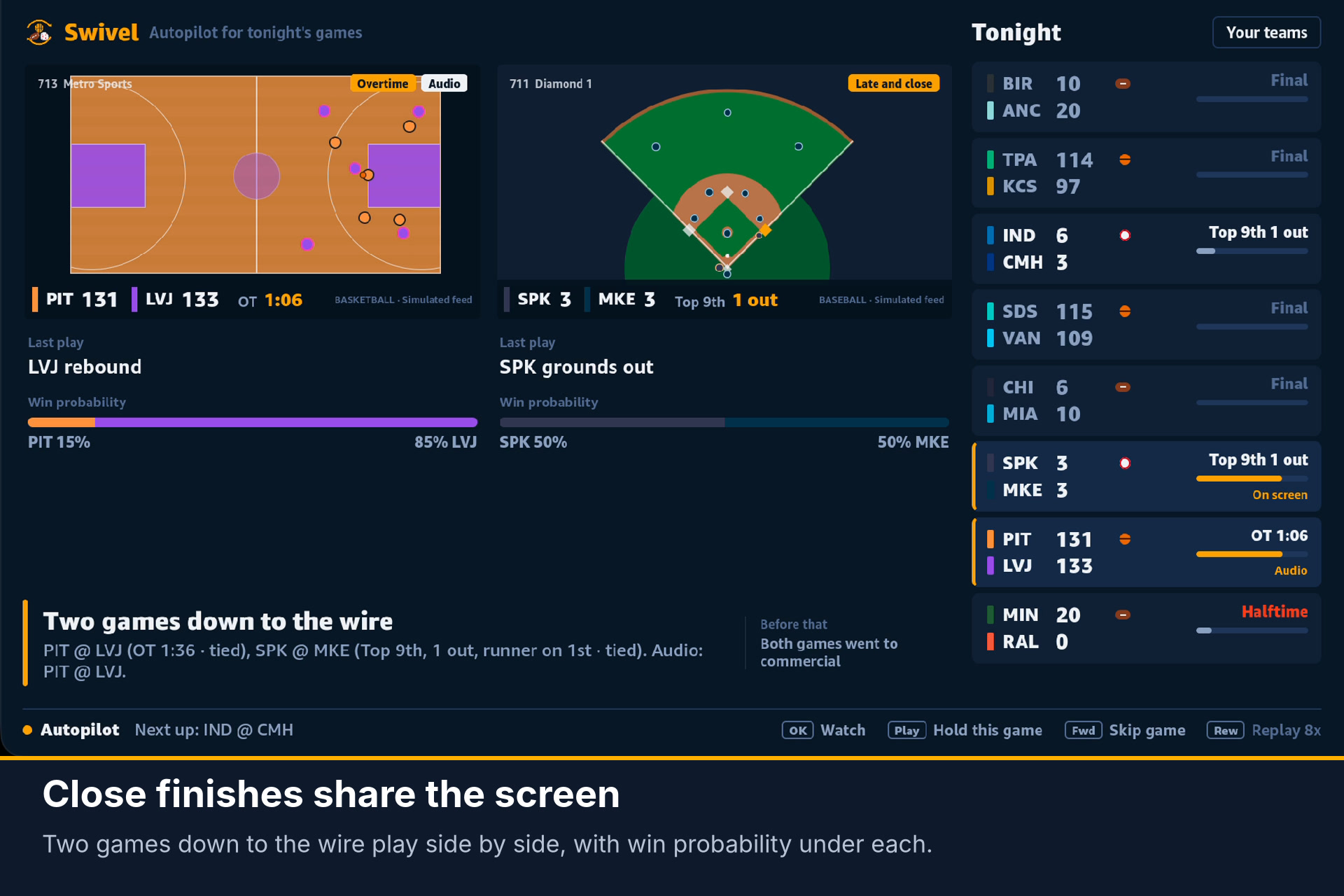
Close finishes share the screen: two games down to the wire side by side, with last play and win probability.
Swivel: autopilot for a night of live sports
Inspiration
On a busy night there are ten games on and you care about one team. Every timeout you're staring at the same commercials while somewhere else a game is coming down to the last possession. NBA CrunchTime and NFL RedZone solve this with one channel that's the same for everyone. Swivel is personal: it follows your teams, across your live TV lineup, with no commercials and without touching the remote.
What it does
- Basketball, football and baseball. Each sport brings its own rules: media timeouts, the two-minute warning and TV timeouts after scores, inning breaks and pitching changes. One night can mix all three.
- Hops on breaks. When your game goes to commercial, Swivel moves you to the best live game. When play resumes, it brings you back.
- Knows before your stream does. Play-by-play data runs 25–55 s ahead of the broadcast. Swivel uses that lead to switch at exactly the right moment. It shows a real "Back in 0:18" when it already knows play has resumed, and never invents a countdown.
- Never takes you into a commercial. If another game's feed already shows a timeout your stream hasn't reached, that game is skipped.
- Split, three-up and quad. When several games are in crunch time, the screen splits automatically, with your team on the big tile and the audio. A game on a timeout keeps its tile under a "Back in" card while the audio moves to live action; longer breaks take it out of the grid.
- Your team first. Favorites always win unless the game is a blowout. You can choose My teams first, Balanced or Best game on.
- Learns from your remote. Picking, skipping and holding games teaches it which teams you like and how much you chase close games. It runs entirely on the device.
- Tells you why, and what you missed. Every switch has a one-line reason and a catch-up generated from the play-by-play ("While you were away: LVJ cut a 10-point lead to 1").
How we built it
- Vega OS app in React Native, built on Amazon's multi-TV sample. The same UI also runs on web, for fast iteration.
@swivel/director: a pure-TypeScript engine with no platform dependencies, covered by 29 unit tests:- a play-by-play reducer that keeps two views of every game: what the feed knows, and what your stream shows (feed time minus channel delay);
- closed-form win probability and a leverage index (how much the next play swings the game) for each sport: margin and time in basketball, plus the drive in progress (field position) in football, and innings left plus the base-out state (run expectancy) in baseball;
- break models built from each sport's rules (basketball's media-timeout windows, football's TV timeouts and two-minute warning, baseball's inning breaks and pitching changes);
- the director policy, with minimum time on a game, a margin a new game must beat, hysteresis on what counts as crunch time, an anchor/return to your game, and stable multiview tiles;
- an on-device taste learner and a play-by-play recap generator.
- Deterministic simulators for three fictional leagues (realistic scoring and stoppages) drives the demo, so it carries no league footage or data rights. Search scripts find nights that exercise every behavior.
Challenges
- Thrashing. Early versions bounced between games every few seconds. Fixes: a minimum time on each game, a margin a challenger must beat, a single "anchor" game to return to, and different thresholds for entering and leaving crunch time. Later we measured it: a script replays 40 simulated nights and counts screens that last under a minute. Settle time after each change, "back soon" detection from the feed, and timeouts that keep their tile cut that from 3.1 to 1.4 per hour.
- Not knowing how long a break will last. Media timeouts vary by minutes. We dropped estimated countdowns and use the feed's lead over the broadcast as a real signal instead.
- Platform reality. Live sports are DRM-protected, so detecting commercials with computer vision isn't possible in a third-party app. The feed-lead approach is earlier and more reliable anyway.
Accomplishments
- A director that feels like a human producer: it never jumps into a commercial, never ping-pongs, and always comes back to your team.
- 29 unit tests, plus headless tools that replay whole nights and print every decision.
What we learned
- Vega's React Native stack made a TV-first, remote-driven UI straightforward, and the multi-TV sample let us iterate on the web and ship on Vega from one codebase.
- On TV, explaining an automatic switch matters as much as making a good one.
What's next
- Real lineup and data: build the
LineupSourcefrom the Vega EPG Provider (which channels in your lineup carry tonight's games) and drive the primary tile with Vega Channel Tuning. - Delay calibration: use HLS program-date-time (or platform-side scorebug reading) to measure each channel's lag automatically.
- Alexa: "Alexa, follow Tampa and anything within five in the fourth" via Content Launcher.
- More sports (hockey, soccer's halftime-only breaks, college football).

Log in or sign up for Devpost to join the conversation.