Inspiration
What it does
How we built it
Challenges we ran into
Accomplishments that we're proud of
What we learned
What's next for Switchboard
Inspiration
Completing a form involves more than moving a cursor. Users must discover controls, enter text, understand errors, recover their place, and decide whether to submit. For people who cannot reliably use a mouse or standard keyboard, typical accessibility tools often stop at moving a virtual pointer or voice-dictating into an unpredictable input field. Switchboard explores a consistent, user-controlled task view for native web forms using only a single switch.
What it does
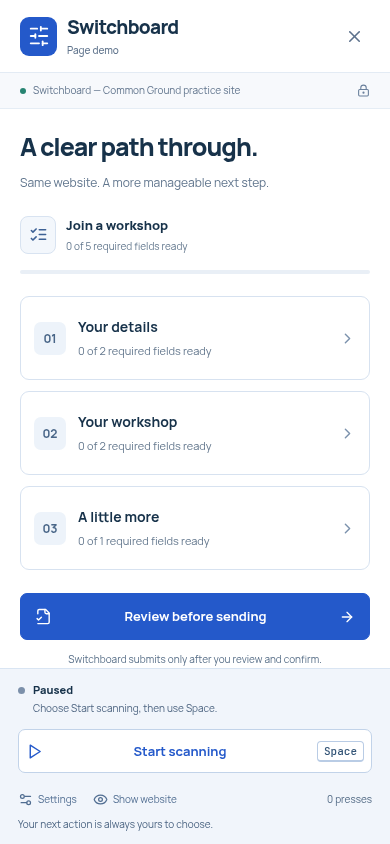
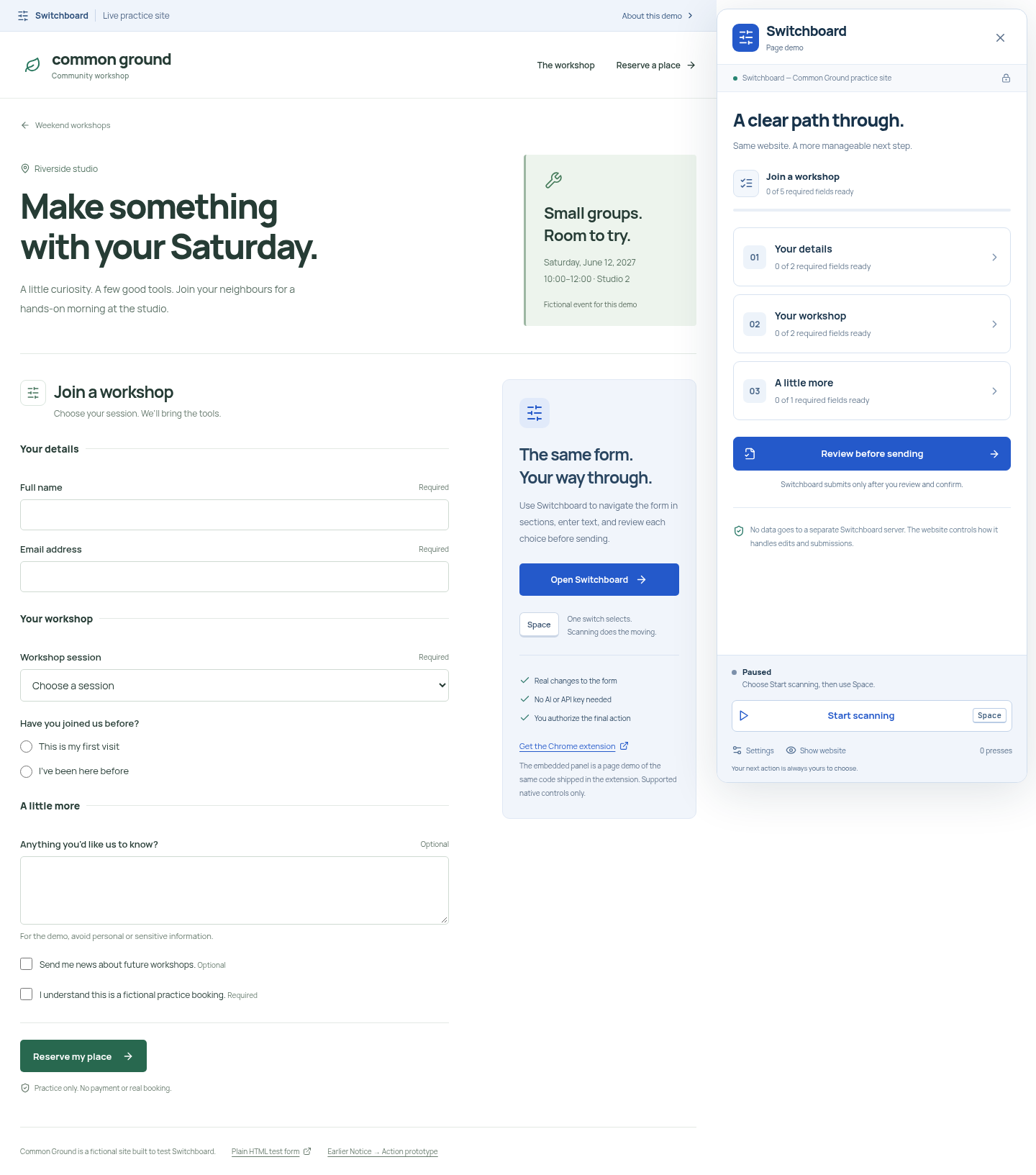
Switchboard is a browser extension that presents supported native web forms as a structured task view. A person using one switch (such as the Space key or an adaptive switch mapped to Space) can:
- Navigate forms section by section
- Choose fields and select options (select dropdowns, radio buttons, checkboxes)
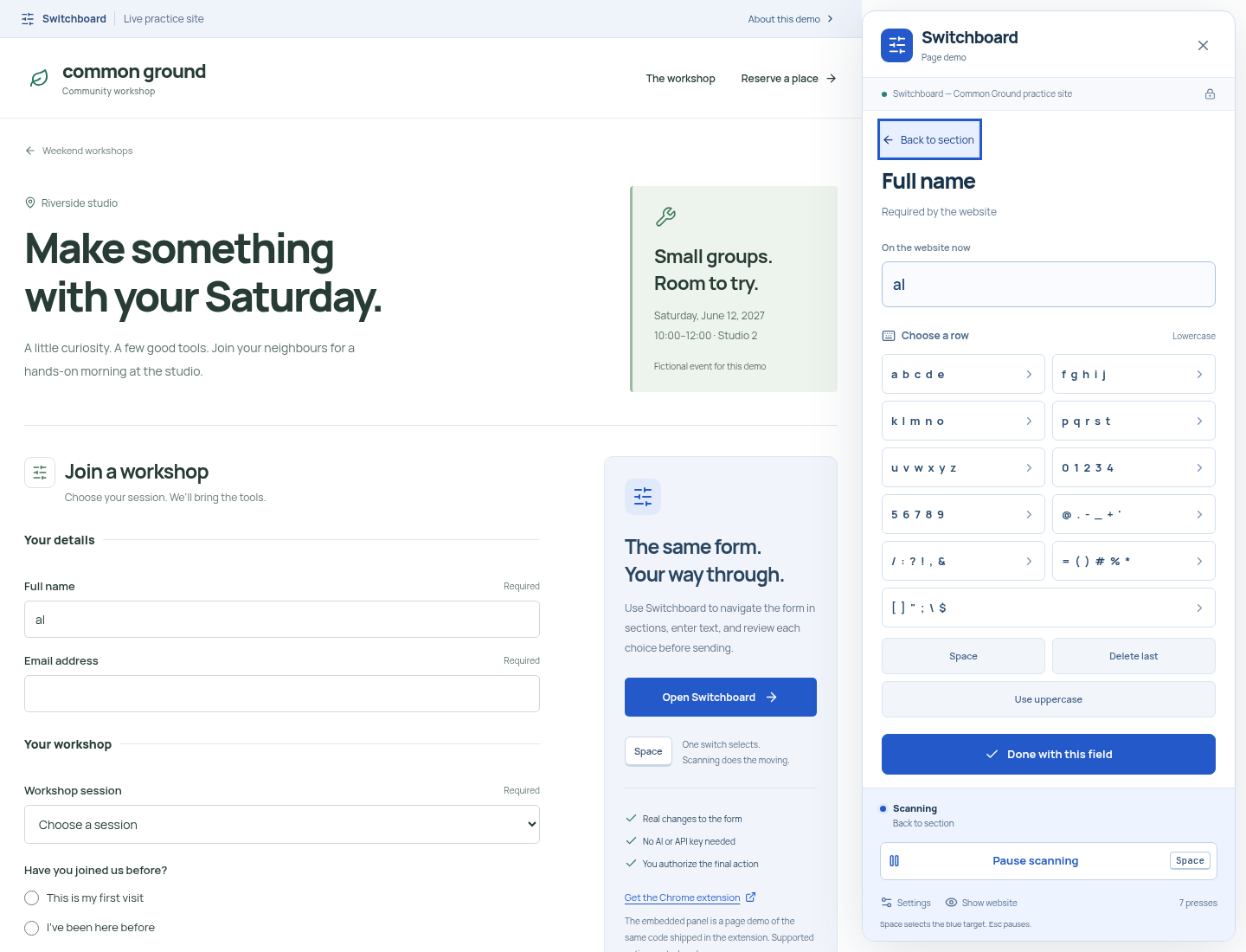
- Enter text character-by-character using an on-screen row-and-column scanning keyboard
- Synchronize all edits directly with the actual website's native and controlled inputs
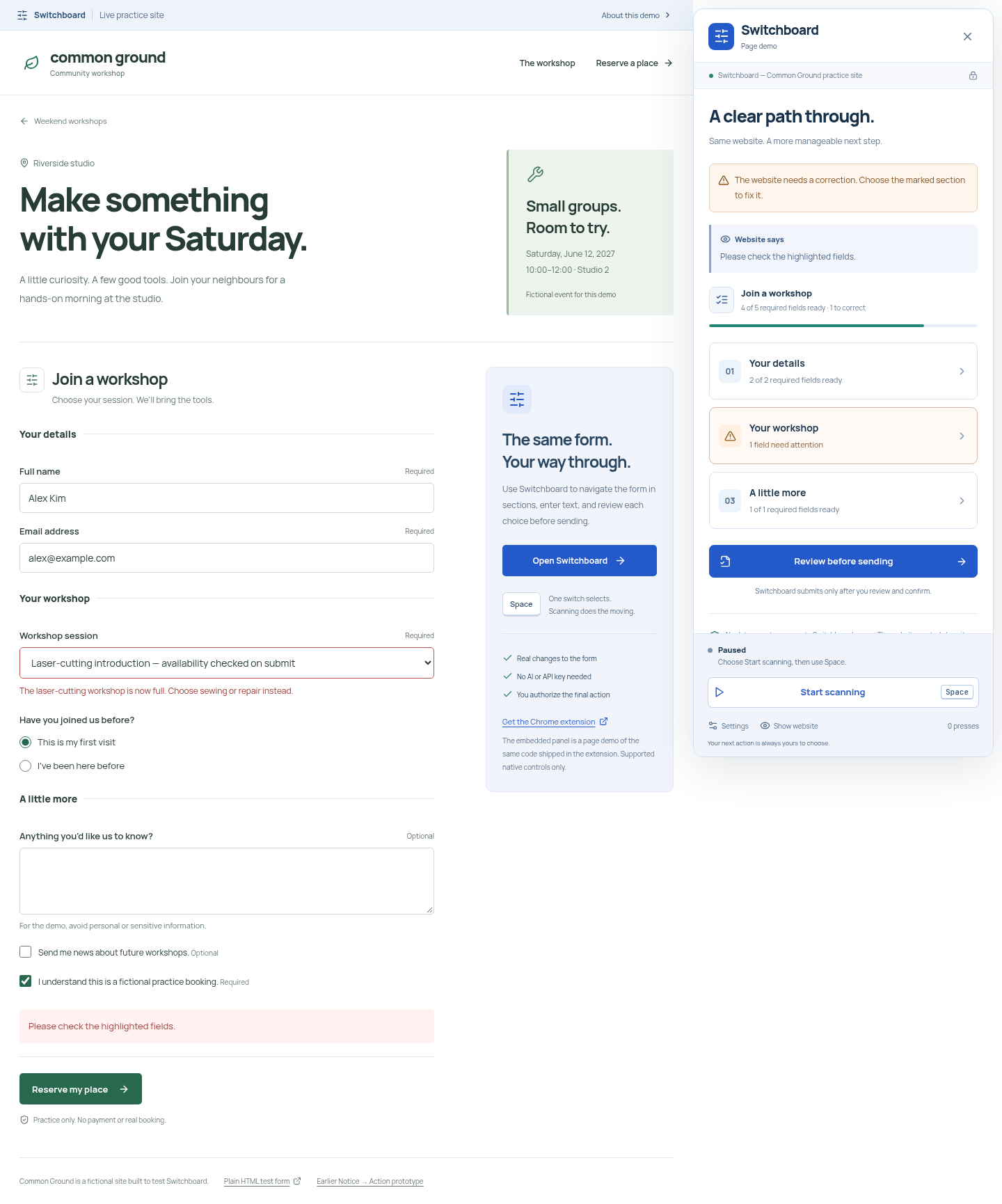
- Receive validation errors directly from the website and easily return to the relevant field to recover
- Review all entered values before submission
- Explicitly authorize final submission via native requestSubmit
Switchboard is not a disconnected copy: edits update the real page live. If the page changes after review, a fresh review is required before submission.
How we built it
- Architecture: Manifest V3 Chrome/Chromium extension with activeTab + scripting permissions only (no blanket host permissions, background analytics, or remote AI servers).
- DOM Adapter: Discovers visible, labeled native controls (input, textarea, select, radio groups, checkboxes) and synchronizes them using prototype setters and bubbling events so both native HTML and controlled React forms stay in sync.
- Scanning Engine: Automatic grouped scanning (section → field → keyboard row → character) with adjustable speeds (0.8s, 1.2s, 1.8s) and pause controls.
- Full-Stack Practice Environment: Built an independent community workshop registration demo (React + Vite) backed by a Python FastAPI server that performs real server-side validation and returns receipts.
- Testing: 79 automated tests across pytest, Node test runner, Playwright browser tests, axe-core automated accessibility checks, and live unpacked-extension tests running in Chromium's isolated world.
Challenges we ran into
- Controlled React Inputs vs. Native Setters: Modern frontends like React intercept input events. We engineered prototype setters and event dispatching to ensure values persist through re-renders without proprietary hooks.
- Number and Date Inputs: Browsers discard partial or invalid date/number strings. We introduced an explicit draft buffer so users can incrementally type dates (YYYY-MM-DD) or numbers before applying them.
- Stale State Protection: If a website's DOM or form values change between review and submission, Switchboard detects fingerprint mismatches and enforces a fresh review.
Accomplishments that we're proud of
- A 100% one-switch workflow: an automated test completes text entry, encounters a real 422 server rejection, recovers, and successfully registers using only Space-key presses.
- Minimal permissions: the extension requires only activeTab and scripting upon explicit user activation, making zero network calls and keeping all form data local in memory.
- Tested on both React and plain native HTML forms.
What we learned
Building for accessibility requires thinking through the entire user journey—not just clicking an element, but recovering when things go wrong. Designing an honest, recoverable workflow with clear trust boundaries proved far more valuable than adding complex autonomous AI layers.
What's next for Switchboard
- Co-design and hands-on testing with switch users
- Hardware switch compatibility testing across assistive operating system environments
- Expanded keyboard layouts and international language support
- Safe heuristics for accessible custom widgets
Built With
- a11y
- accessibility
- assistive-technology
- chrome
- fastapi
- playwright
- python
- react
- typescript
- vite

Log in or sign up for Devpost to join the conversation.