-
-
Results
-
-
-
UI
-
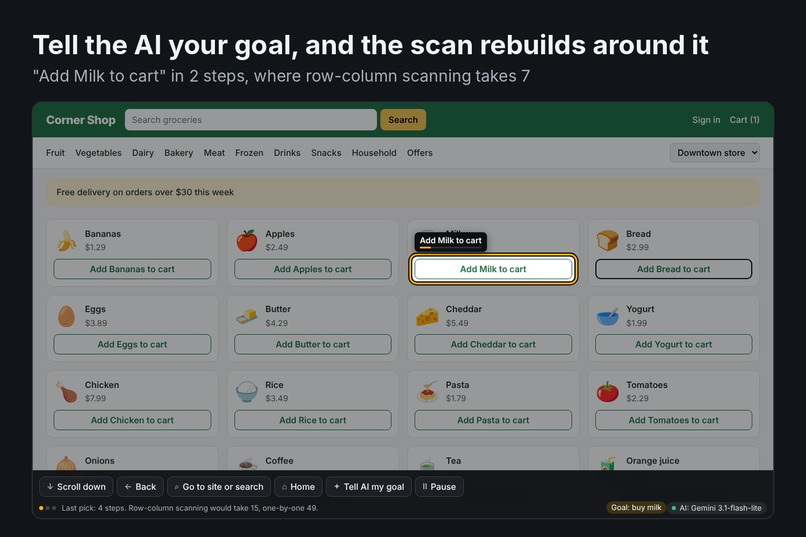
Selection
-
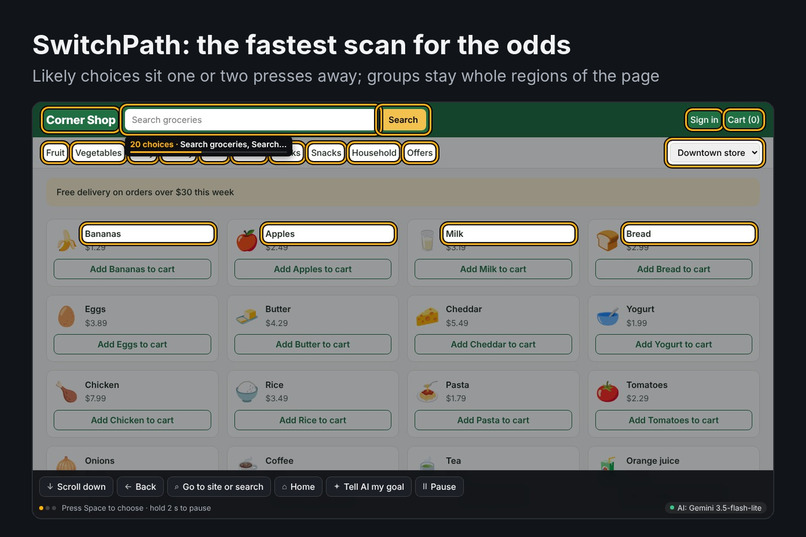
Scan
-
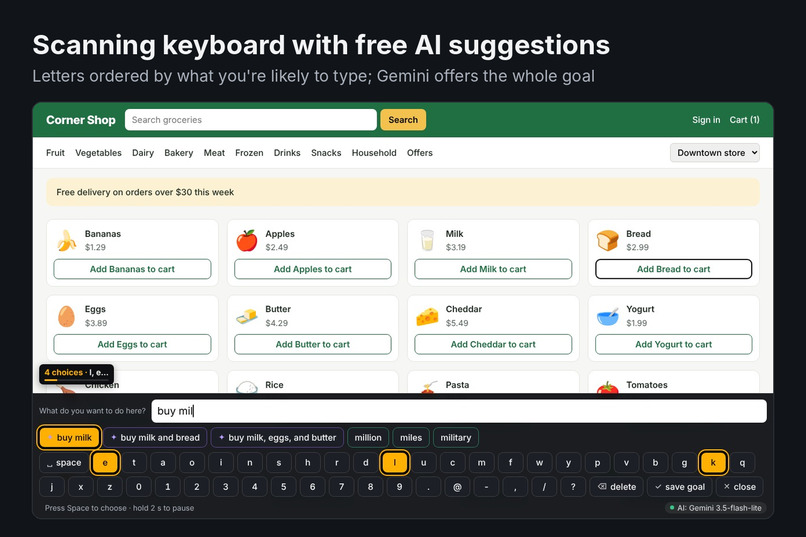
Typing
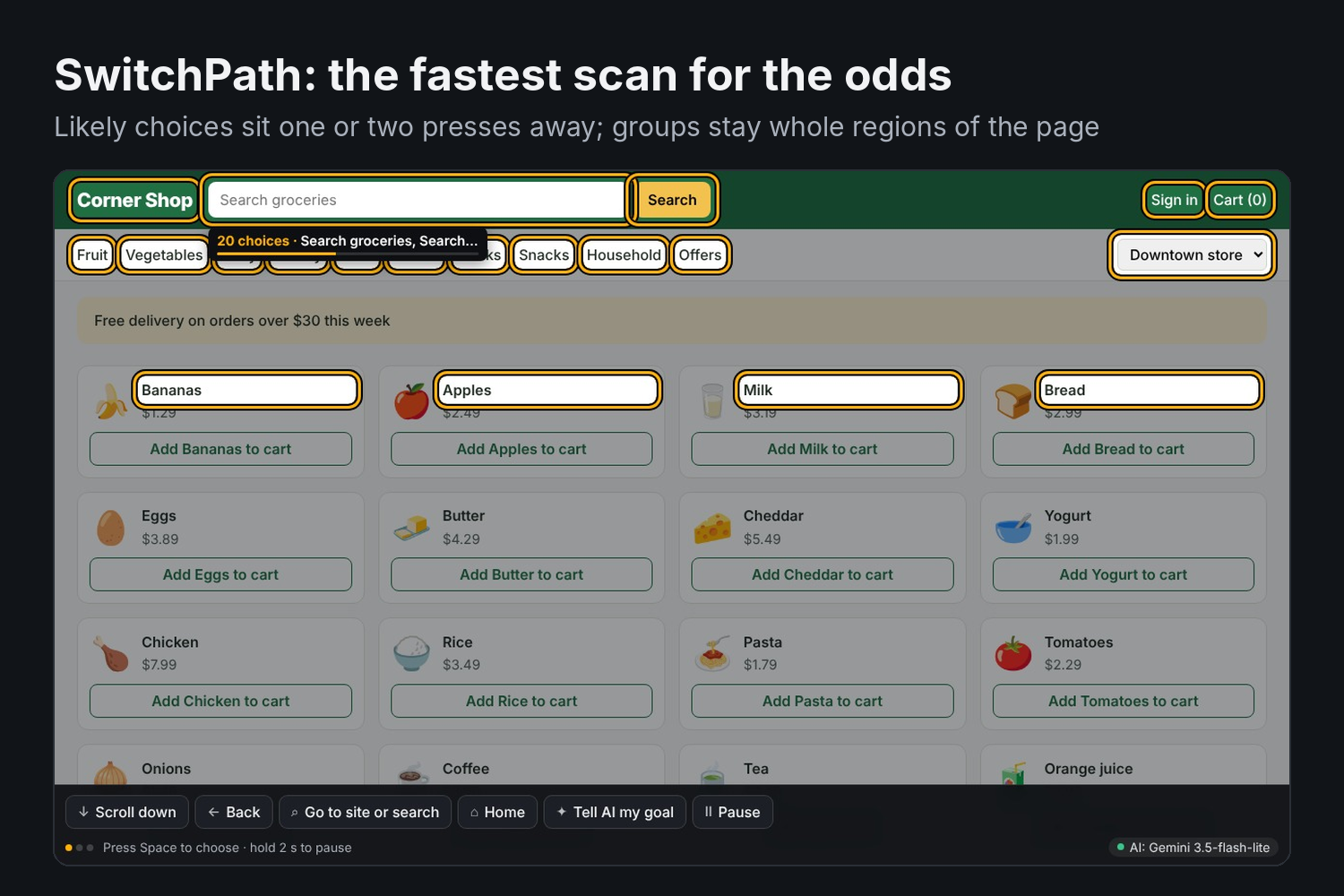
Some people run a whole computer from one button: a head switch, a sip-and-puff tube, a blink sensor. People with ALS, cerebral palsy, spinal cord injury or locked-in syndrome often can't use a mouse, and many can't use voice control either, because their speech is slurred or gone. A highlight moves across the screen and they press when it reaches what they want. Every step costs about a second.
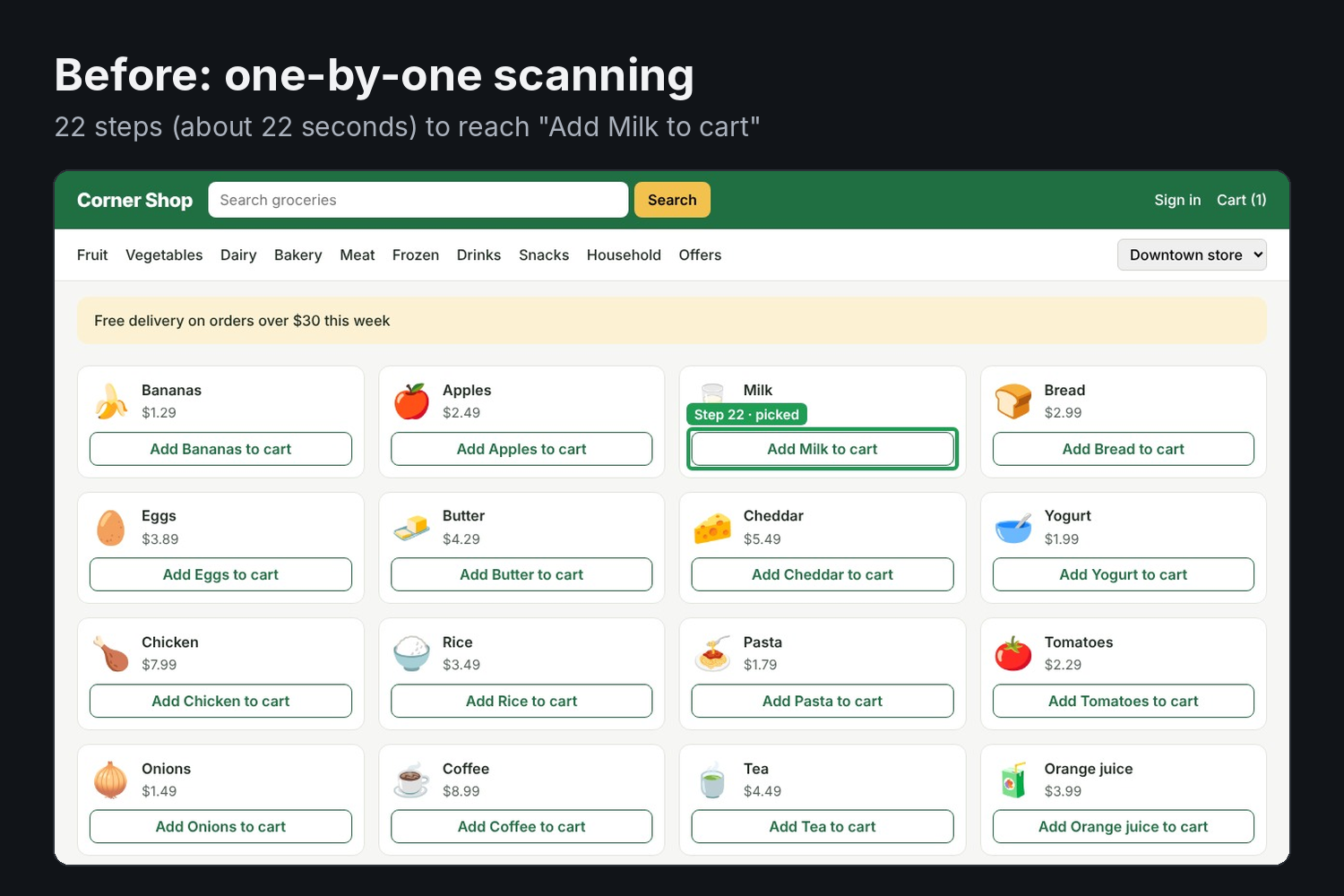
The web is the worst case for this. A shopping page has 30 to 300 clickable things.
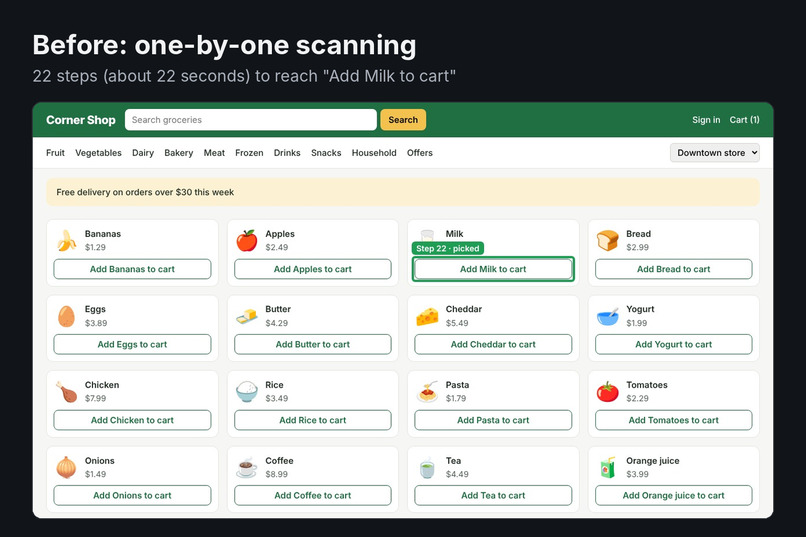
- Apple's Switch Control steps through them one at a time, so the 40th link is 40 seconds away.
- AAC devices use row-column scanning, which is faster but blind to what the user wants.
- Windows has no built-in switch scanning at all, and AAC suites that do it cost hundreds of dollars.
We wanted a free tool where the computer does the guessing, so the person does less pressing.
What it does
SwitchPath is a free Chrome extension that turns every screen into a prediction problem:
- It predicts what you'll pick. Each clickable thing gets a probability from three sources: page cues (a model fitted on 73 real websites), your own click history on that site, and a free AI model (Gemini Flash-Lite). The AI reads the page and, if you told it, your goal.
- It builds the fastest possible scan for those odds. Likely choices sit one or two presses away. Unlikely ones are still reachable, just deeper. Groups stay as whole regions of the page, so the highlight is easy to follow.
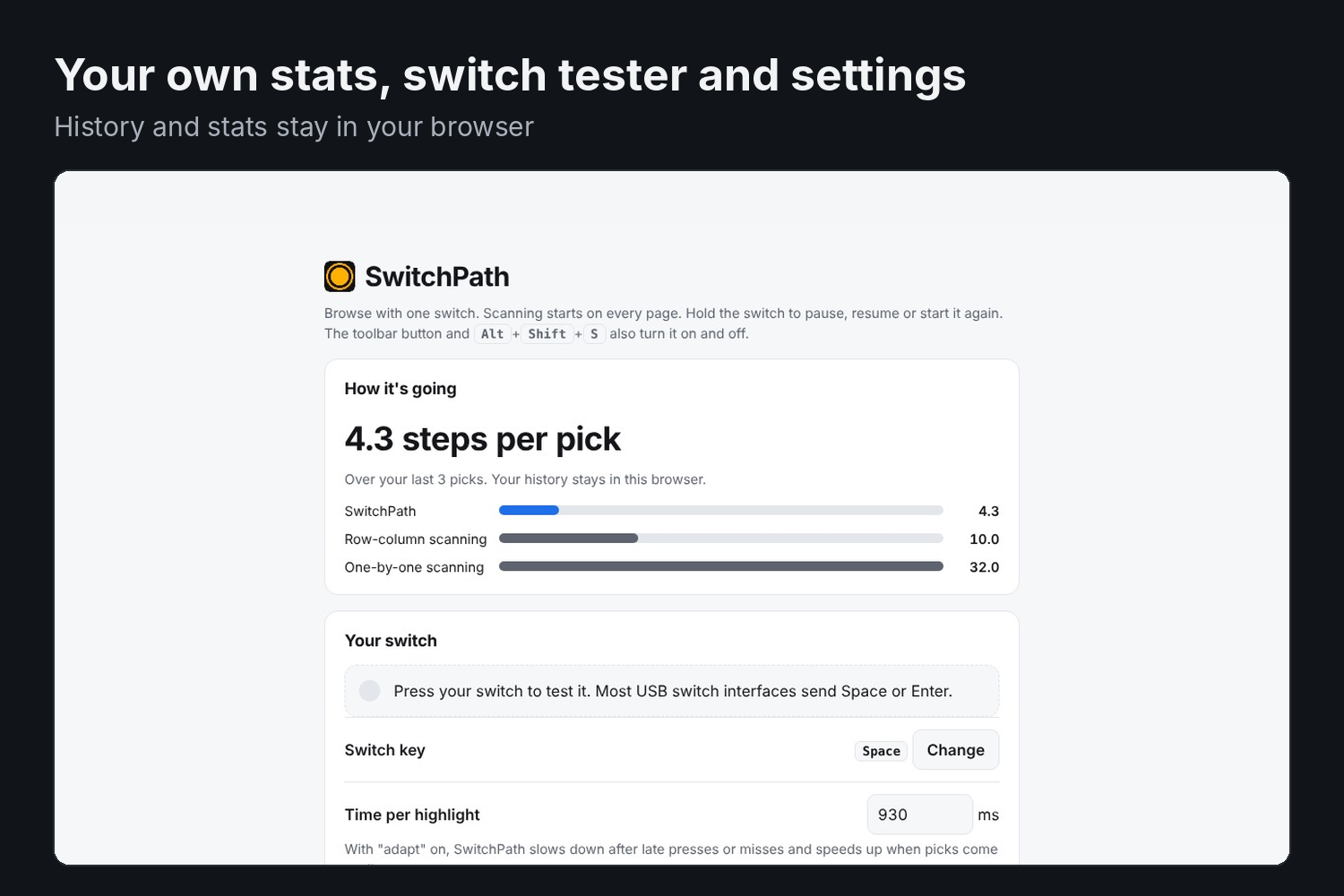
- It learns. Every pick updates your history, so the sites you use daily get faster. History never leaves your browser.
It's built so a switch user never gets stuck:
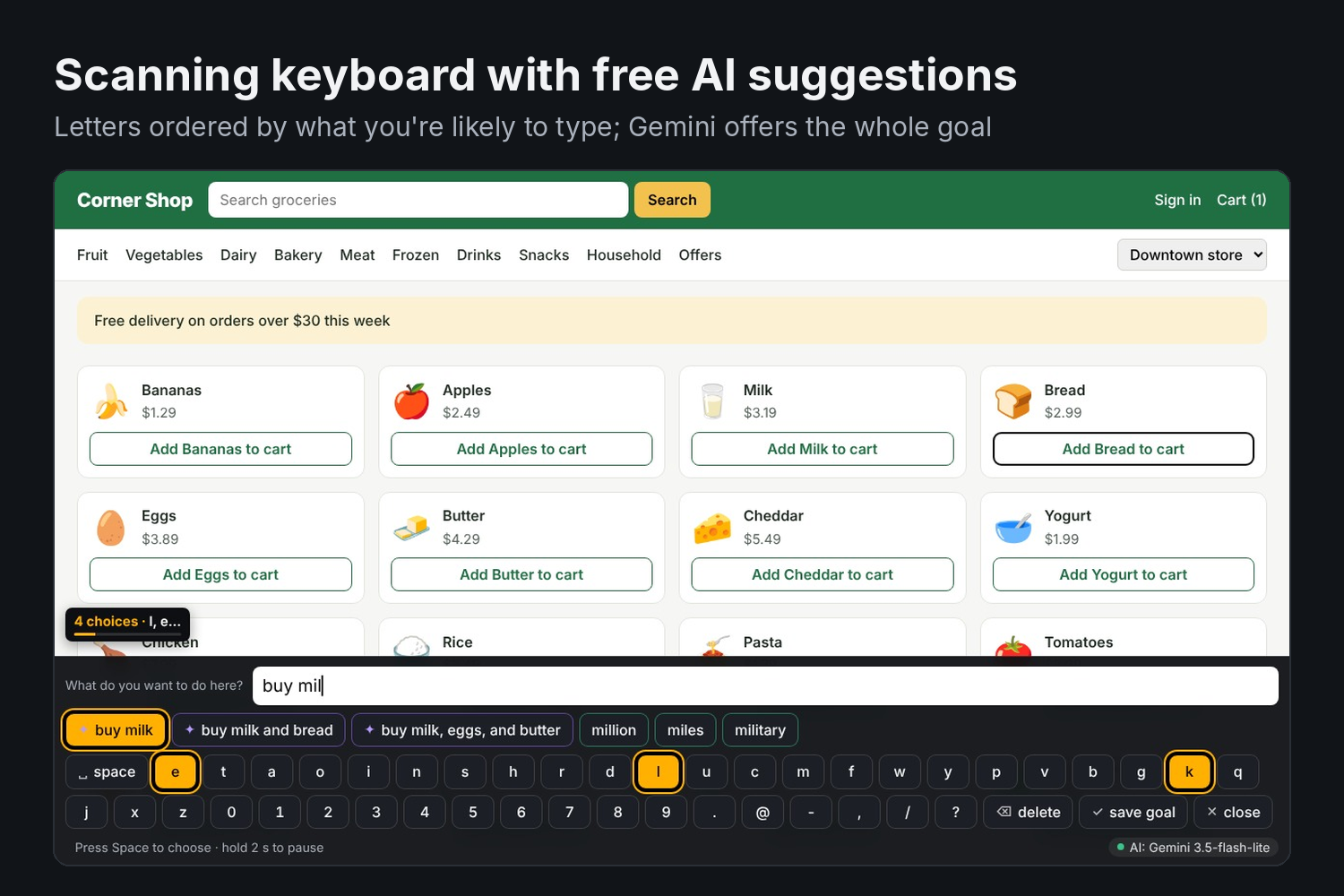
- Scanning keyboard: letters are ordered by what you're likely typing next, with word completions and AI suggestions for the field.
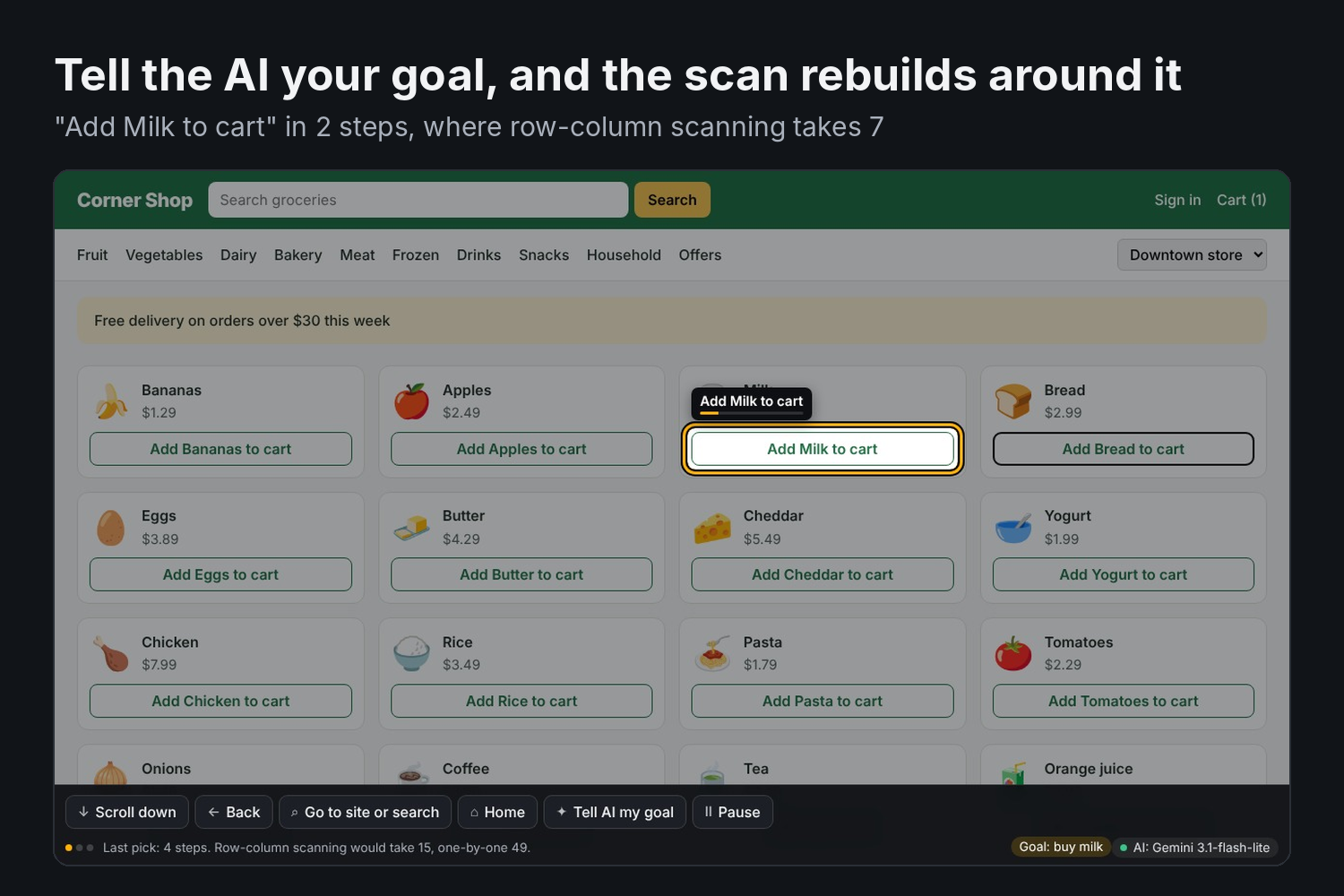
- Tell AI my goal: type "buy milk" with the same switch, and the whole page re-ranks around it.
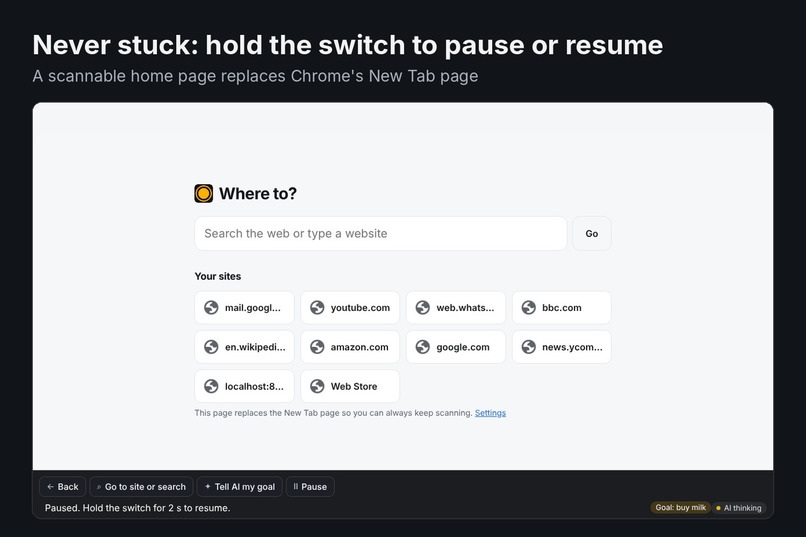
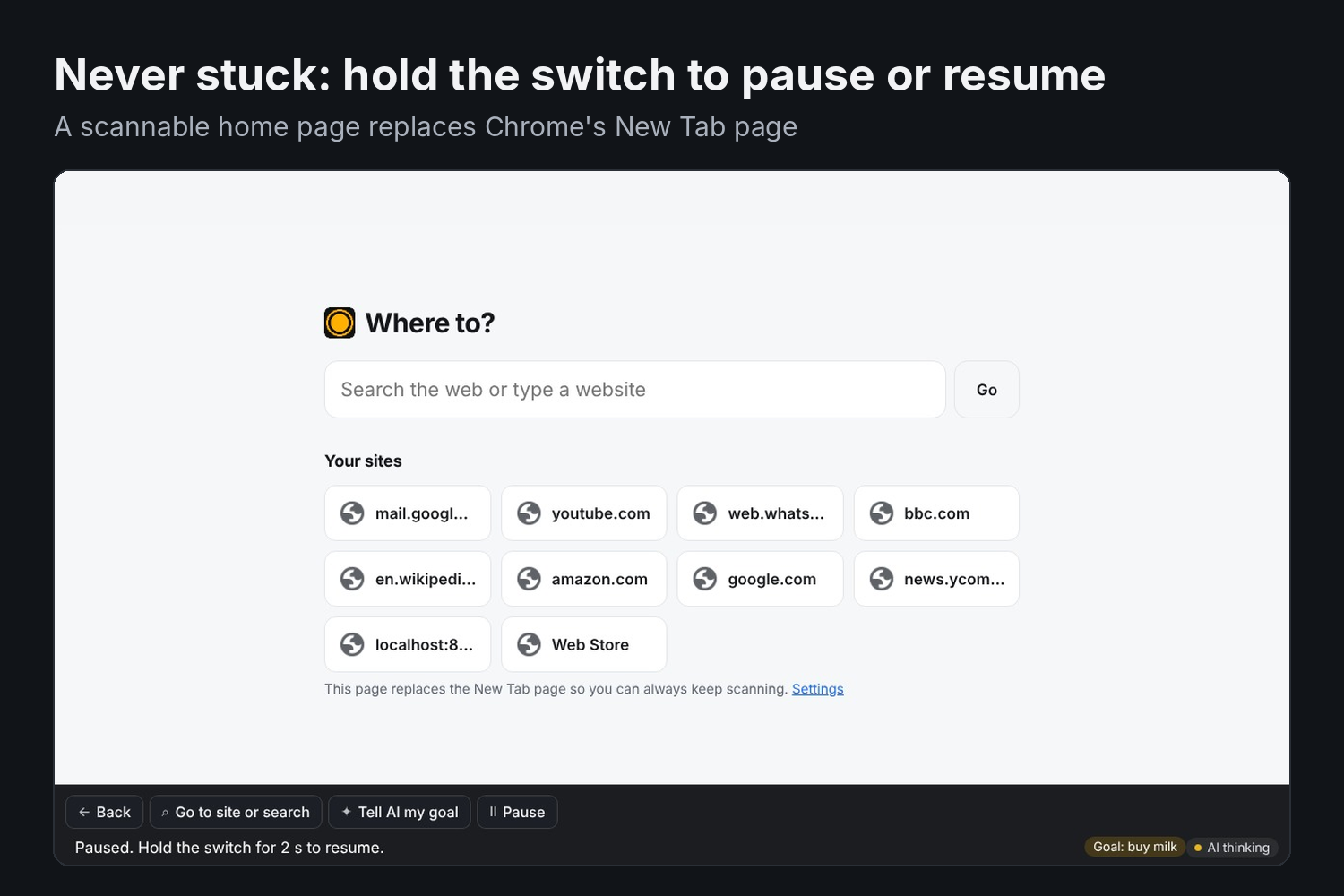
- Hold to pause or resume: holding the switch pauses, resumes or restarts scanning, so there's no "Stop" button you can't undo.
- Home page: a scannable home page replaces Chrome's New Tab page, which extensions can't run on.
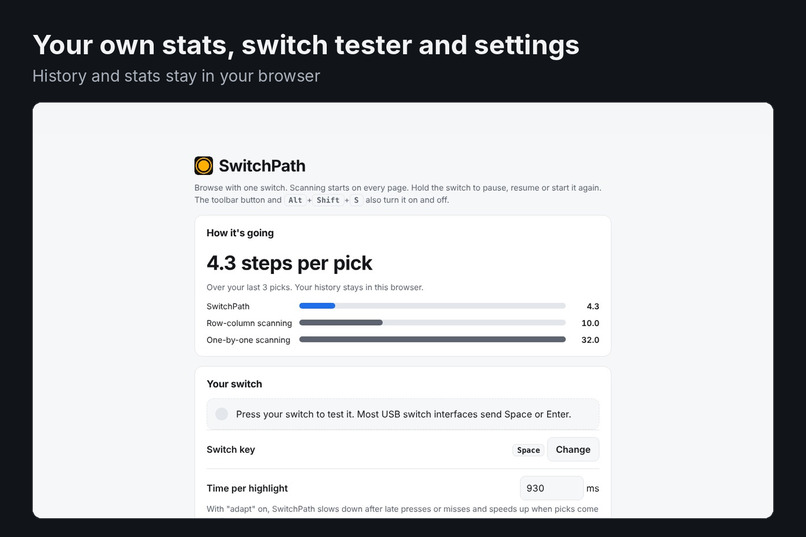
- Adaptive speed: scanning slows down after late presses and speeds up after clean ones.
- Comfort and safety: double presses from a tremor are ignored, highlights can be read aloud, and you can choose the highlight colour.
- Privacy: the AI never sees a page with a password box, or any site you exclude.
How we built it
The algorithm. With timed scanning, picking the $t$-th entry of a list costs $t$ steps. Given probabilities $p_1, \dots, p_n$ for the items in reading order, we want the scan tree with the fewest expected steps. Let $P(i,j) = \sum_{m=i}^{j} p_m$ and let $G(i,j)$ be the best expected cost of scanning items $i..j$ as one list. Then
$$G(i,j) = P(i,j) + \min_{i \le k < j} \Big( [k>i]\, G(i,k) + G(k+1,j) \Big)$$
where the first child is item $i$ alone ($k=i$) or the group $i..k$. This is a Huffman-style code with unequal letter costs, and it is solved exactly in $O(n^3)$. Unit tests check it against brute force. Keeping reading order means every group is one region of the screen.
The odds. Page cues act as a Dirichlet prior worth 3 picks. Click counts decay with a 30-day half-life and are added on top, with this page's history counting double. The AI's ranking is blended in at 35%, or 60% when the user has stated a goal:
$$p_i = (1-w)\,\frac{3\,h_i + c_i}{3 + \sum_j c_j} + w\, a_i$$
Here $h_i$ is the page-cue probability, $c_i$ the decayed click count, $a_i$ the AI's probability (with the mass it leaves unassigned spread by the prior), and $w$ the AI weight.
The AI. A background worker calls Gemini's free API. It walks a chain of 7 free models and honours each rate limit's retry delay, so one model running out of quota doesn't stop the user. Answers are cached per screen. With no key or no quota left, history and page cues still work offline.
The extension. Chrome Manifest V3. A content script finds every visible clickable element, including script-driven ones found through ARIA roles, onclick and tabindex. The overlay lives in a closed shadow DOM so page styles can't break it.
The benchmark. We used Mind2Web (Deng et al., NeurIPS 2023): 7,350 real clicks from 1,009 tasks on 73 live websites. For each click we count the scan steps a single-switch user needs, including scrolling to reach the target. Page-cue weights are always fitted on the other half of the websites, never the one being scored.
Challenges we ran into
- Our first idea lost. We started with an AAC keyboard that expands word initials into sentences. Our own benchmark showed it lost to plain word prediction, so we dropped it and looked for a problem where the algorithm, not the size of the model, carries the win.
- Free-tier limits. Free Gemini models allow a few hundred requests a day and slow down at busy times. We built fallback across models, caching, and an extension that keeps working without the AI.
- Real pages are messy. There are clickable
divs, sticky headers that cover links, and inner panels in mail and chat apps that scroll on their own. - Not moving things under the user. AI answers arrive while the highlight is moving. We apply them at the next pass instead of reshuffling mid-choice, which is less confusing.
Accomplishments that we're proud of
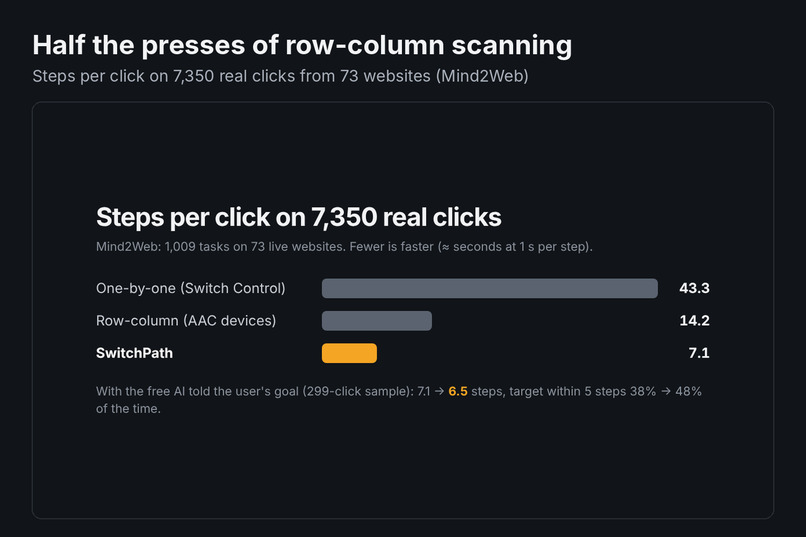
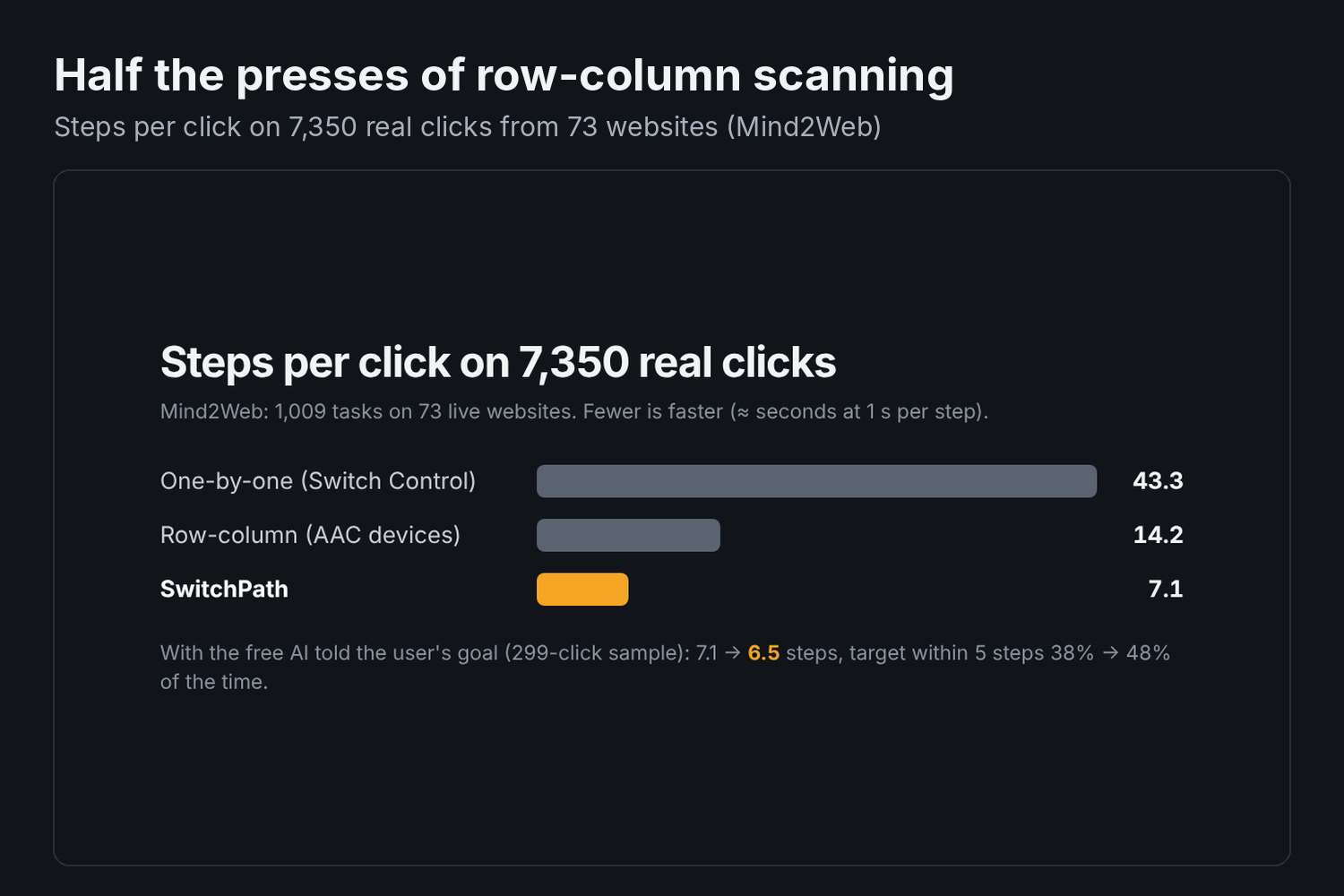
On 7,350 real clicks:
| Scanning method | Steps per click |
|---|---|
| One-by-one (Switch Control) | 43.3 |
| Row-column (AAC devices) | 14.2 |
| SwitchPath | 7.1 |
That's half the steps of row-column scanning and a sixth of one-by-one, with no paid service. On a 299-click sample, telling the free AI the user's goal brought it down from 7.1 to 6.5 steps. It also put the target within 5 steps 48% of the time instead of 38%.
The AI and the algorithm each do the job they're good at. The AI brings understanding: it knows "Add to cart" matters when the goal is "buy milk". The algorithm turns any guess, good or bad, into the cheapest scan, so a wrong guess costs a step or two instead of a dead end.
What we learned
- The AI helps most when it knows the goal. Reading the page alone, it guessed no better than our page-cue model (7.3 vs 7.1 steps). Told the task, it cut steps further. That's why the extension has a "Tell AI my goal" button.
- Measure before you build. Our benchmark killed our first idea in a day and saved us from shipping something slower than what already exists.
- Accessibility is mostly about not getting stuck. Recovering from a mistake, pausing, and opening a new tab mattered as much as speed.
What's next for Switch Path
- Testing with real switch users. Our benchmark assumes a perfect user who always presses on time, the standard assumption in scanning research.
- Eye-gaze dwell as a second input.
- Publishing to the Chrome Web Store.
- Iframes and canvas apps, which aren't scanned yet.
Built With
- claude
- css
- html
- javascript

Log in or sign up for Devpost to join the conversation.