The shop is sorted for everyone except you
Every clothing app shows the same grid to every person. You scroll, you guess, you order three sizes, you send two back. The decision that actually matters — does this colour work against my skin, does this cut work on my body — is the one you are asked to make from a photo of a model who is not you.
SwipeFit inverts it. One skin scan happens first, and it decides the entire catalogue you are shown. Not a filter you apply afterwards. The sort order itself.
What it does
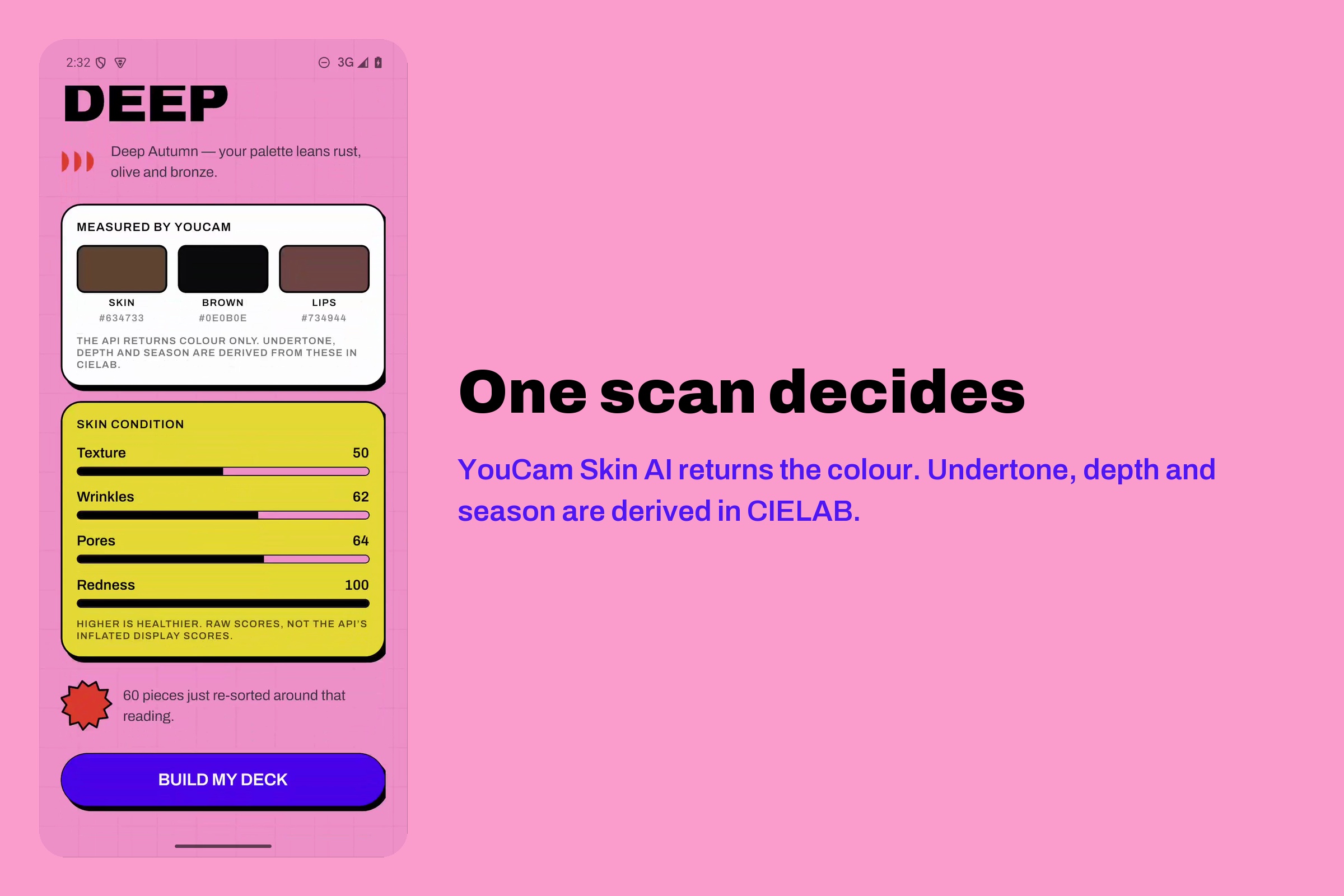
One scan, then everything follows. You look at the lens. YouCam Skin AI returns your skin tone and a fourteen-metric skin condition reading. From that single scan the app derives your undertone, depth and season, then re-sorts all 60 products against it. Three different people scanning produce three genuinely different decks from the same catalogue — which is the whole point.
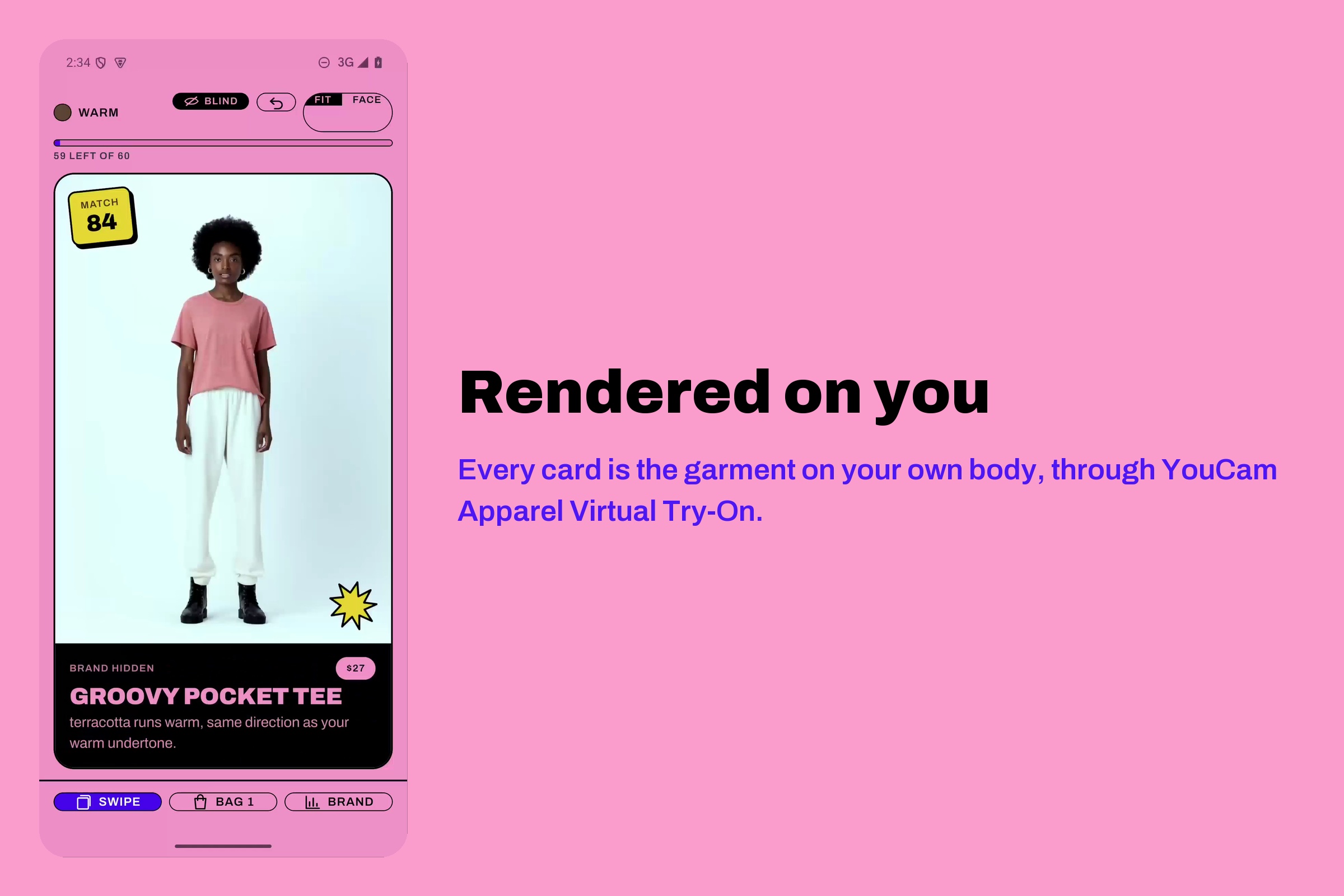
Every card is you, not a model. Each garment is rendered onto your actual body through YouCam Apparel Virtual Try-On before it reaches the deck. The card you swipe on is the claim: this is what it looks like on you.
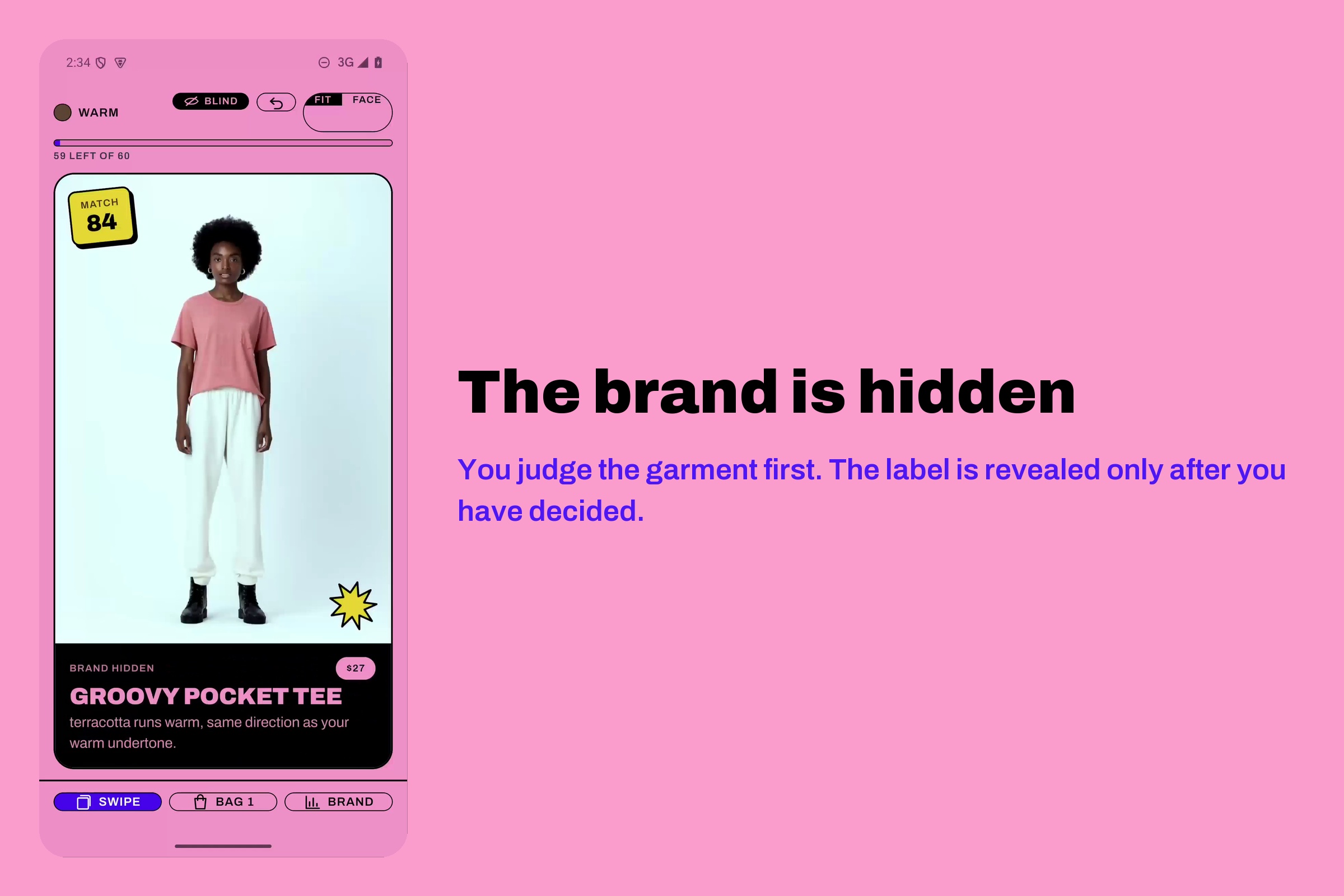
Blind mode: the brand is hidden until you decide. Cards show the garment, the price, and the match score — no logo, no brand name. You judge the clothes. The name is revealed only after you swipe right. The app then shows you the gap between what you chose blind and what you would have chosen with the labels visible, which is a number most shopping apps would rather you never saw.
It tells you why. Tap a card and it explains the score in words — "terracotta runs warm, same direction as your warm undertone" — plus fit notes and a return-risk heuristic. Every claim is traceable to a number the API returned.
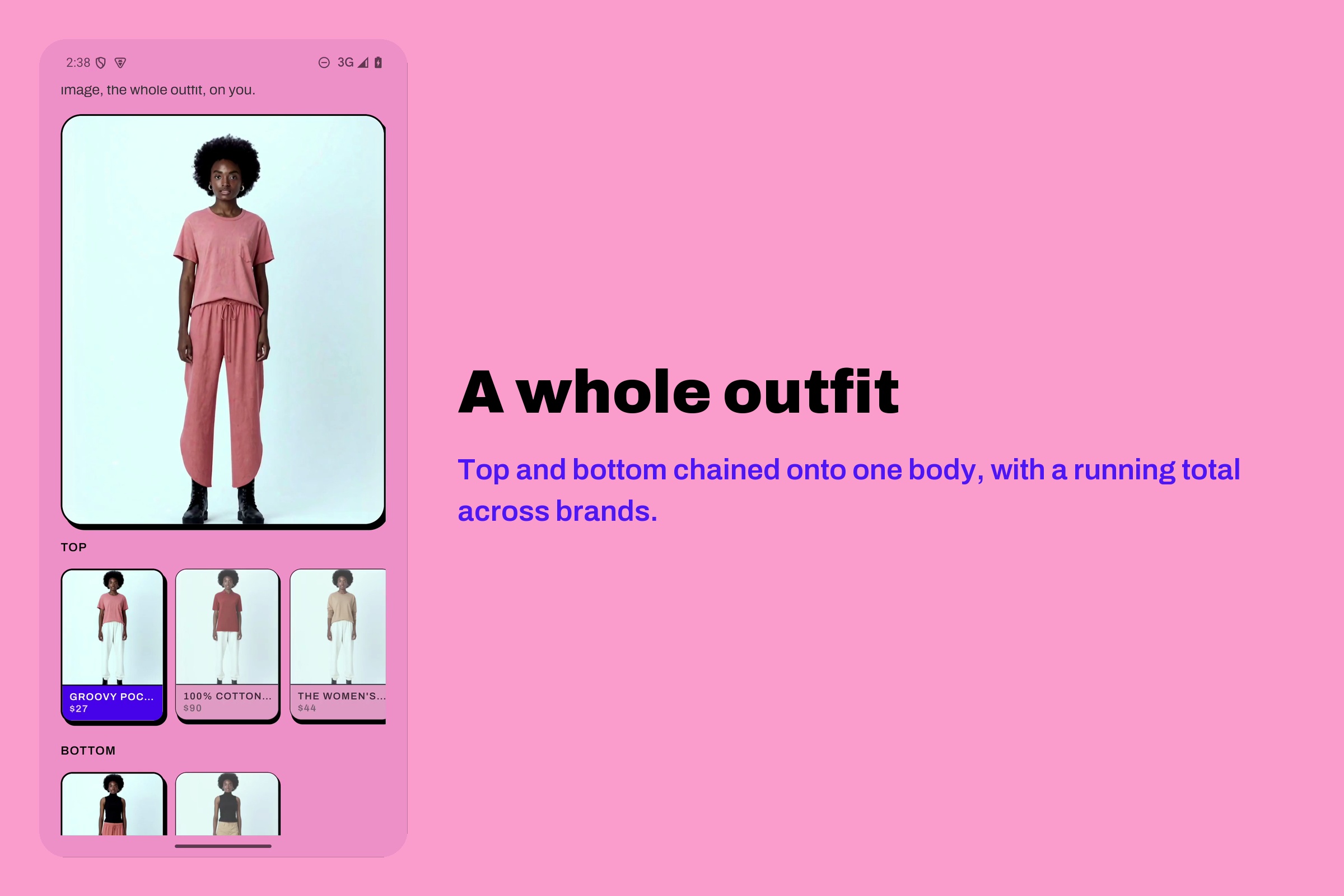
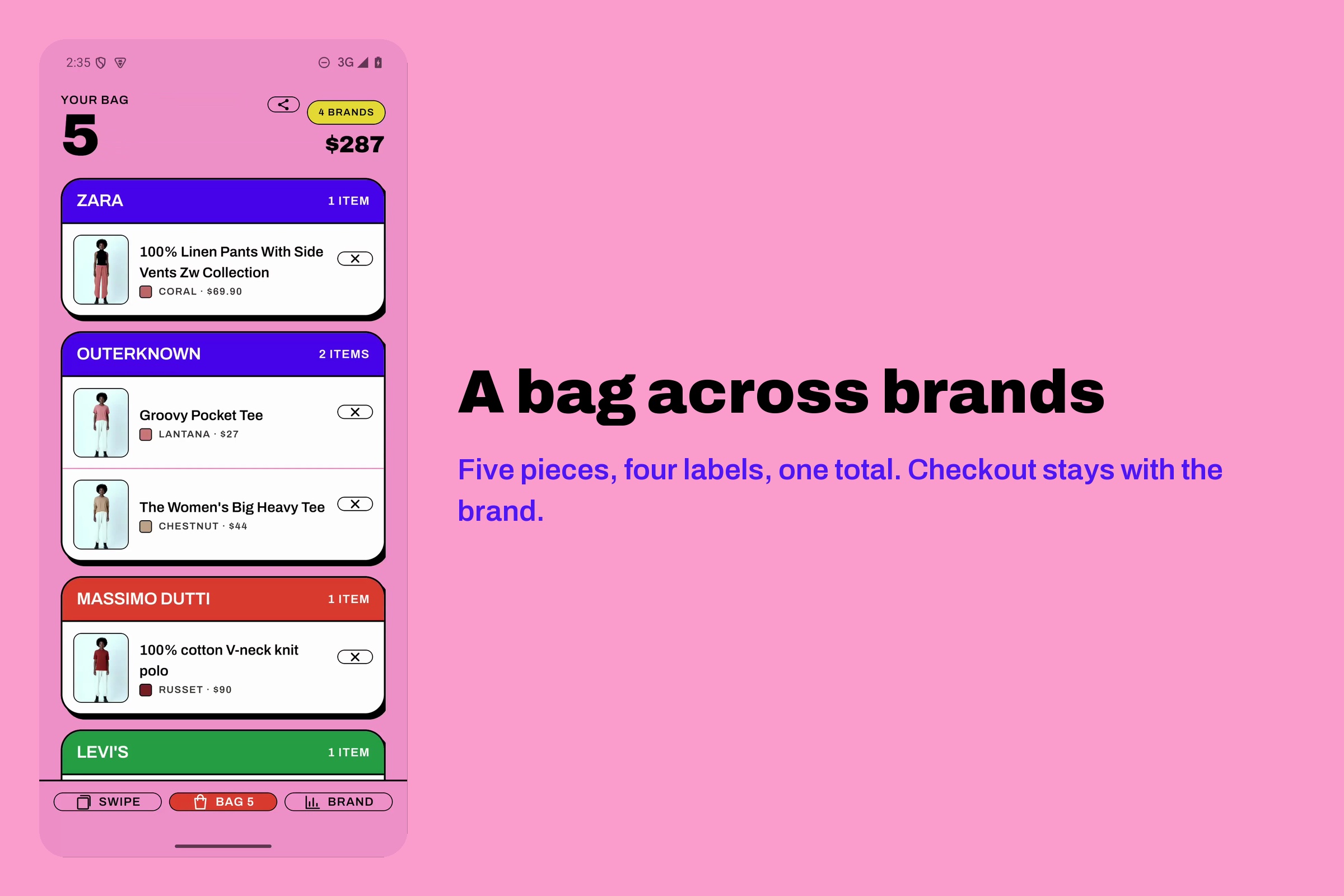
Outfits, not items. Bag a top and a bottom and it renders the complete outfit on you in one pass, with a running total across brands.
Handoff, not checkout. SwipeFit never takes payment. Every item opens the brand's own product page. It is a discovery layer, not a competing store.
A brand console. Brands see aggregate demand by tone bucket — which undertones are swiping right on which garments — without ever receiving a face, a photo, or a scan.
How we built it
Expo 57 / React Native 0.86 / React 19 with expo-router and Reanimated 4.5,
Supabase for catalogue, auth and the brand console, and a Next.js web surface
for brands. Sixty real products across nine real brands — A.P.C., COS, H&M,
Levi's, Massimo Dutti, Outerknown, Sunspel, Uniqlo and Zara — split 30
upper-body, 26 lower-body, 4 full-body so the try-on categories map cleanly onto
cloth-v3.
Three YouCam endpoints do the work: skin-tone-analysis and skin-analysis for
the reading, and Apparel VTO cloth-v3 for every render.
The matching runs in CIELAB, not RGB. Skin tone and garment colour are both converted to Lab, and the score is built from the angular distance between their hue vectors plus a lightness-contrast term. Hue direction is what "warm" and "cool" actually mean perceptually; RGB distance would have called a muddy brown a great match for terracotta.
What we learned
The API gives you measurements, not conclusions — and that is correct.
skin-tone-analysis returns colour. It does not return "you are a Deep Autumn",
because that is a styling opinion and an API has no business asserting one. We
derive undertone, depth and season ourselves in CIELAB and label them in the UI
as derived, with the raw hex values shown next to them. Being explicit about
which numbers are measured and which are inferred made the product more
trustworthy, not less.
Raw scores and display scores are different things. skin-analysis returns
both a raw score and a friendlier display score per metric. We show the raw one
and say so. A redness reading of 100 is more useful to a person than a polished
72.
Challenges we ran into
The try-on API will not chain its own output. Building a full outfit means rendering a top onto you, then rendering trousers onto that result. Handing the API its own result URL back as an input fails. The fix was to keep the original body image as the anchor for every pass and composite forward, never feeding a generated URL back in. This was the single biggest architectural constraint in the app and it is now enforced in code rather than remembered.
Renders fail, and pretending otherwise is worse than failing. Try-on
occasionally returns error_download_image. The app shows "TRY-ON UNAVAILABLE —
the render failed" on the card with the real error code, and falls back to the
product photo. It never silently swaps in a stock image and lets you believe it
is you. A demo take that captured a genuine failure was kept honest rather than
re-shot until it looked clean.
Gendered catalogues are a real modelling problem. A unisex-by-default catalogue produces bad decks for everyone. We added explicit gender targeting (34 men, 19 women, 7 unisex) with an onboarding preference and a deck-level filter, so the sort has something meaningful to sort.
Built With
- android
- cielab
- expo-router
- expo.io
- ffmpeg
- kokoro-tts
- nextjs
- onnxruntime
- perfect-corp-api
- postgresql
- python
- react
- react-native
- react-native-reanimated
- supabase
- typescript
- youcam-apparel-vto
- youcam-skin-ai
- zustand
