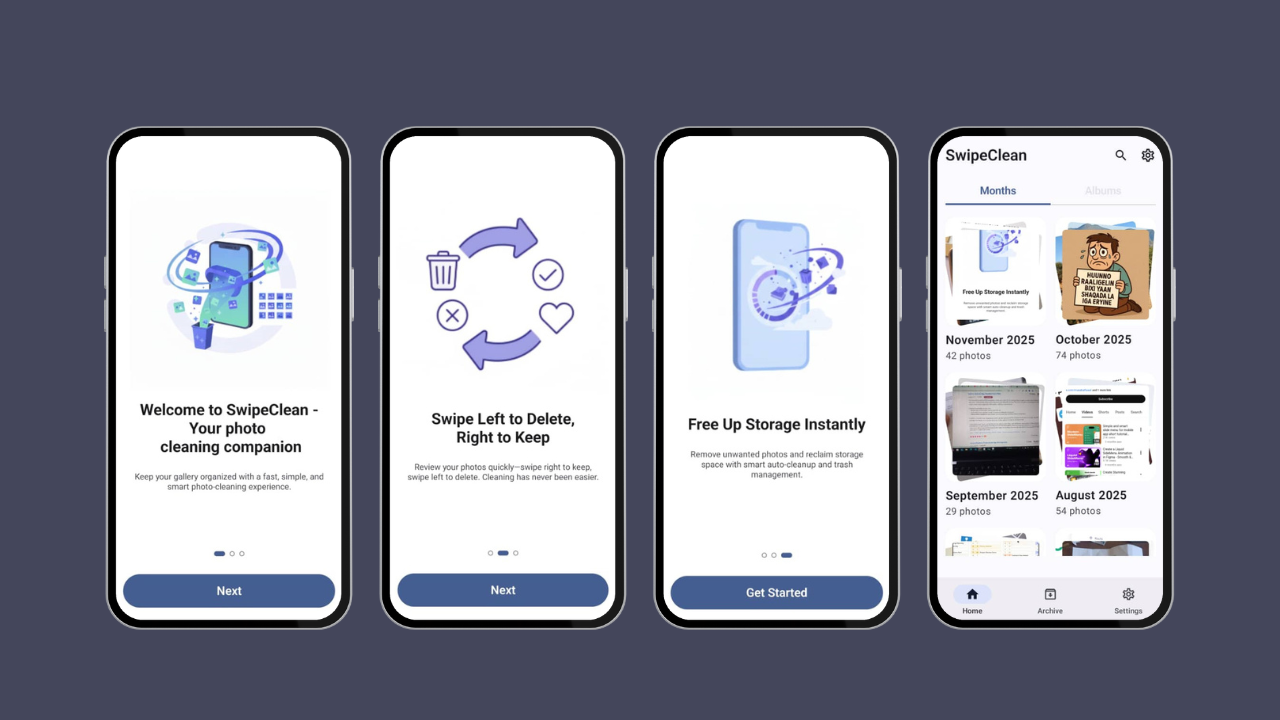
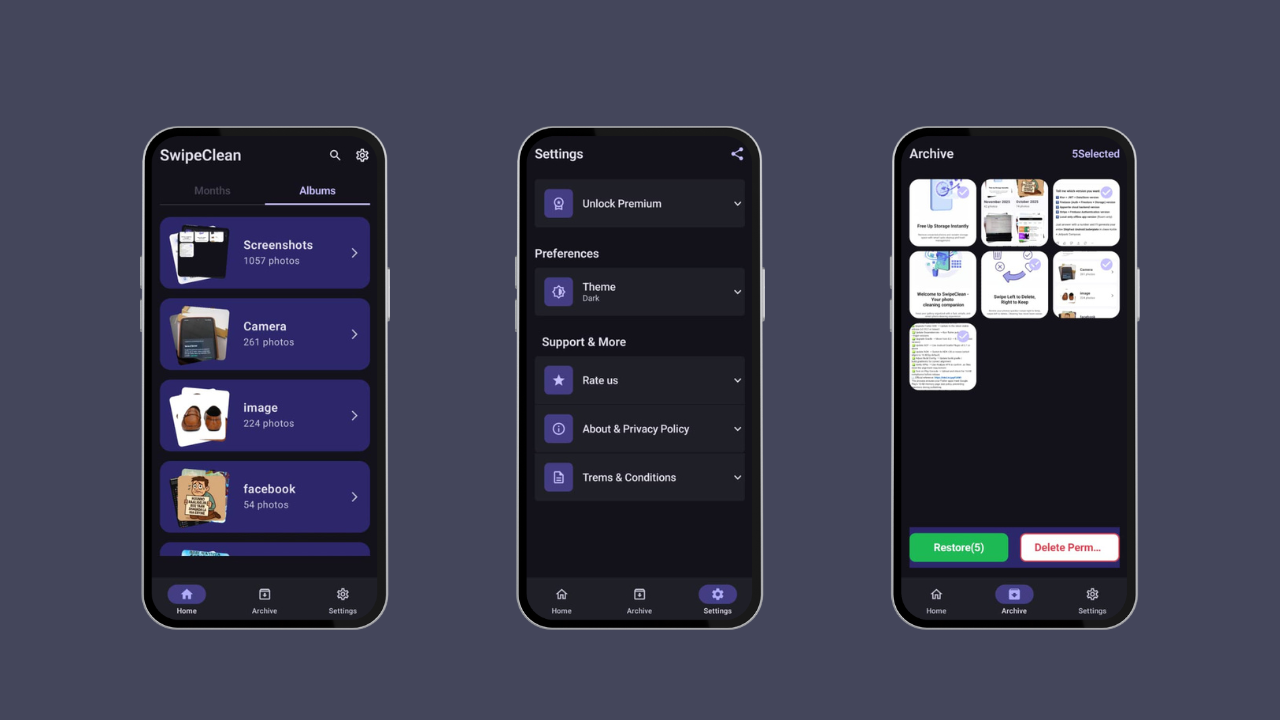
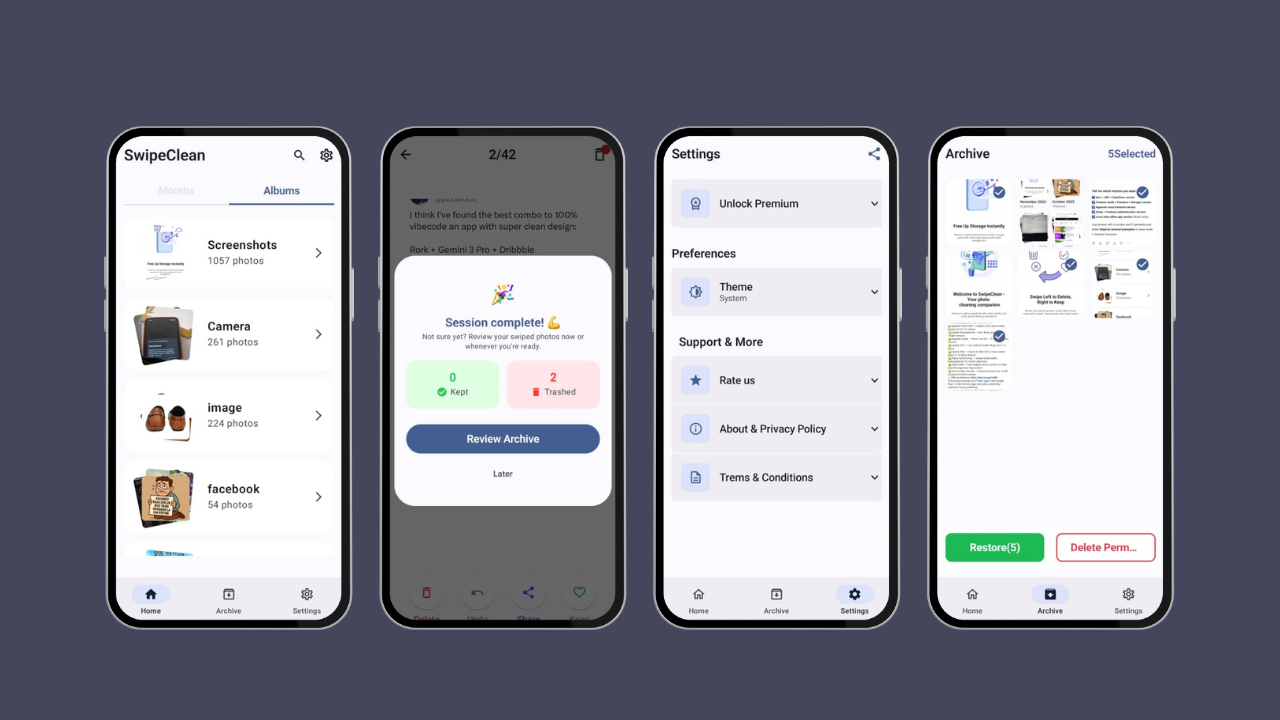
Inspiration Managing photos on a phone can be tedious. Deleting one by one is boring and time-consuming. SwipeCleen was inspired by the idea of making photo cleanup fast, fun, and interactive, using a swipe-based interface.
What it does Swipe left/right to delete unwanted photos Preview photos in full screen before deleting Undo accidentally deleted photos Optional batch cleanup for faster decluttering Smooth animations for an engaging experience SwipeCleen helps users organize their gallery effortlessly and free up storage space.
How we built it Platform: Android Language: Kotlin IDE: Android Studio UI: Jetpack Compose Gallery Access: Android Media API
Challenges we ran into Handling large photo galleries efficiently without slowing the app Implementing smooth swipe animations Ensuring the undo functionality works reliably
Accomplishments we're proud of Fully functional swipe-to-delete feature Clean, modern, and intuitive UI Efficient handling of large photo galleries Turned a mundane task into a fun and satisfying experience
What we learned Gesture-based navigation and swipe mechanics in Android Performance optimization for large datasets Importance of UI/UX for user engagement
What's next for SwipeCleen Add smart suggestions for photos likely to be deleted Include cloud backup before deletion Gamify cleanup sessions to make it more fun Multi-photo select and swipe for faster batch cleanup
Built With
- jetpackcompose
- koin
- kotlin
- mvvm

Log in or sign up for Devpost to join the conversation.