-
-
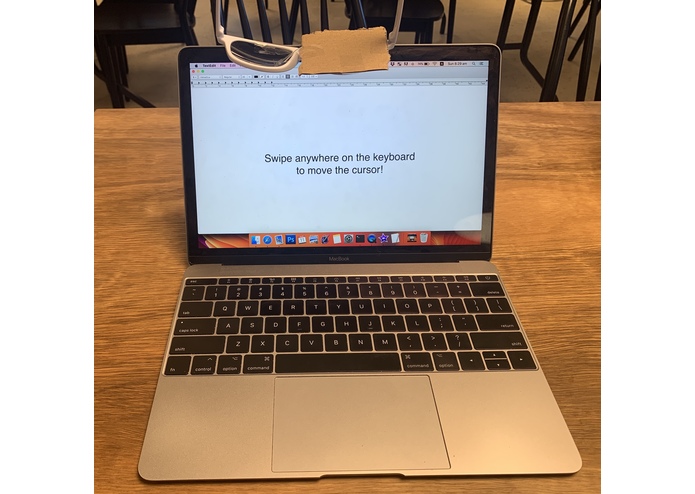
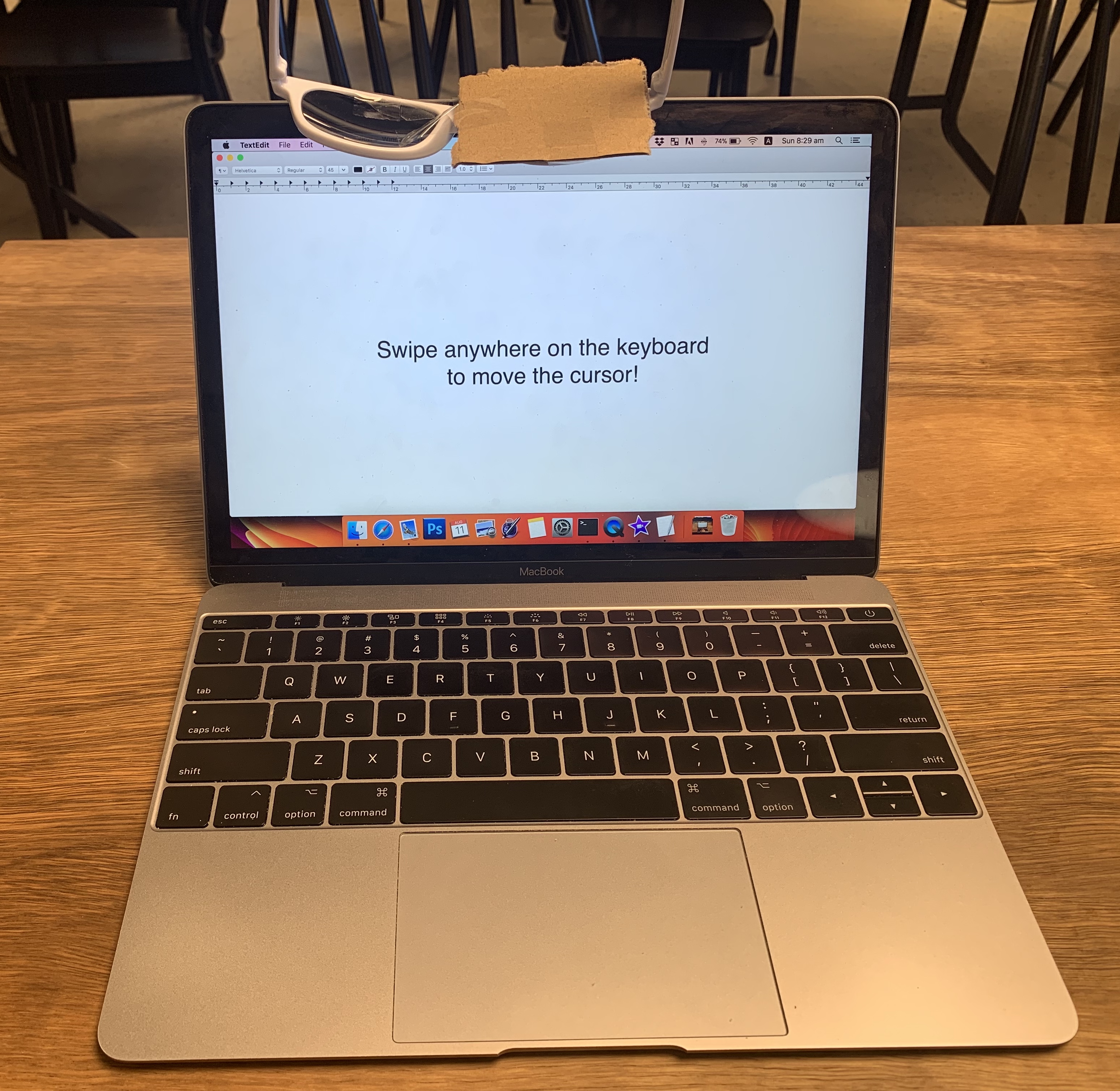
Photo of the overall setup!
-
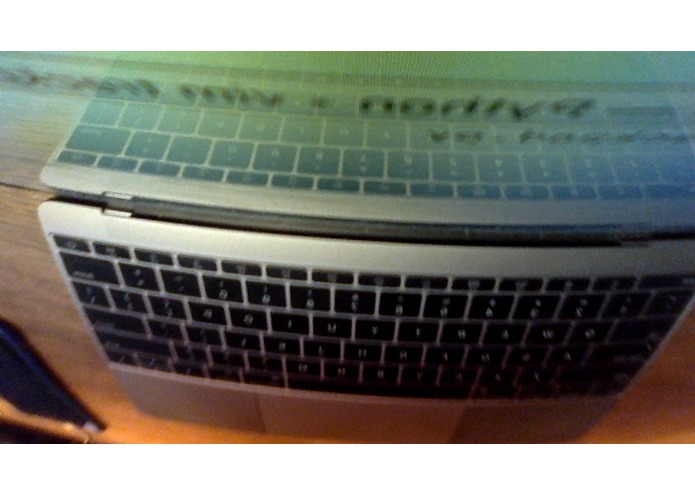
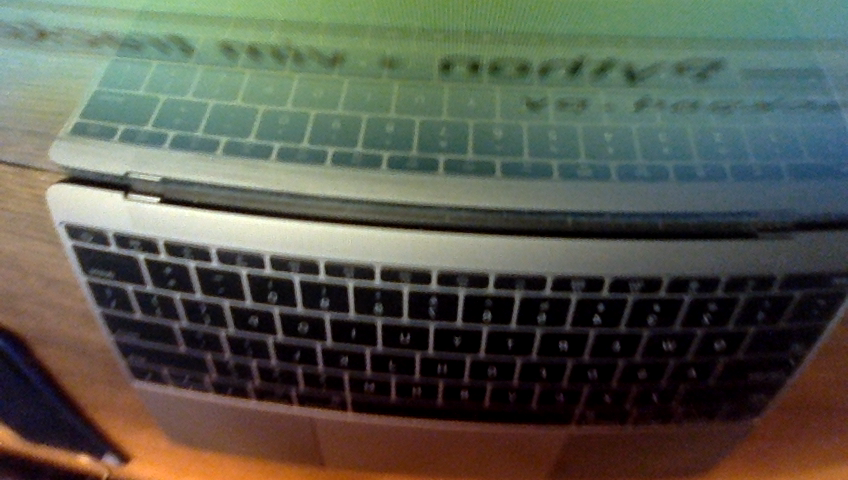
What the camera sees when looking at the reflection of the sunglasses.
-
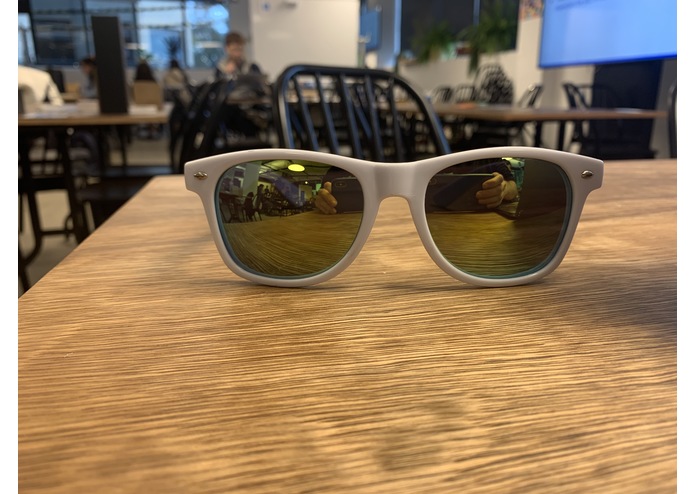
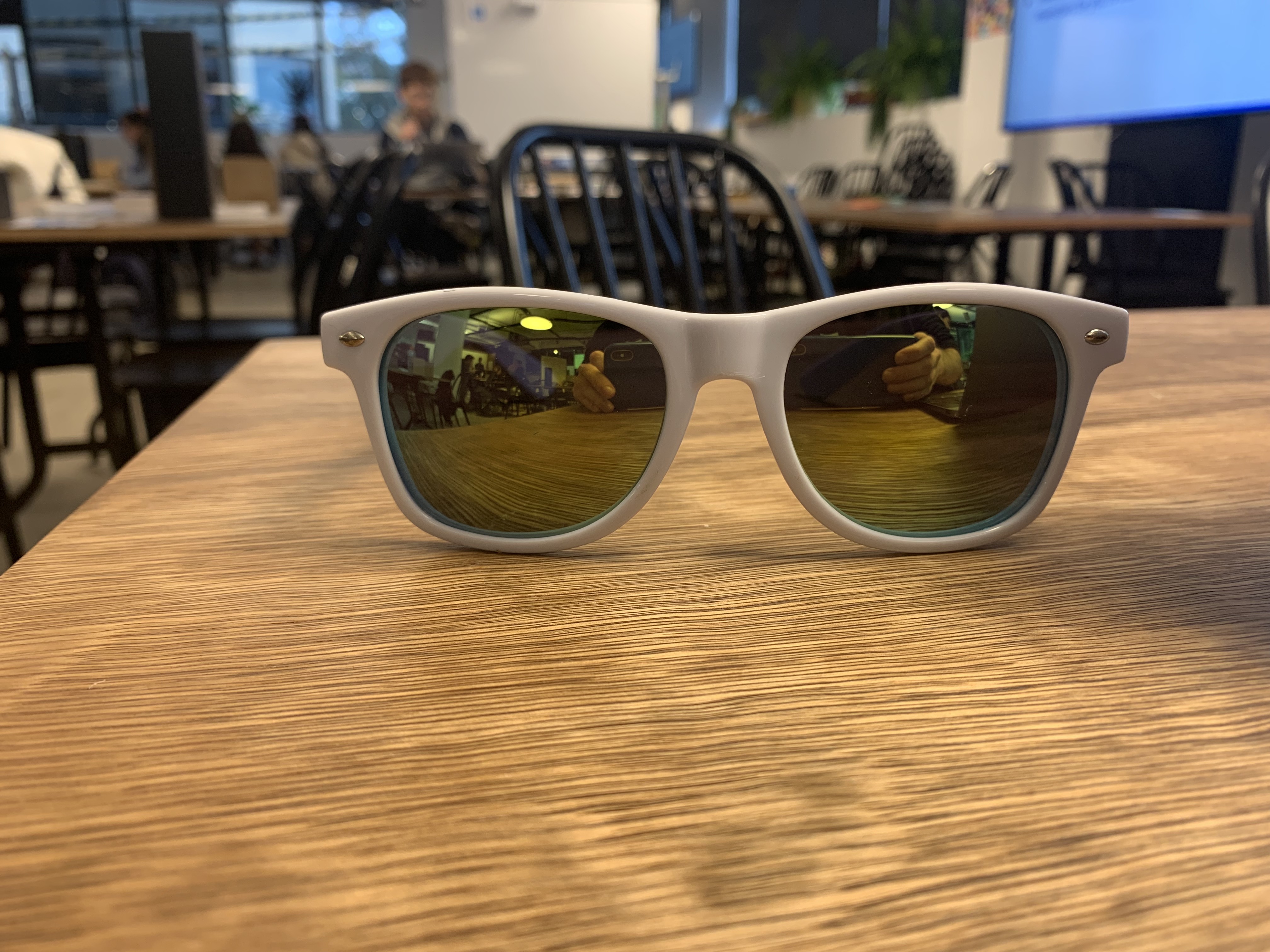
Sunglasses used to reflect the keyboard to the camera.
What does it do?
Swipe your finger on your keyboard as though it's a trackpad, and your cursor will move around on your screen! Tap your finger to click! No need to press down any keys, all tracking is done through the laptop's camera. No special tracking markers needed.
Why would anyone want this?
- Every square millimetre of today's laptops are valuable real-estate for laptop manufacturers. Removing the dedicated trackpad component could free up space for other computing components (like batteries!).
- This system could be expanded to allow swiping gestures for changing system properties like screen brightness or sound.
- Better ergonomics than a touchscreen. Palms can be rested on the laptop rather than having to hold your arm up to interact with the device.
How did I build it?
My laptop, a pair of reflective sunglasses, cardboard and some sticky tape. The sunglasses just act as a mirror so that the camera can see the laptop's keyboard/trackpad area, any reflective material would do (sunglasses were all I had!). Cardboard stuck over the lens prevents the camera from seeing through the sunglasses.
I wrote the software in Python's OpenCV library using PyAutoGUI to send commands to the cursor.
Challenges
- Distinguishing between the user's finger, and the reflection of the user's finger on the laptop's screen
- Dealing with decently reflective aluminium of laptop's body
- Detecting when a user has made a 'tap'/'click' action.
Accomplishments that I'm proud of
- Automatic extraction of a keyboard's convex hull using no special markers.
- Analysing patterns in cursor movement to detect when the user likely performed a 'click' action.
What I learned
Extracting things from a background is tricky when you can't rely on colour due to green-tinted sunglasses.
What's next for Swipe Anywhere Trackpad
Increased robustness, perhaps using deep learning models whose training time wouldn't suit a 24 hour Hackathon.

Log in or sign up for Devpost to join the conversation.