-
-
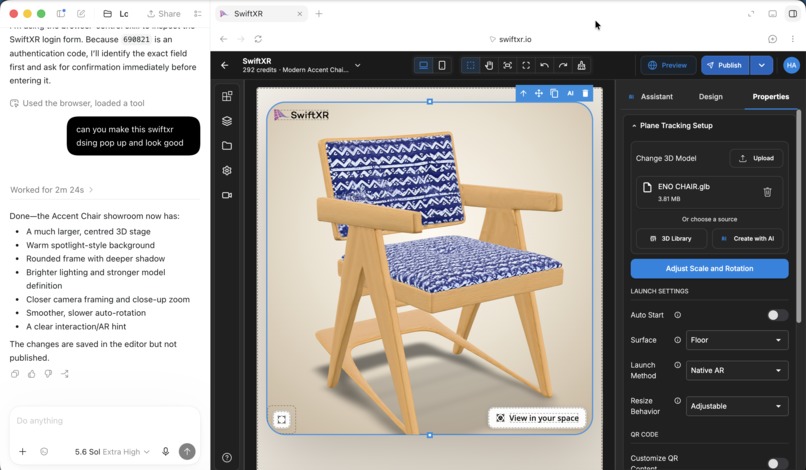
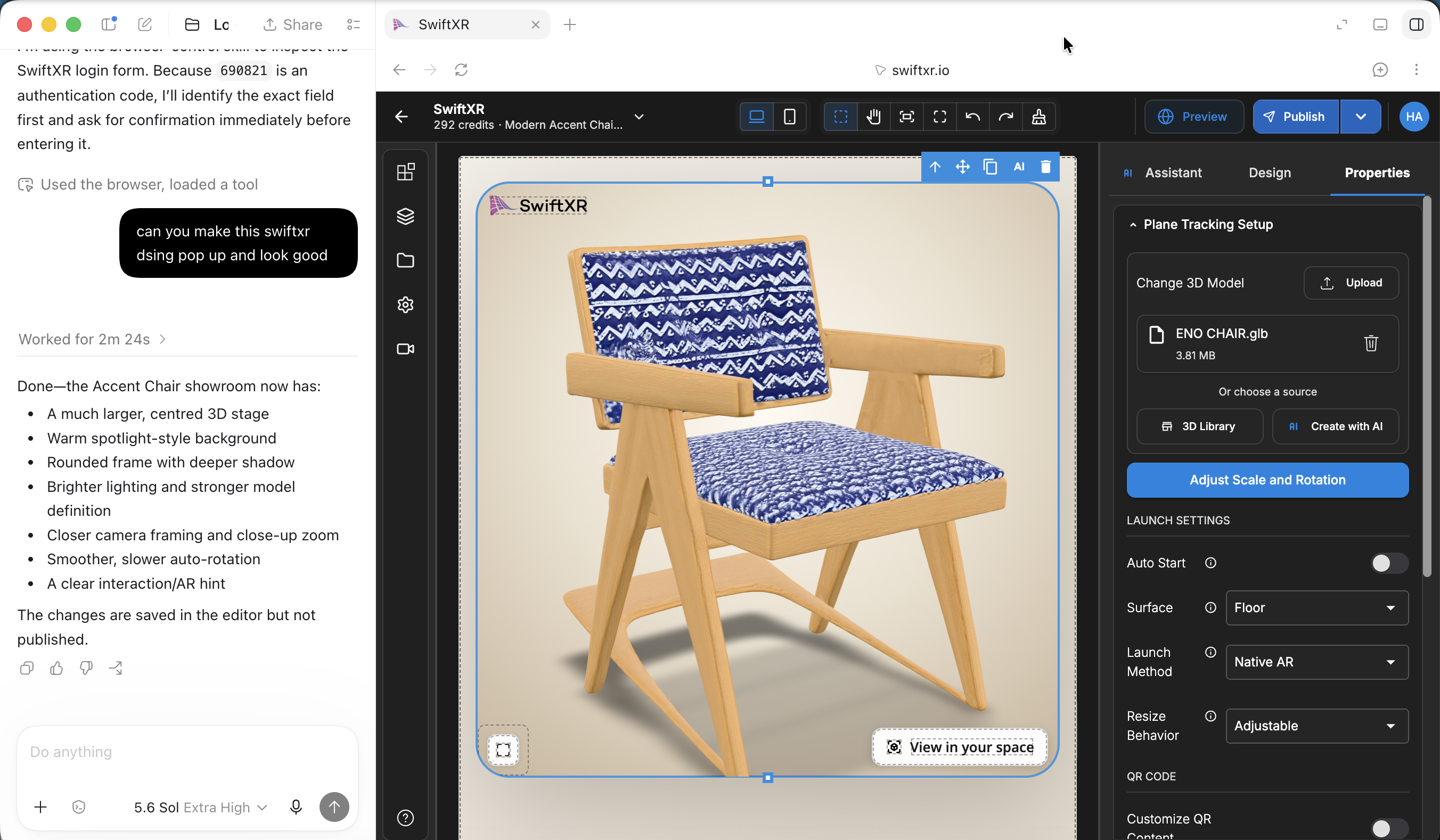
Codex controlling SwiftXR
Inspiration
For a long time, building 3D, AR, or VR web experiences meant hiring developers, stitching tools together, and spending more than most small businesses could afford. SwiftXR was built to change that by making immersive web experiences something creators and e-commerce teams can build themselves.
The editor already has AI features to speed things up. But when we saw the WebMCP Challenge, we wanted to take it one step further: what if someone could open SwiftXR and ask an external AI agent — like ChatGPT — to actually work in the editor with them? Not by guessing at the page, but by calling real SwiftXR editor tools.
What it does
SwiftXR MCP adds WebMCP tools to the SwiftXR editor so AI agents can work inside the user's authenticated browser session.
A user can describe what they want, and the agent can:
- Create and set up a scene
- Add 3D assets, media, and interactions
- Move, rotate, and scale objects
- Adjust lighting, backgrounds, and camera behavior
- Preview changes in the editor
- Publish the finished experience to the web
The editor UI stays open the whole time. The user can watch what the agent changes, undo it, or jump in and adjust things manually.
How we built it
We exposed SwiftXR editor actions as structured WebMCP tools. Instead of an agent scraping the page or sending screenshots back and forth, it receives a clear list of available operations and calls them directly.
The flow is straightforward:
User prompt → AI agent → WebMCP tool call → SwiftXR editor action → published experience
Each tool has a defined input, so agent actions stay predictable. For example:
{
  "tool": "add_3d_asset",
  "input": {
    "sceneId": "scene_123",
    "assetUrl": "https://example.com/chair.glb",
    "name": "Chair"
  }
}
Because the tools run in the live SwiftXR session, changes show up immediately in the editor.
Challenges we ran into
- Choosing tool boundaries that were useful to agents without exposing every internal editor detail
- Making sure agent actions mapped cleanly to visible editor state
- Handling actions that needed confirmation, like publishing or deleting content
- Keeping the normal no-code experience intact while adding agent support on top
Accomplishments that we're proud of
- Making SwiftXR editor actions available as structured WebMCP tools
- Building a workflow where agents and users can work on the same live editor session
- Avoiding fragile DOM scraping in favor of reliable, schema-based tool calls
- Turning a natural-language prompt into a published 3D, AR, or VR experience
What we learned
- Agents are much better at editing apps when the app tells them what it can do
- Structured tool calls beat page scraping for anything complex, especially an editor
- Keeping the human in the loop matters: people want to see and control what the agent changes
- The hard part was deciding which editor actions to expose, and at what level of detail
What's next for SwiftXR
- Expand the toolset to cover more editor features, templates, and asset workflows
- Add richer permissions and confirmation flows for sensitive actions
- Improve multi-step agent workflows for larger projects
- Explore analytics so creators can see how published experiences perform
- Keep making immersive web creation faster, cheaper, and more accessible through AI
Built With
- 3d
- ai-agent
- editor-tools
- mcp
- no-code
- swiftxr
- three.js
- webmcp
- xr
Log in or sign up for Devpost to join the conversation.