-
-

Swift Logo
-
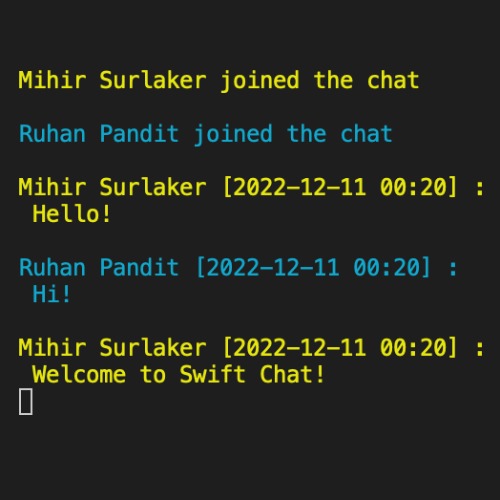
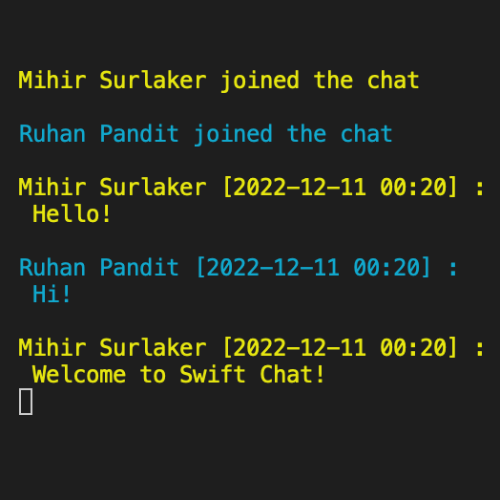
Welcome to Swift Chat!
-
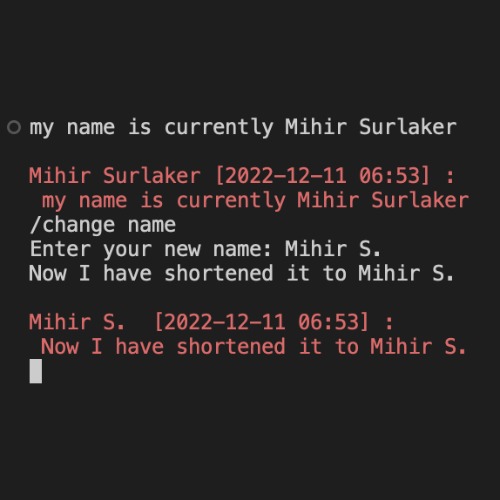
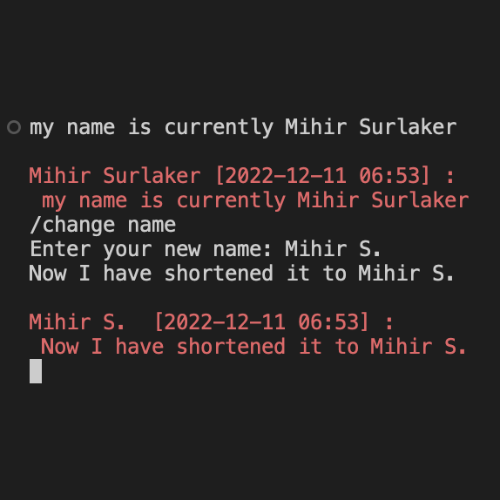
Change Name Command
-
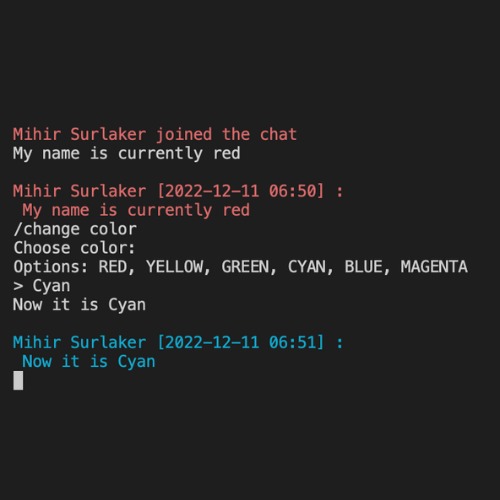
Change Color Command
-
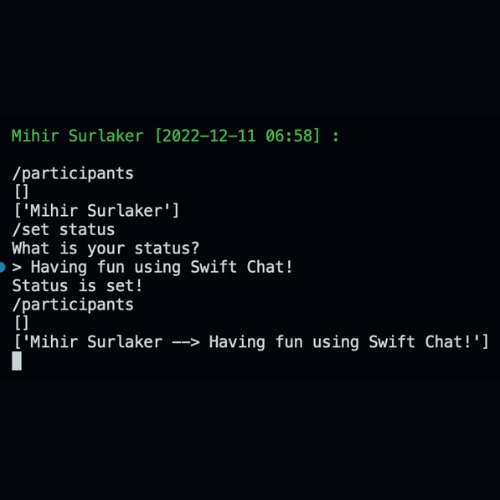
Setting a Status Command
-
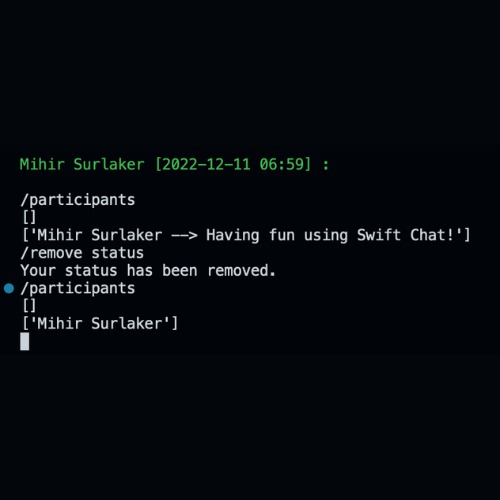
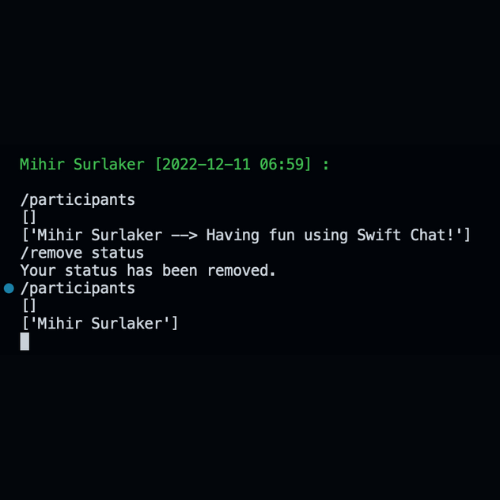
Removing a Status Command
-
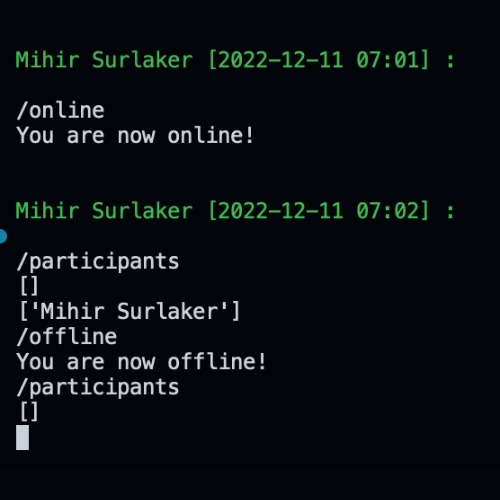
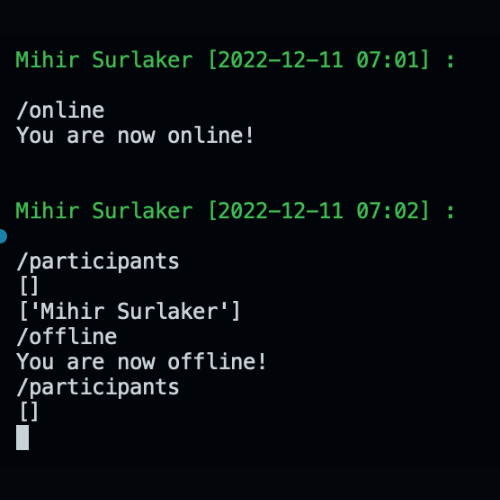
Participants, Online, and Offline Commands
-
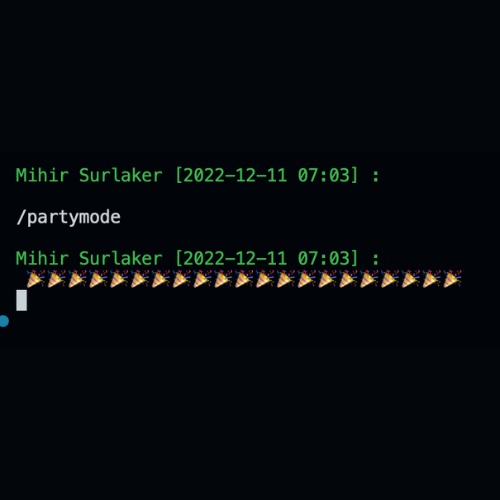
Partymode Command
-
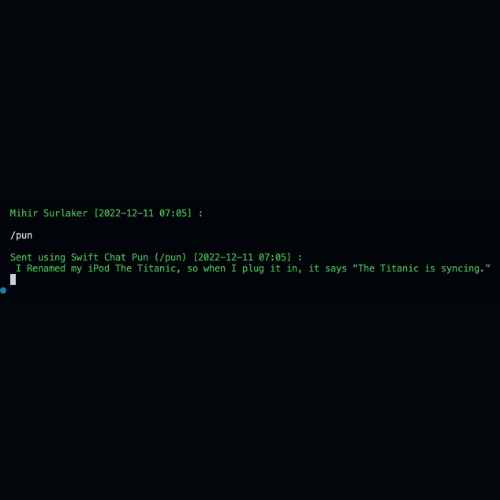
Pun Command



Welcome to Swift Chat!
Introduction
It's no secret that the messaging apps we've been using for years have become outdated and no longer meet our needs. From slow load times to confusing interfaces, using these old chat platforms can often be a frustrating experience. That's why we are excited to introduce you to Swift Chat, the newest and most advanced way to stay connected with your friends. With its sleek design and user-friendly features, Swift Chat makes it easy to send and receive messages with your friends.
Appearance Commands
Swift Chat is a terminal-based messaging platform that allows users to communicate in real time. It has a variety of features that make chatting more fun and engaging. For example, users can change their name in the chat room using the /change name command. They can also change the color of their name in the chat room using the /change color command.
Status Commands
In addition to customizing their appearance, users can also set a custom status using the /set status command. This allows them to share more information about themselves with other users in the chat room. Users can also remove a custom status using the /remove status command.
Participants Commands
Swift Chat also has a number of commands for interacting with other users in the chat room. For example, users can see all of the online participants using the /participants command. They can also appear online using the /online command, or go offline using the /offline command.
Fun Commands
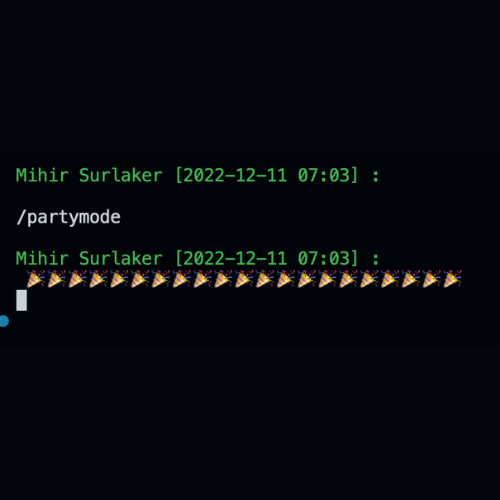
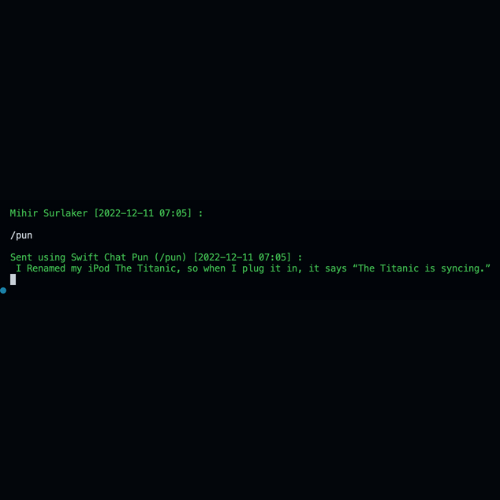
Another fun feature of Swift Chat is the ability to send party emojis using the /partymode command. This allows users to add a bit of flair to their messages and celebrate special occasions with their friends in the chat room. For users who enjoy a good pun, Swift Chat also has a /pun command that will send a random pun to the chat room.
Conclusion
Overall, Swift Chat is a fun and engaging terminal-based messaging platform that offers a variety of features for personalizing your chat experience and interacting with other users.
About the Creators
The creators of Swift Chat, Ruhan Pandit and Mihir Surlaker, are both sophomores attending Fremont High School in Sunnyvale, California. They are both heavily influenced by Discord, as the majority of school communication happens over Discord. Steel City Hacks gave them both the opportunity to create a full-fledged terminal-based messaging platform for friends to communicate with each other!
Our Inspirations
Discord, one of the best messaging platforms on the Internet, played a major role in the creation of Swift Chat, as both creators use Discord religiously on a daily basis. Both creators are fluent in python, so that was the best choice for the programming language to create Swift Chat itself.
What the Creators Learned
During the hackathon, the most prevalent thing that the creators learned was how to use python pip installs. Before the hackathon, pip installs seemed a taunting task. But, the creators learned the concept of pip installs to instead both colorama (for text colors) and playsound (for the notification sound).
How the Creators Built the Project
To build the project, the creators used Python, along with the pip installs colorama and playsound. Colorama allows the terminal to have text colors and playsound enables the code to have a notification sound. The creators also used a CSV file and python to edit the CSV file to show participants that are online and custom statuses.
The creators solely used their favorite IDE, Visual Studio Code, to develop the project. For Collaborative Coding, the creators used the Live Share extension, created by Microsoft. The Live Share extension allows the project to be running on one of the creator's computer and allows the other creator to edit the files of the project in real time.
Challenges
During development, the Live Share extension would constantly crash, sometimes resulting in lost or corrupted code. This proved as a difficulty because the creators first didn't know what to do to solve the problem. They eventually decided to push the updates to GitHub very often to not lose code.
Another struggle was coding during brunch and lunch at school. The computer that the code was stored on was a desktop, and not a laptop. This proved as a challenge because they needed to spend their brunches and lunches to work on the project to finish the project on time (school was especially busy for the creators during the hackathon week). They eventually realized that they were eligible for GitHub Codespaces. This was very significant because it allowed the creators to code on the cloud during school hours.
One of the biggest challenges for the creators was implementing voice chat. This seemed very challenging before implementing voice chat, but it all came together until the last step, the pip install. To make the voice chat work, python needed the pip install vidstream. This allows the users to connect to each other using port forwarding and sends and receives the audio itself. However, while running the command, the creators got an error saying "could not build wheels for pyaudio". This was heart-breaking because the creators spent so much time researching and coding the voice chat. The creators then spent hours researching online for the error, but found no working solutions. Although this created a small setback, it did not stop Swift Chat from becoming the best messaging platform that it could be.
Our Overall Experience
This was the very first hackathon for both Ruhan and Mihir, and it will be the most memorable for a long time to come. The organizers at Steel City Hacks did a wonderful job organizing the hackathon and workshops and making it such a phenomenal experience. Both of the creators of Swift Chat will definitely continue their computer science journeys with many more hackathons and workshops, all because of the truly amazing job at Steel City Hacks.
Built With
- colorama
- playsound
- python


Log in or sign up for Devpost to join the conversation.