💡 Inspiration
We've all been there: a closet full of stuff we no longer need, and no energy to list it. Cross-listing tools like Vendoo and Nifty work behind the scenes — you upload photos, fill forms, wait, trust.
We asked: what if you could watch AI do it?
Not a progress bar. Not a status badge. A live, real-time grid of browser windows — one agent searching eBay sold listings, another typing a listing title on Facebook Marketplace, another comparing prices on Depop — all simultaneously, all visible.
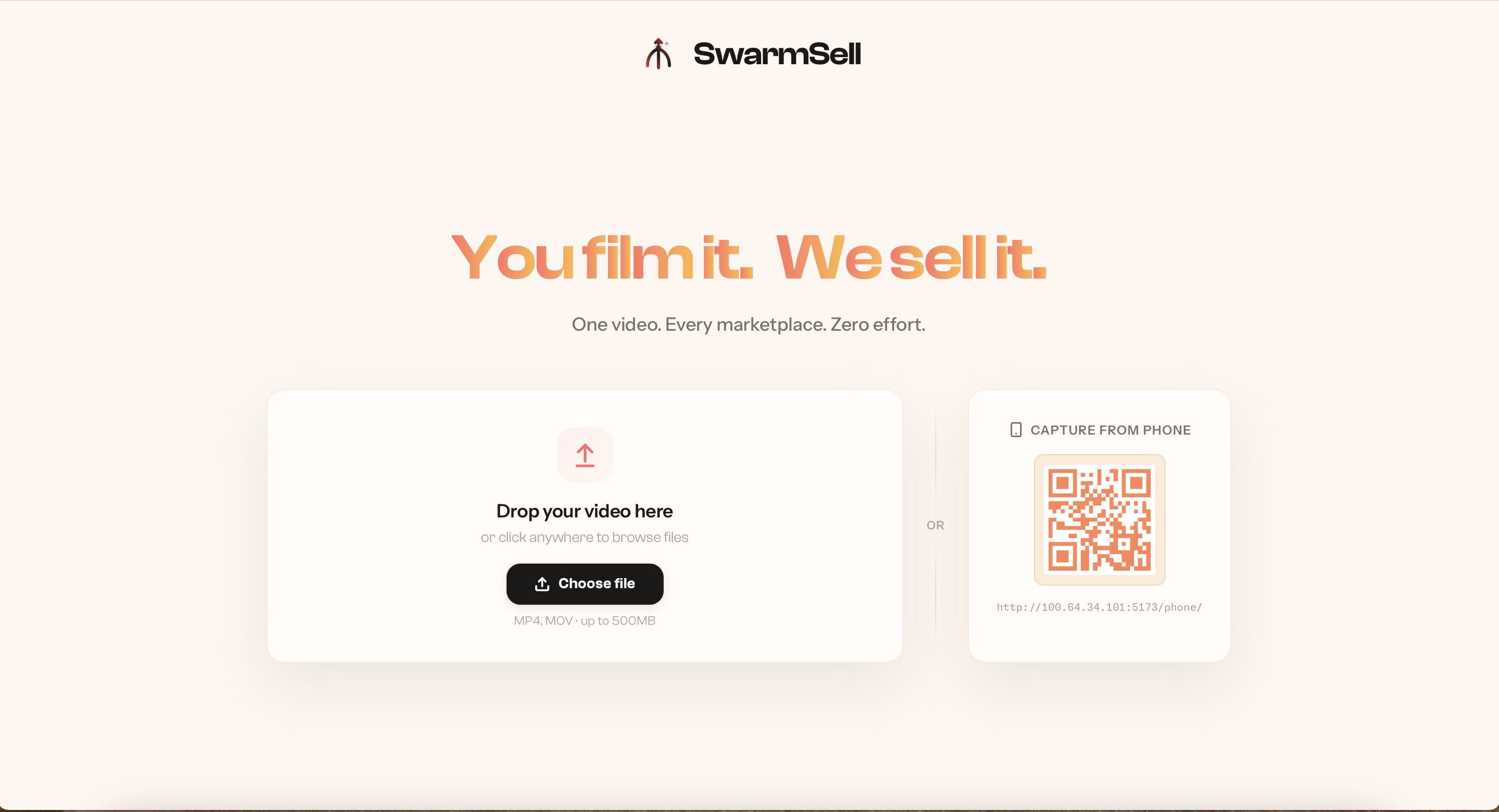
SwarmSell is that window. Drop a video of your items, a phone scan of your closet, a quick walkthrough of a box of electronics, and watch a swarm of specialized AI agents spring into action. Each agent has a job: one transcribes and identifies your items, while others fan out across eBay, Facebook Marketplace, and Depop simultaneously, researching comparisons and drafting listings in real time. You see every browser, every search, every keystroke, not as an abstraction but as it actually happens. When the dust settles, your items are live across platforms, priced to sell, with photos already optimized.
🚀 What it does
SwarmSell turns a 30-second video of your stuff into live marketplace listings across Facebook Marketplace, Depop, and Amazon — powered by a swarm of concurrent AI browser agents you can watch in real time.
Here's the pipeline:
🎬 Video → Items (seconds, not minutes): You record a quick video of items you want to sell. Our streaming intake pipeline extracts audio via ffmpeg, transcribes it with Deepgram Nova-3, identifies items with Llama 4 Scout, then runs parallel Gemini Flash-Lite analysis on extracted frames — with OpenCV sharpness filtering and Arctic-Embed deduplication. Items are identified and emitted while the video is still processing.
🐝 The Swarm Lights Up: For each item identified, the orchestrator spawns 3+ concurrent Browser-Use agents — one per marketplace — all visible in a live dashboard. Research agents open real browsers, navigate to Facebook Marketplace, Depop, and Amazon, search for comparable listings, and extract pricing data using custom DOM JavaScript injection (~100ms vs ~3s for LLM extraction).
🧠 Smart Route Decision: A pure scoring algorithm (45% value, 25% confidence, 15% effort, 15% speed) ranks platforms and decides where to list, at what price.
🖱️ Live Listing Creation: Listing agents open real browser windows and fill out real marketplace forms — uploading your photos, typing titles, selecting categories, setting prices. You watch it happen in real-time via CDP screencast at 5fps streamed over WebSocket.
📡 Mission Control Dashboard: A React frontend renders all agents in a live grid — every browser, every step, simultaneously. No click-to-expand. No focus mode. The whole swarm, always visible.
🛠️ How we built it
Core Stack:
- Browser-Use (v0.12+) — the backbone. Every research query and every listing creation runs through real Chromium browser sessions controlled by AI agents. No marketplace API keys. No OAuth. Just browsers.
- Gemini API — powers the multi-model pipeline. Gemini 2.5 Flash-Lite for frame batch analysis (with implicit context caching for 90% cost reduction at >=1024 token prompts), Gemini 2.5 Flash for per-item detail generation, and ChatBrowserUse for agent LLM reasoning.
- FastAPI + dual WebSocket — JSON events on
/ws/{jobId}/events, binary CDP screenshot stream on/ws/{jobId}/screenshots. Three async loops, one process, one event loop. - Deepgram Nova-3 + Groq Llama 4 Scout — audio transcription and item identification from spoken descriptions in the video.
- Arctic-Embed (sentence-transformers) — semantic deduplication of detected items across video frames.
- OpenCV — Laplacian sharpness filtering to select the clearest frames per item.
- Chrome DevTools Protocol (CDP) —
Page.startScreencastpushes JPEG frames from each headless browser directly to our streaming layer. No polling. Event-driven. Each frame is packed into a 37-byte-header binary format and fanned out to all connected clients.
Architecture Highlights:
- Semaphore-gated context pool: Up to 15 concurrent browser contexts sharing one Chromium process via cookie injection (200-400MB per context vs 500-800MB for separate processes).
- Hybrid playbook system: Each marketplace (Facebook, Depop, Amazon) has a dedicated playbook class —
research_task()generates the prompt + initial URL navigation,listing_task()generates form-fill instructions, andparse_research()extracts structured data from agent output. Navigation is deterministic; form-filling is AI-driven. - Custom DOM extraction tools: Platform-specific JavaScript injected directly into page DOM to scrape prices in ~100ms instead of waiting ~3s for an LLM extraction call. Registered as Browser-Use
Toolsso the agent can callextract_pricesnatively. - Streaming frame analysis: ffmpeg pipes → parallel Gemini batch calls across 5 separate GCP projects (rate limits are per-project, not per-key) → items emitted via
asyncio.as_completed→ agents spawn before video finishes processing.

Team (4 people, 4 workstreams, zero merge conflicts):
- Person 1: Orchestrator — context pool, agent lifecycle, semaphore queue, event emission, retry logic
- Person 2: Playbooks — marketplace-specific research/listing task generators, route decision scoring
- Person 3: Server + Streaming — FastAPI endpoints, dual WebSocket, intake pipeline, CDP screencast
- Person 4: Frontend — React live swarm grid, binary WebSocket decoder, real-time agent visualization
🧗 Challenges we ran into
Gemini rate limits are per GCP project, not per API key. We initially round-robined 10 keys from the same project and were baffled by throttling. Splitting across 5 separate projects gave us 750+ RPM — enough for parallel batch analysis of video frames.
Browser-Use + Gemini LLM compatibility. Browser-Use 0.12+ checks
llm.provider, butChatGoogleGenerativeAIdoesn't set it. We had to monkey-patch the provider attribute and implement a fallback chain: try Gemini → fall back to ChatBrowserUse.15 headless browsers on one machine. 🥵 Each browser context eats RAM. Using
user_data_dirper profile launched full Chromium processes (500-800MB each). Switching to cookie injection viacontext.add_cookies()with lightweight contexts dropped memory usage dramatically and let us share one Chromium process.Chrome stealing window focus on macOS. Every time a browser agent opened, Chrome grabbed focus from our IDE. We wrote a persistent AppleScript background daemon that detects focus theft and immediately hides Chrome + reactivates the user's prior app — self-terminating when the parent Python process dies.
Marketplace anti-bot detection. Facebook and Depop have aggressive bot detection. Pre-authenticated cookie profiles, realistic viewport sizes, and Browser-Use's built-in stealth features got us past most gates — but CAPTCHAs still require human takeover. We turned this into a feature: agents emit
needs_humanevents, the presenter intervenes in the headful browser, and the agent resumes. 🤝
🎓 What we learned
Browsers are the universal API. Instead of building and maintaining OAuth flows and API connectors for every marketplace, a single browser agent pattern covers any website. The playbook abstraction makes adding a new platform a <100 line file.
Streaming beats batching, always. Making agents spawn as items are identified (not after all frames are analyzed) cuts perceived latency by 70%+.
asyncio.as_completedis underrated.Visibility is a feature. The live swarm grid isn't just a demo gimmick — it builds trust. When users can see the AI browsing, searching, and filling forms, they trust the output. Nobody else in the cross-listing space shows you what's happening. 👀
CDP screencast is free performance.
Page.startScreencaststreams pre-scaled JPEGs directly from Chrome's compositor — no PIL processing, no server-side resize. We get 5fps per agent at 320×240 with negligible CPU overhead.The Gemini context caching trick works. Padding our analysis prompt to >=1024 tokens triggered implicit caching. After the first call, every subsequent frame batch analysis gets a 90% cost discount and faster TTFT. For hackathons on a budget, this matters. 💰
Built With
- arctic-embed-xs
- browser-use
- deepgram
- ebay
- fastapi
- ffmpeg
- framer
- gemini
- groq
- javascript
- llama
- lucide
- motion
- numpy
- opencv
- pillow
- playwright
- pydantic
- pydantic-settings
- python
- react
- typescript
- vite
- websockets


Log in or sign up for Devpost to join the conversation.