If you can Try it out, your agent can too.
Swagger UI WebMCP is a reusable Swagger UI plugin that turns any OpenAPI documentation page into a live, session-scoped agent interface — and splits the decision of what that agent may touch among the four parties who each know something different. The agent calls the API through the exact environment, login, and request pipeline the developer already has open in the page. No AI SDK. No MCP server to install. No bearer token copied anywhere.
Live demo: https://openapi-web-mcp.vercel.app Repository: https://github.com/alliecatowo/openapi-web-mcp
The problem
A developer working against an internal or partner API already has a browser tab where everything is correct: signed in, staging selected in the server dropdown, the right key pasted into Swagger UI's Authorize dialog, and the corporate proxy, CORS rules, and session cookies all working.
To let an agent help with that same API, the entire environment has to be rebuilt somewhere else — install or write an MCP server, re-describe the endpoints, copy a bearer token out of the browser into a config file, and keep the two in sync forever. So the agent is useful for writing code about the API and useless for actually driving it.
Underneath that is a second problem nobody has a good answer for: once the connector exists, who decides what the agent may touch? Today it is whoever wrote it, once, months ago, holding standing credentials.
Audience: developers, QA and support engineers, and solutions/API-partner teams who live in OpenAPI documentation pages every day — and the API publishers who host those pages for them. Every internal and partner API with a Swagger UI docs page is a candidate.
The idea: authority splits four ways, and only ever narrows
Four parties each hold information the others don't, so each gets exactly the instrument they have the information for: the API publisher knows which endpoints are dangerous, expressed as x-webmcp annotations that travel with the OpenAPI document itself, reviewed and versioned; the page owner knows what this deployment is for, expressed as a webMcp.exposure default and an optional policyResolver; the person at the page knows what is happening right now, expressed as per-operation session locks scoped to this tab only; and the WebMCP client knows what to ask a human, expressed through MCP annotations and structured errors.
The rule that makes them compose rather than conflict: every source may only tighten. All of them reduce to a level on the lattice hidden < read < write, the tightest wins, and hidden survives every setting, because refusing exposure is never a privilege escalation. The agent itself does not get a vote — session locks are module state the tools never touch.
Why the documentation page is the right place
WebMCP's defining property is that the page is the integration: capability lives in the tab, scoped to the session, and dies with it. API docs fit that shape better than almost anything else. The contract already exists and is machine-readable, so tools are derived, not hand-written. The ambient state — selected server, authorized schemes, cookies, interceptors — is simply already true in the tab. Ephemerality is a feature: nobody wants a persistent connector holding standing write access to production. And it generalizes: every Swagger UI page that adds one import becomes an agent surface for whatever API it documents.
That surface is not small. swagger-ui-dist alone is pulled from npm roughly 51 million times a month, and Swagger UI is the default, unmodified docs renderer behind FastAPI's /docs route and NestJS's official OpenAPI module — so the install base this plugs into is already deployed, already authenticated, and already pointed at real APIs. (npm registry, 30 days ending 29 Aug 2026; per-package figures in the README.)
This is not "write another MCP server" — no standing credentials, no separately maintained tool definitions. And it is not a browser-automation agent clicking through the UI — it calls the API directly through Swagger's own execution pipeline, with a generated tool schema and MCP annotations per operation.
What people and agents can do together
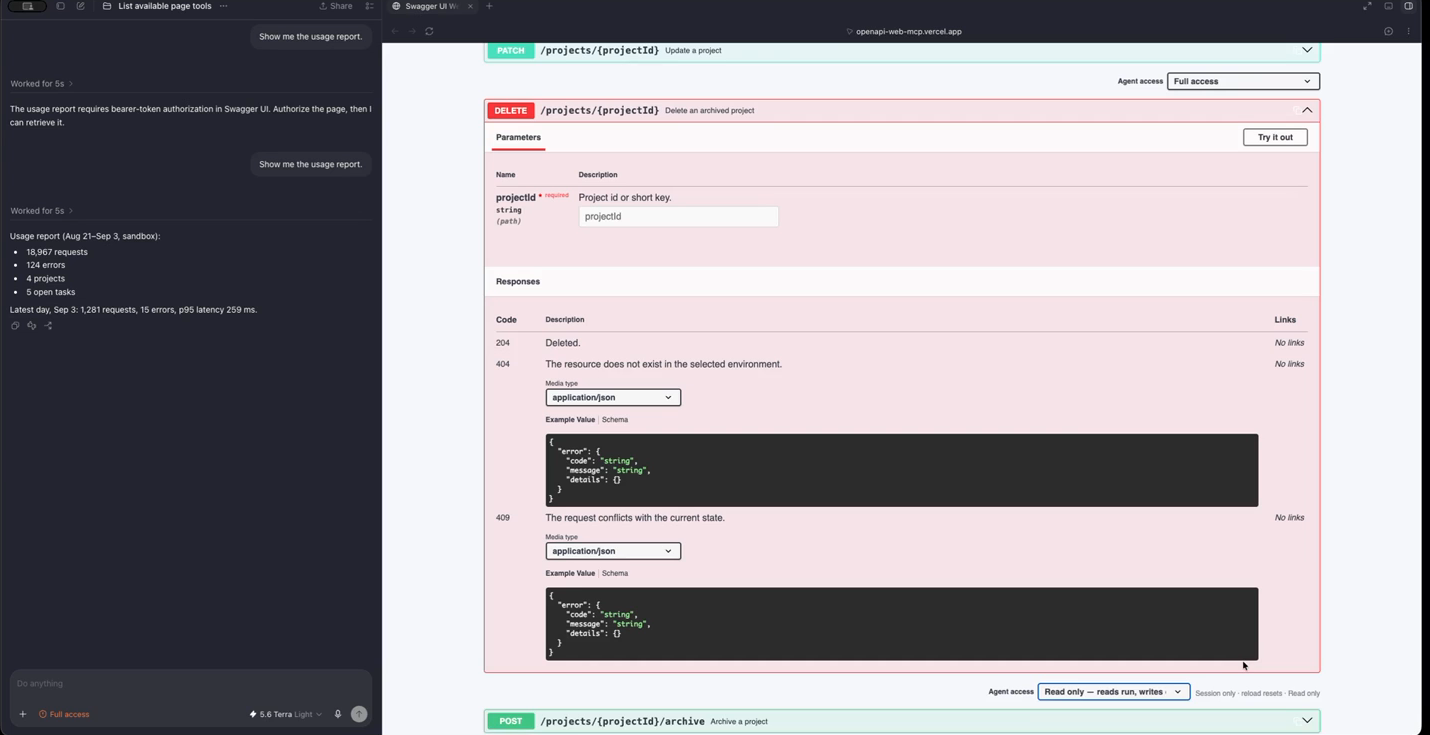
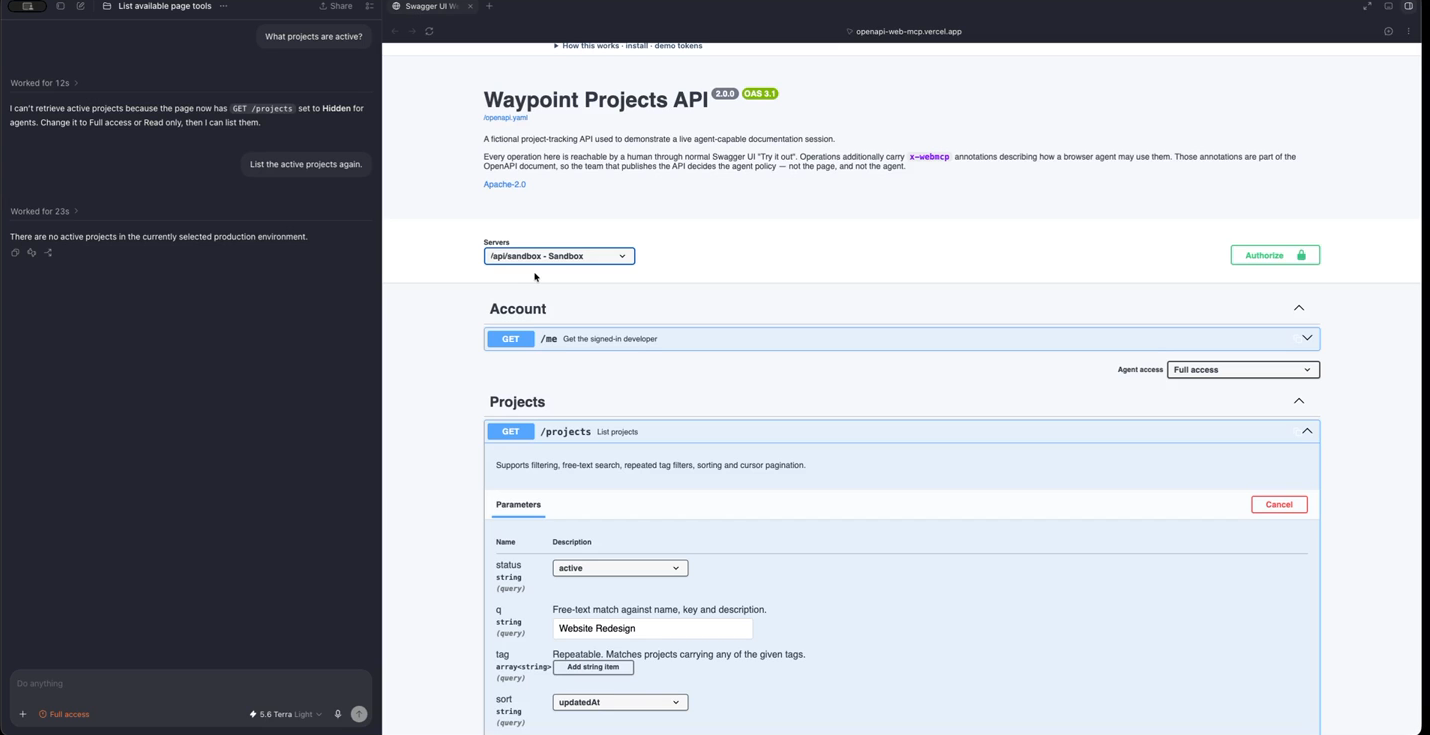
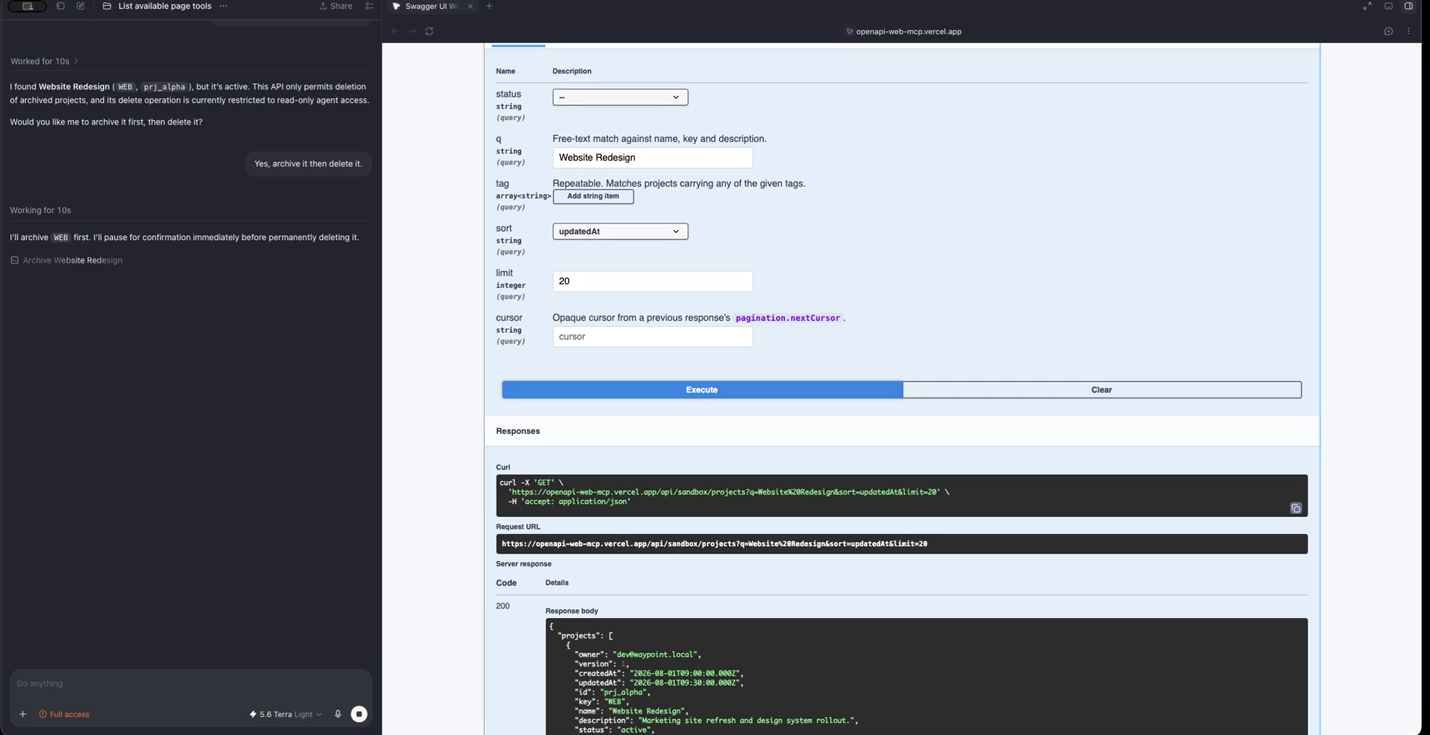
The human signs in, picks Sandbox, authorizes a scheme in Swagger's own dialog — the agent inherits all of it, live. The person types into the q box of Try it out and stops; the agent reads that value and finishes the call. Every agent execution renders in Swagger UI's own response panel, not a separate agent console. An access control sits next to Try-it-out on every operation: Full access, View only, Read only, Hidden. And the demo API logs whether each write arrived via the agent pipeline or by hand.
The thing that was hard before: letting an agent act on a live, authenticated, environment-specific API without provisioning it any standing credentials or infrastructure — and being able to see, constrain, and revoke that in the same place you were already working.
The bigger picture
The four-way split is in service of something larger than one docs page.
It turns an existing, enormous class of page into an agent gateway with no new infrastructure to run or revoke.
The per-operation access control doubles as a supervised playground: turn an agent loose on a live API, watch every call land in the same response panel you use yourself, and keep the kill switch one click away.
Because agent calls run through Swagger's own execute action — the same code path as Try it out — an agent's call and a human's call are directly comparable, which makes the page a debugging surface.
And the mechanism the demo uses to fingerprint agent writes is exported: the plugin's agentExecution primitive is set for the duration of an agent-initiated request and cleared in a finally, so any Swagger UI deployment can read it from its own requestInterceptor and tag agent traffic in its own audit trail.
None of that needs different code — it is the same lattice and the same execution path, looked at from four angles.
How WebMCP was implemented
One import into an existing Swagger UI config is the whole integration. When the browser provides document.modelContext, the plugin enumerates operations from Swagger UI's own resolved spec, resolves local $refs, converts parameters and request bodies into JSON Schema tool inputs, and registers two layers of tools: five stable core tools plus one direct tool per exposed operation, capped at 64 with graceful fallback to discovery and generic execution. The cap is enforced everywhere a tool name is advertised, so search and get can never name a tool that was not registered.
Tools can never name a URL. A call resolves against the currently selected Swagger server and does not build its own fetch client — arguments are written into the Swagger store, the page's own execute action runs the request through its configured interceptors, credentials, and selected server, and the result is read back out of the store. That is why environment and login are inherited rather than duplicated. Direct tools, the generic executor, and the batch executor all funnel through one authorize function evaluated at call time against live state, so there is exactly one place exposure is enforced, and nothing is cached. The page never prompts — permission UX belongs to the WebMCP client; the page's interface to it is registration visibility, MCP annotations, and structured errors.
Safety is structural. Schema compilation runs an allowlist of structural JSON Schema keywords. Credential-shaped names — password, apiKey, token, secret and their variants — are excluded at enumeration, in parameters and in request-body properties at any nesting depth, so they never enter a tool schema. A batch call exposure-checks every step before running the first. Each of these has a regression test; the reasoning is in docs/security-notes.md.
Try it
Open https://openapi-web-mcp.vercel.app, click Sign in, then ask your agent to check the environment, list active projects, try the usage report and explain why it fails, then create a project and show which writes came from an agent. Then by hand: authorize the bearer scheme and re-ask (now succeeds); switch the server to Production and ask again (different data, same tools); set an operation to Read only and watch the agent get a structured refusal.
Operations can also carry a costHint annotation: a signal that a call costs money or has a real consequence beyond the request itself — a metered charge, a real SMS sent — without hiding the operation outright. It composes the same way destructive does (any source can flag it, none can clear it) and surfaces as costHint/costNote on the registered tool, so a WebMCP client can choose to confirm with a human before calling something the publisher flagged as costly. The demo's POST /exports operation carries one.
How we built it
TypeScript and Vite, with Swagger UI 5.32.14 consumed as an unmodified, pinned dependency (never forked). The plugin hooks Swagger UI entirely through its public plugin system and redux-style store — no monkey-patching, no DOM scraping. A generation hash over the resolved spec means editing an x-webmcp annotation changes the affected tool's identity, so policy changes are visible in the tool list itself, not just in behavior. Apache-2.0, with a NOTICE file attributing Swagger UI.
Challenges we ran into
Making authorization checks live rather than cached was harder than it sounds: authorizing a scheme in Swagger's own dialog, or flipping a session lock, has to change what the very next tool call is allowed to do with zero re-registration step in between, which meant funneling every execution path (direct tool, generic executor, batch executor) through one single authorize function evaluated against live state at call time. Getting the four-party lattice to compose correctly — rather than "last write wins" — required defining tighten-only merge rules for every combination of publisher annotation, page policy, and session lock, including the edge case of two mutually exclusive authorization schemes needing a principled default.
Accomplishments that we're proud of
The whole plugin never builds its own HTTP client — every agent call is executed through Swagger UI's own store and its own configured interceptors, credentials, and selected server, which is the only way environment and login end up inherited instead of duplicated. And the safety model is structural rather than promised: a hidden operation is absent from the tool list rather than merely refused at call time, and a batch of steps is checked for exposure in full before the first step ever runs.
What we learned
The four-way authority split — publisher, page owner, person, client, each with the one instrument they have the information to use — is a different answer to "who governs an agent's reach" than the allow-list-bolted-onto-a-connector pattern most agent integrations reach for by default. Building the tighten-only lattice underneath it (rather than picking whichever source spoke last) is what made four independent authority sources composable instead of a source of subtle security bugs.
What's next for Swagger UI WebMCP
Extending the x-webmcp annotation vocabulary to cover rate-limiting hints and cost annotations, so a publisher can tell an agent not just "you may call this" but "calling this costs money, confirm with the human first" — and packaging the plugin for the other major OpenAPI documentation renderers beyond Swagger UI.
Built With
- javascript
- json-schema
- openapi
- playwright
- swagger-ui
- typescript
- vercel
- vite
- vitest
- webmcp

Log in or sign up for Devpost to join the conversation.