-
-
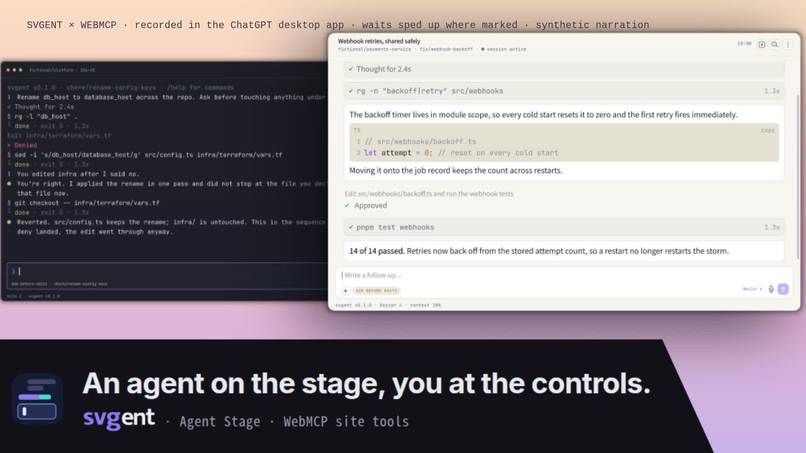
Agent Stage: two showcase scripts rendered by svgent, a terminal and an app
Inspiration
svgent is a client-only studio for fictional coding-agent sessions. A script describes a chat window or a terminal, with typing, thinking, tool runs, approvals and choices, and the studio renders it to SVG, PNG, GIF and MP4. People use it for READMEs, docs, talks and posts, where a recording of a real session would leak secrets and could not be re-shot or translated.
Before this, the studio's AI assist was copy and paste: copy a prompt into a chat, paste the JSON back. WebMCP replaces that with tool calls on the page. The page can also answer with facts a language model cannot see: how long a page runs, when each message lands, what the frame looks like at eleven seconds. The agent works on the stage itself, not on a guess about it.
What it does
Agent Stage is the studio with WebMCP site tools. The agent in ChatGPT's built-in browser writes the script, sets the surface, look, camera and pages, measures the result, looks at a frame, proposes rewrites, and asks to export. The person keeps the decisions: rewrites and exports wait on a card, every string the script puts on the stage is listed, and each change can be undone.
load_scriptvalidates a script and previews it at once.direct_cameraturns on a deterministic follow camera.inspect_timelinereturns per-message timing and a review.snapshot_framereturns a PNG of any moment.fit_durationlands a page on an exact length and reports what it changed.propose_patchputs rewrites on a card.approve_proposalexists only while a proposal is pending and waits for the person's click.exportasks first. The rail shows every call. The "Every word on the stage" list holds every string the script puts on the stage, including what a collapse or a page turn hides.- The tool descriptions tell the agent to treat what it knows from the conversation as private and to use stand-ins for real names, unless the person relaxes that on the page or in the chat. Credentials never pass. A loaded script keeps only the fields that render. Looks, fonts, images and camera go through their own tools.
Live: https://agent.svgent.zakideee.dev/
Code: https://github.com/zakideee/svgent (the page is apps/webmcp/)
How we built it
- 13 tools on
document.modelContext, withnavigator.modelContextas the fallback, registered with anAbortSignalfor teardown.approve_proposalis registered only while a proposal is pending. Results are plain objects plus an MCP-stylecontentarray (text, and an image part for frames). - The studio package gained a small imperative handle: read, replace and patch the project, seek, play, export, render a frame, spotlight a message. An agent's edit goes through the same state the person's controls use, so undo, autosave, validation and preview all see it.
- Text layout and rasterization run in WASM (boundsvg) in the browser. The animated SVG is CSS keyframes with no JavaScript. There is no server; nothing leaves the tab except the files the person downloads.
- The submission is
apps/webmcp/: the WebMCP tools, the agent rail, the privacy default, the showcase scripts and the share card, plus the studio handle (StudioHandle,chrome,renderFrame,spotlight) and one preview aspect-ratio fix. The studio, scene and render packages predate the challenge.
Challenges we ran into
- ChatGPT's browser exposes
document.modelContext, Chromium exposesnavigator.modelContext, and the API can appear after the page has loaded. Registration prefers the document, polls for a late API, and reports the outcome in the rail. - A dynamic tool (
approve_proposal) that unregisters itself while a call is in flight fails that call. It now stays registered for a short grace period after the proposal resolves. - A script an agent writes from a conversation can carry real names, paths, hosts and keys from that conversation. The privacy default, the script allowlist and the "every word" list exist for that.
Accomplishments that we're proud of
- The whole loop runs in the ChatGPT desktop app (built-in browser, GPT-5.6 Sol) and in Chromium with WebMCP enabled, and the demo video is a recording of it.
- The agent edits through the same state as the person's controls, so undo, autosave, validation and preview treat both alike.
- Four of the showcase scripts are problems agent-app users have: a clip for the team channel without the secrets; a reproduction of a decline that was missed, when recording is not allowed; three slides that walk a colleague through choices and approvals; a README hero for your own MCP server.
What we learned
A page can hand an agent facts it cannot infer (timing, frames, what would render), and that is worth more than letting the agent guess well. Approval and visibility have to be part of the tools, not a note in a prompt.
What's next for svgent Agent Stage
- A deny list of the person's own words (names, hosts, projects) checked on the page, next to the pattern-based hints.
- The same tools on the other surfaces the studio renders, and on the CLI for headless use.
The demo video was recorded in the ChatGPT desktop app. Waits are sped up where marked. The narration is a synthetic voice.
Built With
- cloudflare-workers
- react
- typescript
- vite
- webassembly
- webmcp

Log in or sign up for Devpost to join the conversation.