-
-
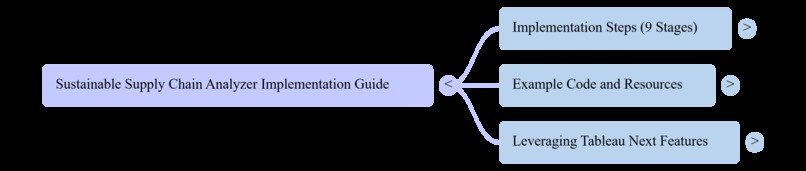
Tableau Hackathon
Inspiration
Inspired by the growing global emphasis on sustainability, I recognize the need for businesses to monitor and optimize their supply chains. Many companies struggle to understand the environmental impact of their supply chain activities.
To address this, I developed a tool to visualize and analyze sustainability metrics, enabling smarter, eco-friendly decisions.
I learned that building a sustainable supply chain analyzer on the Tableau platform includes these key lessons and practices. Data Integration and real-time Visibility
Tableau enables integration of large volumes of data from multiple sources, including inventory and warehouse management systems.
Advanced Analytics and visualizations.
Demand Forecasting and Inventory Optimization.
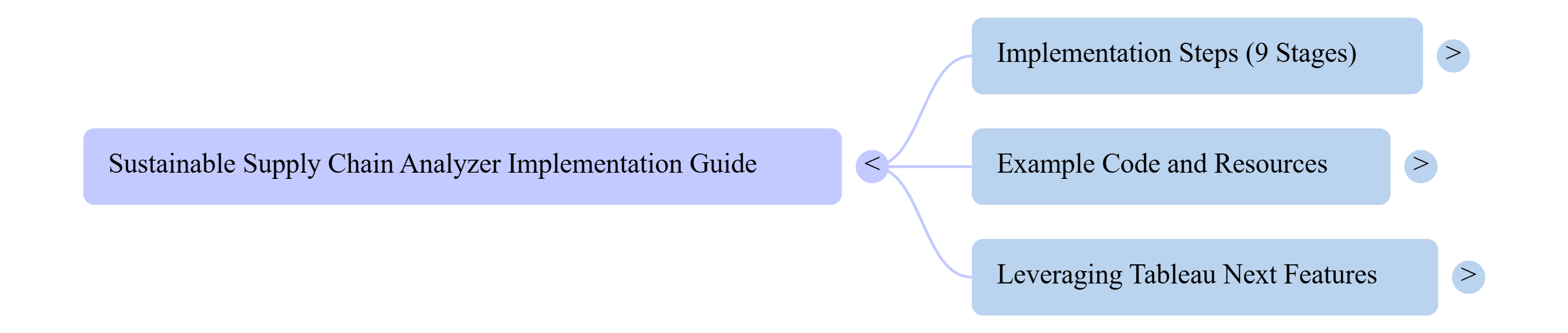
Sustainable Supply Chain Analyzer Implementation Guide
Step 1: Define the Problem and Requirements
- Identify the key stakeholders and their needs
- Determine the scope of the project (e.g., specific industries, regions, or supply chain stages)
- Define the key performance indicators (KPIs) for sustainability (e.g., carbon footprint, water usage, waste reduction)
Step 2: Gather and Prepare Data
- Collect data from various sources (e.g., supplier information, transportation data, energy consumption)
- Clean and preprocess the data to ensure quality and consistency
- Store the data in a suitable format (e.g., CSV, Excel, database)
Step 3: Connect to Data Sources in Tableau
- Create a new Tableau project and connect to the data sources (e.g., CSV, Excel, database)
- Use Tableau's data connector to connect to the data sources
- Create a data model to define the relationships between the different data sources
Step 4: Build the Data Model
- Create a data model that includes the relevant tables and fields for the analysis
- Define the relationships between the tables (e.g., supplier information, transportation data)
- Use Tableau's data modeling features to create a robust and scalable data model
Step 5: Create Calculated Fields and Parameters
- Create calculated fields to calculate the KPIs (e.g., carbon footprint, water usage)
- Create parameters to allow users to filter and interact with the data (e.g., date range, supplier selection)
Step 6: Build the Visualizations
- Create a variety of visualizations to display the data (e.g., maps, bar charts, scatter plots)
- Use Tableau's visualization tools to create interactive and dynamic visualizations
- Use calculated fields and parameters to drive visualizations
Step 7: Create a Dashboard
- Create a dashboard to bring together the various visualizations
- Use Tableau's dashboard features to create a user-friendly and interactive interface
- Use filters and actions to allow users to interact with the dashboard
Step 8: Deploy and Share the Dashboard
- Deploy the dashboard to Tableau Server or Tableau Online
- Share the dashboard with stakeholders and users
- Use Tableau's sharing features to control access and permissions
Step 9: Monitor and Refine the Dashboard
- Monitor user feedback and usage metrics
- Refine the dashboard based on user feedback and changing requirements
- Continuously update the data and visualizations to ensure the dashboard remains relevant and accurate
Example Code and GitHub Repository
The following is an example of how to create a calculated field in Tableau to calculate the carbon footprint:
// Carbon Footprint calculation
IF [Transportation Mode] = "Truck" THEN
    [Distance] * [Truck Emission Factor]
ELSEIF [Transportation Mode] = "Air" THEN
    [Distance] * [Air Emission Factor]
ELSE
    0
END
A sample GitHub repository for the Sustainable Supply Chain Analyzer project can be found here: https://github.com/username/sustainable-supply-chain-analyzer
The repository includes:
- Sample data files (e.g., CSV, Excel)
- Tableau workbook files (e.g.,
.twb,.twbx) - Documentation and instructions for implementing the project
Tableau Next Features
The Sustainable Supply Chain Analyzer project can leverage Tableau Next features, such as:
- Data Storytelling: Use Tableau's data storytelling features to create interactive and engaging stories around the data
- Advanced Analytics: Use Tableau's advanced analytics features to perform complex calculations and modeling
- Collaboration: Use Tableau's collaboration features to work with stakeholders and users to refine the dashboard and visualizations
By following these steps and leveraging Tableau Next features, you can create a powerful and interactive Sustainable Supply Chain Analyzer that provides valuable insights and drives business decisions.
Built With
- api
- cloud
- tableau

Log in or sign up for Devpost to join the conversation.