-
-
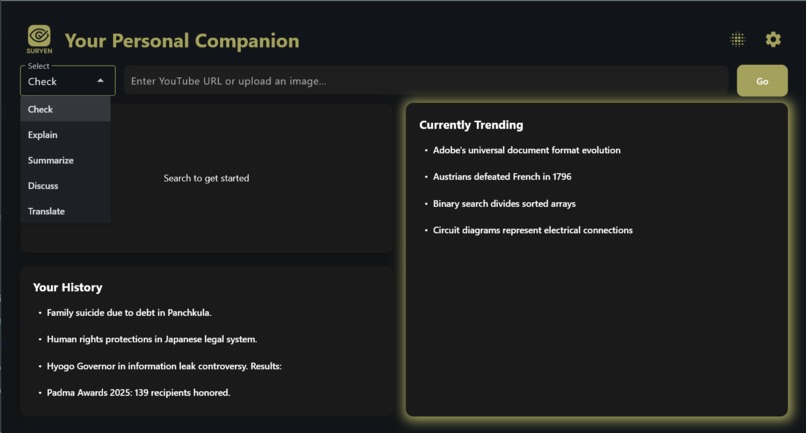
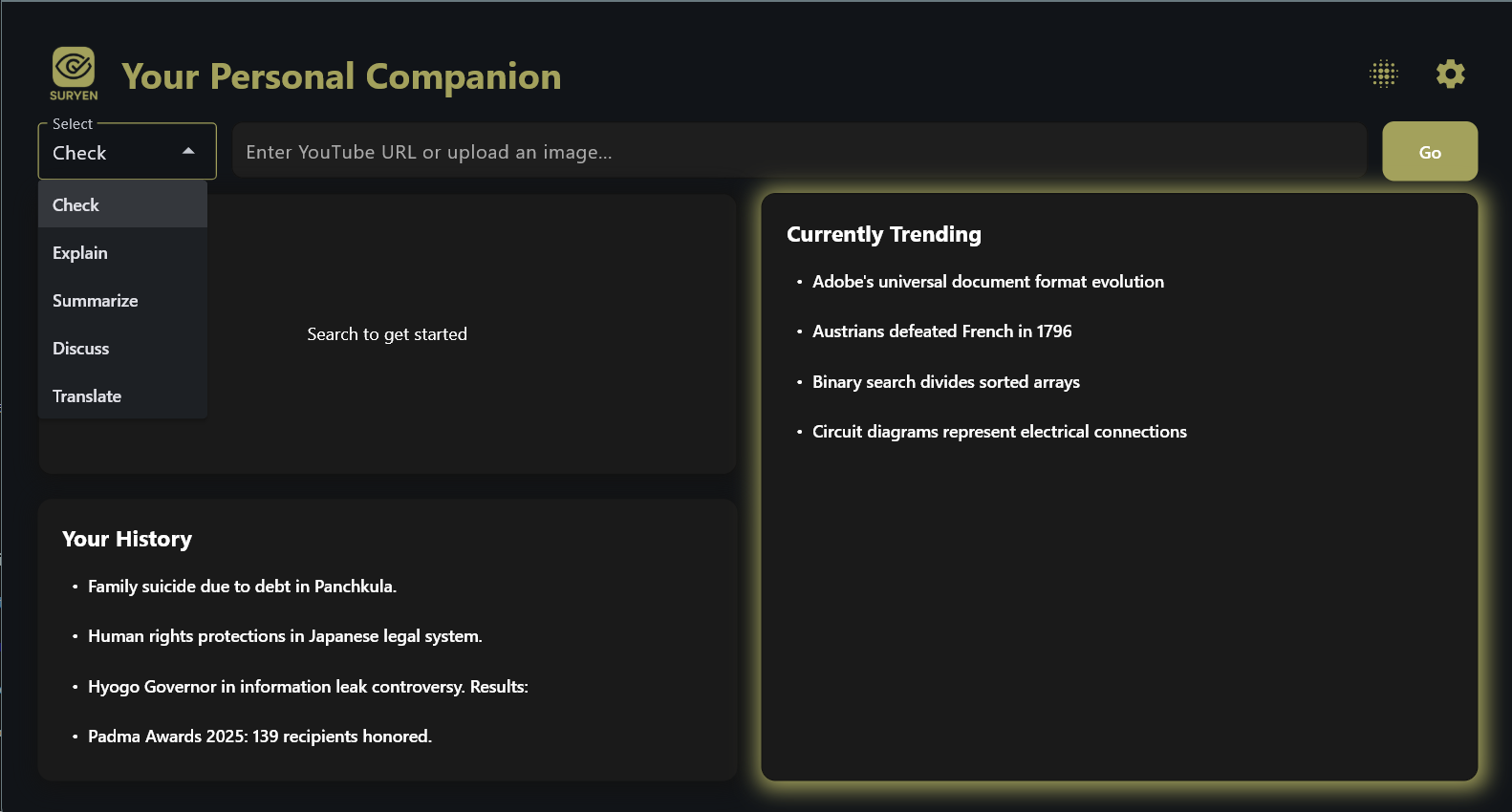
How the dashboard looks like
-

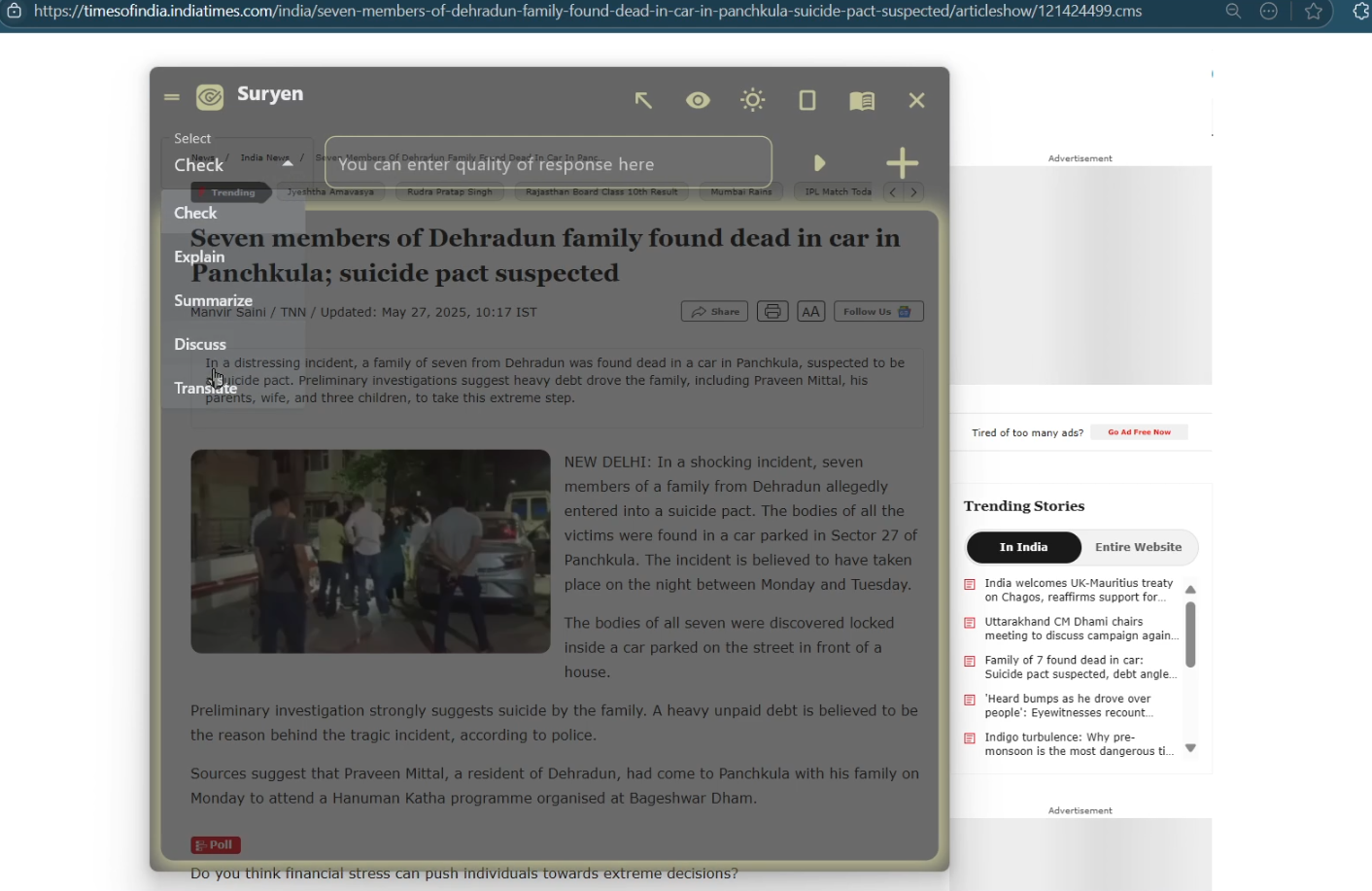
Draggable Overlay
-
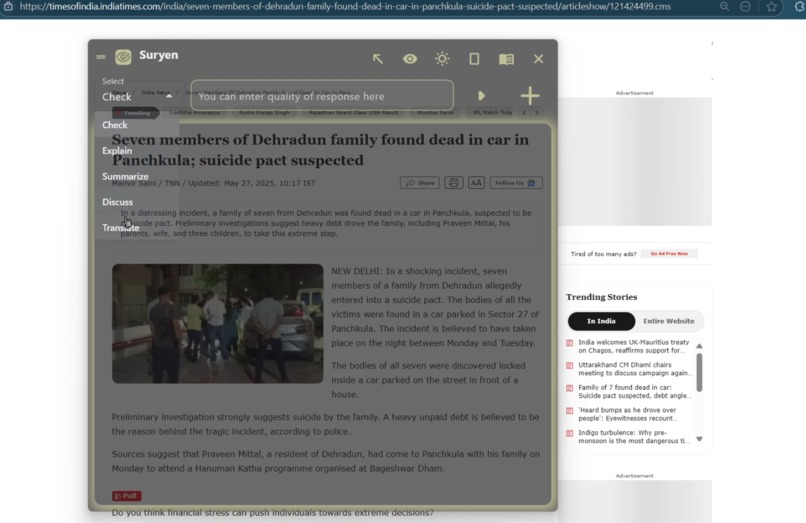
How the screen snip looks GUI looks like
-
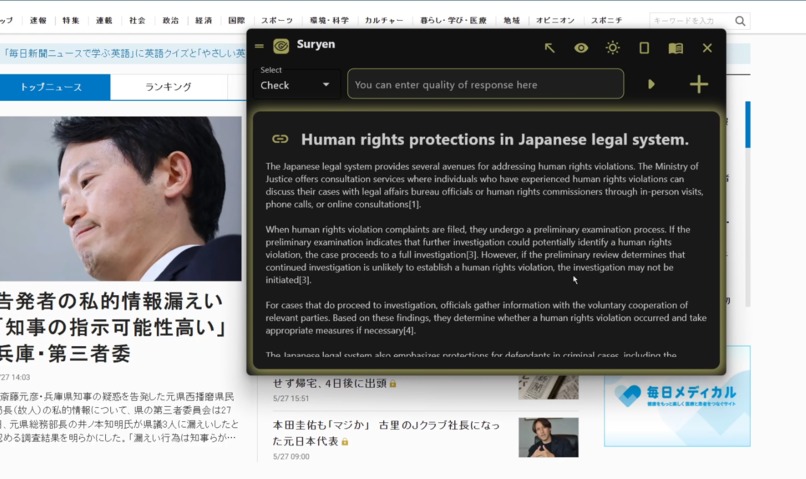
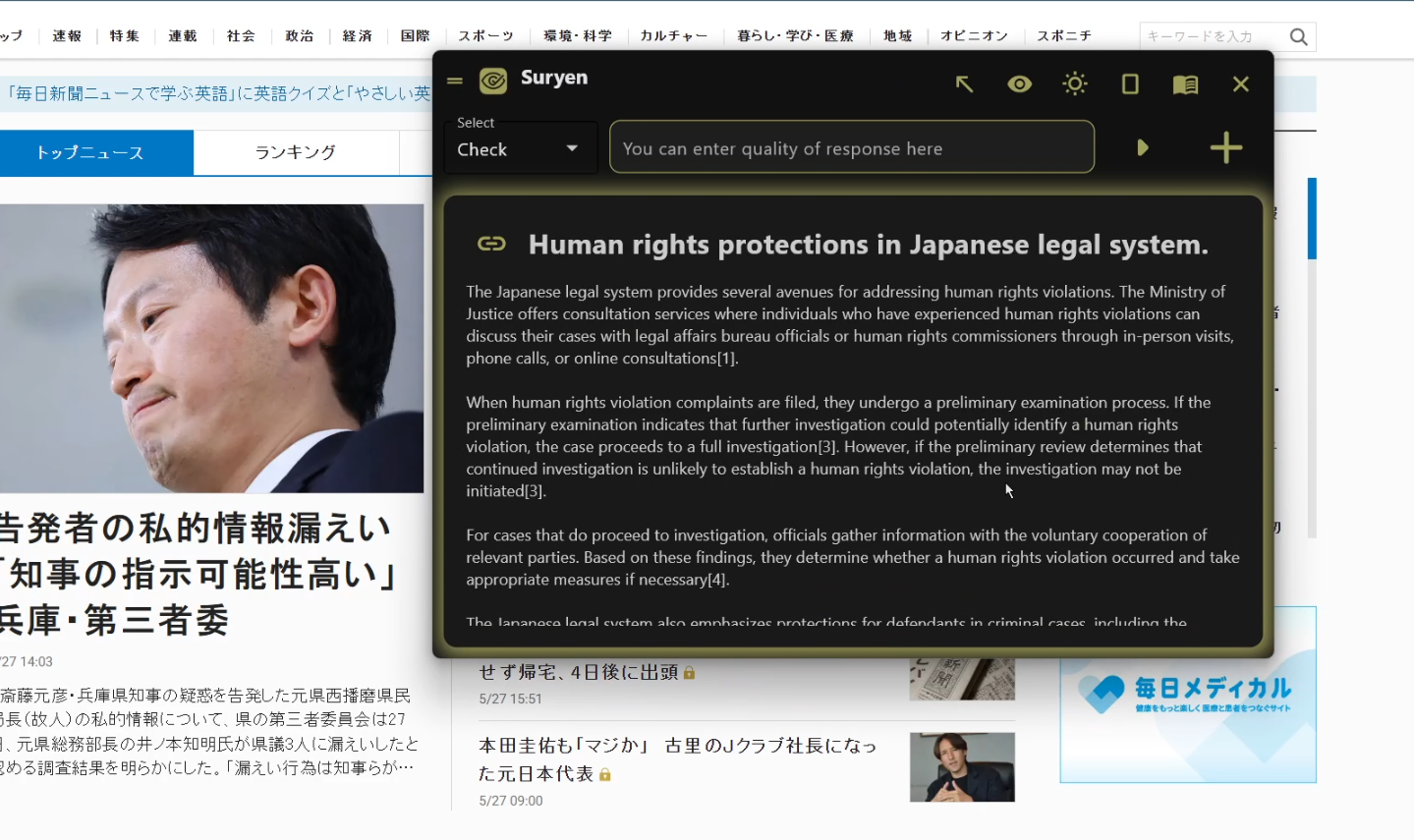
How the response looks like

Inspiration
Lazy people often find smarter ways to stay lazy and I'm no exception. When we come across a problem while browsing or using an app, and we think "AI could help here," the usual process is tedious: copy the content, open a new tab, visit an AI platform, paste the query, and only then get a response. To be honest, that’s a lot of work and definitely not efficient.
What if there was a simpler way? Imagine a screen overlay you could toggle with a single click. It would instantly let you ask for help or generate solutions right within your current screen, without ever switching context.
That’s how I envisioned Suryen—a personal desktop companion with an intelligent overlay, and so much more.
What it does
Suryen is a multi-functional, AI-powered assistant that brings several powerful capabilities right to your screen:
Screen Overlay Interface: Seamlessly sits on top of your current window, allowing you to ask questions or get summaries without ever switching tabs.
Webpage Reader: Understands and processes the content of any webpage or just about the screen you're viewing, enabling contextual responses and interactions
YouTube Audio Deciphering: Can extract and analyze spoken content from YouTube videos to provide summaries, transcripts, or insights.
Realtime News Feed (via Firebase): Integrated with Firebase Realtime Database to keep track of trending news and hot topics, offering updates in real time.
History Tab: Maintains a searchable log of your past queries and interactions, so you never lose track of important information.
Suryen is designed for those who want fast, intelligent assistance—without the overhead of switching apps or disrupting their workflow. Whether you’re working, researching, or just casually browsing, Suryen stays right there with you.
How I built it
To ensure accessibility across platforms, I built the UI using Flet GUI, which offers seamless cross-platform capabilities
For audio transcription, I used Faster-Whisper, a lightweight, optimized speech-to-text model by OpenAI published under MIT Licence
yt_dlp to extract .webm audio from YouTube videos.
watchdog.observers to monitor real-time changes in configuration JSON files to keep the system responsive.
firebase_admin connects Suryen to a private Firebase Realtime Database for tracking and updating trending news dynamically
Challenges I ran into
One of the toughest parts for me was working with Flet to build the GUI. Since it’s a relatively new framework, there isn’t a lot of community support or documentation out there. I had to go through a lot of trial and error to get the interface to look both visually pleasing and responsive throughout
Another challenge was fine-tuning Sonar’s input. It took a good amount of tweaking to make sure it consistently gave relevant and accurate responses which my algorithm could decipher and display.
Accomplishments that I'm proud of
I was finally able to build a fully working version of this software—taking my idea from concept to reality, all on my own.
I don’t know how the world will receive it yet, but one thing’s for sure: I’ll definitely be using it myself.
What I learned
Learned Flet from scratch, which I believe is a great addition to my skillset considering its cross-platform compatibility
Also learned how to integrate Firebase real time database in real world projects, and handling multiple threads keeping the UI responsive
If I Had More Time
I wanted to build a mobile version too, especially since Flet supports cross-platform development extending it's reach to IOS and Android devices as well. But with end-semester exams and the busy schedule of first year, I couldn’t find enough time to work on it.
It’s definitely something I’d like to explore in the future if I get the opportunity


Log in or sign up for Devpost to join the conversation.