-
-
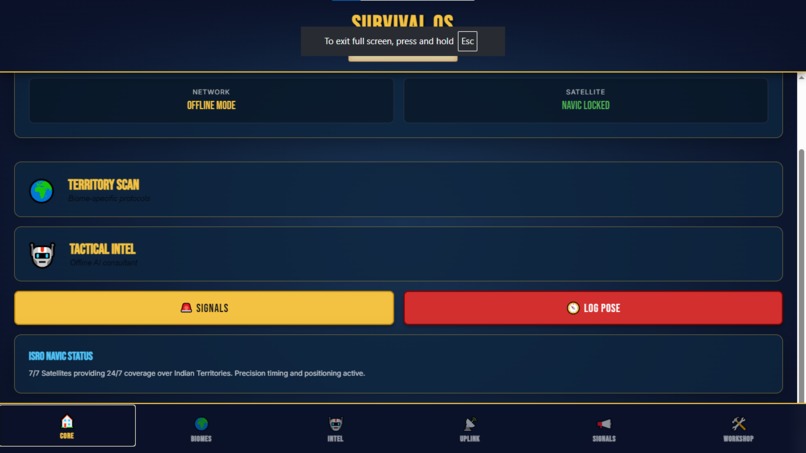
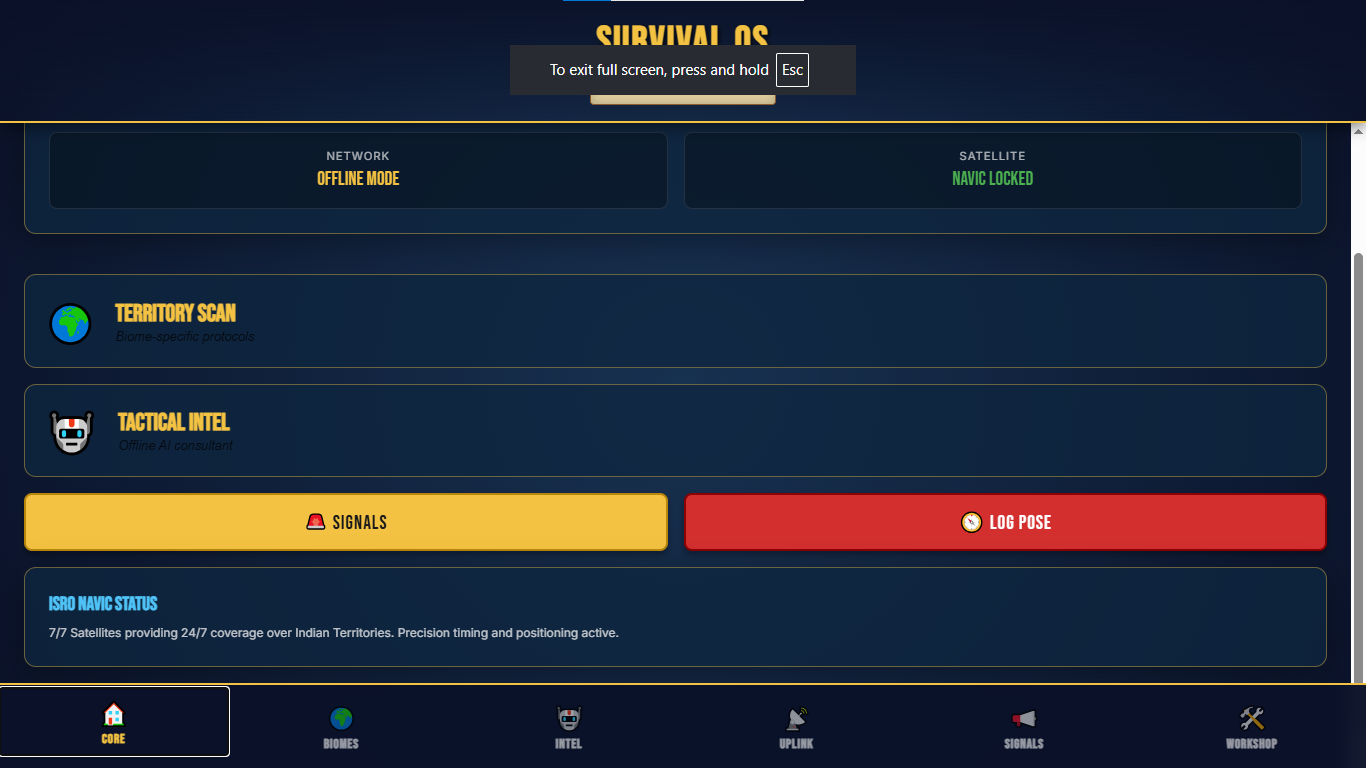
Dashboard - Quick access to all features: Biome Finder, Ai Local Engine, Satellite map, SOS signal, worskshop
-
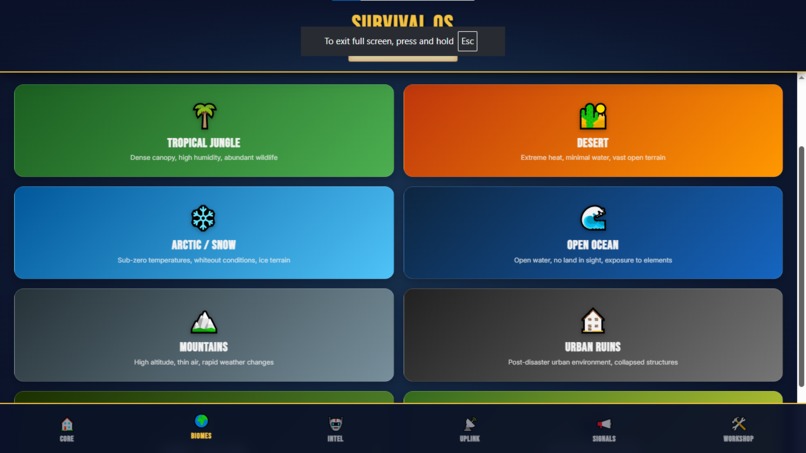
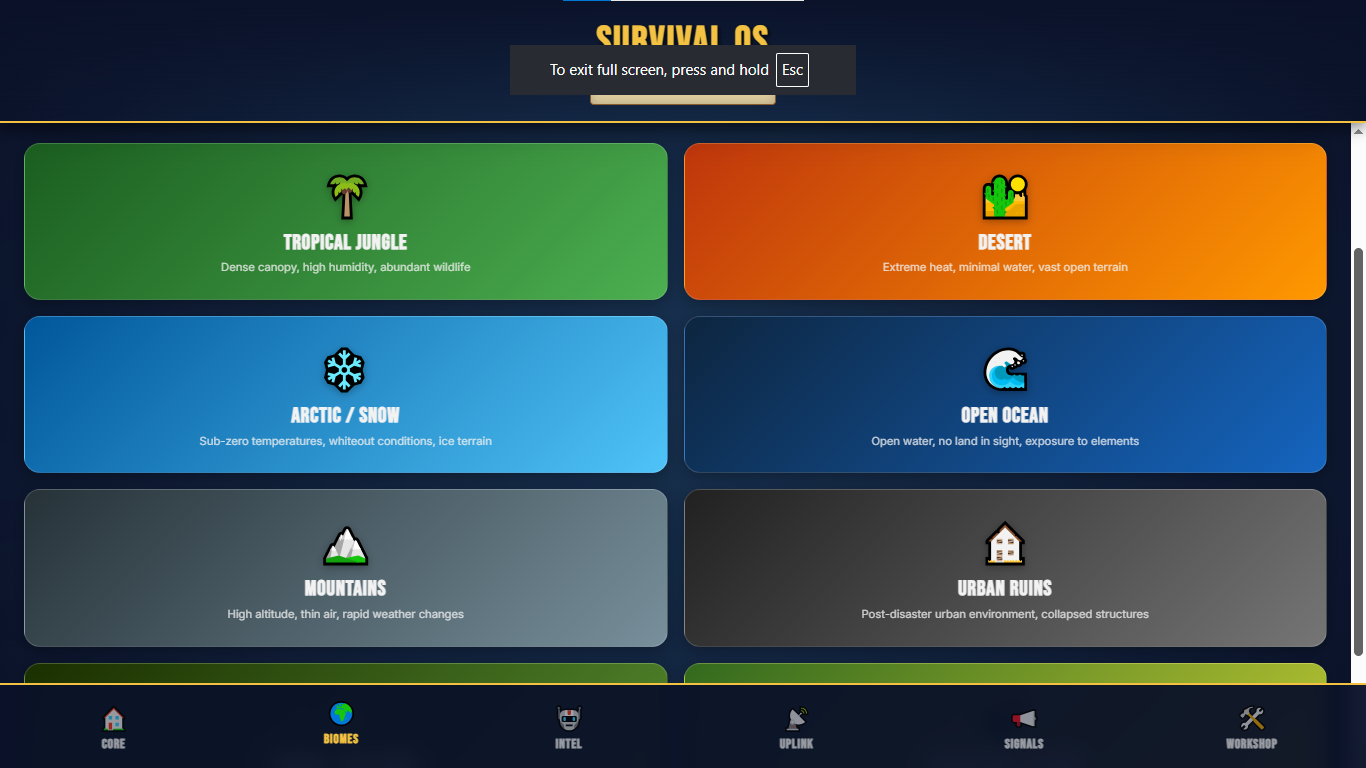
Biome finder - Tells you what to avoid and how to survive based on the region you live in.
-
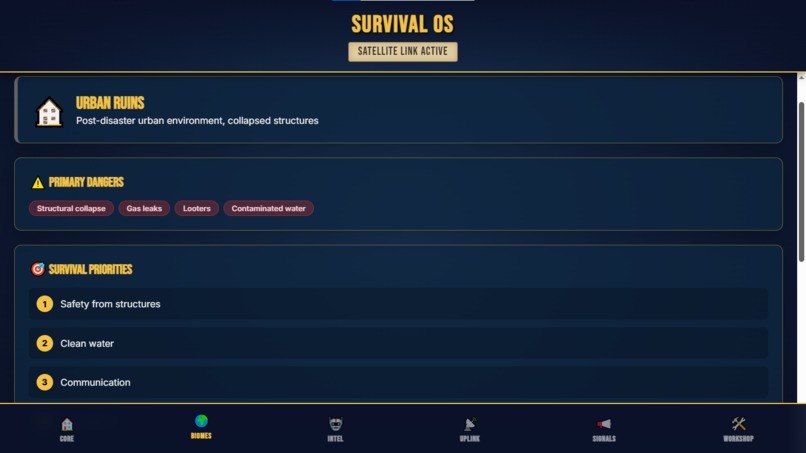
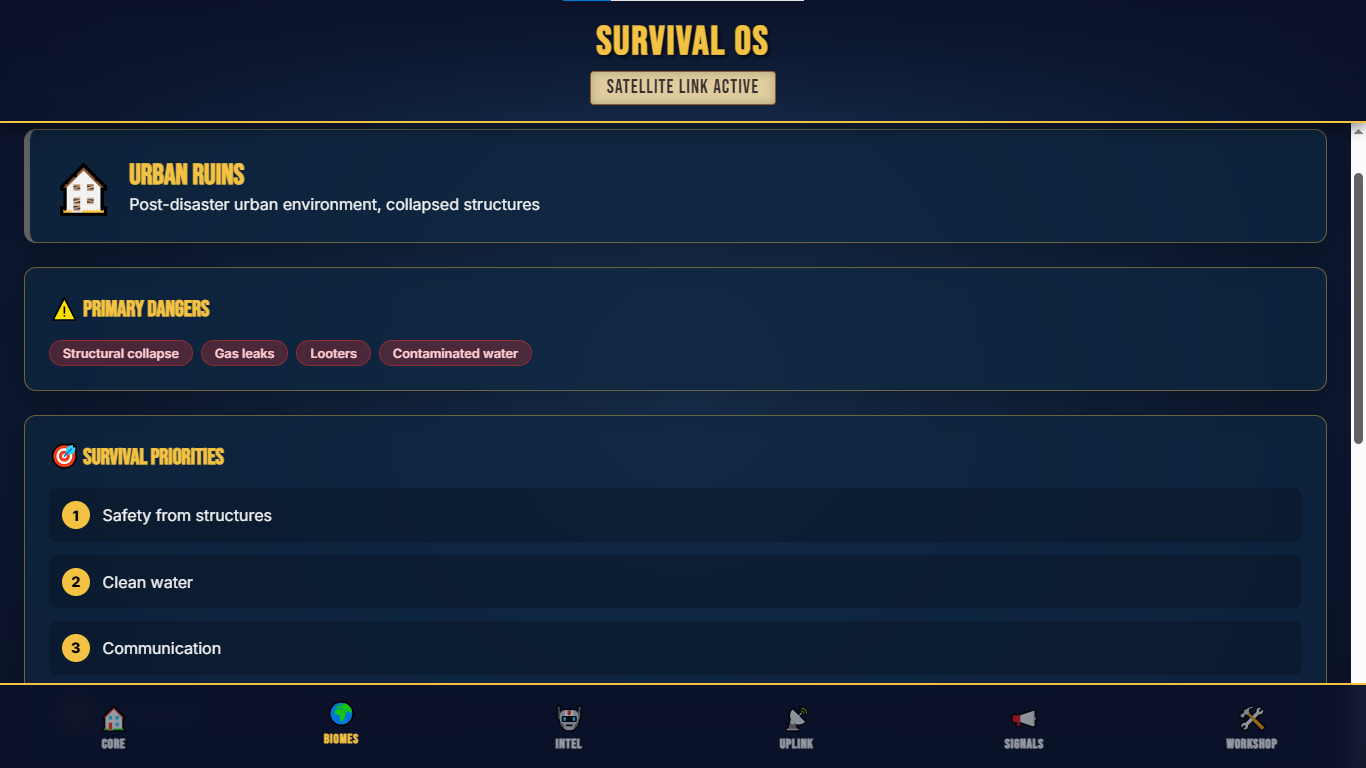
Example: Urban ruins - contains step by step instructions on how to survive in urban ruins in any type of disaster.
-
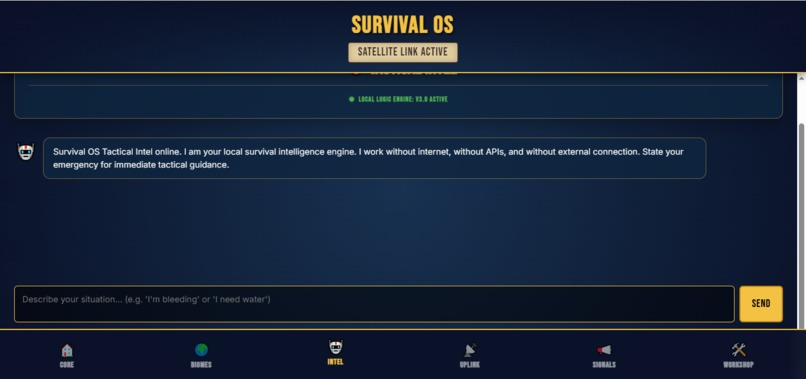
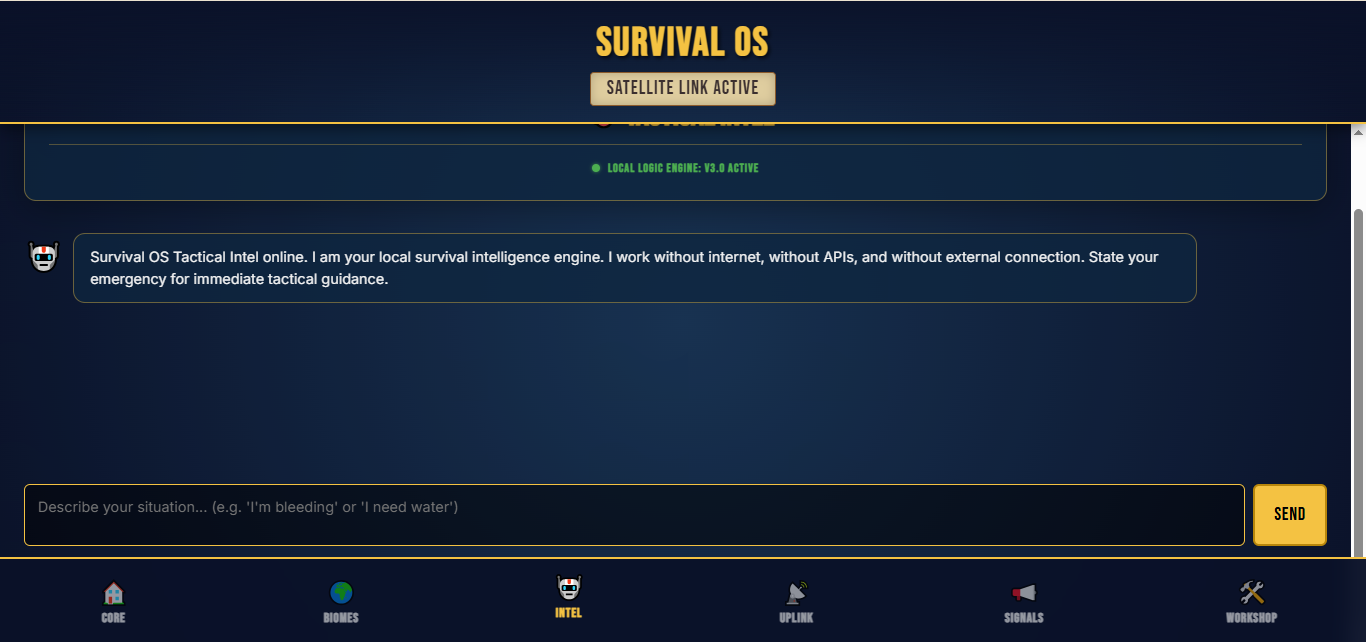
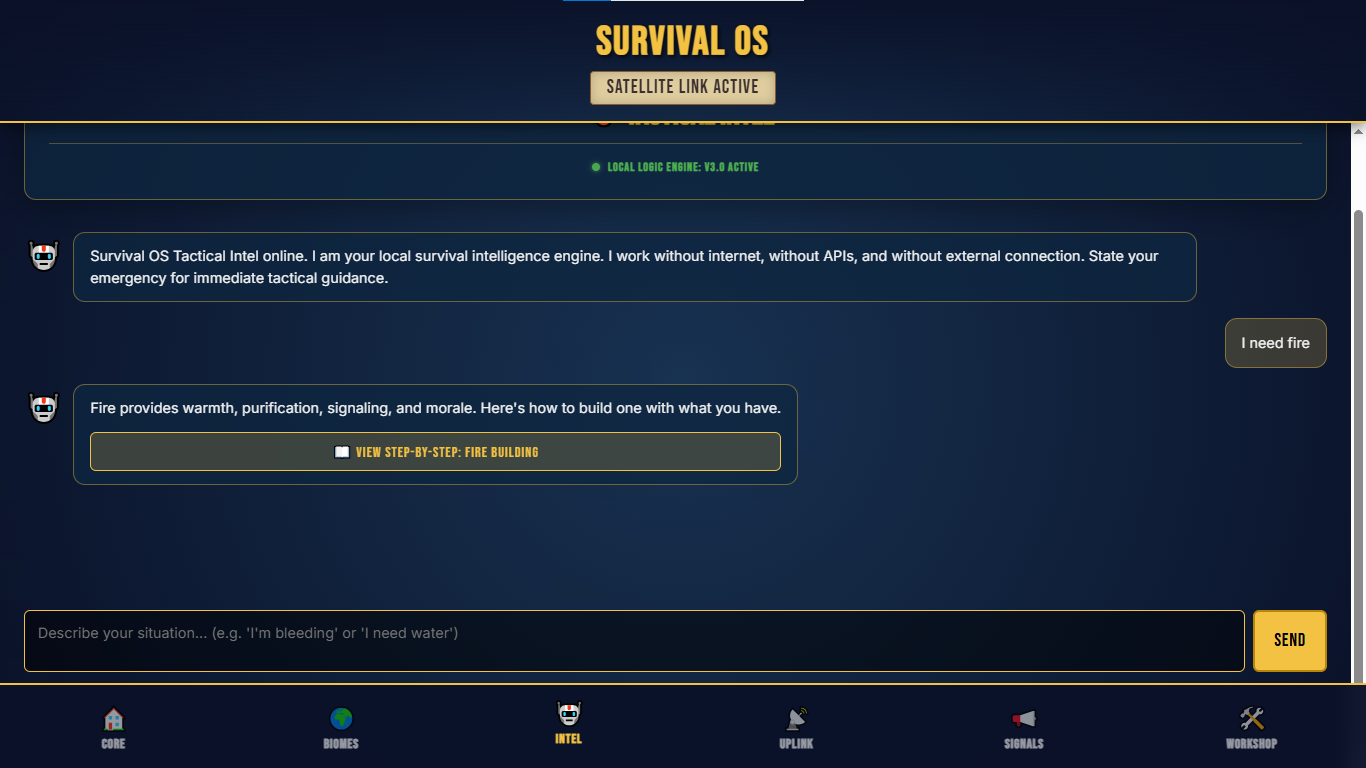
Ai Local Engine - Helps you make sense of the situation and keeps you alive, while answering any questions/difficulties you may have.
-
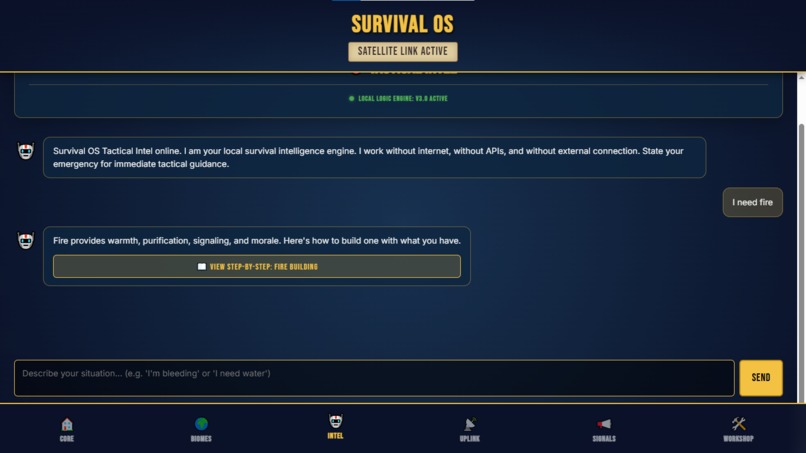
Example: "I need Fire" - it gives a comprehensive guide on how to build a fire.
-
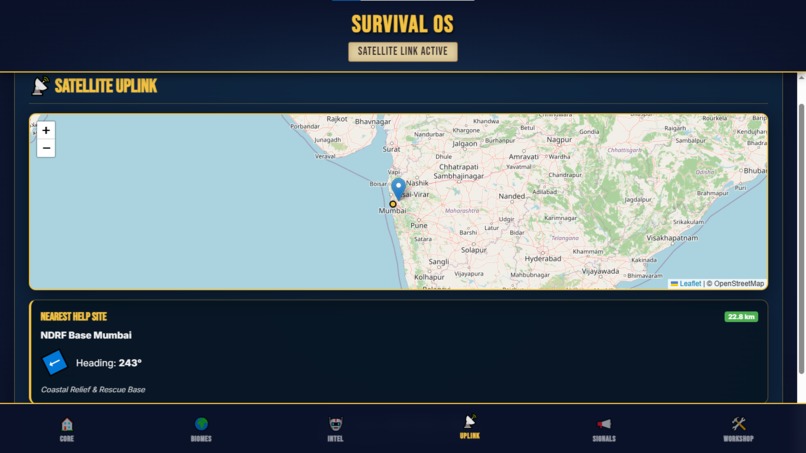
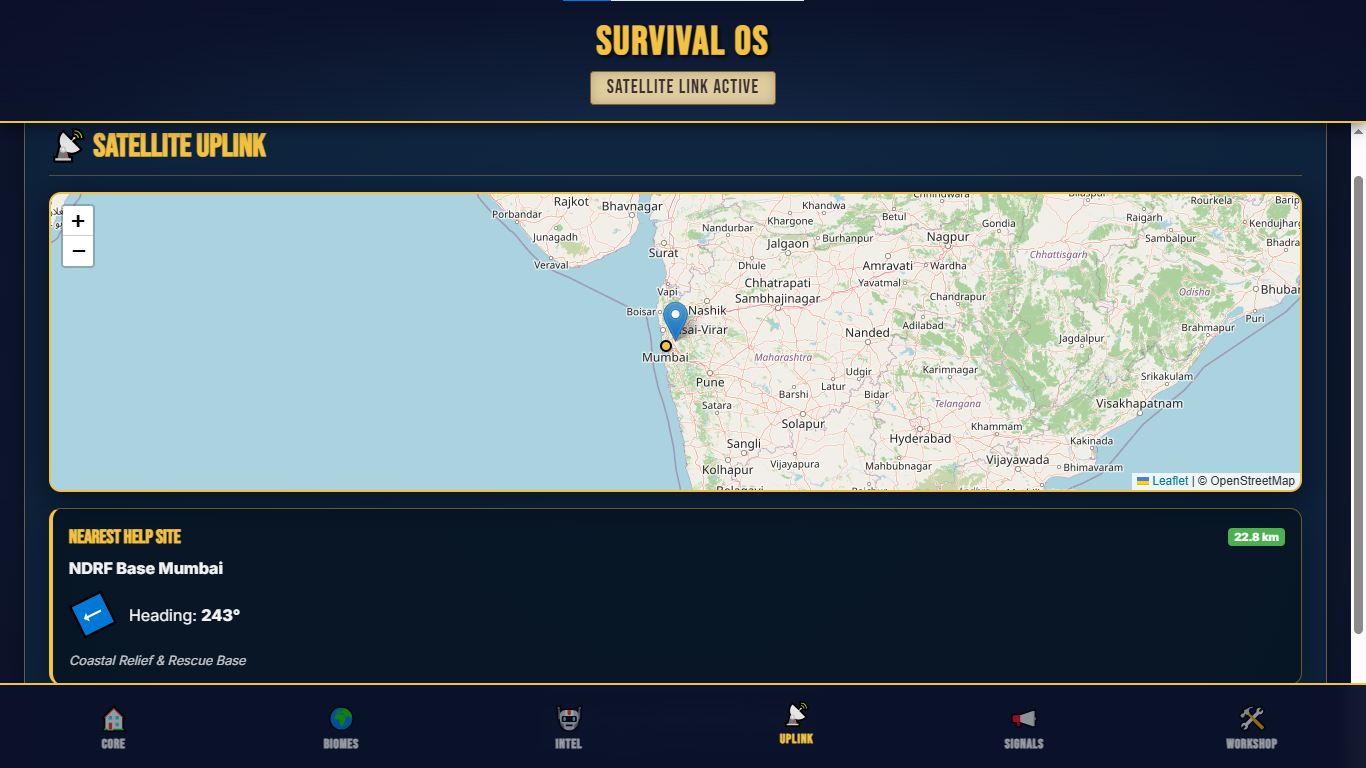
Satellite Map: Shows where you are and where the nearest supply drop/camp is.
-
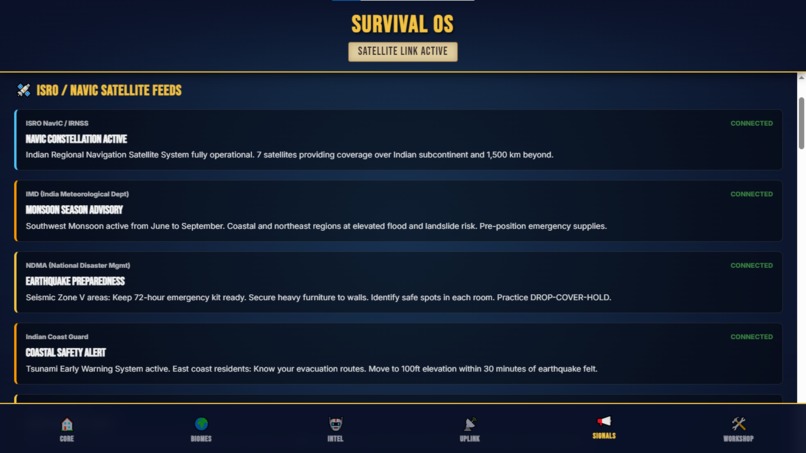
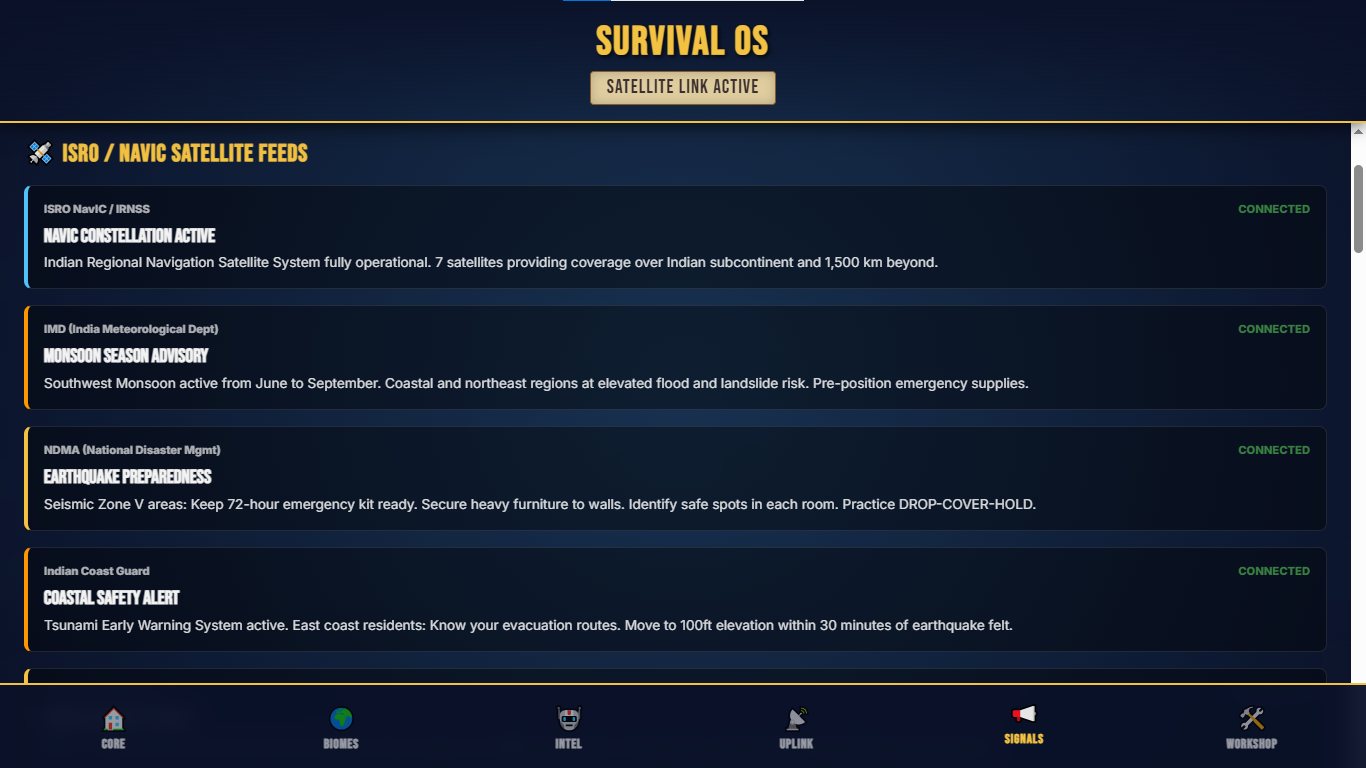
Broadcast Page.
-
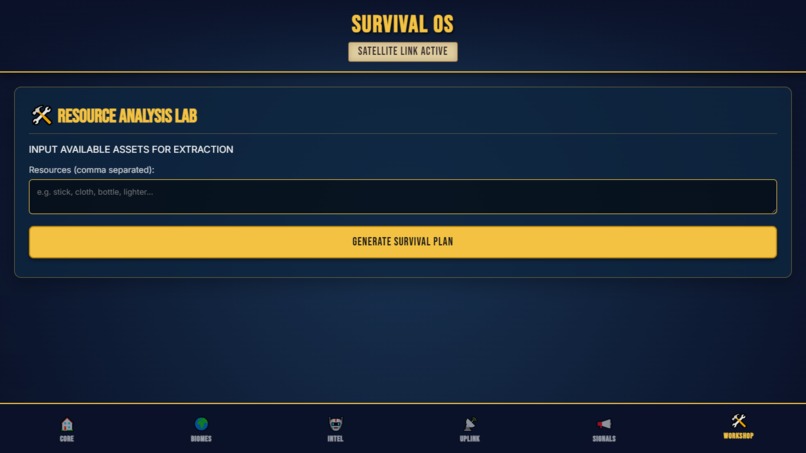
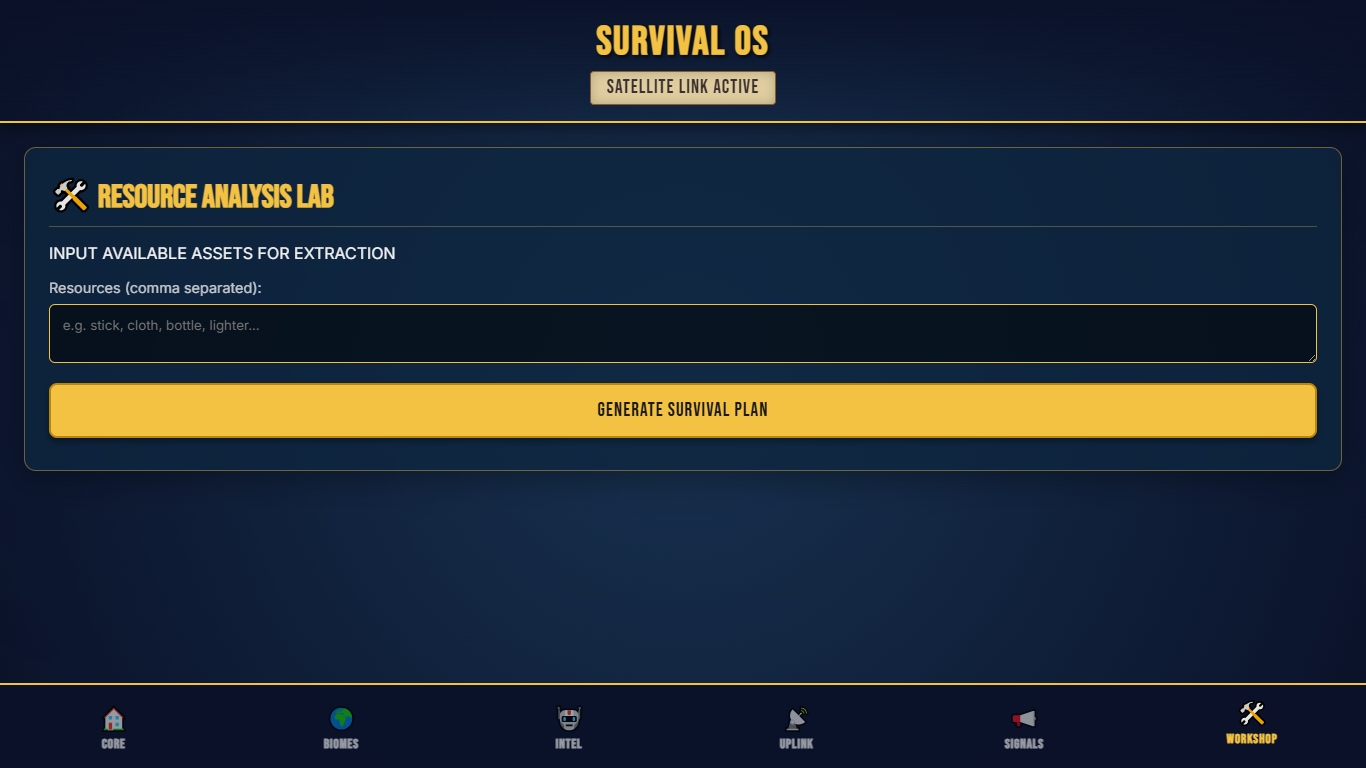
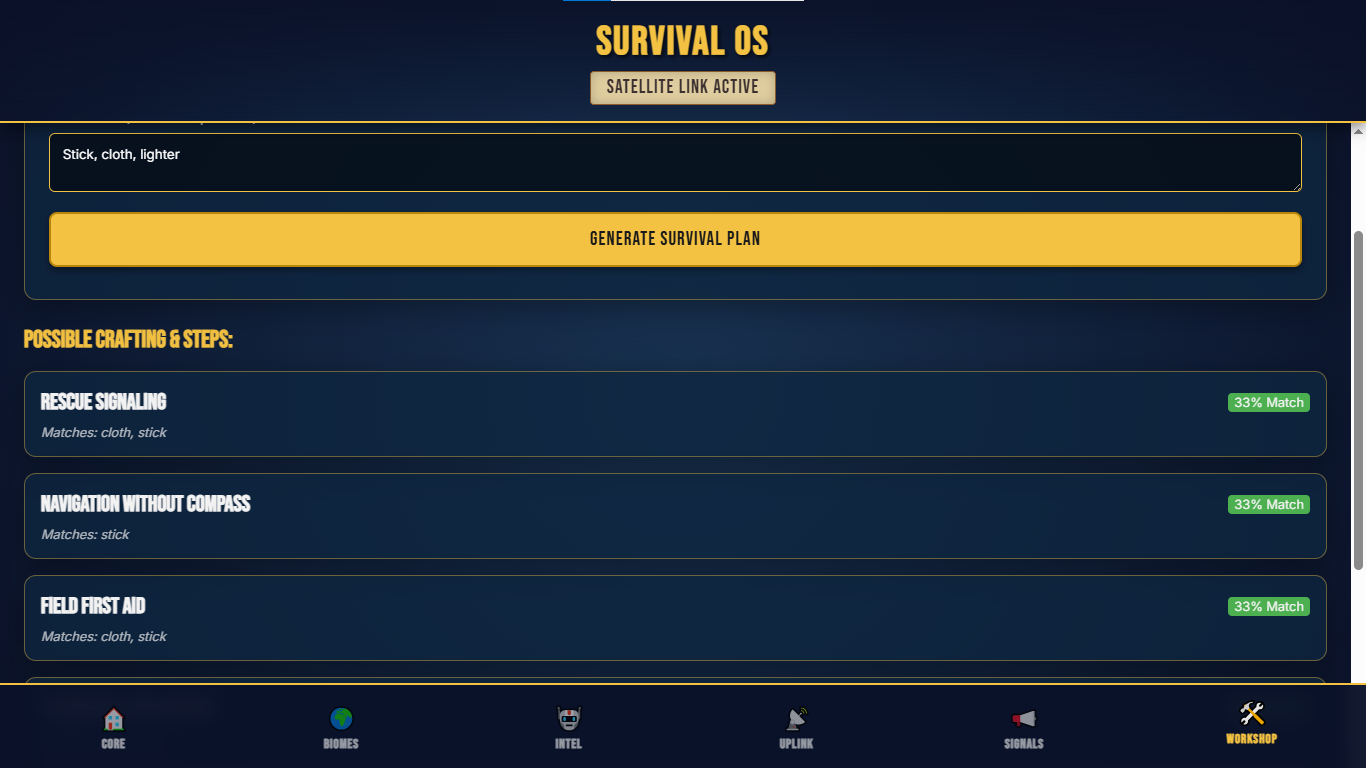
Survival workshop: It takes what tools you have and tells you how you can best utillize them.
-
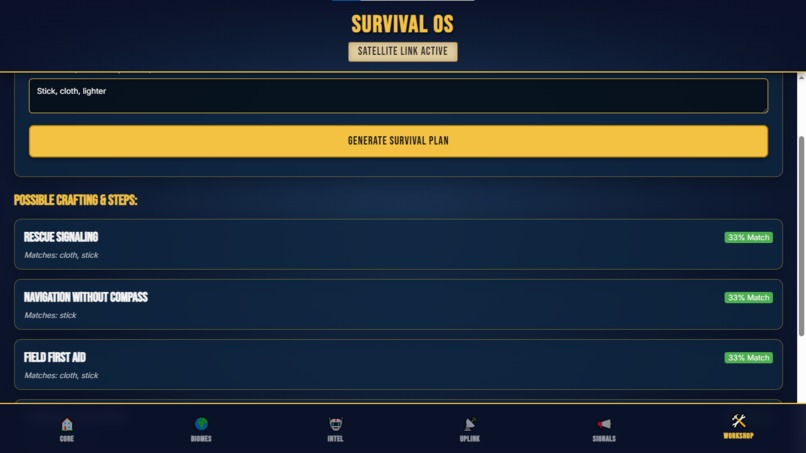
Example: Stick, Cloth, Lighter
Survival OS - Survival Den Mushi
Inspiration
The world is increasingly unpredictable. Between the escalation of global conflicts and the rising frequency of natural disasters, we realized that our most powerful tool—information—is often the first thing to fail when the grid goes down. Inspired by Project NOMAD, we wanted to create a "disaster-ready" version specifically designed for survival in war zones and extreme environments.
The name is a tribute to the utility of the One Piece world:
- Den Mushi: Inspired by the "Snail Phone," representing a reliable communication method that functions independently of modern cellular towers.
- Log Pose: A specialized compass that allows for navigation in areas where traditional magnetic fields or GPS are unreliable.
What it does
Survival OS is an offline-first tactical dashboard that functions as a digital survival kit.
- Dashboard.jpg: A high-contrast central hub providing immediate status updates on network connectivity and satellite locks.
- Biome Selector.jsx: Offers region-specific survival protocols for environments like Urban ruins.jpg, Tropical Jungles, and Arctic conditions.
- Ai Local engine.jpg: A "Tactical Intel" consultant that provides immediate guidance for emergencies like fire building or medical aid.
- Signals.jpg: Integrates simulated government broadcasts and satellite feeds (ISRO/NavIC) for earthquake and monsoon alerts.
- Empty workshop.jpg & workshop.jpg: A "Resource Analysis Lab" where you input scavenged items to generate a survival plan.
- Satellite map.jpg: A local navigation tool (Log Pose) to find the nearest NDRF help sites and rescue bases.
How we built it
We utilized a modern, lightweight stack to ensure the "OS" feels fast and responsive even on low-resource hardware:
- Core: Built with React and Vite for optimized performance.
- Intelligence: The current demo uses a complex Decision Tree for survival logic.
- Mapping: Powered by Leaflet for offline-capable geospatial orientation.
- Deployment: The live demo is hosted via Vercel at survival-os.vercel.app.
Challenges we ran into
The primary challenge was designing a UI that remains intuitive under extreme stress. We had to balance the "Tactical HUD" aesthetic with actual legibility for users who might be in low-light or high-danger situations. Ensuring the kuberchavan34/survival-os repository stayed modular for future "plugin" biomes was also a key technical hurdle.
Accomplishments that we're proud of
We successfully built a functional "Workshop" logic that can map limited resources—like a "stick, cloth, and lighter"—to critical survival needs like signaling or first aid. We are also proud of the Ai example.jpg implementation, which demonstrates how a local intelligence engine can provide calm, actionable steps during a panic-inducing emergency.
What we learned
Building this project reinforced the necessity of Offline-First architecture. We learned that for an app to be truly "life-saving," it cannot rely on a single API call or an external server. Everything must exist on the user's device before the disaster strikes.
What's next for Survival OS - Survival Den Mushi
- Local LLM Integration: Transitioning from a decision tree to a Gemma 270M parameter model to allow for more natural, flexible tactical advice without internet.
- Native Production App: Moving beyond the web to a native mobile application optimized for battery saving.
- The "Last Mile" Distribution: Our biggest upcoming challenge is solving the distribution problem—finding ways to deploy this OS to remote, disconnected regions via USB drives or local mesh networks to ensure it reaches those who need it most.
Project Links:
- Demo Video: https://youtu.be/2L-90_1mJcw
- Source Code: kuberchavan34/survival-os
Built With
- antigravity
- css
- git
- github
- html
- javascript
- vercel


Log in or sign up for Devpost to join the conversation.