-
-
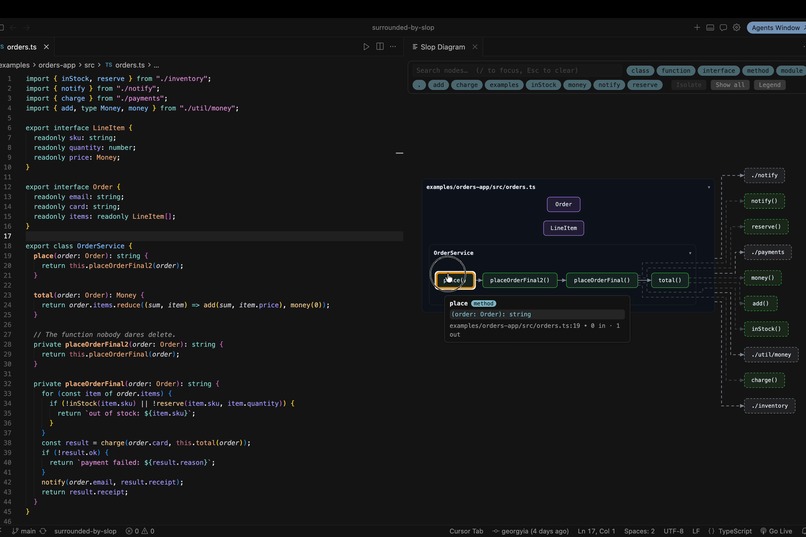
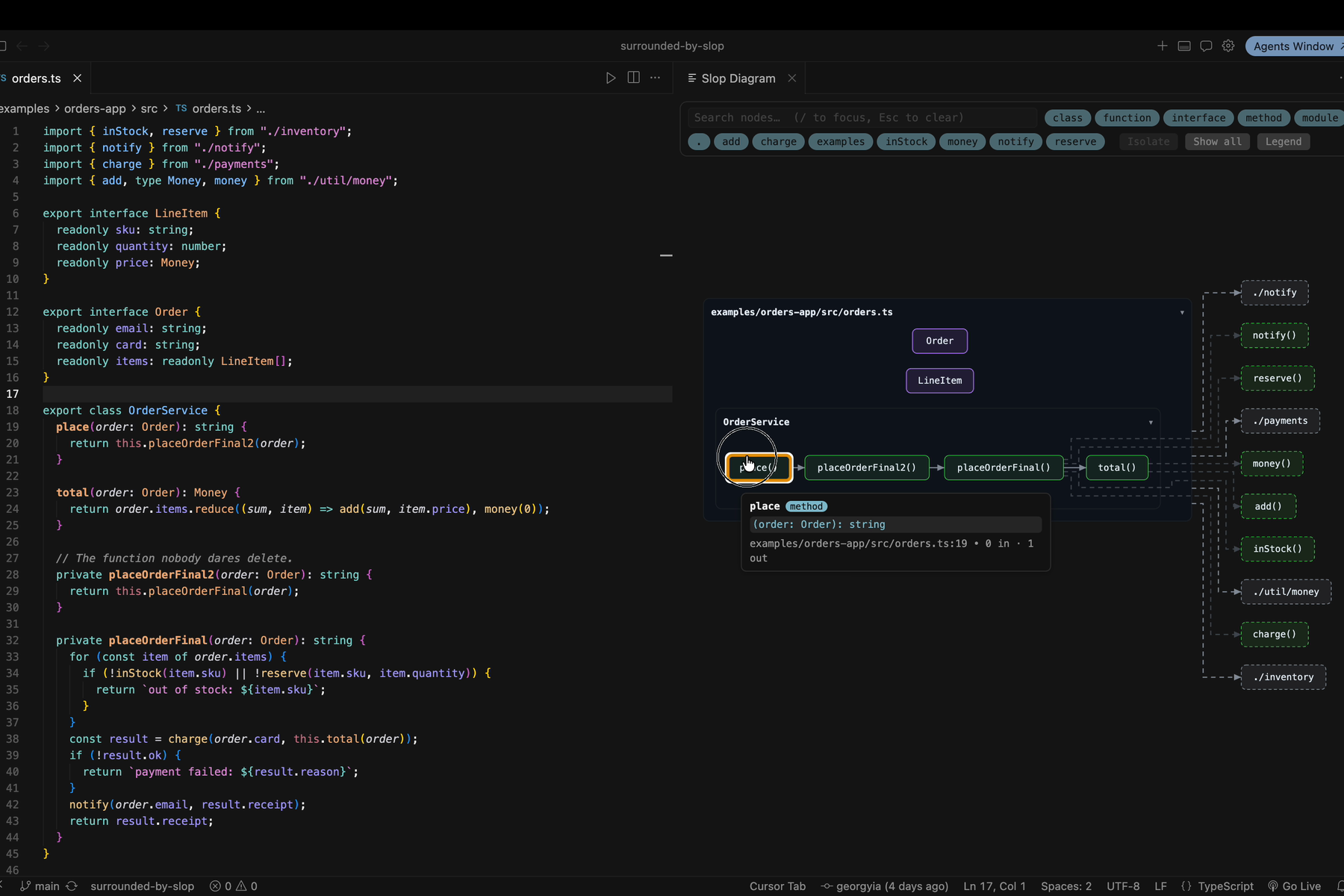
A file becomes its call graph, resolved by the TypeScript compiler — not regex. Hover any node to jump straight to its source line.
-
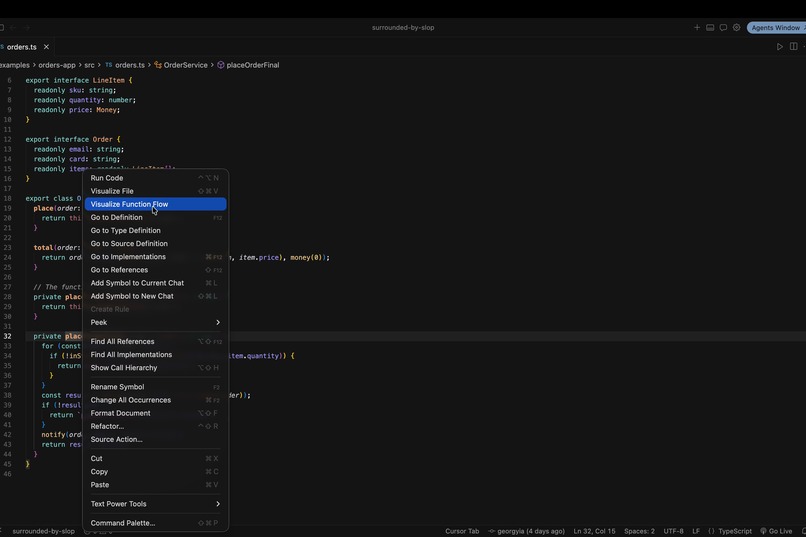
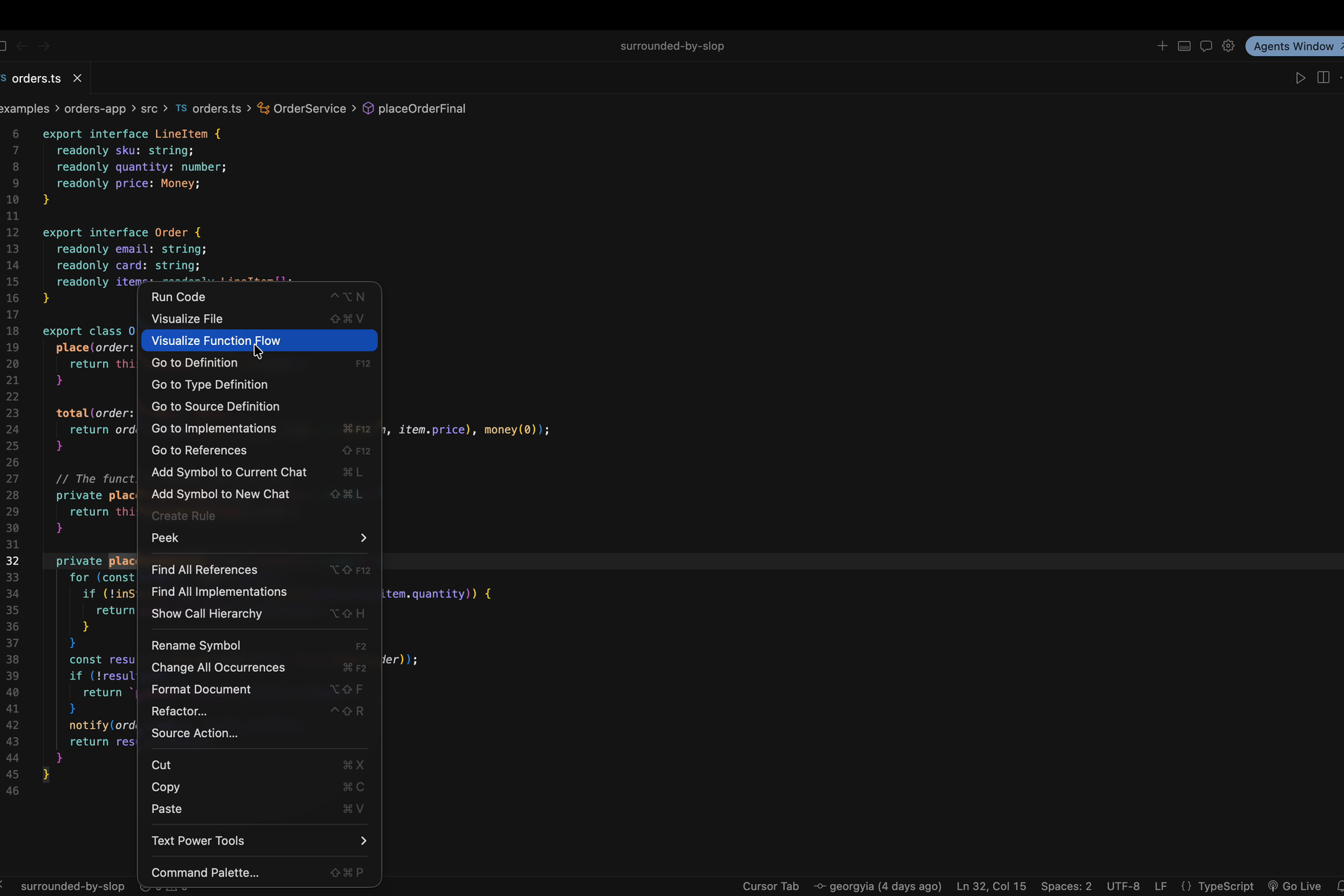
Right-click any function → Visualize Function Flow, and every path through it is charted — including the one nobody wants to hit.
-
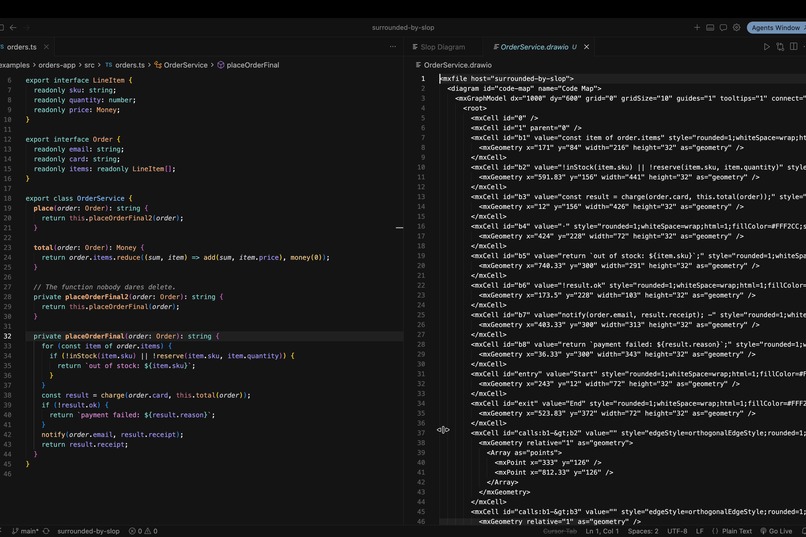
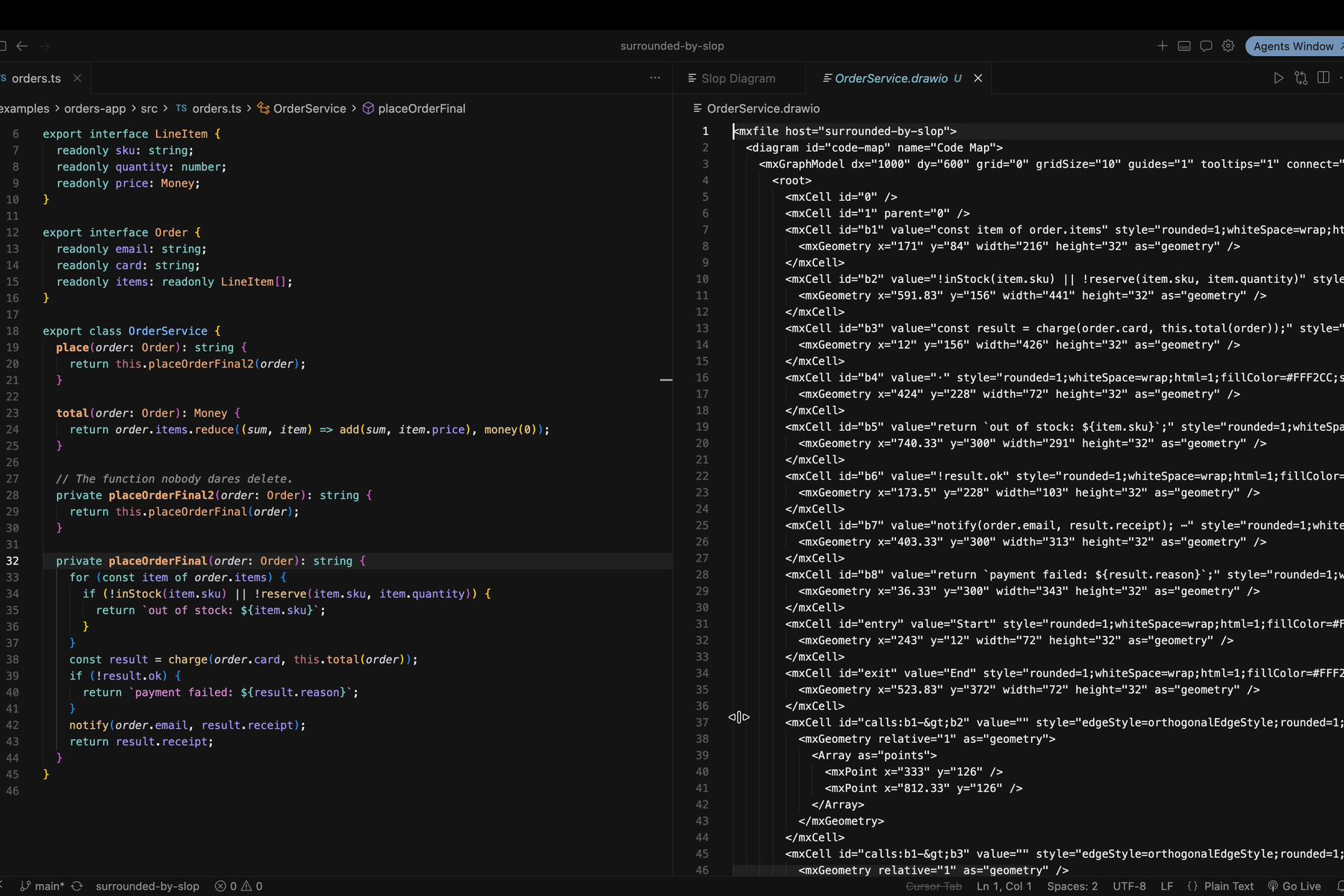
Export exactly what you see to draw.io — deterministic output, so your architecture gets a Git history and pastes into any PR.
-
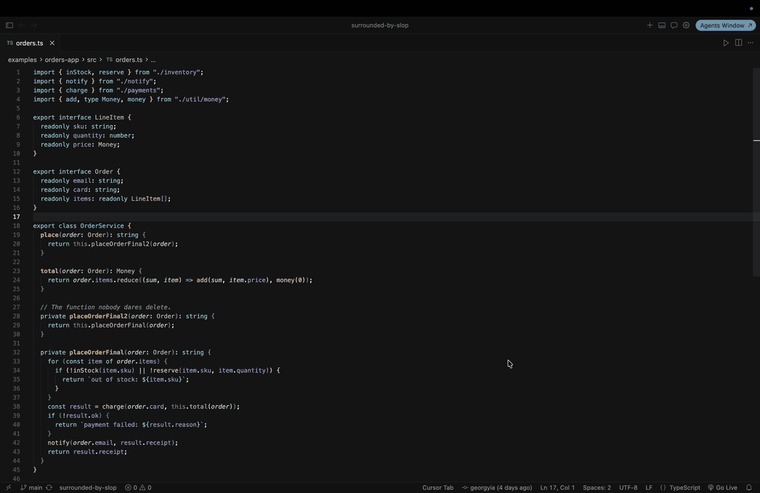 GIF
GIF
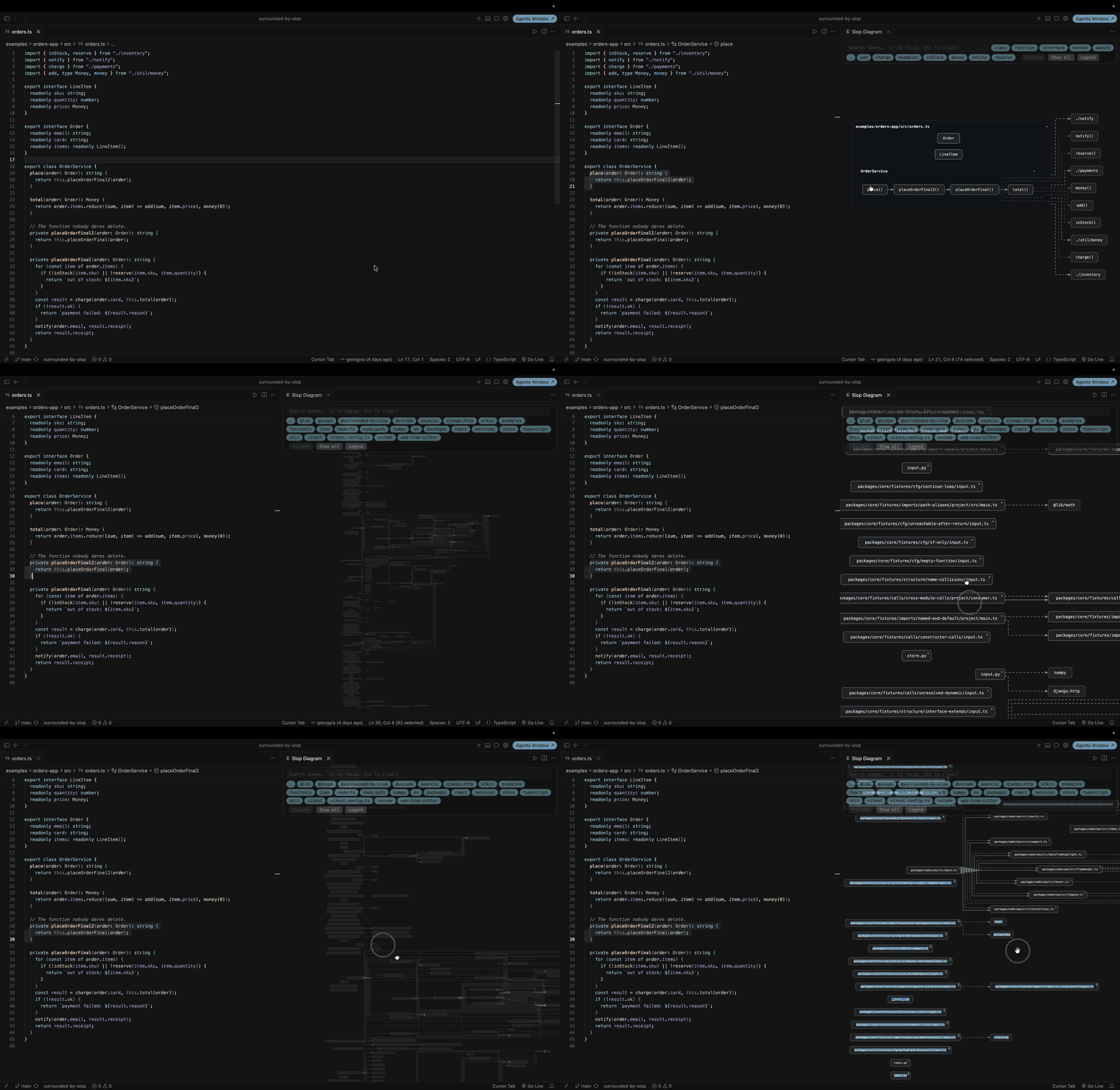
Zoom out and the whole workspace becomes a map: modules, imports, and who really depends on whom — not a folder tree you scroll past.
Surrounded by Slop
Inspiration
A few weeks ago I read Surrounded by Idiots by the Swedish author Thomas Erikson. He sold something like five million copies by explaining that the coworker who drives you insane isn't actually an idiot. The colors, the four communication types, the whole premise boils down to a single uncomfortable idea: the problem was never them. It was that you couldn't decode how they think. You were reading people line by line, in your own language, and getting nonsense back.
I closed the book and looked at my editor, and the metaphor just... transferred.
Somewhere around 2023, code stopped being written and started being generated. I'd "written" three thousand lines in a week and actually read maybe forty of them. My PRs were approved by a reviewer whose reviewing strategy was also a language model. Somewhere in a file I owned, processDataFinal2() was calling processDataFinal(), and the only entity on Earth that knew why was a GPU in Virginia.
Recently, I thought: this is the same book. I'm not a bad engineer. I'm not surrounded by idiots. I'm surrounded by slop and nobody has ever decoded slop by reading it line by line. Erikson's fix for people was to stop reading them literally and start seeing the pattern. So that became the fix for code:
Stop reading code. Look at it.
That's the whole project. The name is a love letter to the book that gave me the frame.
What it does
surrounded-by-slop is a VS Code / Cursor extension (plus a headless CLI) that turns code into diagrams, automatically and deterministically:
- Open a file → get its structure and call graph as an interactive diagram.
- Click a node → land on the exact source line.
- Zoom out → see the whole workspace as a map instead of a folder tree you keep pretending to understand.
- Export to draw.io, Mermaid, or SVG — byte-for-byte reproducible, so your architecture gets a Git history too.
Crucially: it is not AI. It's parsers, graph theory, and a layout engine. Boring, deterministic technology that never hallucinates an edge. I visualize the slop; I refuse to add to it.
How we built it
The core insight is that everything — a single file, a function's control flow, an entire repo — is the same object: a graph. So the architecture is a pipeline that funnels every input into one intermediate representation and fans back out to every output.
source ──▶ language adapter (AST) ──▶ Semantic Graph IR ──▶ layout ──▶ interactive diagram
                                              │                         └─▶ SVG
                                              ├─▶ Mermaid
                                              └─▶ draw.io
It's a pnpm monorepo with a deliberately strict separation of concerns:
| Package | Job |
|---|---|
core |
Language-agnostic: source → Semantic Graph IR → exporters. Pure TypeScript, zero editor dependencies. |
host |
Shared filesystem discovery + project-config (tsconfig, folder hierarchy). |
extension |
The VS Code / Cursor integration and commands. |
webview |
The diagram UI — SVG rendering, pan/zoom, click-to-source. |
cli |
sbs — the same semantic graph, headless, for AI agents and CI. |
Formally, core builds a directed graph $G = (V, E)$ where $V$ is symbols (modules, functions, classes) and $E$ is typed relations — calls, imports, control-flow, data-flow. Every edge carries provenance back to a file:line, which is what makes click-to-source possible.
Call resolution goes through the TypeScript compiler, not regex. This is the part I'm proudest of. A regex "call graph" is optimism with a syntax highlighter; it guesses. By driving the real typescript type-checker, an edge $u \rightarrow v$ exists only when the compiler resolves the callee to that symbol — overloads, re-exports, aliased imports and all. tree-sitter (@vscode/tree-sitter-wasm) is layered underneath as the path to other languages, Python first.
Layout is handled by elkjs. Drawing a graph so humans can read it is the classic layered-graph-drawing problem, and the objective — minimizing edge crossings — is NP-hard in general:
$$ \min_{\pi}\ \sum_{(u,v),(x,y)\in E} \mathbb{1}\big[\text{cross}_\pi\big((u,v),(x,y)\big)\big] $$
so ELK's layered heuristic does the heavy lifting while I keep the graph small enough for it to shine — which is where the collapse step comes in. To render a repo, cyclic import clusters are contracted into single nodes using Tarjan's strongly-connected-components algorithm in $O(|V| + |E|)$, so a 3,000-line tangle becomes a module map you can actually hold in your head.
The whole core pipeline is a pure function:
$$ \text{diagram} = f(\text{source}) $$
Same code in, byte-identical diagram out — enforced by golden-file tests. That property is doing a lot of work: it's what lets exported diagrams live in Git and diff meaningfully.
The best proof is that the project draws itself. The architecture diagram in the README isn't hand-drawn — it's core analyzing its own source, collapsing to module level, and emitting Mermaid via scripts/dogfood-diagram.mjs. When the architecture drifts, the diagram drifts with it. The slop documents itself.
Challenges we ran into
- Determinism was harder than the diagrams.
Mapiteration order,Sets, timestamps, absolute paths, platform line-endings — every one of them is a way for "same input" to silently produce "different output." Getting to byte-identical meant sorting at every boundary and testing it under a 3-OS CI matrix, because a diagram that isn't reproducible can't have a Git history, and that history was the whole pitch. - Honest call graphs are expensive. Booting the TypeScript program and asking the checker to resolve every call site is far slower than pattern-matching text — but a call graph that guesses is worse than none, because you'll trust it. I chose correctness and then optimized around it.
- Collapsing without lying. Contracting SCCs and folding folder → module → function has to preserve which edges are real. Losing an edge in the name of tidiness would make the map wrong, and a wrong map is just prettier slop.
- One IR, many faces. Making file view, function control-flow, and workspace map all fall out of a single graph representation — instead of three bespoke features — took several rewrites of the IR before it was genuinely general.
- A strict bar on an AI-assisted project. AI-assisted PRs are welcome here and held to exactly the same bar — strict TS, coverage the linter enforces, a written justification for every dependency. Living that rule while building fast was its own discipline. That tension is rather the point of the whole project.
Accomplishments that we're proud of
- The tool draws itself. The architecture diagram in the README is generated by the project analyzing its own source. Dogfooding isn't a demo here — it's the CI-checked source of truth.
- Byte-identical, versionable diagrams.
diagram = f(source)holds under a 3-OS CI matrix and golden-file tests, so an exported diagram is a first-class artifact you can diff and review, not a screenshot that rots. - Call graphs that don't guess. Edges are resolved through the TypeScript compiler, not regex — aliases, re-exports, overloads and all. If we draw an edge, it's real.
- One IR, three products. File view, function control-flow, and the whole-workspace map all fall out of a single Semantic Graph IR — and the same core ships to an editor extension and a headless
sbsCLI for agents and CI. - Local-only, by construction. No telemetry, no cloud, no "anonymous usage statistics." A network call in this codebase is treated as a security bug. Your slop never leaves your machine.
What we learned
- Compilers are the right substrate for developer tools. Once I stopped fighting the TypeScript API and started treating it as a semantic oracle, half the "hard" problems became lookups.
- Determinism is a feature, not a nicety. Purity, $f(\text{source})$, is what turns a diagram from a screenshot into an artifact you can version, review, and trust.
- The best metaphors do work, not decoration. "You're not surrounded by idiots, you're surrounded by slop" isn't just branding — it dictated the product: don't help people read code, help them see it.
- Local-only is a design constraint that pays off. It forced every clever idea to be earned on the user's own machine.
What's next for Surrounded By Slop
The foundation is built and gated; the visualization pipeline is landing milestone by milestone:
- First Light — TS/JS file → interactive diagram + Mermaid export.
- The Map — workspace call/import graph, click-to-source, draw.io + SVG.
- X-Ray — control-flow and data-flow overlays, search, and filters that let you follow a variable through the function that "just transforms the payload a bit."
- Babel — the tree-sitter adapter layer goes wide, Python first, then the rest.
- Launch — VS Code Marketplace + Open VSX, and a docs site.
The long game: make seeing your codebase the default, so that when the next three thousand lines land, you don't read them — you glance at the shape and know exactly where they fit. Erikson gave a generation the tools to decode the people around them. This is the tool for decoding the slop.
Built With
- biome
- changesets
- claude
- codex
- drawio
- elkjs
- esbuild
- github-actions
- mermaid
- node.js
- open-vsx
- pnpm
- svg
- tree-sitter
- typescript
- typescript-compiler-api
- vitest
- vs-code-extension-api
- vsce
- web-tree-sitter

Log in or sign up for Devpost to join the conversation.