-
-
App icon
-
Choose your goals
-
Today
-
Work
-
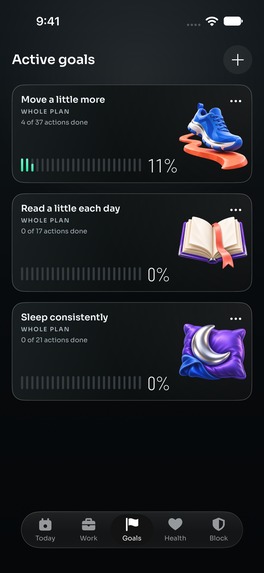
Goals
-
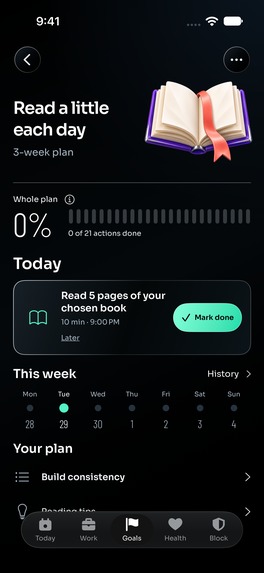
Goal details
-
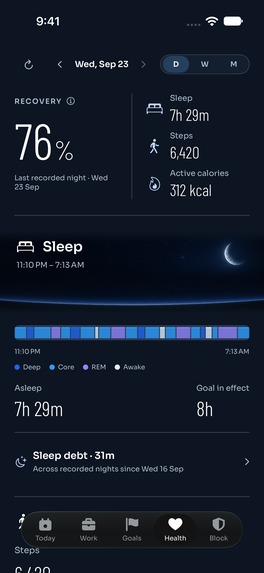
Health
-
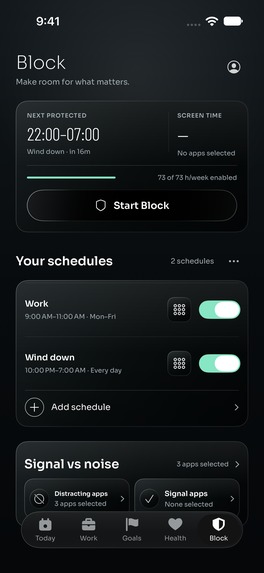
Block
-
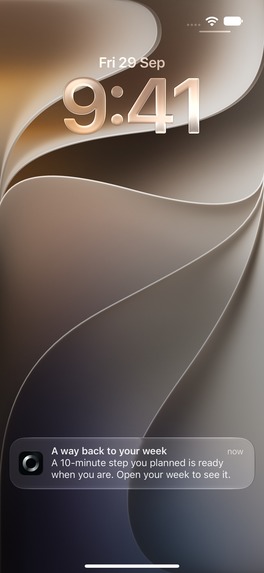
OneSignal : Rescue notification
-
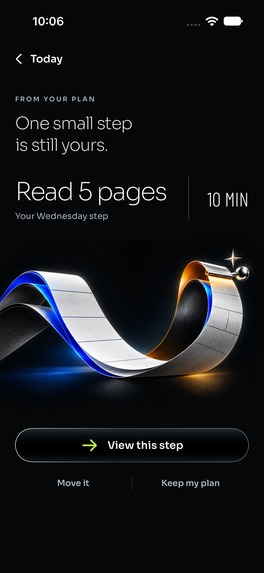
A way back
-
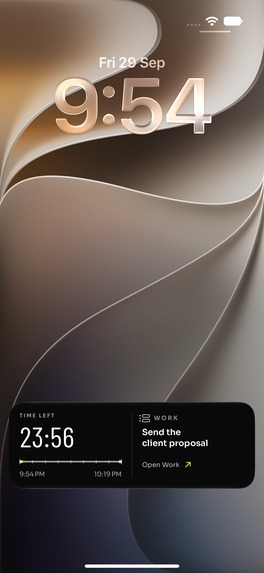
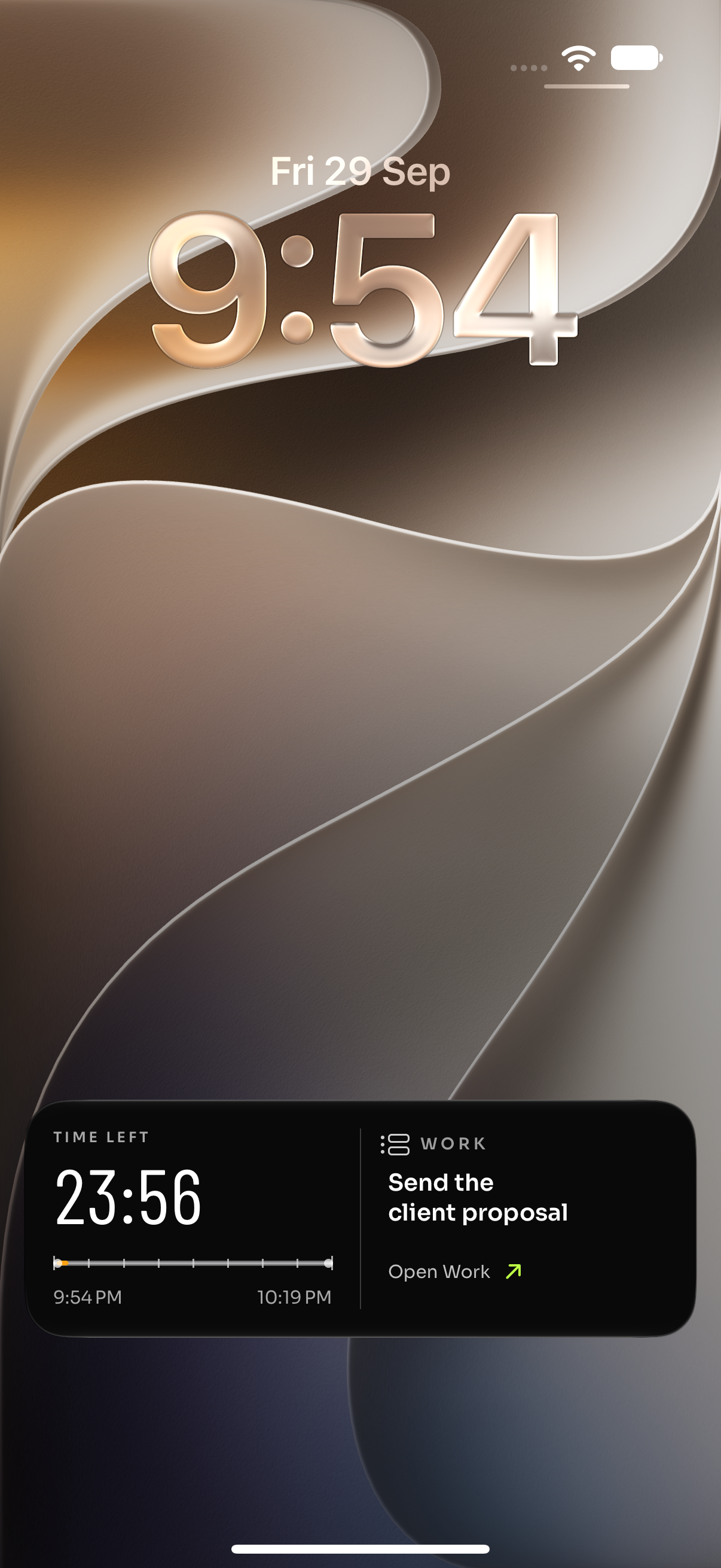
OneSignal : Work Live Activity
-
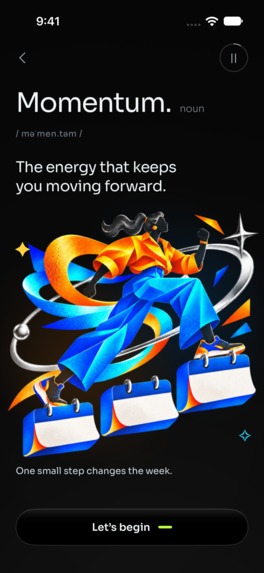
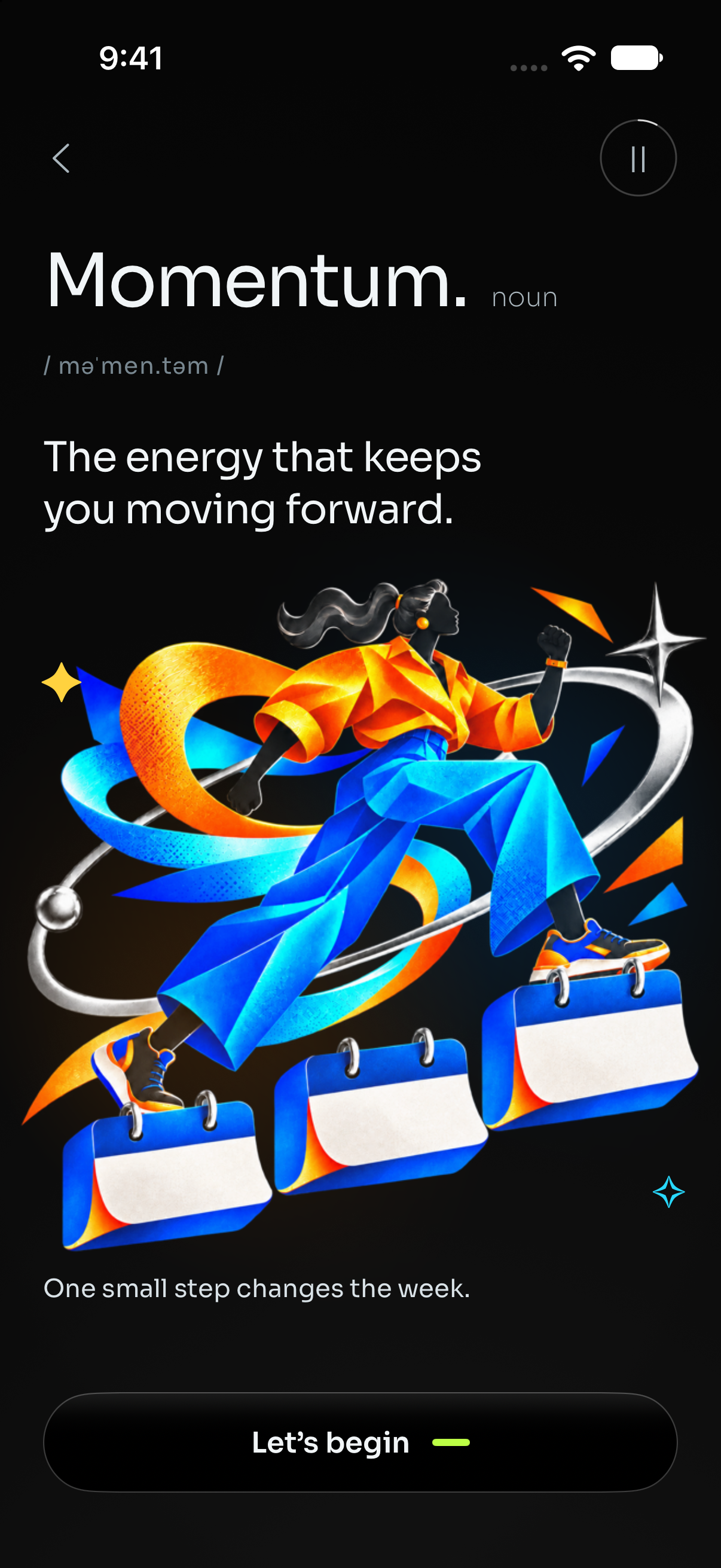
Onboarding Screen : Momentum
-
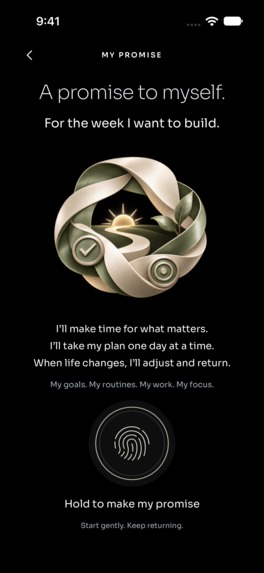
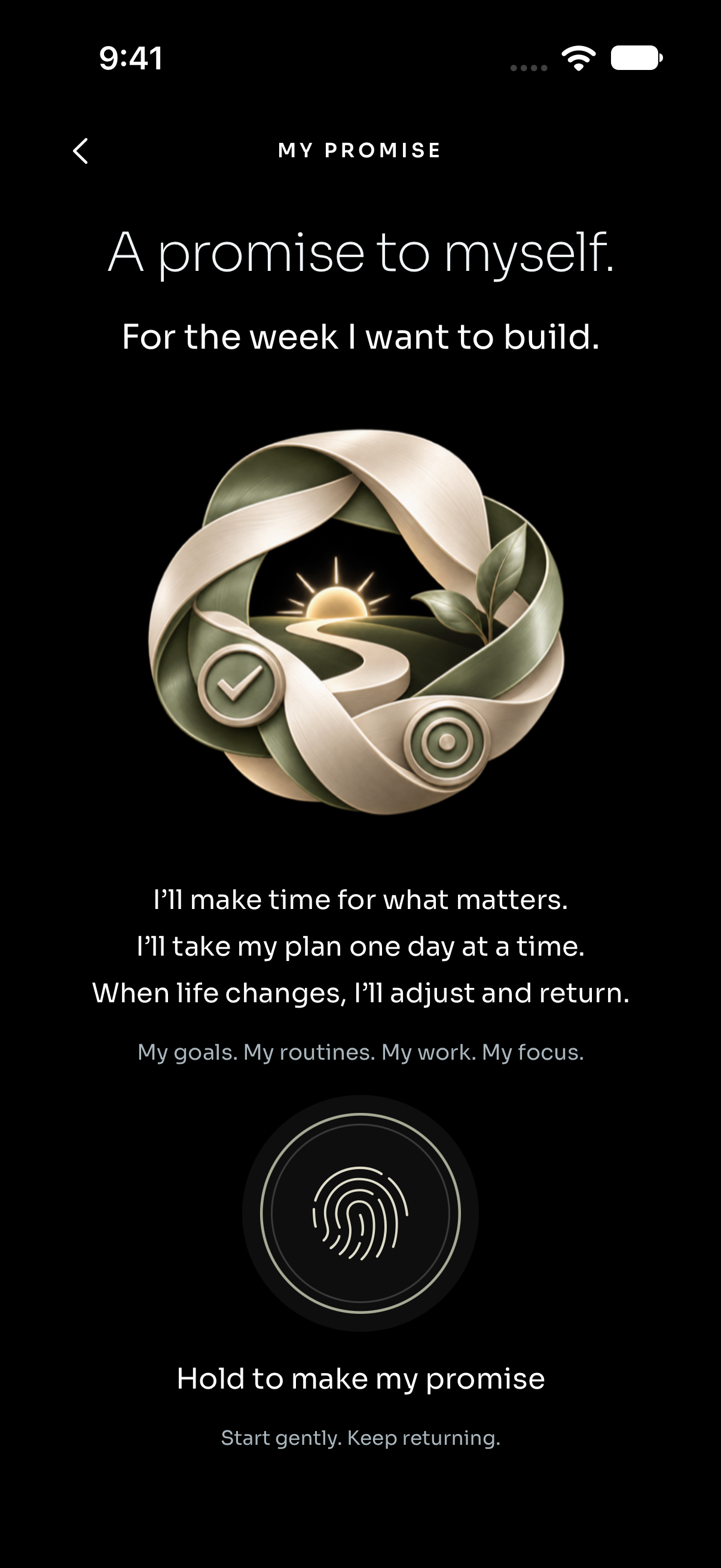
Onboarding Screen : My promise
-
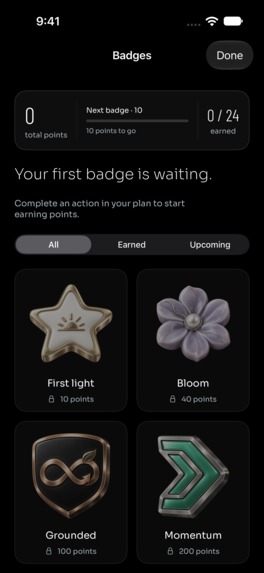
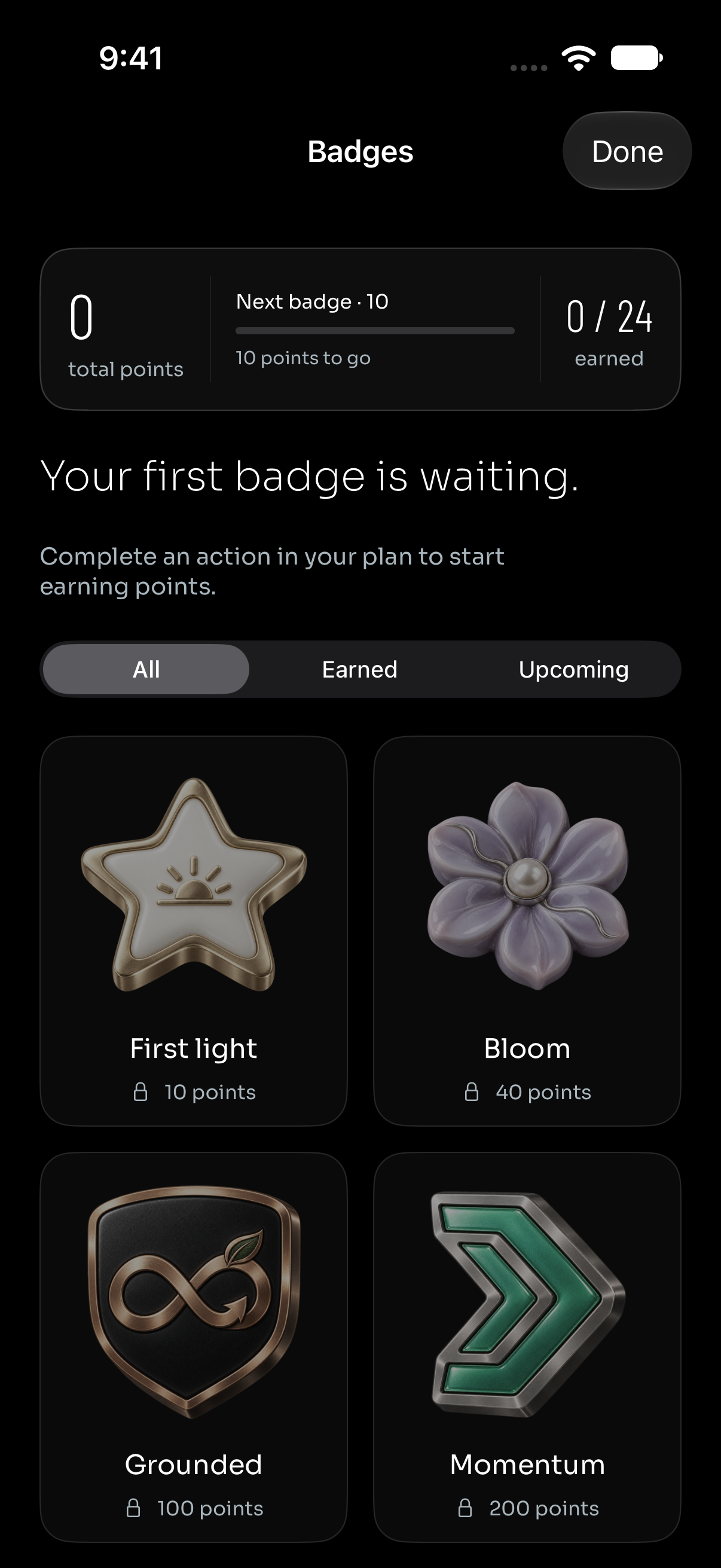
Badges
-
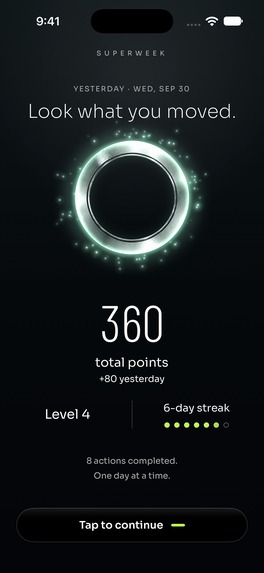
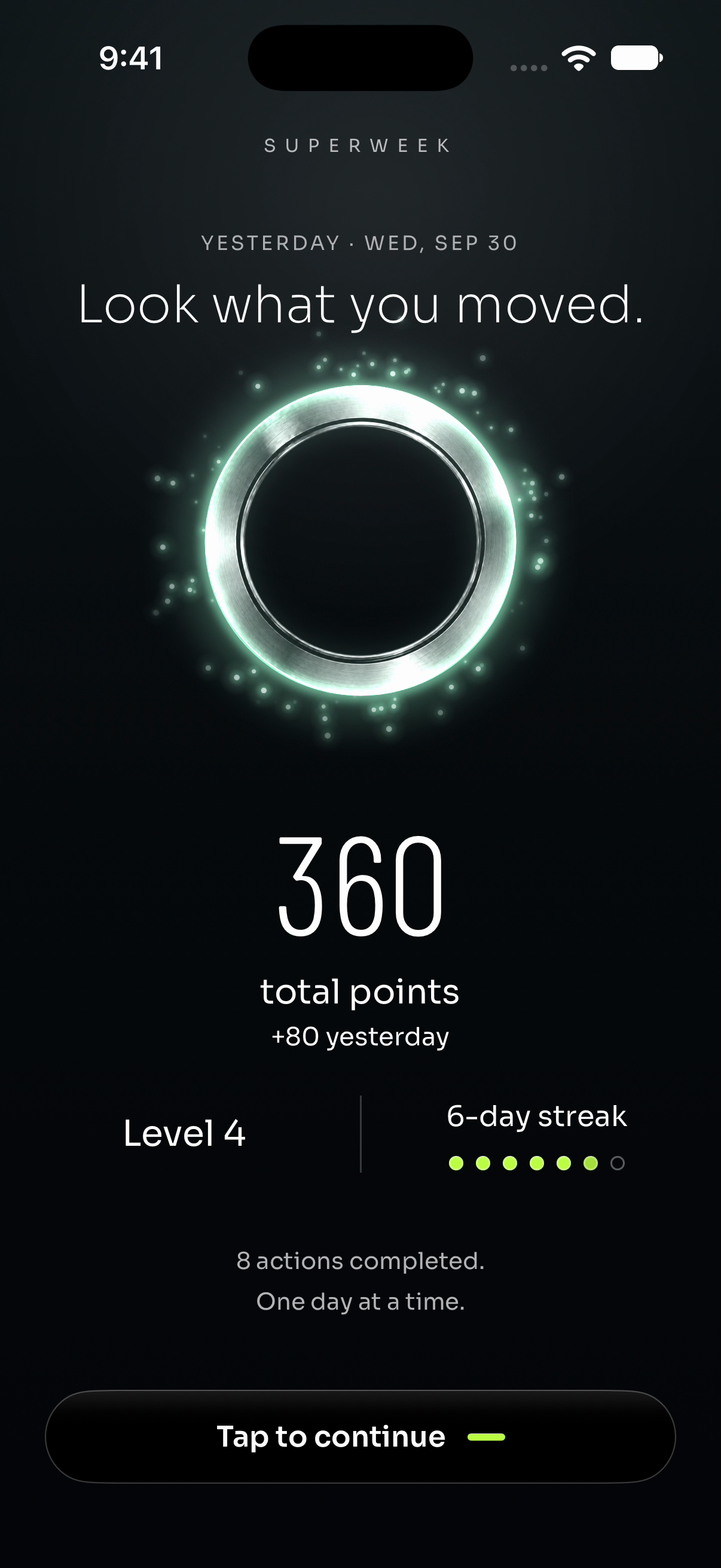
Yesterday’s recap

Inspiration
I built SuperWeek for the gap between making a plan and living through a real week. A goal can feel exciting on Sunday and distant by Wednesday. I wanted an app that makes the next step clear, makes progress feel tangible, and helps someone return when life interrupts.
I designed and built SuperWeek as a solo developer. It brings productivity and self-care together: goals, routines, work, focus and optional Apple Health context, all connected to the same week.
From an intention to a day that makes sense
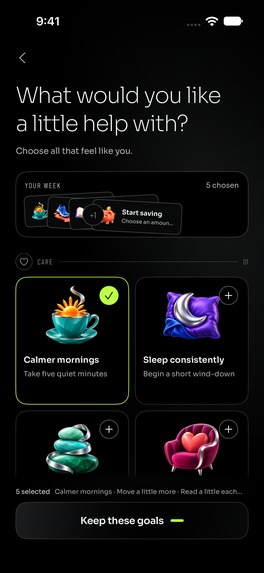
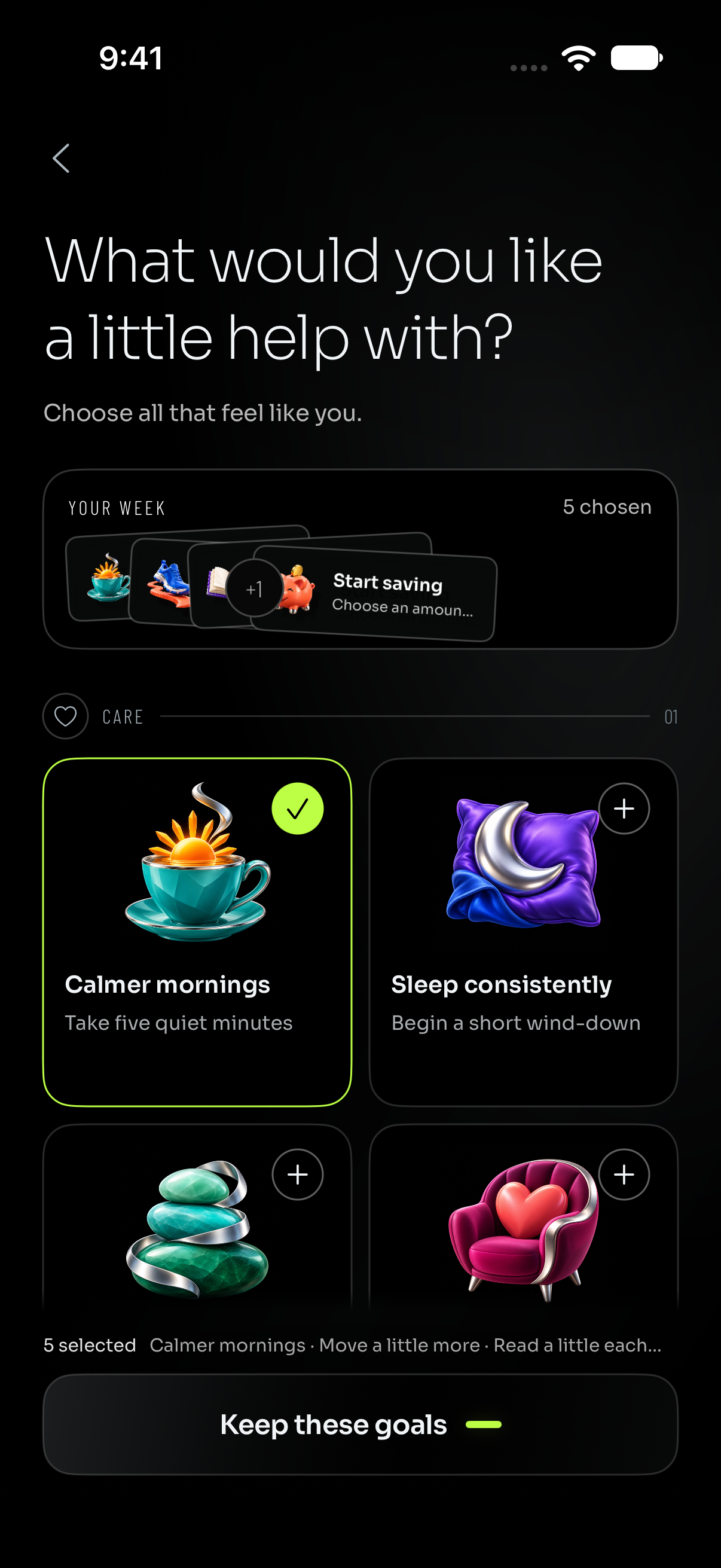
The experience begins with a personal setup. Someone chooses what they want help with, selects goals and a manageable pace, adds useful routines, and decides which time to protect. Illustrated choices lead into a personal plan reveal. A 21-day starting point can become a longer journey when the person chooses to continue.
The everyday workflow lives across five main tabs:
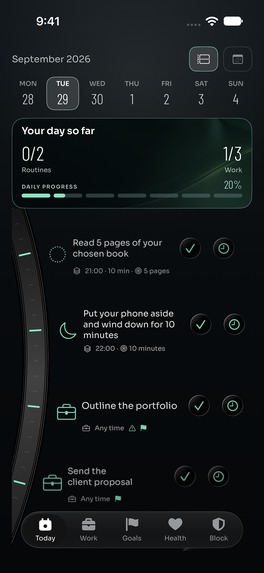
- Today brings routines and work into a curved daily timeline. A compact summary shows the day's progress, while each action has a clear time, completion control and undo path.
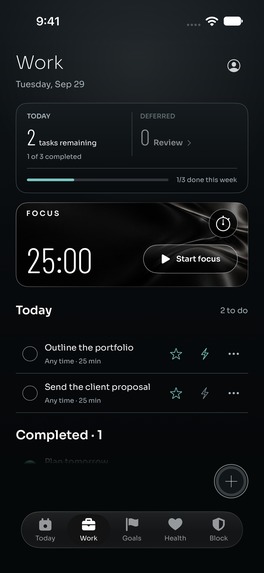
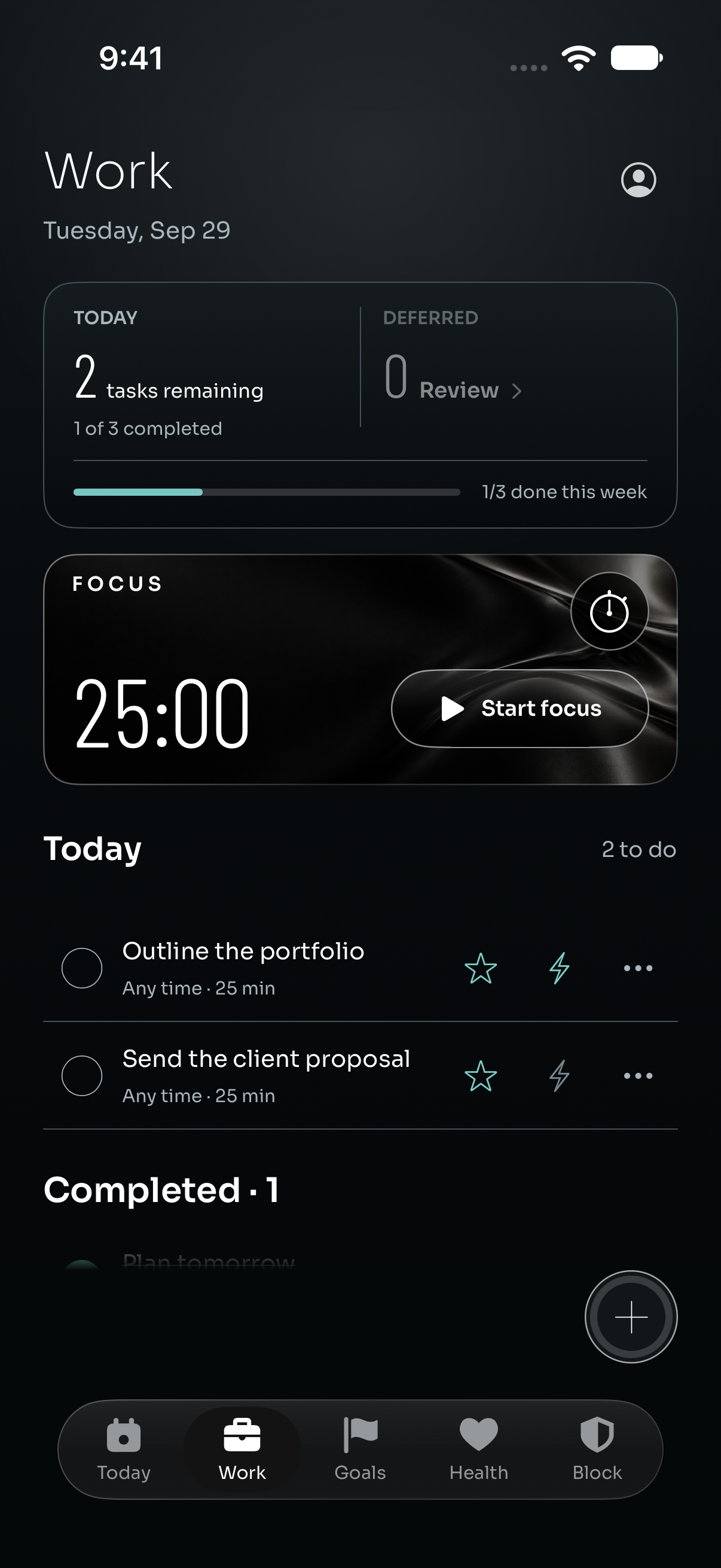
- Work keeps tasks, priorities, scheduled windows and unfinished work together. A separate Focus timer makes it easy to begin a session without losing sight of the work list.
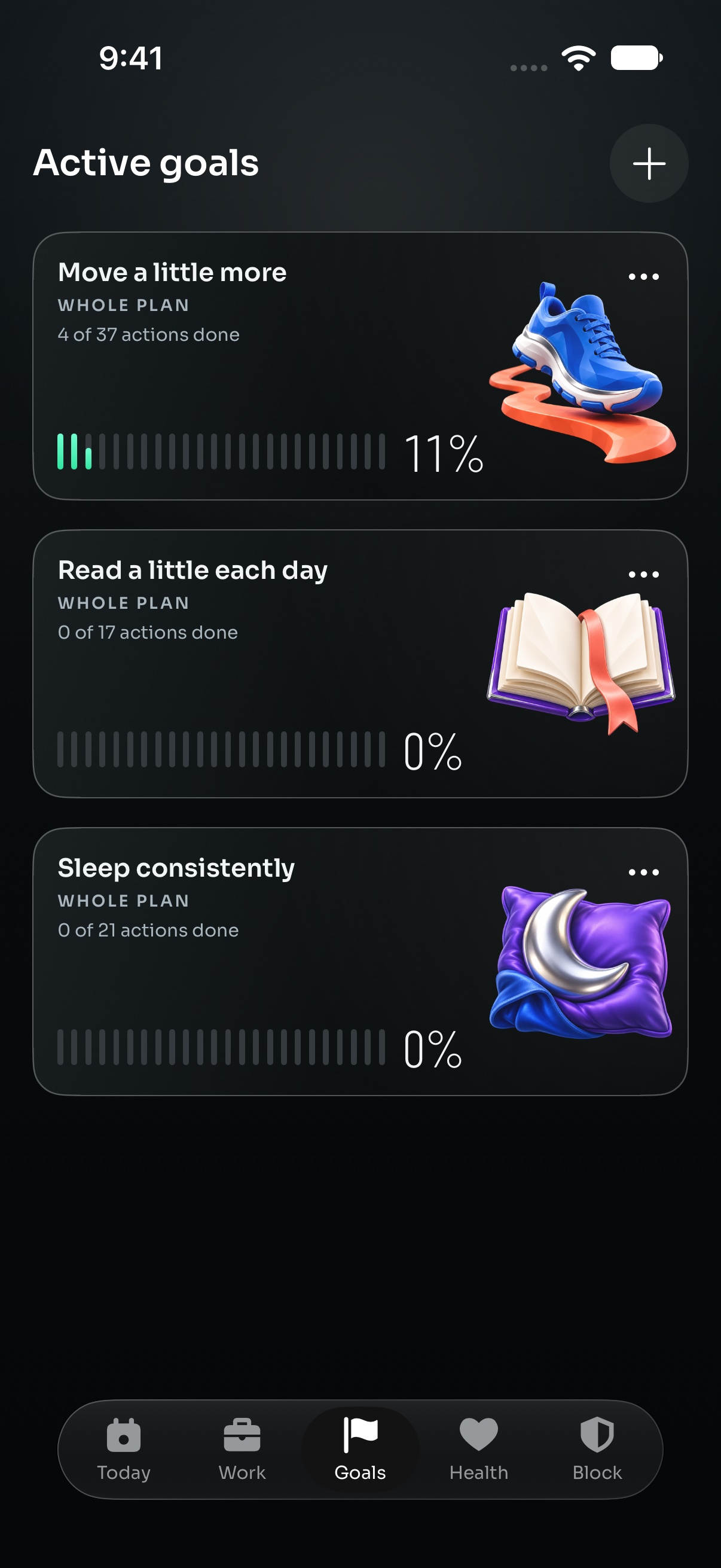
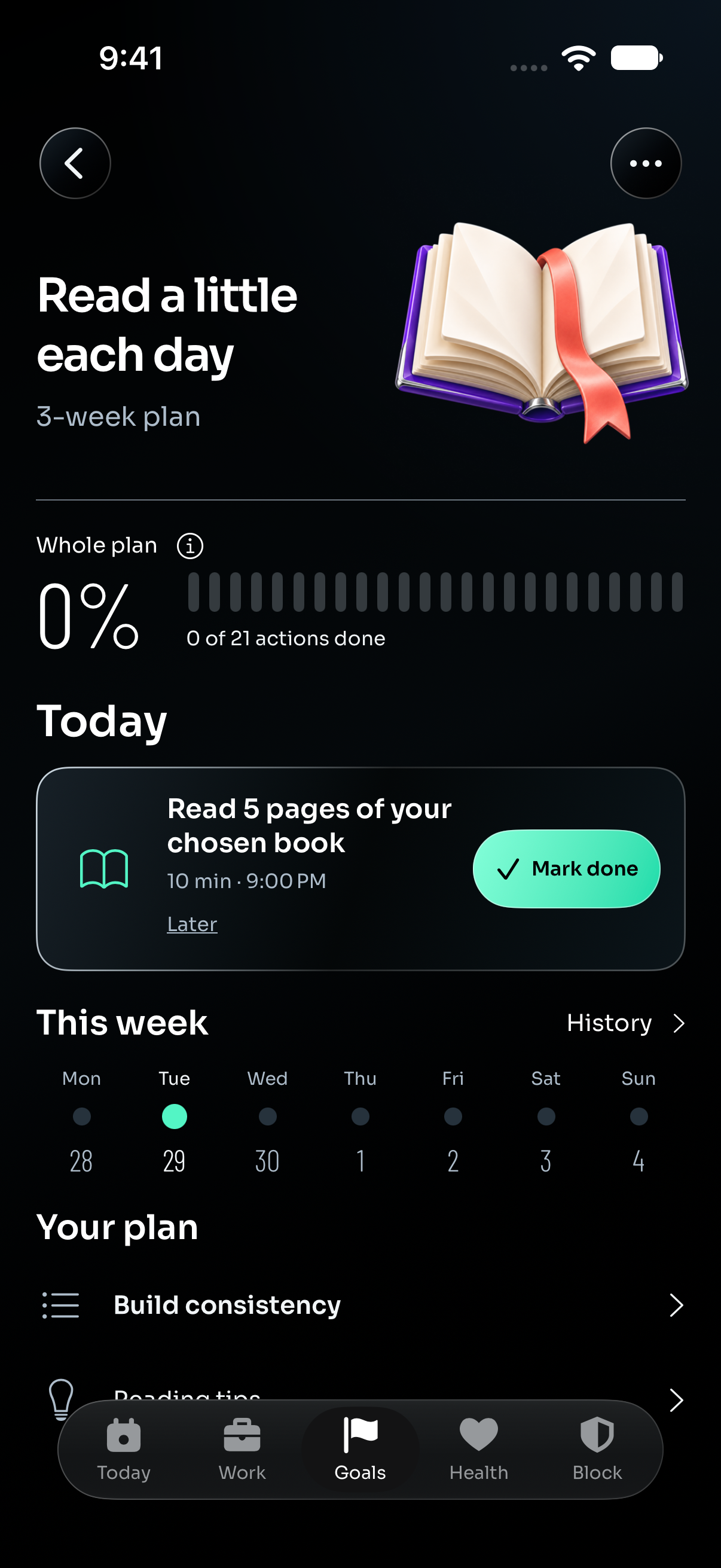
- Goals connects small scheduled actions to a larger intention. Illustrated cards show explicit action counts and segmented progress; the detail screen brings the next step, weekly history and the whole plan together.
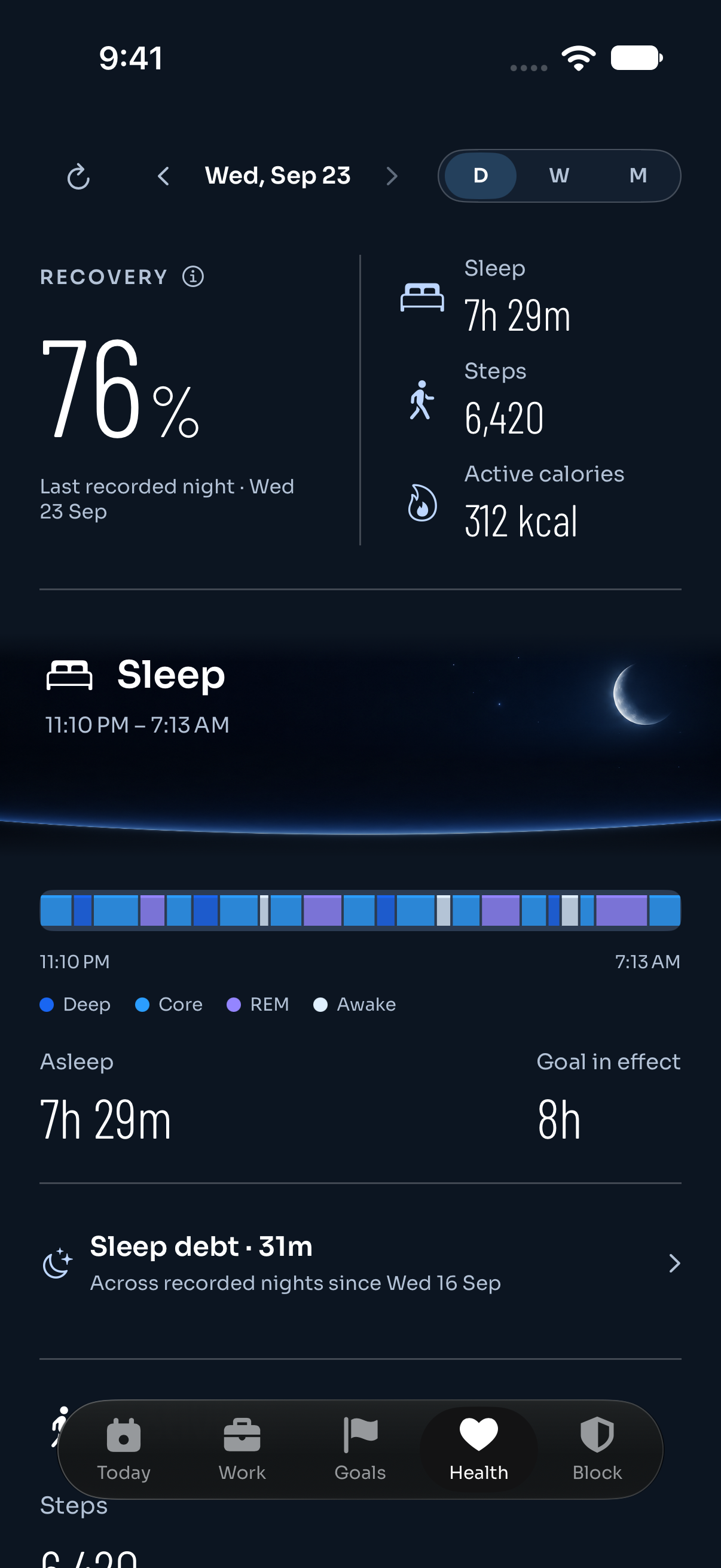
- Health adds optional sleep, steps and activity context through Apple Health. Missing information is shown honestly, and the recovery estimate is general wellbeing context.
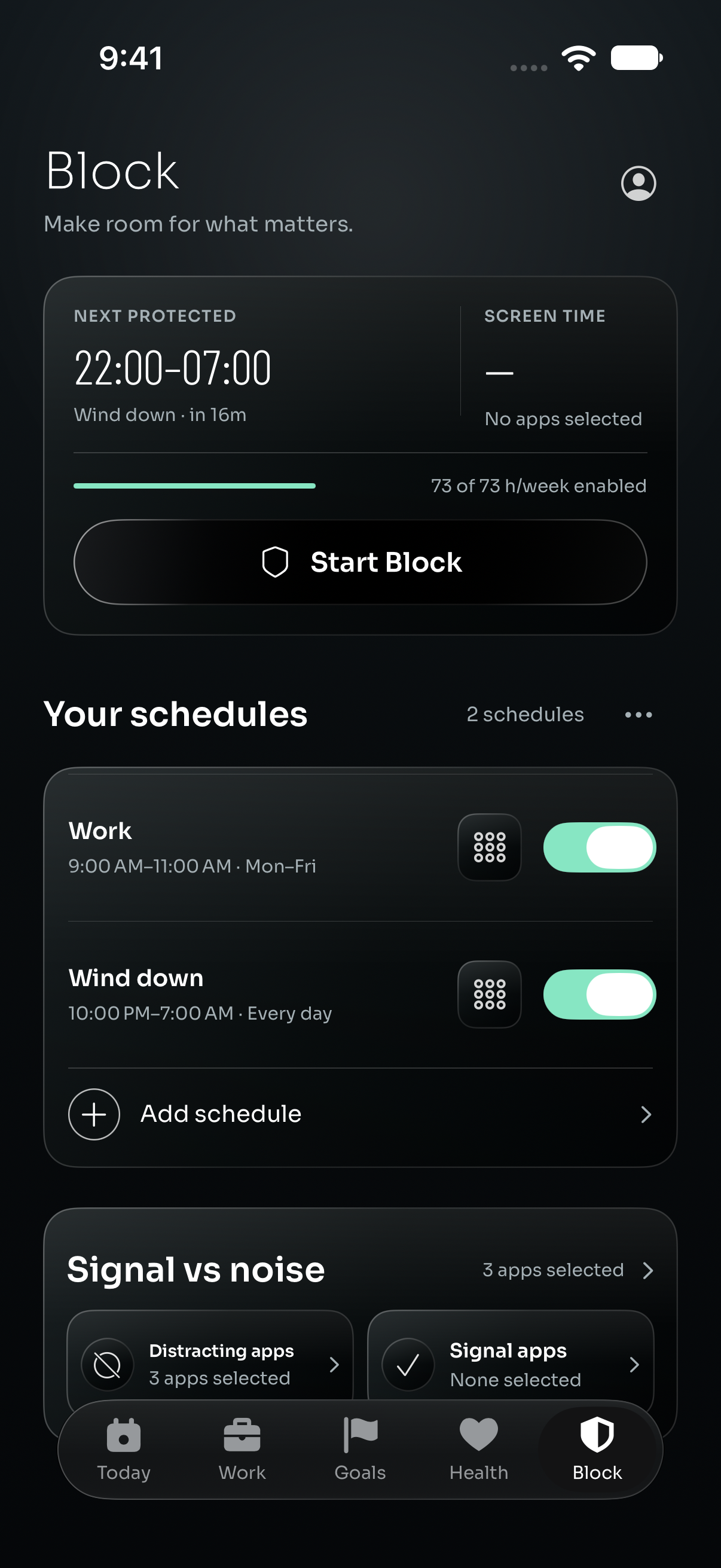
- Block protects chosen time with optional Screen Time app and website blocking, reusable schedules and distraction controls.
Home Screen widgets keep the next action and progress nearby. Live Activities carry an active work window onto the Lock Screen and Dynamic Island. Pause and comeback flows leave room for a difficult week without making missed actions feel like failure.
Capture a thought, then decide what becomes a task
Optional spoken task capture helps turn a brain dump into something actionable. On a compatible iPhone with iOS 26 or later, Apple Intelligence enabled and the required language assets available, speech and task organization run on the device after explicit consent.
The user chooses to organize the text, reviews and edits suggested titles, priorities and times, and explicitly confirms which tasks to save. Audio is not stored as a recording; transcripts and unconfirmed suggestions stay transient. Manual task entry remains available.
I designed the review step as part of the workflow. A suggestion should be easy to correct before it becomes a commitment.
Design that makes progress visible
I wanted the app to feel carefully made every time it opens. SuperWeek combines a charcoal canvas, sculpted illustrations, glossy black controls, Sora typography and condensed Barlow numerals. Mint accents connect progress and action across the main screens, while each area retains its own purpose and hierarchy.
The details serve the experience. Today's curved rail gives the day a continuous shape. Goal cards pair their artwork with 24 slim progress segments, a count and a clear time scope. The Focus timer reads like a dedicated instrument. Health gives sleep and movement room to breathe. Onboarding builds toward a personal reveal, and the notification return screen receives the same visual attention as the first launch.
Motion and haptics acknowledge completion, guide transitions and connect related states. Reduced Motion paths preserve the content and layout while reducing animated travel. I also review larger-text layouts and recovery states: a polished screen has to remain understandable when data is unavailable or an action needs to be retried.
Notifications with a useful destination
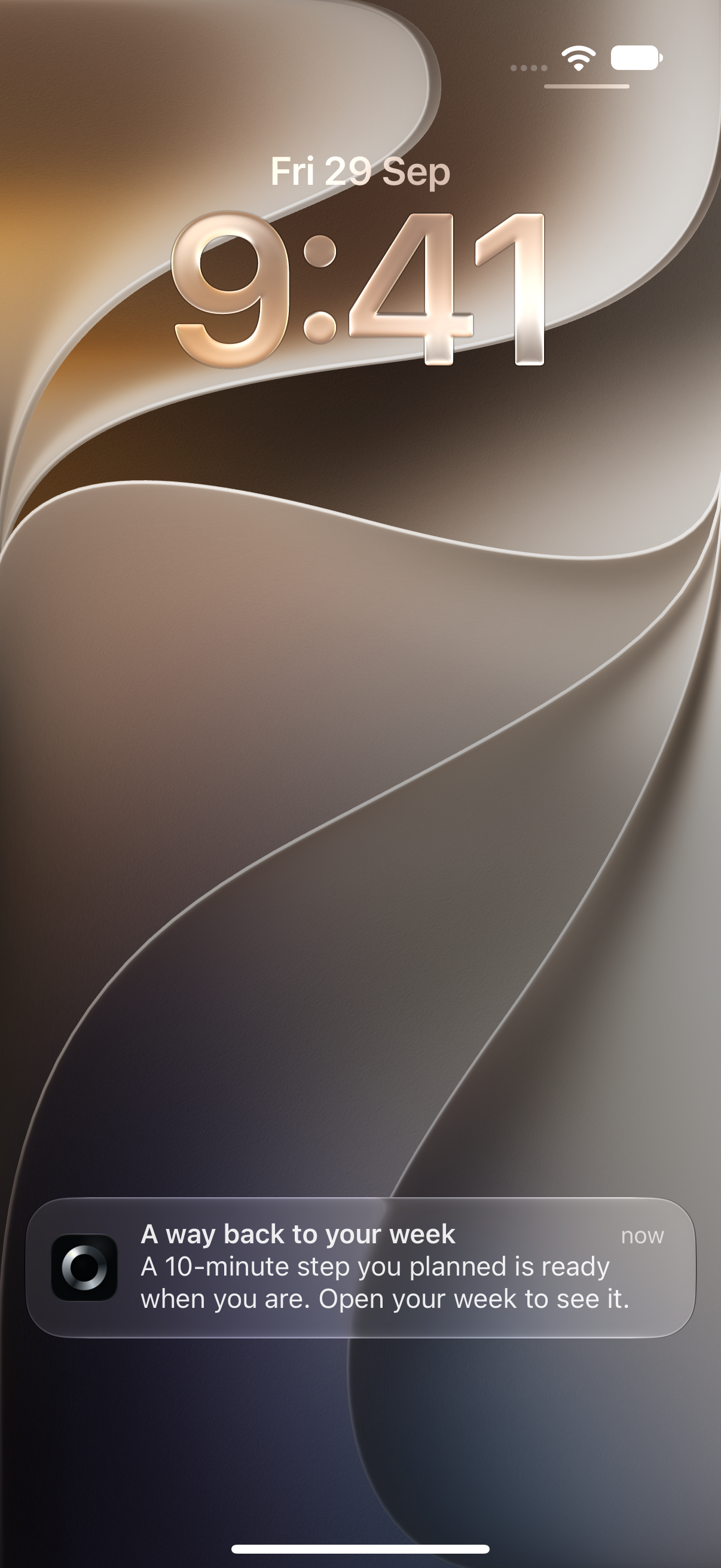
I built the notification system around the user's current plan. Weekly guidance uses OneSignal Custom Events and two Journeys: Adaptive Week Rescue and Week Reflection.
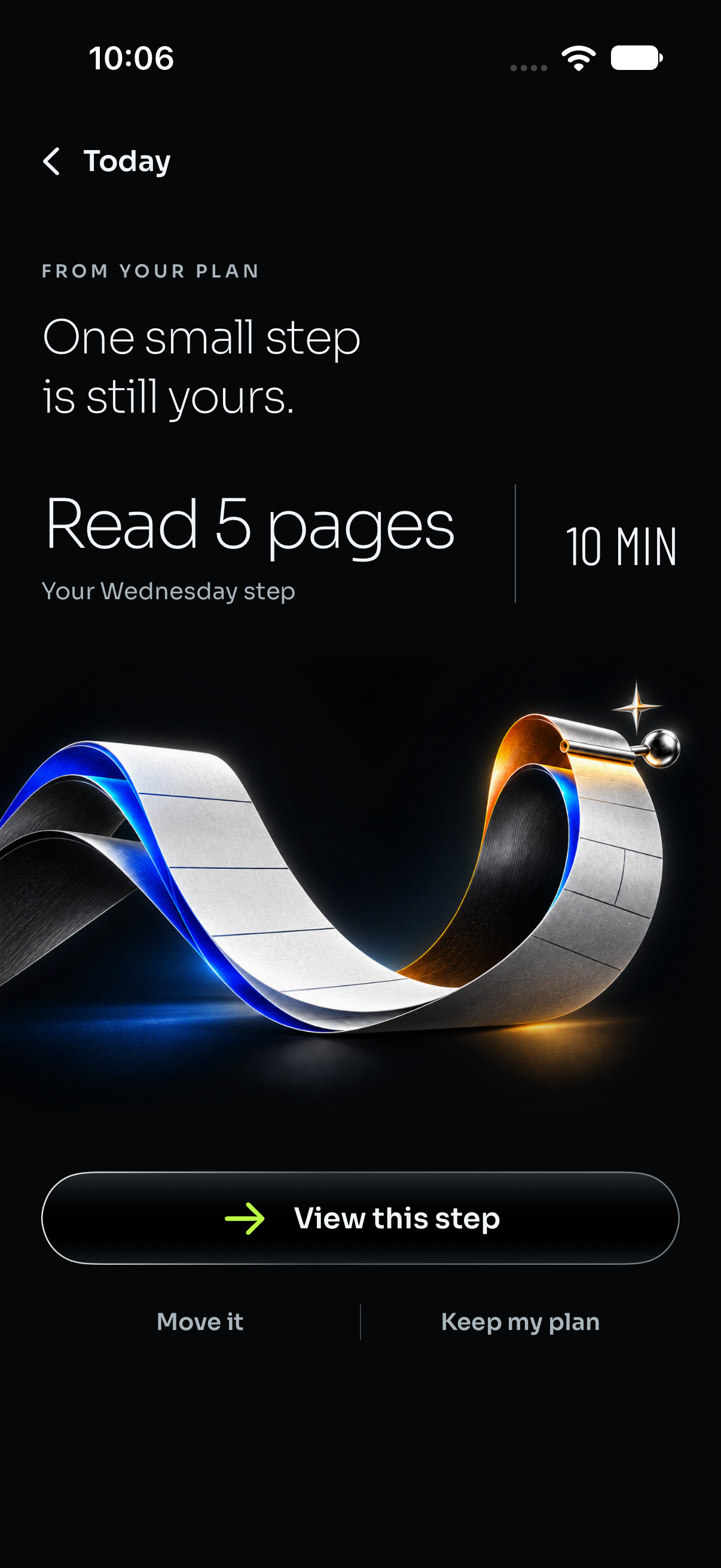
Adaptive Week Rescue starts with a real, unfinished action. The notification invites the user back to one manageable step. Its destination shows the task, its planned duration and clear choices to view it, move it through the existing editor, or keep the plan.
Week Reflection uses completed-week evidence to invite the user into the weekly recap. It makes the effort already completed visible and creates a natural moment to think about the next week.
I designed the message and destination together. The Rescue screen's silver calendar-paper illustration, generous typography and prominent action carry the same care as onboarding. The notification has somewhere useful to lead.
Weekly guidance respects opt-in, quiet hours, Pause, Focus, nearby local reminders, current plan evidence and a shared weekly cap. The system rechecks eligibility before sending and resolves private task details only after authentication. OneSignal receives minimal event properties rather than raw task titles or Health measurements.
Important Work is a separate channel using OneSignal's notification and Live Activity APIs. An unfinished Important task with a scheduled window can receive a five-minute preparation window and a dedicated Work Live Activity. Ordinary alerts or Apple local reminders provide fallback where available. Remote and local delivery are coordinated to avoid competing alerts, and changed task context is revalidated. Weekly guidance and Important Work have separate settings; Work eligibility requires notification permission, enabled Reminders and Important Work preferences, and an authenticated, acknowledged installation.
How I built it and what challenged me
I built the native app with Swift and SwiftUI, using WidgetKit, ActivityKit, HealthKit and Apple's Screen Time frameworks. SpeechAnalyzer, SpeechTranscriber and Foundation Models support optional on-device capture. RevenueCat powers subscription offerings, paywalls and Premium entitlement handling, including purchase and Restore recovery.
The backend uses TypeScript, Bun, Elysia, PostgreSQL and Drizzle. Deterministic planning, ownership checks and retry-safe delivery keep actions tied to the right person and the latest state.
The hardest notification problem was deciding when to stay quiet. A completed action, an edited schedule or a paused week can make an earlier nudge irrelevant. I built freshness checks, suppression rules, stable retry keys and safe destinations for stale links around that reality.
I learned that trust depends on small details: preserving progress after an edit, explaining missing information, letting someone correct an AI suggestion, and recovering a purchase without losing their place.
Award entries: I am entering the RevenueCat Design Award, OneSignal's Keep Them Coming Back Award, HAMM, the RevenueCat Peace Prize, Grand Prize, and the Yoga & Fitness influencer category with Simone Sharice.
A short release cycle, backed by repeated testing
I first released SuperWeek on September 10, 2026. By September 30, it had progressed from version 1.0 to 1.5 and reached build 59: twenty days of continued iteration with rigorous testing after the first public release.
The scope extends beyond the five main tabs into onboarding, goal details, routines, progress, weekly recaps, settings, paywalls and notification return flows. One documented onboarding audit alone covered 32 main review positions and five returning-user positions, including conditional branches, commerce and the first-day guide. These are review positions, not 37 mandatory steps for every person.
Simulator UI testing also covered task persistence, completion and undo, Focus controls, Block schedules and onboarding routes. Controlled OneSignal QA verified two delivered and confirmed pushes and one click with authenticated routing.
I am proud of carrying one coherent experience from the first goal selection to the next useful reminder. My next step is to complete the remaining device checks and measure whether those invitations help people return and take meaningful action.
Built With
- activitykit
- bun
- deviceactivity
- drizzle
- elysia
- familycontrols
- foundation-models
- healthkit
- onesignal
- postgresql
- revenuecat
- speech
- swift
- swiftui
- typescript
- widgetkit