-
-
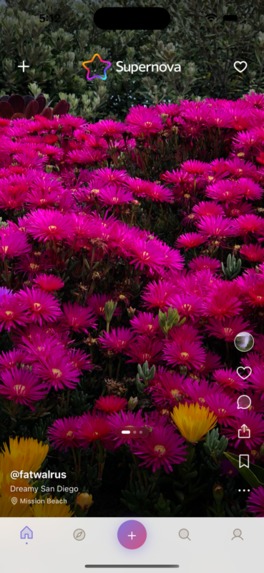
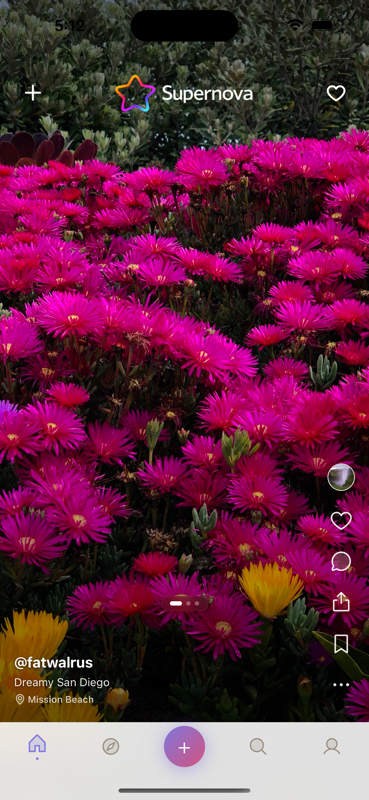
Home/Feed page
-
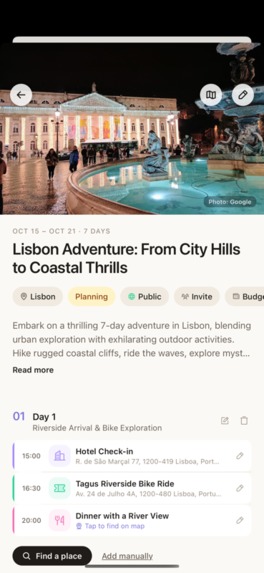
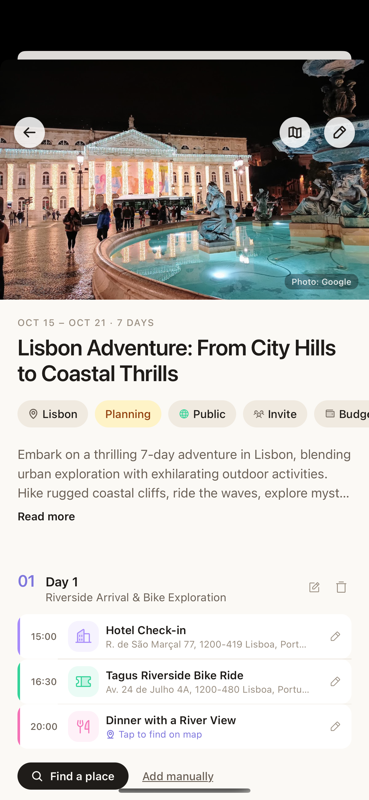
Trip itinerary
-
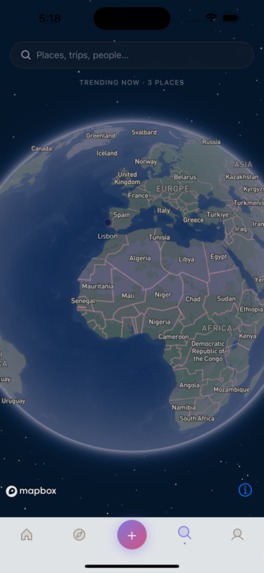
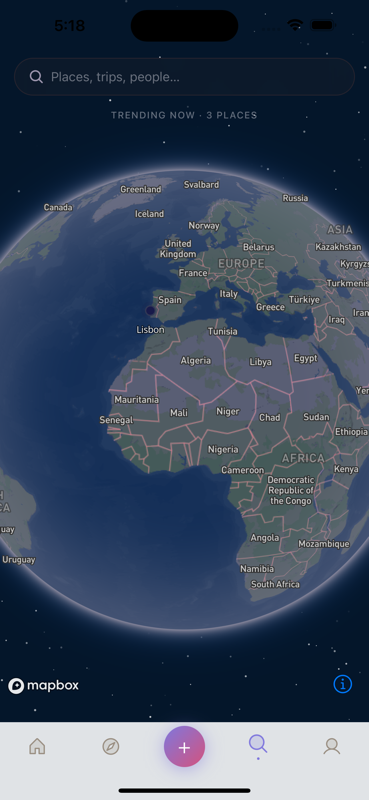
Mapbox integration
-
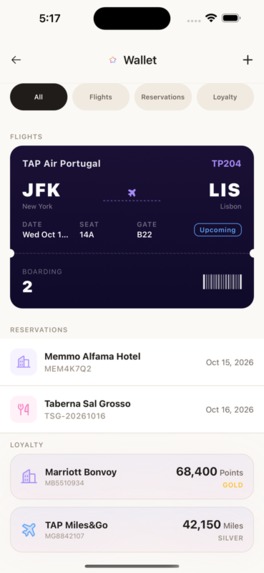
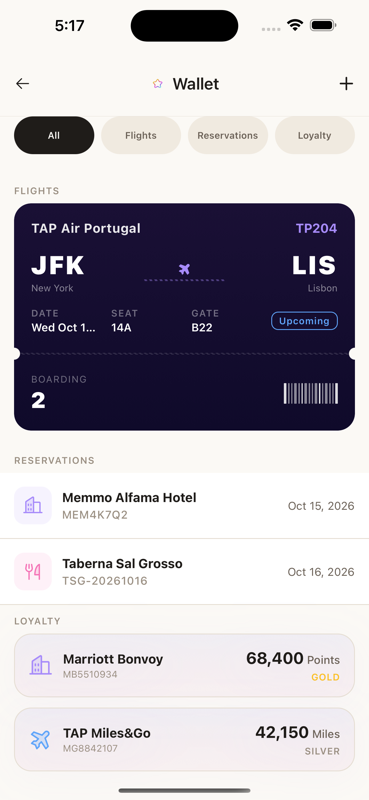
Travel wallet; holds boarding passes, reservations, loyalty programs, etc.
-
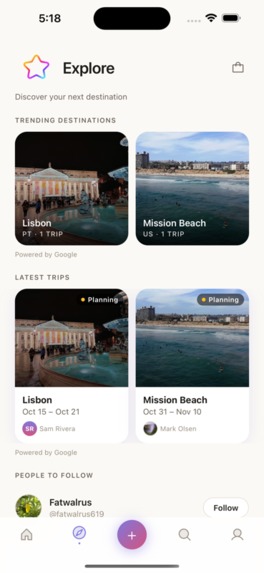
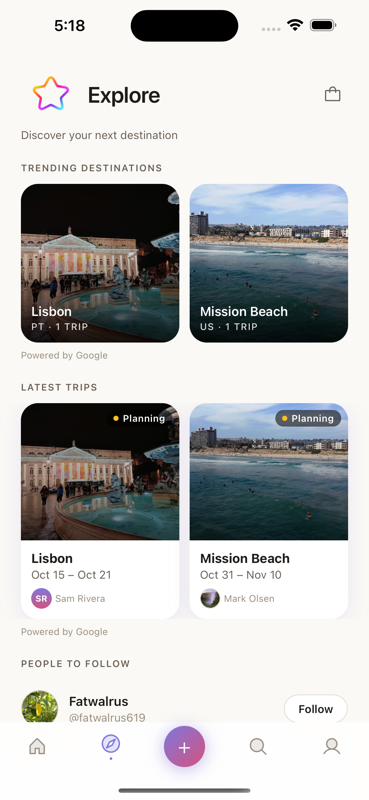
Explore page to see places that are trending
-
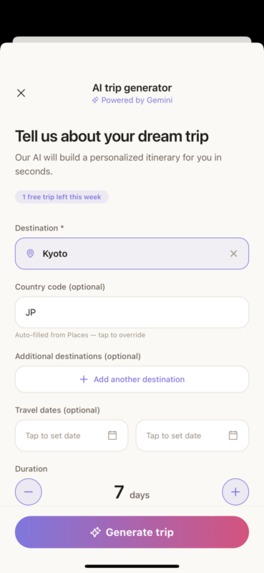
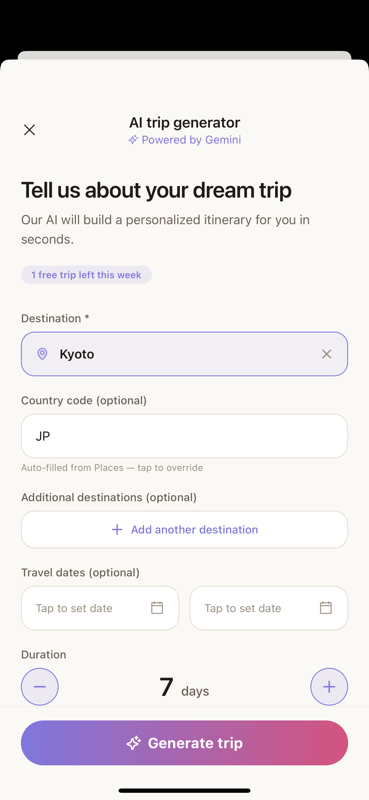
AI trip itinerary generation. Free one use a month, Unlimited with Pro membership
-

App Icon

Inspiration
I love to travel, and I want more people to love it too.
For a lot of people, the destination isn't what keeps them at home. The problem is everything around the trip. Planning feels overwhelming if you've never done it. Ideas are scattered across saved posts and browser tabs. Once you've booked, your confirmations are spread over a dozen emails, three airline apps and a camera roll full of screenshots. The trip starts to feel like work before you've even left.
The best travel inspiration I know of is other travelers. You see where real people went and what they did each day, and you think, "I could do that." That idea is where Supernova started. It puts the inspiration, the planning and the logistics in one app, so a trip somewhere new feels possible instead of intimidating.
What it does
Supernova is a social travel app with four parts.
Discover. Browse a feed of photos and video clips from other travelers. A 3D globe shows the destinations people save most, and you can search for travelers and trips.
Plan. Build a trip yourself, copy another traveler's itinerary and make it your own, or have AI build one for you. Tell it where you're going (one city or several), when you're going, your travel style and anything you don't want to miss. You get a day-by-day itinerary that covers every city in order, with travel days between cities and costs in each city's local currency. Every stop is pinned on the trip map.
Carry. The travel wallet holds your boarding passes, hotels, car rentals, restaurant reservations, shows and loyalty programs. You don't have to type any of it in. Paste a confirmation email or add a screenshot, and AI fills in the form for you to review before it's saved. Supernova checks your upcoming flights automatically and sends you push notifications with updates.
Connect. Follow travelers, like and comment on their posts, invite friends to plan a trip with you, and message friends one-on-one or in groups.
Supernova Pro runs on RevenueCat and comes monthly, yearly or as a one-time lifetime unlock. The free tier is enough to plan real trips: one AI-generated trip every week, plus one AI wallet import to try the feature. Pro removes both limits, lets you post 30-second video clips and turns on flight alerts.
Why I built it
I want travel to be easier and more accessible.
Each part of the app removes a reason people put off a trip. If you don't know where to go, the feed and the globe show you where other travelers are going. If you've never planned a trip, you can copy one from someone who's been there, or let AI draft one for you. If keeping track of bookings stresses you out, the wallet keeps every flight, hotel and reservation in one place.
I also wanted the free version to be useful by itself, so you can plan a real trip without paying anything. Pro is for people who travel often.
How I built it
I'm a solo developer, and I built Supernova under my studio, Galaxie Labs. I design before I build. Every feature starts as a written spec that covers the decisions, the tradeoffs and the architecture rules. I turn each spec into a phased plan, build it with Claude Code one checkpoint at a time, and commit between milestones. A CLAUDE.md file in the repo holds the rules every change has to follow, from "never call a secret API from the client" to "no emoji in the UI."
App. React Native with Expo SDK 54 on the New Architecture, written in TypeScript. Expo Router handles file-based navigation, Zustand holds app state, and TanStack Query fetches and caches data. FlashList renders every feed and list, and Reanimated drives the spring animations. Phosphor duotone icons and haptics run throughout. EAS builds both the development client and the store builds.
Backend. Firebase: Authentication (email and Google sign-in), Cloud Firestore with detailed security rules, Cloud Storage for media, and Cloud Functions v2 on Node 20. Every call to a paid or secret API goes through a Cloud Function, never through the app.
AI. Gemini 2.5 Flash runs in two Cloud Functions. generateTrip turns a destination, dates, travel style and must-sees into a structured itinerary. parseTravelConfirmation reads pasted text or a screenshot, works out what kind of booking it is and extracts the details. Usage limits are enforced on the server, so the app can't get around them.
Maps and places. The globe is built with Mapbox (@rnmapbox/maps) and uses fly-in camera animations. The Mapbox Search Box API places AI-suggested stops on the map. Google Places API (New) provides place details, and it's only called when a user asks for something. Its data is never drawn on the map as pins.
Search, flights and notifications. Algolia powers traveler and trip search, and Firestore triggers keep it in sync. A scheduled Cloud Function checks upcoming flights with AviationStack every 30 minutes and sends updates as Expo push notifications.
Monetization with RevenueCat. react-native-purchases handles purchases. All three products (monthly, yearly and lifetime) grant a single supernova_pro entitlement. The app only asks whether Pro is unlocked, never which plan someone bought. Plans come from a default offering that's configured remotely, so I can change what's on sale from the RevenueCat dashboard without an app update.
There are two paywalls. My own paywall follows the app's design system and is shown to people who go looking for Pro. RevenueCat's hosted paywall appears when a user hits a feature limit, and I can restyle and A/B test it from the dashboard. RevenueCat's Customer Center handles cancellations, plan changes, refund requests and missing purchases.
A webhook Cloud Function, syncTier, copies each user's entitlement into Firestore so the server can enforce the AI limits. Each user's Firebase ID is also their RevenueCat app user ID, so no lookup table is needed to connect a purchase to an account.
Challenges I ran into
A Pro upgrade that didn't stick. My first purchase flow seemed to work: you paid, and the app switched to Pro. But the server sets the AI trip limit based on the user's tier in Firestore, and nothing ever wrote that tier there. The security rules correctly block the app from writing its own tier. So a paying user had Pro for one session, stayed rate-limited on the server, and went back to free on the next launch.
The fix was the syncTier webhook:
- It checks a shared secret on every call.
- It ignores events older than the last one it applied, and a repeated event changes nothing.
- It doesn't remove Pro on a
CANCELLATIONevent, because that user has paid through a future date. It doesn't remove Pro onBILLING_ISSUEeither, because that event starts a grace period. - If an event arrives before the user's profile exists, it returns a 500 so RevenueCat tries again. A 200 would have silently lost the purchase.
I tested the webhook with curl before connecting it to RevenueCat. That way, if something failed later, I'd know the problem was configuration, not code.
Setup mistakes that show no error. Four different store setup mistakes look exactly the same inside the app, an empty paywall or a purchase that doesn't stick, with nothing in any log:
- The Paid Applications Agreement isn't active.
- A product is stuck in Missing Metadata.
- The entitlement ID has a typo.
- A RevenueCat test key is left in the environment, where it overrides the real key.
I wrote a phased setup checklist with a checkpoint for each one. I also added a guard that won't configure the SDK with a test key in a release build. Users see an unavailable paywall instead of a purchase flow that fails without saying why.
AI stops in the wrong country. A trip to La Paz, Baja California Sur came back with stops in La Paz, Bolivia. The place search was running against the whole planet, and it had put "Playa El Tecolote" in San Diego and a Mexican market in Brazil.
Before choosing a fix, I ran ten real stop names through four approaches. Mapbox with only a nearby-location hint was still wrong three times out of ten. Mapbox restricted to a bounding box around the destination was right nine times, wrong zero times, and returned no result once. That settled it: a restricted search either finds the right place or says it can't find one, and it never saves a wrong answer. Mapbox now places about 90% of stops for free. Google, biased toward the destination, handles the rest on a cheaper billing tier than before.
Adding multi-city trips without breaking single-city ones. Most AI trips are to a single city, and I didn't want the new multi-city prompt to change them at all. The prompt builder now branches on whether a trip has extra destinations. With none, it produces exactly the same prompt as before, character for character. The code enforces that, so I don't have to remember it.
Accomplishments that I'm proud of
- Building a social network, an AI trip planner, a travel wallet and a subscription business into one app as a solo developer.
- Keeping the server in control of monetization. Pro holds through relaunches, account switches, renewals and refunds, and the free tier can't be bypassed from the app.
- Pinning AI itinerary stops to the map automatically, with no wrong-country results in testing.
- A design that looks like a travel magazine, not a template.
What I learned
- Failures that report no error are the most expensive kind. Every step should either work or fail in a way you can see.
- Build around entitlements, not product IDs. Adding a plan shouldn't require an app update.
- Measure before you choose. Ten test searches settled a question I could have argued about for a week.
- Writing a spec before the code costs less than rewriting the code later.
What's next for Supernova
- Travel Tracker: record your route in the background, show the path you actually took on the map, and count the countries and regions you've visited, with England, Scotland and Wales counted separately.
- Android: release on Google Play.
- Smarter flight alerts: add gate and terminal changes.
- Better messaging: photo sharing, and adding or removing people in group chats.
Built With
- claude
- eas
- expo.io
- firebase
- google-gemini
- javascript
- mapbox
- node.js
- react-native
- revenuecat
- typescript

Log in or sign up for Devpost to join the conversation.