-
-
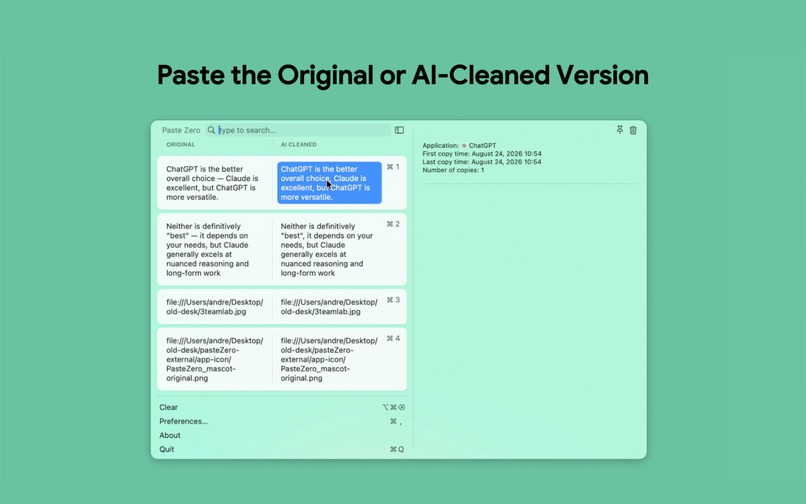
Paste the Original or AI-Cleaned version
-
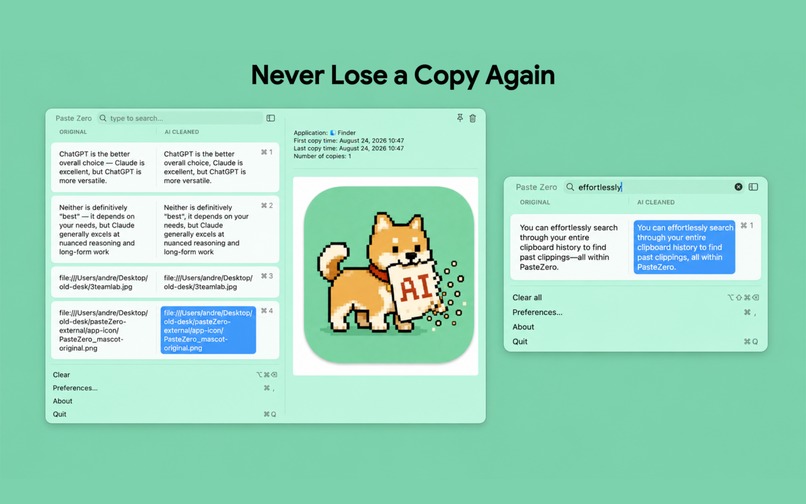
Clipboard History Manager
-
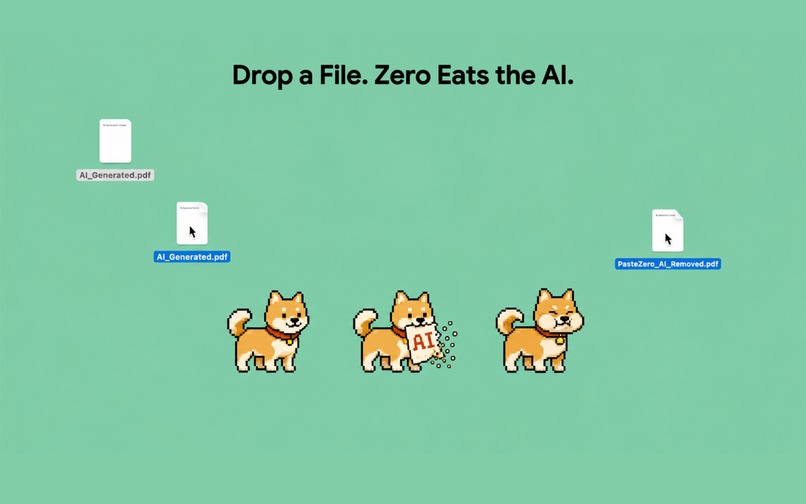
Clean the AI from a full document
-
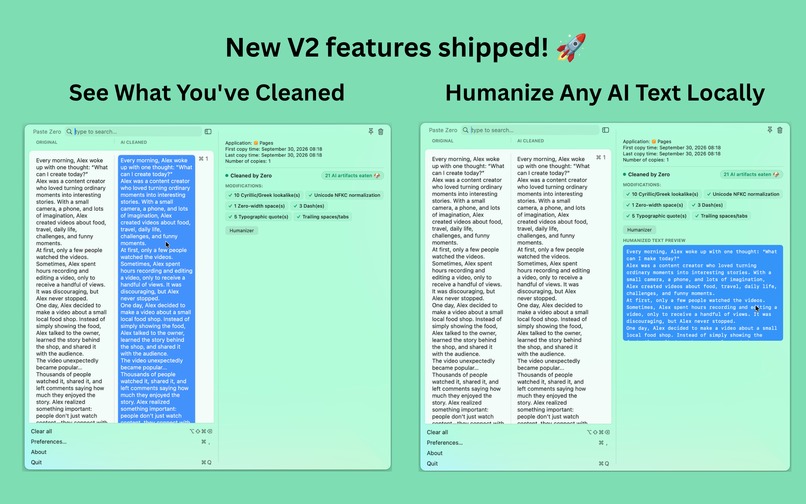
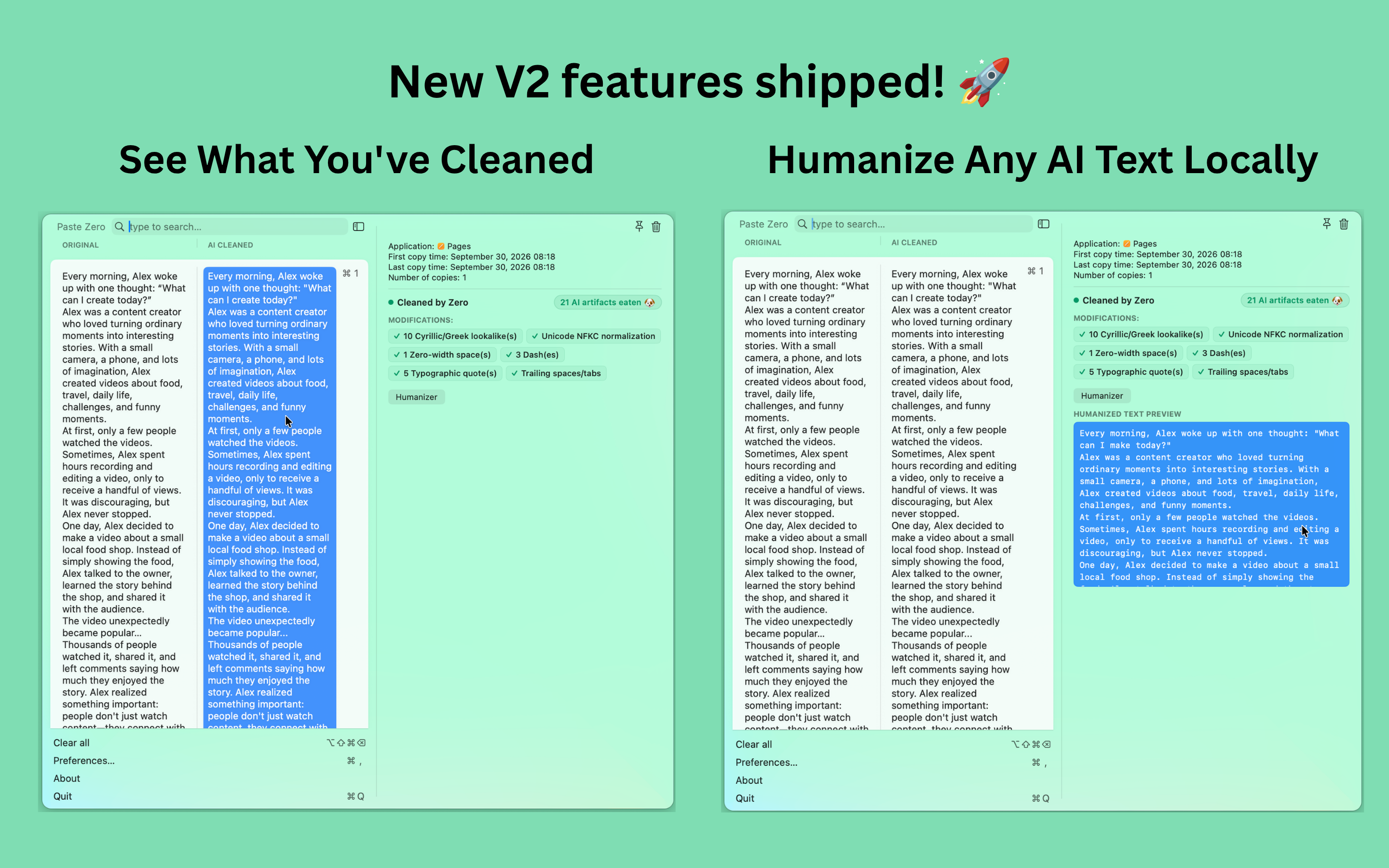
new V2 features shipped: Cleaning analytics and Local Humanizer features
-
App icon

1. Inspiration
I use AI every day for SEO articles, social posts, video descriptions, and more. But AI text often leaves behind recognizable artifacts, or AI watermarks, like em dashes, invisible characters, Cyrillic homoglyphs, Unicode inconsistencies, and weird formatting.
My workflow was annoying: copy from AI (chatGPT, Claude,...), open another tab, find an AI cleaner, paste, copy the result, and paste it back. I thought: why am I doing this every time?
That's why I built PasteZero, a Mac utility app that automatically cleans AI from your clipboard without adding another step to your workflow.
2. What it does
PasteZero is a single Mac app that integrates four useful tools:
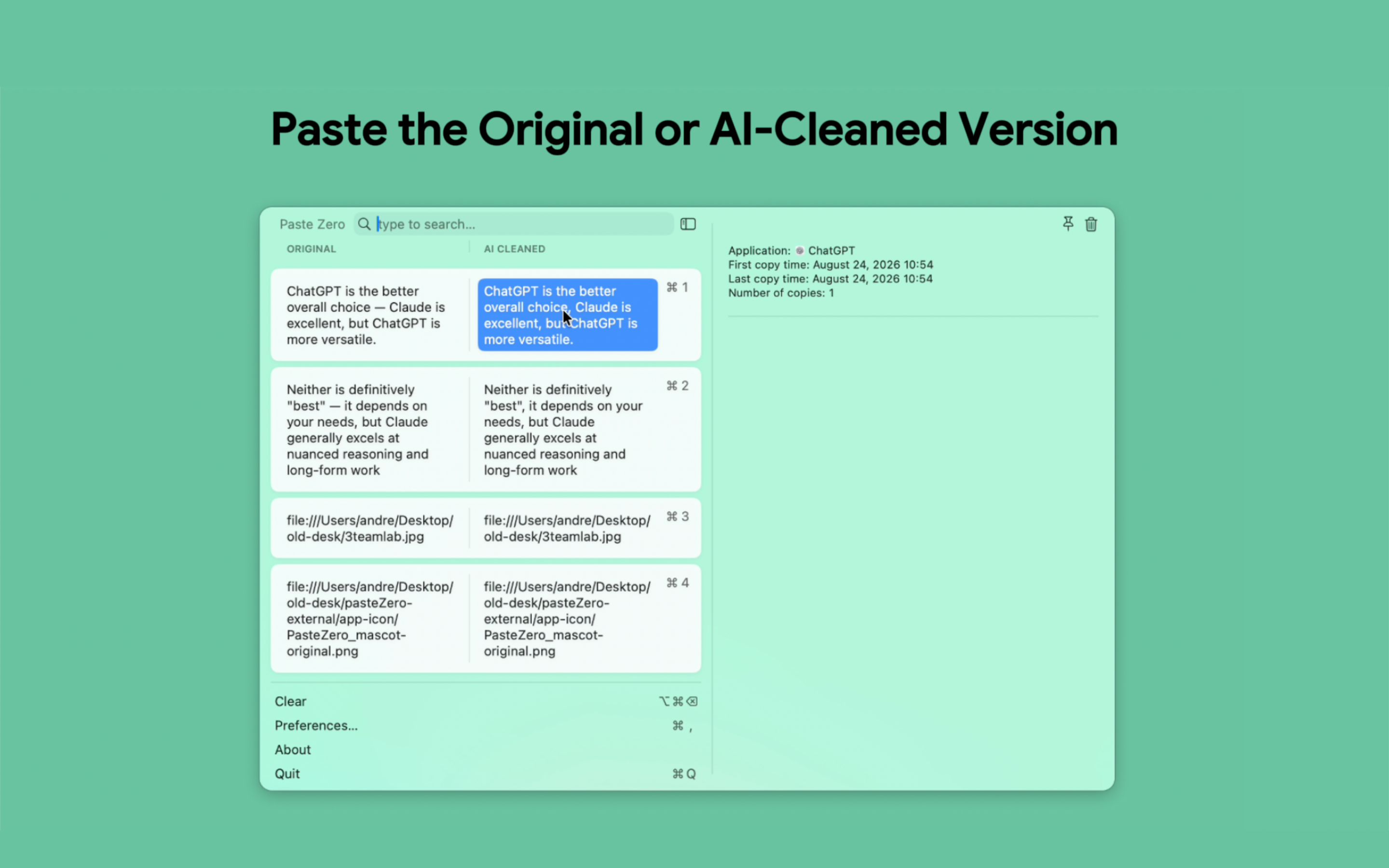
Smart Paste You can still use ⌘C / ⌘V as usual to copy and paste things on your mac. The additional feature is that when you press ⌘⇧V to open PasteZero, you can see and compare your original text with the AI-corrected version and select which one you want to paste.
Private Humanizer and Grammar corrector PasteZero has a local AI model that slightly rewrites text to break statistical AI watermark patterns. It's completely private and nothing leaves your Mac. People have also used this humanizer feature to help fix their grammar issues.
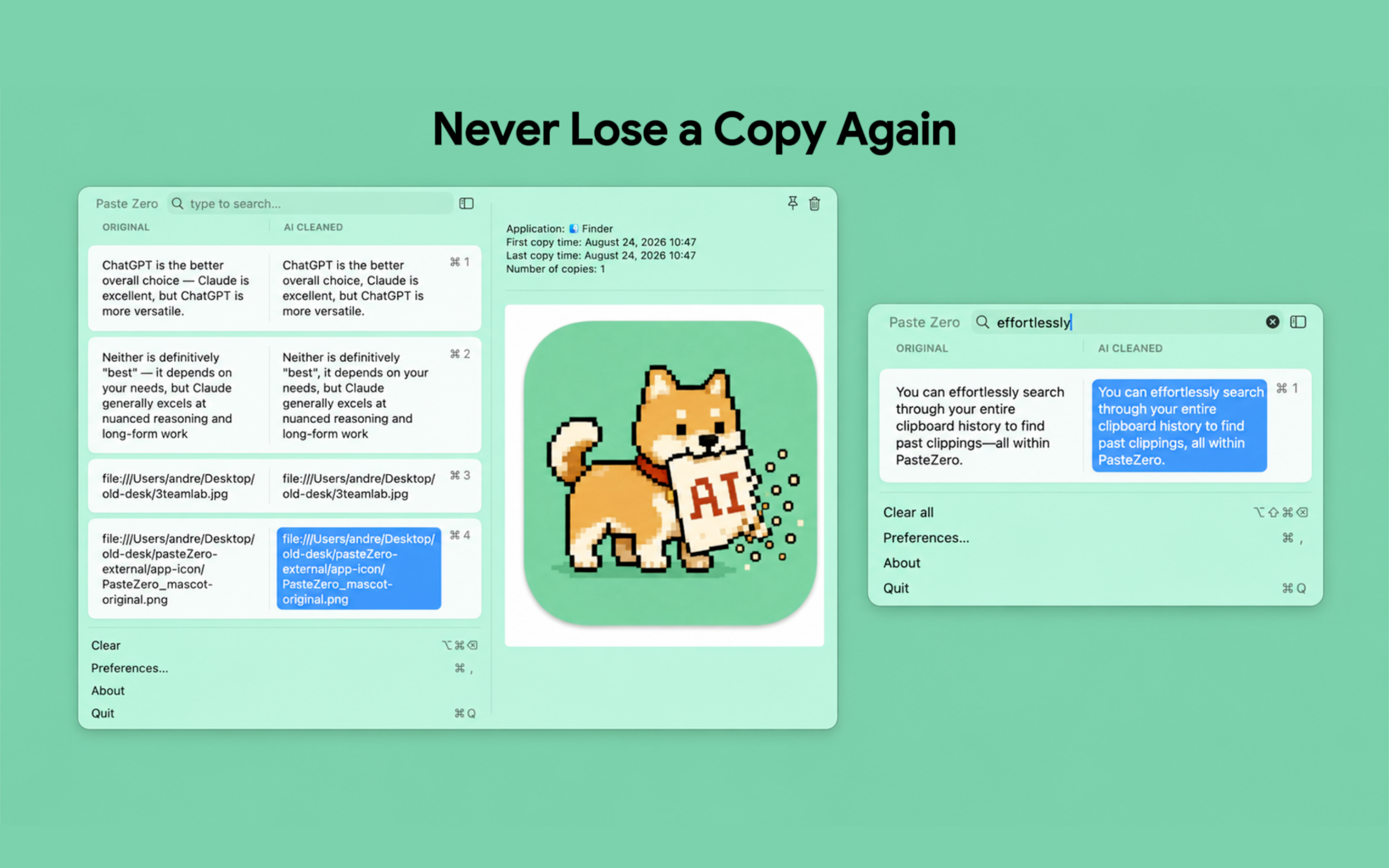
Clipboard Manager PasteZero is, at its core a clipboard history manager. You can search through your clipboard history and preview previously copied text and images.
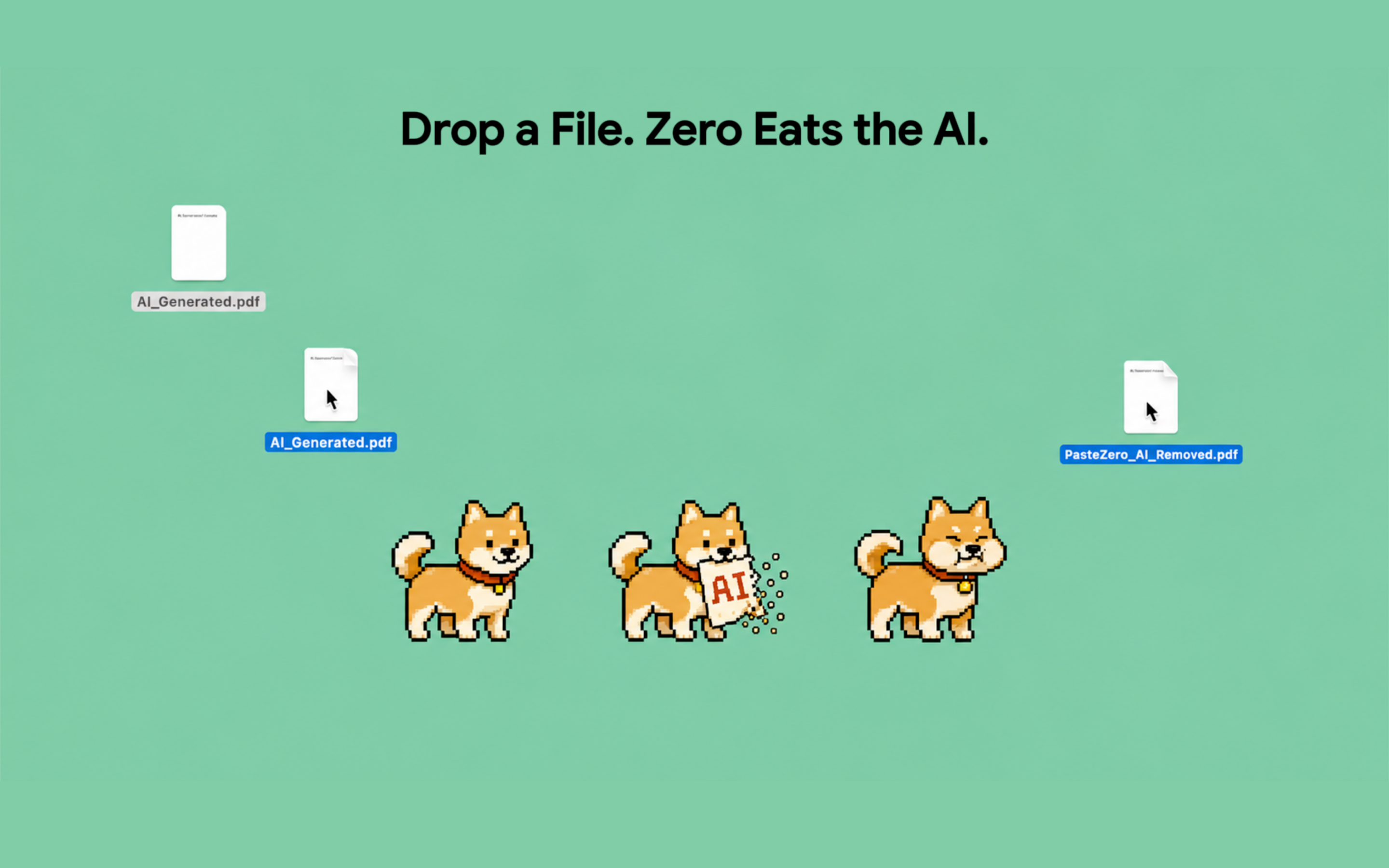
Document Cleaner PasteZero can clean AI from full documents. Drag a PDF or other document into PasteZero, and it creates a cleaned version while keeping the original untouched. Zero, our little dog, eats the AI.
3. How I built it
I developed PasteZero as a native macOS application and kept the project intentionally minimal.
The main takeaway was that building the app wasn't just about creating the software, it was also about tackling the challenges of turning a project into a real product. I had to figure out payments, analytics, onboarding, a landing page, distribution, marketing, App Store requirements, and all the other aspects involved in launching something tangible.
I used RevenueCat for monetization and built the product around a simple model: no subscriptions, no credits, just a straightforward purchase on the web or IAP with a free trial (both using RevenueCat).
I also shared my progress daily (TikTok, Instagram Reels, Youtube shorts, X, threads, Facebook) throughout the entire process, participating in the 61-day Shipaton challenge. I shared my journey throughout the 61-day Shipaton challenge through 61 videos, 61 text posts (61 lessons learned, one from each day).
4. Challenges I ran into
The biggest challenge wasn't writing the code. It was everything around it.
Getting a Mac app through Apple's review process was much more difficult than I thought. I had to handle sandboxing, entitlements, payment verification, screenshots, signing, notarization, and multiple rounds of review. Near the end of the process, the app got stuck in Apple's expedited review queue for days. That was really stressful because the Shipaton deadline was approaching and the Mac App Store link was part of my submission.
Marketing and distribution was another big challenge. I was used to building things. I wasn't used to showing something to strangers and asking them to care about it. So I had to learn how to launch, get feedback, deal with people ignoring the product, improve it, and launch again. I tried different channels: building in public through my social media, organic TikTok videos ads about the product, Reddit, Hacker News, Product Hunt, and other launch platforms. I tried almost every playbook I found online, so it was challenging to know which ones to focus on. Because I was building a Mac app, attribution was also challenging. For example, if someone saw my Mac app on TikTok on their phone and visited the landing page, they would have to switch to a Mac to install and use the app.
5. Accomplishments that I am proud of
The thing I'm most proud of is that I actually shipped and marketed the product instead of getting stuck in the coding phase. I started Shipaton with the goal of building a product, but quickly realized I could spend the entire time improving the product without ever launching it.
At some point, I had to stop building and start putting PasteZero in front of people. And I really tried. I launched on Reddit, Hacker News, TikTok, Instagram, YouTube Shorts, Product Hunt, and multiple launch platforms like TinyLaunch, Uneed, PeerPush, microlaunch, tinystarts, Foundrboard, Fazier, etc. I experimented with different hooks, videos, landing pages, launches, and messaging. Some worked. Some completely flopped. But people actually started using PasteZero, and I got my first sales. That was a huge moment for me as I never made money from my apps before.
I also documented the entire journey publicly through 61 videos in 61 days. Every day, I wrote a script, recorded a video, and shared one lesson I had learned that day, 61 videos and 61 lessons in total. The only part that sometimes fell behind was video editing. I'm incredibly proud that I stayed consistent throughout the challenge. It also took some courage to be vulnerable and share the failures, frustrations, and moments when things simply didn't work. But that made the wins even more meaningful. One moment I'll never forget was getting my first sale, just one day after my Product Hunt launch.
For me, that's one of the biggest accomplishments of Shipaton: I didn't just build and launch a product. I proved to myself that I could consistently show up, share the journey, learn from both failures and wins, and put something I built into the real world.
6. What I learned
In my 61-day build-in-public video series I share 61 things I learned (one learning per day). The main takeaway is that building something is usually the easy part. There's always something else you can improve: another feature, a refactoring, or a design update. But if no one knows your product exists, all those improvements don't matter.
I found out that launching is a skill. You have to be ready to show people something imperfect, get ignored, listen to feedback, make changes, and keep trying. I also realized that building in public can be uncomfortable but really helpful. It pushed me to keep moving forward, even on days when I didn't feel like I had much to share. Plus, I found that there are more people who give you good advice and recommendations than people who would copy your app idea.
Finally, I learned that you don't need to have everything figured out before launching. You should launch, learn, and improve.
7. What's next for PasteZero
Shipaton was the start, not the end.
Now I want to keep improving PasteZero by focusing on customer interview instead of adding features just because they sound appealing. I also want to double down on the marketing channels that are working for me. I aim to continue improving the cleaning and Humanizer functions, make the onboarding process better, and keep exploring different ways to distribute it.
The biggest change Shipaton brought about was that I'm no longer just thinking about "what should I build?"
I'm now focusing on: "Who needs this, how do I reach them, and how do I make them want to keep using it?" That's the mindset I want to carry with PasteZero and whatever I build next.


Log in or sign up for Devpost to join the conversation.