-
-

Logo
-
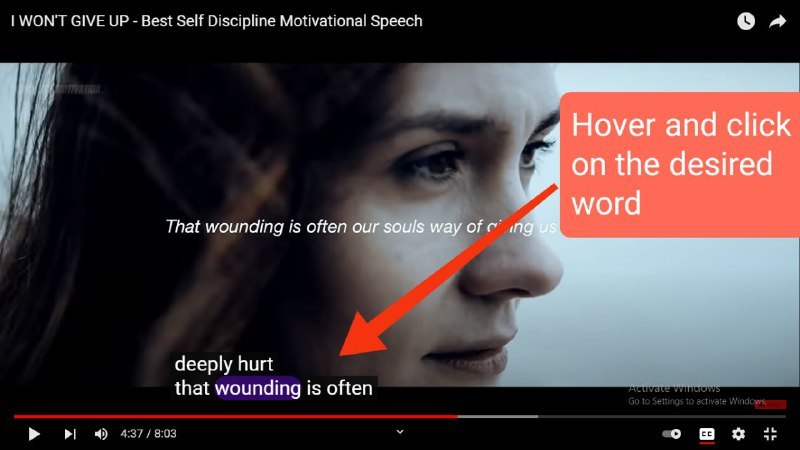
Hover and Click on desired word
-

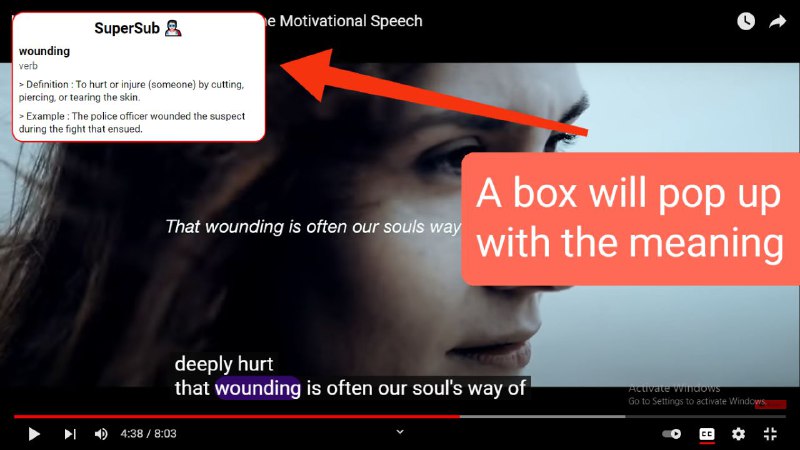
Meaning will pop up in a box


Inspiration ✨
Non-native English speakers often tend to look for meaning of difficult words. Learning while watching YouTube videos with subtitles is a great way to learn a English. You will definitely need a dictionary in hand to understand the true meaning of the sentences.
Wouldn't it be great 💯 if you could get the meaning of these words in the YouTube Video Player itself? Well that's where my Chrome extension kicks in 🤩
How does it work? 🔧
Just Hover, Click and Learn 💁♀️
While watching YouTube, if the speaker says a difficult word or a word that you dont know the meaning of Just Hover, Click and Learn 💯
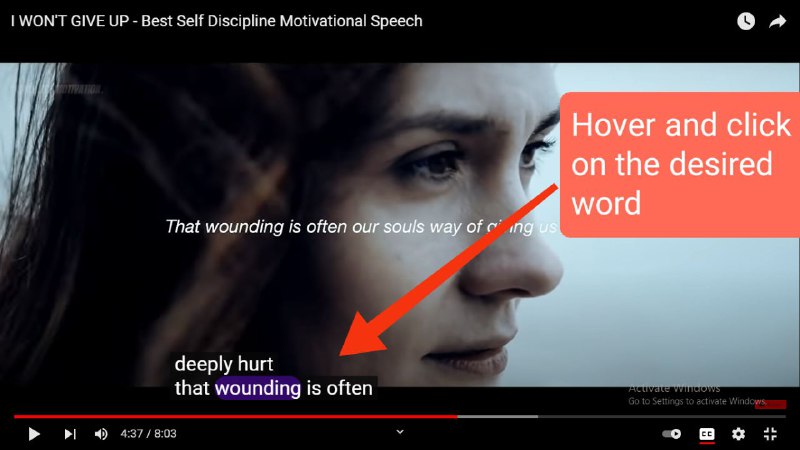
Hover 1️⃣
As you hover on the word, the video is paused and your word is highlighted in contrast color.
Click and Learn 2️⃣
Next step is to click on the highlighted word which pops up the definition box in the video player itself

Challenges we ran into 😥
Building Chrome Extensions is a daunting task 😓 Even the documentation doesn't seem to help and due to that we struggled with understanding the architecture of chrome extensions. Watched a lot of YouTube Videos and read a lot of articles in order to get a clear understanding✨ of the concepts
Accomplishments that we're proud of 💪
From imagining a product like this to actually building it successfully was a wonderful 💫experience Got a really great response and appreciation from the community as well ❤️
What we learned
Developing Chrome Extensions is a great brush up for HTML, CSS and JavaScript skills. I would recommend beginners to give it a go once 🙌
What's next for Super Subtitles
The version 1.0 of the product is fully ready but I have to deploy it on the web. 🌐 I have the following vision 🎯 of this project.
- To deploy it on Chrome Web Store
- To be able display phonetics and its pronunciation
- Switch to a better and reliable Dictionary API
- Store the searched words and access them later in the home page of the Chrome Extension
- Bring the pop up box near the word itself


Log in or sign up for Devpost to join the conversation.