-
-
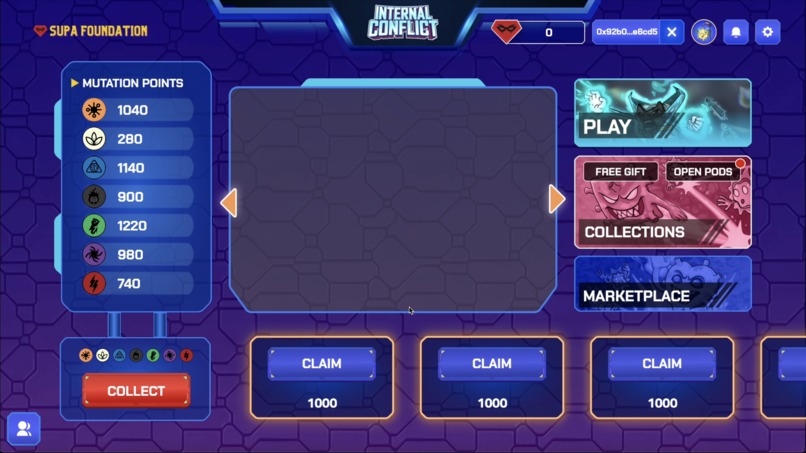
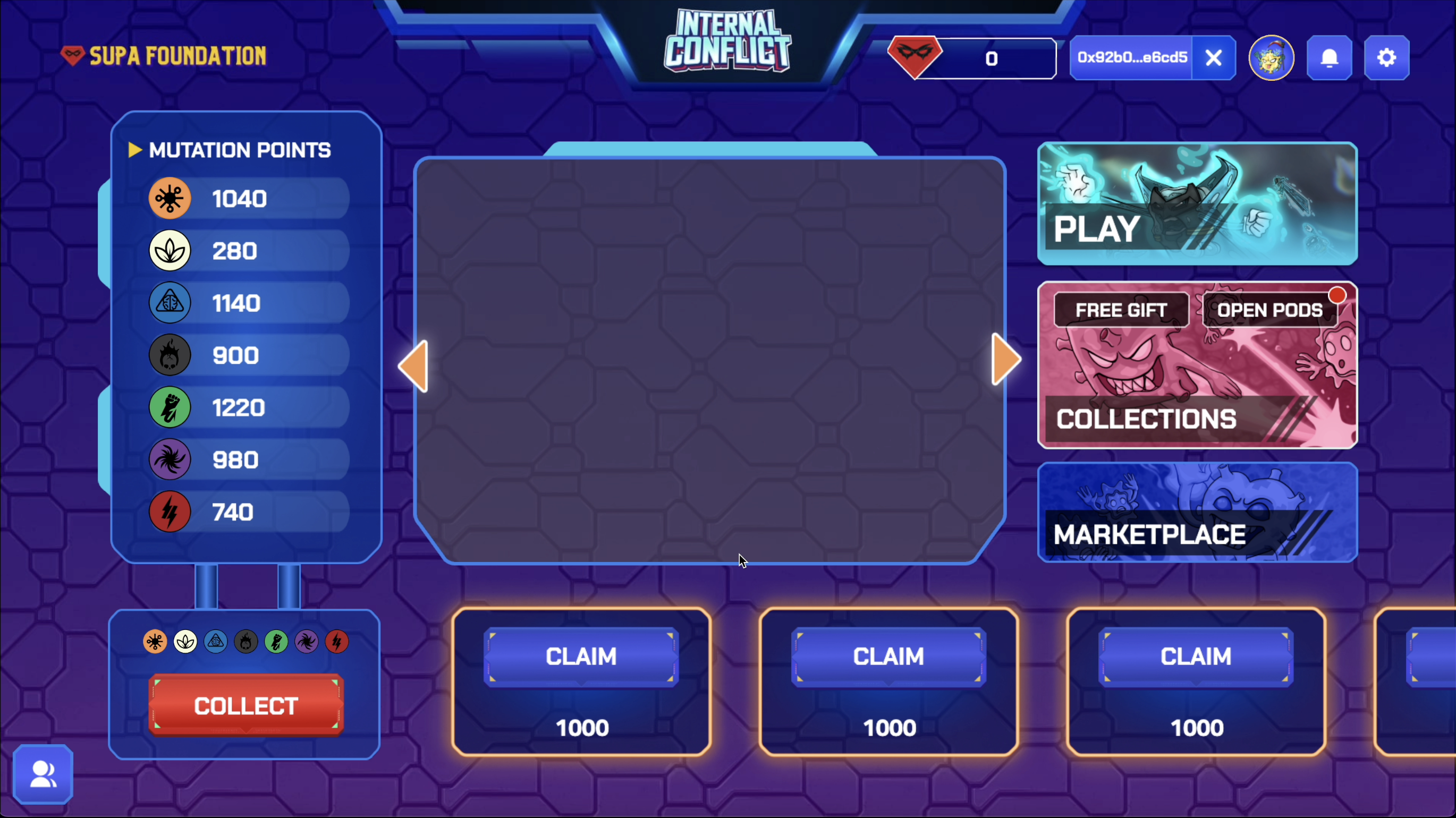
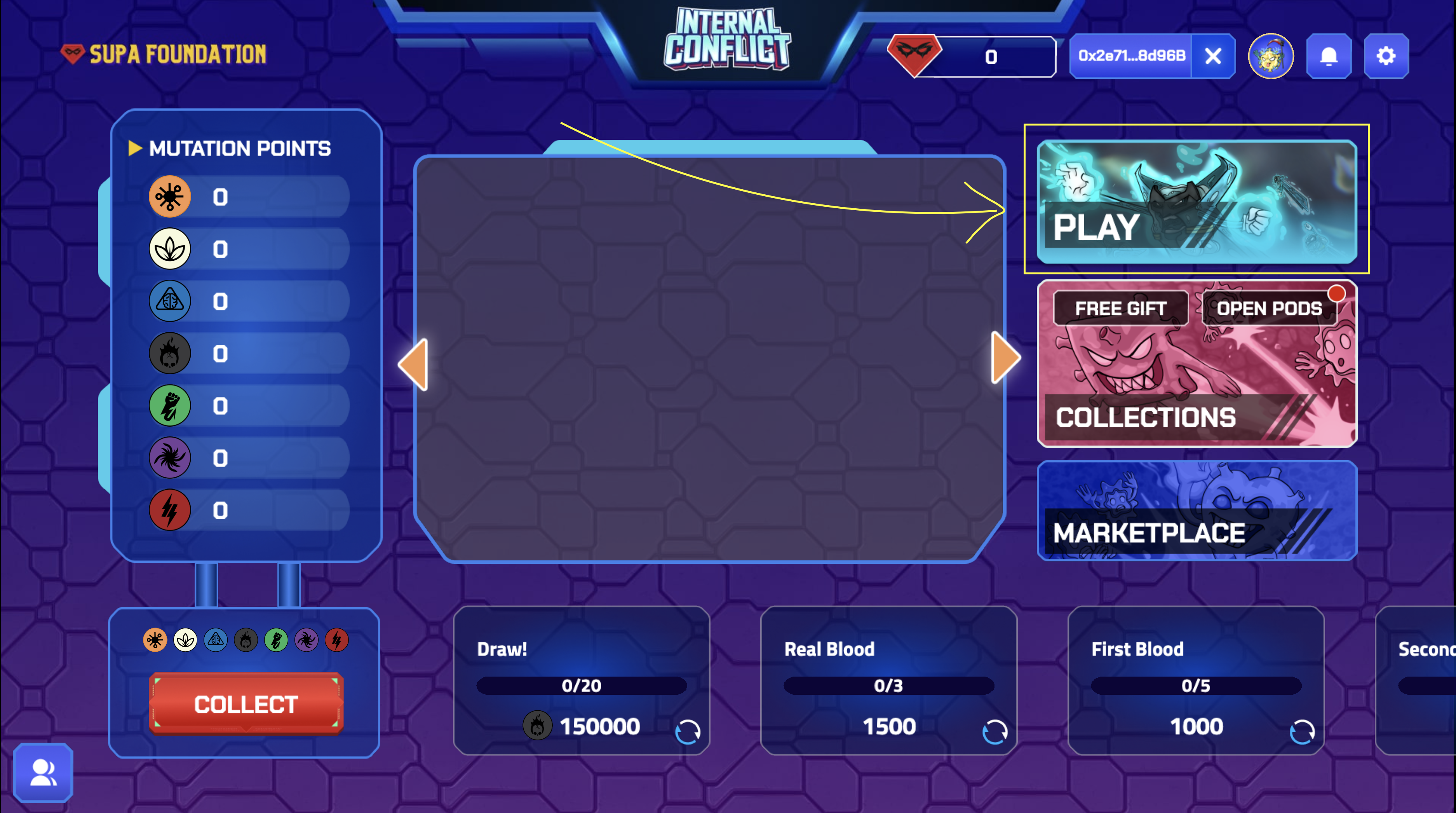
Main Screen
-
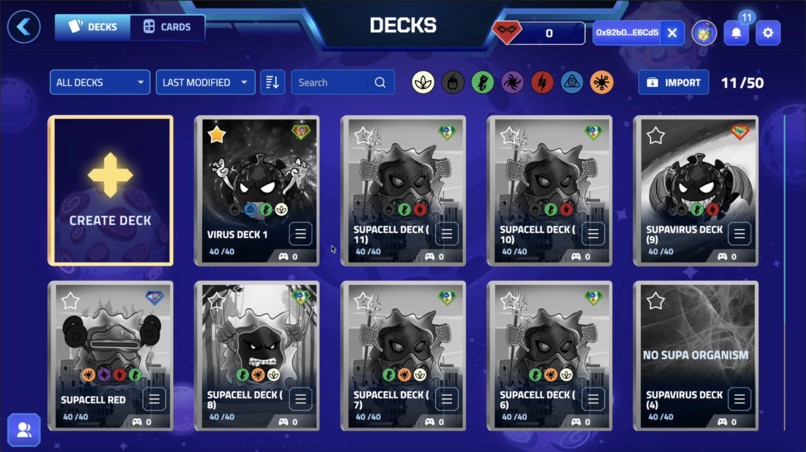
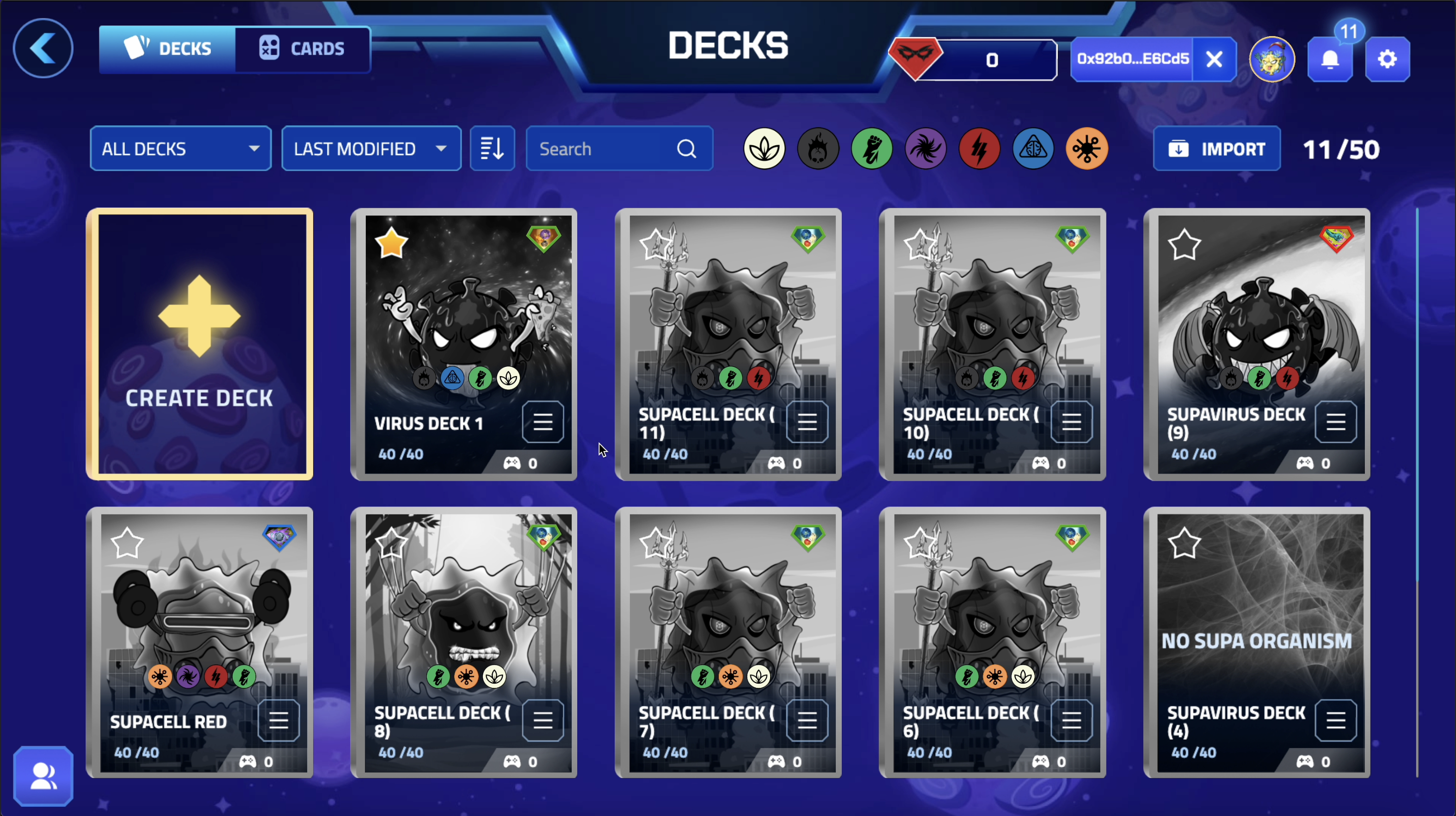
Deck Editor Page
-
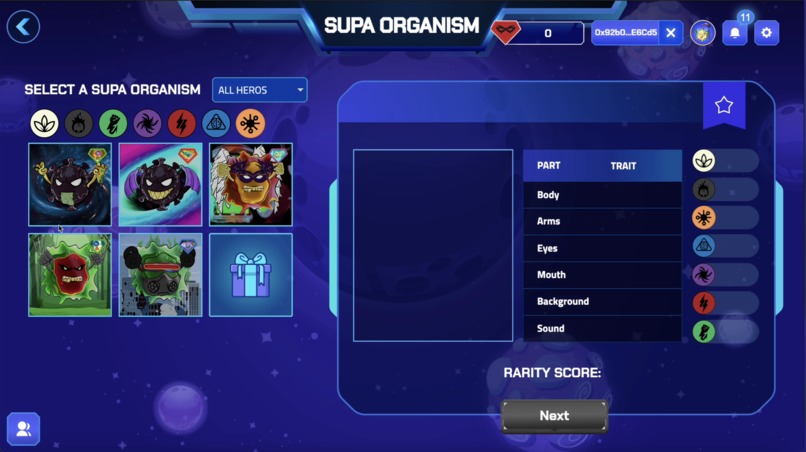
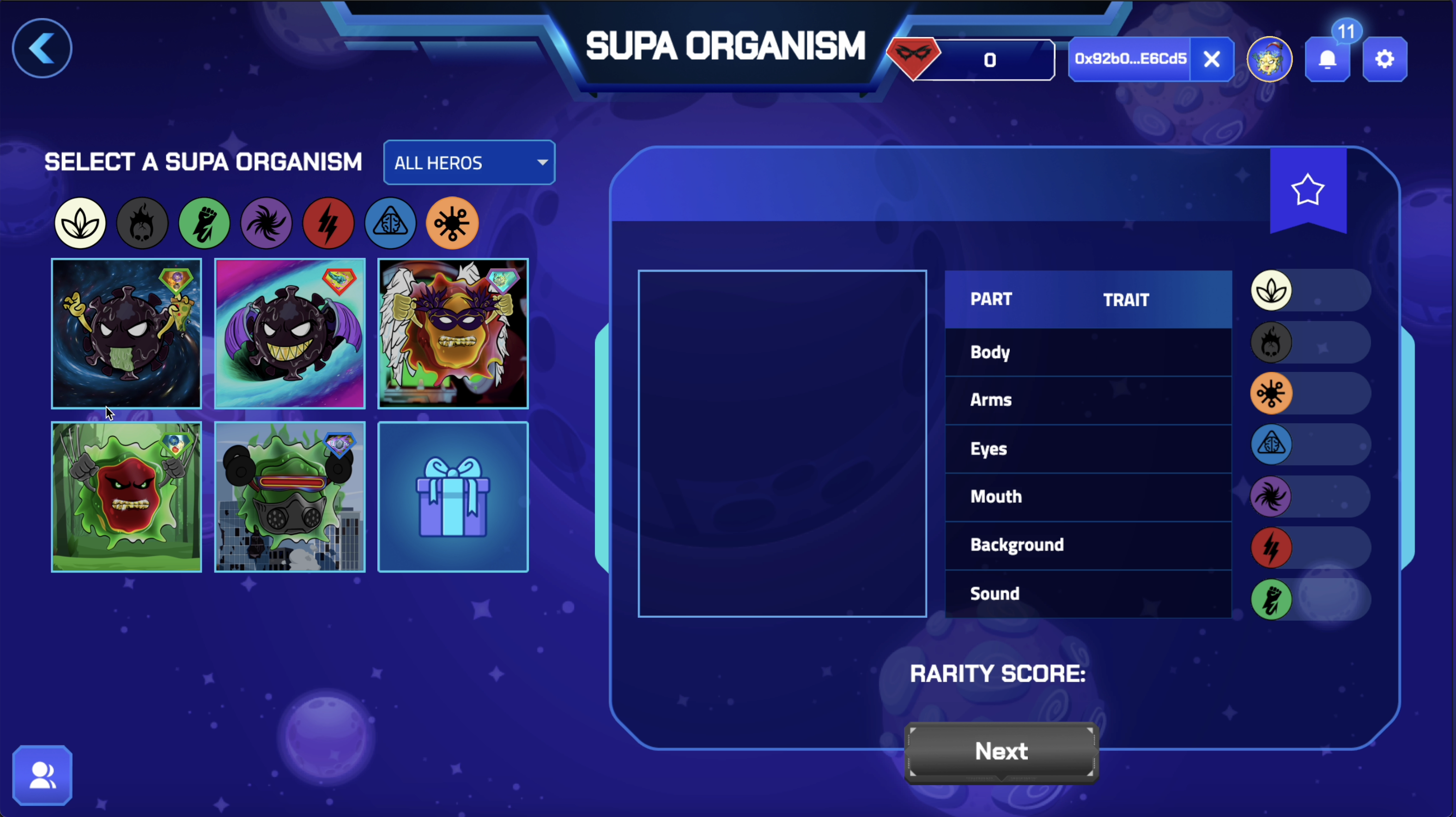
When building a deck, first you will need to choose a SUPA Organism(a Virus or SUPACell)
-
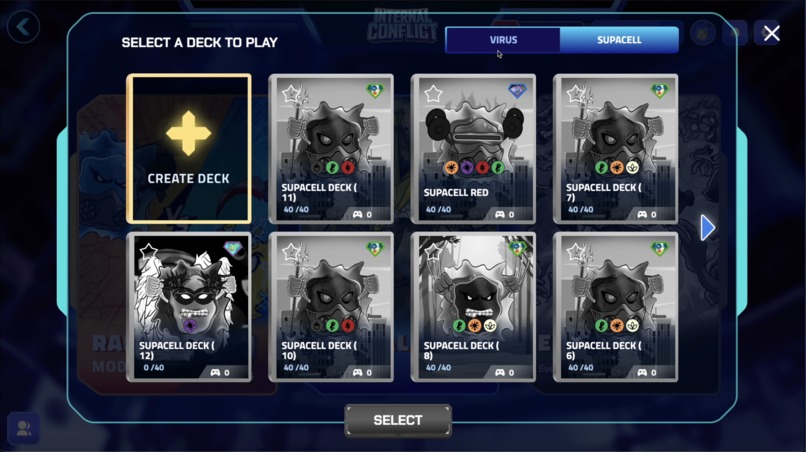
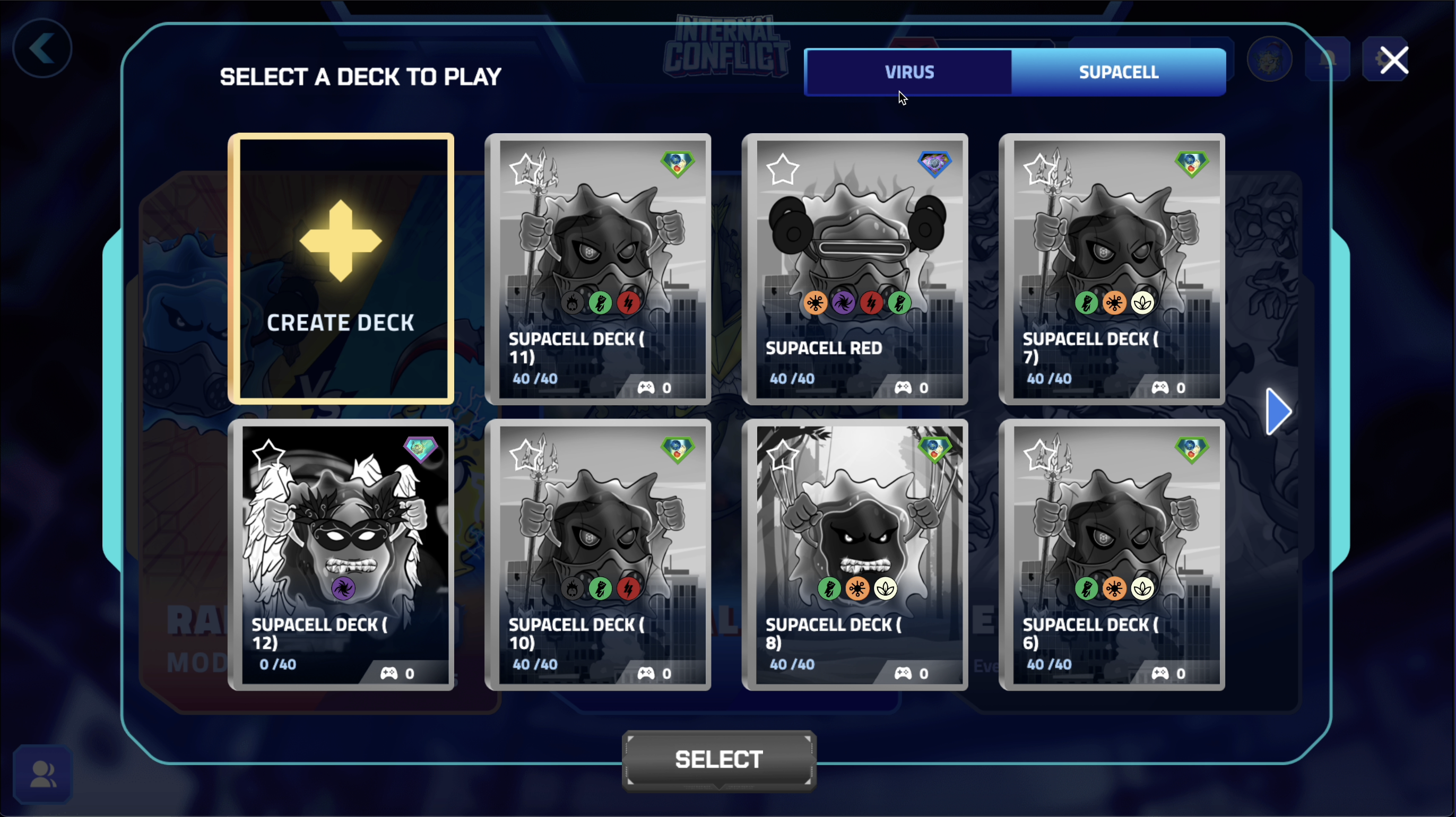
Selecting a Deck to before searching for a game
-
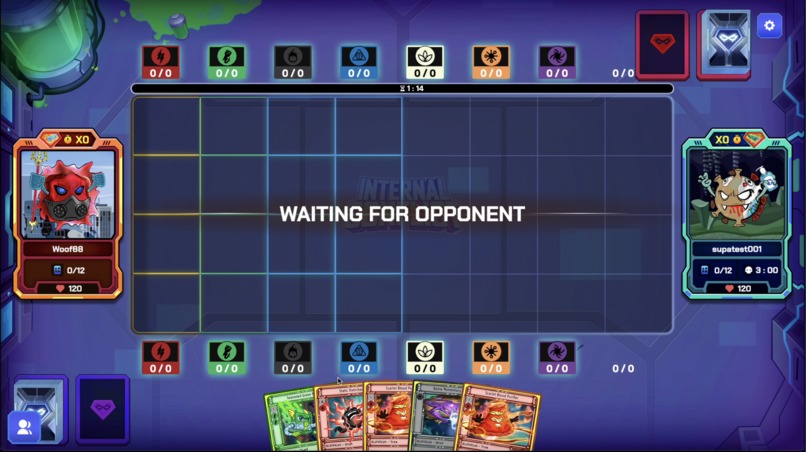
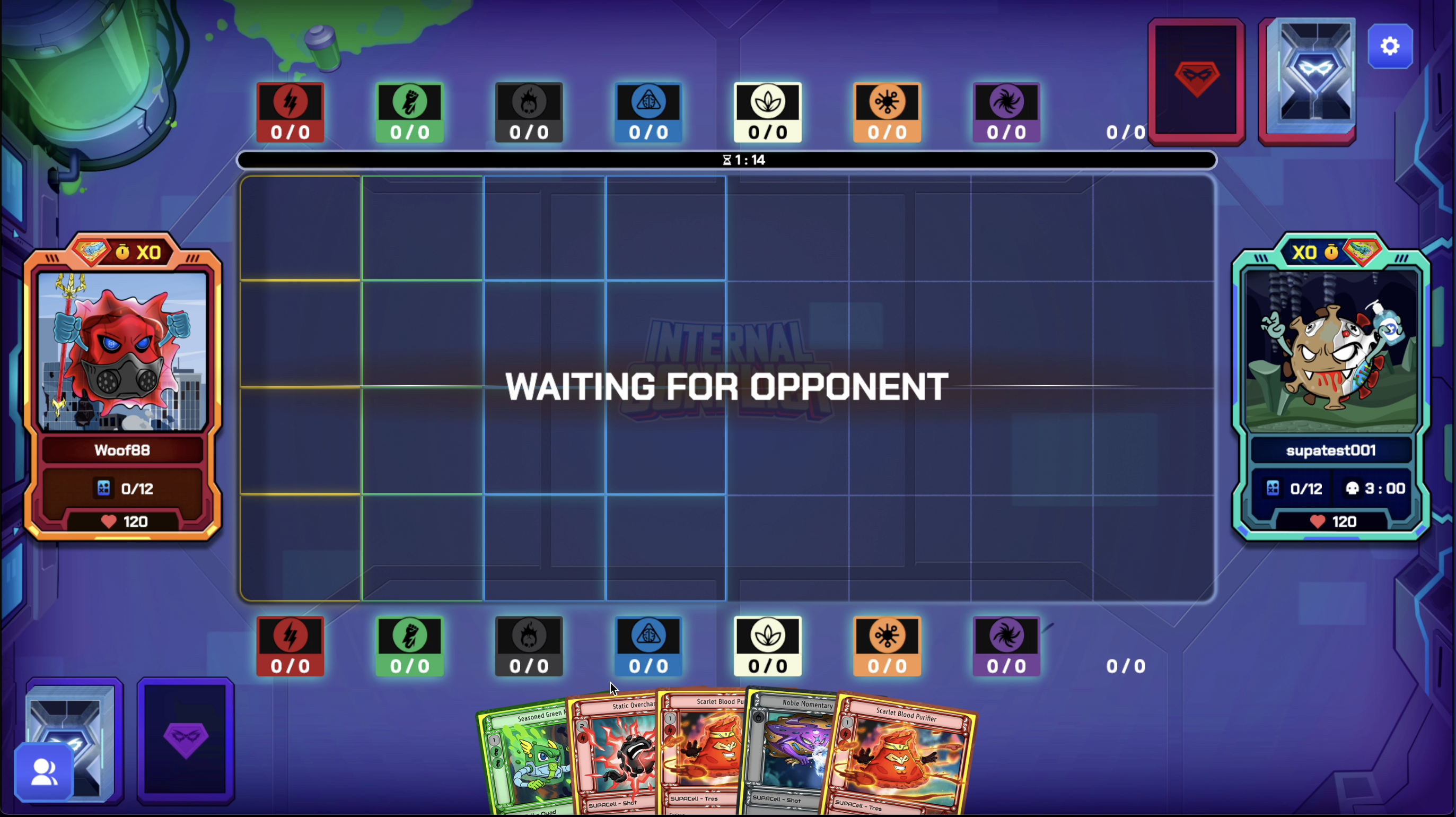
The battlefield and gameplay of SUPA Foundation - Internal Conflict
-
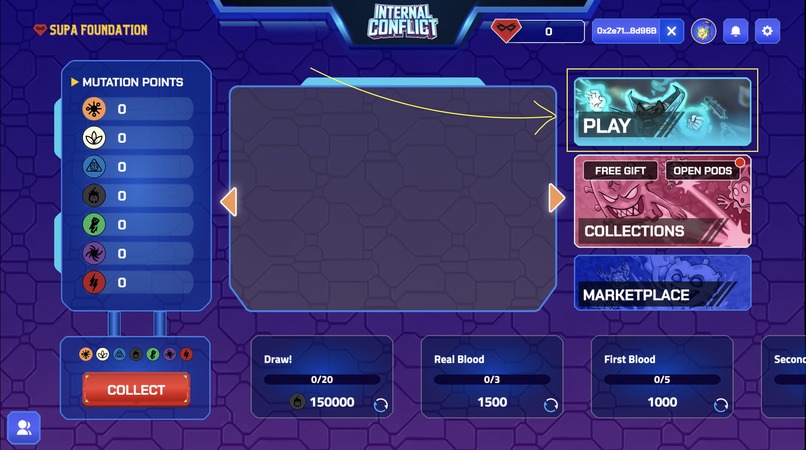
Step 4: 1
-
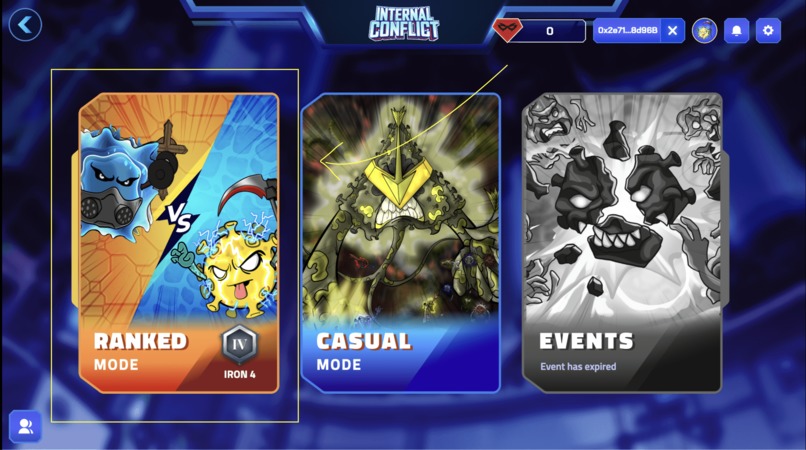
Step 4: 2
-
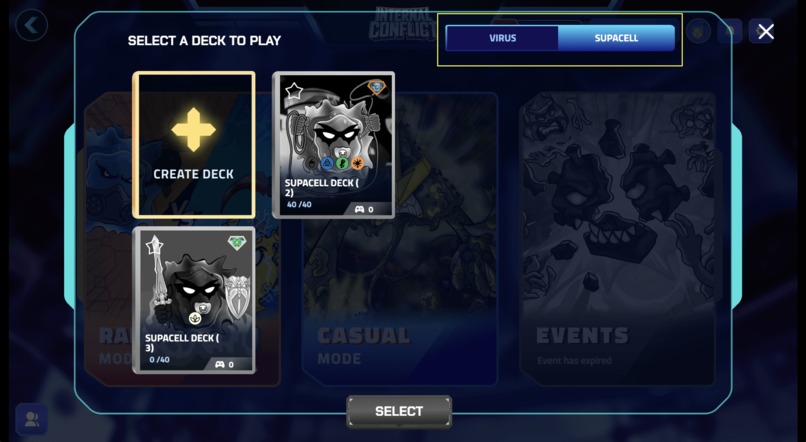
Step 4: 3
-
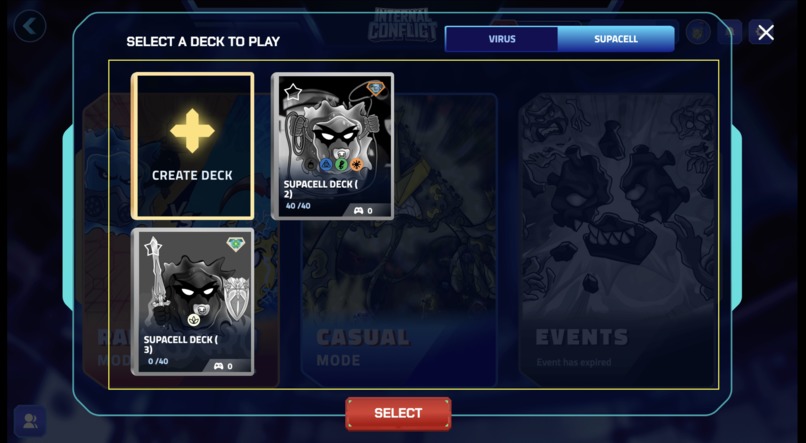
Step 4: 4
-
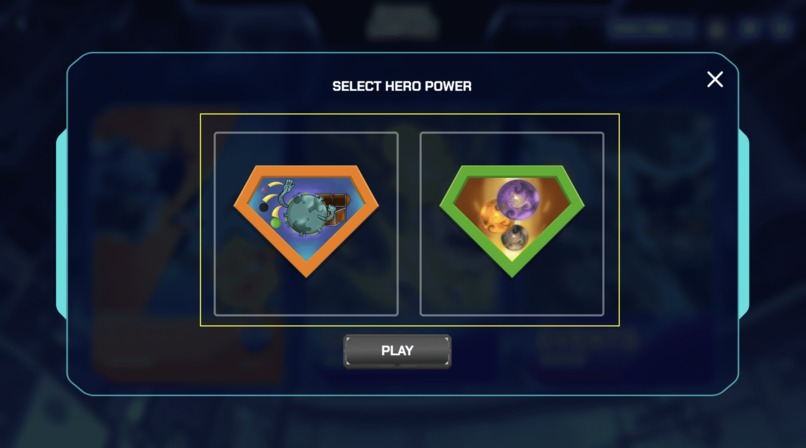
Step 4: 5
Inspiration
The concept behind SUPA Foundation - Internal Conflict arose from a combination of two popular phenomena: blockchain technology and trading card games. As avid players of Magic: The Gathering, my partners and I were struck by the intricate mechanics and strategy of the game. However, we also faced the challenge of how to store and manage our growing collection of physical cards.
The emergence of digital versions of trading card games provided some relief, but with one major drawback: players were prohibited from selling or trading their digital cards. This limitation sparked the idea of creating a platform that would allow players to digitize their physical cards and also have the option to sell them online.
Thus, SUPA Foundation - Internal Conflict was born. Our platform harnesses the power of blockchain technology to provide a secure and efficient way for players to store and manage their card collections online. In addition, our platform enables players to sell their cards to other users within the community, creating a vibrant marketplace for card trading.
By combining the timeless appeal of trading card games with the innovative capabilities of blockchain technology, SUPA Foundation - Internal Conflict offers a unique and exciting gaming experience that sets it apart from other card games.
The Gameplay
SUPA Foundation - Internal Conflict is a 2D NFT based play-to-earn card game. The game takes place within a metaverse where humans are infected by a new strain of virus. The game features the battle between two sides; the virus and SUPACells within a petri dish.
Both sides are controlled by different players.
The objective of the virus player is to eliminate the SUPACell player before they run out of health. The health of the virus player is tied to a timer. This timer only runs when it is the virus player’s turn and it is cumulative. Every 3 minutes, the virus player will lose 25 health. This is a cumulative timer. The virus player begins the game with 120 health.
The objective of the SUPACell player is to defend against the virus player until the virus player’s health runs out. The SUPACell player begins the game with 120 health.
To start a game, both players will need a deck of 40 cards and a SUPA Organism(Virus or SUPACell).
Each turn, players will draw cards from their decks and play them onto a gridded battlefield (8 X 4). Cards played onto the battlefield will materialise as a board piece which can be moved around. As a Virus player, your units will be able to move across the board to deal damage to the SUPACell player. The SUPACell player on the other hand will need to strategically place their units on the board as they can not be moved.
The game ends when either player runs out of health or when either player overruns the other with 12 units on the board at the beginning of their turn.
How we built it
We built SUPA Foundation’s GameFi from scratch with the aid of several libraries. We used Cocos Creator: [https://www.cocos.com/en/creator] Assets and game mechanics were produced in-house and by numerous artists. To support numerous EVM compatible wallets, we implemented WalletConnect v1.0 and V2.0 using the official WalletConnect library from:
For the game backend, we used:
- [https://github.com/colyseus/colyseus]
- [https://github.com/firebase/firebase-admin-node]
- [https://github.com/nodejs/node]
We also built a separate companion app for the game to enable account registration and verification that in future will be populated with other features for the game including news and education. We used::
We built 17 different smart contracts to support mechanics such as cards, card packs, hero NFTs and SUPA’s marketplace.
Fantom Testnet contract addresses:
- Card contract: 0xAAf84346cbFE50E1B31a60fDed9af89542bFa851
- Mutation Points: 0x4a35e1B826211a9899A3c9ff51125dc8fb58001D
- Pods: 0xbB1e1649743CE0c8171041Af7543C539863d6656
- Dust Factory: 0x53174A6F483964EaCA579986C18bbb7D977BD41E
- NFT Marketplace 0x8D471fCCc50c35e57Cd21F1D7FeD43A7D9E9Ed10
- SLEEVE: 0x3E1Ff87f5DF3d21696499d04d3bF4ad4D366f4Cc
- BATTLEGROUND: 0x7Cd5b83aBCE034d466FD57544f695a97C3FA652a
- Claimrewards: 0x4F9912Cb72B9DE80b4A416c75762a7cBbF0d561C
- Starter Virus NFT: 0xEb1E2B8A4134F23F3bb14dc3F85C9345BB96C6fb
- Starter SUPACell NFTl:0x0f17b38B8eD08EA55b04F65654bE3CB0536A7779
- SUPA organism NFT: 0x67c4109a0Ca99E4387F826f1B9Dab8b69240Ada2
- Virus NFT: 0x7BC97B99393b819cb28b8039c74FE9E53e9EffAe
- SUPAcell NFT: 0xD90feb75C4f1Be0f50E4beE4b2C7808e75Ada2b1
- Starter Deck: 0x1ACbbD23A35faE7DF059282c7D31dc4E9957945E
- EventPayment: 0x5C6056F725B8F738Ef21287ca13AF5723038b52B
- Card Packs: 0x67924b1Bb2Fec018E5248977dCDc6827D48A3ba7
- ClaimSFuel: 0x63696518De68dA7225953b91a195C2AA3ed26274
These contracts will be deployed on mainnet after our testing period.
We also built our own SUPA’s marketplace https://portal-beta.supa.foundation using to enable trading of our game NFT assets using several libraries:
- [https://github.com/vuejs/core]
- [https://github.com/vitejs/vite]
- [https://github.com/web3/web3.js]
- [https://github.com/ethers-io/ethers.js/]
- [https://github.com/WalletConnect/web3modal]
Challenges we ran into
As this was a card game that requires many interactions, the number one challenge was the integration of the blockchain aspect of trading cards and giving those cards ability in the game. Each card in the game has different interactions with each other and because they are unique, the smart contracts would have many .
The next challenge was to optimize the gameplay so that it is balanced for both players that there won't be a side that is too overpowered and will discourage players from only playing a single side making the gameplay experience not enjoyable.
Accomplishments that we're proud of
We are proud of our achievement in creating a unique and comprehensive web3 game that caters to a broad audience, from casual to professional gamers. Our game offers the opportunity to play and earn rewards, making it an attractive option for those interested in pursuing gaming as a full-time career.
What we learned
While building this game we learned that with the amount of micro-interactions our game requires a good blockchain with low gas fees are needed and that is also one of the reasons why we decided to build on Fantom.
What's next for SUPA Foundation - Internal Conflict
We have high hopes that our game will be great and will appeal to most TCG players out there. By then, we will be releasing newer expansions of the game with different cards and NFTs that will change the users playstyle.
How to Play Test
Step 1: Add Fantom Testnet as a custom network in Metamask
[https://youtube.com/shorts/Keux0yIOLwA]
- Launch Metamask
- Click the network (located at the top)
- Click "Add a network"
- Select "Custom Networks"
- Fill in the below fields with the following information: i. Network Name: ftm testnet ii. RPC Url: https://rpc.ankr.com/fantom_testnet iii. Chain ID: 4002
- Click "Add"
- You should now be able to see ftm testnet as your network back in the main screen of Metamask
Step 2: Import our wallet(s) via Private Key
[https://youtube.com/shorts/z7f3AH6FcMs]
- Launch Metamask
- Click the wallet icon
- Click "Import an account"
- Paste the Private Key provided by us
- Click "IMPORT"
- The newly imported wallet should then appear on the main screen of Metamask
Step 3: Logging in to Internal Conflict and connecting the tester wallet
[https://youtu.be/EIBN6bwxpOE]
- Launch Internal Conflict after successful installation
- Click "LOGIN" from the login screen and input the email address and password provided by us
- Click "Connect Wallet"
- Launch Metamask on your mobile phone. Ensure that you are currently using the correct wallet and are connected to the correct custom network (Steps 1 and 2). Click the "Scan QR" icon in your Metamask app (located at the top right corner). Scan the QR code provided in the Internal Conflict game.
- Approve via your Metamask wallet.
- You will then be able to see your wallet address in the place of "Connect Wallet" that signifies you have successfully connected your wallet.
- You are now ready to play!
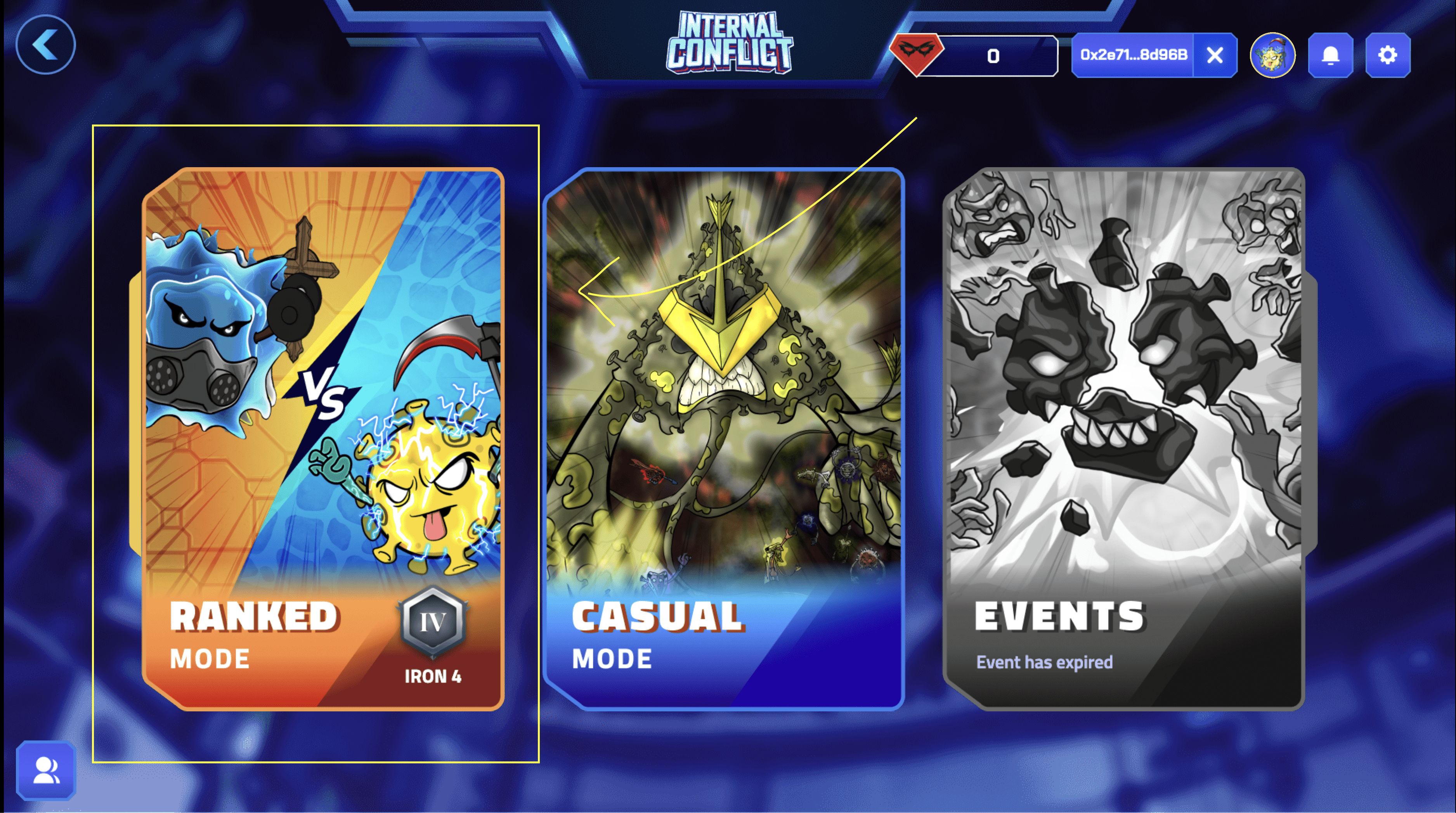
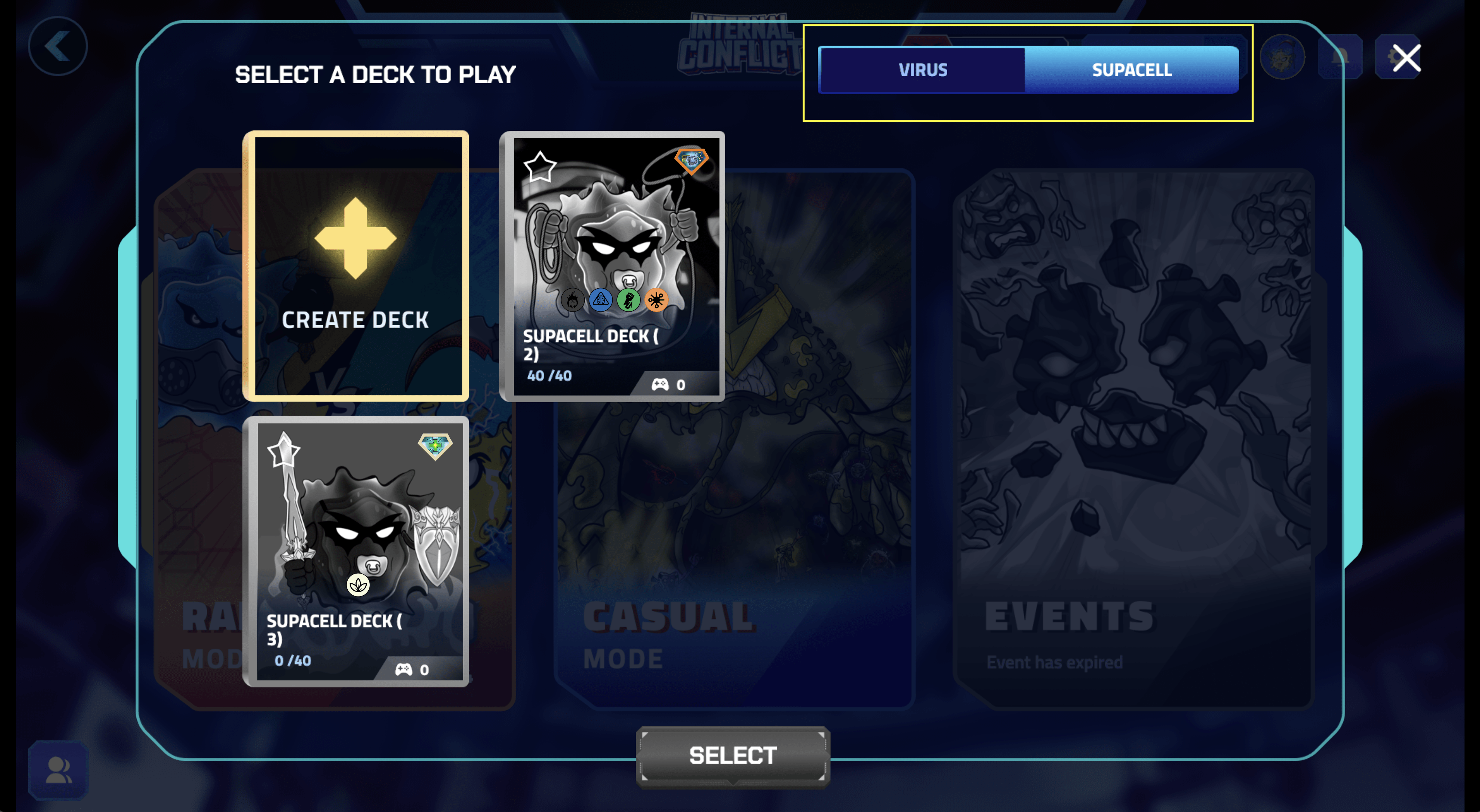
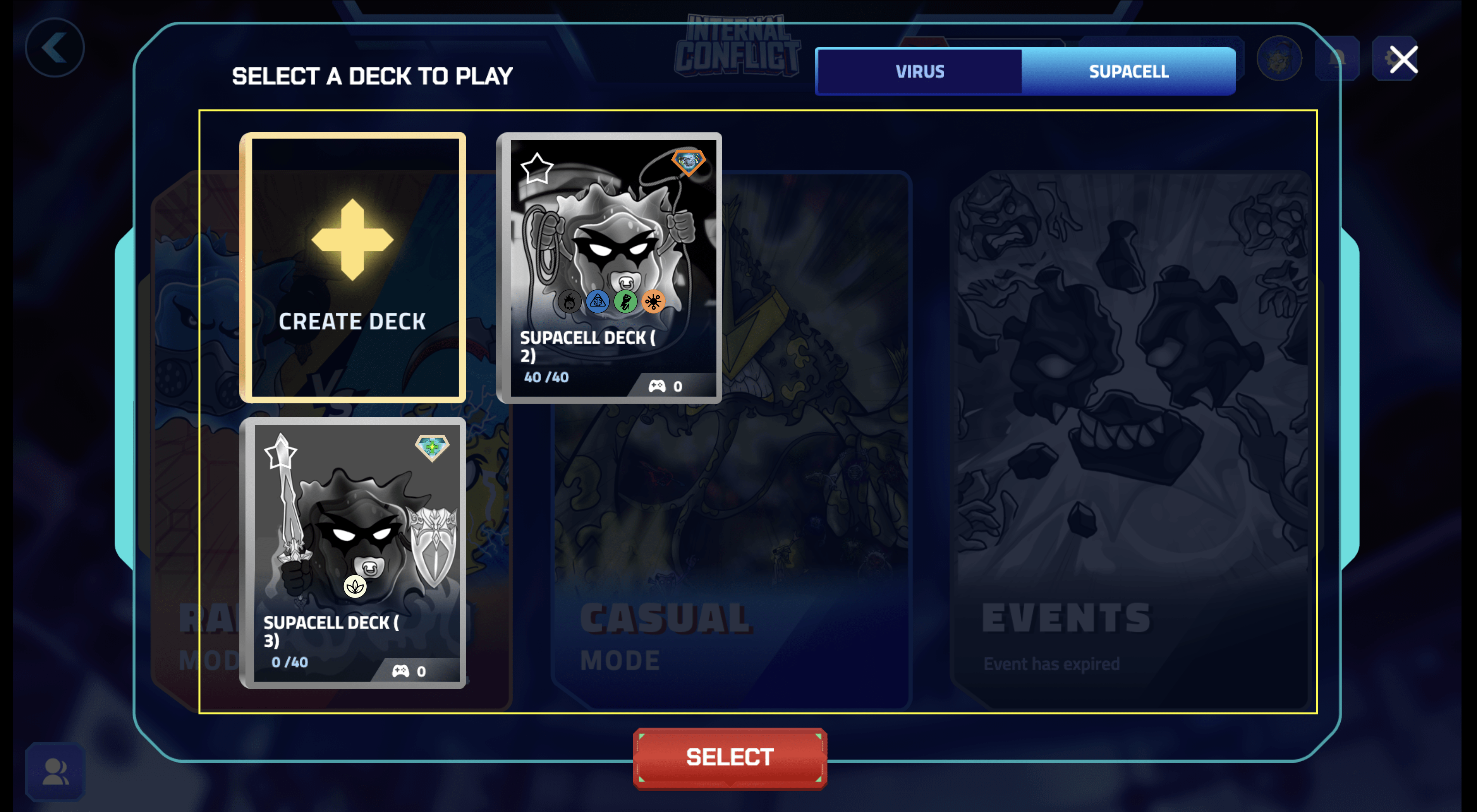
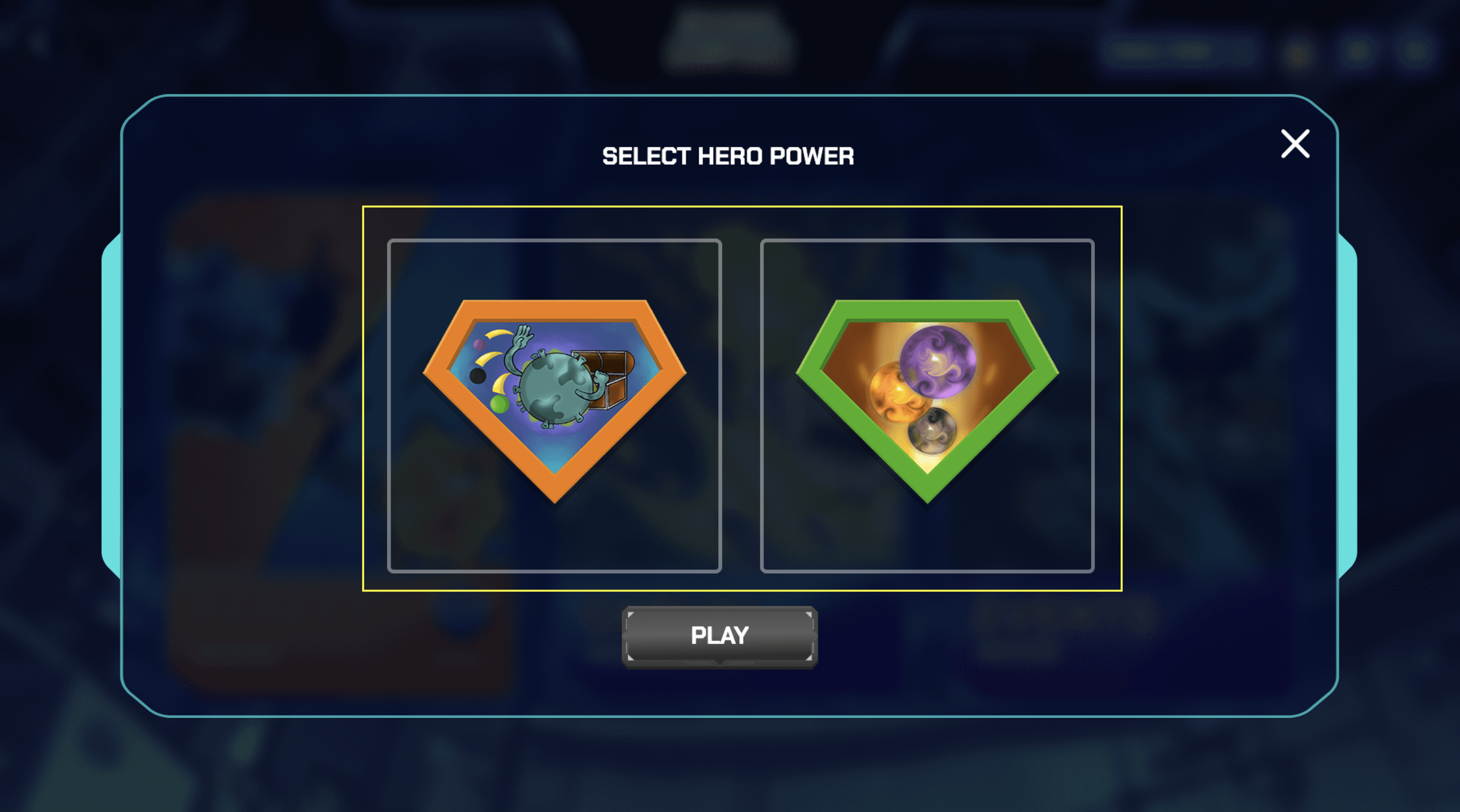
Step 4: Finding a game(Refer to images attached)
- From the main screen of Internal Conflict, click "PLAY"
- Select "Ranked Mode" from the list of game modes available
- Select Virus or SUPACell to display the list of decks available
- Select a deck from the available decks and click "SELECT"
- Select one of two of the available hero powers then click "PLAY"
- You're now in queue to play Internal Conflict! Please note that as the test environment has not been shared publicly, you will require two players to be searching for a game at the same time in order to match. One player has to search for a game as a virus player while the other has to search for the game as a SUPACell player.
Download PC or Mac : [https://drive.google.com/drive/folders/1SjZyH-Q2WsA2Vw2160dH_aOcIjQ44OyS?usp=sharing]
Test Account Login
Username: [email protected] Pasword: supatest001!
Username: [email protected] Pasword: supatest002!
Private keys to wallet for testing
IC Tester 1 Wallet address: 0x960fB75A28475B4fC936e6D7bee7F54083E34bDB Pvt Key: 2d1d5e8a830018b23c4e89ea3dda01d551348373b366aae0c23b23ddc9660dc2
IC Tester 2 Wallet address: 0xA8E63d9625d57dbC9C10d4D317126E4185b16502 Pvt Key: feebebd579e6f7aafe9ba9e412330736250c58cc9eb639a281f7c474682dc289
Note: If the above wallets and accounts are being used and/or if you have any issues logging in to test our game please don't hesitate to contact us through our discord channel [https://supa.foundation/discord]


Log in or sign up for Devpost to join the conversation.