Inspiration
We spend a lot of time optimising the things we can measure, sleep, steps, calories, but the subtle environmental and behavioural cues that quietly shape our wellbeing go unnoticed. How long have you been scrolling? Is the air in your room stale? Have you actually left the house today? Sunshine and Cupcakes started as a question: what if your desk could gently nudge you toward better habits, without demanding your attention?
What it does
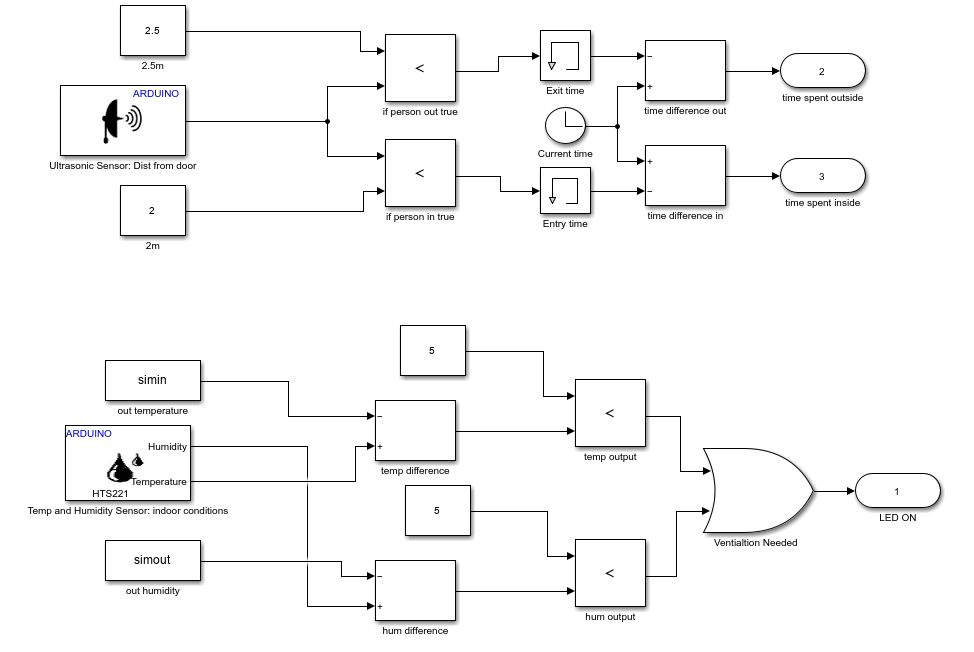
Sunshine and Cupcakes is a physical wellbeing assistant that lives on your desk and monitors two things you probably ignore: Your environment. A DHT11 sensor reads indoor temperature and humidity, compared in real time against live outdoor data from OpenWeatherMap. If the humidity difference exceeds a threshold, an LED flashes; your cue to crack open a window and get some fresh air. Your screen time. The system tracks how long you've spent on social media apps across Windows and Android. Once you've crossed two hours, a second LED lights up. When the screen time alert fires, it also triggers Breathe Blocker, a Chrome extension that intercepts any attempt to visit a blocked site and replaces it with a 10-second guided breathing overlay. A glowing ring counts down while the page prompts you to breathe in and out; only then does the tab close or the page unlock. Repeat visits within the same session make the pause progressively longer, adding two seconds each time. An ultrasonic sensor on the door detects whether you've actually left the room. If you haven't moved in a while, a buzzer sounds. A physical button resets it once you're back. All of this is tied together by a Flask API server that aggregates sensor data, fetches weather, and exposes alert endpoints with a MATLAB dashboard driving the Arduino hardware.
How we built it
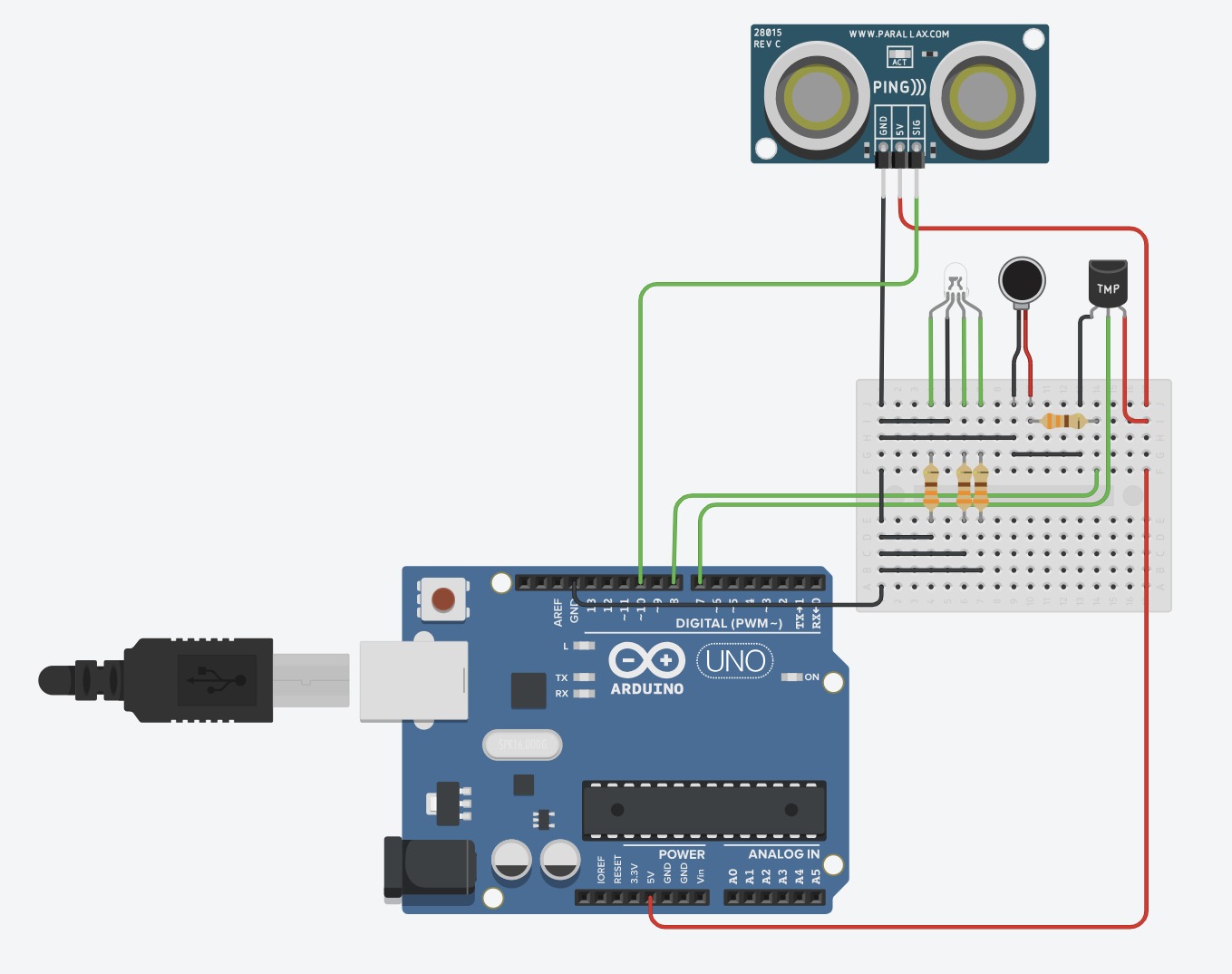
The stack spans four layers: Hardware: An Arduino Uno hosts a DHT11 temperature/humidity sensor, an HC-SR04 ultrasonic distance sensor for door detection, an LED, and a piezo buzzer. Rather than uploading custom firmware, we used the MATLAB Support Package for Arduino Hardware. MATLAB scripts own the serial port and interact with the board directly. Backend: A Python Flask server (app.py) serves REST endpoints for weather, screen time, alerts, blocked sites, and breathe state. The weather module merges DHT11 indoor readings (posted by MATLAB via HTTP) with OpenWeatherMap outdoor data. The screen time module polls Windows foreground activity and, optionally, an Android device over ADB. Chrome extension: Breathe Blocker runs as a background service worker that polls /api/blocked_sites on a short cache cycle. When a tab navigates to a blocked hostname, it injects a full-screen breathing overlay built in vanilla JS and CSS; animated floating orbs, a gradient SVG countdown ring, and alternating breathe-in/breathe-out instructions. It posts to /api/breathe so the Arduino can mirror the pause physically via the buzzer. A penalty counter in chrome.storage.local increases the overlay duration with each repeated visit. MATLAB dashboard: A uifigure-based UI polls all Flask endpoints on a timer, drives the LED and buzzer over serial, displays a live semicircular humidity gauge, and includes a blocked sites editor that writes directly to the Flask API - so changes propagate to the extension instantly without reloading it.
Challenges we ran into
Getting four-way communication between Flask, MATLAB, the Arduino, and the Chrome extension working reliably was the central challenge. The breathe signal in particular had to flow from a browser tab → Flask → MATLAB → Arduino serial in under a polling cycle, which required keeping all the HTTP timeouts tight and the serial lock (serialBusy) carefully managed to avoid race conditions. The penalty system in the extension needed to survive page reloads and tab closures without a backend - chrome.storage.local turned out to be the right primitive there, with a server-side reset endpoint (/api/breathe_reset) polled every five seconds so the MATLAB dashboard can clear the count. Screen time tracking across platforms was also tricky. Windows foreground monitoring and Android ADB usage stats return data in completely different shapes and require different permissions, so the screen time module needed a careful merging and fallback strategy to avoid crashing the server when one source was unavailable.
Accomplishments that we're proud of
Getting a fully working end-to-end pipeline from a browser tab opening Instagram, through a REST API, through an alert computation, to a physical buzzer and a breathing overlay, within a hackathon timeframe felt genuinely satisfying. The architecture ended up cleaner than expected: each layer has a single responsibility, the Flask server stays stateless, and the fallback mock data means development can continue even without hardware attached. The Breathe Blocker overlay is something we're particularly pleased with and is just annoying enough to be a real friction without being punishing. It respects the user rather than locking them out. We're also pleased with the door detection logic. The state machine approach (detecting departure and return as two separate distance-change events, with debouncing and a cooldown between crossings) turned out to be surprisingly robust for a 48-hour build.
What we learned
Scope early, but design for modularity. Because we separated concerns cleanly from the start - weather, screen time, alerts, and breathe state as independent modules - we could develop and test each in isolation. The MATLAB-to-Flask handoff taught us a lot about keeping inter-process communication simple: HTTP is almost always the right choice over a shared serial port. We also learned that wellbeing tech lives or dies by its intrusiveness. A blinking LED is friendly. A loud alarm is annoying. A breathing overlay that adds two seconds per repeat visit is effective. Getting the signal-to-noise ratio right - when to nudge and when to stay quiet - is itself a design problem worth taking seriously.
What's next for Sunshine and Cupcakes
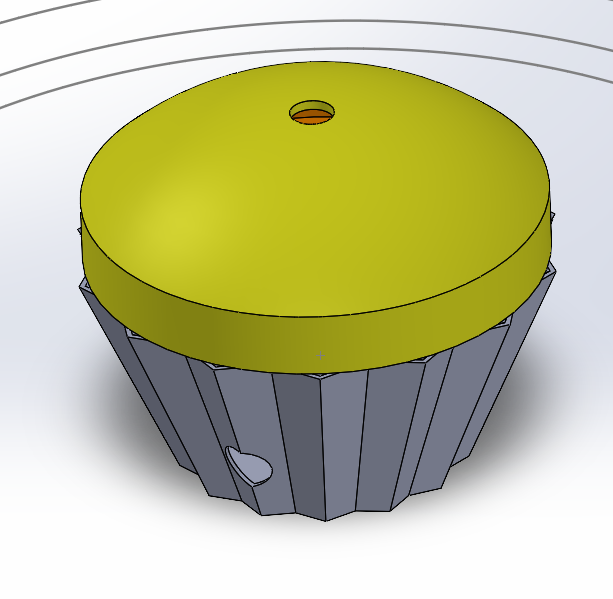
CO₂ sensing - adding an MQ-135 or SCD40 sensor for genuine air quality detection rather than using humidity as a proxy Gradient LED feedback - addressable LED strip mapped to a continuous scale so you can see how far over threshold you are, not just whether you've crossed it Mobile app integration - Apple Screen Time or Android Digital Wellbeing APIs directly, replacing the ADB workaround Extension sync - letting the MATLAB dashboard push blocked site updates and reset the penalty counter in real time, rather than via polling CAD enclosure - a printed housing so it looks like something you'd actually want on your desk Personalised thresholds - user-configurable humidity and screen time limits through the settings page, rather than hardcoded server constants
Built With
- api
- css
- javascript
- matlab
- pyserial
- python
- simulink

Log in or sign up for Devpost to join the conversation.