-
-
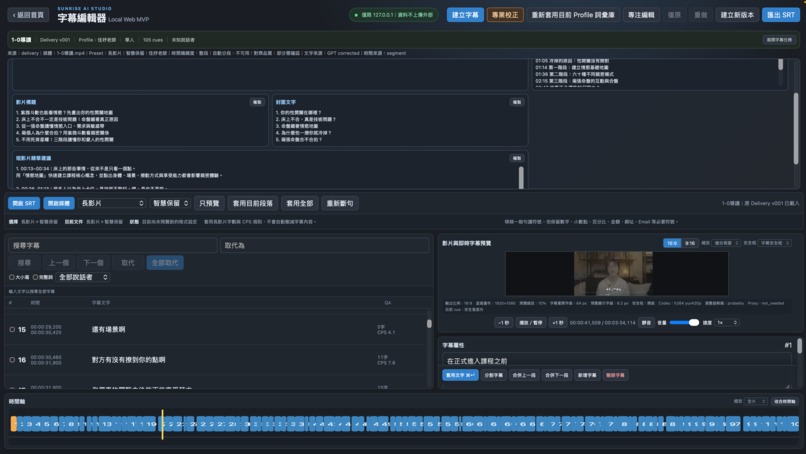
One GPT-5.6 request generates a summary, chapters, titles, thumbnail copy, and short-form highlights.
-
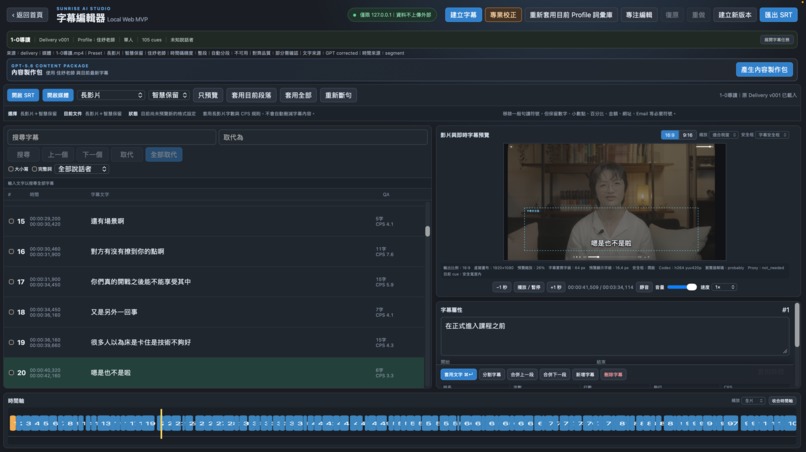
Professional subtitle editing with cue timing, video preview, Teacher Profiles, and a visual timeline.
-
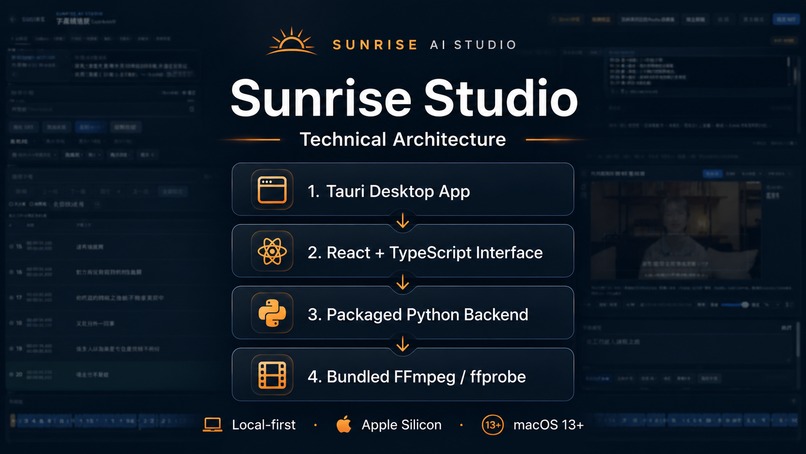
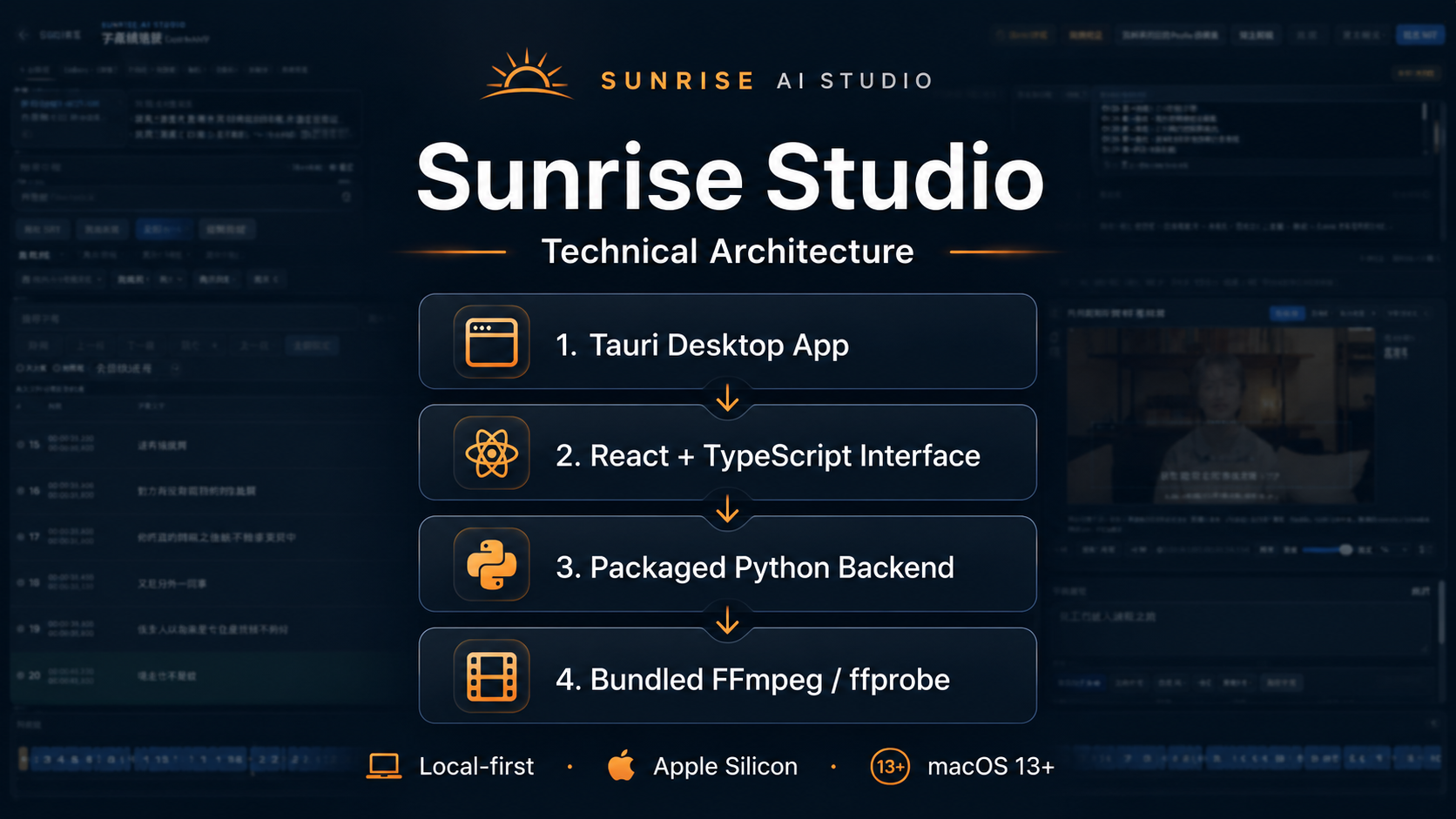
A Tauri and React interface with a packaged Python backend and bundled FFmpeg and ffprobe.
-
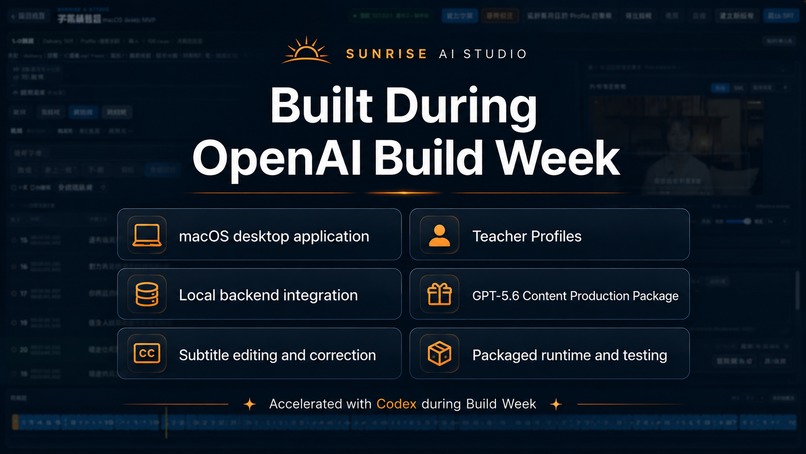
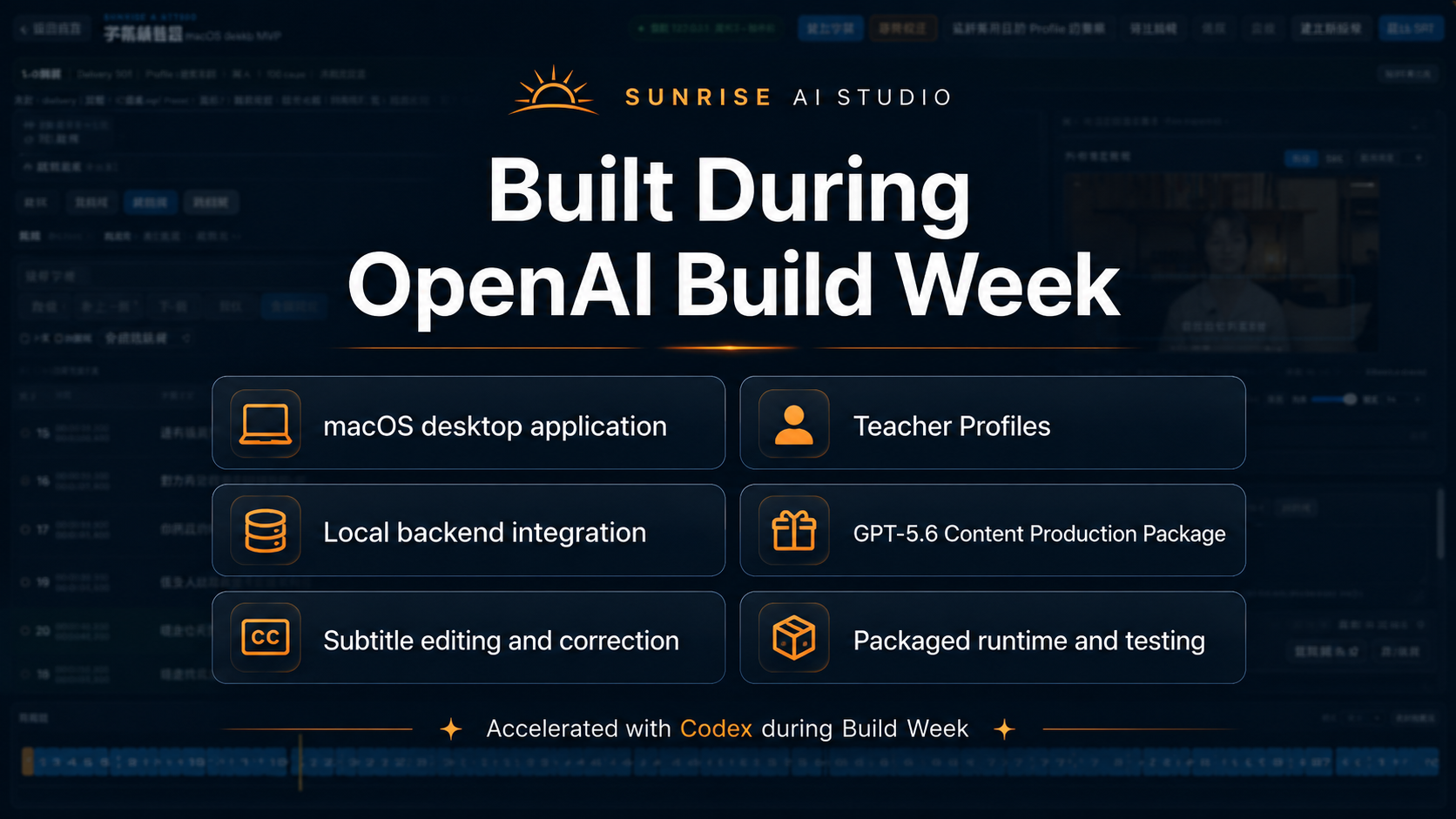
The macOS app, local backend, subtitle workflows, Teacher Profiles, and GPT-5.6 package were built during Build Week.
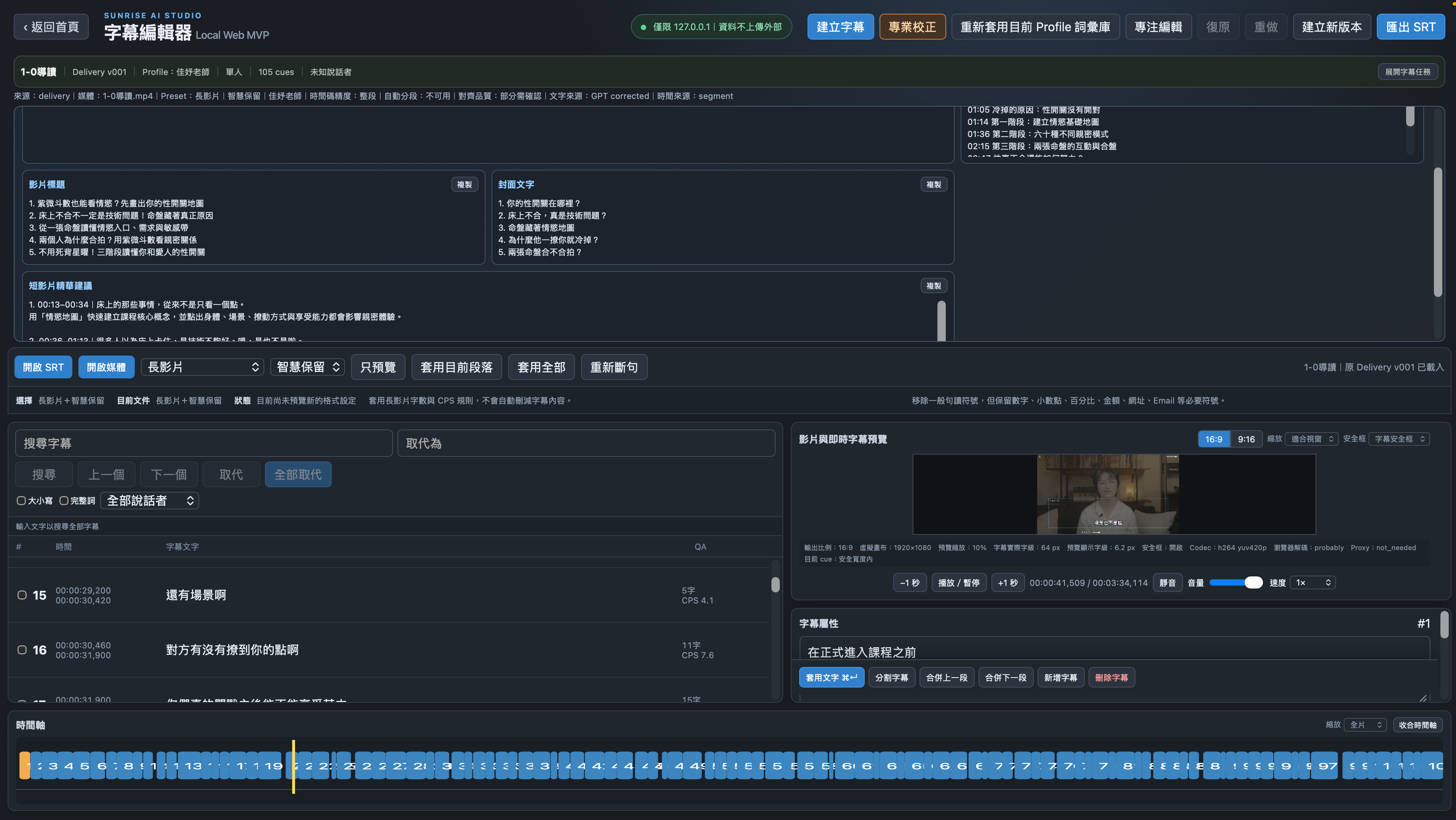
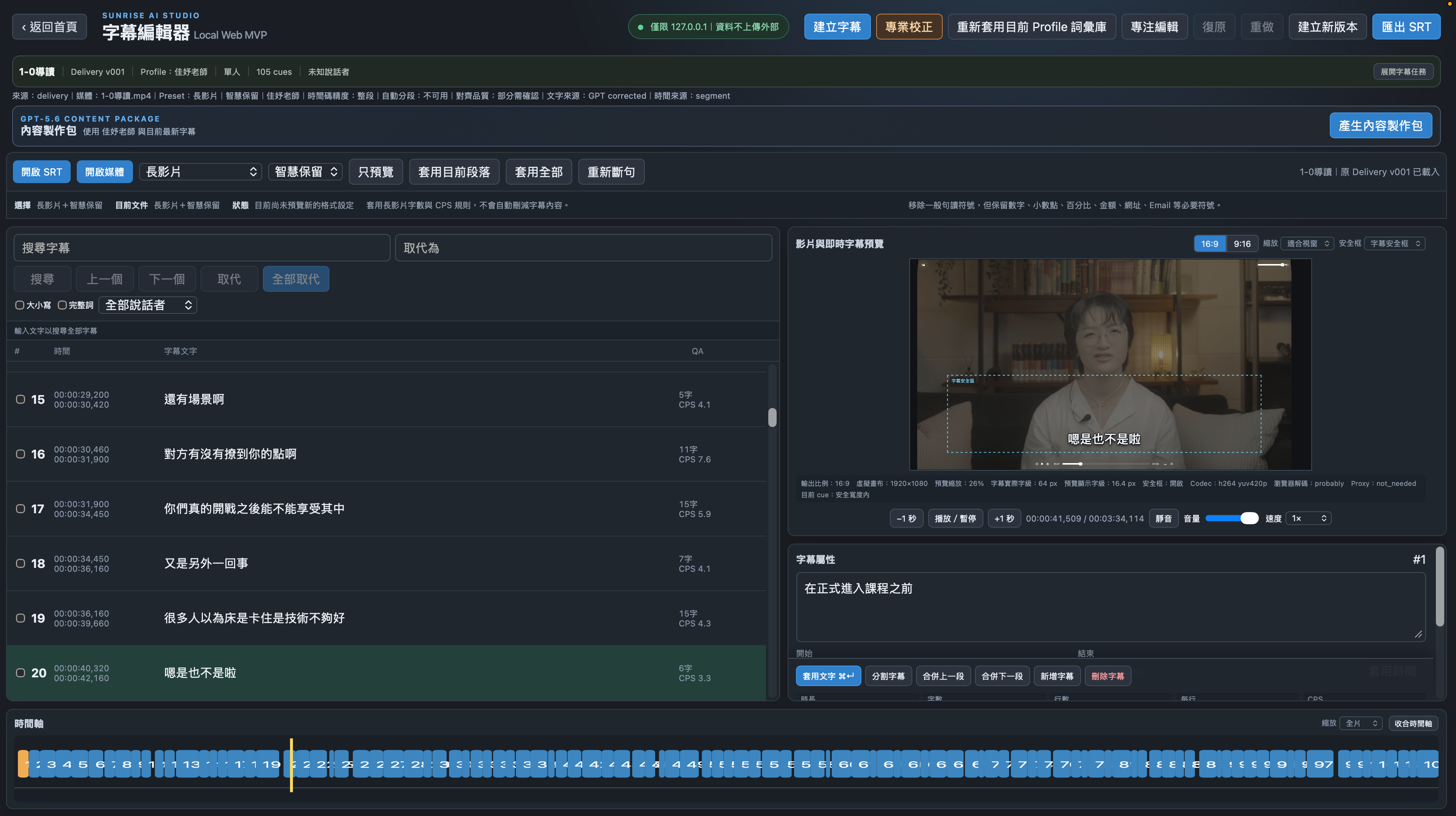
Inspiration
Traditional Chinese content teams often work across disconnected tools for transcription, subtitle correction, editing, content planning, and script preparation. Generic AI tools can produce text, but they frequently misunderstand names, domain-specific terminology, individual speaking styles, and the practical requirements of professional video production.
Sunrise Studio was inspired by our real production workflow in Taiwan. We work with YouTube channels, podcast interviews, online courses, folk-culture educators, spiritual-content creators, and professional video teams. We needed a system that could understand each creator's terminology and profile while keeping humans in control of the final output.
What it does
Sunrise Studio is a profile-aware AI production workflow for Traditional Chinese content teams.
It helps users:
- Import video or audio and generate Traditional Chinese subtitles
- Select a content type and Teacher Profile
- Correct domain-specific terminology and contextual transcription errors
- Edit, split, merge, preview, search, and replace subtitles
- Export SRT files compatible with professional post-production workflows
- Save and reopen subtitle tasks locally
- Generate a natural teacher-facing script and a separate production script
- Produce B-roll suggestions, on-screen text, timing, and production notes
- Export production materials as TXT and DOCX
How we built it
Sunrise Studio is a self-contained macOS application built with Tauri, React, TypeScript, and a local Python backend. FFmpeg and ffprobe are packaged inside the application, so the production build does not depend on Homebrew, an external Python installation, Node.js, or a development repository.
OpenAI models are used for transcription, contextual correction, and script generation. Codex was used throughout Build Week to expand the project across the frontend, backend, local persistence, subtitle editing, export workflows, desktop packaging, testing, and debugging.
Before the Submission Period, the project consisted of an early Python-based subtitle-processing prototype. During OpenAI Build Week, Codex helped transform it into a self-contained macOS production workflow with a desktop interface, Teacher Profiles, domain-specific correction, subtitle editing, local task persistence, script generation, DOCX and SRT export, and a packaged runtime.
Challenges we ran into
Traditional Chinese transcription is especially difficult when a video includes specialized terminology, similar-sounding characters, individual speaking habits, or fields such as Chinese astrology, folk religion, hypnosis, relationships, and spiritual education.
Another challenge was keeping corrected text aligned with subtitle timing while still allowing semantic sentence segmentation and manual editing. We also needed to package the application as a reliable, self-contained Apple Silicon app without external runtime dependencies.
Accomplishments that we're proud of
- Built a working native macOS production application
- Created profile-specific terminology and contextual correction
- Integrated subtitle editing and script generation into one workflow
- Supported both creator-facing scripts and production-team scripts
- Preserved local tasks, profiles, versions, and user data outside the app bundle
- Packaged the Python backend and FFmpeg into a self-contained Apple Silicon application
- Transformed a real internal production process into an operational AI product
What we learned
We learned that professional AI workflows require more than generating text. Reliable production tools need domain knowledge, persistent profiles, human review, predictable exports, transparent limitations, and careful integration with existing post-production software.
We also learned how Codex can support long-running product development across multiple technologies while responding rapidly to real user testing and production feedback.
What's next for Sunrise Studio
- Improve word-level subtitle alignment
- Expand profile and glossary management
- Add series planning and batch script creation
- Improve backup, restore, and migration tools
- Add secure onboarding for additional team members
- Prepare Developer ID signing and notarization
- Expand the workflow into additional video-production and creator-management modules
Built With
- codex
- docx
- ffmpeg
- macos
- openai
- python
- react
- srt
- tauri
- typescript
- whisper

Log in or sign up for Devpost to join the conversation.