-
-
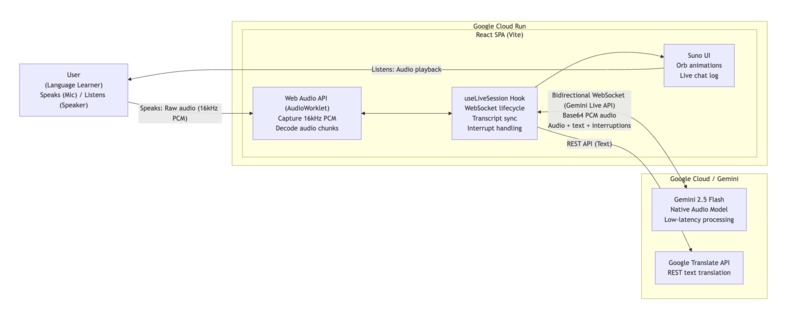
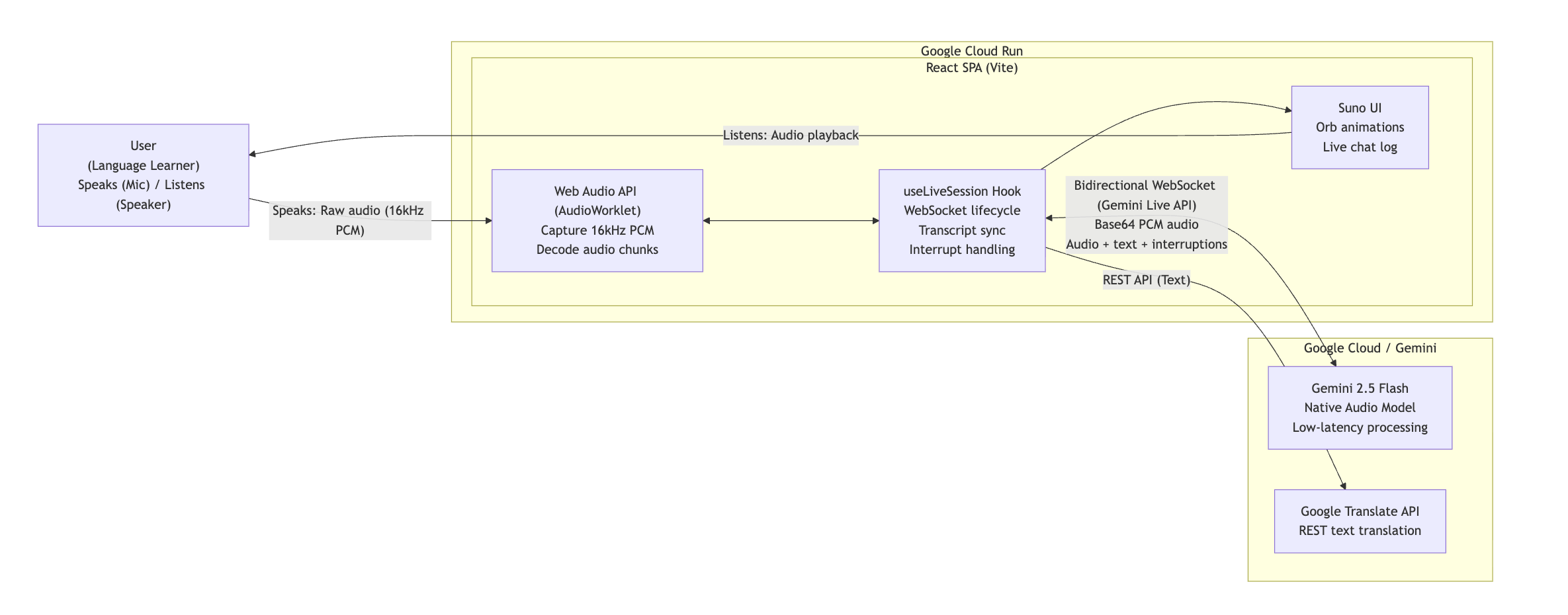
Suno System Architecture: Real-time, bidirectional audio streaming powered by the Gemini Live API and deployed on Google Cloud Run.
-
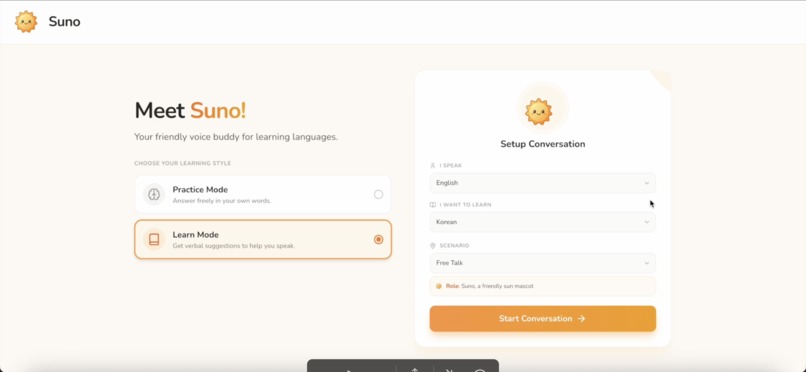
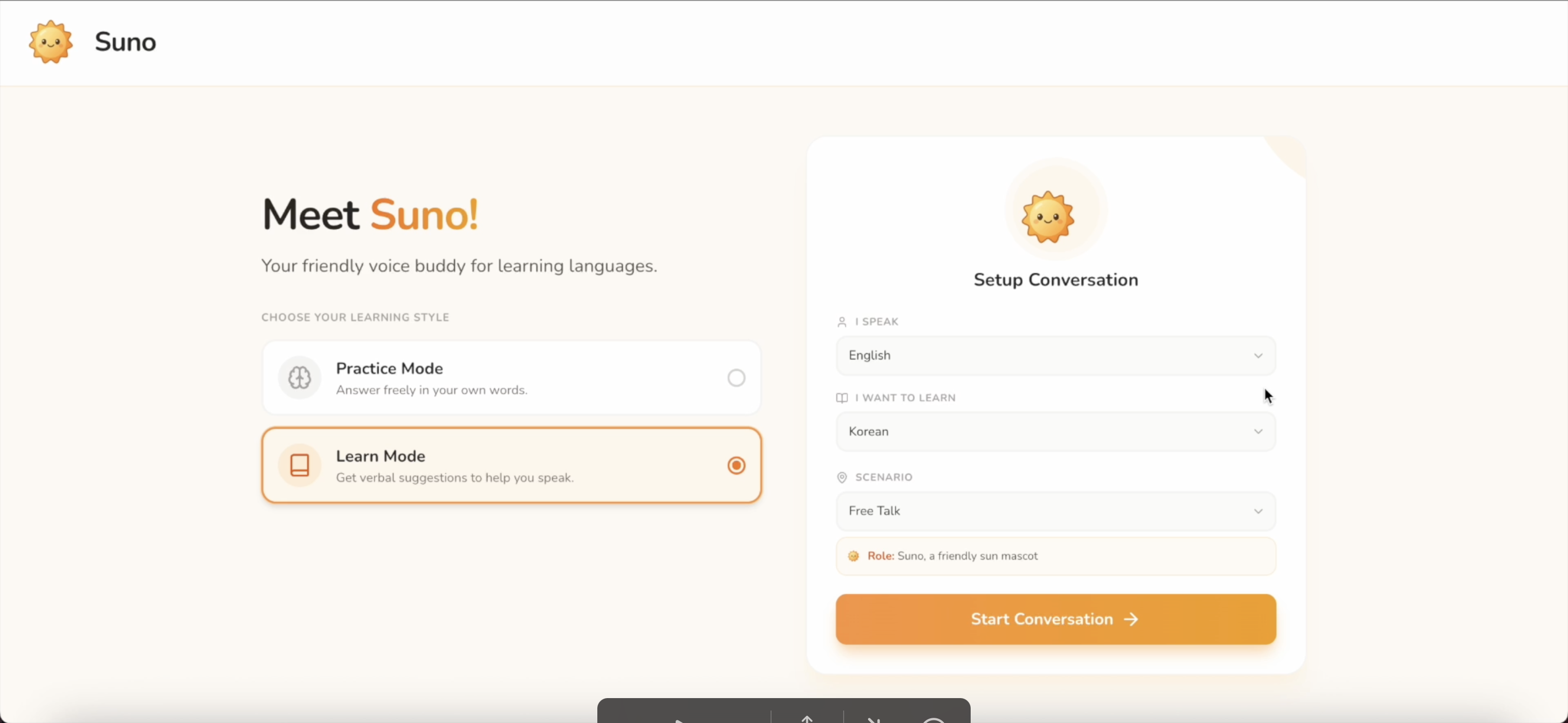
Welcome to Suno! Voice-first language companion built to help you learn by speaking!
-
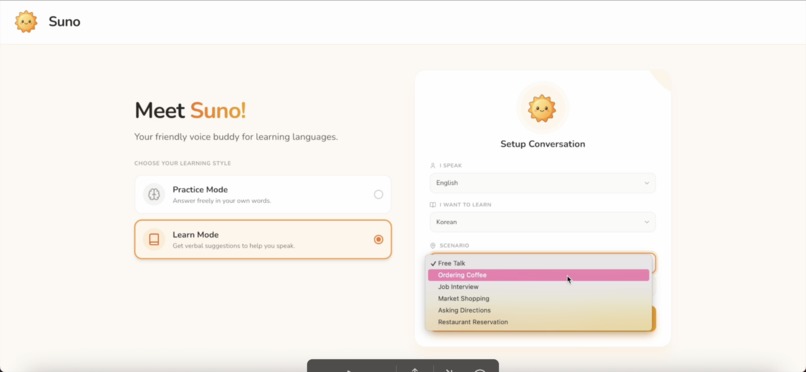
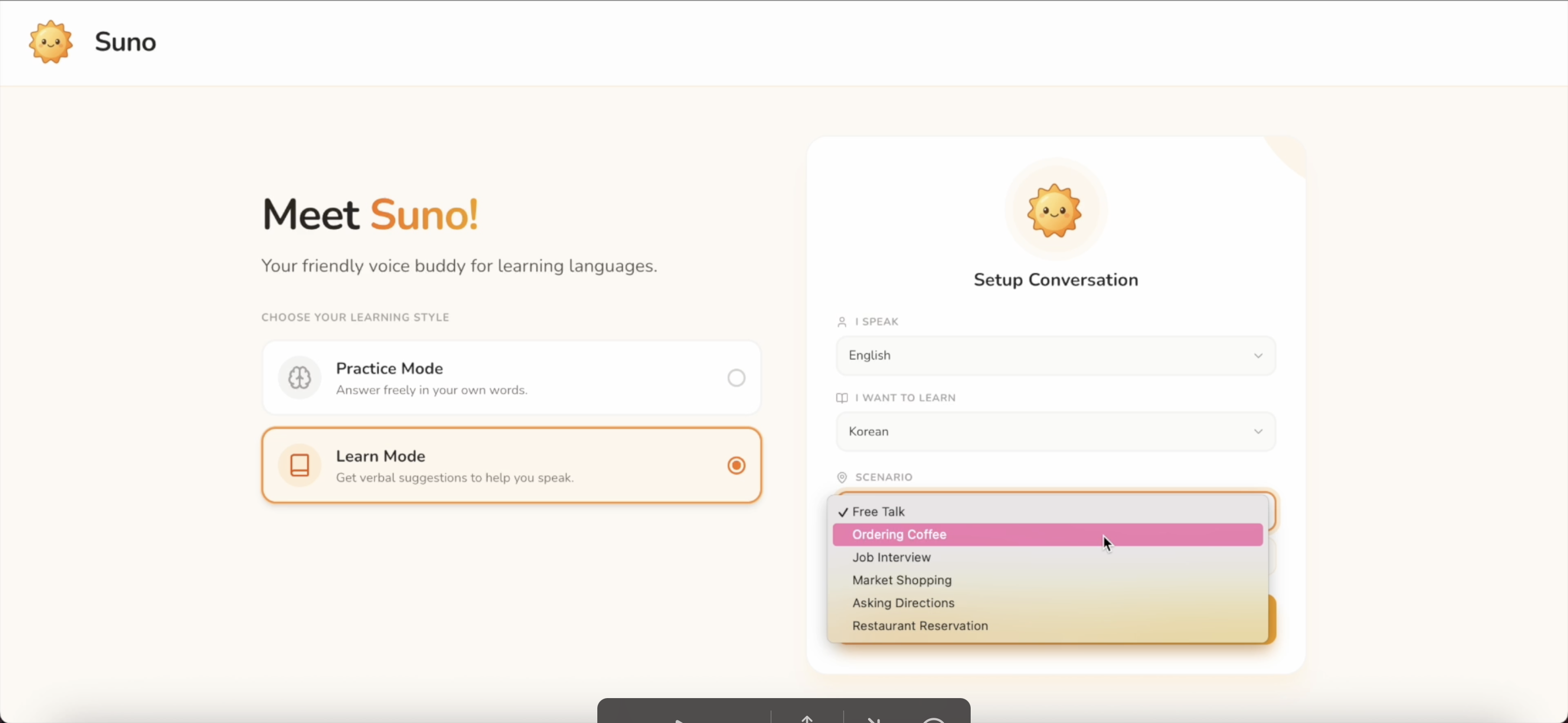
Everything you see here is designed for natural, real-life conversation scenario
-
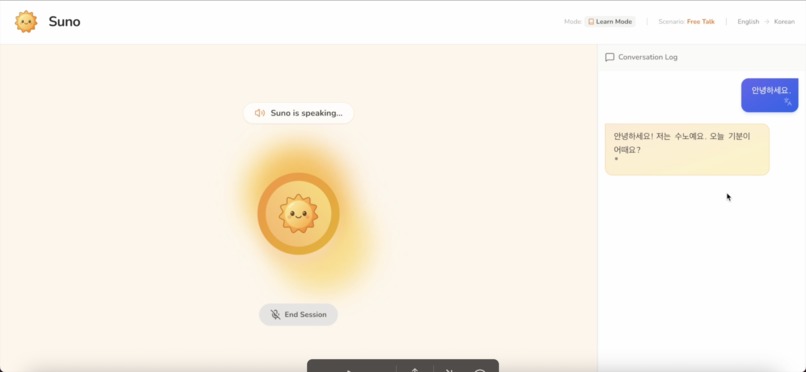
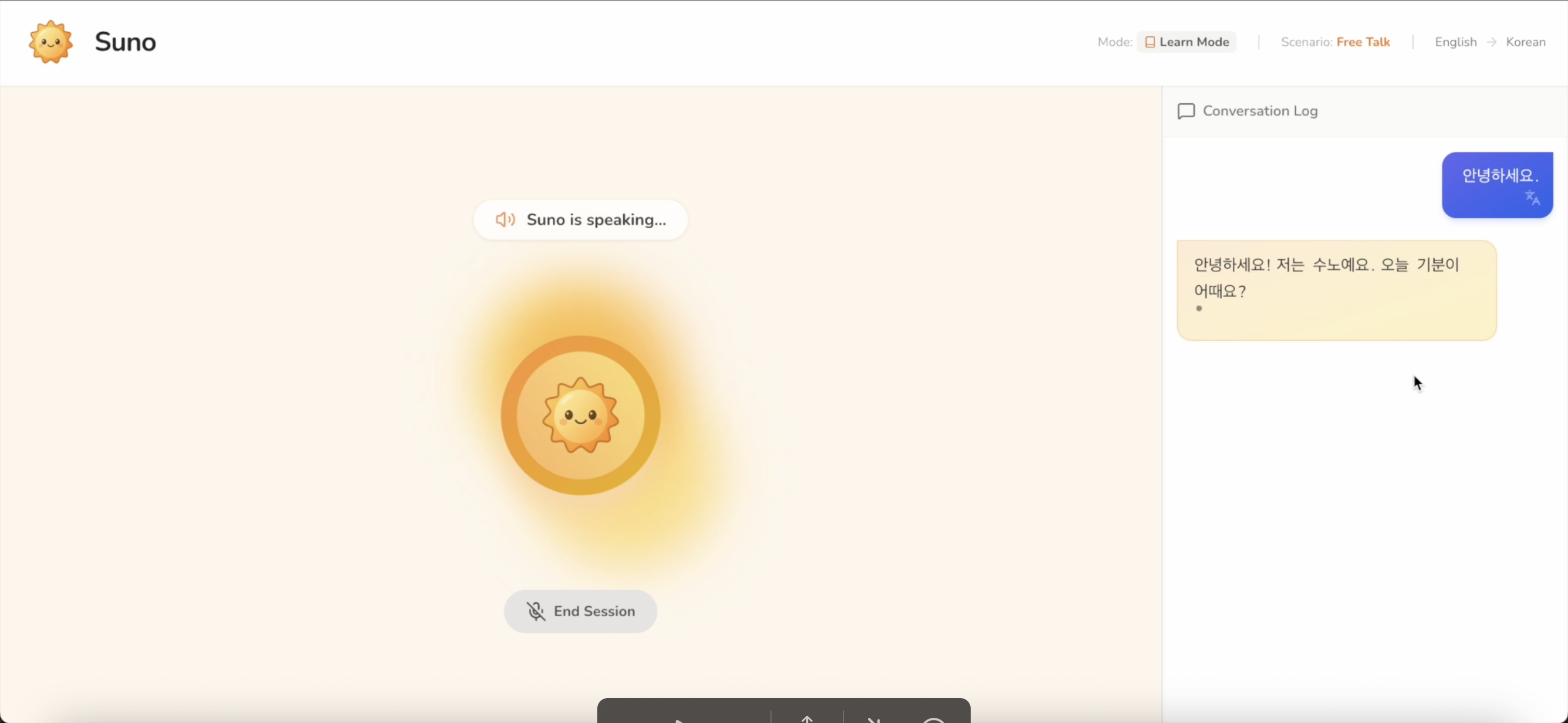
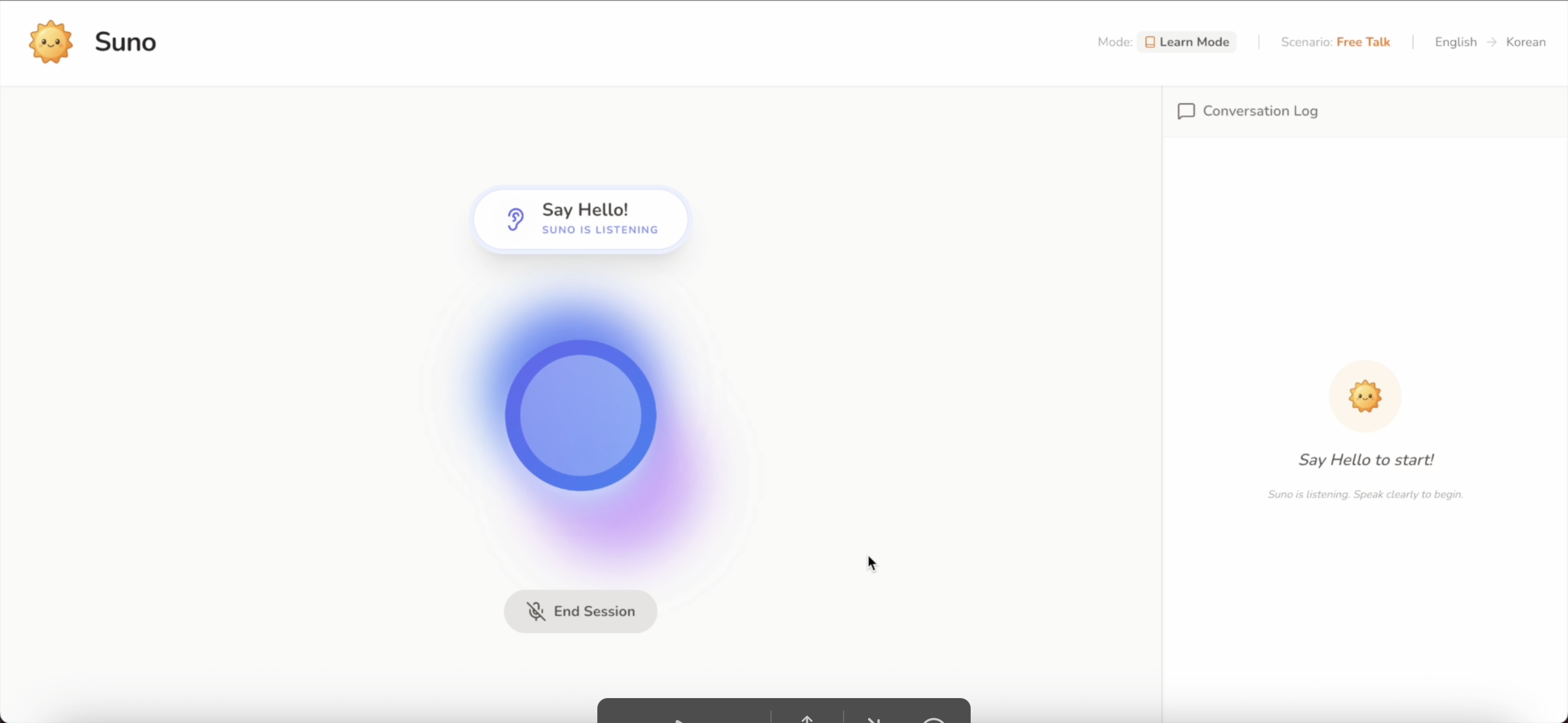
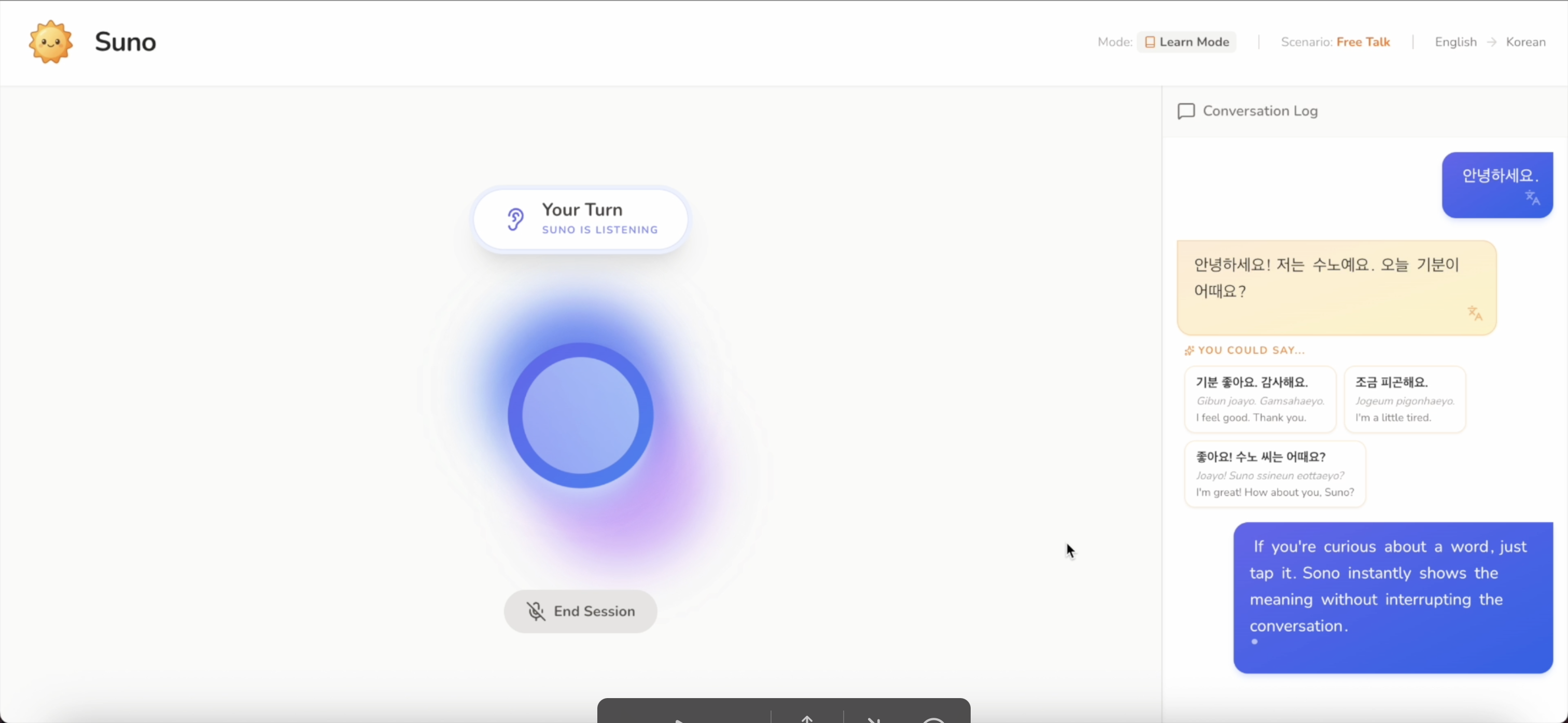
It greets you in the language you're learning and invites you to respond out loud, just like talking to a real person
-
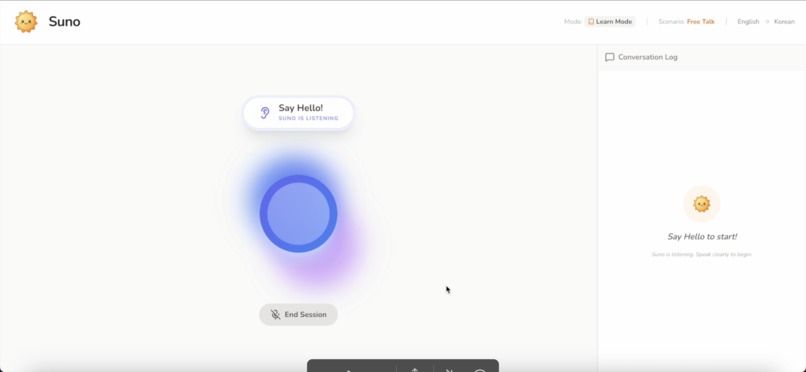
Suno uses real time audio streaming powered by Gemini. It processes your microphone input instantly, the visualizer shows your voiceactivity
-
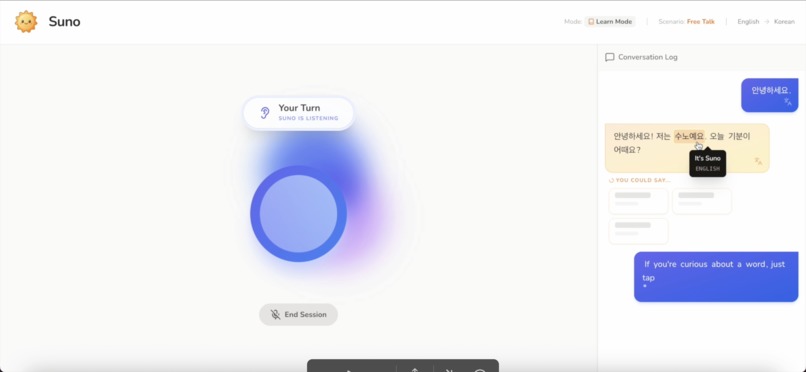
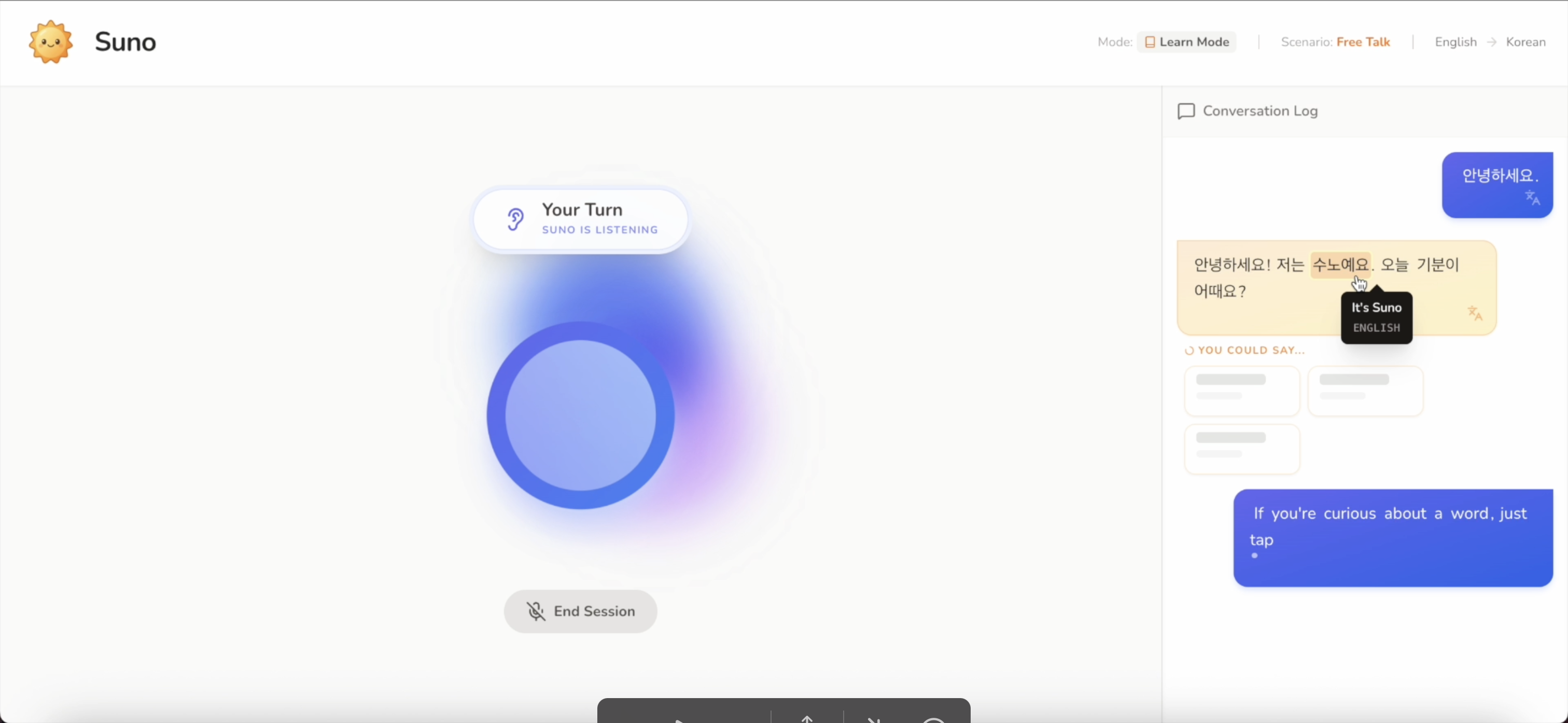
If you're curious about a word, just tap it. Suno instantly shows the meaning, without interrupting the conversation
-
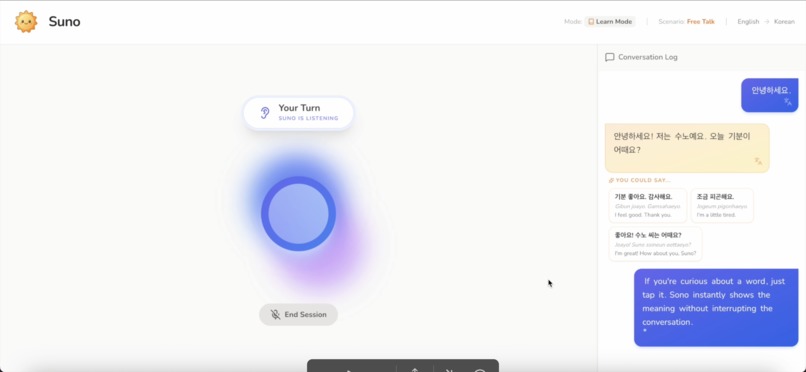
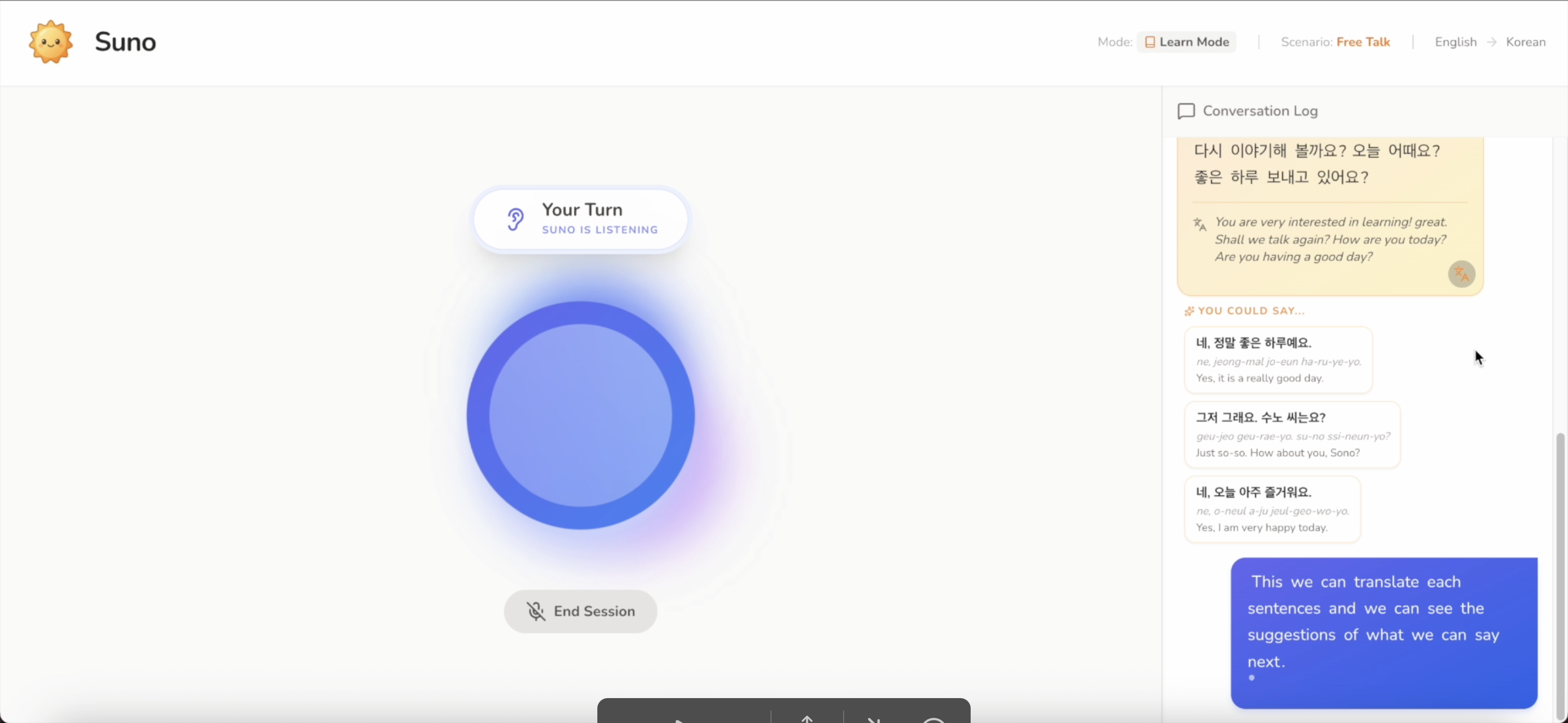
Learn Mode is designed for beginners or anyone who wants a little support while speaking
-
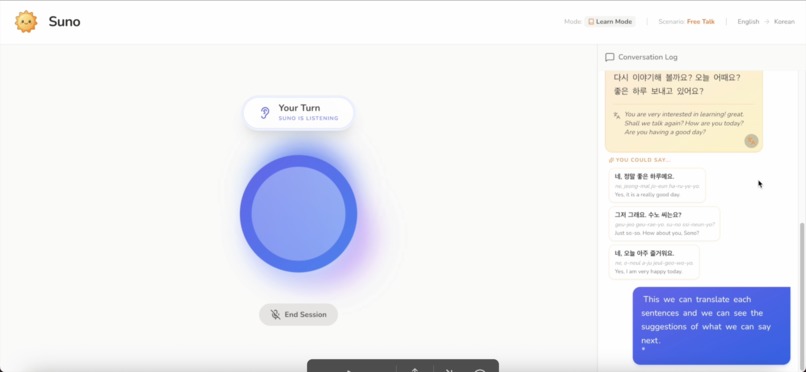
Aside from word tap translation, you can also translate the whole sentences by clicking the translate button on each bubble chat
-
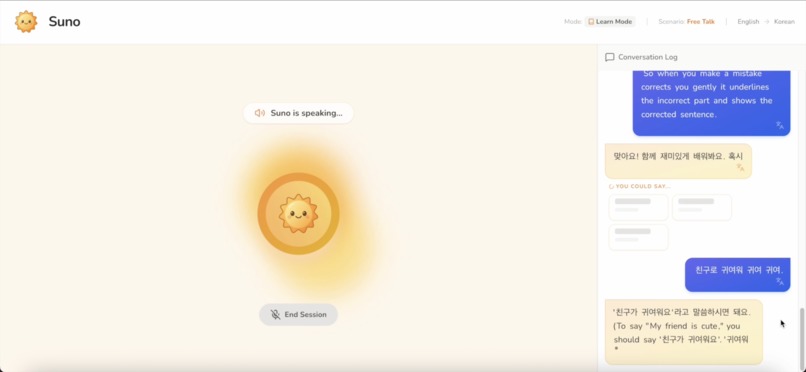
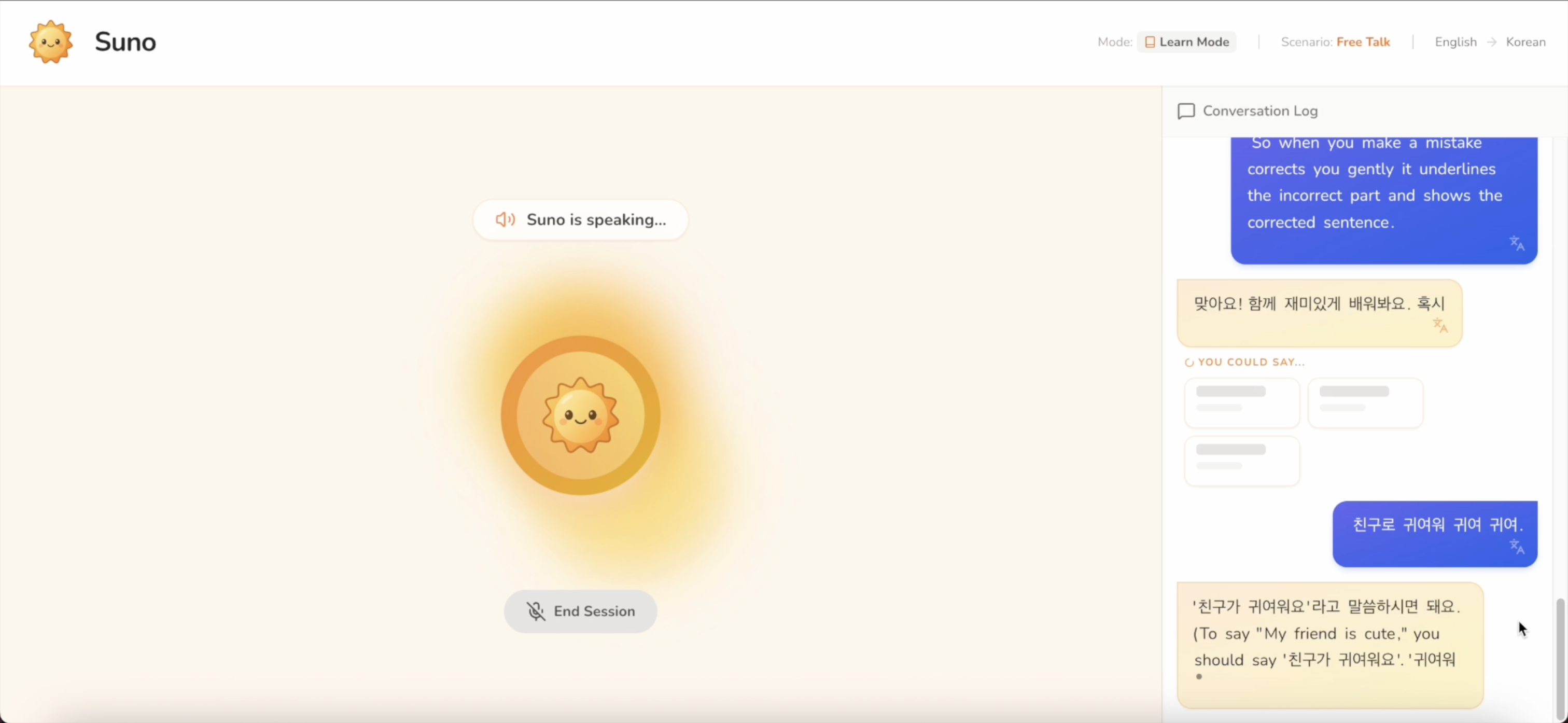
When you make a mistake, Suno corrects you gently. It shows the corrected sentence and explain in your native language
-
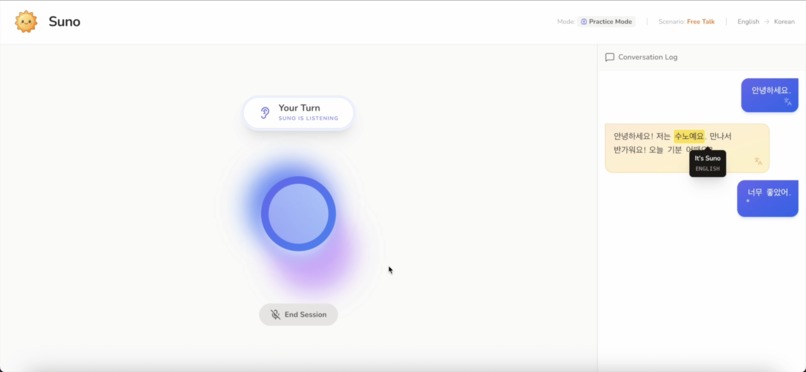
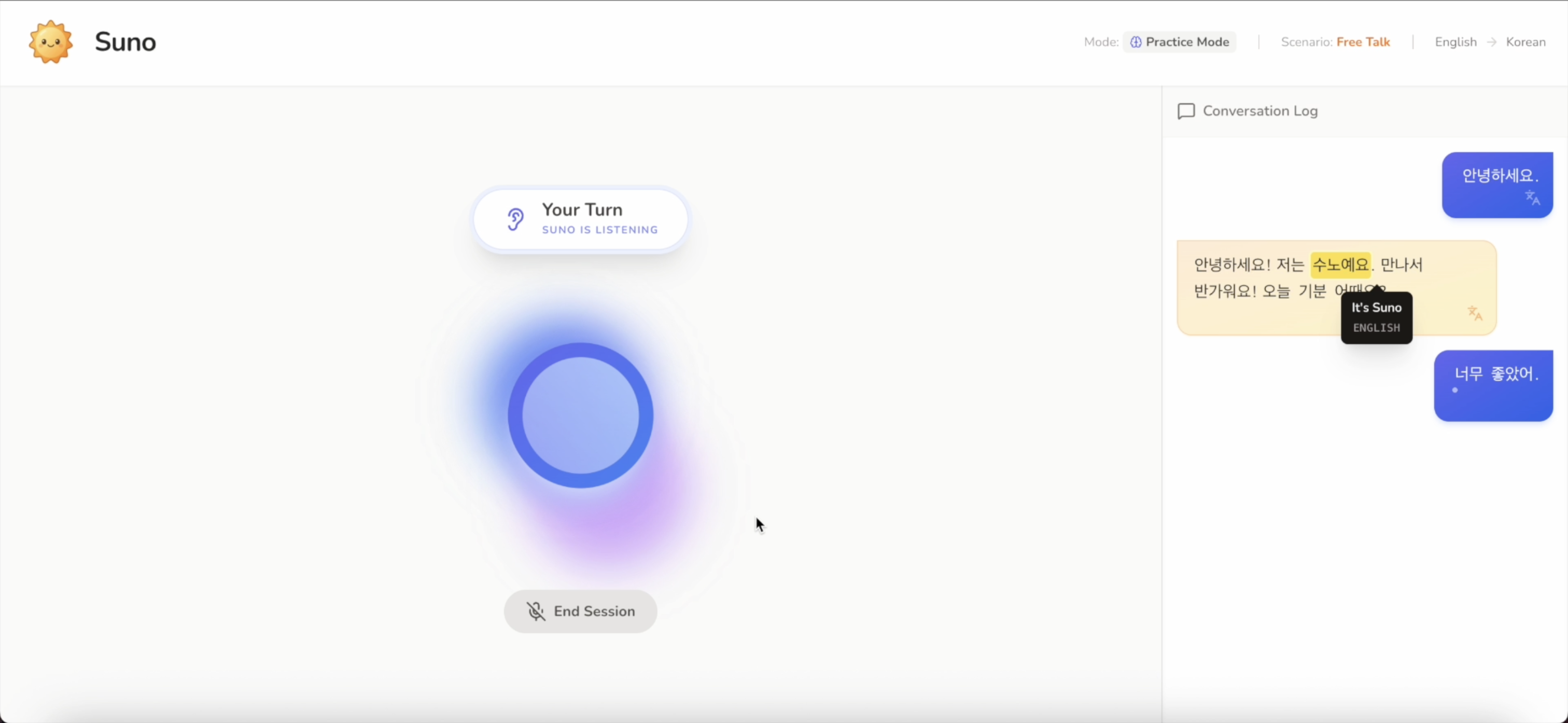
In Practice Mode, you speak freely in your own words
Inspiration
Many language learners understand grammar and vocabulary but hesitate to speak. The fear of making mistakes often becomes the biggest barrier to progress.
Suno was inspired by the idea that language is learned through speaking, not memorization. I wanted to create a learning experience that feels like a real conversation, supportive and confidence‑building, rather than a test or scripted exercise.
Learning should feel human, not evaluative.
What it does
Suno is a real‑time, voice‑first language learning companion that helps users practice new languages through natural conversation. It feels like a live voice call with a friendly AI tutor, offering instant feedback, visual cues, and optional guidance to make speaking easier and more confident.
Users can:
- Speak naturally in real time with low latency
- Receive gentle grammar corrections with explanations
- Tap words or full sentences to see translations instantly
- Learn with guided reply suggestions in Learn Mode
- Practice freely without prompts in Practice Mode Everything is designed to encourage speaking first, not memorization.
How I built it
Suno is built as a browser‑based web application using React 19 and TypeScript, with a strong focus on real‑time audio processing and low‑latency interaction.
For voice interaction, I use the Gemini Multimodal Live API (gemini-2.5-flash-native-audio-preview-12-2025) over a persistent WebSocket connection. This allows bidirectional audio streaming, natural interruptions, and half‑duplex audio gating to prevent echo.
The browser’s Web Audio API handles:
- Microphone capture
- Audio processing and playback
- Real‑time volume analysis for visual feedback
- The animated orb and UI states react dynamically to whether the user is speaking, Suno is responding, or - the system is processing.
Use of Gemini 3
- The whole application is powered by a Gemini 3 Pro Preview agent in AI Studio
- While Gemini 2.5 handles real‑time voice conversation, Gemini 3 (gemini-3-flash-preview) is used as a reasoning engine for Learn Mode. After Suno finishes speaking, the app sends recent conversation context to Gemini 3, which generates exactly three suggested replies. These suggestions are returned as strictly structured JSON using a defined response schema, ensuring reliability and preventing UI errors.
Gemini 3 was chosen for its:
- Strong contextual reasoning
- Reliable schema‑constrained output
- Ability to generate natural, learner‑appropriate responses
Challenges I ran into
One major challenge was designing guidance without breaking immersion. Multiple‑choice answers felt too test‑like, while fully open conversation could overwhelm beginners. Learn Mode suggestion cards became the balance between structure and freedom.
Another challenge was managing real‑time audio:
- Preventing echo during AI speech
- Allowing natural interruptions
- Synchronizing audio, visuals, and UI state transitions Ensuring consistent AI output was also critical. Earlier models sometimes returned extra text or formatting, which could break the interface. Gemini 3’s strict schema support solved this problem.
Accomplishments that I'm proud of
- Building a fully real‑time, voice‑first learning experience in the browser
- Creating Learn Mode suggestions that guide without evaluating
- Achieving low‑latency, interruptible voice interaction
- Designing a UI that visually responds to speech in real time
- Successfully combining Gemini 2.5 Live and Gemini 3 for distinct roles
What I learned
I gained deep experience in real‑time audio engineering, AI reliability, and designing learning systems that feel human rather than instructional. I also learned that:
- Speaking lowers the barrier to real language learning
- Guidance works best when it feels optional, not corrective
- Confidence is not a result of learning, it’s a requirement
What's next for Suno
Next, I plan to:
- Add long‑term progress tracking and session memory
- Expand language and scenario support
- Improve personalization based on learner behavior
- Explore multi‑speaker and role‑play scenarios
- Continue refining voice quality and responsiveness
Suno’s goal is to become a trusted speaking companion that helps learners grow confident through real conversation!
Built With
- esmodules
- firebase
- gemini3
- googlegeminiapi
- in-memory
- javascript
- react
- tailwindcss
- typescript
- vite
- webaudioapi


Log in or sign up for Devpost to join the conversation.